

ESP-IDF Quick Start
Devices & Examples
Core2
CoreS3
Dial
Tab5
Zigbee
ESP Zigbee NCP
This tutorial will guide you on how to run the ESP Zigbee Host/NCP example program using the Unit Gateway H2 paired with the CoreS3 main controller. ESP Zigbee NCP (Network Co-Processor) is a network co-processor mode that runs the Zigbee protocol stack on a separate processor, communicating with the main processor via a serial interface. This architecture allows the main processor to focus on application-layer logic while offloading Zigbee network-related processing to the co-processor. Follow the tutorial below to flash the ESP Zigbee NCP firmware onto the Unit Gateway H2 and the ESP Zigbee Host firmware onto the CoreS3 to create a Coordinator node.
1. Preparations
- 1. Environment Setup: Refer to the ESP-IDF - ESP32S3 Getting Started Guide to complete the basic compilation environment setup.
ESP-IDF version
It is recommended to use ESP-IDF version
v5.3.1 for compiling this example.git clone -b v5.3.1 --recursive https://github.com/espressif/esp-idf.git
cd esp-idf
./install.sh
. ./export.sh- 2. Clone the ESP-Zigbee-SDK Repository: Use the Git command
clone recursiveto clone the ESP-Zigbee-SDK repository.
git clone --recursive https://github.com/espressif/esp-zigbee-sdk.git
cd esp-zigbee-sdk- 3. Hardware Products Used:
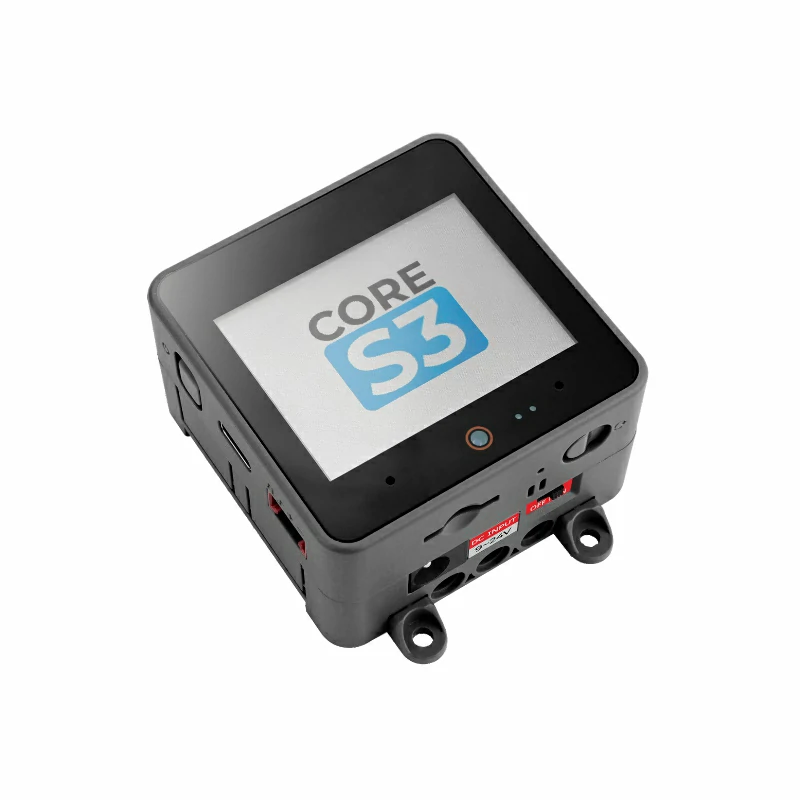

- 4. IDF.py Commands: All subsequent tutorial commands using
idf.pydepend on ESP-IDF. Before running the commands, execute. ./export.shin ESP-IDF to activate the relevant environment variables. For detailed instructions, refer to the ESP-IDF - ESP32S3 Getting Started Guide.
2. Compile NCP Firmware
- 1. Navigate to the NCP Firmware Directory: Use the following commands to enter the corresponding NCP firmware directory and set the compilation target to
esp32h2.
cd examples/esp_zigbee_ncp
idf.py set-target esp32h2
idf.py menuconfig- 2. Configure Pin Information: Use
idf.py menuconfigto enter the configuration page. Configure the device pin information underComponent config->Zigbee Network Co-processor.
- Component config → Zigbee Network Co-processor
  - UART RX Pin: 23
  - UART TX Pin: 24
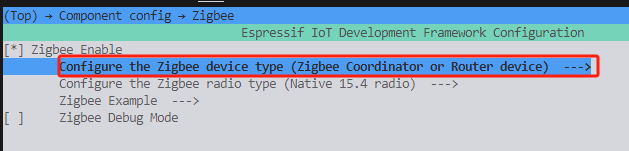
- Component config → ESP Zigbee → Configure the Zigbee device type
  - Zigbee Coordinator or Router device # or Zigbee End Device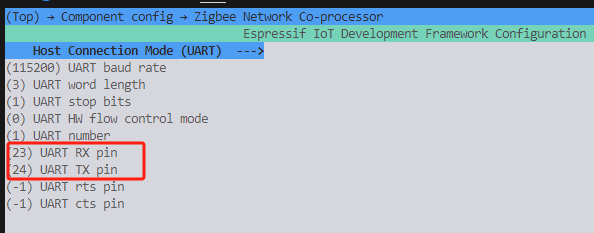
- 3. Compile the NCP Firmware: After completing the configuration, execute the following command to compile the NCP firmware.
idf.py build- 4. Flash the Firmware: Open the Unit Gateway H2 case, press the boot button, and then connect the USB power supply to enter download mode. Execute the following command to flash the firmware. Note: Before flashing, it is recommended to use the command
idf.py erase_flashto erase the flash.

idf.py erase_flash
idf.py flash3. Compile HOST Firmware
- 1. Navigate to the HOST Firmware Directory: Use the following commands to enter the corresponding HOST firmware directory and set the compilation target to
esp32s3.
cd examples/esp_zigbee_host
idf.py set-target esp32s3 # Use CoreS3
idf.py menuconfig- 2. Configure Pin Information: Use
idf.py menuconfigto enter the configuration page. Configure the device pin information underComponent config->Zigbee NCP Host.
- Component config → Zigbee NCP Host
  - UART RX Pin: 18
  - UART TX Pin: 17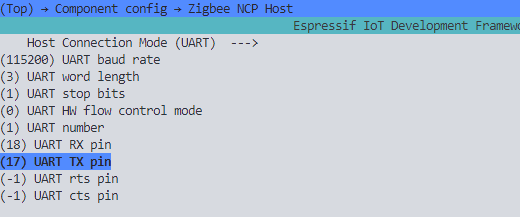
idf.py build
idf.py flash4. Start Running
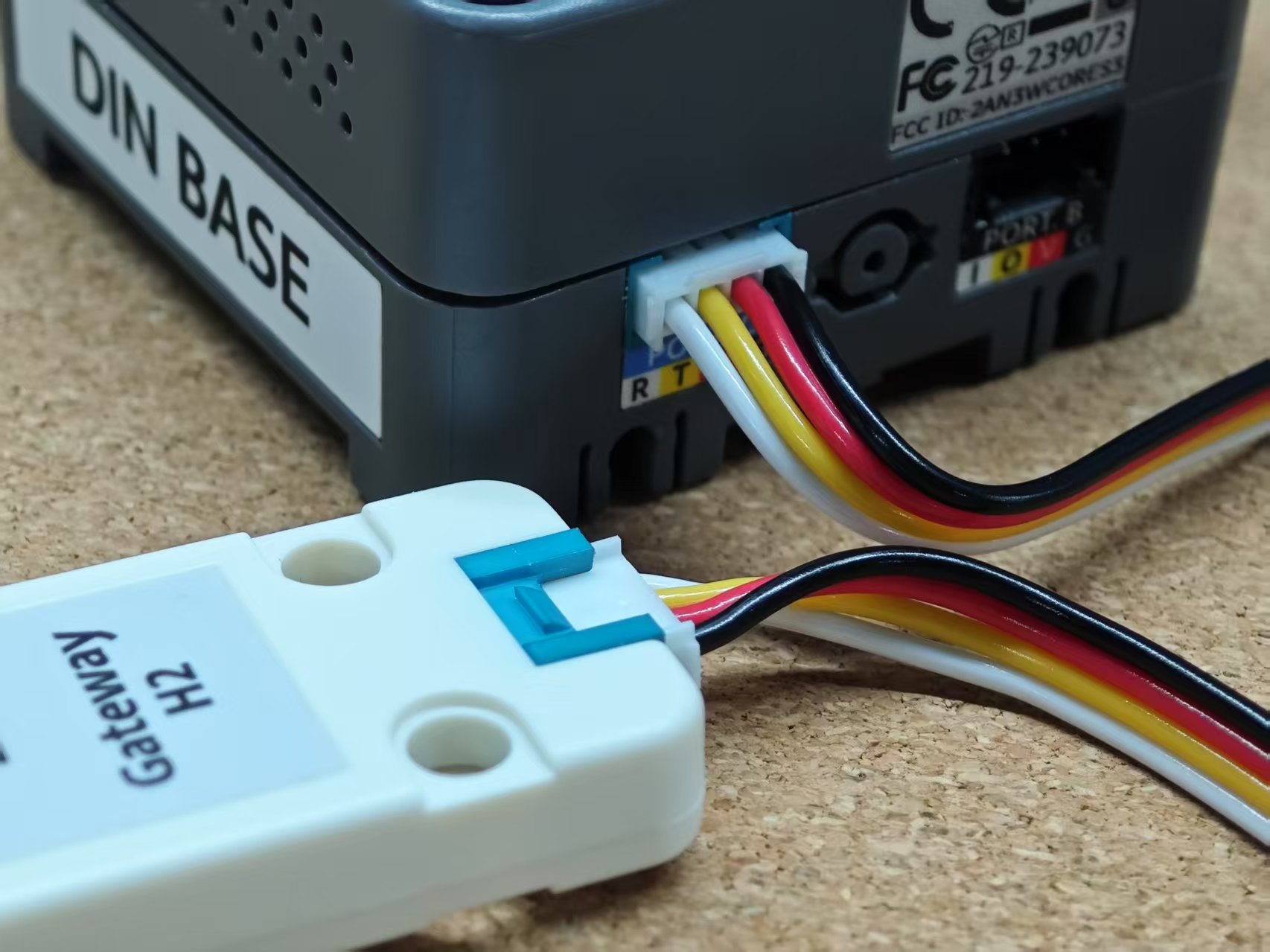
- Connect the CoreS3 to the Unit Gateway H2.
- Connect the CoreS3 to your computer.
- Use
idf.py monitoror other serial debugging tools to view the running logs at 115200bps.
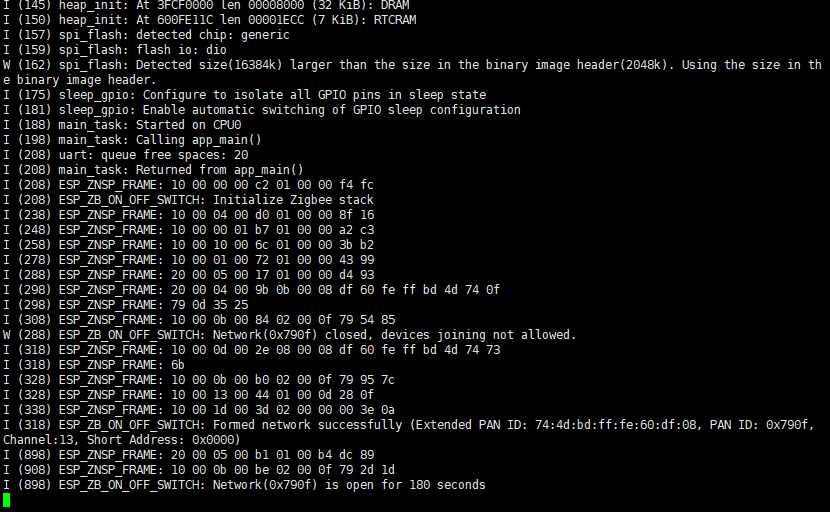
Normal Running Log Content:
- NCP side shows successful initialization of the Zigbee protocol stack.
- Host side shows successful connection to the NCP.
- Zigbee network creation successful (Coordinator mode).
Page Tools