

AIFlow User Guide
AiFlow Web User Guide
1. Introduction
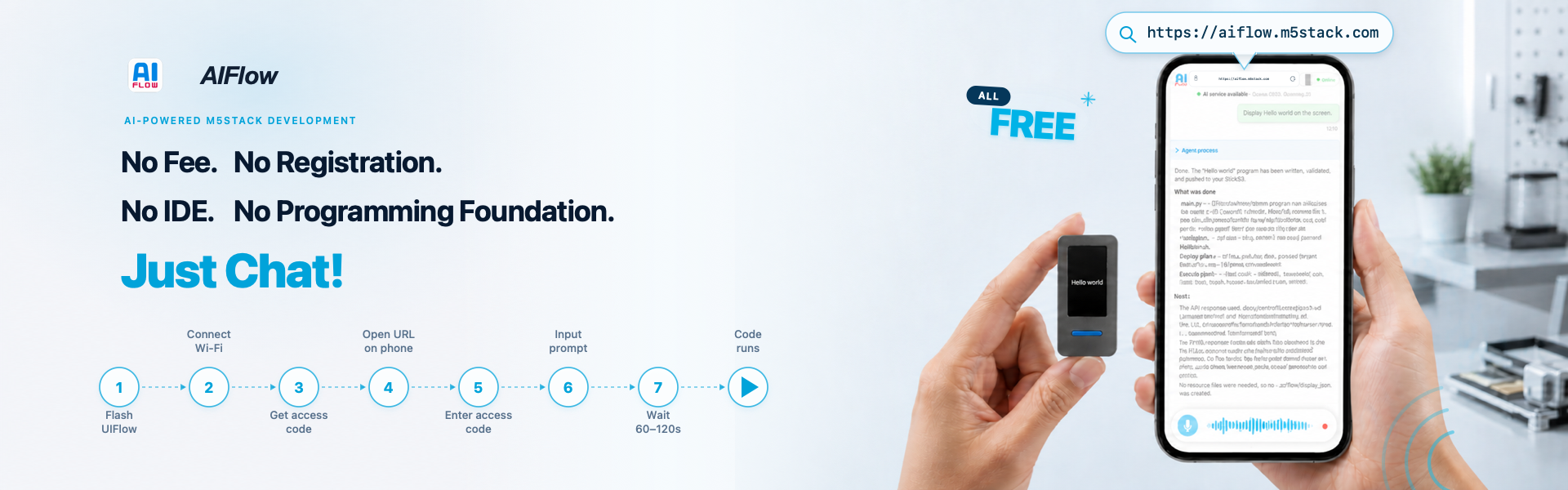
AIFlow Web is an online Vibe Coding tool that allows you to quickly generate code for devices and deploy programs using natural language, without the need for complex environment setup.
AiFlow Web supports all M5Stack devices compatible with the UiFlow2 platform. This tutorial uses the StickS3 device as an example to demonstrate how to use AiFlow Web for online programming.
2. Flashing Firmware
Before using AiFlow Web, you need to flash the corresponding AiFlow firmware onto the device and configure Wi-Fi settings.
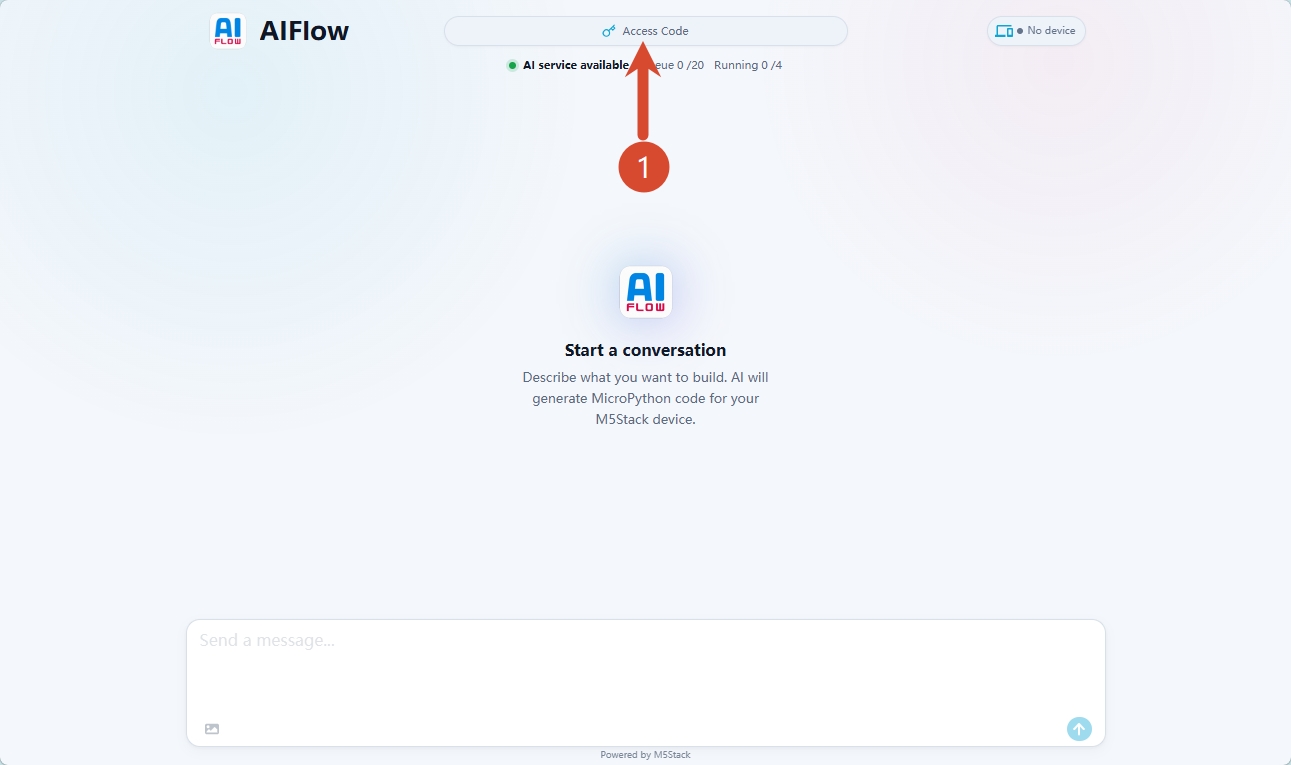
- Go to the AIFlow Web page and click the
Access Codeoption at the top of the page.
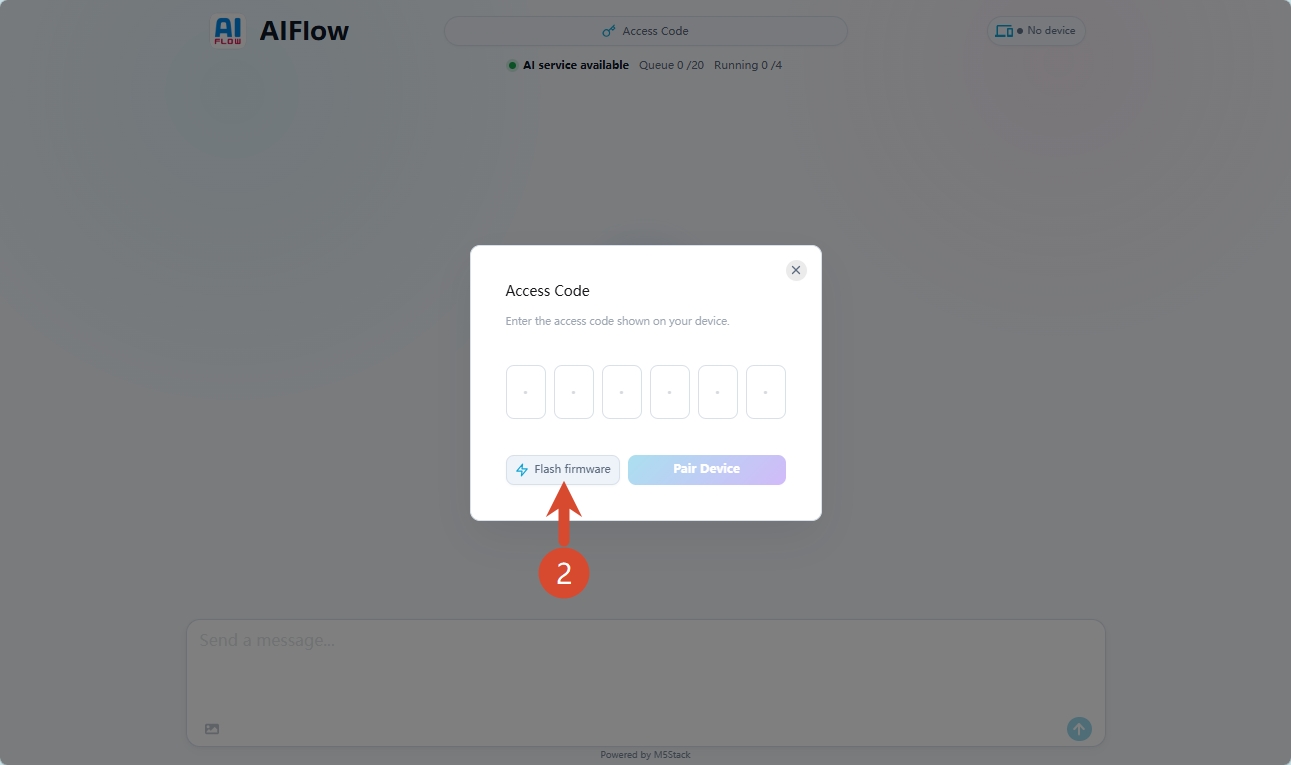
- Click
Flash firmwareto enter the firmware flashing page.
- Put the device into download mode: Connect the StickS3 to your computer, then press and hold the power button until the green indicator starts blinking. The device will enter download mode.

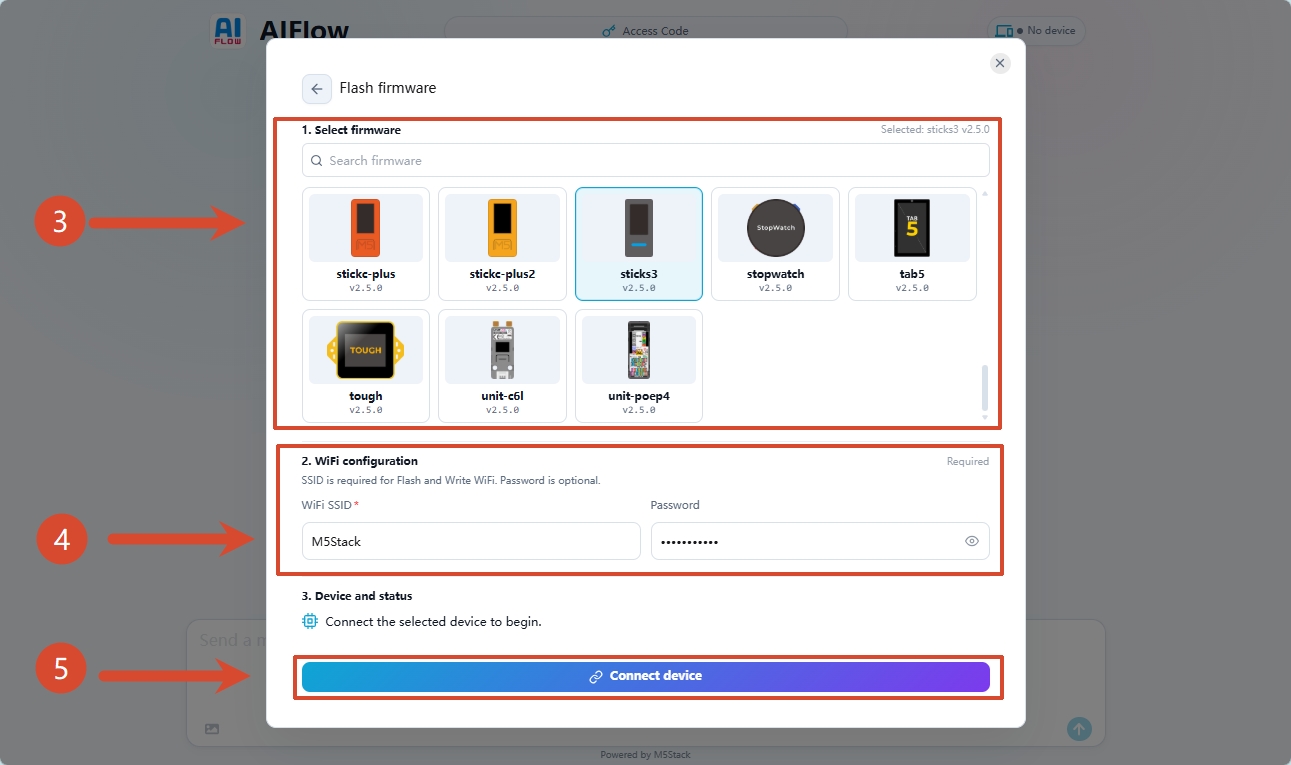
- In the
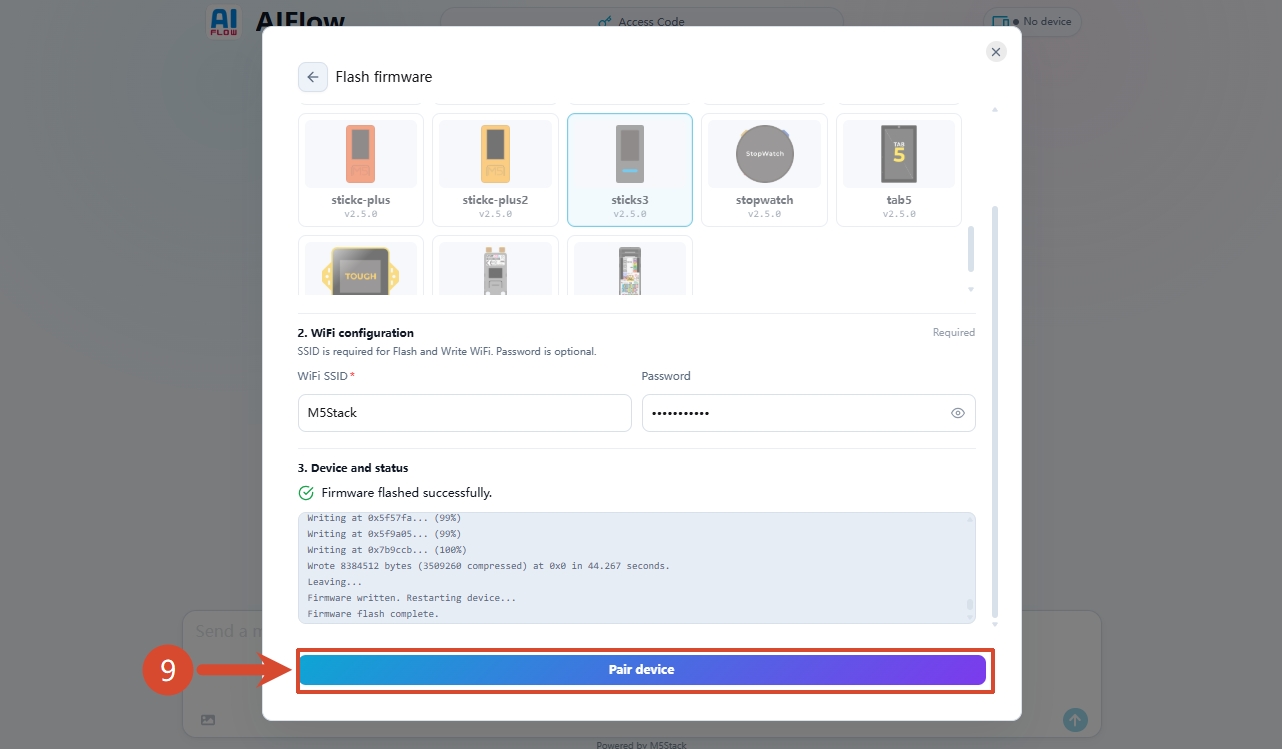
Select firmwaresection, search for or find your device type, enter your Wi-Fi SSID and password, then clickConnect device.
- Select the corresponding device port and click
Connect.
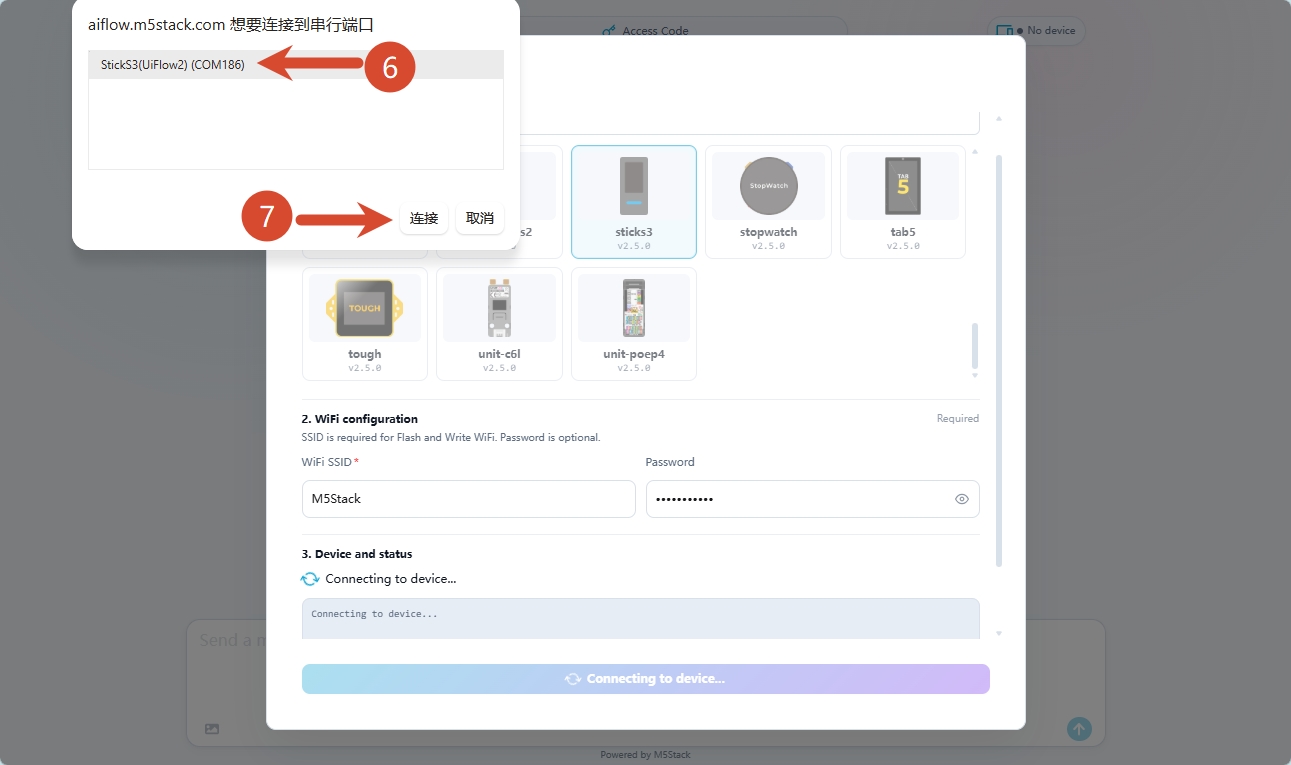
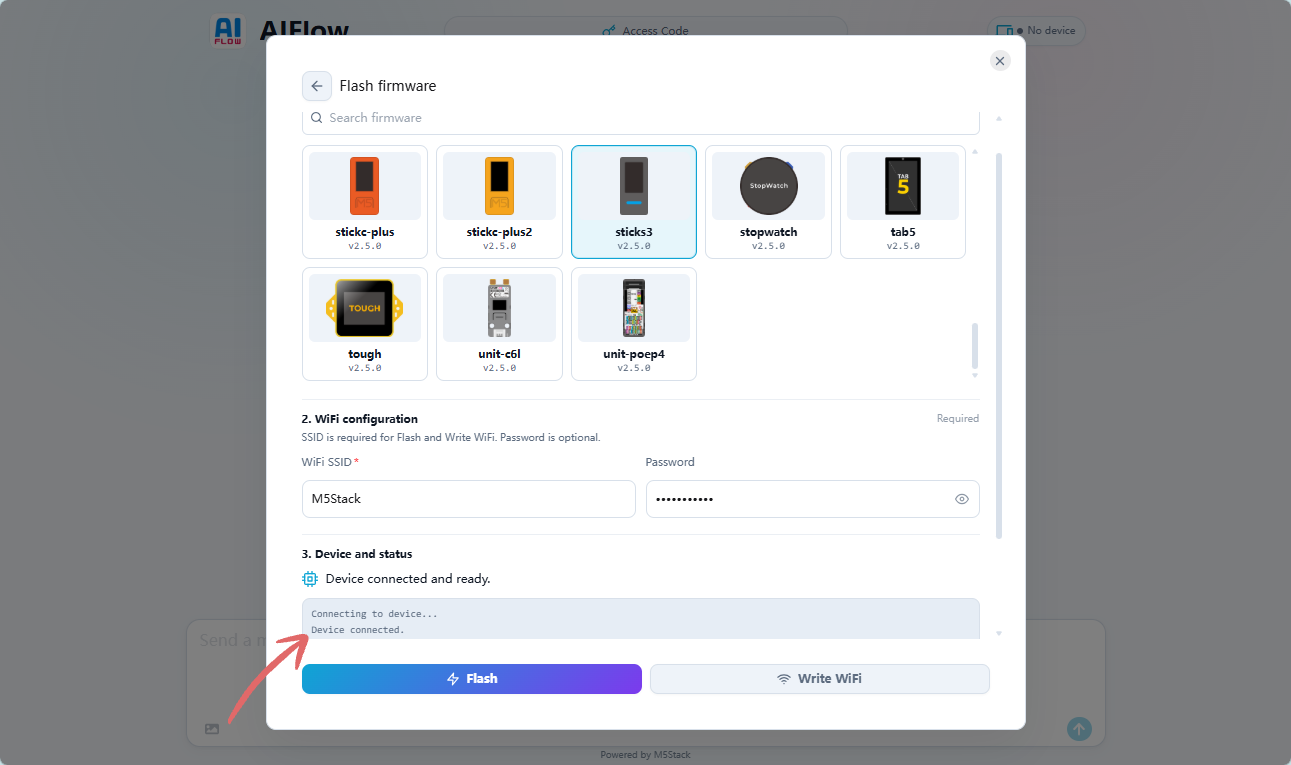
When the prompt Device connected appears, the network connection is successful.
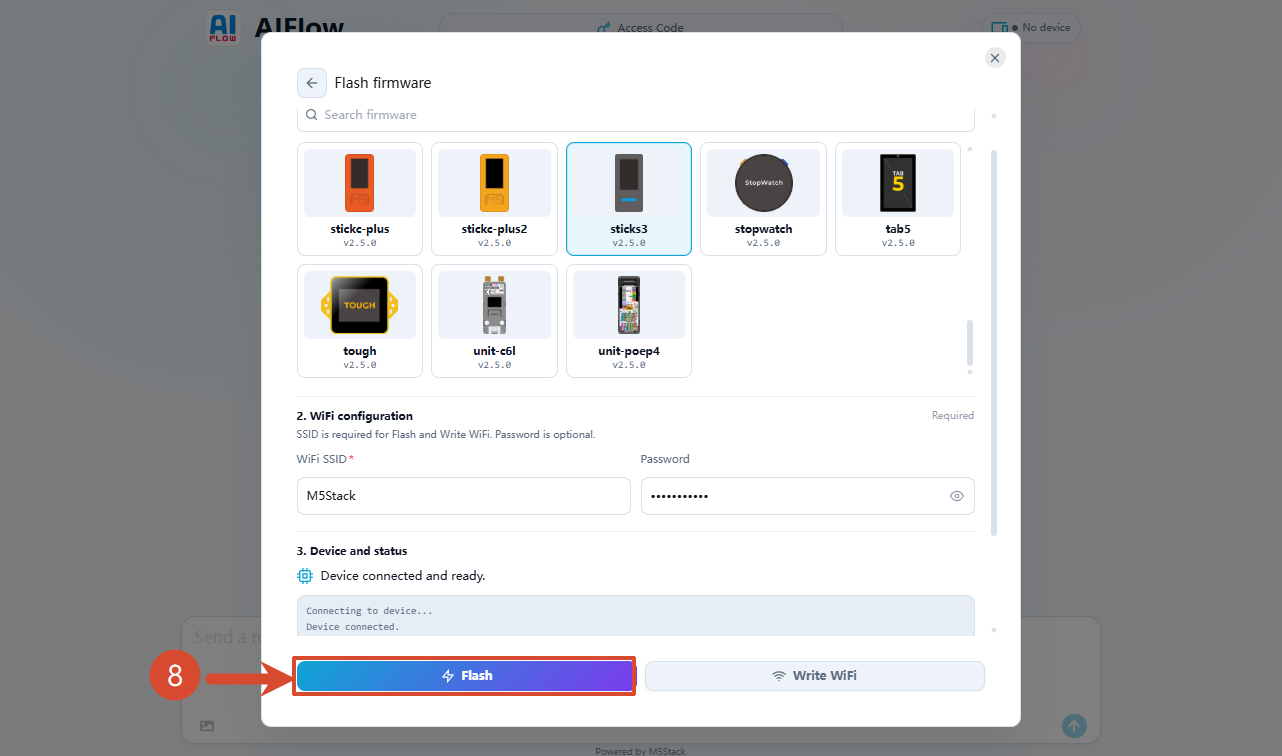
- Click
Flashto start flashing the AIFlow firmware.
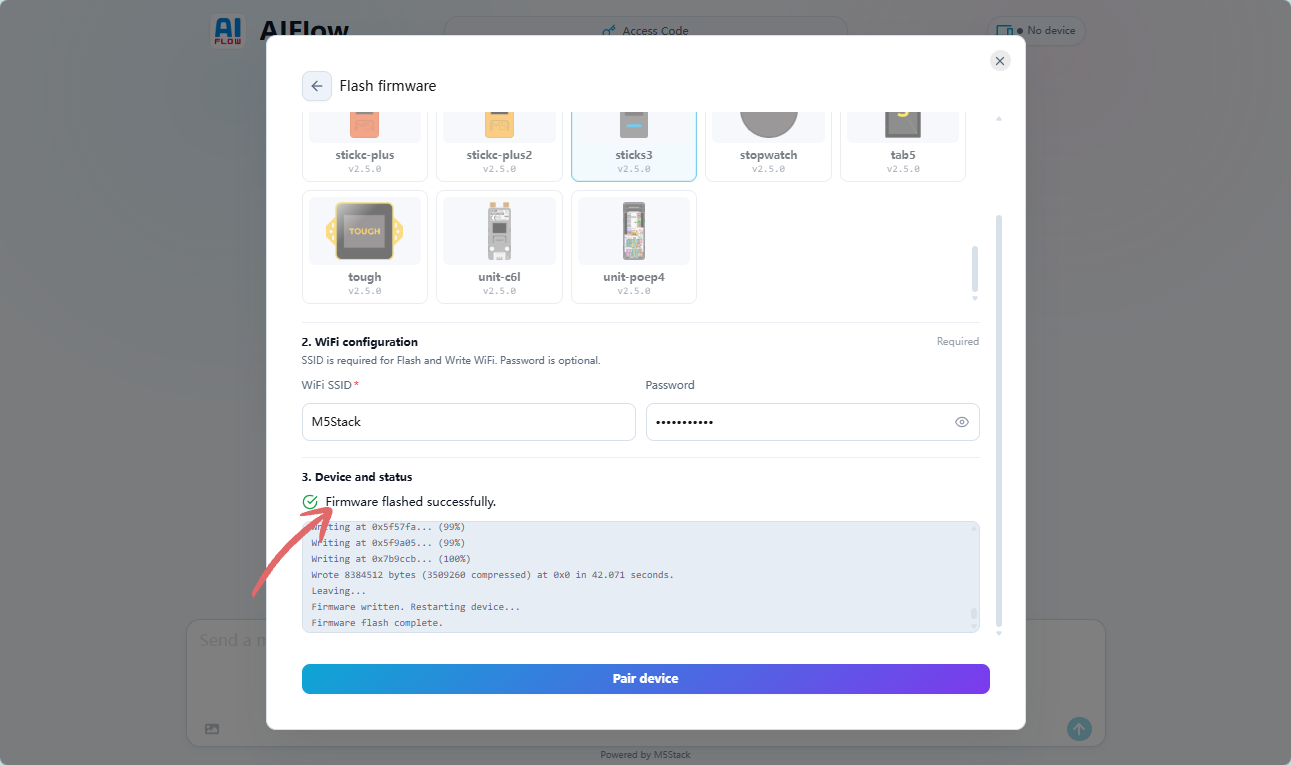
When the prompt Firmware flashed successfully appears, the firmware flashing is complete. Please reset the device at this point.
3. Connecting to AiFlow
After the firmware is flashed, the device needs to establish a wireless connection with AiFlow Web using an Access Code, for program delivery and device control.
- Obtain the device Access Code: After the StickS3 starts up, press the center button. Wait for the server connection to succeed, then the device will automatically generate an Access Code and display it on the screen.
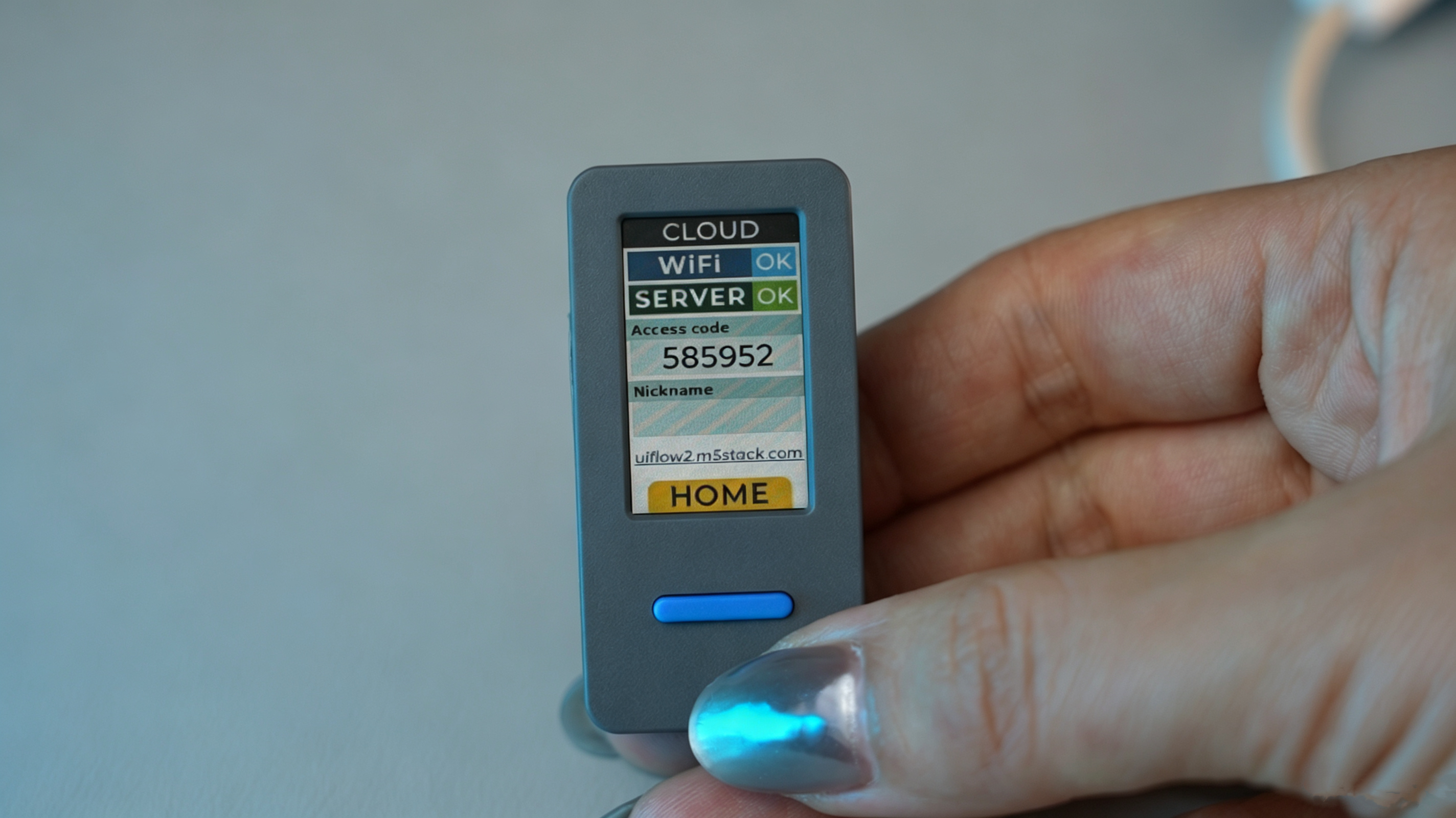
- Click
Pair device, enter the device's Access Code in the pop-up window, then clickPair Deviceto connect.
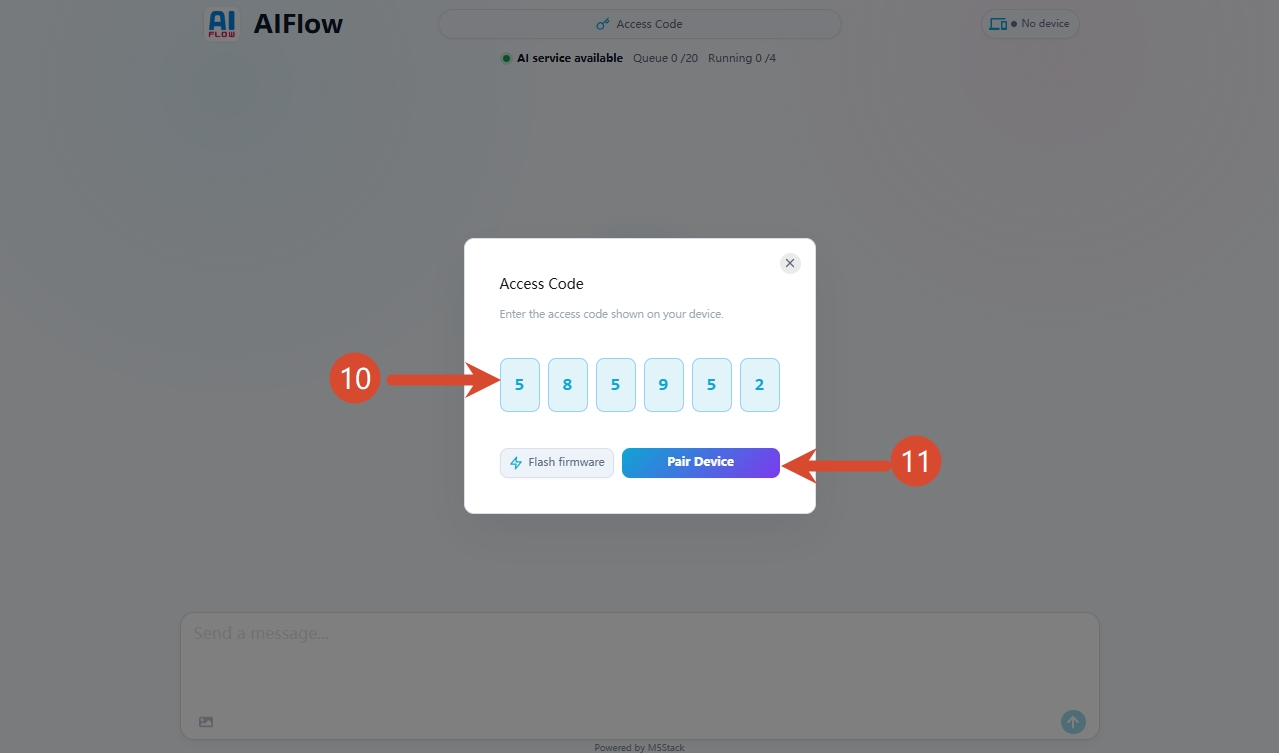
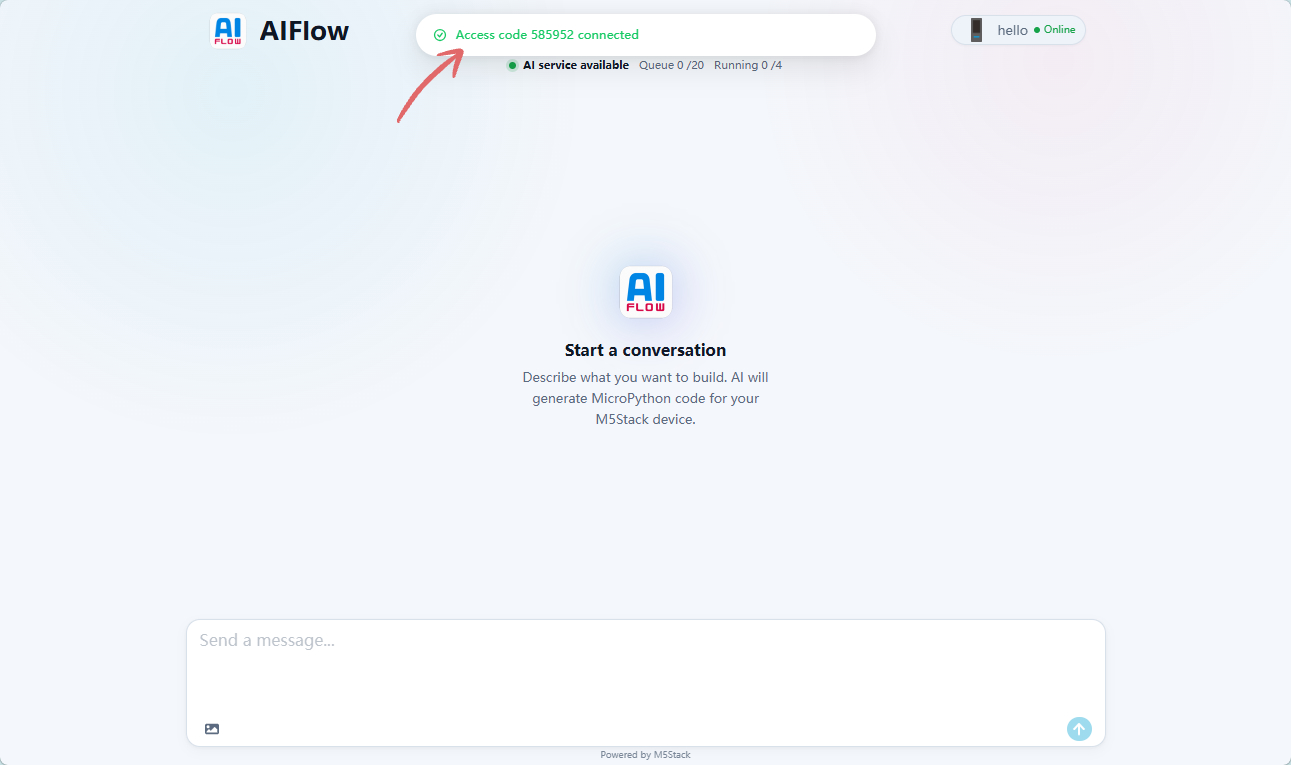
When the prompt Access code xxx connected appears, the device connection is successful. The device status will be displayed in the upper-right corner of the page.
4. Getting Started
Once connected, you can directly enter natural language to describe the functionality you want to implement. AiFlow will display the generation progress in real time, automatically generate the corresponding MicroPython code after inference, and push it to the device for execution via the network. You can use the code preview and run/debug features to quickly verify and iterate.
Note: Programs generated by AI inference are not fixed; the same prompt may produce different results. The content below is for demonstration purposes only; actual results may vary.
Example Demo
Prompt input:
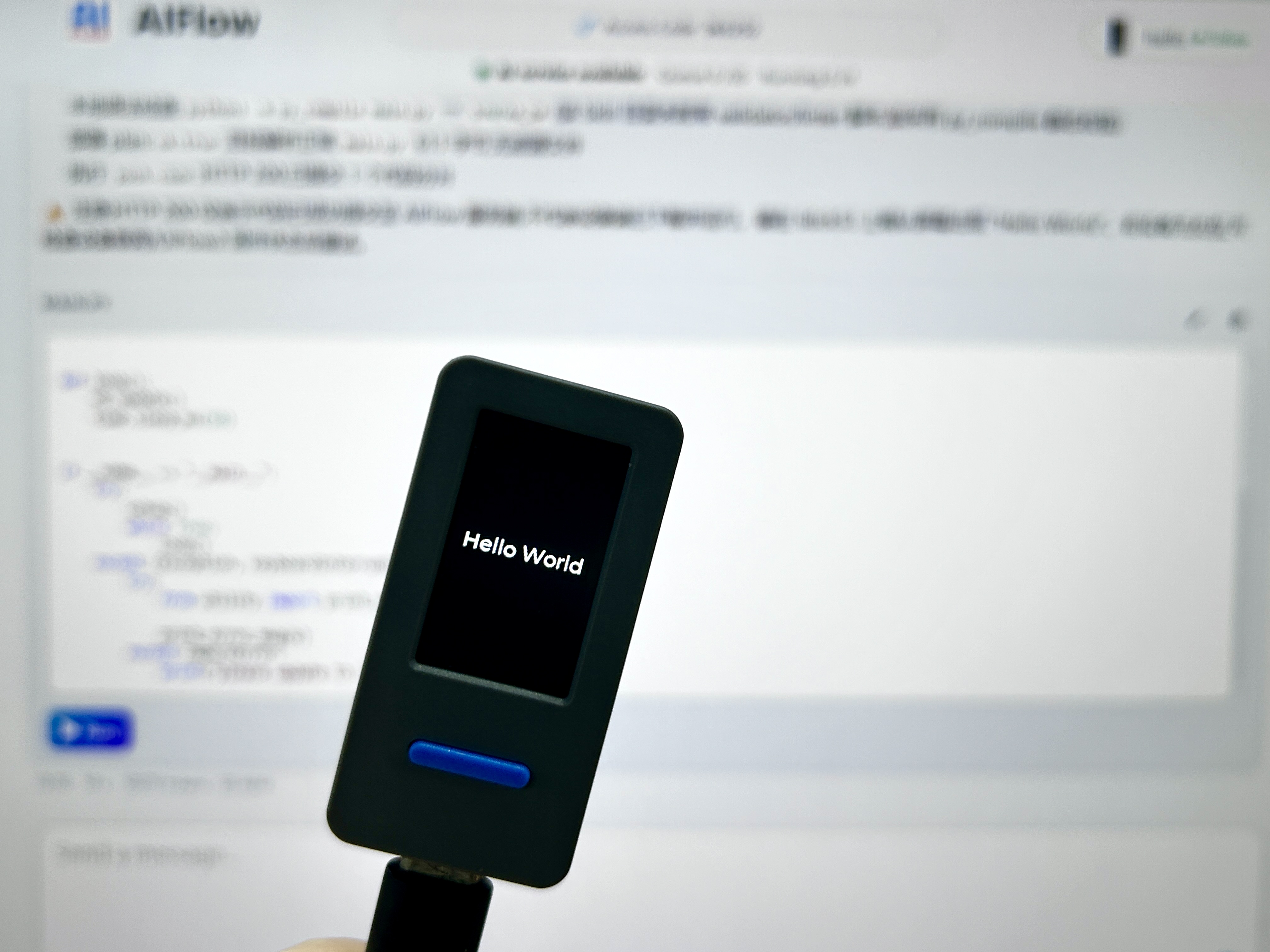
Print "Hello World" on screen
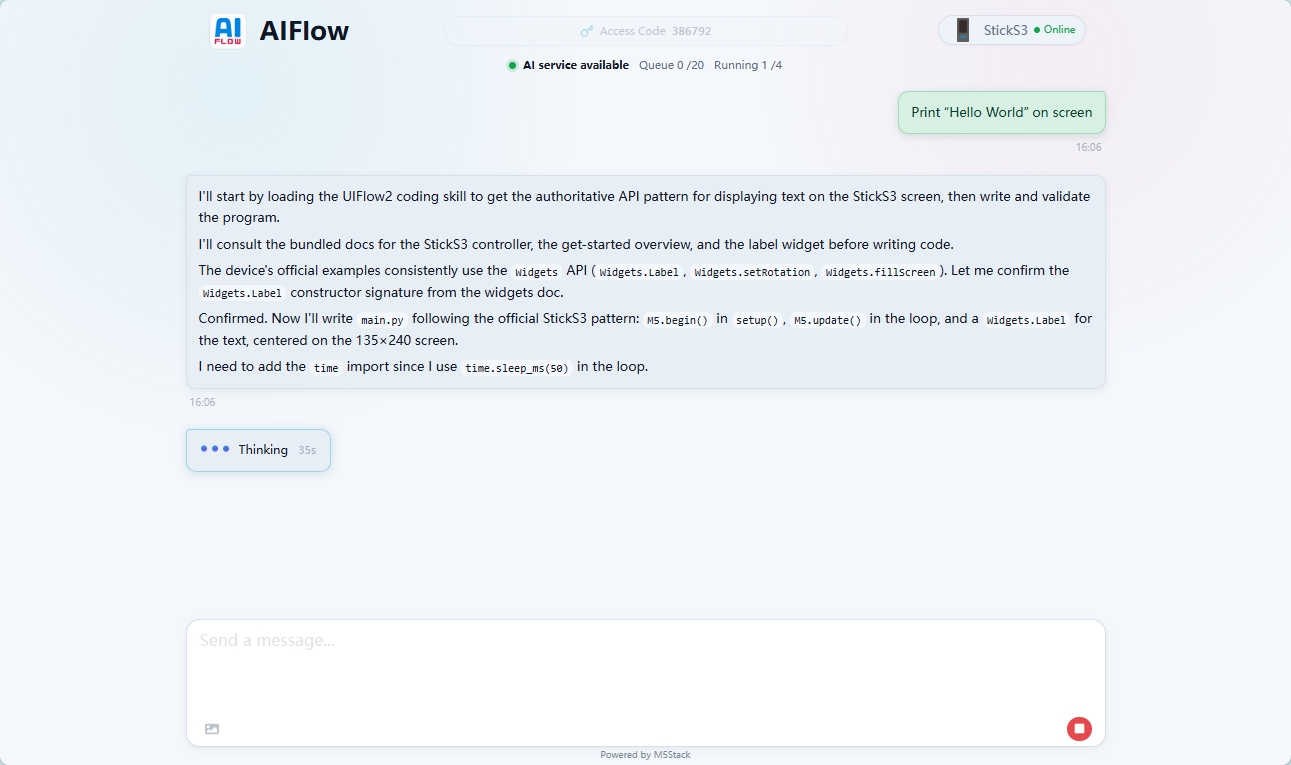
Result:
5. Interface Overview
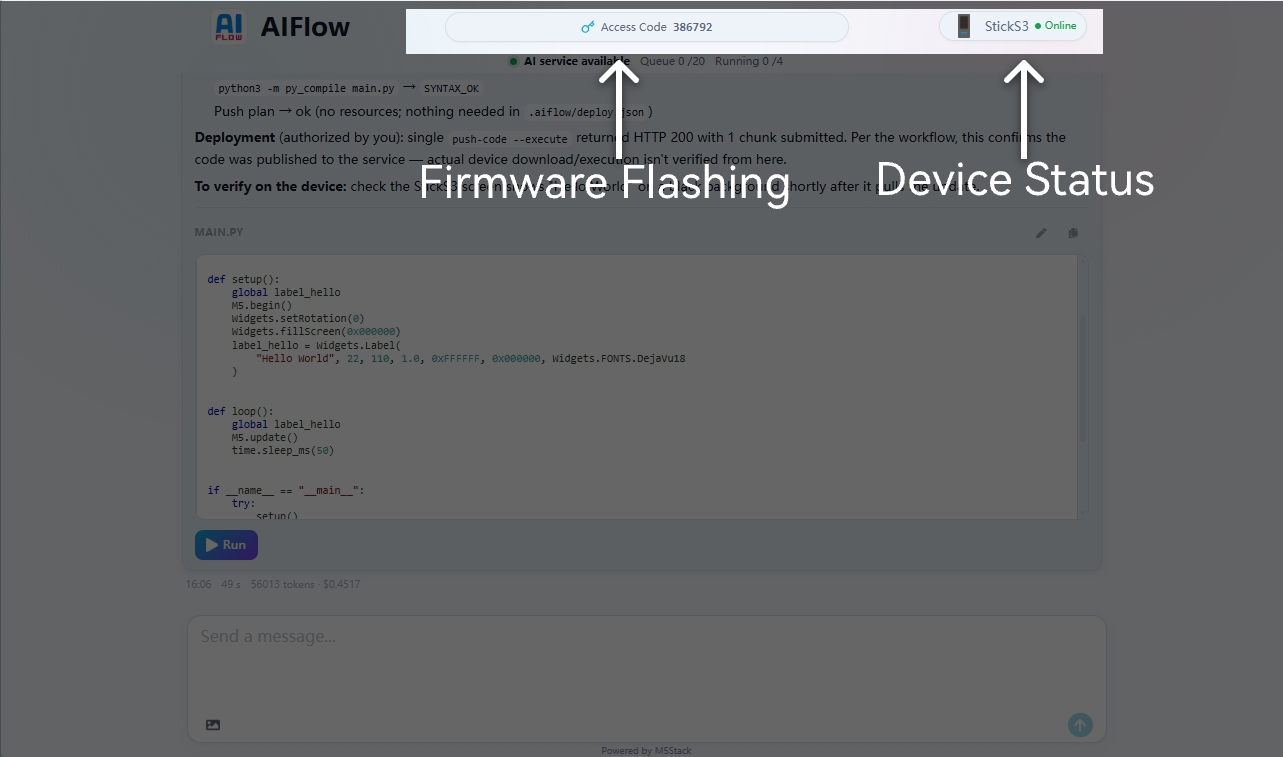
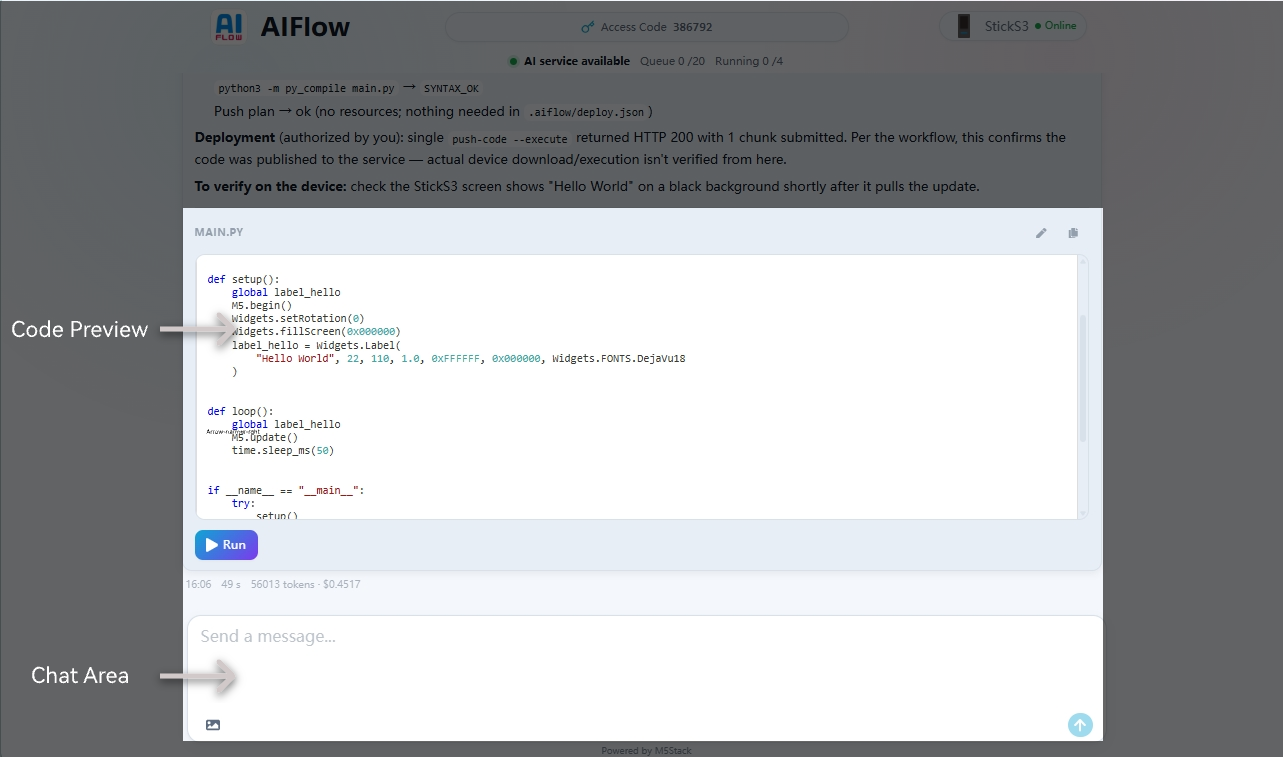
The main areas of AiFlow Web include:
- Firmware Flashing: Flash AiFlow firmware and pair devices using the Access Code.
- Device Status Display: Shows the device name and current online status; supports custom device naming.
- Chat & Code Preview: Describe your ideas in the chat box; AiFlow generates code based on the chat content and deploys it to the device.
6. More Information
The AiFlow desktop client has also been released. Feel free to try it out. For more details, please refer to the AiFlow Desktop & APP.