Unit PoE-P4
SKU:U213
Description
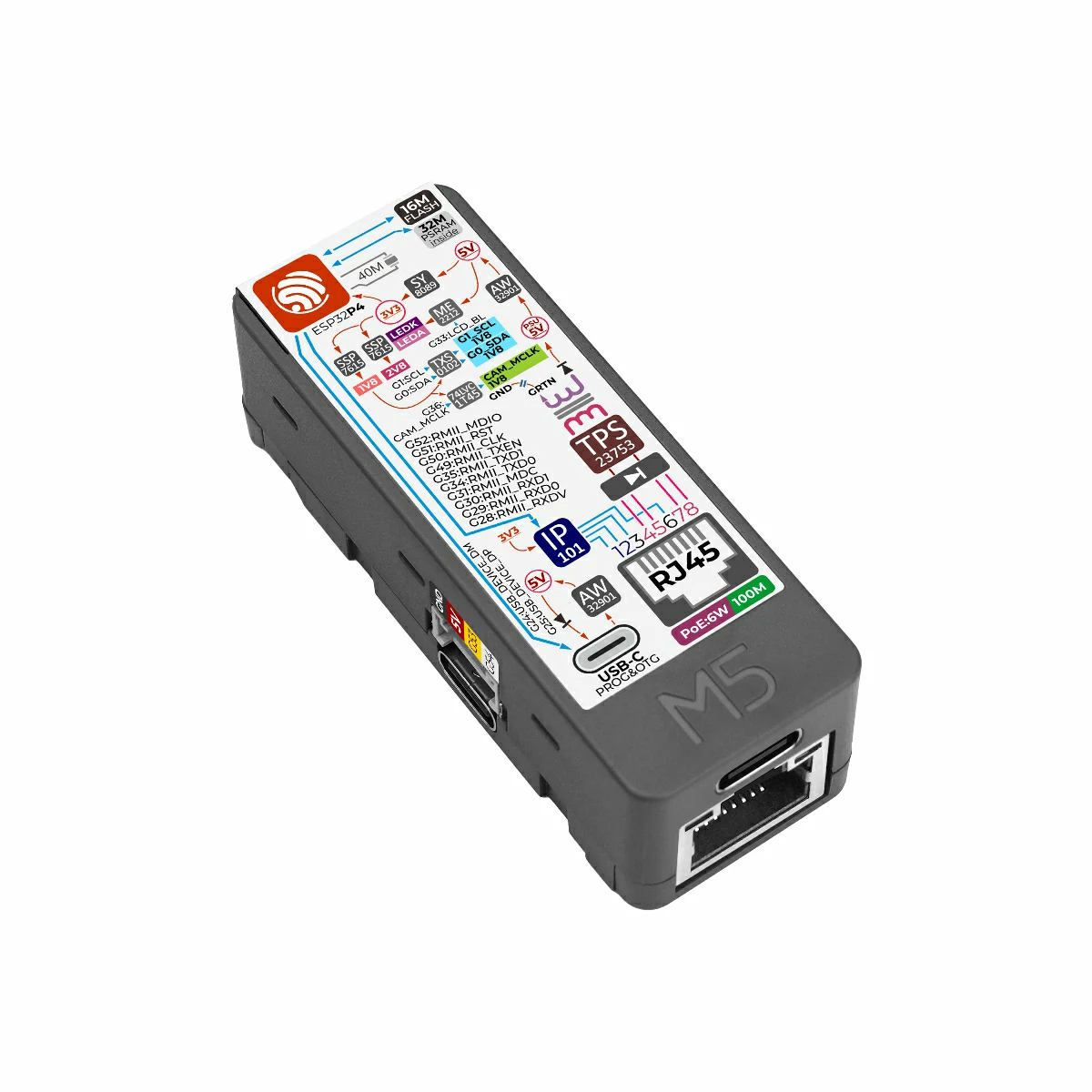
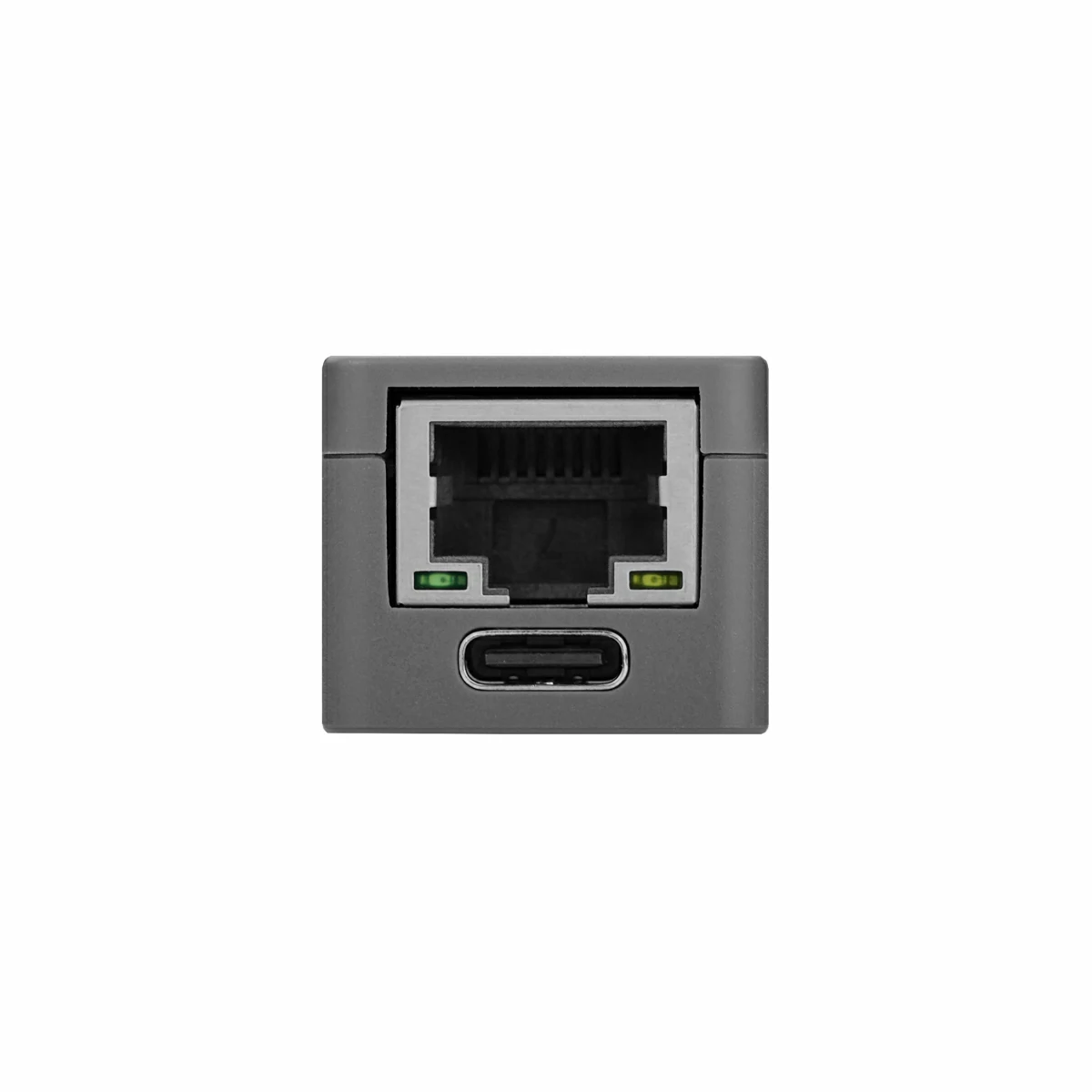
Unit PoE‑P4 is a high‑performance PoE Ethernet embedded controller powered by the ESP32‑P4 SoC (RISC‑V 32‑bit dual‑core @ 360MHz + LP single‑core @ 40MHz). It integrates 16MB Flash and 32MB PSRAM, and features the built‑in IP101GRI Ethernet PHY supporting 10/100 Mbps communication. The device also supports PoE power delivery with a maximum output of 6W, and includes an onboard DC‑DC converter to supply system power, greatly simplifying power wiring in practical applications.
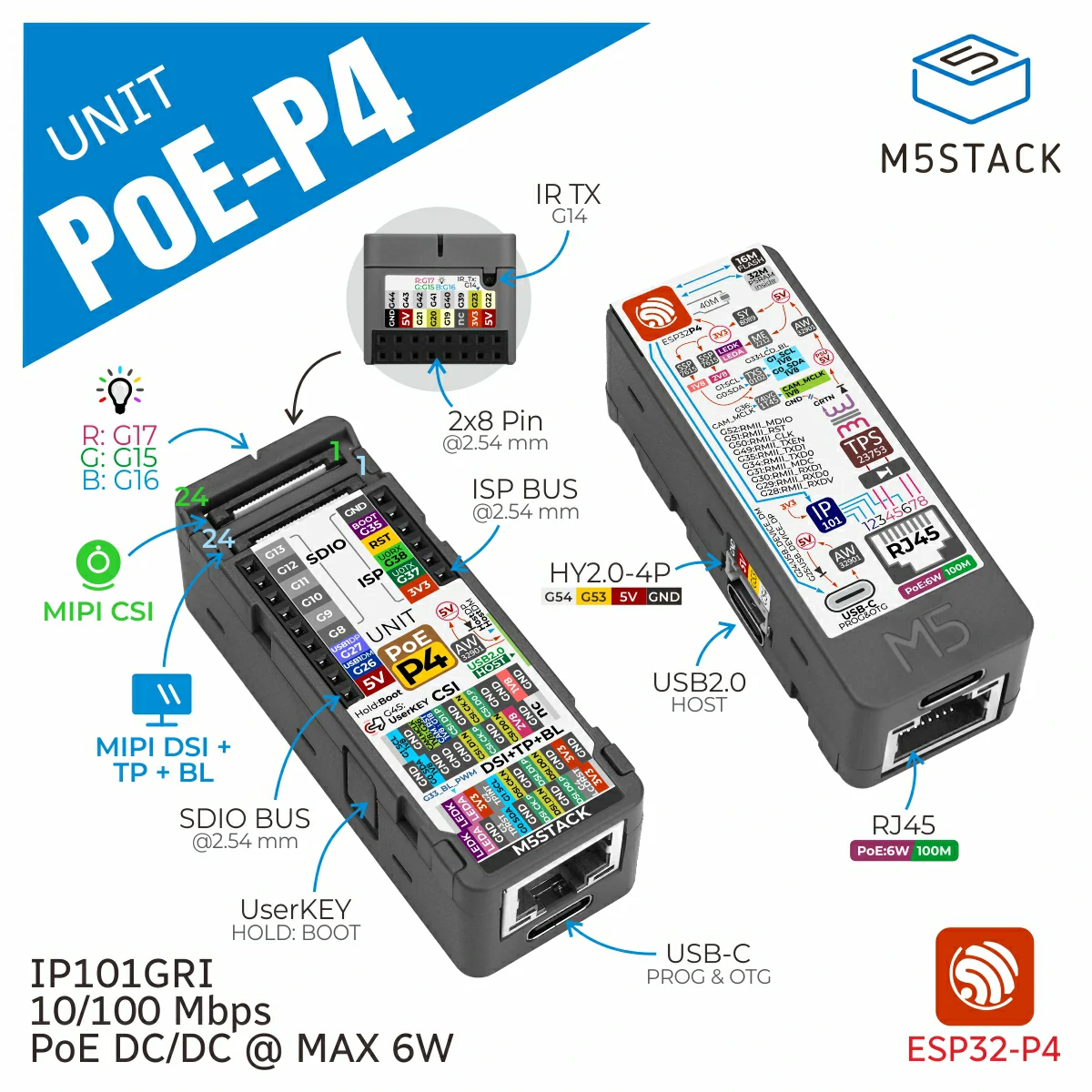
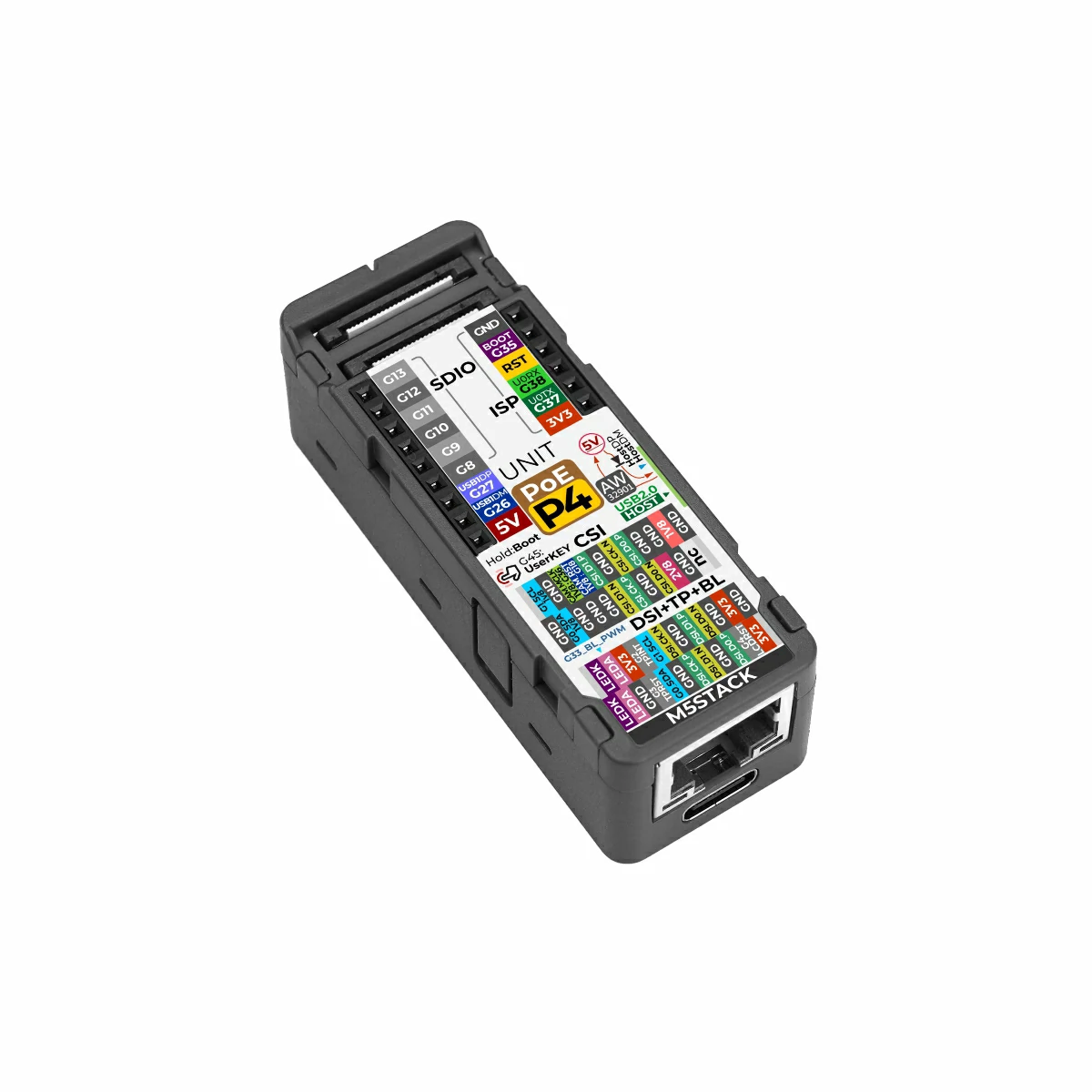
It is equipped with a 24P FPC display expansion interface (MIPI DSI + TP + BL) and a 24P FPC camera interface (MIPI CSI), supporting high‑resolution display output and image capture. For peripheral expansion, it provides one USB Type‑C Host (USB 2.0) port for connecting U disks, HID devices, and other peripherals, plus one USB Type‑C (USB 2.0) port supporting OTG and firmware download for debugging. In addition, it features a Hat expansion interface, SDIO & ISP IO expansion interfaces, and a Grove interface, enabling flexible connection to a wide range of sensors and peripherals.
The device also integrates an RGB indicator LED, an infrared transmitter circuit, and a user button to support status indication, local interaction, and infrared signal transmission. It is ideal for applications such as industrial HMI, PoE smart terminals, vision acquisition nodes, smart home controllers, and edge computing devices.
Tutorial
This tutorial introduces how to control Unit PoE-P4 through the UiFlow2 graphical programming platform.
This tutorial introduces how to program and control the Unit PoE-P4 using the Arduino IDE.
Features
- ESP32-P4 main controller:
- Peripheral interfaces:
- 1x 24P FPC camera interface: MIPI CSI 2‑Lane
- 1x 24P FPC display expansion interface: MIPI DSI 2‑Lane + TP + BL
- 1x USB Type‑C Host interface (USB 2.0)
- 1x USB Type‑C firmware download / OTG interface (USB 2.0)
- Ethernet:
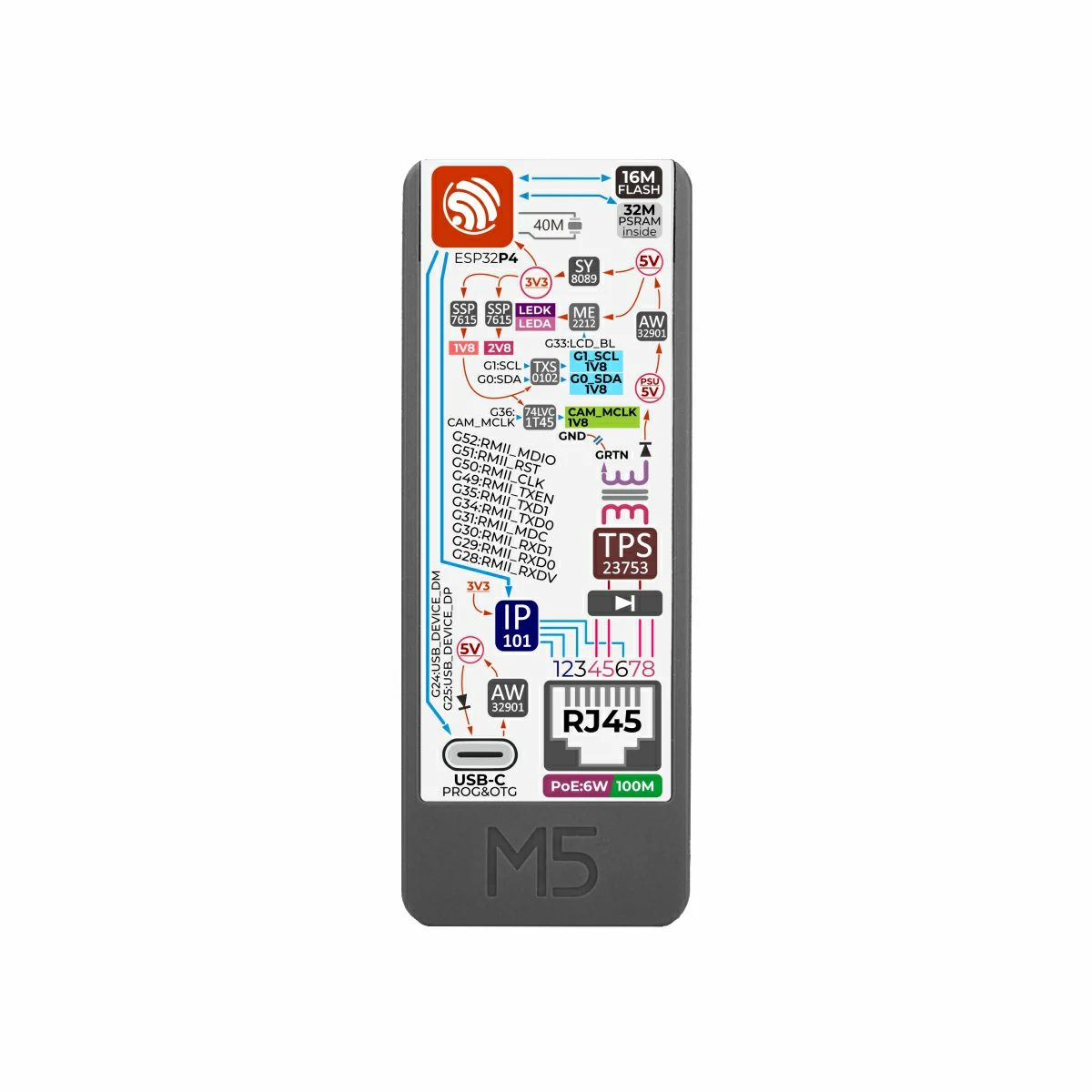
- Integrated IP101 10/100M Ethernet PHY chip
- Supports PoE (active Ethernet) power supply, enabling data transmission and power delivery over a single Ethernet cable
- Human‑machine interaction:
- 1x RGB LED indicator
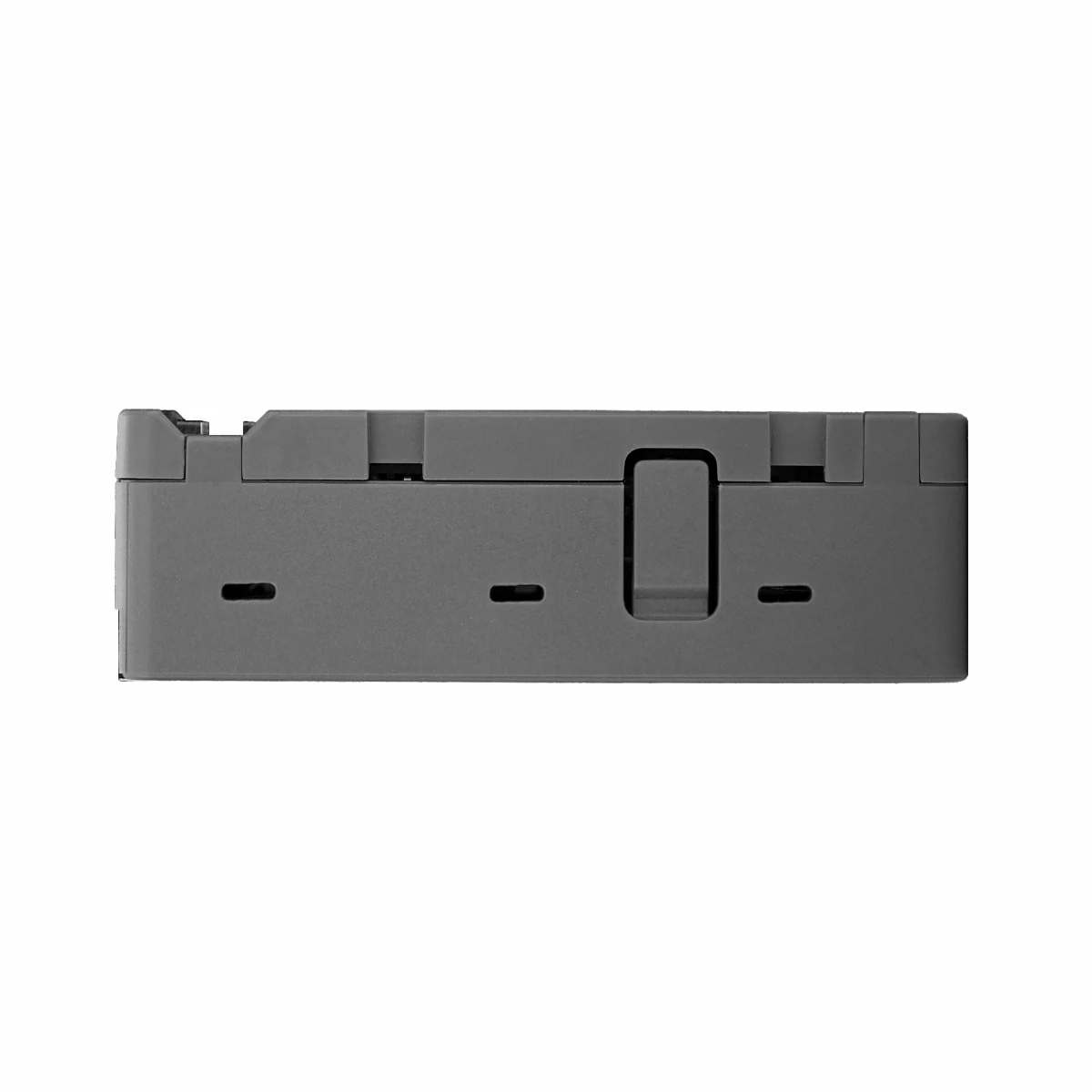
- 1x user button
- 1x infrared transmitter
- Expansion interfaces:
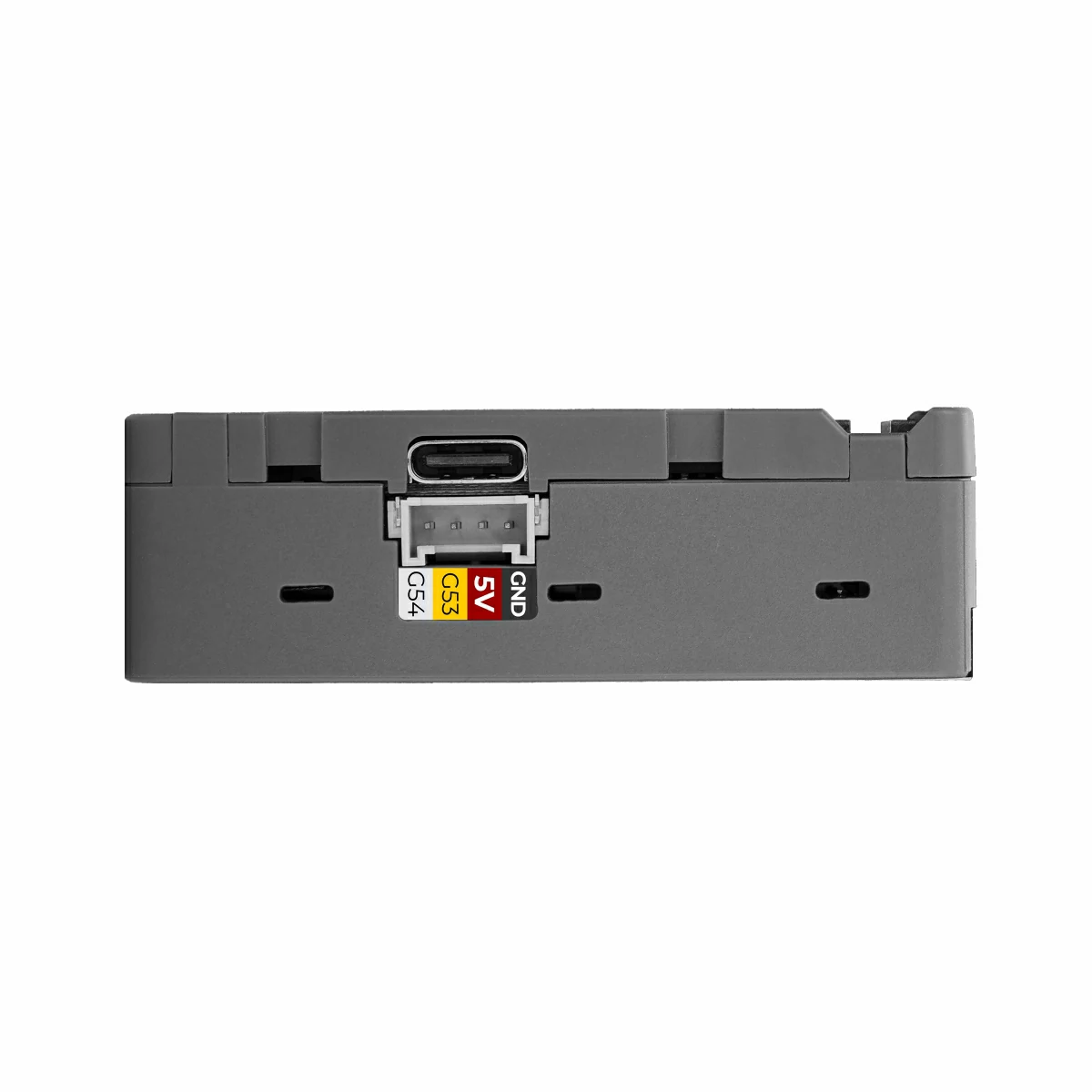
- HY2.0-4P expansion interface
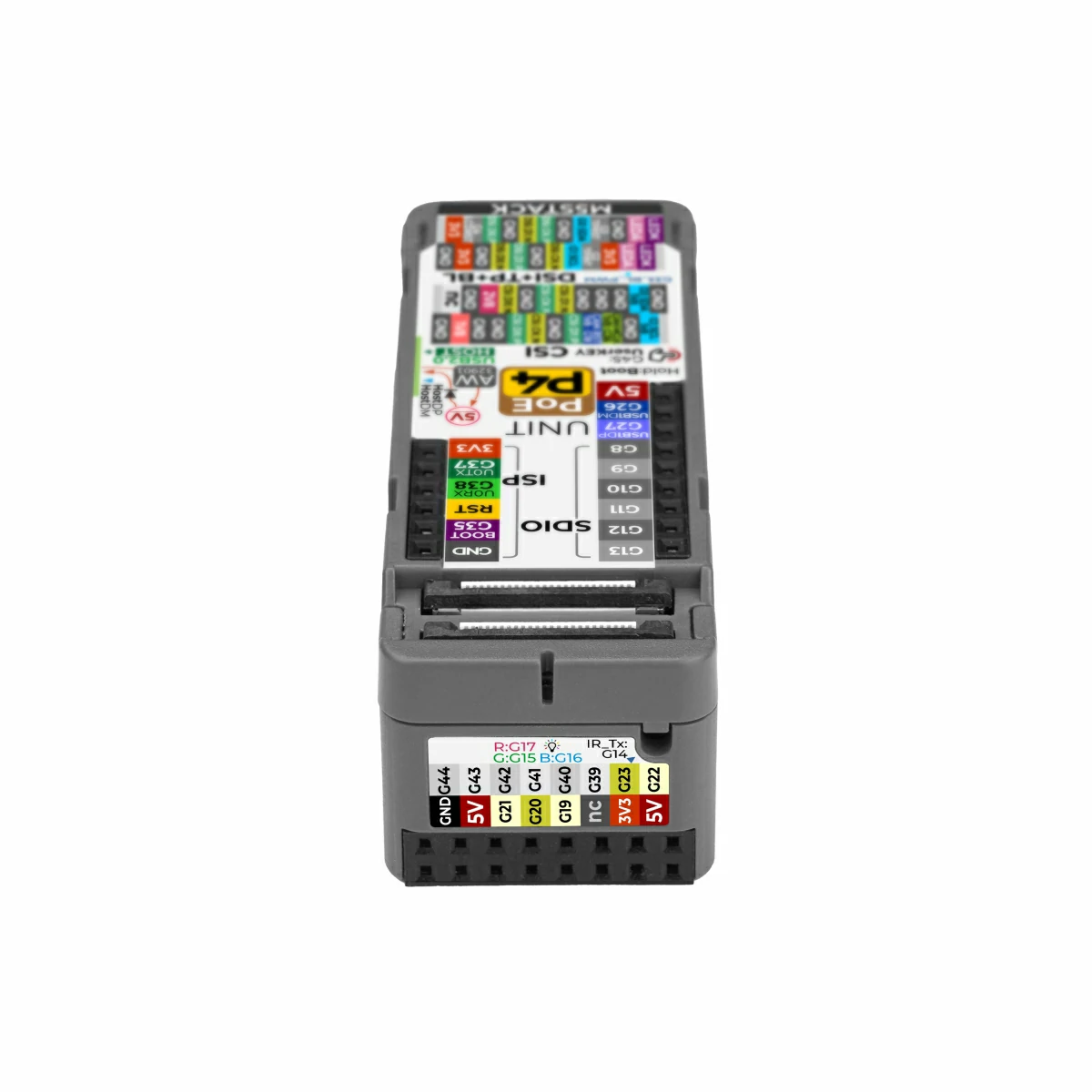
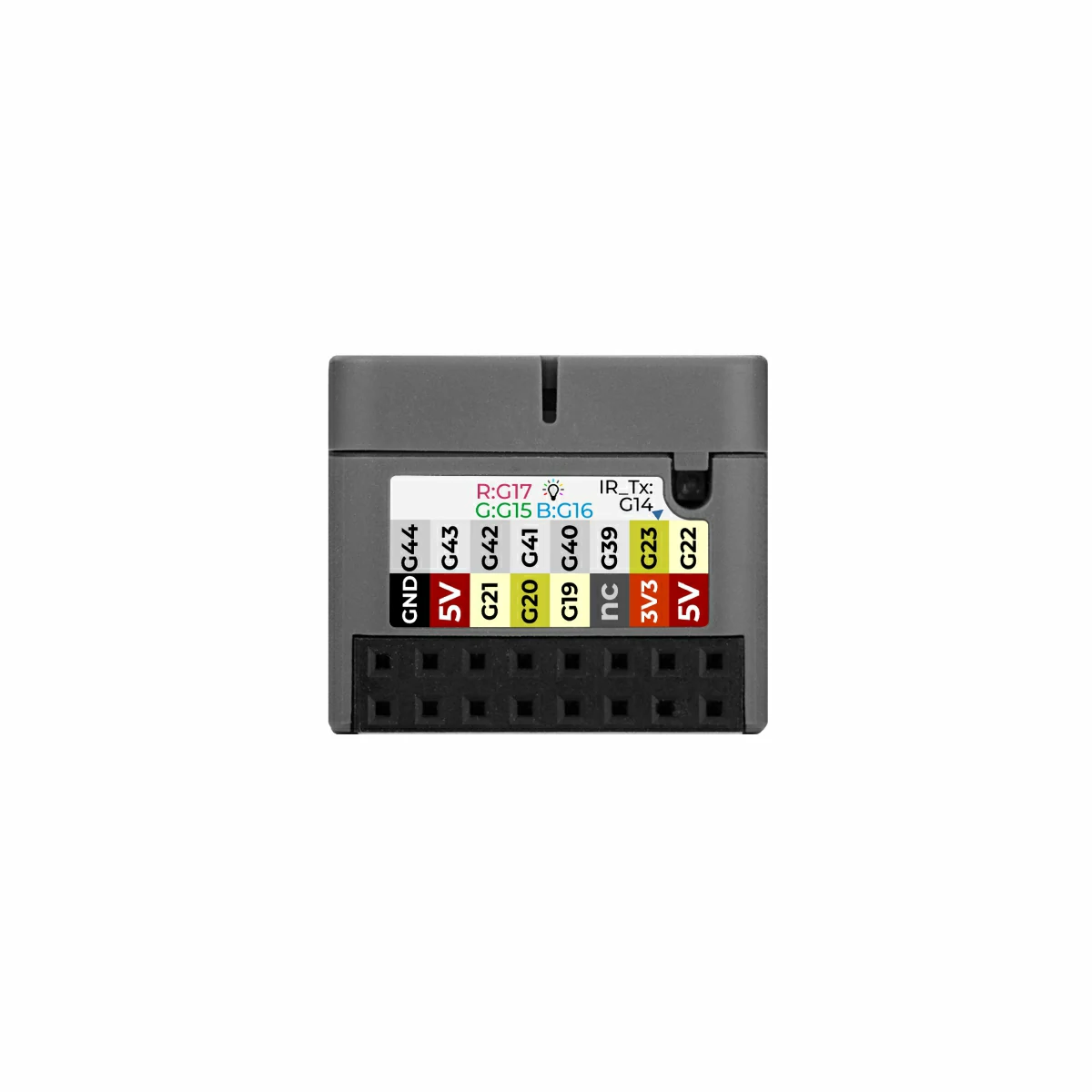
- Hat2-Bus 2.54-16P
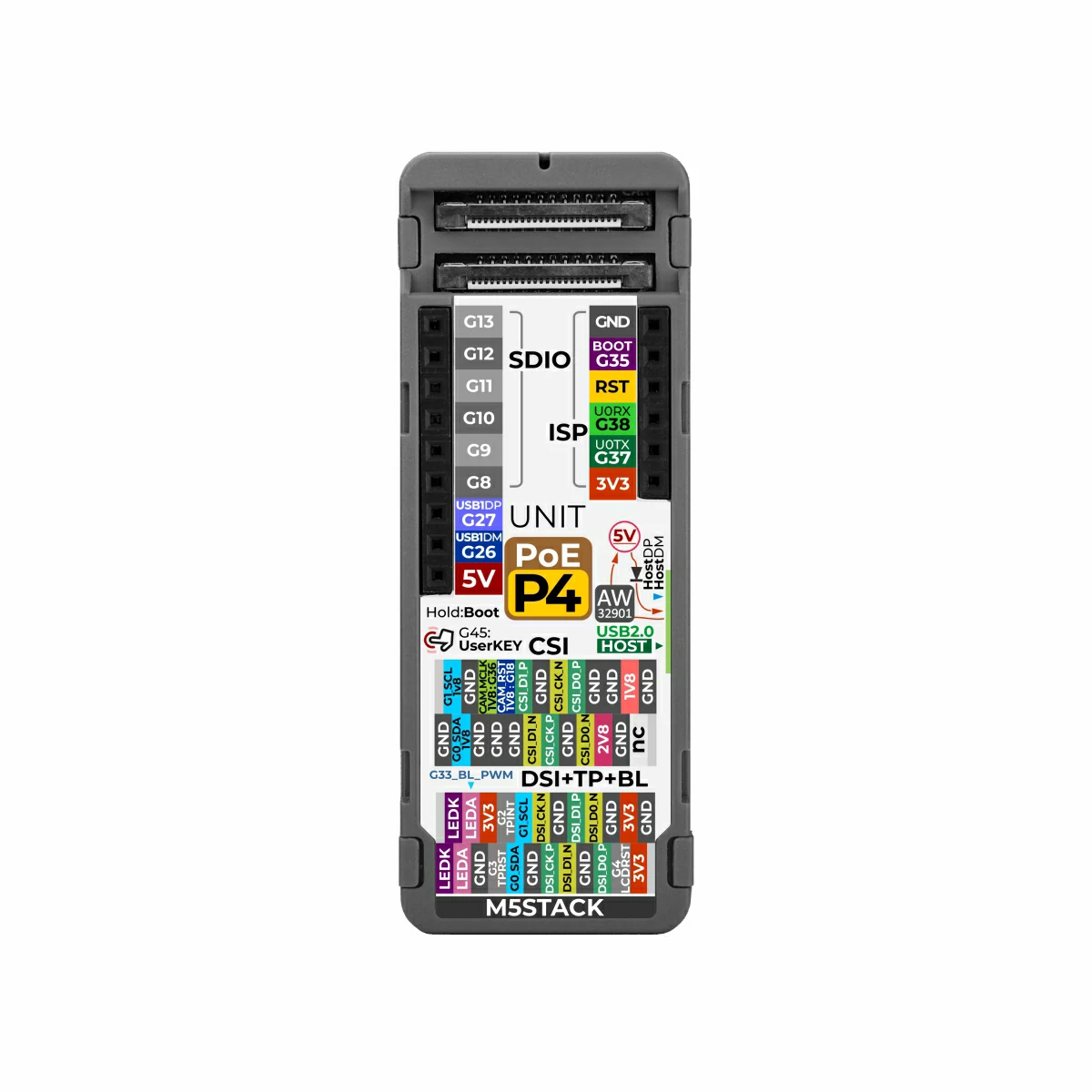
- SDIO-Bus 2.54-9P
- ISP-Bus 2.54-6P
Includes
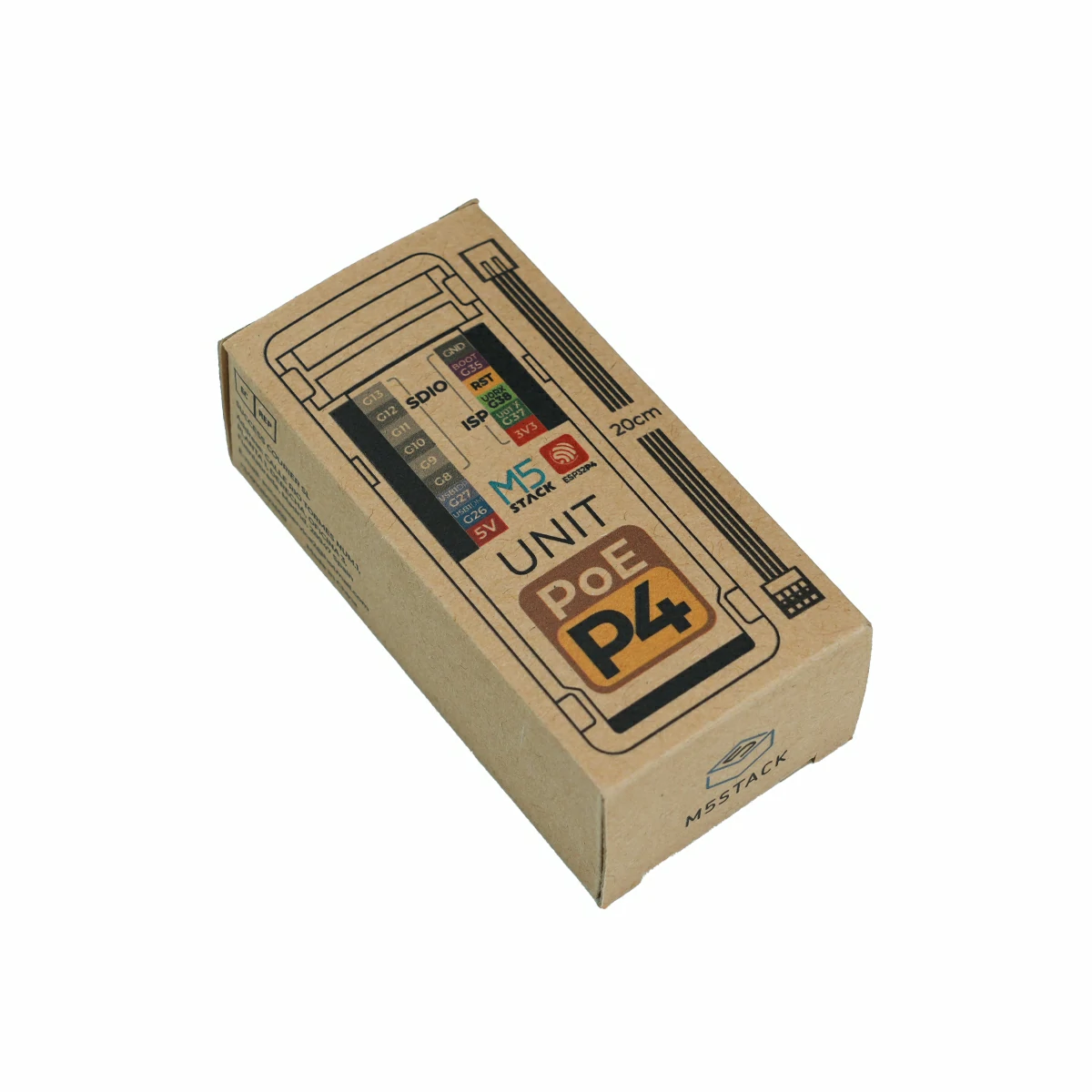
- 1 x Unit PoE-P4
- 1 x HY2.0-4P Grove Cable (20cm)
Applications
- Industrial Human‑Machine Interface (HMI)
- PoE smart terminals
- Vision acquisition nodes
- Smart home controllers
- Edge computing devices
Specifications
| Specification | Parameter |
|---|
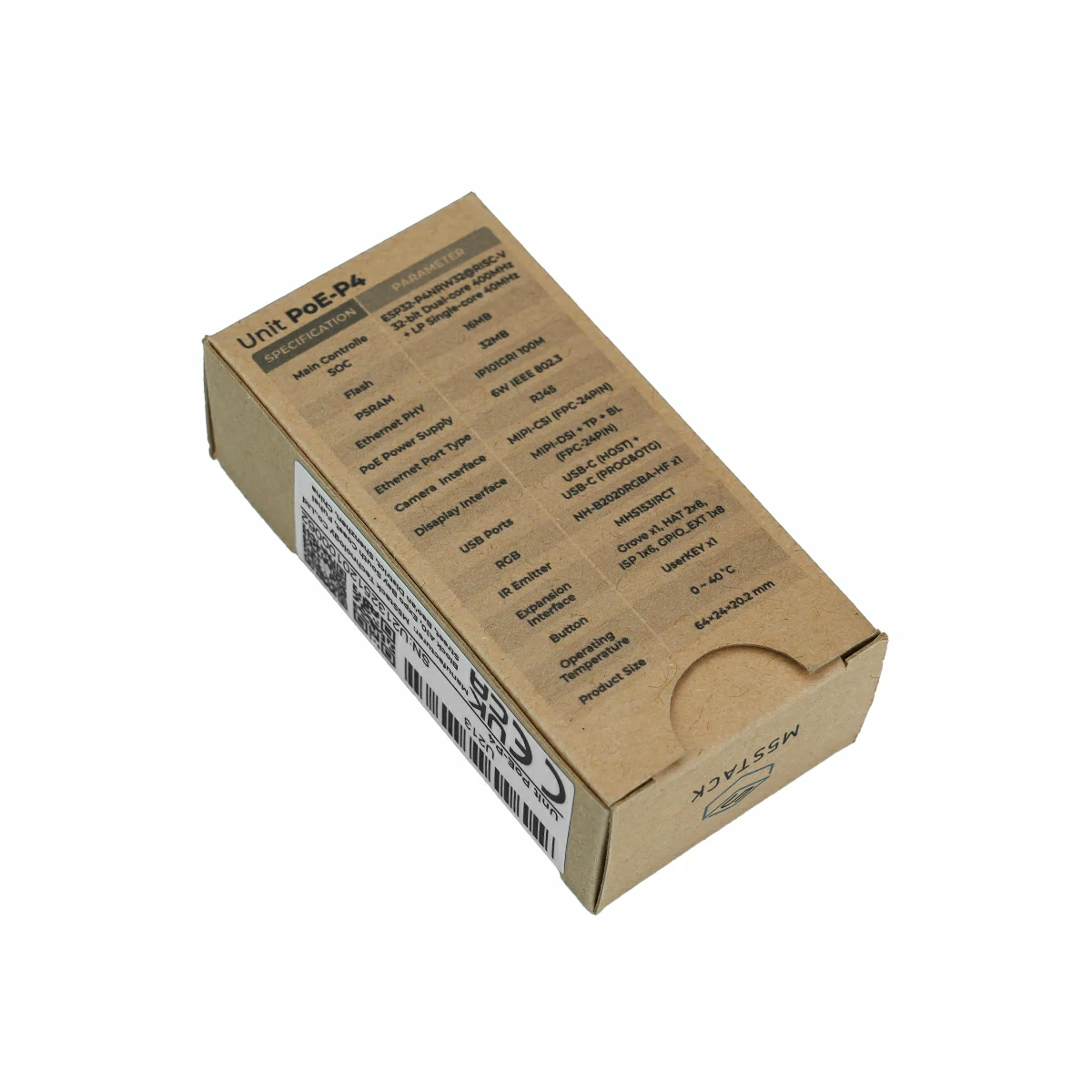
| SoC | ESP32-P4NRW32 (RISC-V 32‑bit high‑performance dual‑core processor @ 360 MHz + RISC‑V 32‑bit low‑power single‑core coprocessor @ 40 MHz) |
| Flash | 16MB |
| PSRAM | 32MB Octal |
| Power Input | DC 5V (USB Type‑C) / PoE |
| Ethernet Controller | IP101GRI |
| Ethernet Speed | 10/100M adaptive |
| Ethernet Interface | RJ45 |
| PoE Standard | Compliant with IEEE 802.3at |
| PoE Power | Maximum power 6W |
| Display Interface | 24P FPC (0.5mm pin pitch) MIPI DSI 2‑Lane + TP + BL |
| Display Resolution | MIPI DSI display supports up to 1920×1080 (limited by lane count and frame rate) |
| Camera Interface | 24P FPC (0.5mm pin pitch) MIPI CSI 2‑Lane |
| USB Type‑C | 1x USB Type‑C Host interface (USB 2.0)
1x USB Type‑C firmware download / OTG interface (USB 2.0) |
| Power Consumption | Operating current: 5V @ 73.82mA
Infrared transmission: 3.3V @ 23.57mA (instantaneous)
RGB: 5V @ 75.32mA
Full load (display, camera, IR, RGB, etc.): 277.10mA
Deep sleep: 5V @ 19.85mA |
| RGB LED | 1 x NH-B2020RGBA-HF |
| Infrared Transmitter | 1 x MHS153IRCT |
| Operating Temperature | 0 ~ 40°C |
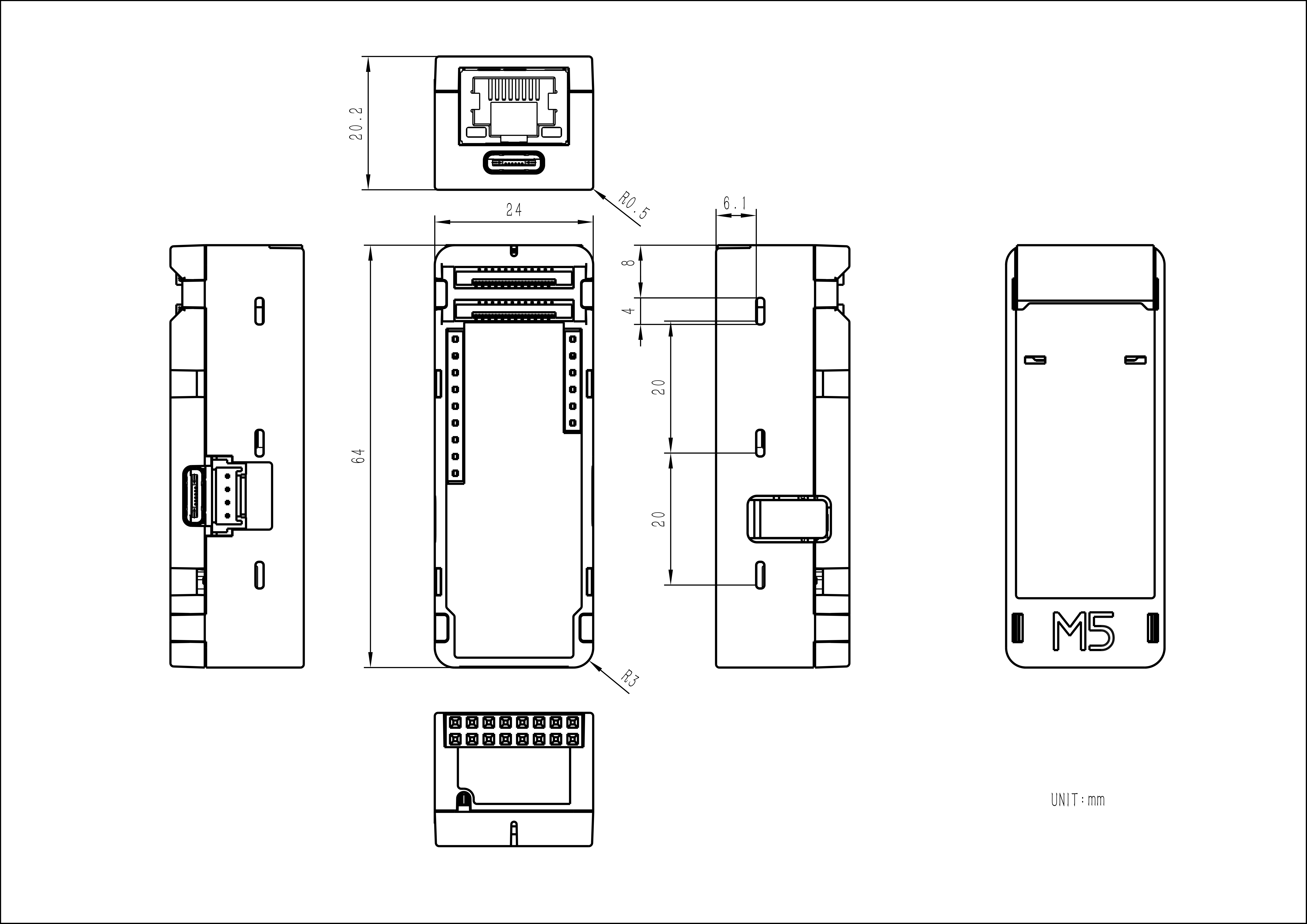
| Product Size | 64.0 x 24.0 x 20.2mm |
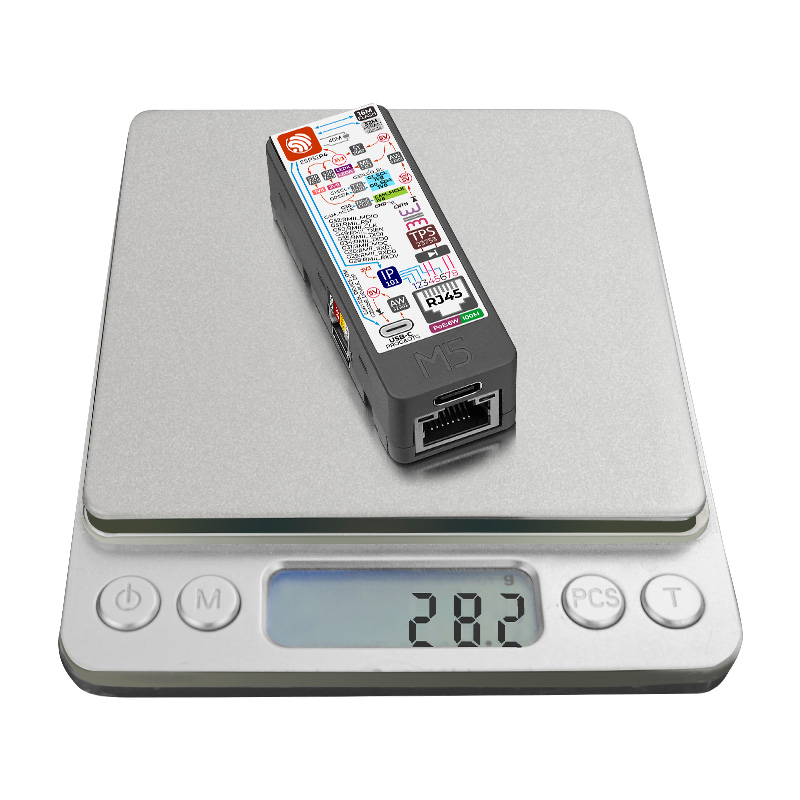
| Product Weight | 28.2g |
| Package Size | 65.0 x 33.0 x 21.2mm |
| Gross Weight | 35.0g |
Learn
Download Mode
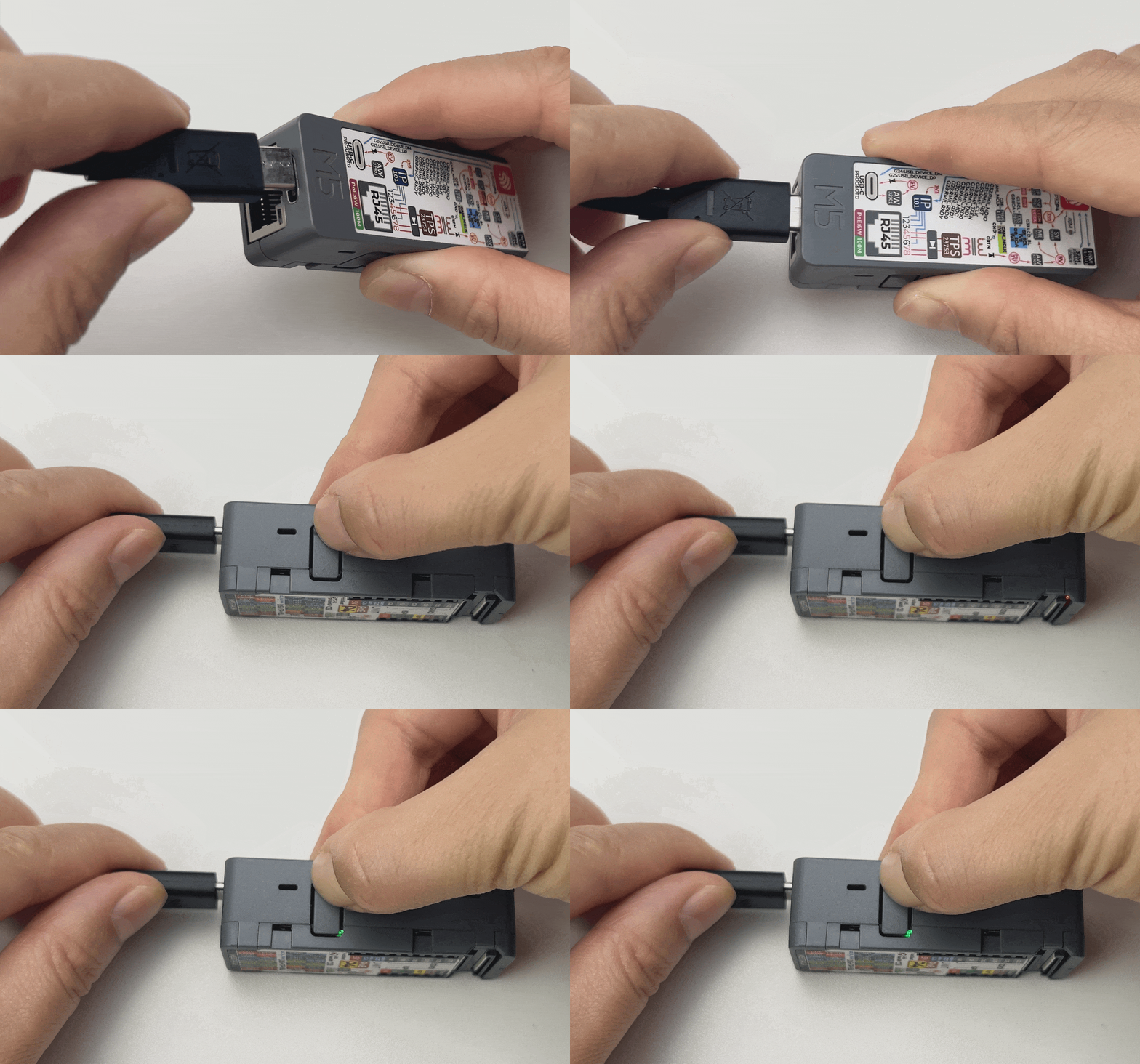
To flash firmware, connect the device to a computer via a USB Type‑C data cable. Press and hold the side button for 3 seconds until the green LED lights up. The device will then enter download mode and wait for firmware flashing.
Access Device Control Page
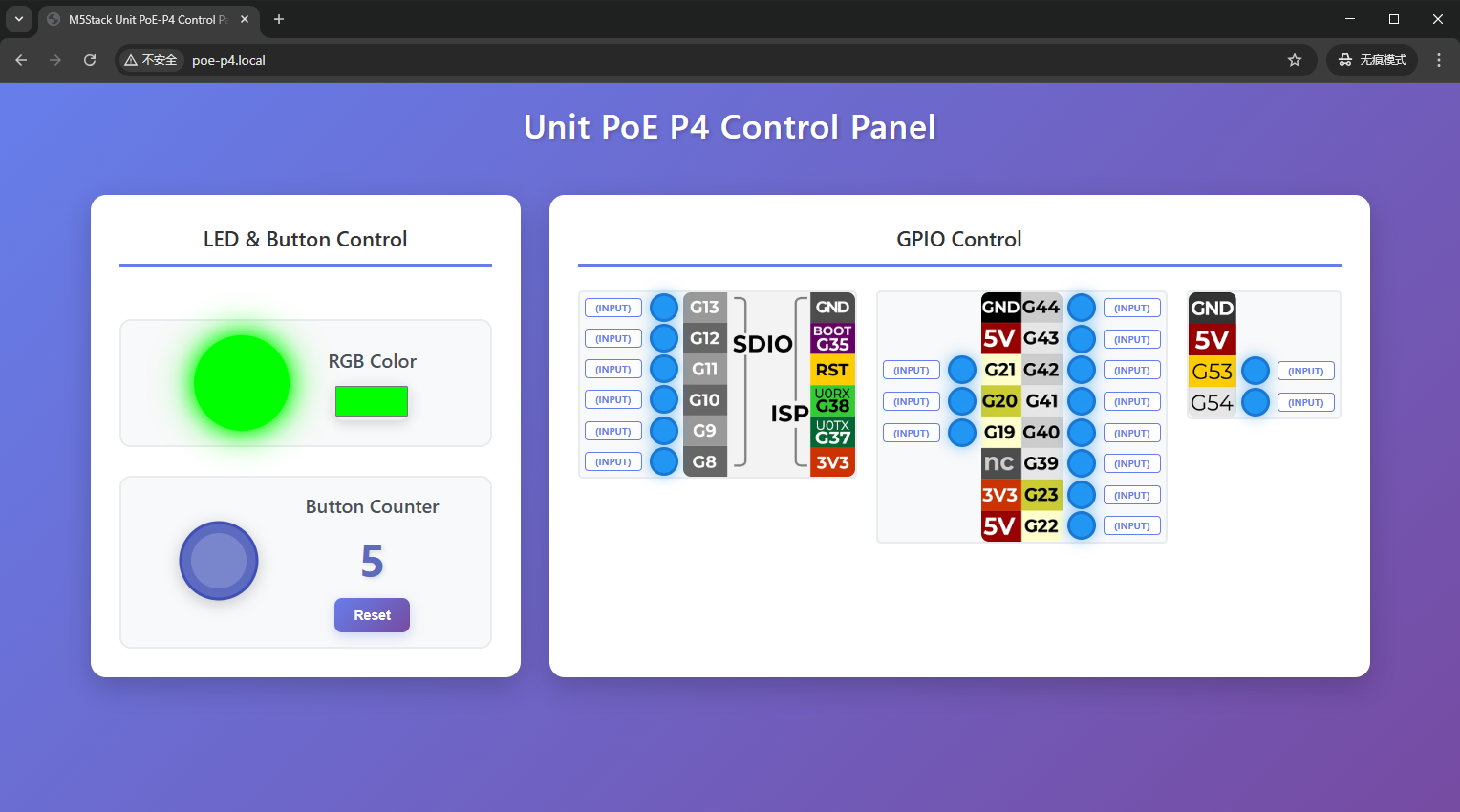
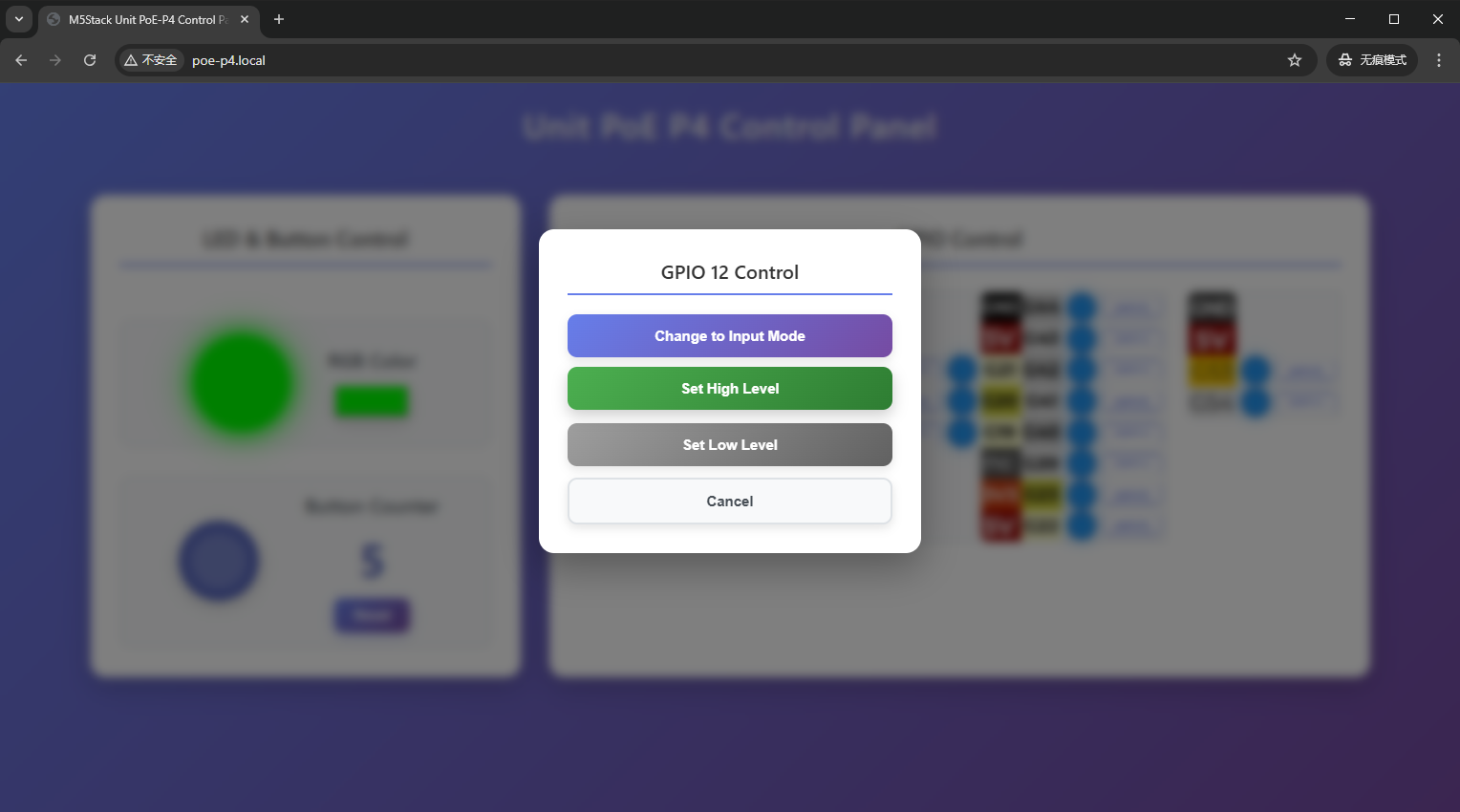
The factory default firmware of the device is preloaded with a WEB control panel, which supports RGB LED color control, button press count statistics, GPIO pin mode switching, and high/low level output. The device control page can be accessed by following these steps:
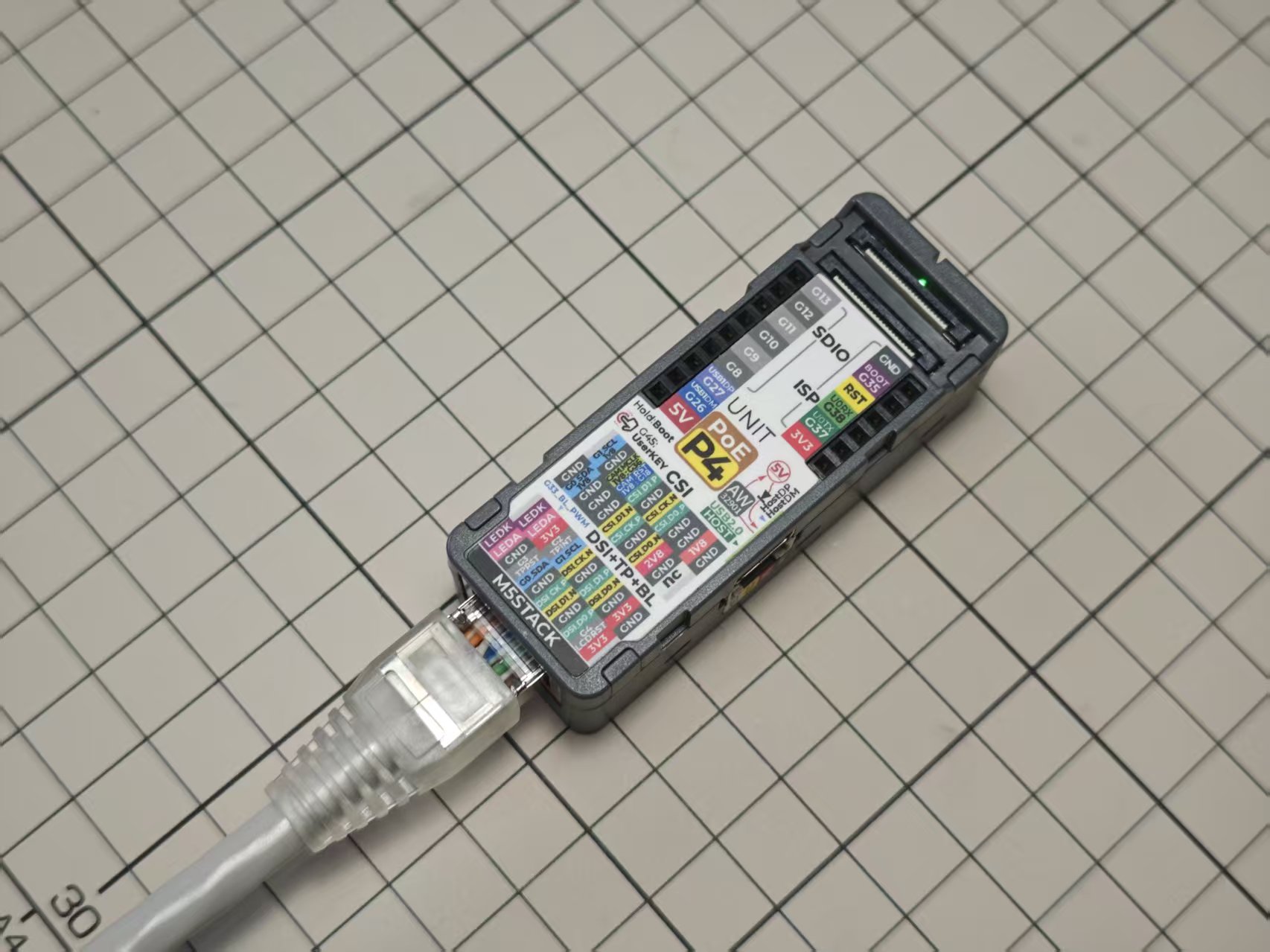
- Power on the Unit PoE-P4 and connect it to the Ethernet network.
- Open the serial monitor and note the device’s current IP address.
- Ensure your computer or mobile phone is on the same local area network (LAN) as the device.
- Access the web control page using one of the following methods:
- Enter
poe-p4.local in your browser - Copy the IP address shown in the serial monitor and paste it into the browser address bar
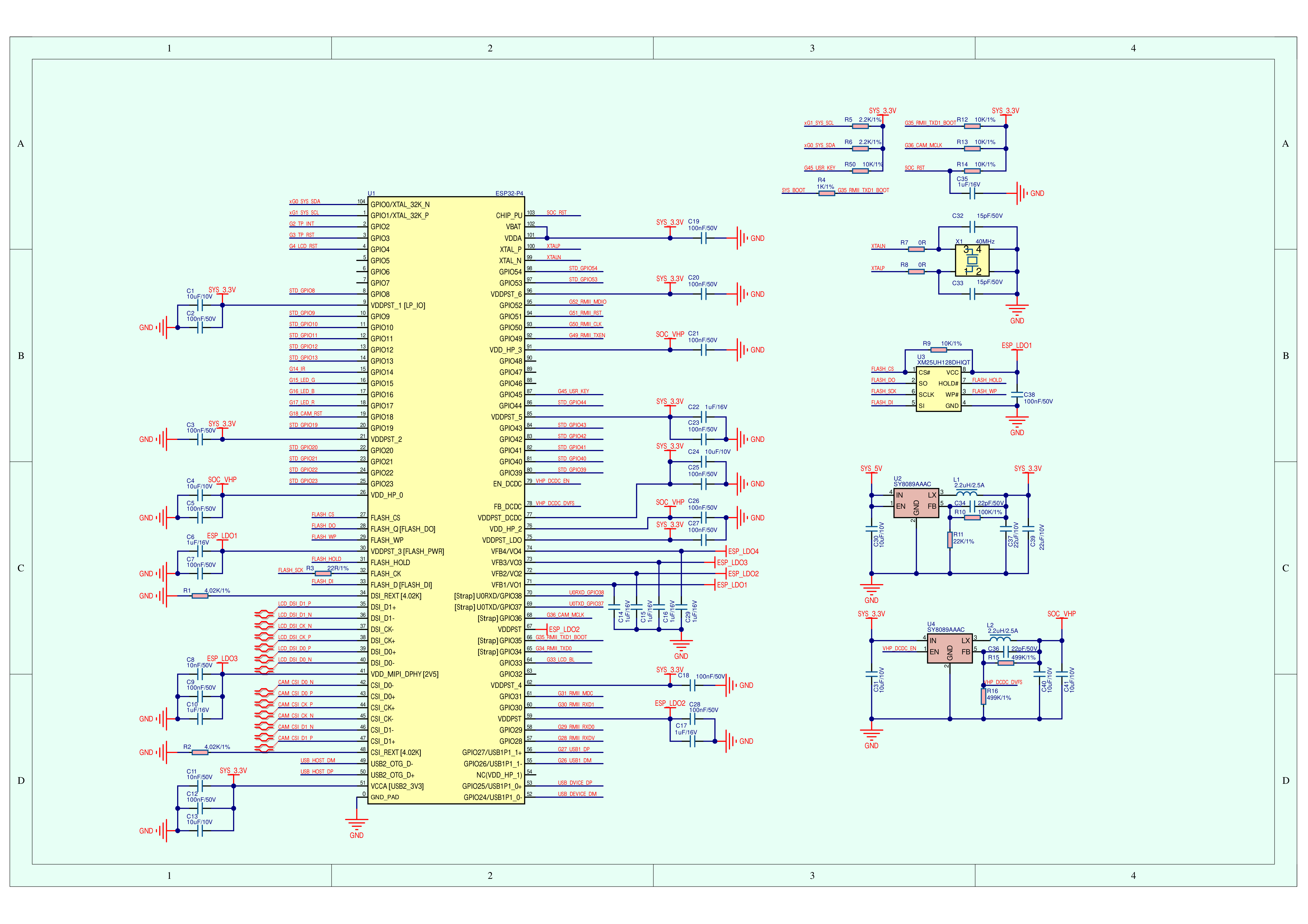
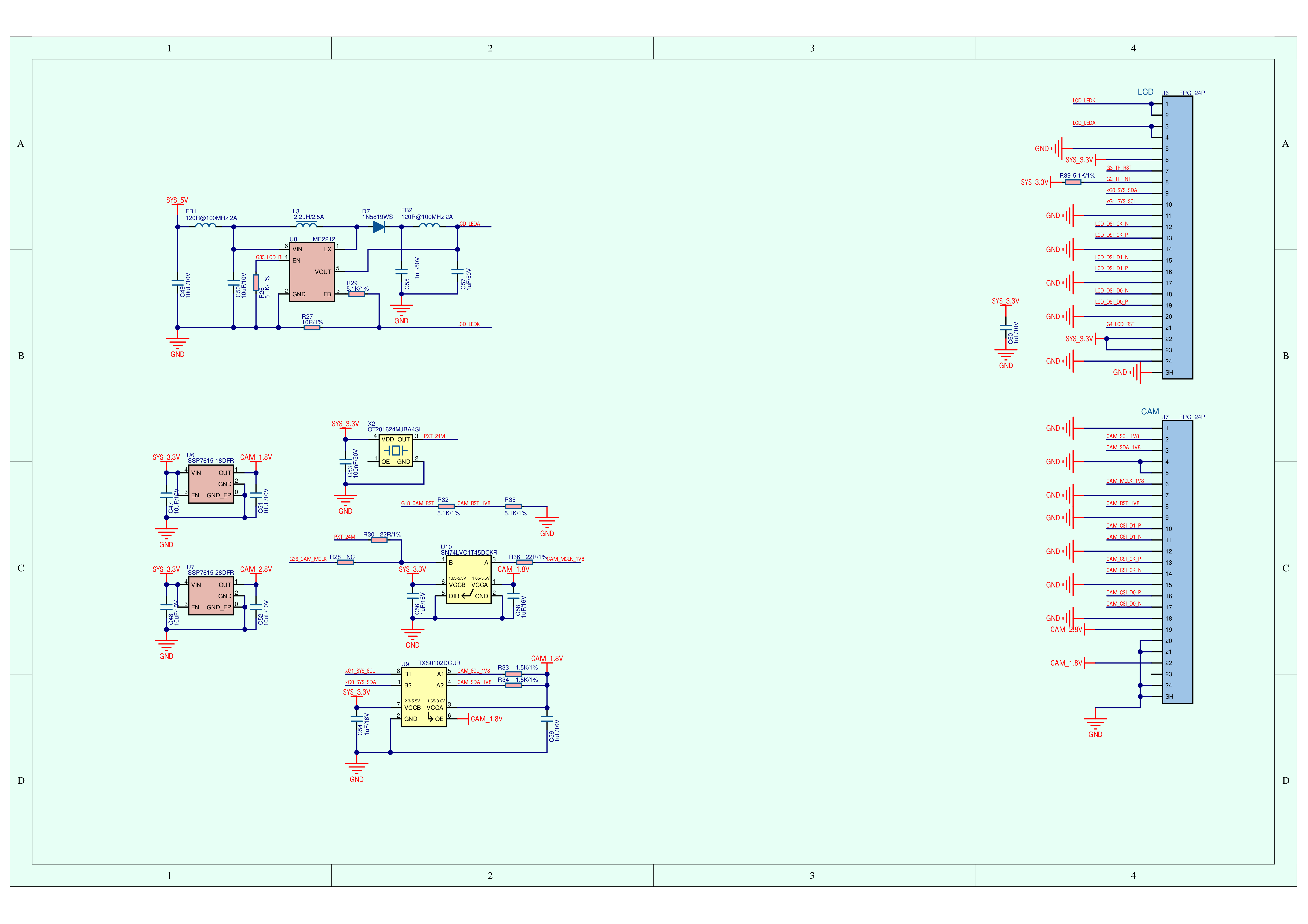
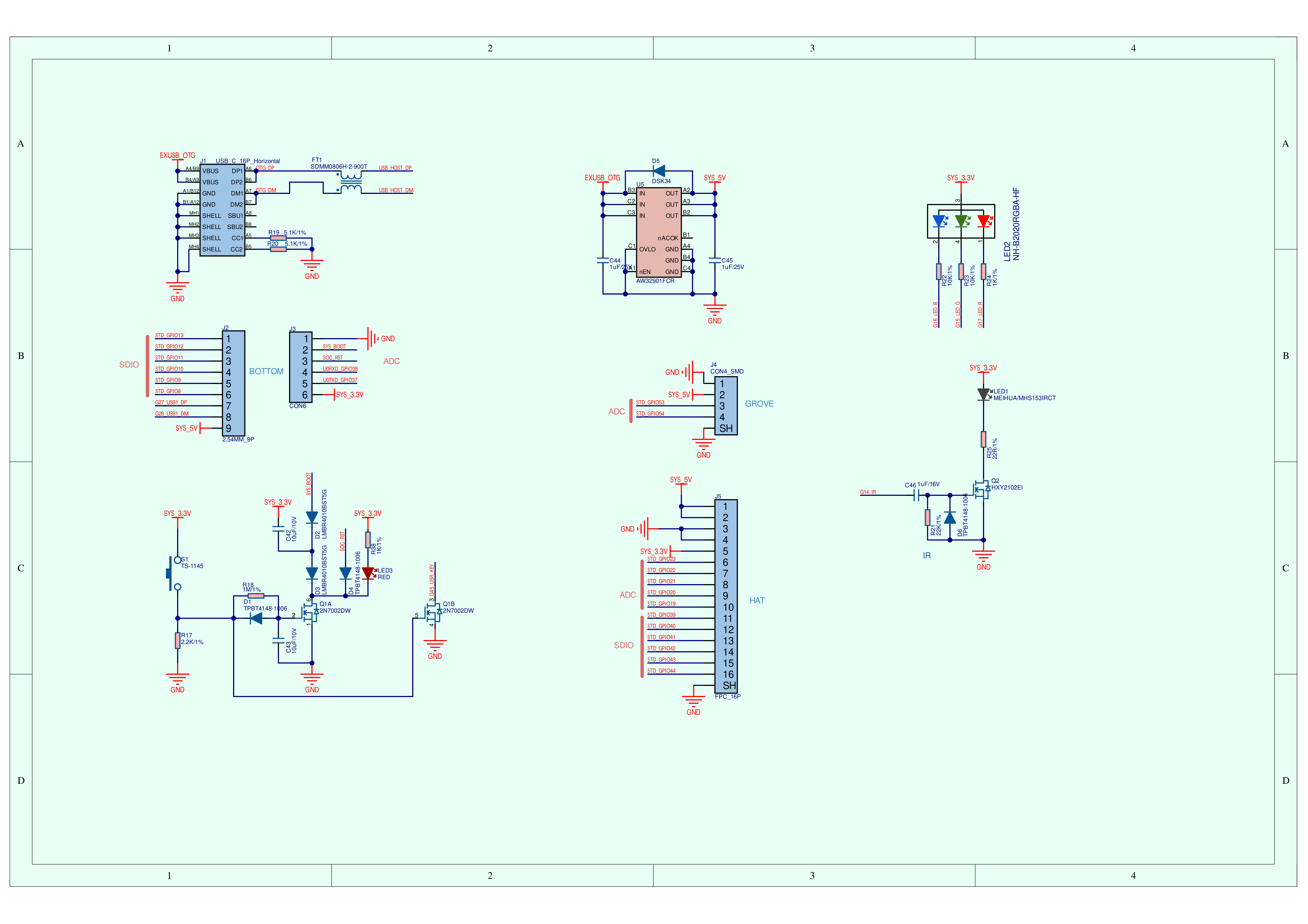
Schematics
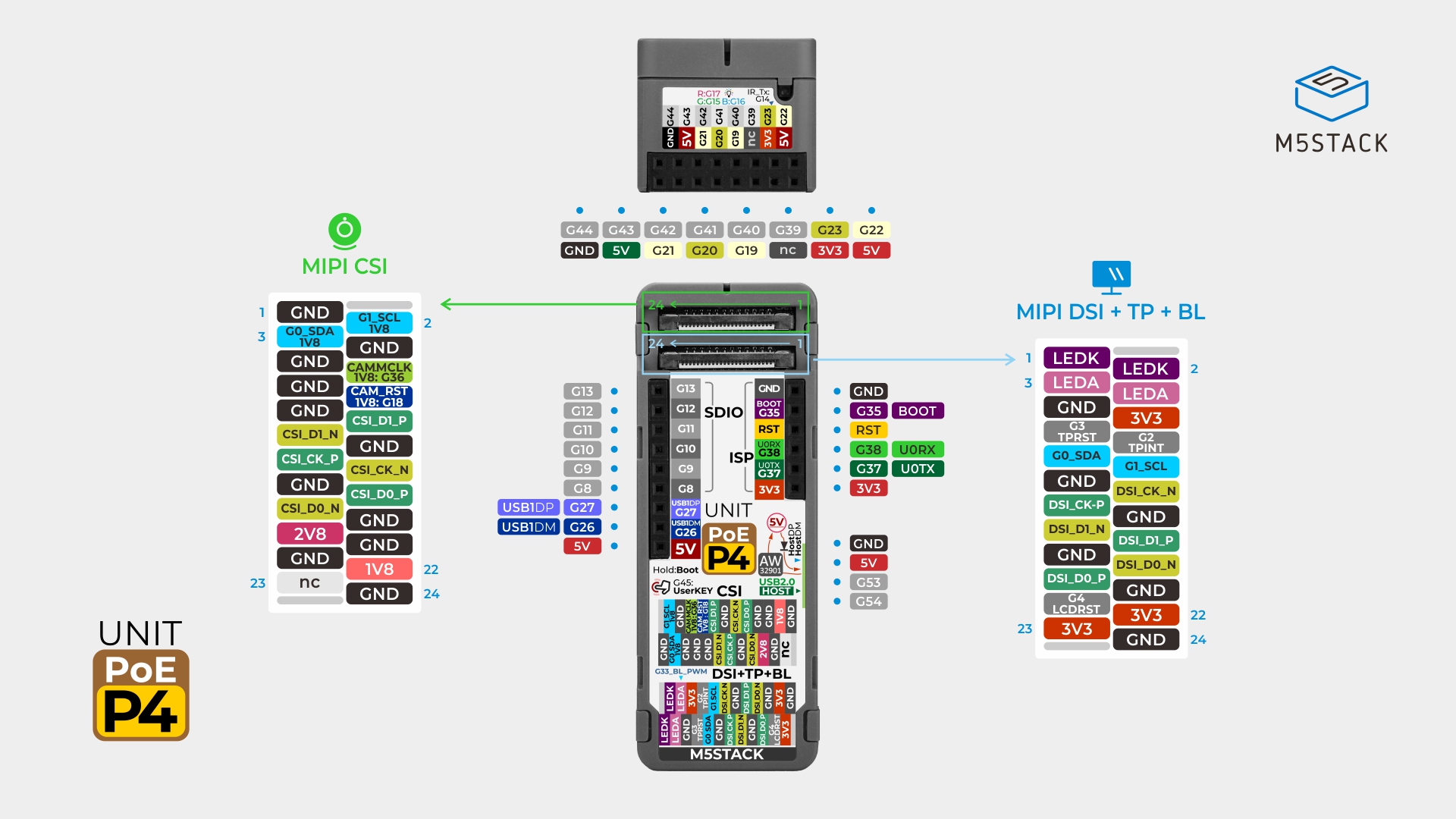
PinMap
Ethernet
| ESP32‑P4 | G31 | G52 | G51 |
|---|
| IP101 | SMI_MDC | SMI_MDIO | PHY_RST |
| ESP32‑P4 | G28 | G29 | G30 | G34 | G35 | G49 | G50 |
|---|
| IP101 | RMII_RXDV | RMII_RXD0 | RMII_RXD1 | RMII_TXD0 | RMII_TXD1 | RMII_TXEN | RMII_CLK |
LCD
| ESP32‑P4 | G4 | G33 | DSI_CLK_N | DSI_CLK_P | DSI_D1_N | DSI_D1_P | DSI_D0_N | DSI_D0_P |
|---|
| FPC - MIPI DSI | LCD_RST | LCD_BL | LCD_DSI_CK_N | LCD_DSI_CK_P | LCD_DSI_D1_N | LCD_DSI_D1_P | LCD_DSI_D0_N | LCD_DSI_D0_P |
TP
| ESP32‑P4 | G0 | G1 | G3 | G2 |
|---|
| FPC - TP | SDA | SCL | TP_RST | TP_INT |
Camera
| ESP32‑P4 | CSI_CK_N | CSI_CK_P | CSI_D1_N | CSI_D1_P | CSI_D0_N | CSI_D0_P |
|---|
| MIPI CSI FPC | CAM_CSI_CK_N | CAM_CSI_CK_P | CAM_CSI_D1_N | CAM_CSI_D1_P | CAM_CSI_D0_N | CAM_CSI_D0_P |
| ESP32‑P4 | G0 | G1 | G18 | G36 |
|---|
| MIPI CSI FPC | SDA_1V8 | SCL_1V8 | CAM_RST | CAM_MCLK |
USB Type‑C
| ESP32-P4 | USB2_OTG_DP | USB2_OTG_DN |
|---|
| USB 2.0 HOST | HOST_DP | HOST_DN |
| ESP32-P4 | G25 | G24 |
|---|
| USB 2.0 Download / OTG | USB0_DP | USB0_DN |
| ESP32‑P4 | G14 | G15 | G16 | G17 | G45 |
|---|
| IR | IR_TX | | | | |
| RGB LED | | LED_GREEN | LED_BLUE | LED_RED | |
| Button | | | | | KEY_USER |
HY2.0-4P
| HY2.0-4P | Black | Red | Yellow | White |
|---|
| PORT.CUSTOM | GND | 5V | G53 | G54 |
SDIO & ISP
| FUNC | PIN | LEFT | RIGHT | PIN | FUNC |
|---|
| G13 | 1 | 1 | GND | |
| G12 | 2 | 2 | G35 | BOOT |
| G11 | 3 | 3 | RST | |
| G10 | 4 | 4 | G38 | UART0_RX |
| G9 | 5 | 5 | G37 | UART0_TX |
| G8 | 6 | 6 | 3V3 | |
| USB1_DP | G27 | 7 | | | |
| USB1_DM | G26 | 8 | | | |
| 5V | 9 | | | |
Hat2-Bus
| PIN | LEFT | RIGHT | PIN |
|---|
| GND | 1 | 2 | G44 |
| 5V | 3 | 4 | G43 |
| G21 | 5 | 6 | G42 |
| G20 | 7 | 8 | G41 |
| G19 | 9 | 10 | G40 |
| NC | 11 | 12 | G39 |
| 3V3 | 13 | 14 | G23 |
| 5V | 15 | 16 | G22 |
Model Size
Structure
Datasheets
Softwares
Arduino
UiFlow2
ESP-IDF
Other
Video