

Product Guides
AI & Voice
AI Voice Assistants
Volcengine
Offline Speech Recognition
Unit ASR
Module ASR
Audio & Voice Input
Voice Pyramid
Cameras & Vision
Camera Features
M5Camera
PoECAM
Unit CamS3 / CamS3-5MP
Connectivity & IoT
Industrial Control & Measurement
Air Quality
PowerHub
StamPLC
VAMeter
T-Lite
Module13.2 PPS
Unit RollerCAN
Display & Interaction
Paper
PaperColor
StopWatch
Tab5 Keyboard
Chain DualKey
Robotics & Maker Projects
Atom Printer
Bala
Bala2
BalaC Plus
Faces Kit Gameboy
RoverC & JoyC
StampFly & Atom Joystick
Firmware & Device Maintenance
Firmware Upgrade
Hardware Configuration
Design & Selection References
CoreS3 Thread BR Restore Factory Firmware
Factory Firmware
When the device works abnormally, you can try reflashing the factory firmware to check whether there is a hardware fault. Refer to the following tutorial. Use the M5Burner firmware flashing tool to flash the factory firmware to the device.
1. Preparation
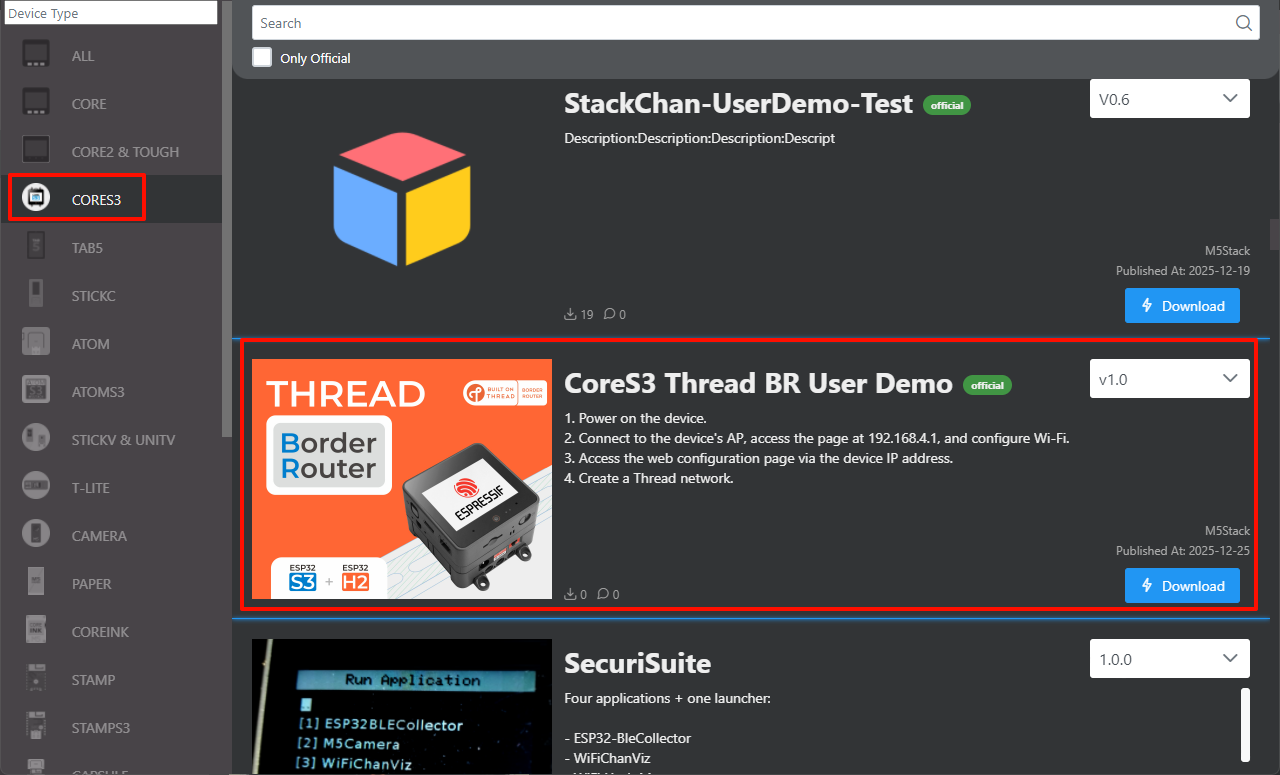
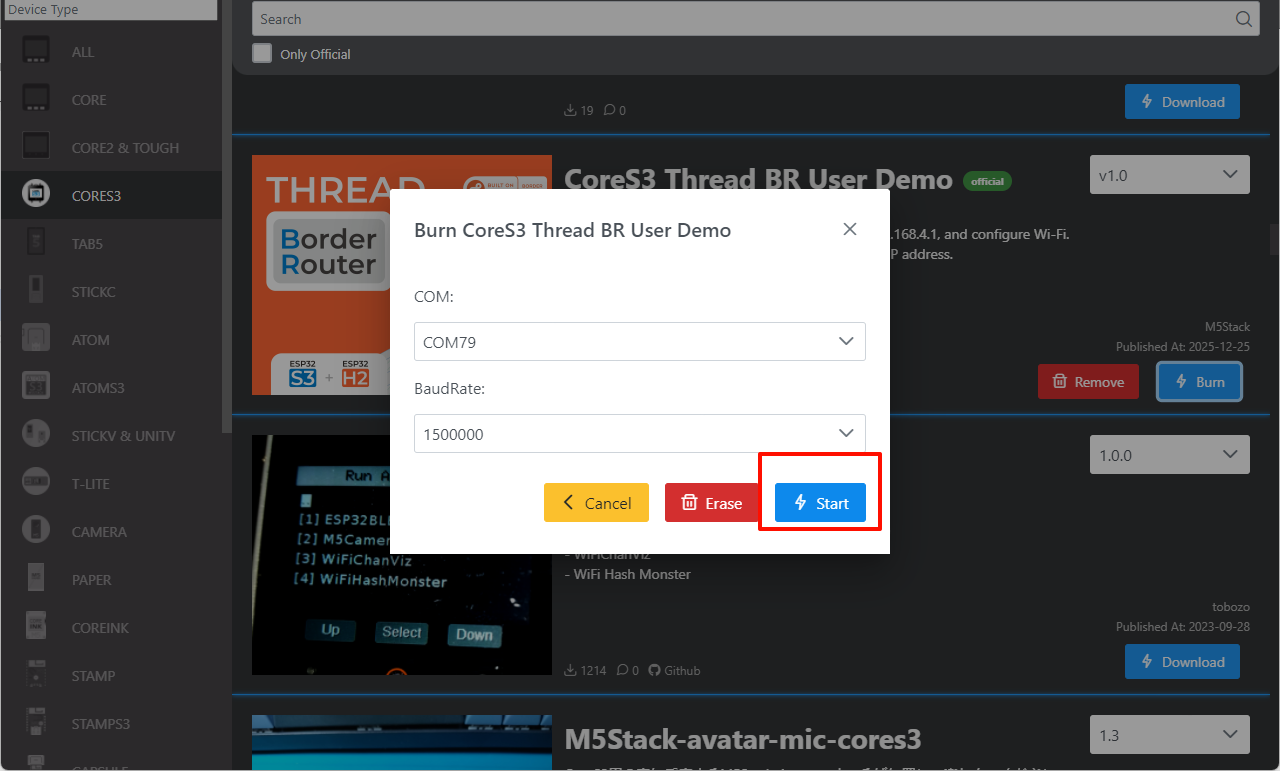
- Refer to the M5Burner tutorial to complete the download of the flashing tool, and refer to the figure below to download the corresponding firmware.
2. Download Mode
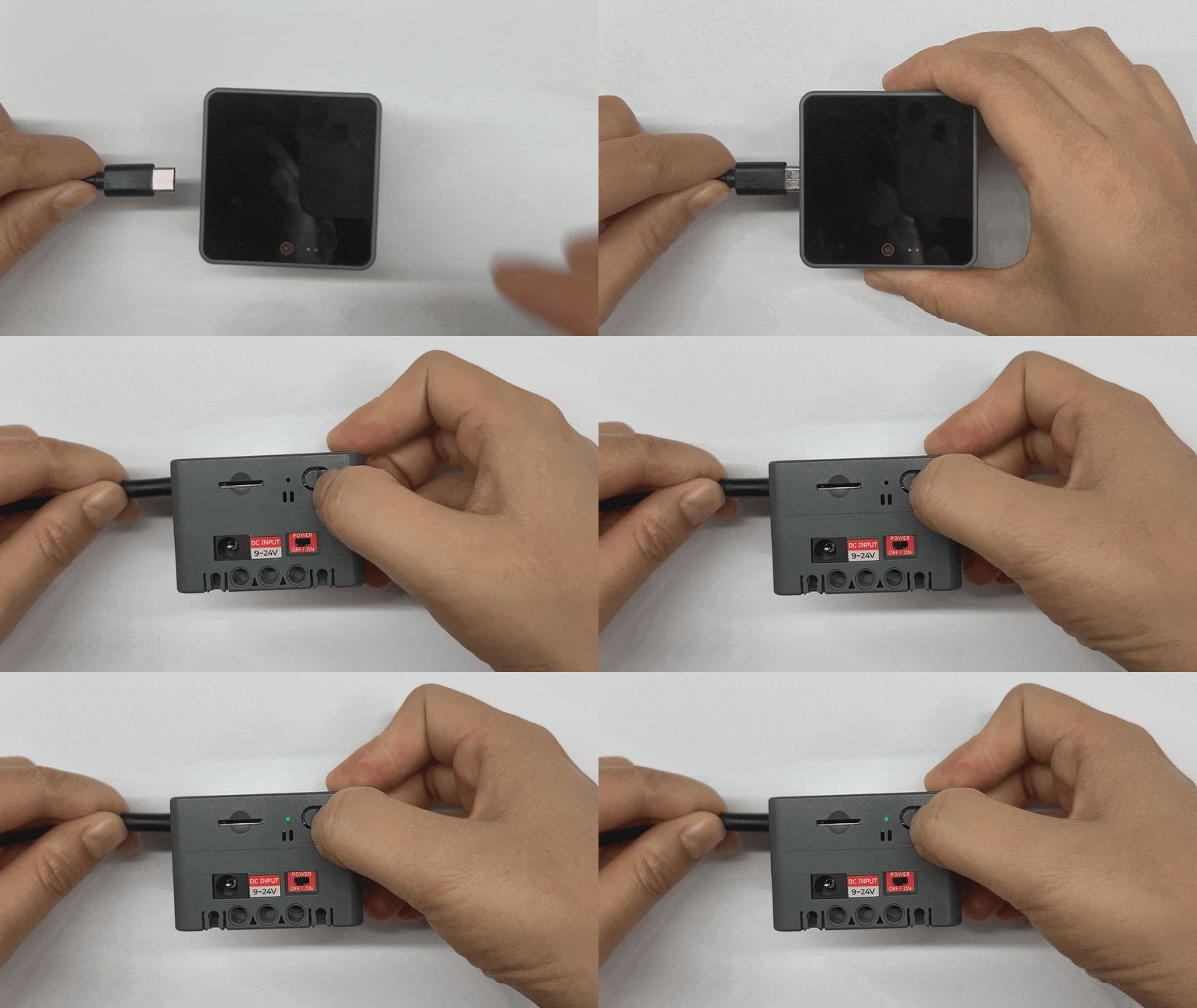
- Press and hold the reset button (about 2 seconds) until the internal green LED lights up, then release it. At this point, the device has entered download mode and is ready for flashing. The red indicator turns off after the button is released, confirming that the device is in download mode.
3. Port Selection
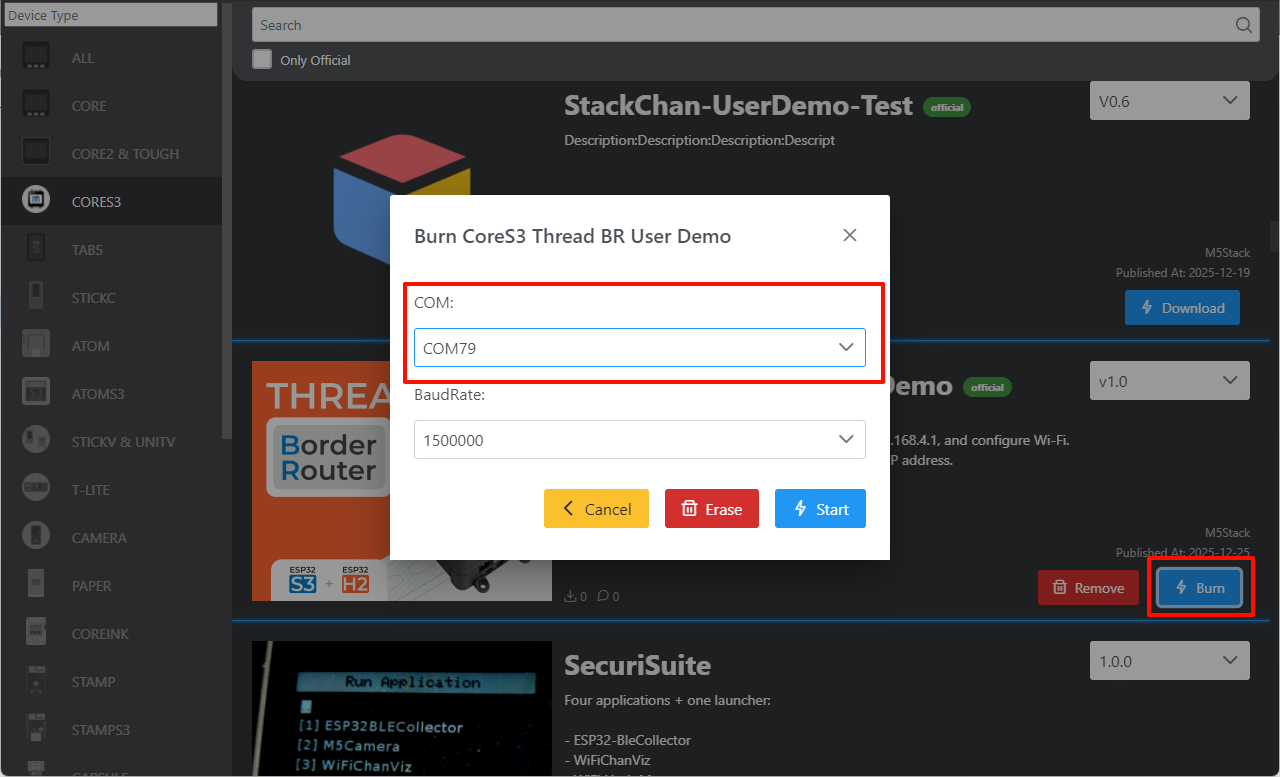
Connect the device to the computer via a USB cable. After the device enters download mode, select the corresponding device port in M5Burner.
4. Firmware Flashing
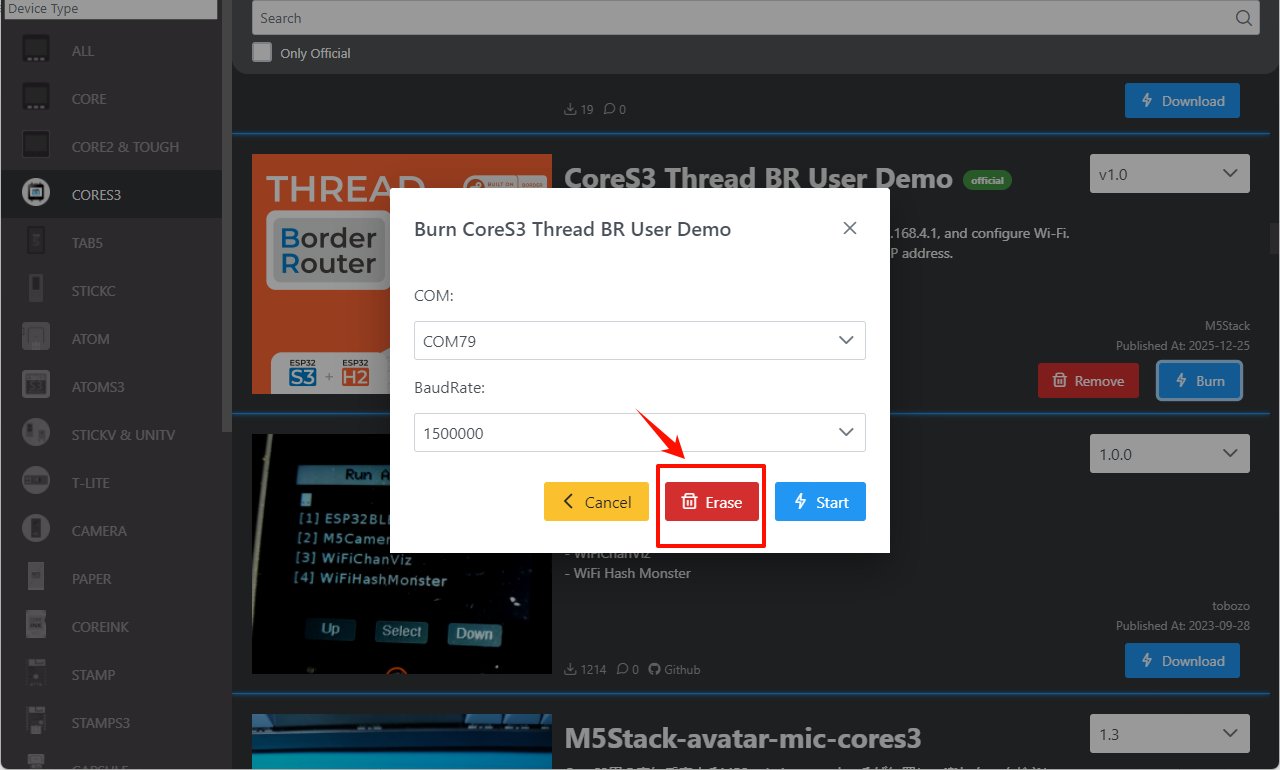
- Click
Eraseto erase old data.
- Click
Startto begin flashing.
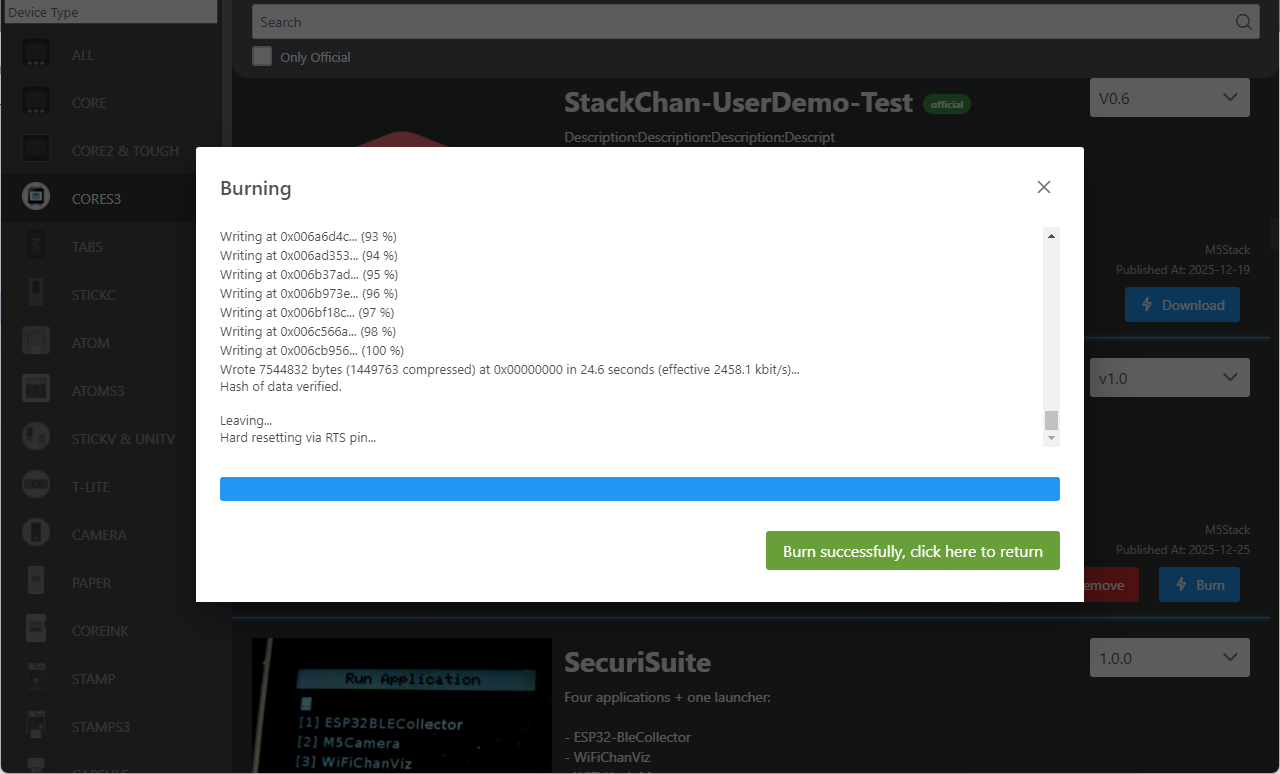
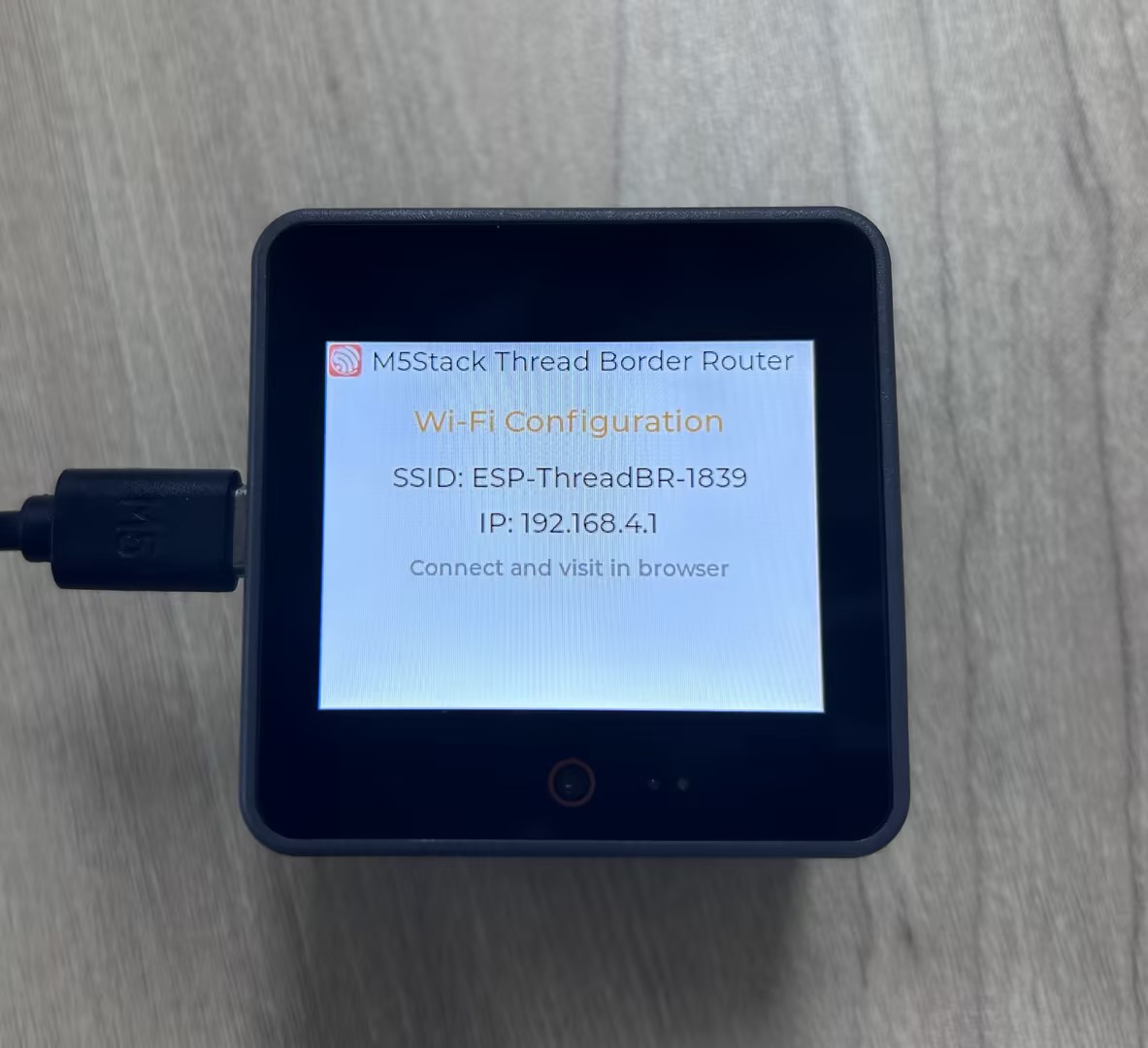
The result is shown below:
Page Tools