

Product Guides
AI & Voice
AI Voice Assistants
Volcengine
Offline Speech Recognition
Unit ASR
Module ASR
Audio & Voice Input
Voice Pyramid
Cameras & Vision
Camera Features
M5Camera
PoECAM
Unit CamS3 / CamS3-5MP
Connectivity & IoT
Industrial Control & Measurement
Air Quality
PowerHub
StamPLC
VAMeter
T-Lite
Module13.2 PPS
Unit RollerCAN
Display & Interaction
Paper
PaperColor
StopWatch
Tab5 Keyboard
Chain DualKey
Robotics & Maker Projects
Atom Printer
Bala
Bala2
BalaC Plus
Faces Kit Gameboy
RoverC & JoyC
StampFly & Atom Joystick
Firmware & Device Maintenance
Firmware Upgrade
Hardware Configuration
Design & Selection References
StopWatch Restore Factory Firmware
Factory Firmware
When the device is not working properly, you can try re-flashing the factory firmware to check whether the device hardware is faulty. Refer to the following tutorial. Use the M5Burner firmware flashing tool to flash the factory firmware to the device.
1. Preparation
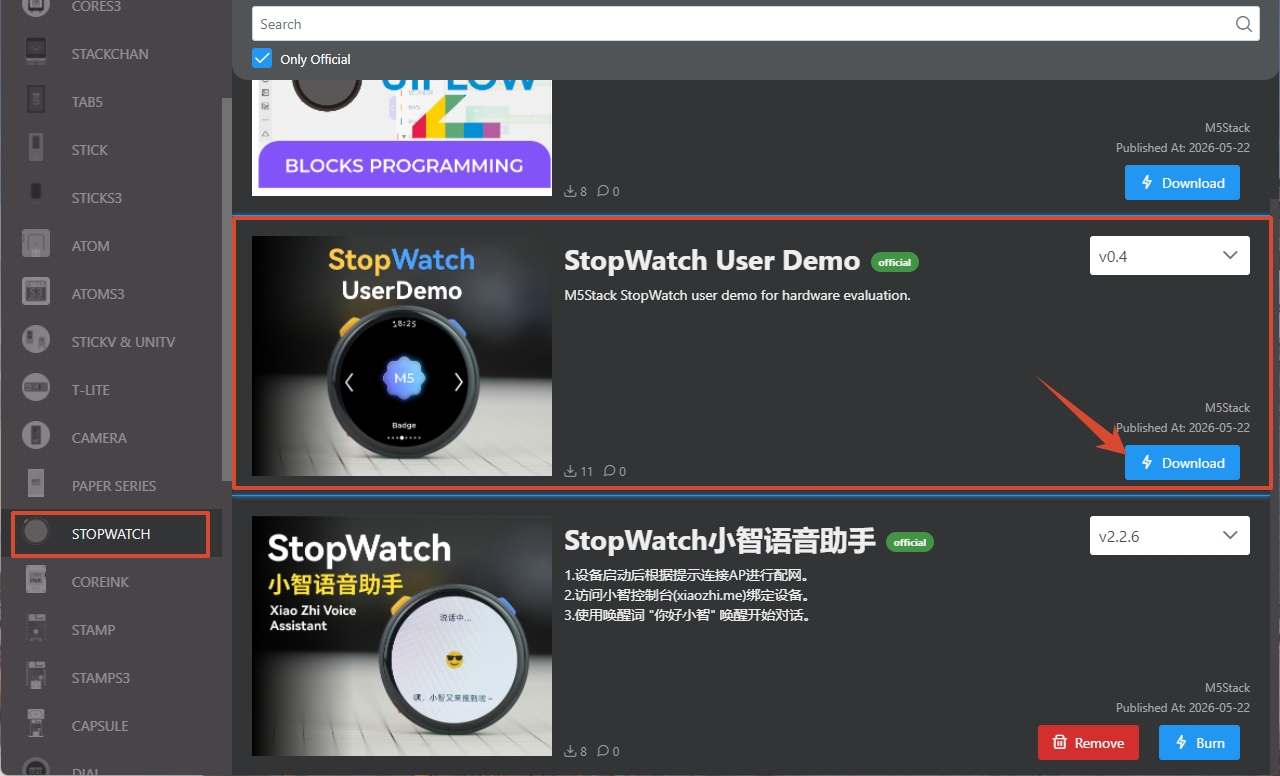
- Refer to the M5Burner Tutorial to download the flashing tool, and download the corresponding firmware as shown below.
2. Download Mode
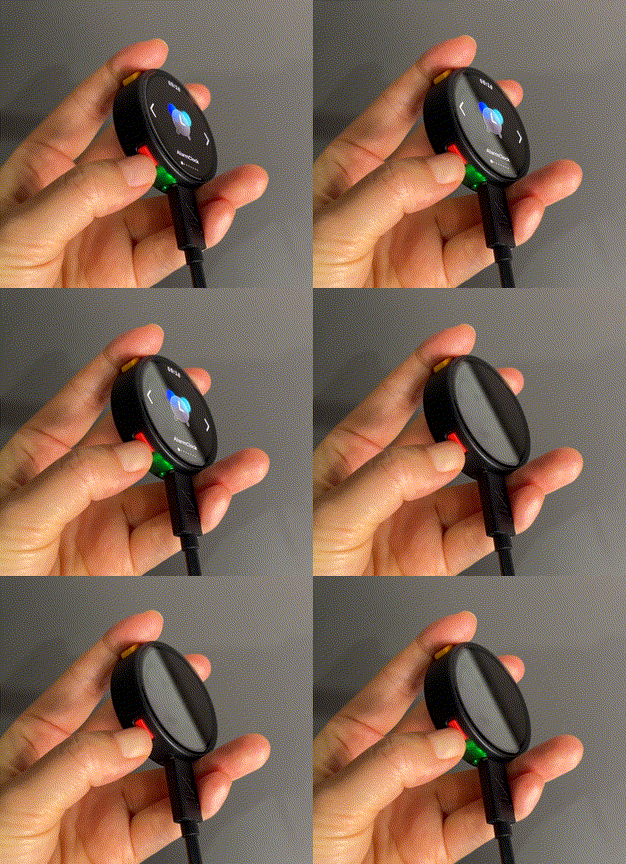
Connect the device to the computer via a USB Type-C cable, then press and hold the reset button (approximately 2 seconds) until the green LED lights up, then release. The device has now entered download mode and is ready for flashing.
3. Firmware Flashing
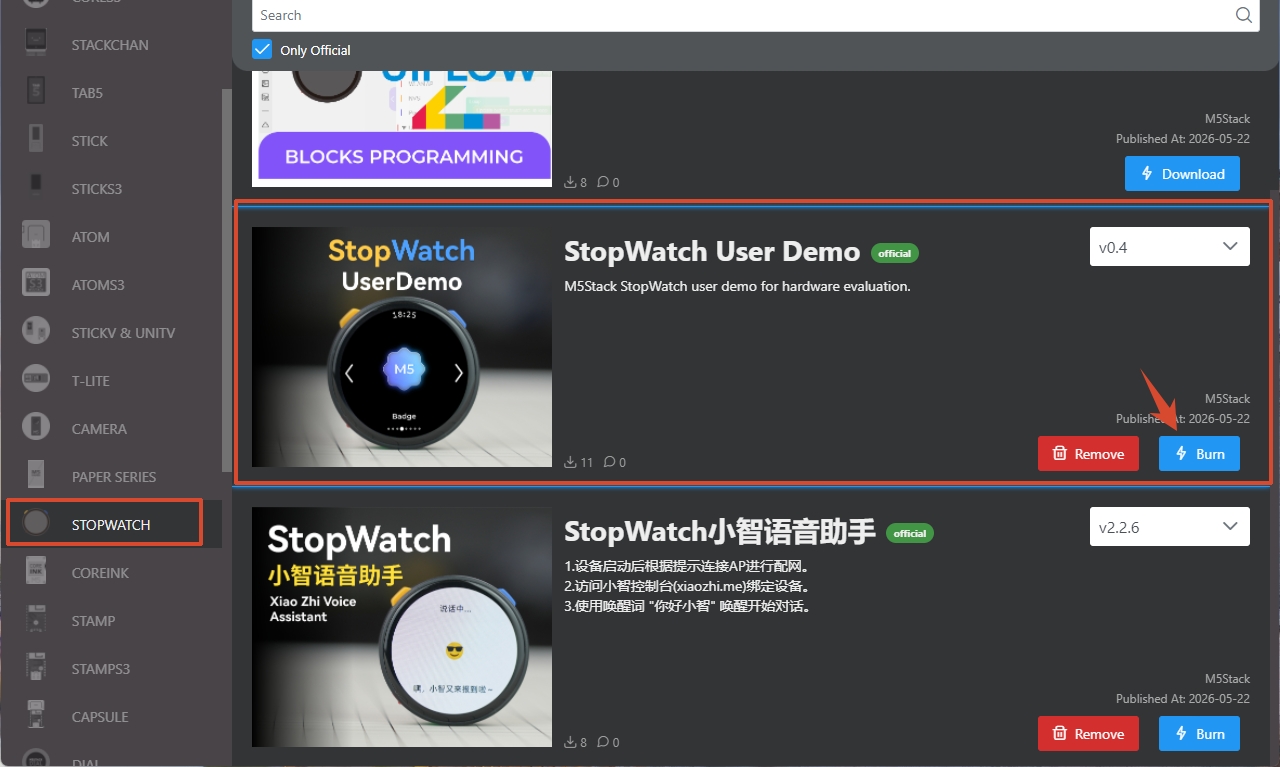
- Click the Burn button for the corresponding firmware in M5Burner.
- Select the corresponding device port, then click
Startto begin flashing.
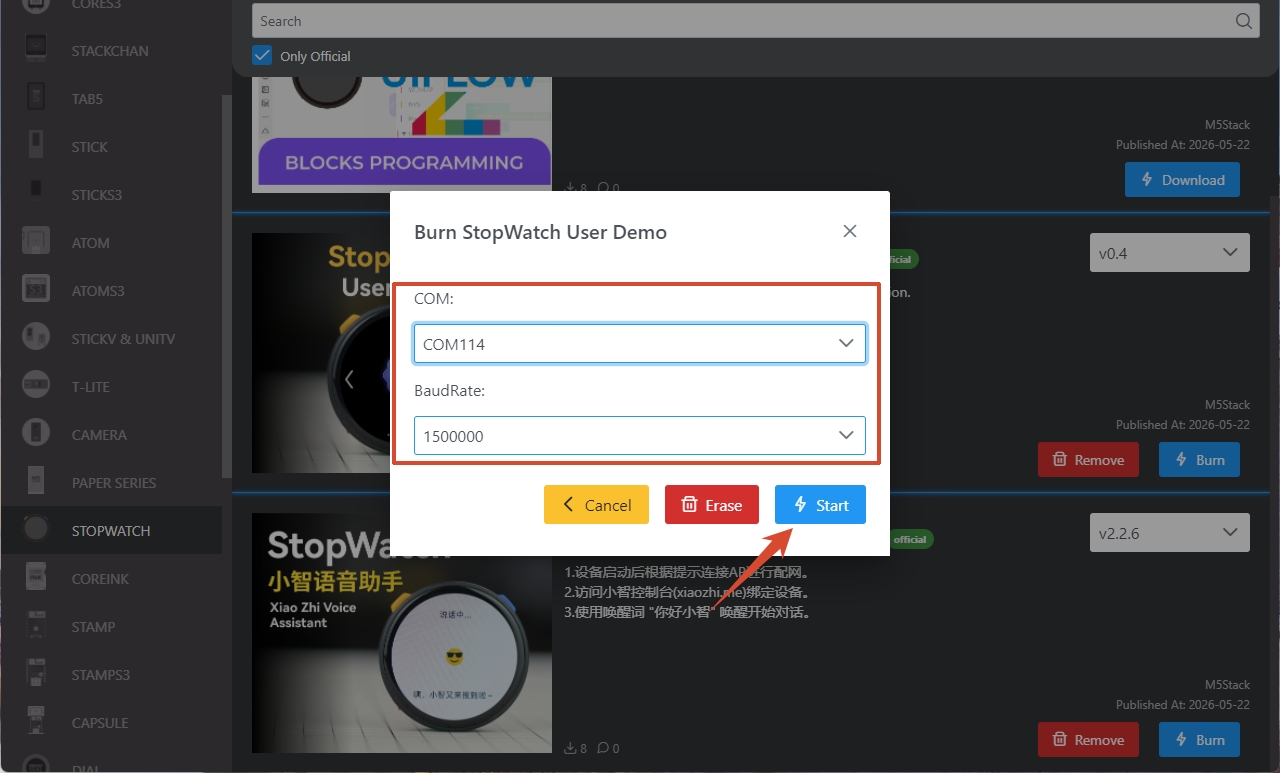
After flashing is complete, the interface will display Burn successfully, click here to return.
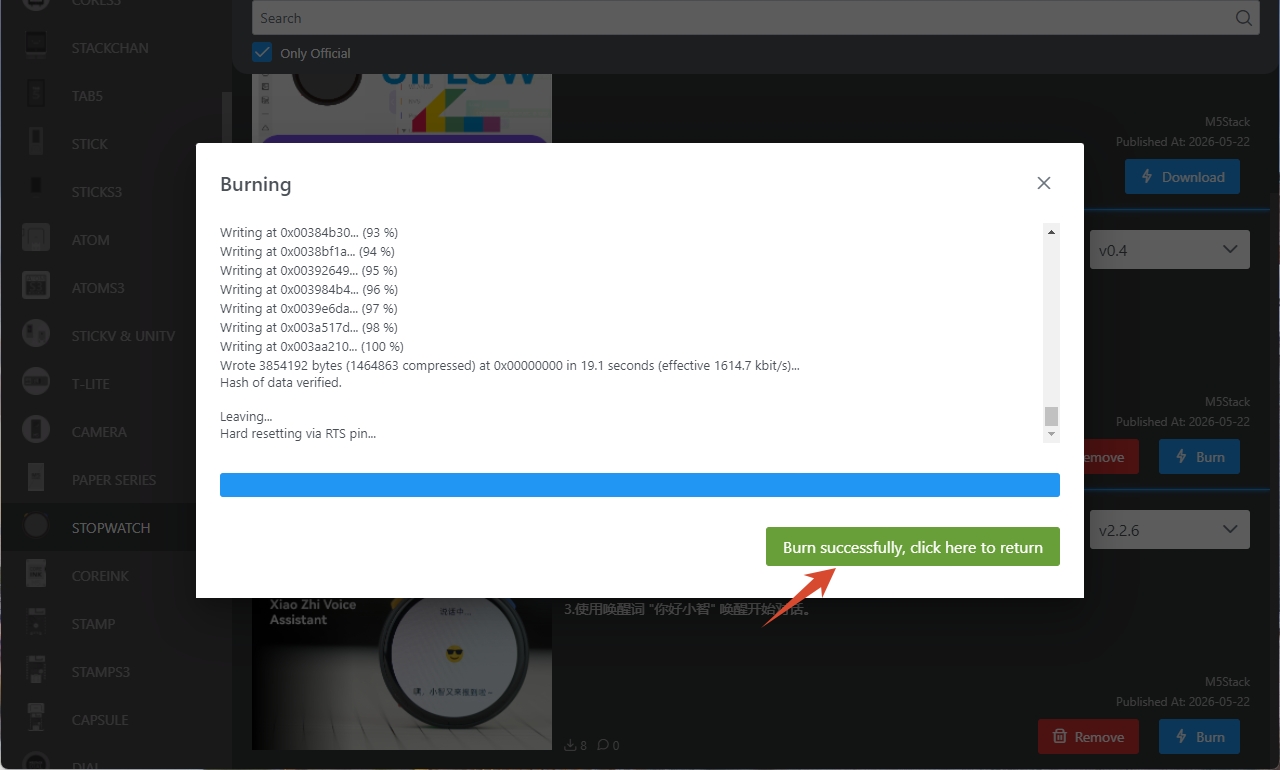
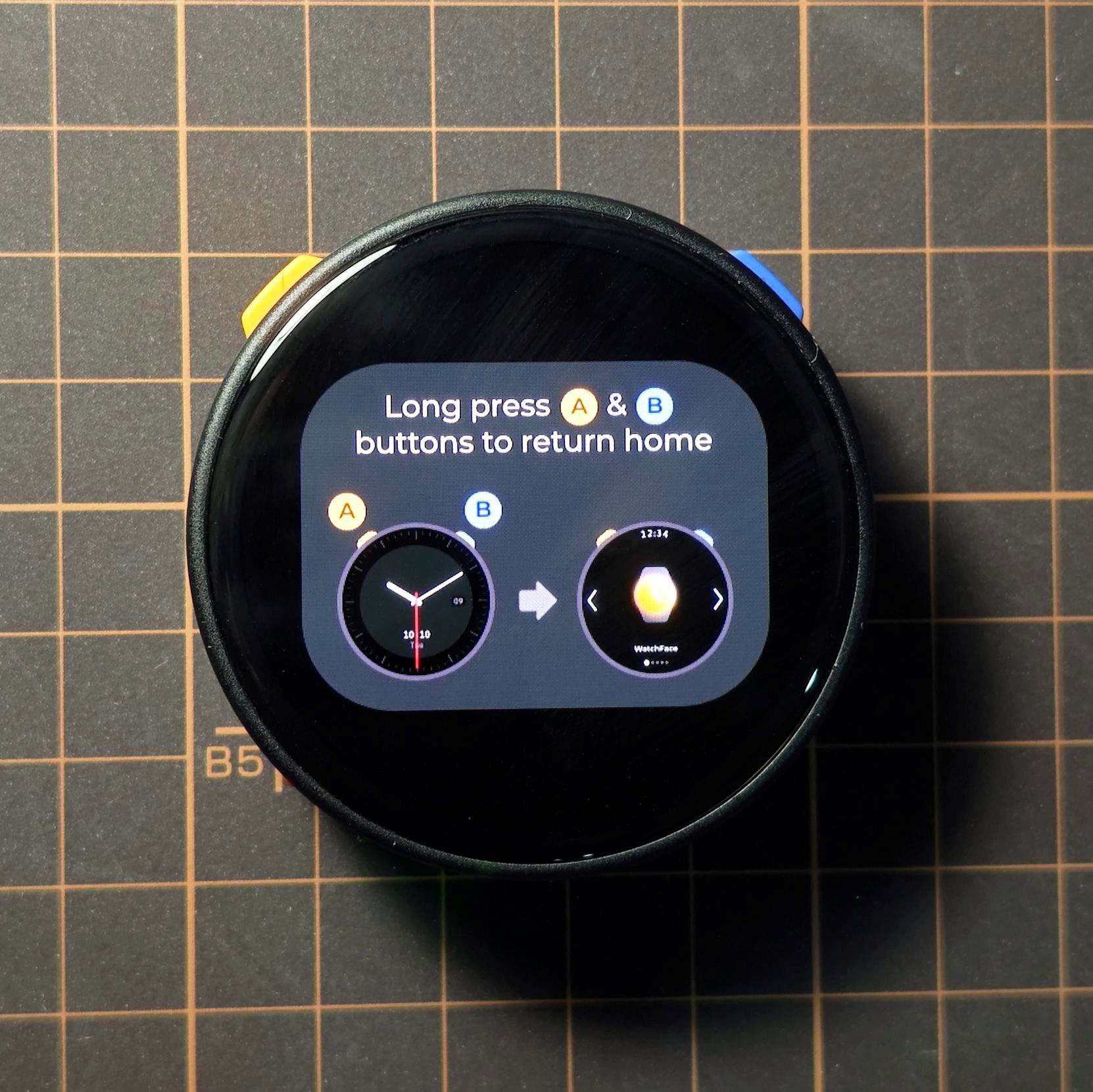
- Press the reset button on the device. After the device restarts, the result is shown below:
Related Reference
For detailed usage instructions of the StopWatch factory firmware, refer to the Tutorial.
Page Tools