

Product Guides
AI & Voice
AI Voice Assistants
Volcengine
Offline Speech Recognition
Unit ASR
Module ASR
Audio & Voice Input
Voice Pyramid
Cameras & Vision
Camera Features
M5Camera
PoECAM
Unit CamS3 / CamS3-5MP
Connectivity & IoT
Industrial Control & Measurement
Air Quality
PowerHub
StamPLC
VAMeter
T-Lite
Module13.2 PPS
Unit RollerCAN
Display & Interaction
Paper
PaperColor
StopWatch
Tab5 Keyboard
Chain DualKey
Robotics & Maker Projects
Atom Printer
Bala
Bala2
BalaC Plus
Faces Kit Gameboy
RoverC & JoyC
StampFly & Atom Joystick
Firmware & Device Maintenance
Firmware Upgrade
Hardware Configuration
Design & Selection References
Atom Voice Bluetooth Speaker User Guide
Atom Voice ships with Bluetooth speaker firmware by default. Users can pair it with smartphones, tablets, computers, or other devices via Bluetooth to enable audio playback. This document describes how to flash the Atom Voice Bluetooth speaker firmware using the M5Burner tool.
Firmware Flashing
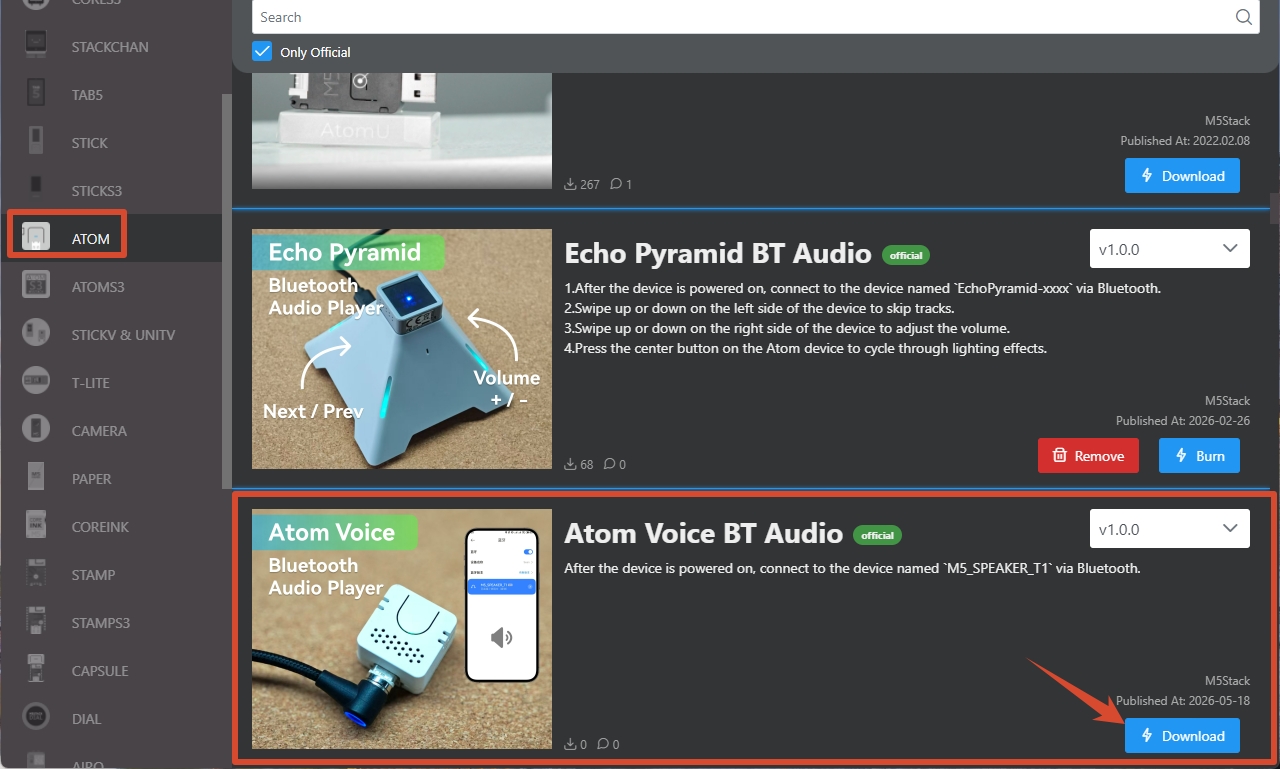
- Follow the M5Burner User Guide to install the flashing tool, then download the corresponding Bluetooth speaker firmware as shown below.
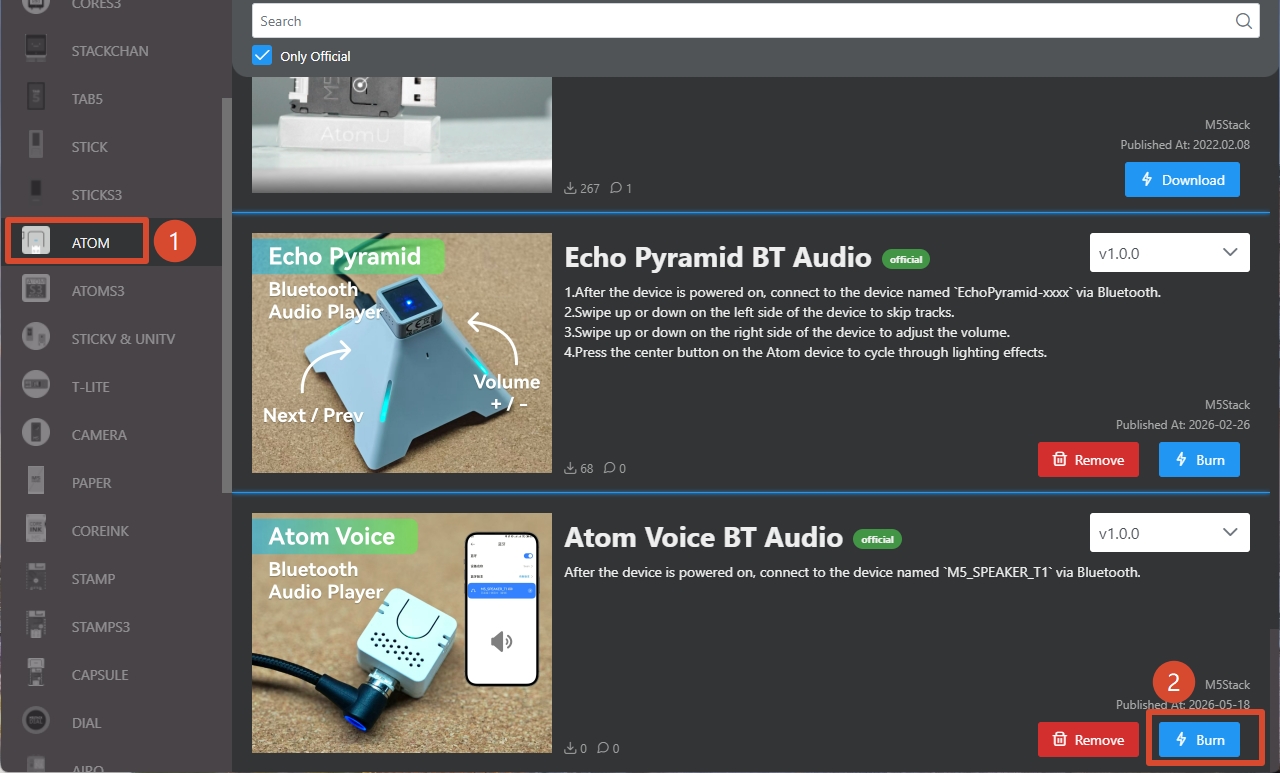
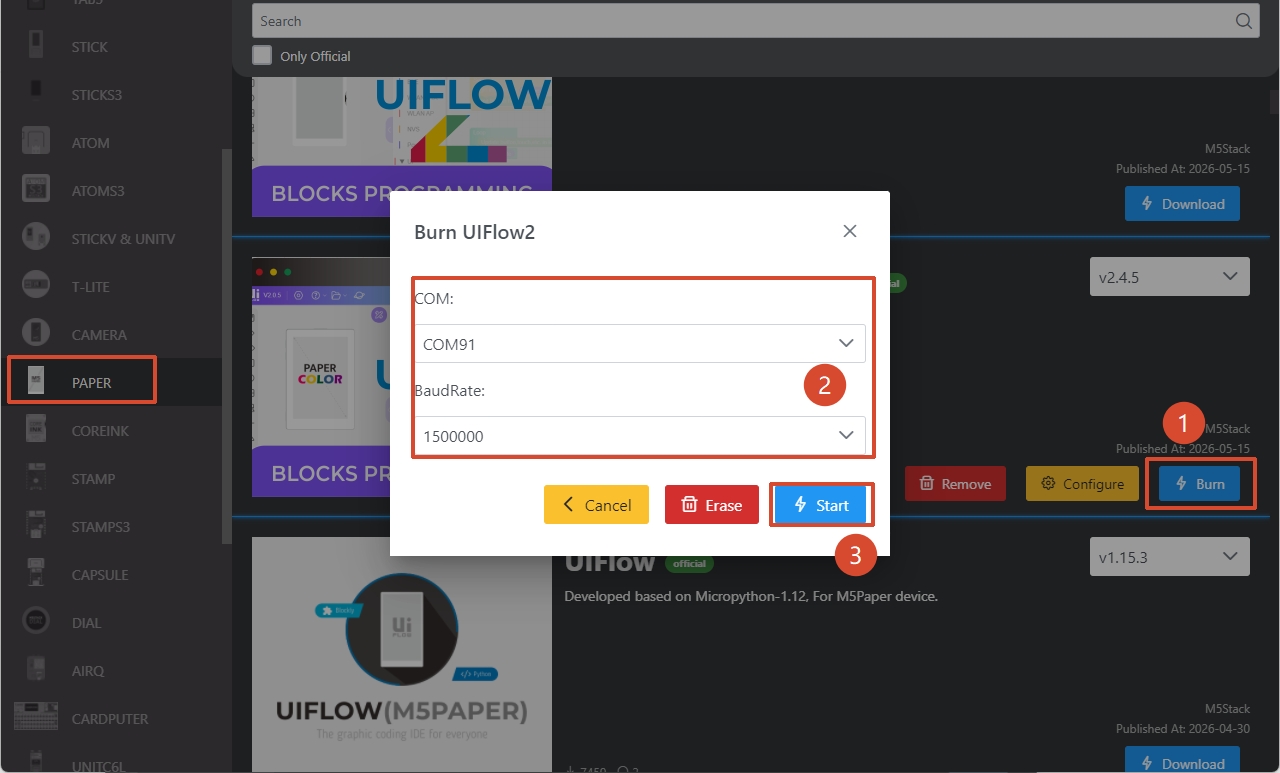
- Connect Atom Voice to your computer via a USB Type-C cable. In M5Burner, click the Burn button for the corresponding firmware, select the device's serial port, and click Start to begin flashing.
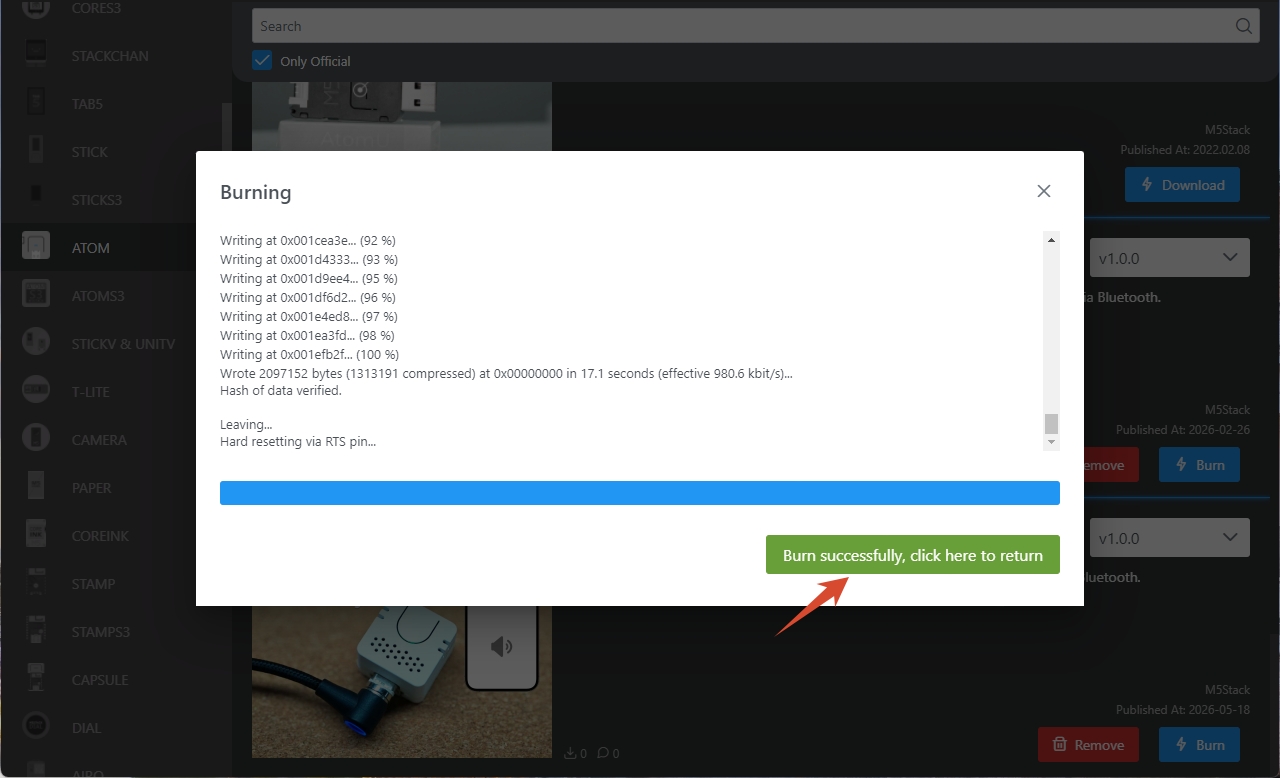
When the page displays Burn successfully, click here to return, the firmware has been flashed successfully.
Wireless Speaker Usage
- Power on Atom Voice. The indicator LED will stay solid red, indicating the device is in pairing mode.
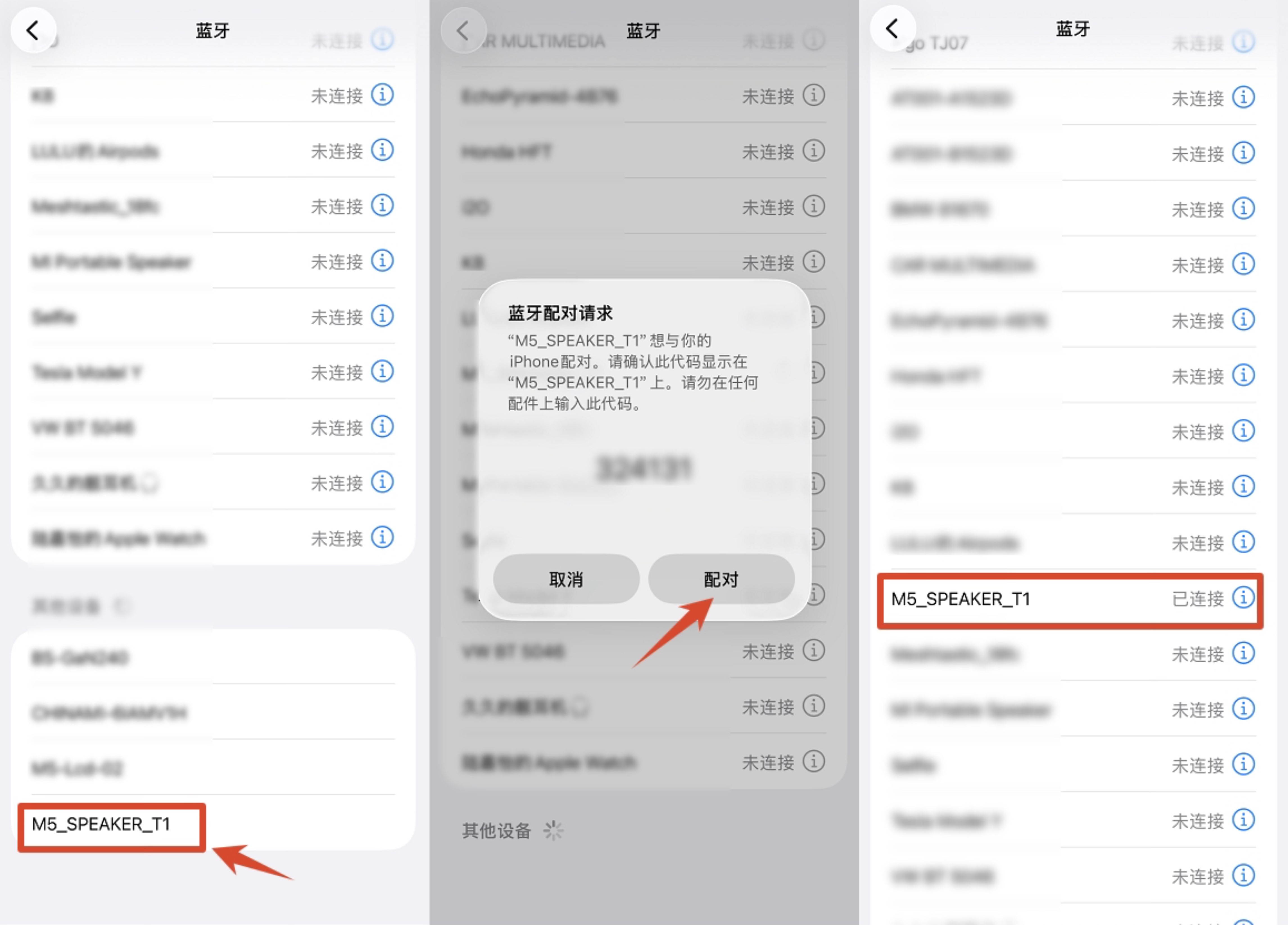
- Enable Bluetooth on your smartphone, computer, or other device, then scan for nearby Bluetooth devices. The device named
M5_SPEAKER_T1is the Atom Voice. - Tap the device name to initiate pairing. Once pairing is complete, a Bluetooth connection will be established. The indicator LED will turn green upon successful connection, and audio playback can begin normally. (Note: The current firmware version does not support hands-free calling.)
Page Tools