

Product Guides
AI & Voice
AI Voice Assistants
Volcengine
Offline Speech Recognition
Unit ASR
Module ASR
Audio & Voice Input
Voice Pyramid
Cameras & Vision
Camera Features
M5Camera
PoECAM
Unit CamS3 / CamS3-5MP
Connectivity & IoT
Industrial Control & Measurement
Air Quality
PowerHub
StamPLC
VAMeter
T-Lite
Module13.2 PPS
Unit RollerCAN
Display & Interaction
Paper
PaperColor
StopWatch
Tab5 Keyboard
Chain DualKey
Robotics & Maker Projects
Atom Printer
Bala
Bala2
BalaC Plus
Faces Kit Gameboy
RoverC & JoyC
StampFly & Atom Joystick
Firmware & Device Maintenance
Firmware Upgrade
Hardware Configuration
Design & Selection References
Voice Pyramid Bluetooth Speaker Tutorial
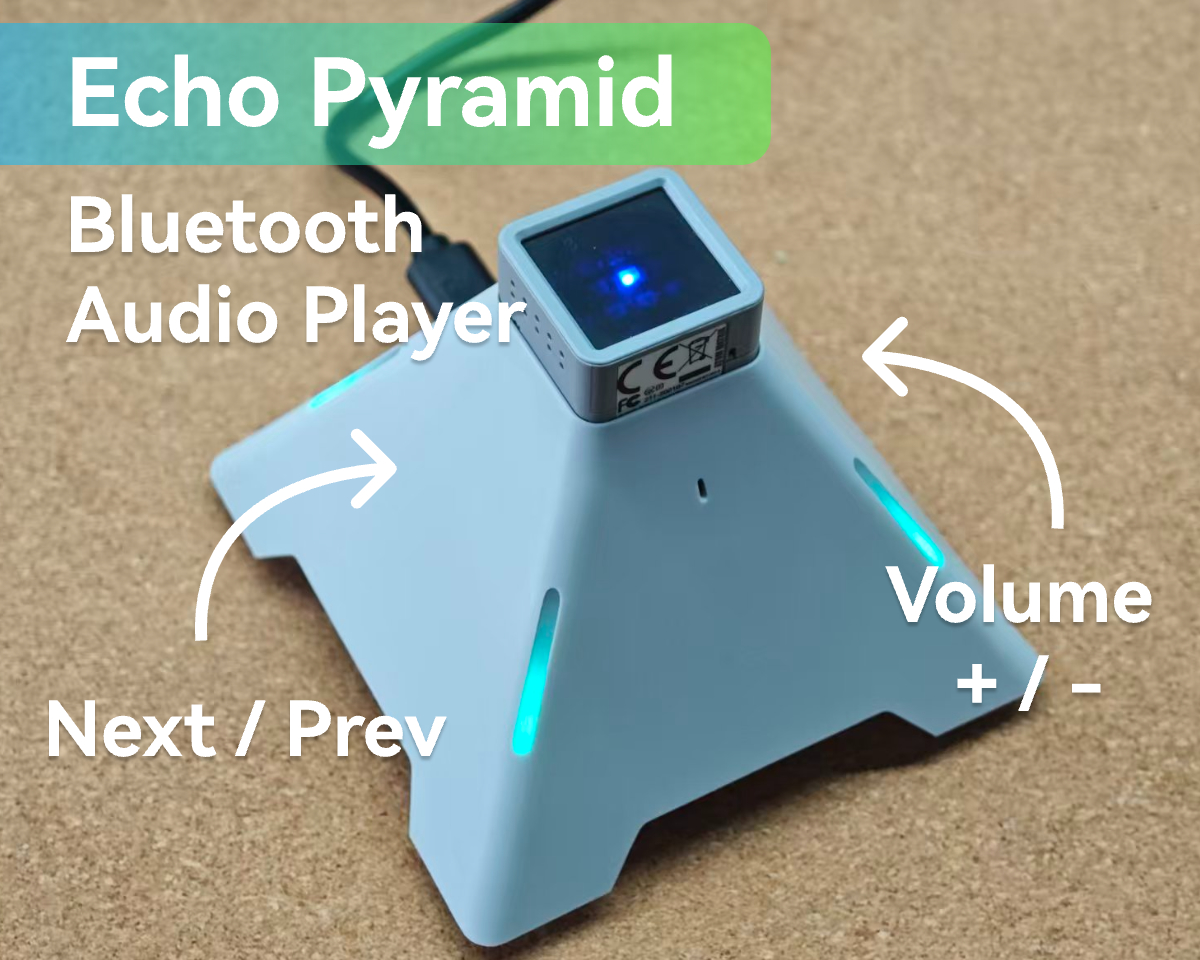
This tutorial introduces how to use Atom-Matrix with the Voice Pyramid development base to burn the Voice Pyramid Bluetooth speaker firmware using M5Burner.
1. Preparation
- Depending on your operating system, click the button below to download the corresponding M5Burner firmware burning tool and extract the application.
| Software Version | Download Link |
|---|---|
| M5Burner_Windows | Download |
| M5Burner_MacOS | Download |
| M5Burner_Linux | Download |
- Install USB Driver
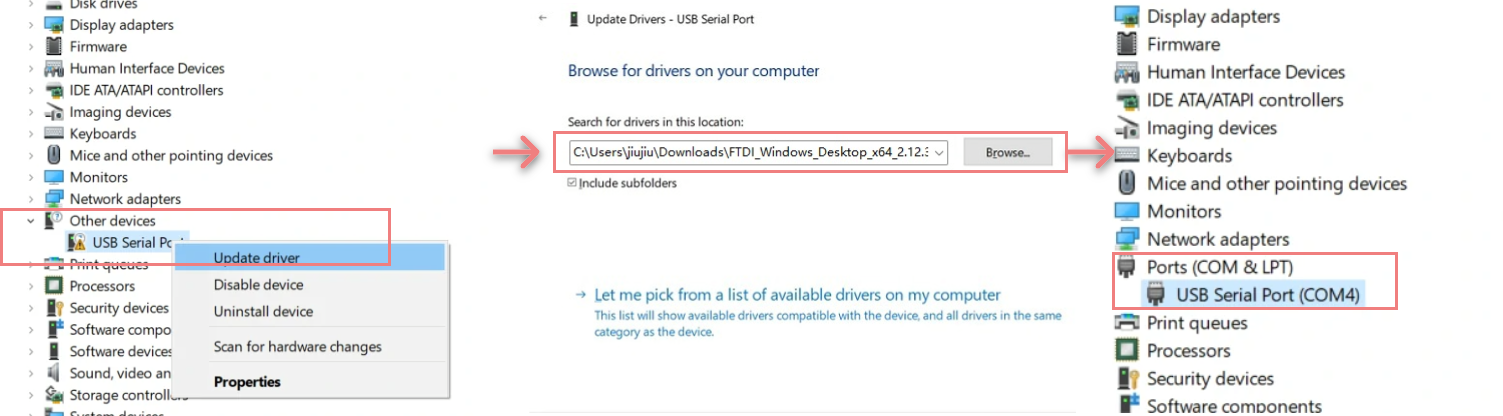
Select and download the driver file matching your operating system from the list below, then extract it. You can also visit the FTDI Chip official website to get additional FTDI driver versions. Then connect the device to your PC, open Device Manager, and install the FTDI driver (the screenshot below uses Windows 10 as an example). (Note: On some systems, you may need to install the driver twice for it to take effect. The unrecognized device is usually named M5Stack or USB Serial.)
| Driver name | Download link |
|---|---|
| Windows_Desktop_x64 | Download |
| Windows_Desktop_x86_32 | Download |
| Windows_Desktop_ARM | Download |
| MacOS_Intel | Download |
| MacOS_ARM64 | Download |
2. Download Firmware
- Double-click to open the Burner tool, select the device type
ATOMin the left menu, and clickDownloadto download theVoice Pyramid Bluetooth Speakerfirmware.
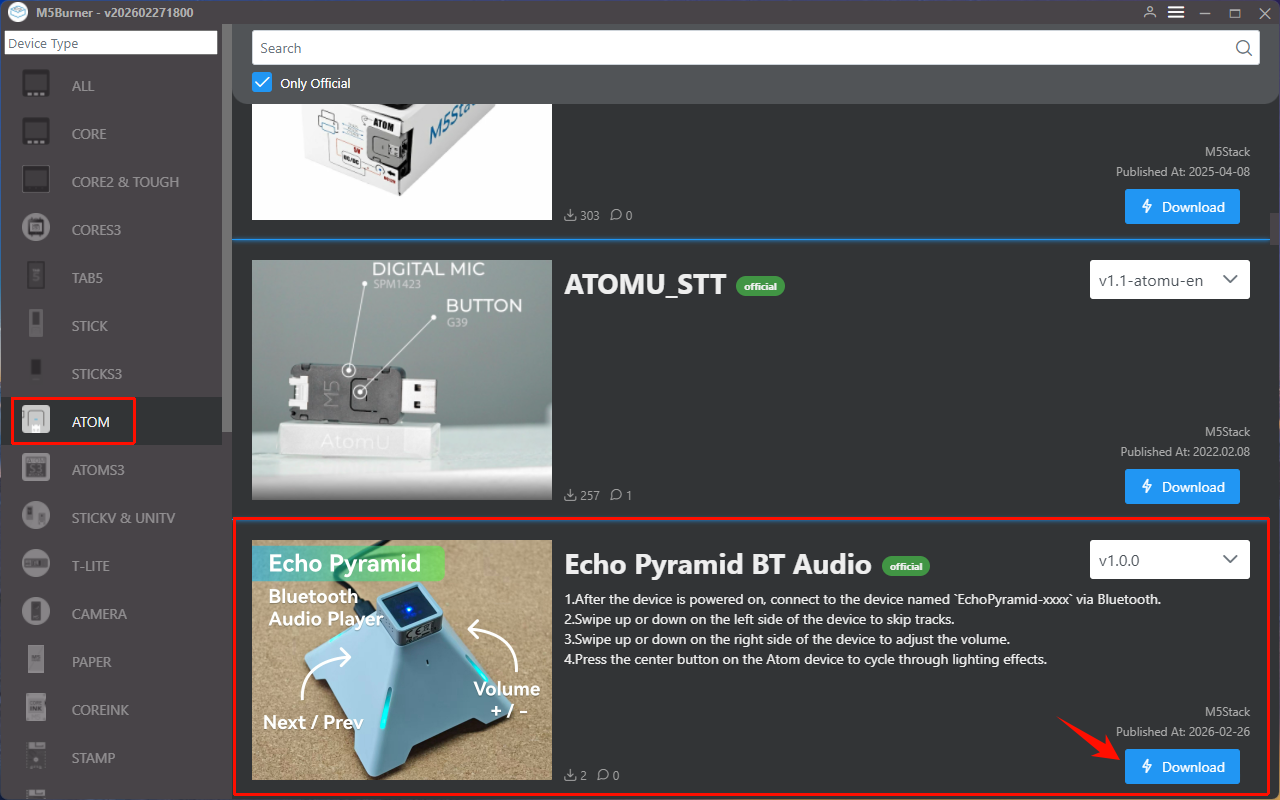
- Connect the Atom-Matrix to the computer via a USB cable. Once connected, the software will pop up
Found New Deviceto indicate a successful connection. The screen will not display content as it enters programming mode. - Click the
Burnbutton for theVoice Pyramid Bluetooth Speakerfirmware, select the corresponding device port, and clickStartto begin burning the firmware.
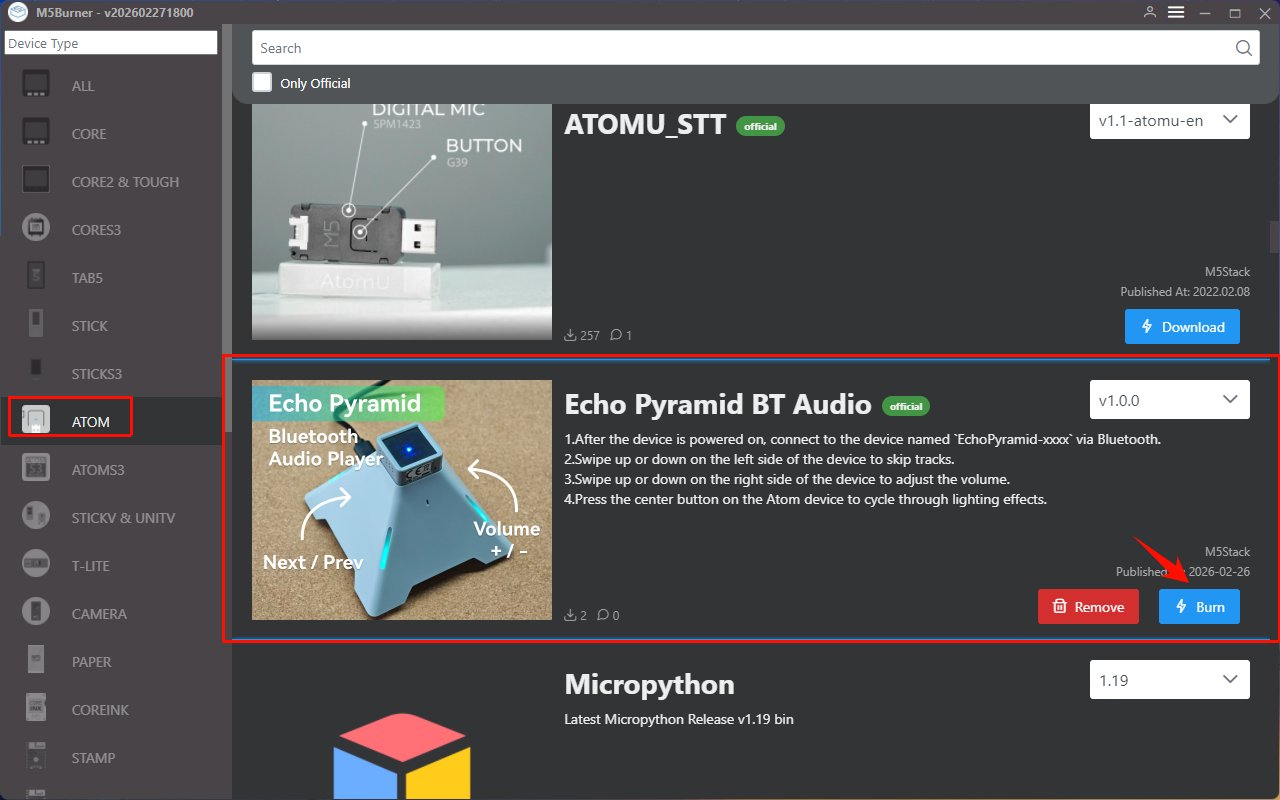
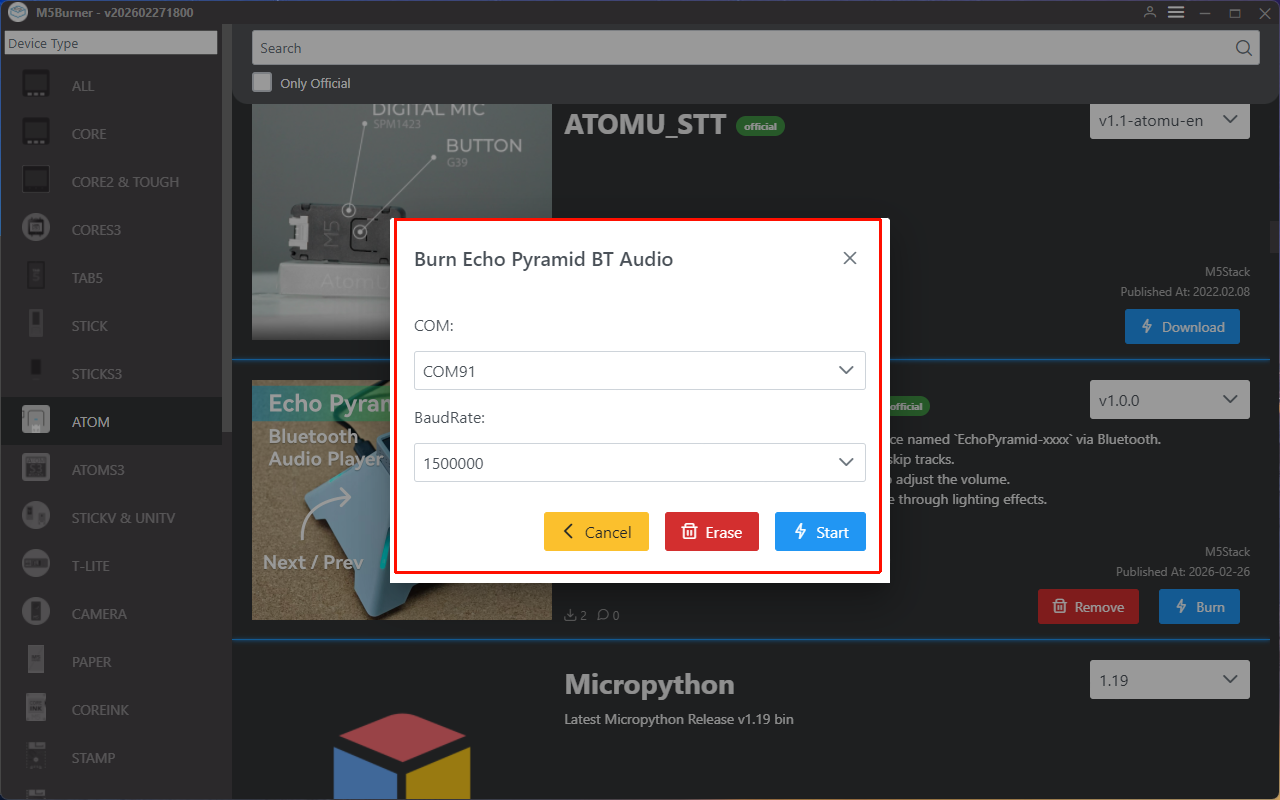
1500000 bps / 750000 bps / 500000 bps / 250000 bps / 115200 bps
When "Burn successful, click here to return" appears, the burning process is complete.
3. Bluetooth Pairing
Power on the Voice Pyramid via the USB port located at the bottom of the device.
Once powered on, search for the Bluetooth device named
EchoPyramid-xxxxon your phone and pair with it. After a successful connection, the Voice Pyramid Bluetooth speaker is ready to use.
- Swipe upward with your fingertip on the left area of the Voice Pyramid to switch to the previous track; swipe downward to skip to the next track.
- Swipe upward with your fingertip on the right area of the Voice Pyramid to increase the volume; swipe downward to decrease the volume.