

StackFlow AI Platform
设备开发 & 快速上手
模型介绍
Qwen3
DeepSeek-R1
AI Pyramid 应用案例
Module LLM 应用案例
CV 视觉应用
VLM 多模态
LLM 大语言模型
语音助手
AI Pyramid - Immich 照片管理系统
Immich 是一个开源的自托管照片和视频管理平台,支持自动备份、AI 智能搜索和跨设备访问。借助 AI Pyramid 的算力加速,可实现高效的图像识别和语义搜索功能。
1. 获取部署资源
选择以下任一方式获取 Immich 部署资源:
方式一:手动下载
访问 Immich 资源仓库 进行下载,随后上传到 AI Pyramid 设备。
方式二:命令行克隆
依赖检查
若系统未安装 git lfs,请参考 git lfs 安装指南 进行安装。
git clone https://huggingface.co/AXERA-TECH/immich1.1 资源文件说明
克隆完成后,目录结构如下:
root@m5stack-AI-Pyramid:~/rsp/immich# ls -lh
total 421M
drwxrwxr-x 2 axera axera 4.0K Dec 23 17:23 asset
-rw-rw-r-- 1 axera axera 421M Dec 23 17:23 ax-immich-server-aarch64.tar.gz
-rw-rw-r-- 1 axera axera    0 Dec 23 17:22 config.json
-rw-rw-r-- 1 axera axera 7.6K Dec 23 17:23 docker-deploy.zip
-rw-rw-r-- 1 axera axera 104K Dec 23 17:23 immich_ml-1.129.0-py3-none-any.whl
-rw-rw-r-- 1 axera axera 9.4K Dec 23 17:22 README.md
-rw-rw-r-- 1 axera axera 177 Dec 23 17:22 requirements.txt2. 部署 Docker 容器
步骤 1:导入镜像
cd immich
docker load -i ax-immich-server-aarch64.tar.gz步骤 2:准备工作目录
依赖检查
若系统未安装 unzip,请执行
apt install zip -y 命令进行安装。unzip docker-deploy.zip
cp example.env .env步骤 3:启动容器
内存配置
对于 4GB 内存版本的 AI Pyramid,启动前请参考 增加虚拟内存教程 以确保程序能够正常运行。
docker compose -f docker-compose.yml -f docker-compose.override.yml up -d启动成功后输出示例:
root@m5stack-AI-Pyramid:~/rsp/immich# docker compose -f docker-compose.yml -f docker-compose.override.yml up -d
WARN[0000] /root/rsp/immich/docker-compose.override.yml: `version` is obsolete
[+] Running 3/3
 ✔ Container immich_redis     Running                                                                                                    0.0s
 ✔ Container immich_postgres  Running                                                                                                    0.0s
✔ Container immich_server Running 0.0s 3. 部署 ML 推理服务
步骤 1:安装依赖包
pip install https://github.com/AXERA-TECH/pyaxengine/releases/download/0.1.3.rc2/axengine-0.1.3-py3-none-any.whl
pip install -r requirements.txt
pip install immich_ml-1.129.0-py3-none-any.whl版本提示
预编译包可能随版本更新而变化,请根据实际目录中的文件名进行安装。
步骤 2:启动 ML 服务
创建 Python 软连接并启动 immich_ml 服务:
ln -s /usr/bin/python3 /usr/bin/python
IMMICH_HOST=0.0.0.0 IMMICH_PORT=3003 python3 -m immich_ml服务启动成功示例输出:
root@m5stack-AI-Pyramid:~/rsp/immich# IMMICH_HOST=0.0.0.0 IMMICH_PORT=3003 python3 -m immich_ml
[12/30/25 10:59:50] INFO     Starting gunicorn 23.0.0
[12/30/25 10:59:50] INFO     Listening at: http://0.0.0.0:3003 (14537)
[12/30/25 10:59:50] INFO     Using worker: immich_ml.config.CustomUvicornWorker
[12/30/25 10:59:50] INFO     Booting worker with pid: 14546
2025-12-30 10:59:52.776738850 [W:onnxruntime:Default, device_discovery.cc:164 DiscoverDevicesForPlatform] GPU device discovery failed: device_discovery.cc:89 ReadFileContents Failed to open file: "/sys/class/drm/card1/device/vendor"
[INFO] Available providers:  ['AxEngineExecutionProvider']
/usr/local/lib/python3.10/dist-packages/immich_ml/models/clip/cn_vocab.txt
[12/30/25 11:00:06] INFO     Started server process [14546]
[12/30/25 11:00:06] INFO     Waiting for application startup.
[12/30/25 11:00:06] INFO     Created in-memory cache with unloading after 300s of inactivity.
[12/30/25 11:00:06] INFO     Initialized request thread pool with 8 threads.
[12/30/25 11:00:06] INFO Application startup complete.4. 初始化配置
4.1 访问 Web 界面
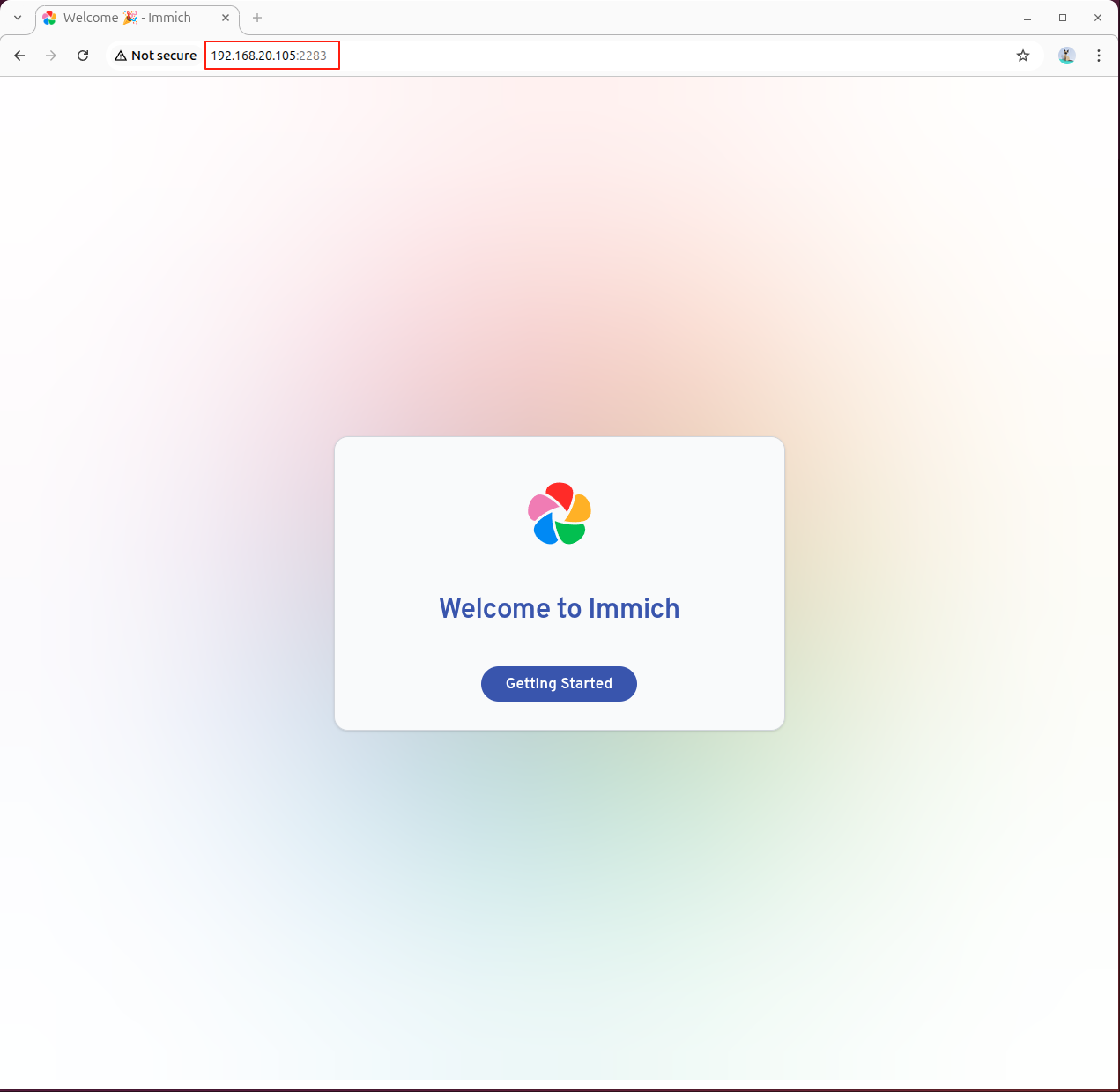
使用浏览器访问 Immich 管理界面,在地址栏输入 AI Pyramid 的 IP 地址和 2283 端口:
http://192.168.x.x:2283初次访问
第一次访问需要注册管理员账户,账户凭证将保存在本地。
4.2 配置机器学习服务
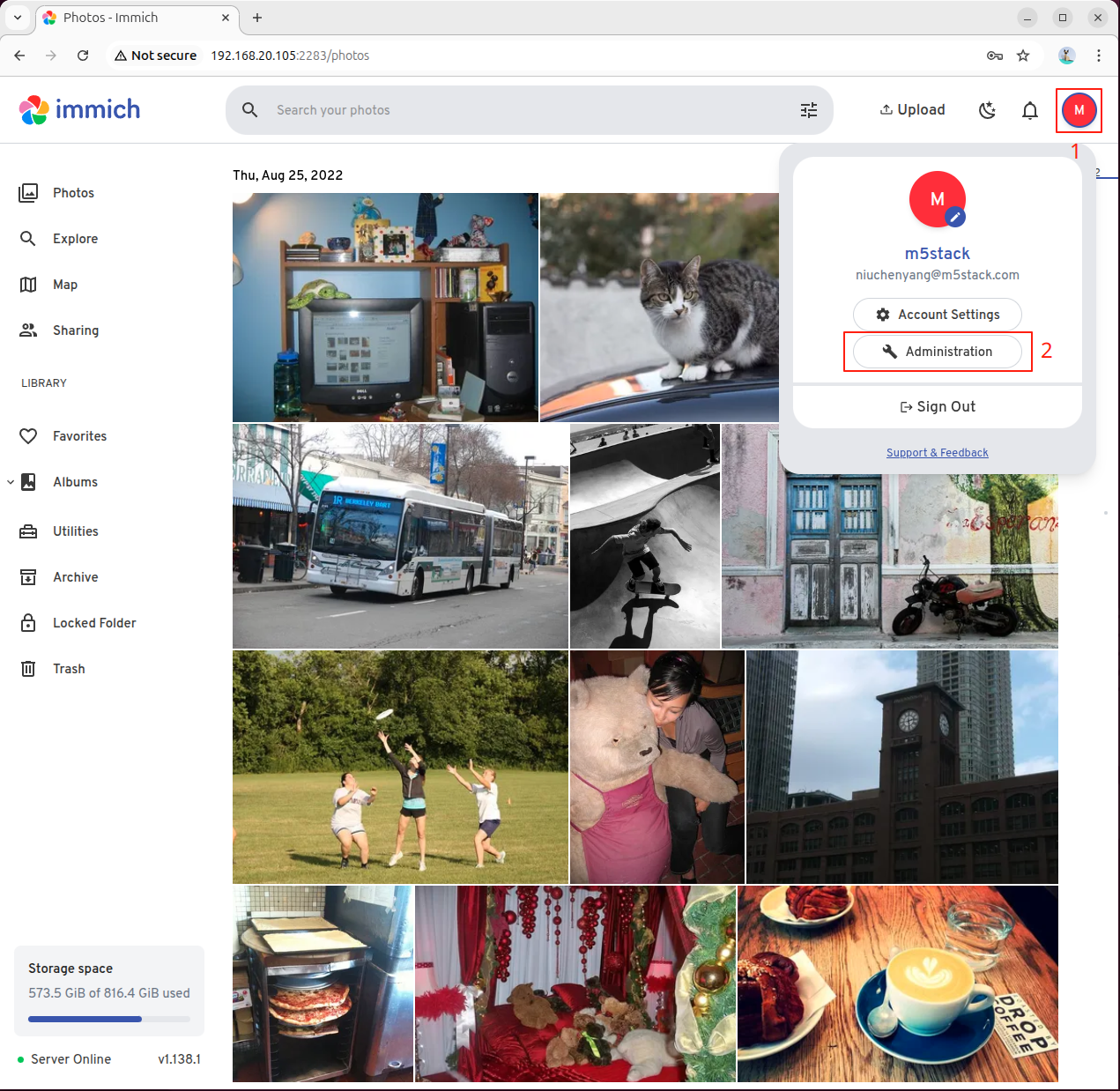
配置完成后,进入设置界面配置机器学习服务器。点击左侧菜单进入配置界面:
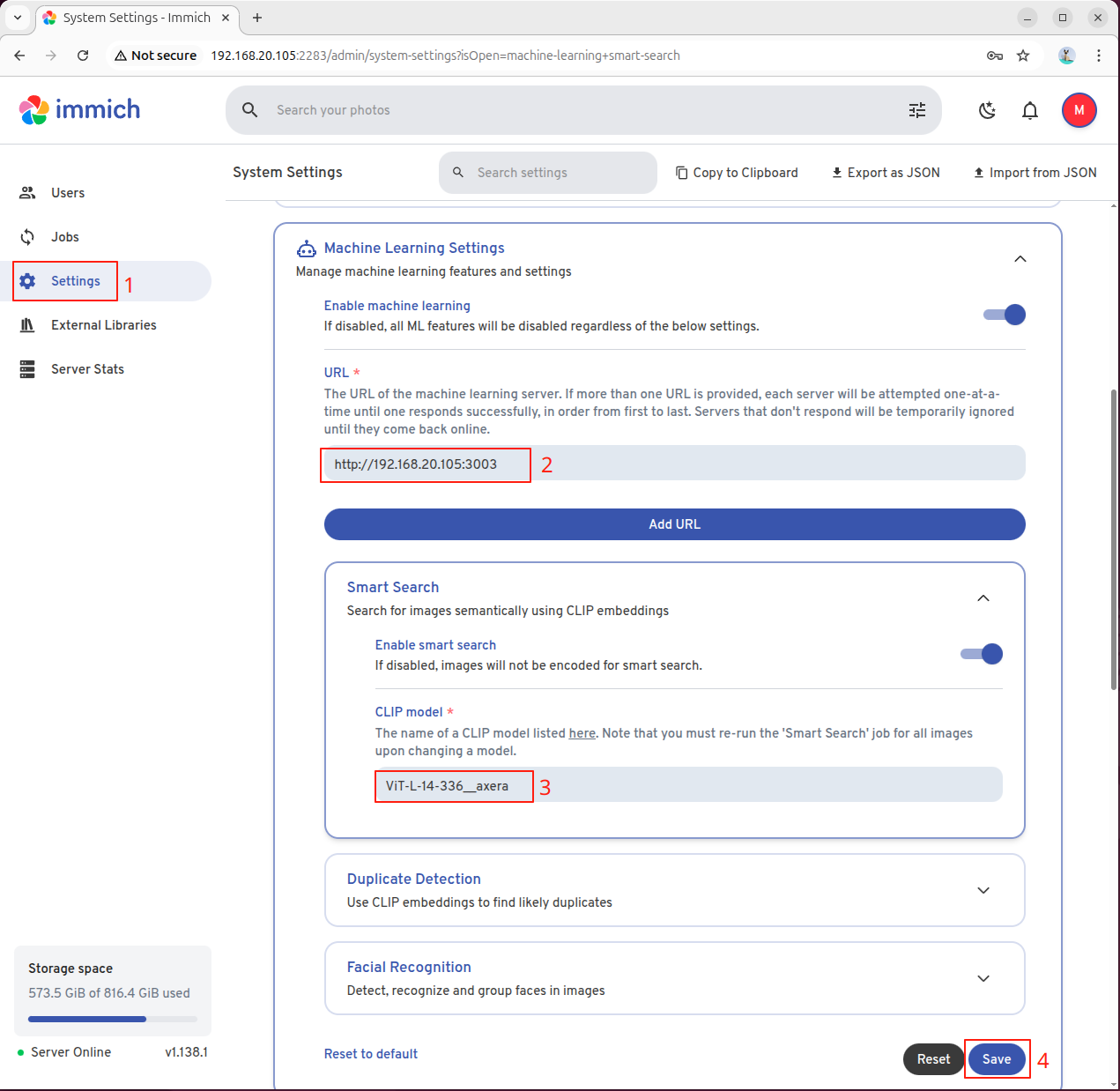
在 URL 字段填入 AI Pyramid 的 IP 地址和 3003 端口:
http://192.168.x.x:3003根据需要选择 CLIP 模型:
- 中文搜索:填写
ViT-L-14-336-CN__axera - 英文搜索:填写
ViT-L-14-336__axera
配置完成后点击保存:
连接问题
若显示服务器离线,请检查客户端是否开启了代理。关闭代理后刷新网页重试。
4.3 启用智能搜索
第一次使用需要手动触发索引任务。进入 Jobs 选项,在 SMART SEARCH 中手动启用:
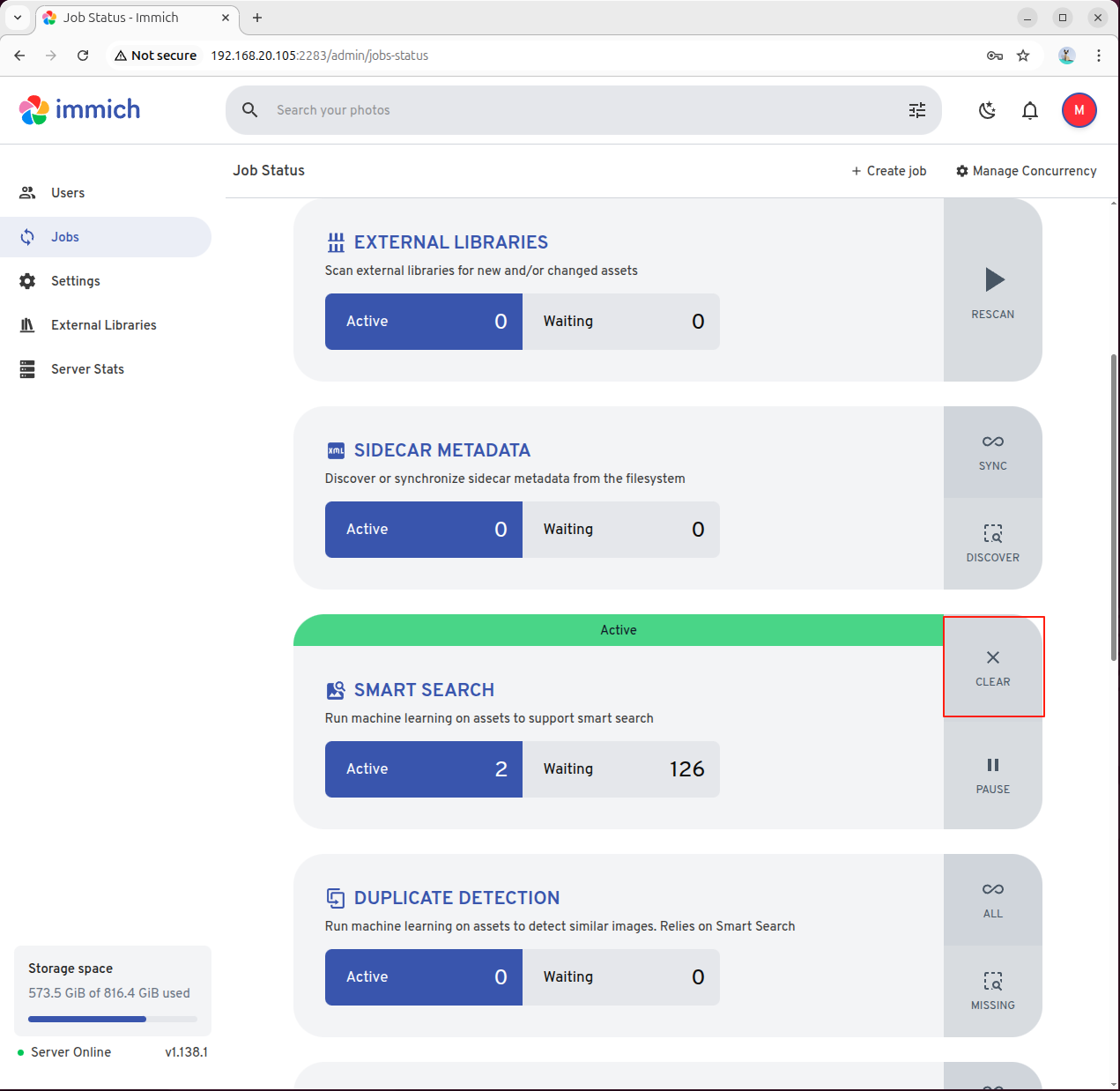
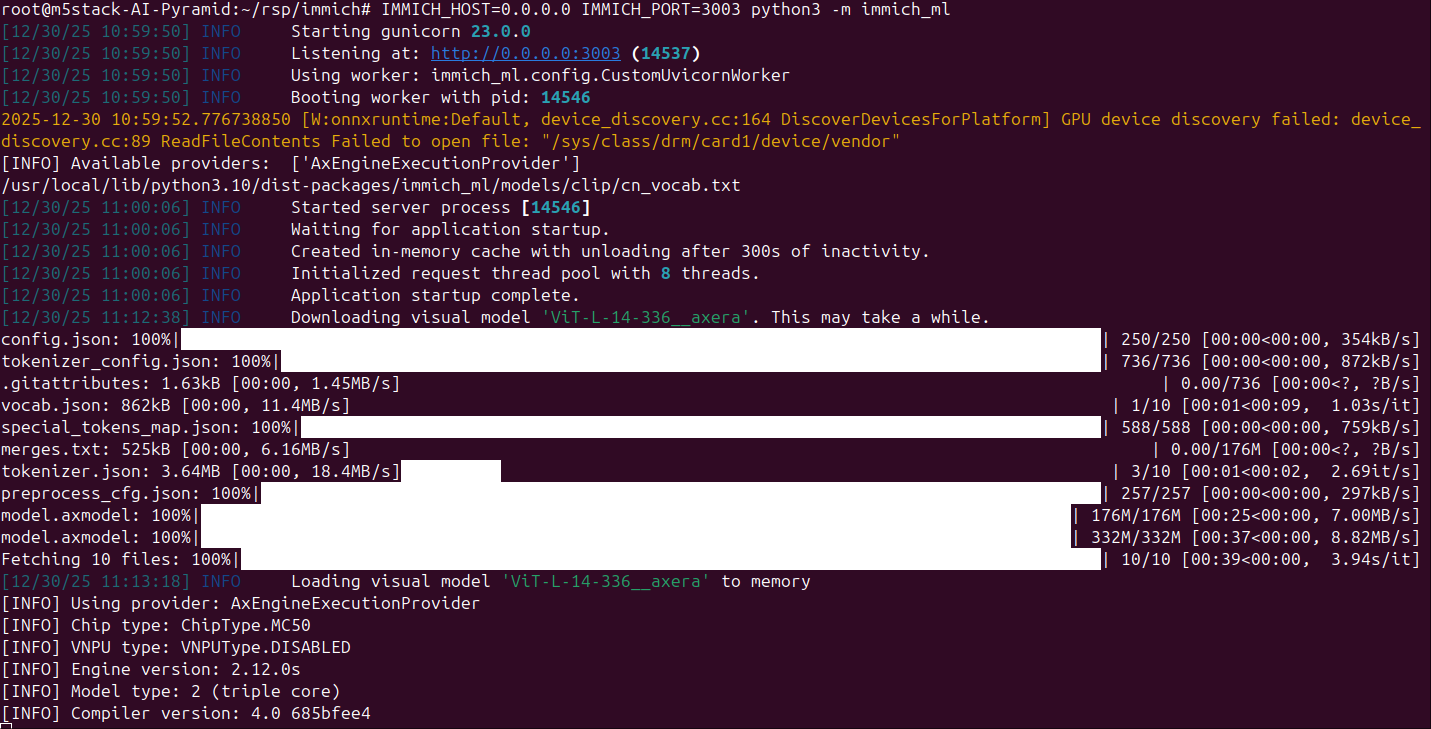
immich_ml 服务将自动下载并初始化 CLIP 模型:
5. 使用智能搜索
在搜索栏输入照片的文字描述,系统将使用 AI 语义搜索技术自动检索相关的照片和视频:

Page Tools