Linux & Edge AI
AI Pyramid
Hardware Control
Applications & Factory Features
LLM-8850 Card
Large Language Models
LLM630 Compute Kit
Module LLM
CoreMP135
AI Pyramid - Immich Photo Management System
Immich is an open-source, self-hosted photo and video management platform that supports automatic backups, AI-powered smart search, and cross-device access. With the computing acceleration of AI Pyramid, efficient image recognition and semantic search capabilities can be achieved.
1. Obtain Deployment Resources
Choose one of the following methods to obtain Immich deployment resources:
Method 1: Manual Download
Visit the Immich Resource Repository to download the resources, then upload them to the AI Pyramid device.
Method 2: Command-Line Clone
git clone https://huggingface.co/AXERA-TECH/immich1.1 Resource File Description
After cloning is complete, the directory structure is as follows:
root@m5stack-AI-Pyramid:~/rsp/immich# ls -lh
total 421M
drwxrwxr-x 2 axera axera 4.0K Dec 23 17:23 asset
-rw-rw-r-- 1 axera axera 421M Dec 23 17:23 ax-immich-server-aarch64.tar.gz
-rw-rw-r-- 1 axera axera    0 Dec 23 17:22 config.json
-rw-rw-r-- 1 axera axera 7.6K Dec 23 17:23 docker-deploy.zip
-rw-rw-r-- 1 axera axera 104K Dec 23 17:23 immich_ml-1.129.0-py3-none-any.whl
-rw-rw-r-- 1 axera axera 9.4K Dec 23 17:22 README.md
-rw-rw-r-- 1 axera axera 177 Dec 23 17:22 requirements.txt2. Deploy Docker Containers
Step 1: Import the Image
cd immich
docker load -i ax-immich-server-aarch64.tar.gzStep 2: Prepare the Working Directory
apt install zip -y to install it.unzip docker-deploy.zip
cp example.env .envStep 3: Start the Containers
docker compose -f docker-compose.yml -f docker-compose.override.yml up -dExample output after successful startup:
root@m5stack-AI-Pyramid:~/rsp/immich# docker compose -f docker-compose.yml -f docker-compose.override.yml up -d
WARN[0000] /root/rsp/immich/docker-compose.override.yml: `version` is obsolete
[+] Running 3/3
✔ Container immich_redis     Running                                                                                                    0.0s
✔ Container immich_postgres  Running                                                                                                    0.0s
✔ Container immich_server Running 0.0s3. Deploy the ML Inference Service
Step 1: Install Dependency Packages
pip install https://github.com/AXERA-TECH/pyaxengine/releases/download/0.1.3.rc2/axengine-0.1.3-py3-none-any.whl
pip install -r requirements.txt
pip install immich_ml-1.129.0-py3-none-any.whlStep 2: Start the ML Service
Create a Python symbolic link and start the immich_ml service:
ln -s /usr/bin/python3 /usr/bin/python
IMMICH_HOST=0.0.0.0 IMMICH_PORT=3003 python3 -m immich_mlExample output after successful service startup:
root@m5stack-AI-Pyramid:~/rsp/immich# IMMICH_HOST=0.0.0.0 IMMICH_PORT=3003 python3 -m immich_ml
[12/30/25 10:59:50] INFO     Starting gunicorn 23.0.0
[12/30/25 10:59:50] INFO     Listening at: http://0.0.0.0:3003 (14537)
[12/30/25 10:59:50] INFO     Using worker: immich_ml.config.CustomUvicornWorker
[12/30/25 10:59:50] INFO     Booting worker with pid: 14546
2025-12-30 10:59:52.776738850 [W:onnxruntime:Default, device_discovery.cc:164 DiscoverDevicesForPlatform] GPU device discovery failed: device_discovery.cc:89 ReadFileContents Failed to open file: "/sys/class/drm/card1/device/vendor"
[INFO] Available providers:  ['AxEngineExecutionProvider']
/usr/local/lib/python3.10/dist-packages/immich_ml/models/clip/cn_vocab.txt
[12/30/25 11:00:06] INFO     Started server process [14546]
[12/30/25 11:00:06] INFO     Waiting for application startup.
[12/30/25 11:00:06] INFO     Created in-memory cache with unloading after 300s of inactivity.
[12/30/25 11:00:06] INFO     Initialized request thread pool with 8 threads.
[12/30/25 11:00:06] INFO Application startup complete.4. Initial Configuration
4.1 Access the Web Interface
Use a browser to access the Immich management interface by entering the AI Pyramid IP address and port 2283 in the address bar:
http://192.168.x.x:2283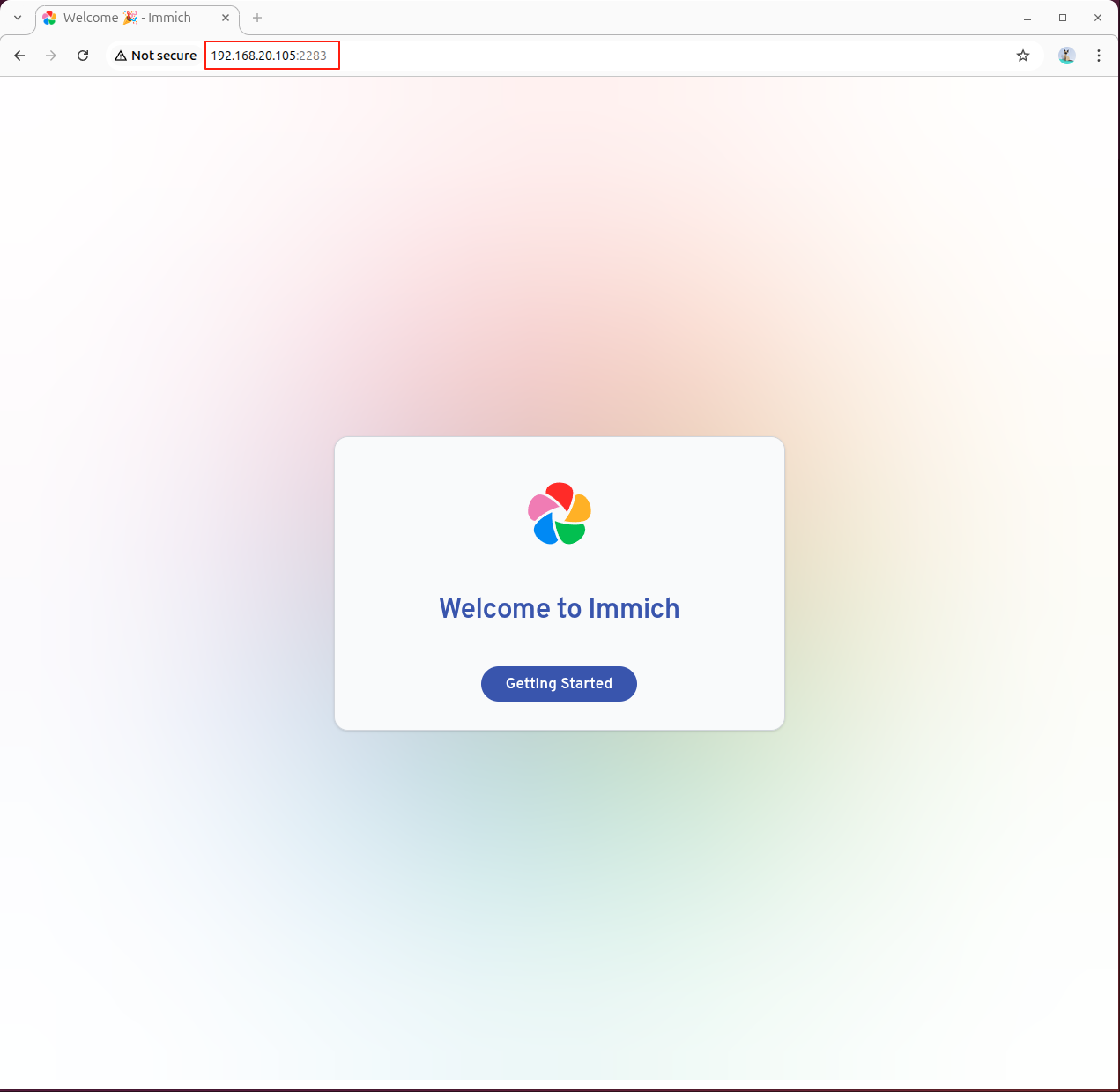
4.2 Configure the Machine Learning Service
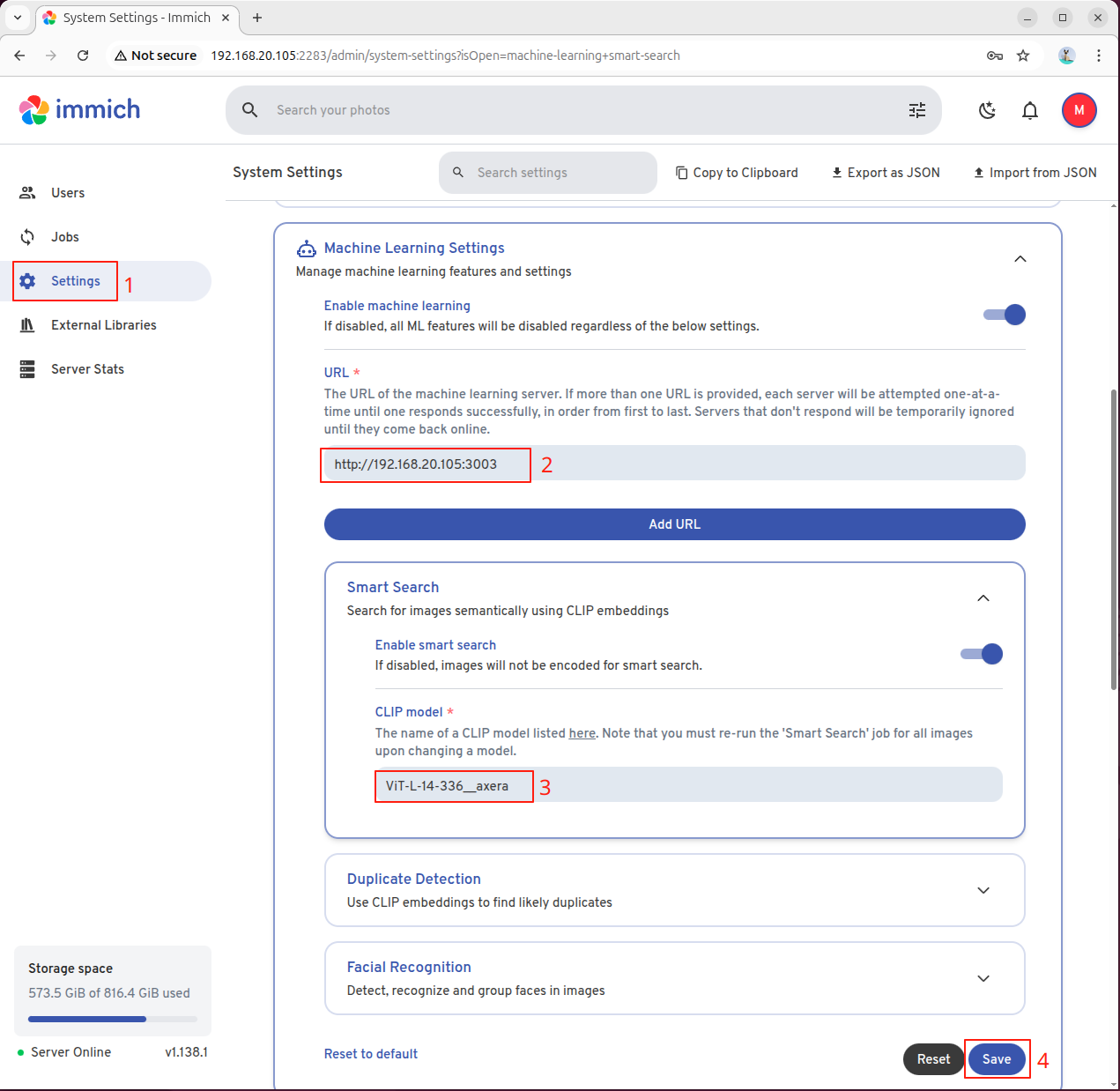
After logging in, go to the settings page to configure the machine learning server. Click the left-side menu to enter the configuration interface:

Enter the AI Pyramid IP address and port 3003 in the URL field:
http://192.168.x.x:3003Select the CLIP model according to your needs:
- Chinese Search: Enter
ViT-L-14-336-CN__axera - English Search: Enter
ViT-L-14-336__axera
After configuration, click Save:
4.3 Enable Smart Search
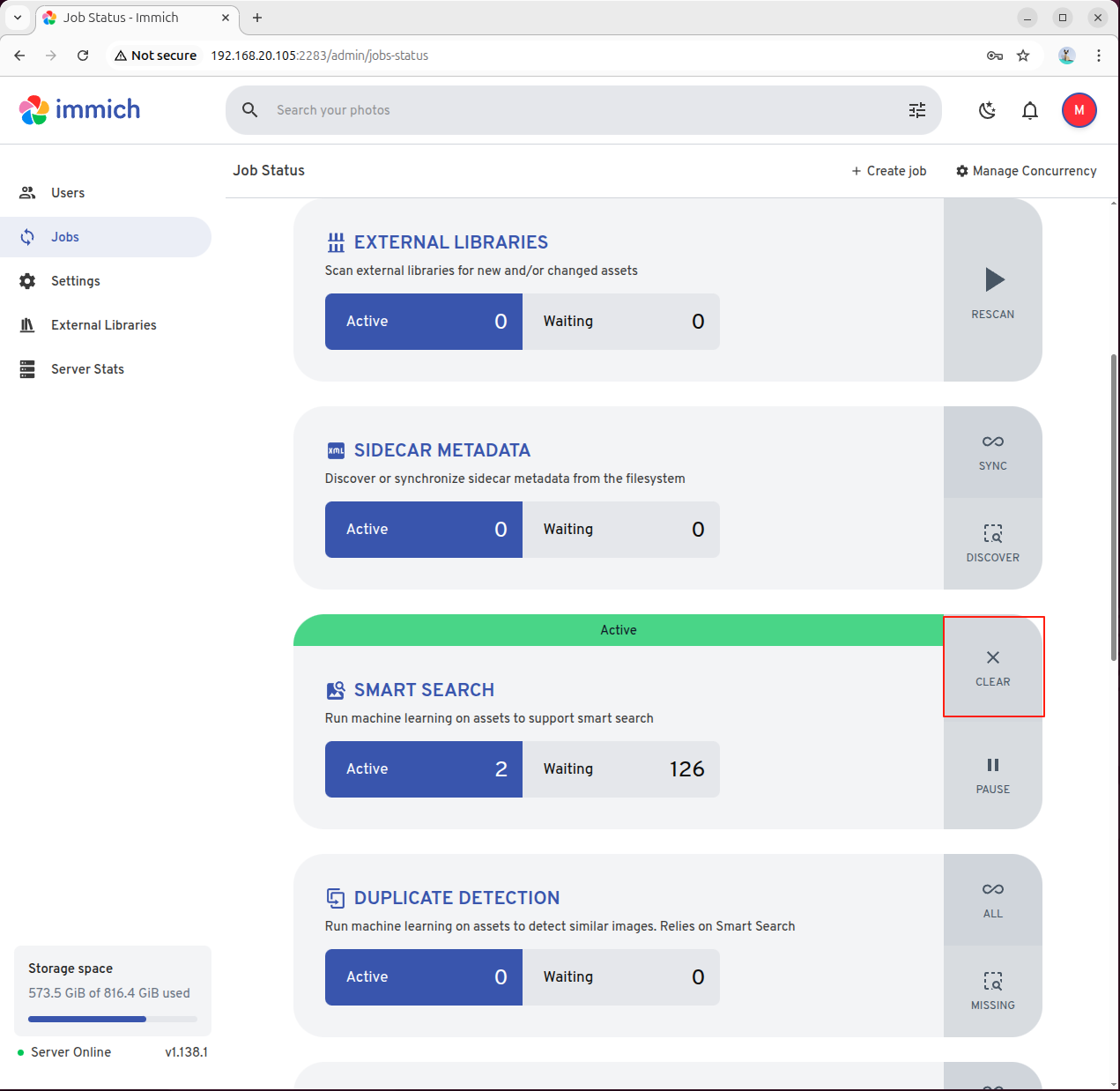
For first-time use, you need to manually trigger the indexing task. Go to the Jobs section and manually enable SMART SEARCH:
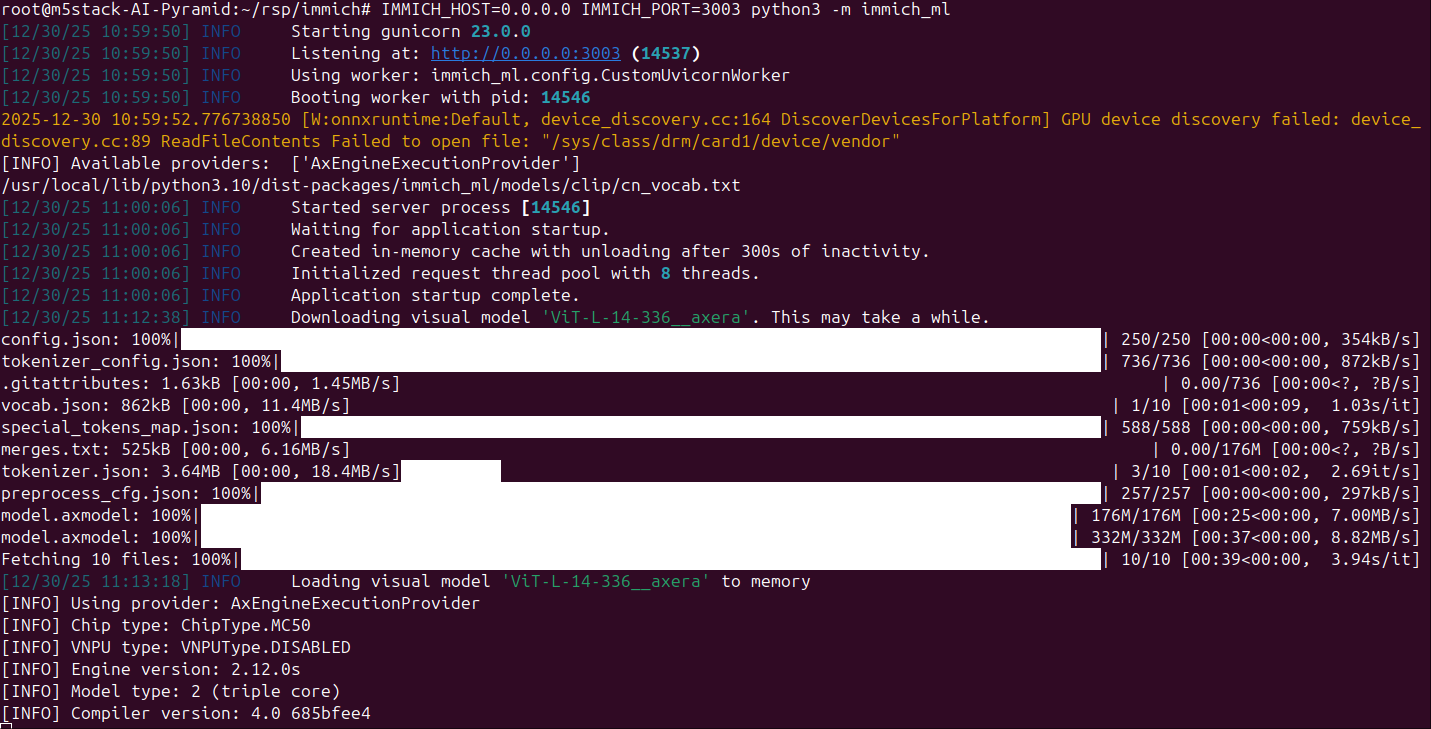
The immich_ml service will automatically download and initialize the CLIP model:
5. Use Smart Search
Enter a textual description of the photo in the search bar. The system will use AI semantic search technology to automatically retrieve relevant photos and videos: