

StackFlow AI Platform
设备开发 & 快速上手
模型介绍
Qwen3
DeepSeek-R1
AI Pyramid 应用案例
Module LLM 应用案例
CV 视觉应用
VLM 多模态
LLM 大语言模型
语音助手
OpenAI API
我们提供一套兼容 OpenAI API 的使用方式,只需要安装 StackFlow 包即可。
准备工作
- 参考AI Pyramid 软件包更新,完成以下模型包和软件包的安装。
apt install lib-llm llm-sys llm-llm llm-openai-apiapt install llm-model-qwen2.5-1.5b-int4-ax650注意
每次安装新模型后,需要手动执行 systemctl restart llm-openai-api 更新模型列表。
Curl 调用
curl http://127.0.0.1:8000/v1/models \
  -H "Content-Type: application/json"
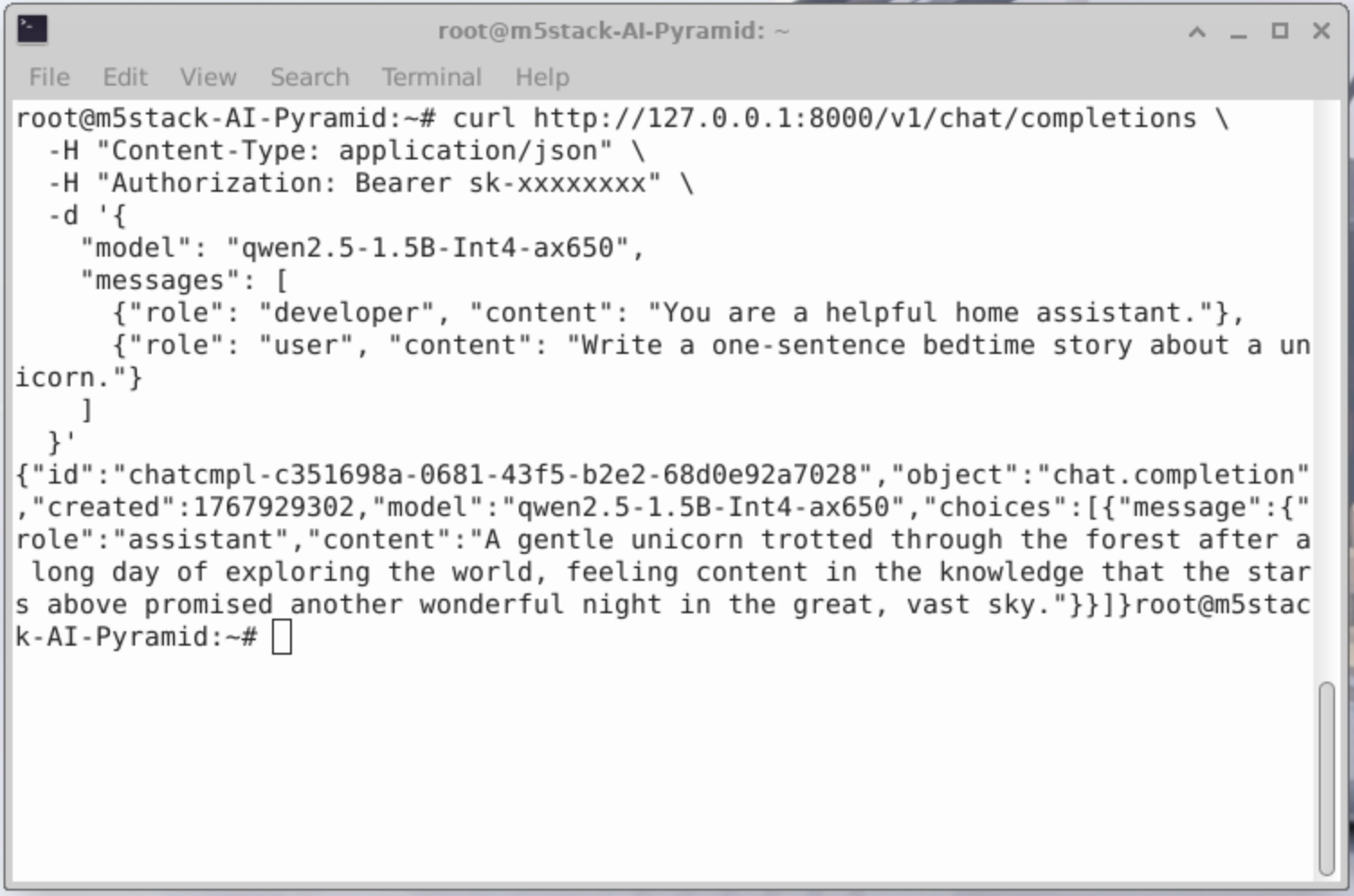
curl http://127.0.0.1:8000/v1/chat/completions \
-H "Content-Type: application/json" \
-H "Authorization: Bearer sk-xxxxxxxx" \
-d '{
"model": "qwen2.5-1.5B-Int4-ax650",
"messages": [
{"role": "developer", "content": "You are a helpful home assistant."},
{"role": "user", "content": "Write a one-sentence bedtime story about a unicorn."}
]
}'
Python 调用
from openai import OpenAI
client = OpenAI(
    api_key="sk-",
    base_url="http://127.0.0.1:8000/v1"
)

client.models.list()
print(client.models.list())
from openai import OpenAI
client = OpenAI(
api_key="sk-",
base_url="http://127.0.0.1:8000/v1"
)
completion = client.chat.completions.create(
model="qwen2.5-1.5B-Int4-ax650",
messages=[
{"role": "developer", "content": "You are a helpful home assistant."},
{"role": "user", "content": "Turn on the light!"}
]
)
print(completion.choices[0].message)ChatBox 调用
获取 ChatBox
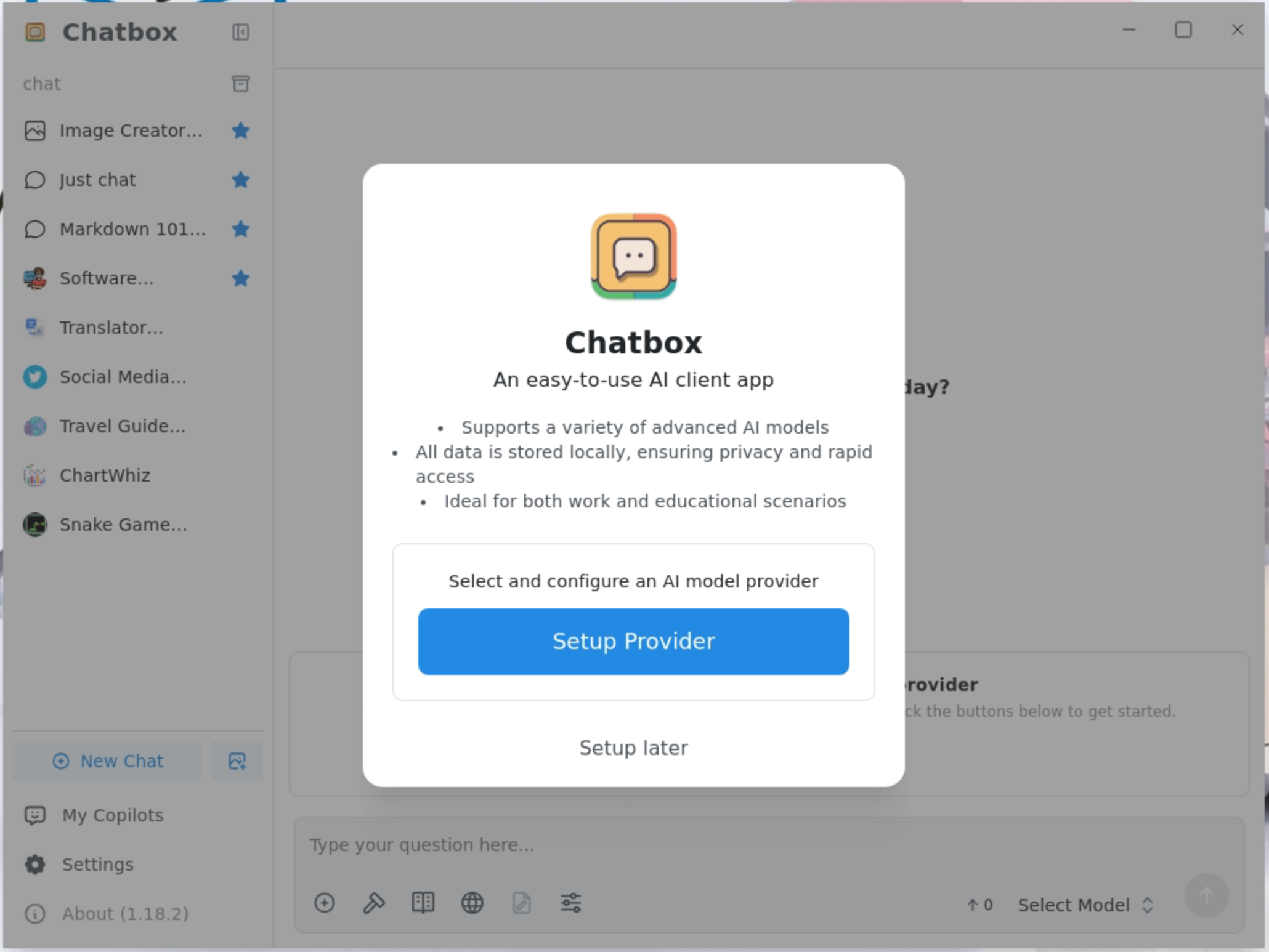
点击 Setup Provider,添加模型提供方
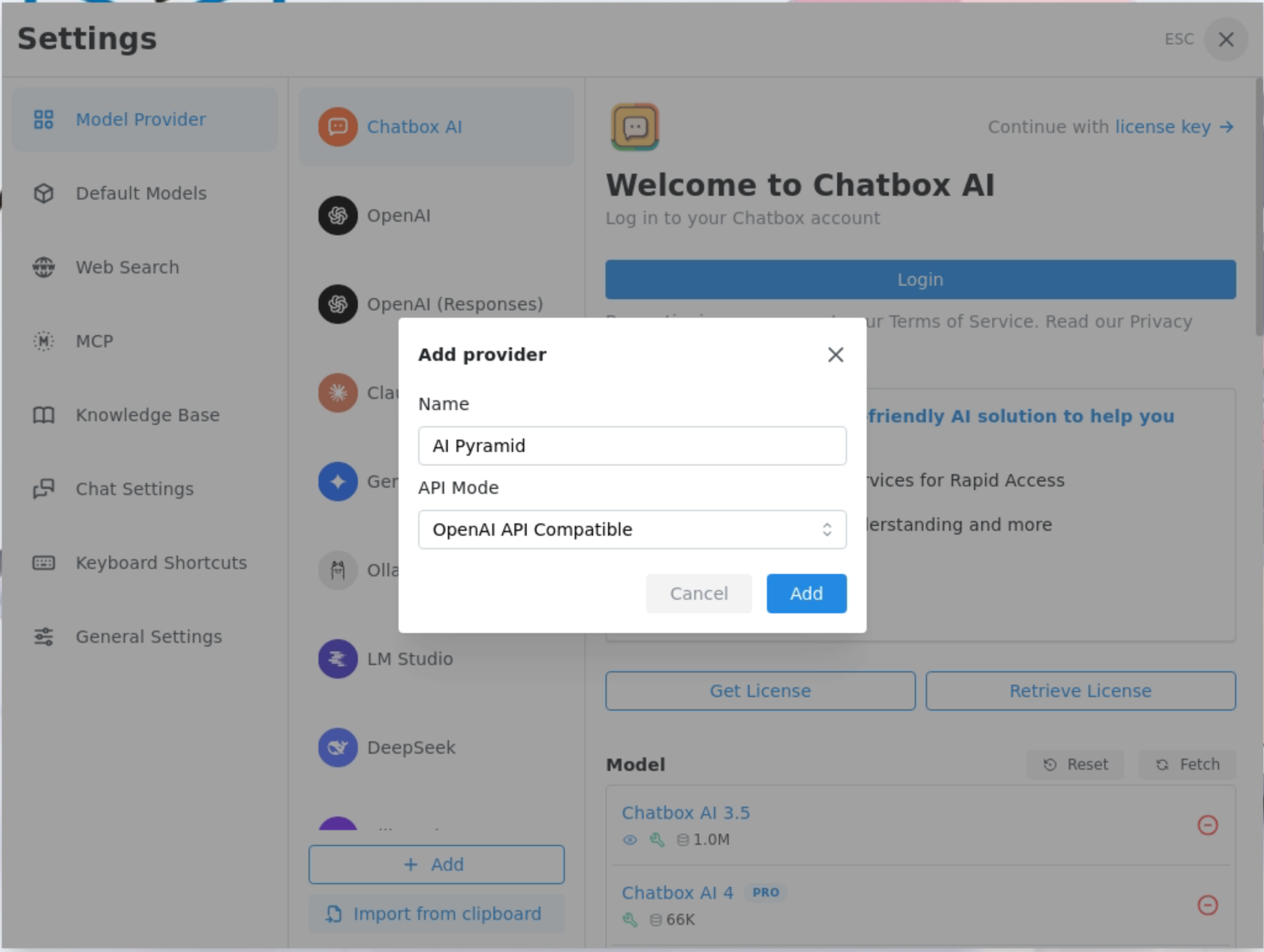
Add provider 中,Name 填写 AI Pyramid 即可,API Mode 选择 OpenAI API Compatible
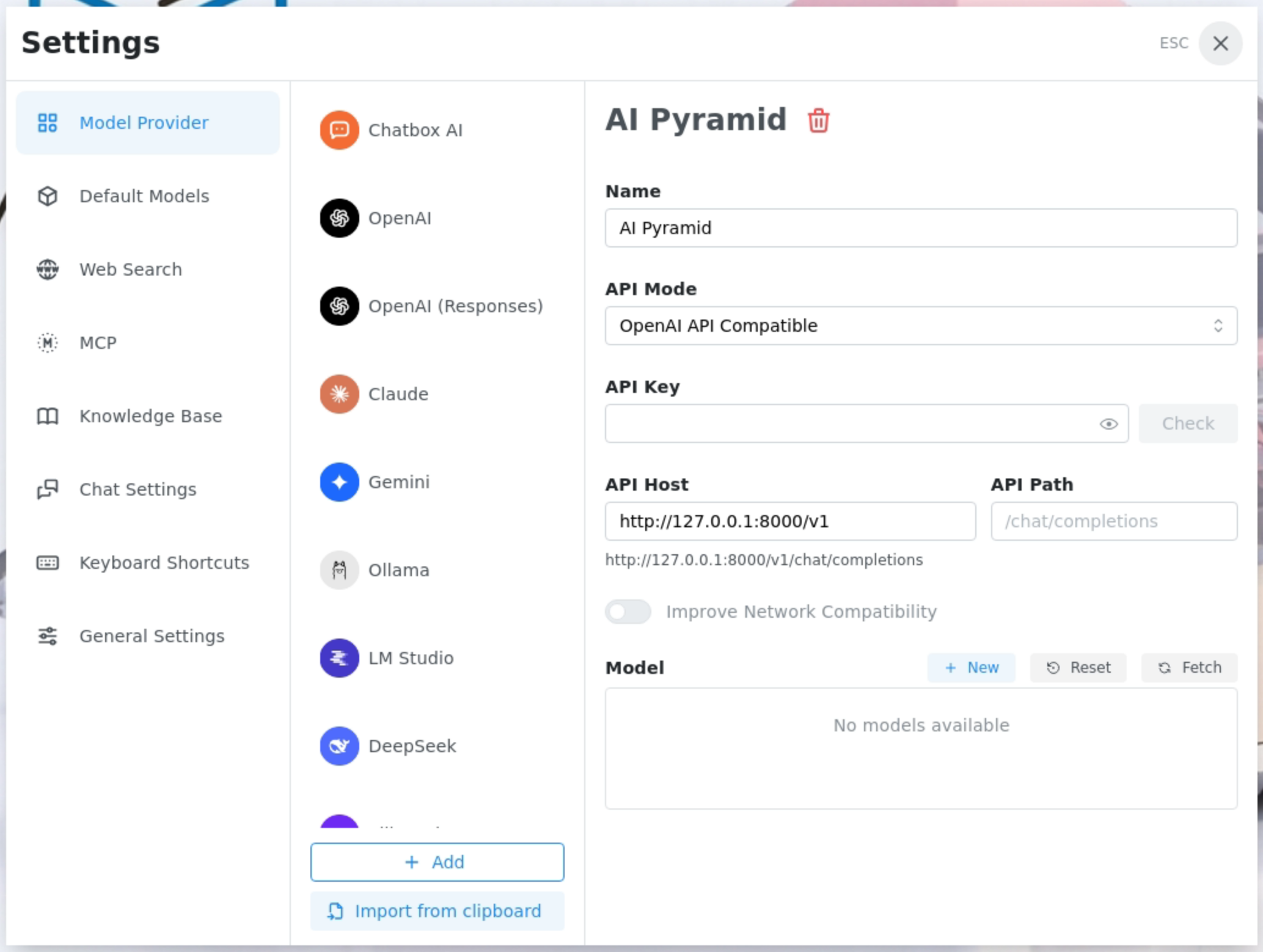
在API Host 填入 AI Pyramid 的 IP 和 API 路径,获取并添加已安装的模型
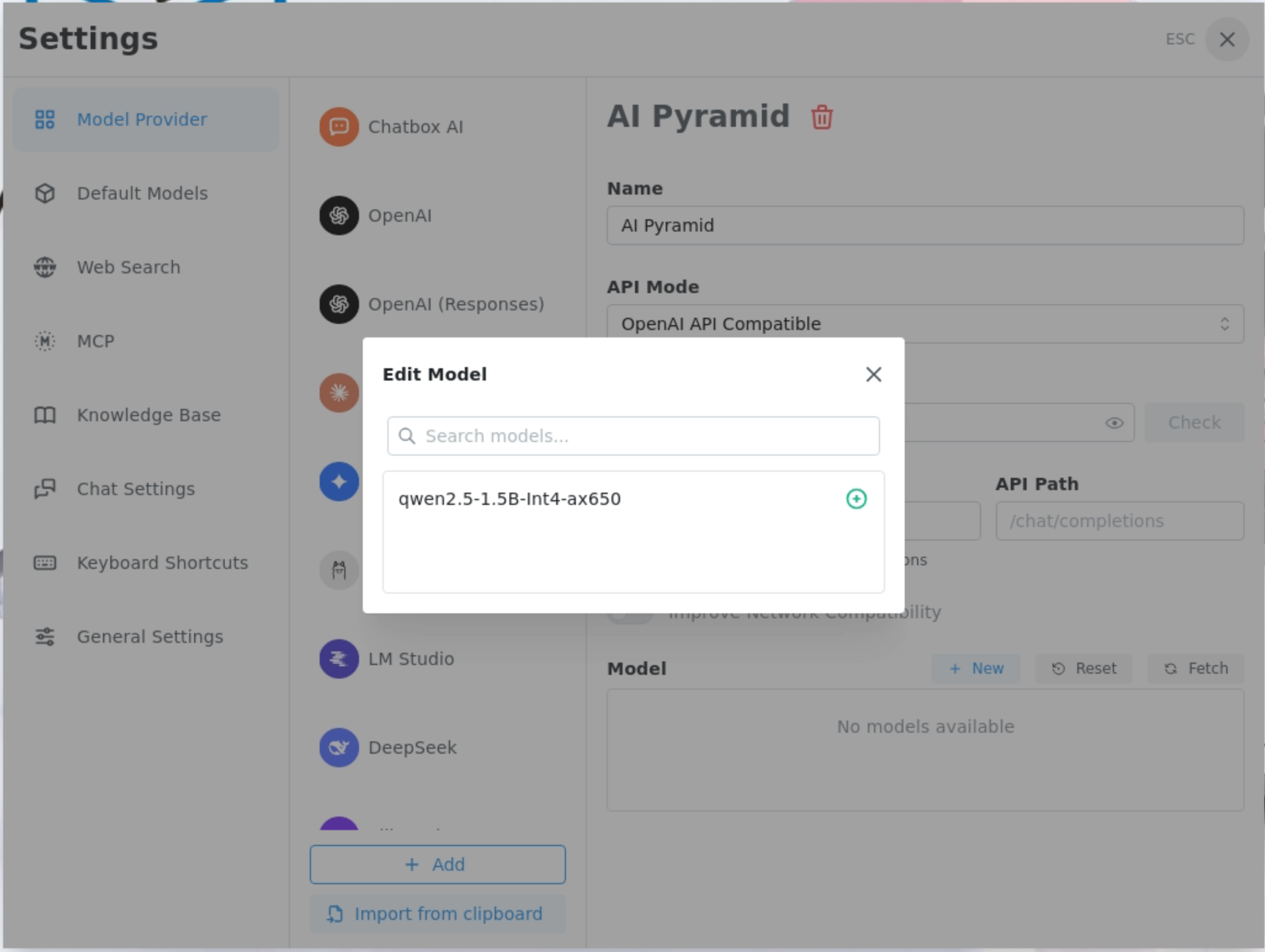
添加 LLM8850 提供的 qwen2.5-1.5B-Int4-ax650 模型
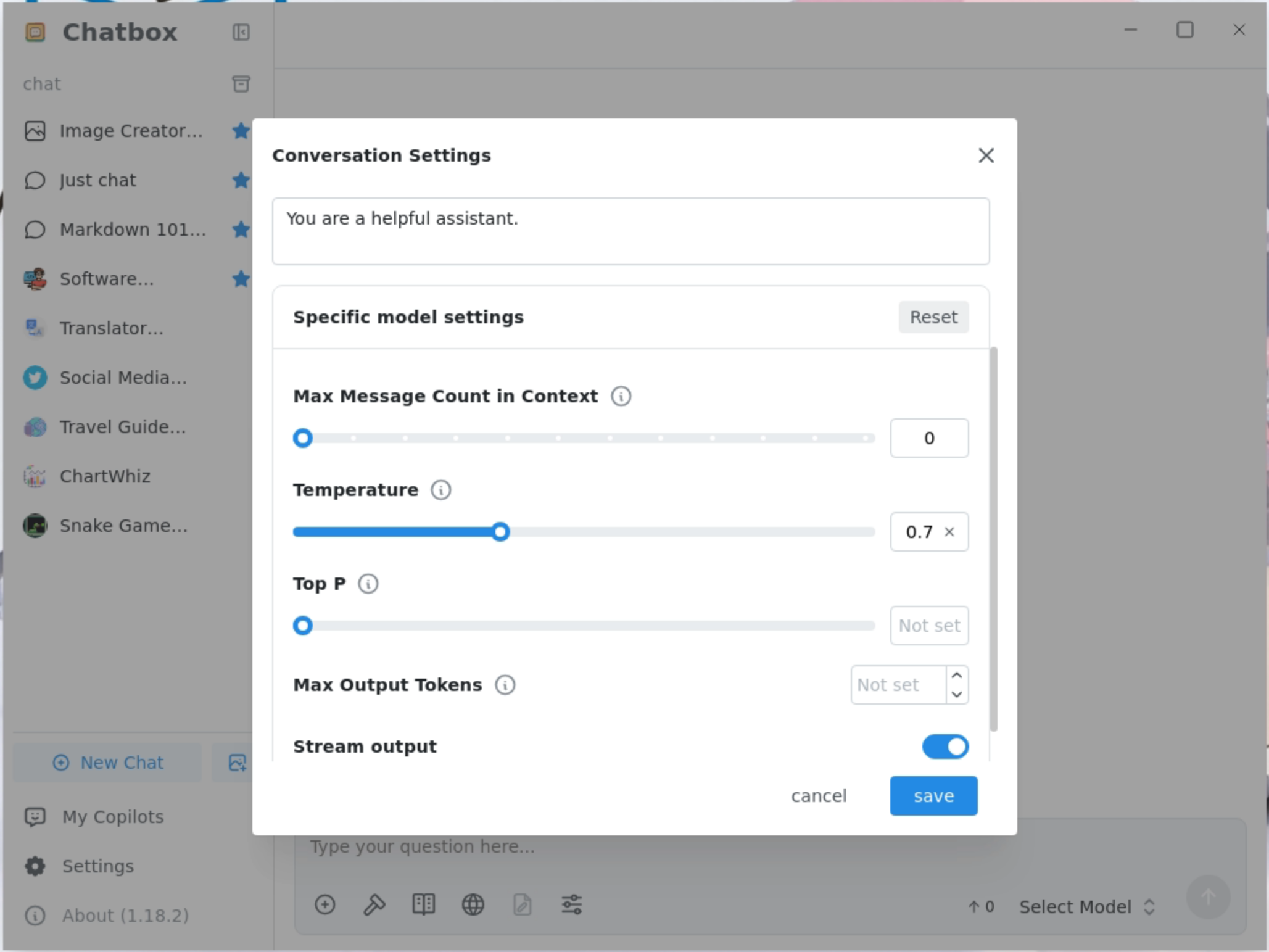
修改最大上下文消息长度为 0
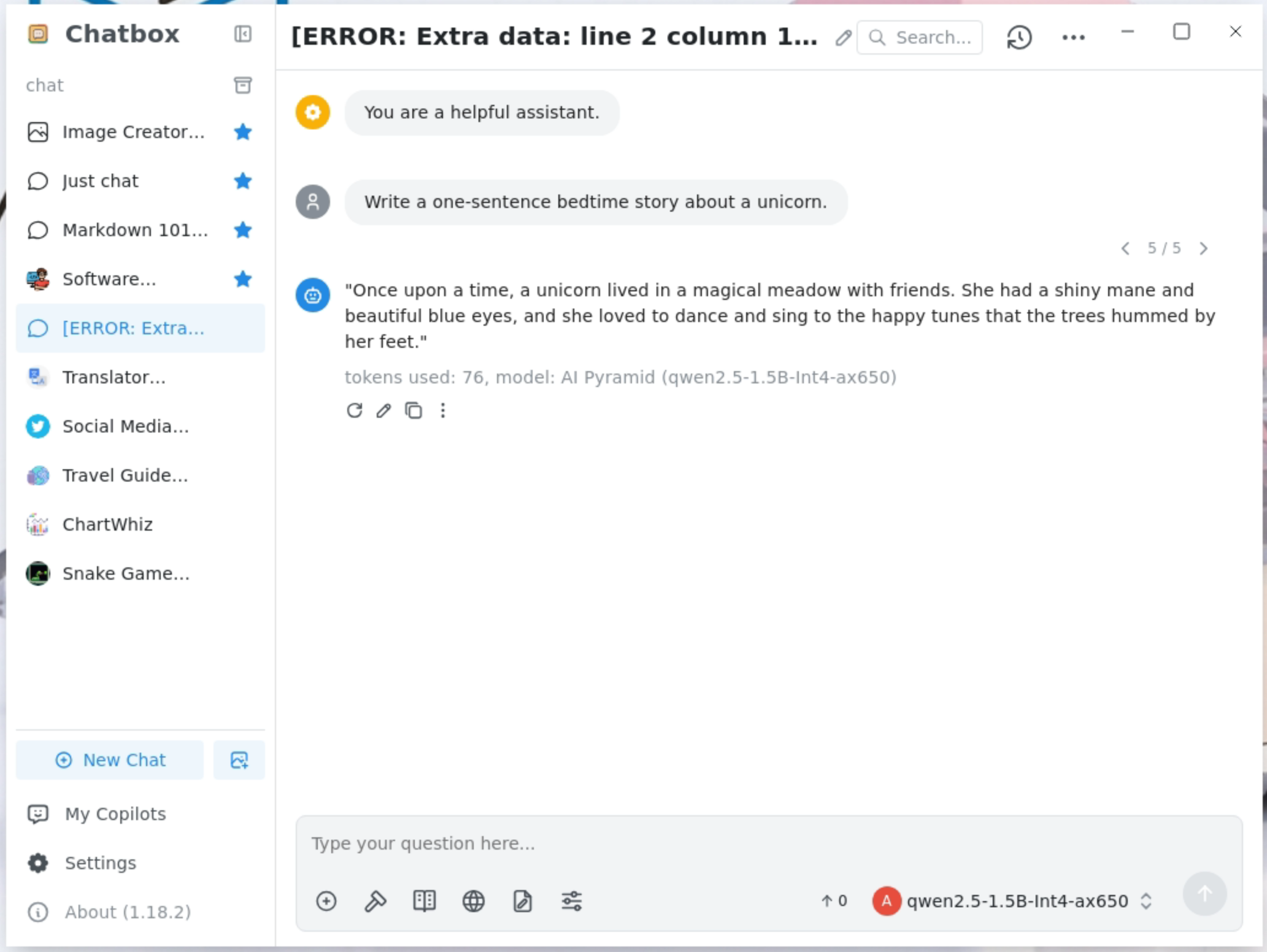
支持流式输出
Page Tools