

StackFlow AI Platform
模型库
开发示例
Module LLM - 文本转语音
该示例演示了如何在 Arduino 平台上利用 M5ModuleLLM 库调用 TTS 模型实现文本合成音频并进行播放。
准备工作
参考Module LLM Arduino 快速上手,完成基础环境搭建与 M5ModuleLLM 驱动库的安装。
参考Module LLM 软件包更新教程,完成以下模型包和软件包的安装。
apt install llm-melottsapt install llm-model-melotts-en-default- 以下示例使用到的硬件设备包含:
TTS CoreS3
/*
* SPDX-FileCopyrightText: 2024 M5Stack Technology CO LTD
*
* SPDX-License-Identifier: MIT
*/
#include <Arduino.h>
#include <M5Unified.h>
#include <M5ModuleLLM.h>

#define CommSerialPort Serial

M5ModuleLLM module_llm;
String tts_work_id;
String language;
String received_question;
bool Input_completed;

void setup()
{
    M5.begin();
    M5.Display.setTextSize(2);
    M5.Display.setTextScroll(true);

    /* Init usb serial */
    CommSerialPort.begin(115200);

    language = "en_US";

    /* Init module serial port */
    int rxd = M5.getPin(m5::pin_name_t::port_c_rxd);
    int txd = M5.getPin(m5::pin_name_t::port_c_txd);
    Serial2.begin(115200, SERIAL_8N1, rxd, txd);

    /* Init module */
    module_llm.begin(&Serial2);

    /* Make sure module is connected */
    M5.Display.printf(">> Check ModuleLLM connection..\n");
    while (1) {
        if (module_llm.checkConnection()) {
            break;
        }
    }

    /* Reset ModuleLLM */
    M5.Display.printf(">> Reset ModuleLLM..\n");
    module_llm.sys.reset();

    /* Setup TTS module and save returned work id */
    M5.Display.printf(">> Initialize TTS..\n\n");
    m5_module_llm::ApiMelottsSetupConfig_t melotts_config;
    melotts_config.model = "melotts-en-default";
    tts_work_id          = module_llm.melotts.setup(melotts_config, "tts_setup", language);
    M5.Display.printf(">> Initialization completed..\n\n");
}

void loop()
{
    Input_completed = false;
    if (CommSerialPort.available()) {
        while (CommSerialPort.available()) {
            char in_char = (char)CommSerialPort.read();
            received_question += in_char;

            if (received_question.endsWith("\r\n")) {
                received_question.remove(received_question.length() - 2);
                Input_completed = true;
                break;
            }
        }
    }

    if (Input_completed) {
        /* Push text to TTS module and wait inference result */
        M5.Display.setTextColor(TFT_GREEN);
        M5.Display.printf("<< %s\n", received_question.c_str());
        M5.Display.setTextColor(TFT_YELLOW);
        M5.Display.printf(">> ");
        CommSerialPort.printf("<< \"%s\"\n", received_question.c_str());
        CommSerialPort.print(">> ");

        module_llm.tts.inference(tts_work_id, received_question.c_str(), 10000);

        /* Clear for next question */
        received_question.clear();

        M5.Display.println();
        CommSerialPort.println();
    }

    delay(20);
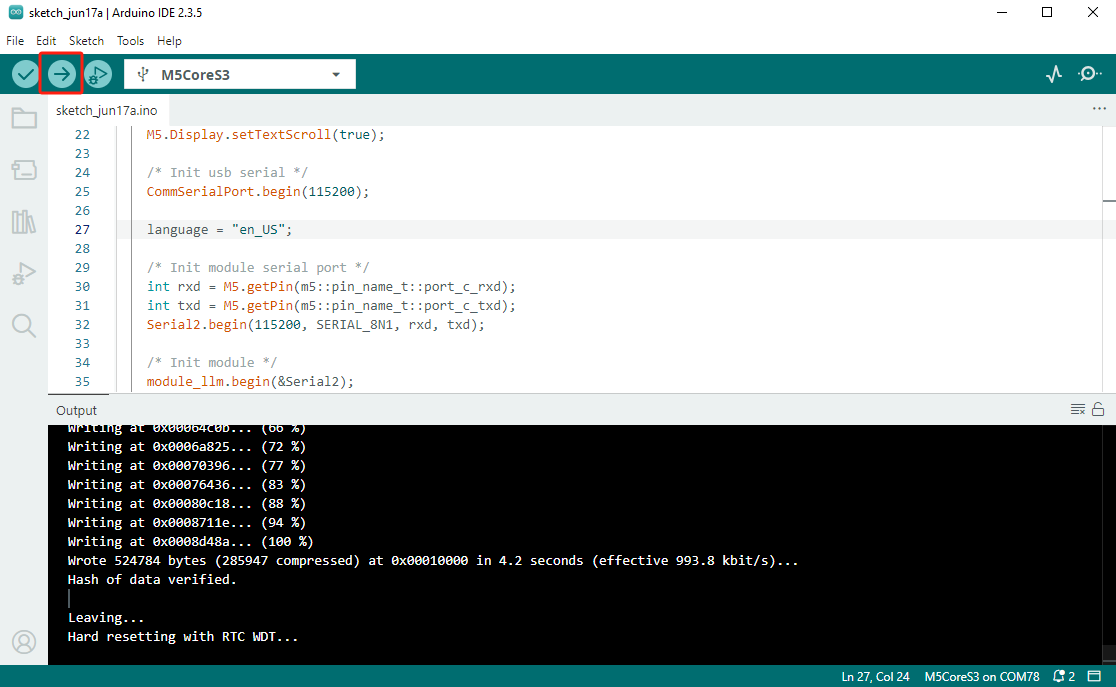
}- 将代码上传到 CoreS3
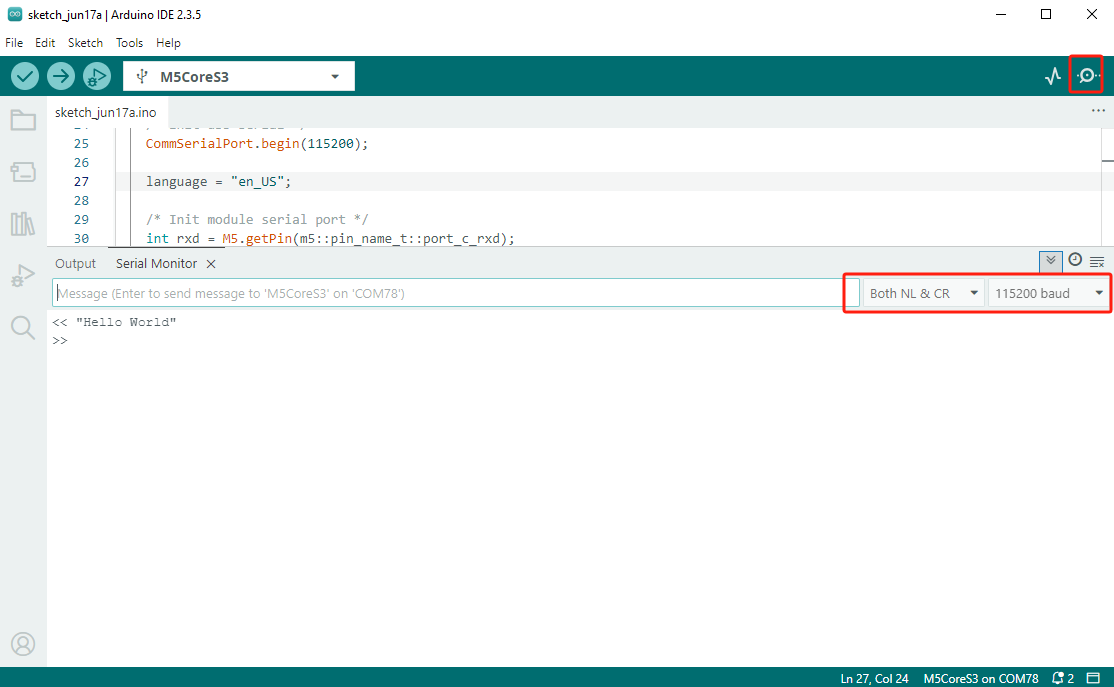
- 在 Arduino IDE 中打开串口监视器,并将波特率设置为 115200。输入一段文本,并按下回车键发送。
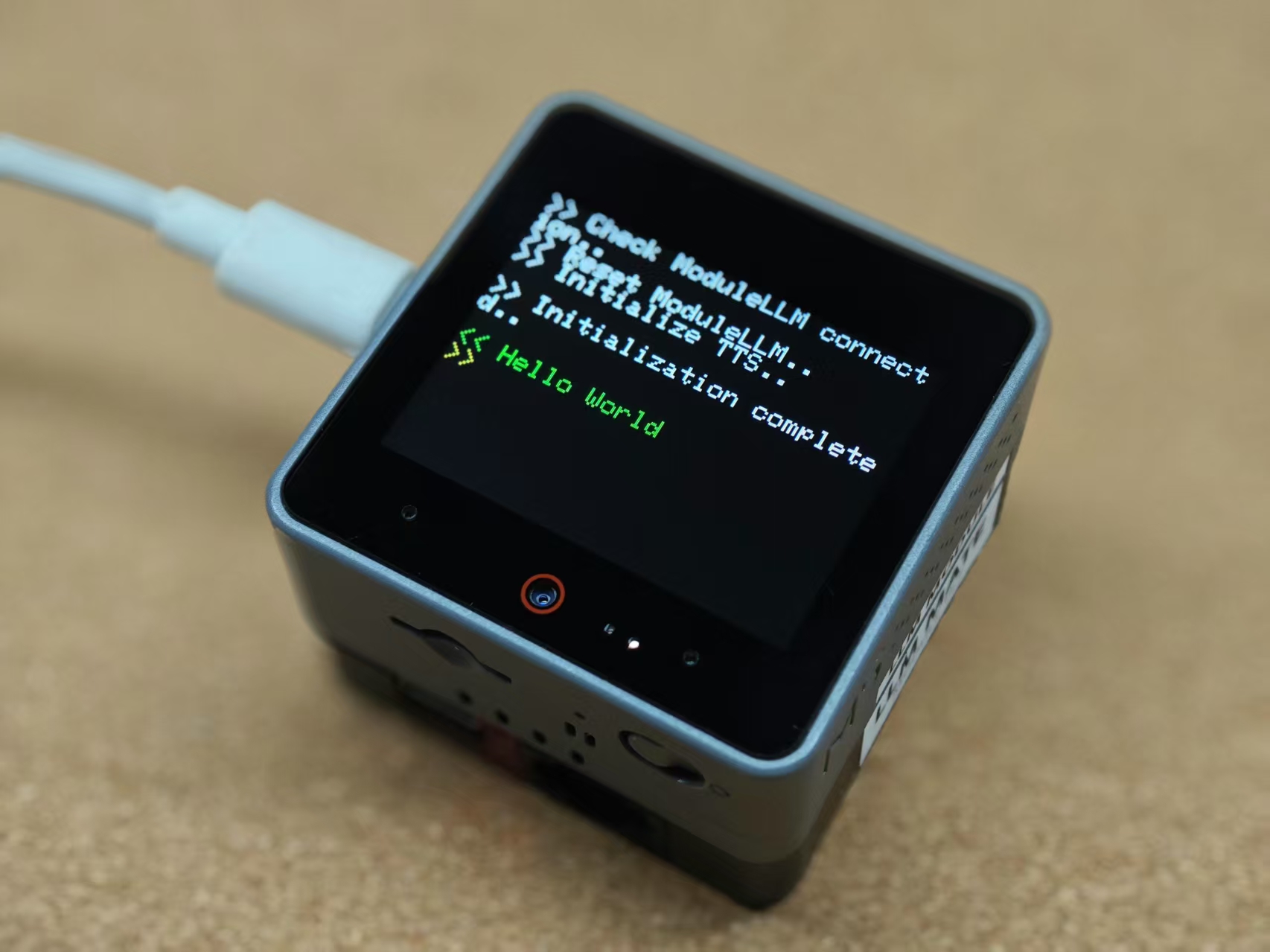
- Module LLM 将合成文本并播放音频。
更多语言
如需合成其他语言的语音,请安装对应的 TTS 模型包,并将示例程序中的模型配置修改为已安装的模型 ID。常用模型包及安装命令如下。
中文模型
apt install llm-model-melotts-zh-cnlanguage = "zh_CN";
melotts_config.model = "model-melotts-zh-cn";英文模型
apt install llm-model-melotts-en-defaultlanguage = "en_US";
melotts_config.model = "melotts-en-default";日文模型
apt install llm-model-melotts-ja-jplanguage = "ja_JP";
melotts_config.model = "model-melotts-ja-jp";Page Tools