


StackFlow AI Platform
设备开发 & 快速上手
模型介绍
Qwen3
DeepSeek-R1
AI Pyramid 应用案例
Module LLM 应用案例
CV 视觉应用
VLM 多模态
LLM 大语言模型
语音助手
Module LLM - 语音助手
该示例演示了如何在 Arduino 平台上利用 M5ModuleLLM 库调用 Whisper, LLM, MeloTTS 实现语音助手功能。
准备工作
参考Module LLM Arduino 快速上手,完成基础环境搭建与 M5ModuleLLM 驱动库的安装。
参考Module LLM 软件包更新教程,完成以下模型包的安装。
apt install llm-whisper llm-kws llm-vad llm-llm llm-melottsapt install llm-model-qwen2.5-0.5b-prefill-20e llm-model-melotts-en-default llm-model-whisper-tiny llm-model-silero-vad llm-model-sherpa-onnx-kws-zipformer-gigaspeech-3.3m-2024-01-01 llm-model-melotts-en-default- 以下示例使用到的硬件设备包含:
VoiceAssistant CoreS3
/*
 * SPDX-FileCopyrightText: 2024 M5Stack Technology CO LTD
 *
 * SPDX-License-Identifier: MIT
 */
#include <Arduino.h>
#include <M5Unified.h>
#include <M5ModuleLLM.h>

M5ModuleLLM module_llm;

/* Must be capitalized */
String wake_up_keyword = "HELLO";
// String wake_up_keyword = "你好你好";
String kws_work_id;
String vad_work_id;
String whisper_work_id;
String llm_work_id;
String melotts_work_id;
String language;

void setup()
{
    M5.begin();
    M5.Display.setTextSize(2);
    M5.Display.setTextScroll(true);
    // M5.Display.setFont(&fonts::efontCN_12);  // Support Chinese display
    // M5.Display.setFont(&fonts::efontJA_12);  // Support Japanese display

    language = "en_US";
    // language = "zh_CN";
    // language = "ja_JP";

    /* Init module serial port */
    int rxd = M5.getPin(m5::pin_name_t::port_c_rxd);
    int txd = M5.getPin(m5::pin_name_t::port_c_txd);
    Serial2.begin(115200, SERIAL_8N1, rxd, txd);

    /* Init module */
    module_llm.begin(&Serial2);

    /* Make sure module is connected */
    M5.Display.printf(">> Check ModuleLLM connection..\n");
    while (1) {
        if (module_llm.checkConnection()) {
            break;
        }
    }

    /* Reset ModuleLLM */
    M5.Display.printf(">> Reset ModuleLLM..\n");
    module_llm.sys.reset();

    /* Setup Audio module */
    M5.Display.printf(">> Setup audio..\n");
    module_llm.audio.setup();

    /* Setup KWS module and save returned work id */
    M5.Display.printf(">> Setup kws..\n");
    m5_module_llm::ApiKwsSetupConfig_t kws_config;
    kws_config.kws = wake_up_keyword;
    kws_work_id    = module_llm.kws.setup(kws_config, "kws_setup", language);

    /* Setup VAD module and save returned work id */
    M5.Display.printf(">> Setup vad..\n");
    m5_module_llm::ApiVadSetupConfig_t vad_config;
    vad_config.input = {"sys.pcm", kws_work_id};
    vad_work_id      = module_llm.vad.setup(vad_config, "vad_setup");

    /* Setup Whisper module and save returned work id */
    M5.Display.printf(">> Setup whisper..\n");
    m5_module_llm::ApiWhisperSetupConfig_t whisper_config;
    whisper_config.input    = {"sys.pcm", kws_work_id, vad_work_id};
    whisper_config.language = "en";
    // whisper_config.language = "zh";
    // whisper_config.language = "ja";
    whisper_work_id = module_llm.whisper.setup(whisper_config, "whisper_setup");

    M5.Display.printf(">> Setup llm..\n");
    llm_work_id = module_llm.llm.setup();

    M5.Display.printf(">> Setup melotts..\n\n");
    m5_module_llm::ApiMelottsSetupConfig_t melotts_config;
    melotts_config.input = {"tts.utf-8.stream", llm_work_id};
    melotts_work_id      = module_llm.melotts.setup(melotts_config, "melotts_setup", language);

    M5.Display.printf(">> Setup ok\n>> Say \"%s\" to wakeup\n", wake_up_keyword.c_str());
}

void loop()
{
    /* Update ModuleLLM */
    module_llm.update();

    /* Handle module response messages */
    for (auto& msg : module_llm.msg.responseMsgList) {
        /* If KWS module message */
        if (msg.work_id == kws_work_id) {
            M5.Display.setTextColor(TFT_GREENYELLOW);
            M5.Display.printf(">> Keyword detected\n");
        }

        if (msg.work_id == vad_work_id) {
            M5.Display.setTextColor(TFT_GREENYELLOW);
            M5.Display.printf(">> vad detected\n");
        }
        /* If ASR module message */
        if (msg.work_id == whisper_work_id) {
            /* Check message object type */
            if (msg.object == "asr.utf-8") {
                /* Parse message json and get ASR result */
                JsonDocument doc;
                deserializeJson(doc, msg.raw_msg);
                String asr_result = doc["data"].as<String>();

                M5.Display.setTextColor(TFT_YELLOW);
                M5.Display.printf(">> %s\n", asr_result.c_str());

                module_llm.llm.inferenceAndWaitResult(llm_work_id, asr_result.c_str(), [](String& result) {
                    /* Show result on screen */
                    handleLLMResult(result);
                });
            }
        }
    }

    /* Clear handled messages */
    module_llm.msg.responseMsgList.clear();
}

void handleLLMResult(String& result)
{
    M5.Display.printf("%s", result.c_str());
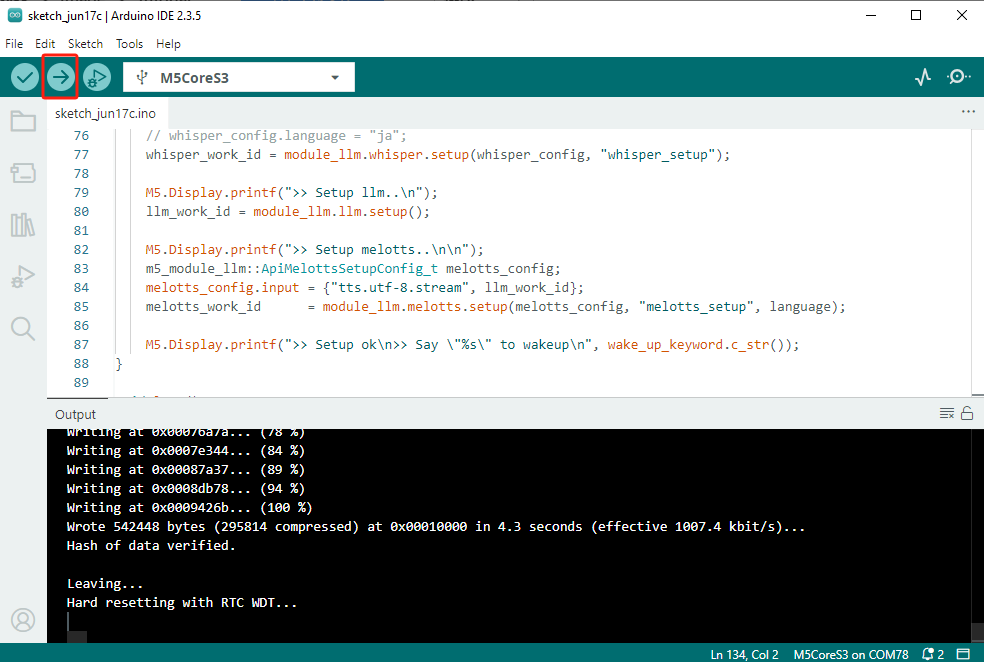
}- 将代码上传到 CoreS3。
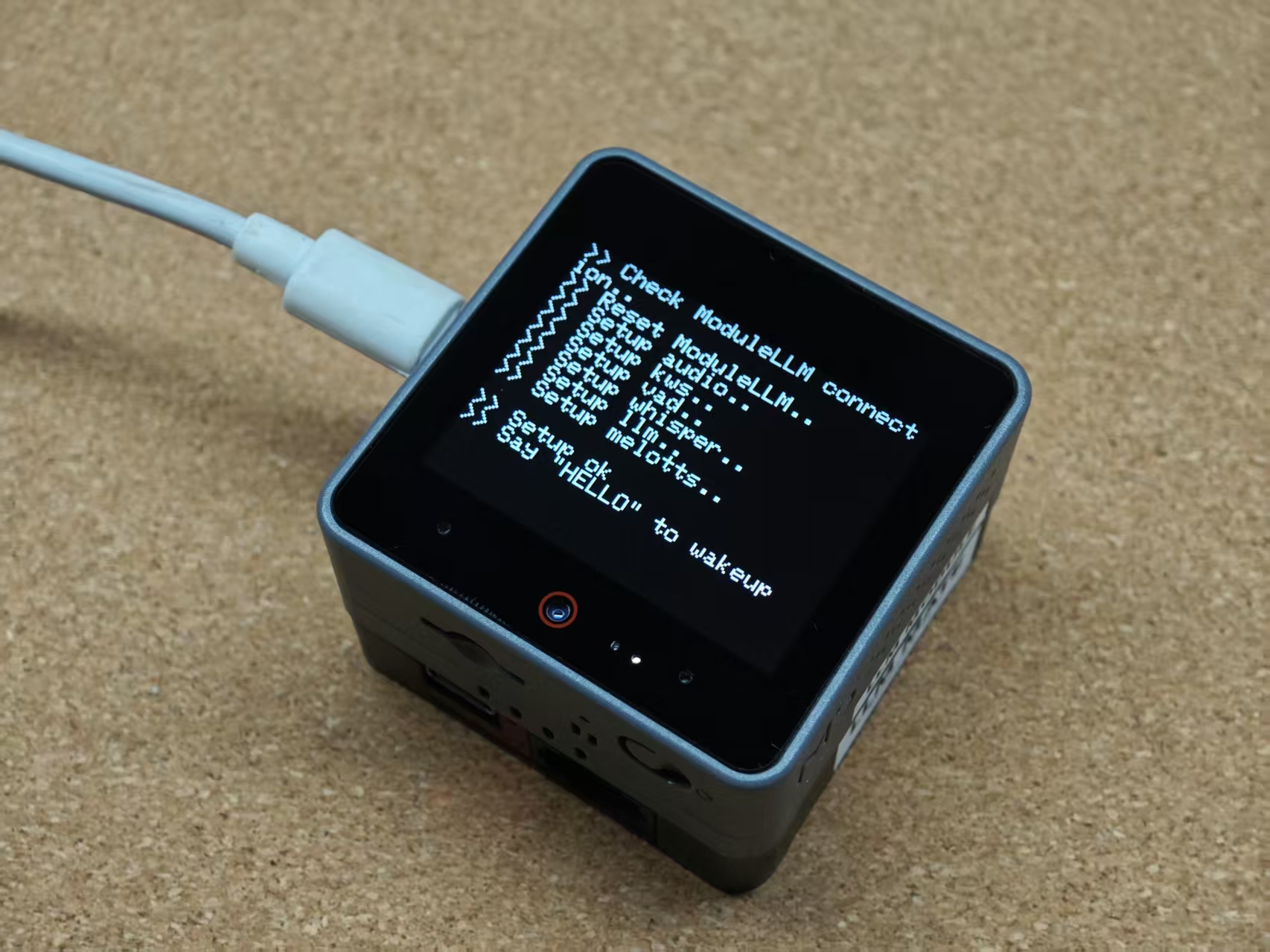
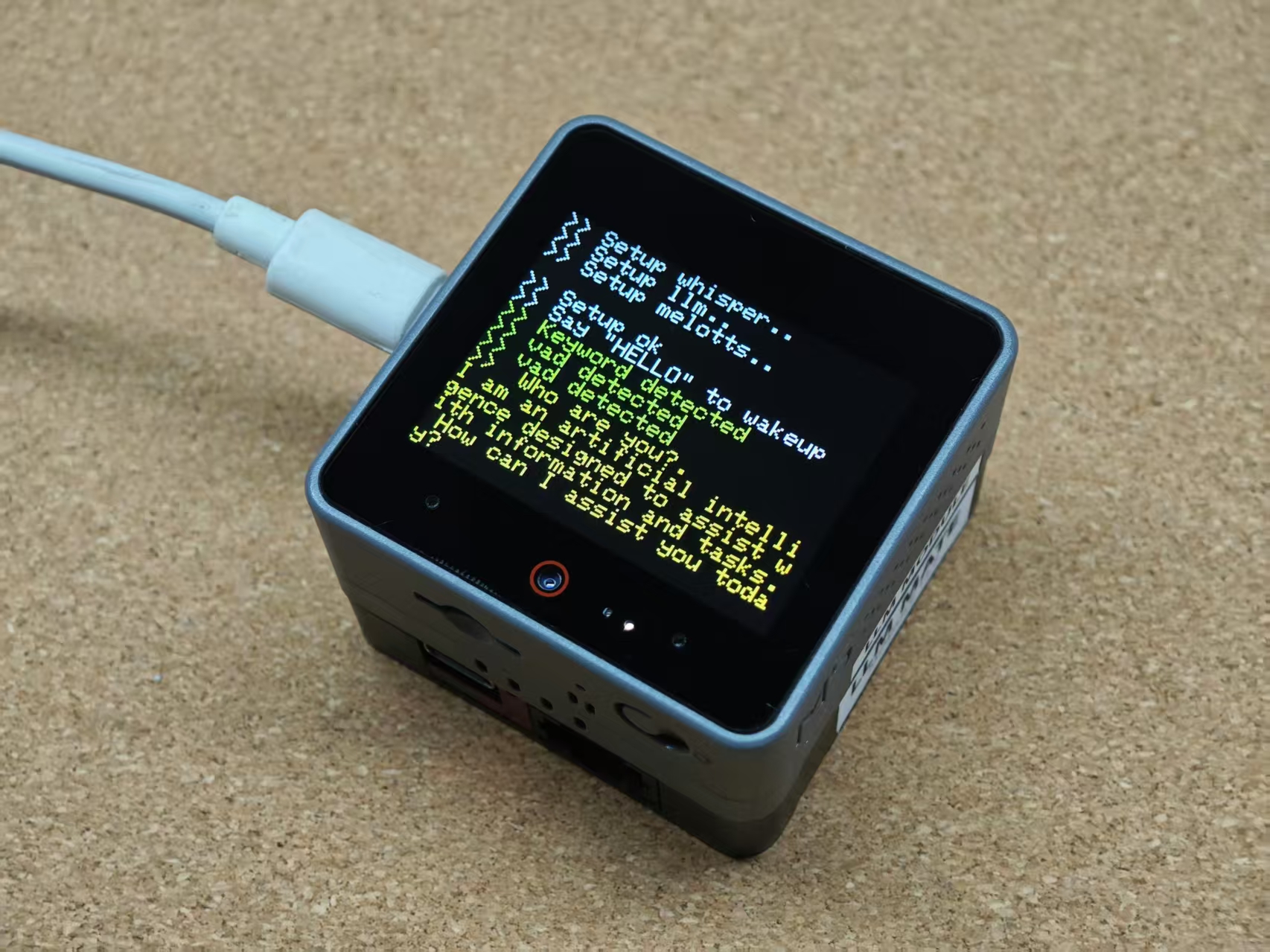
等待初始化完成后, 使用唤醒词 "HELLO" 唤醒语音助手,将显示 "Keyword detected"。
触发唤醒后,可以问任何你想问的问题,屏幕将打印 ASR 的识别结果。待识别结束,屏幕将打印 LLM 的输出。同时 TTS 合成 LLM 的输出语音并播放。
当前案例使用的模型仅支持英文识别,如需使用其他语言,可以参考下方的语言配置说明。
更多语言
唤醒词的语言决定需用使用的模型,使用前需要安装对应的模型,并在代码中修改匹配语言。语音识别需要手动配置目标语言。 TTS 生成不同语言,需要使用不同的模型。
KWS 中文模型
apt install llm-model-sherpa-onnx-kws-zipformer-wenetspeech-3.3m-2024-01-01language = "zh_CN";
String wake_up_keyword = "你好你好";KWS 英文模型
apt install llm-model-sherpa-onnx-kws-zipformer-gigaspeech-3.3m-2024-01-01String language = "en_US";
String wake_up_keyword = "HELLO";ASR 中文配置
whisper_config.language = "zh";ASR 英文配置
whisper_config.language = "en";ASR 日文配置
whisper_config.language = "ja";中文 TTS 模型
apt install llm-model-melotts-zh-cnmelotts_config.model = "melotts-zh-cn";英文 TTS 模型
apt install llm-model-melotts-en-usmelotts_config.model = "melotts-en-us";apt install llm-model-melotts-en-defaultmelotts_config.model = "melotts-en-default";日文 TTS 模型
apt install llm-model-melotts-ja-jpmelotts_config.model = "melotts-ja-jp";