

Home Assistant
Home Assistant
主控与整机
摄像头
扩展模块
灯光控制
Unit Key ESPHome 组件
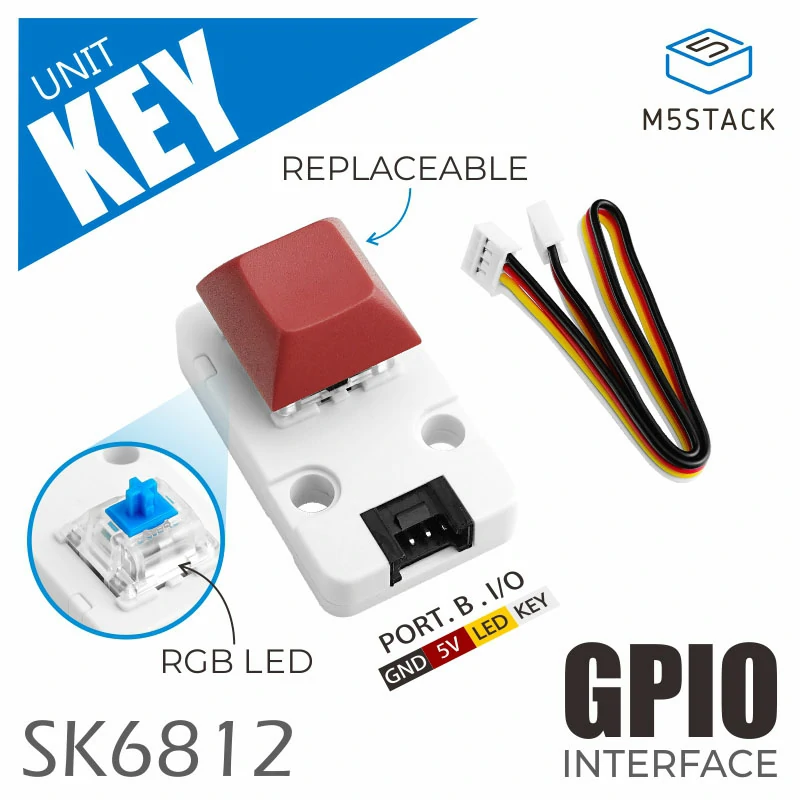
Unit Key 组件通过 GPIO 提供按键状态输入和 RGB 指示灯控制功能。
1. 组件简介
| 项目 | 信息 |
|---|---|
| 产品名称 | Unit Key |
| SKU | U144 |
| 主要功能 | 按键状态输入和 RGB 指示灯控制 |
| 通信接口 | GPIO |
| ESPHome 组件 | gpio、neopixelbus |
| ESPHome 版本要求 | / |
2. 组件说明
官方组件引入
根据所使用主控的实际接线修改 GPIO 配置。以下示例同时读取按键并控制指示灯。
Binary Sensor 按键状态
添加 Binary Sensor 组件以获取按键状态。
binary_sensor:
  - platform: gpio
    name: "Button"
    id: unit_key_button
    pin:
      number: GPIO8 # CoreS3 PORT.B,请根据实际连接的 GPIO 引脚进行调整
      mode:
        input: true
        pullup: true
      inverted: true
    filters:
      - delayed_on: 10ms
- delayed_off: 10msLight RGB 指示灯
添加 Light 组件以控制背光 RGB LED。
light:
  - platform: neopixelbus
    name: "LED"
    id: unit_key_led
    type: GRB
    variant: SK6812
    pin: GPIO9 # CoreS3 PORT.B,请根据实际连接的 GPIO 引脚进行调整
    num_leds: 1
    method:
      type: esp32_rmt
      channel: 0
    default_transition_length: 200ms
restore_mode: RESTORE_DEFAULT_OFF3. 参考案例
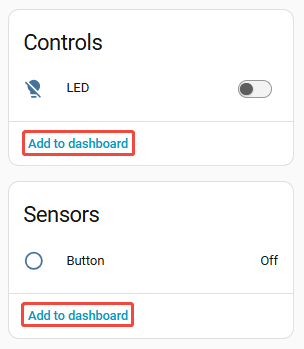
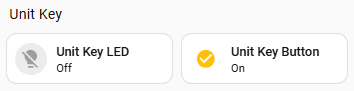
设备接入 Home Assistant 后,可查看按键 Binary Sensor 与 RGB Light 实体:
4. 相关链接
Page Tools