Home Assistant
Home Assistant
Controller & Devices
Cameras
Components
Lighting
Interfaces and Expansion
Applications
Media Playback
Dashboard
Chain Series ESPHome Component
The Chain Series provides input functions such as buttons, rotary controls, joysticks, angle measurement, and distance measurement through the Chain Bus.
1. Component Overview
| Item | Information |
|---|---|
| Series | Chain Series |
| Expansion modules | Chain Key (U206), Chain Angle (U208), Chain Encoder (U207), Chain Joystick (U205), Chain ToF (U209) |
| Main functions | Button, rotary control, joystick, angle, and distance inputs |
| Communication interface | Chain Bus / UART |
| ESPHome component | m5stack_chain_* (external component) |
| ESPHome version requirement | / |
2. Component Details
Include External Components
- M5Stack external component - m5stack_chain_key
- M5Stack external component - m5stack_chain_angle
- M5Stack external component - m5stack_chain_encoder
- M5Stack external component - m5stack_chain_joystick
- M5Stack external component - m5stack_chain_tof
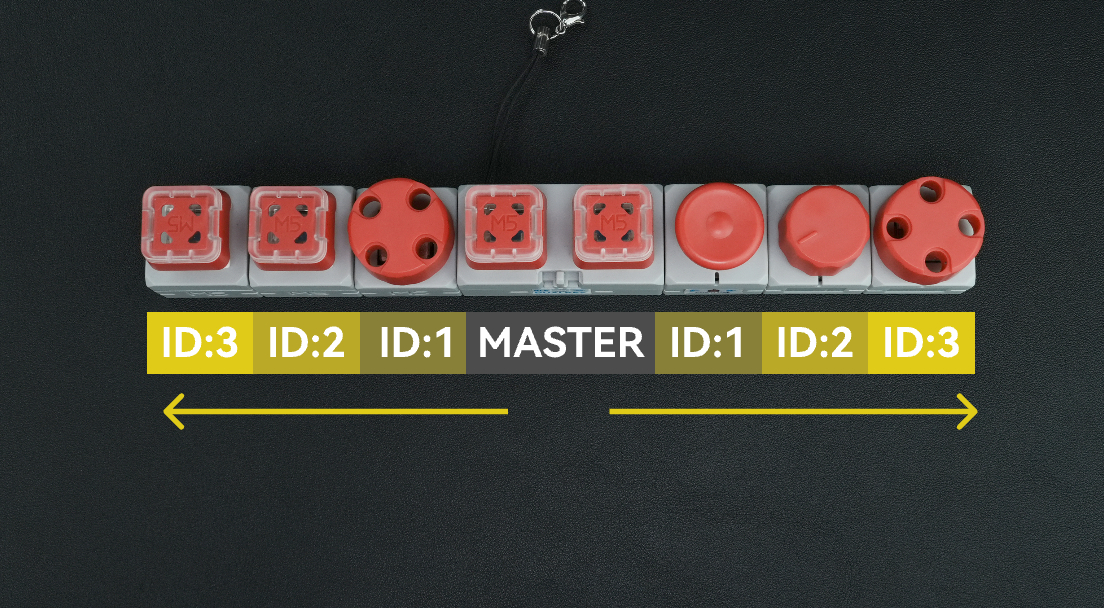
Master is the system's main controller. When connecting expansion sensors, set the connection direction and ID sequence correctly.
Select the Direction
Select the uart_id according to the side of the Master to which the expansion sensor is connected:
- Left side of the Master: use chain_uart_left.
- Right side of the Master: use chain_uart_right.
ID Assignment Rules
chain_id indicates the expansion sensor's position relative to the Master:
- Start numbering with the module closest to the Master.
- Increment IDs by distance(ID:1 → ID:2 → ID:3 …)
- Number the left and right sides independently.
- Use the diagram above to verify the order.
Configuration Example
- uart_id: chain_uart_left
- chain_id: 1
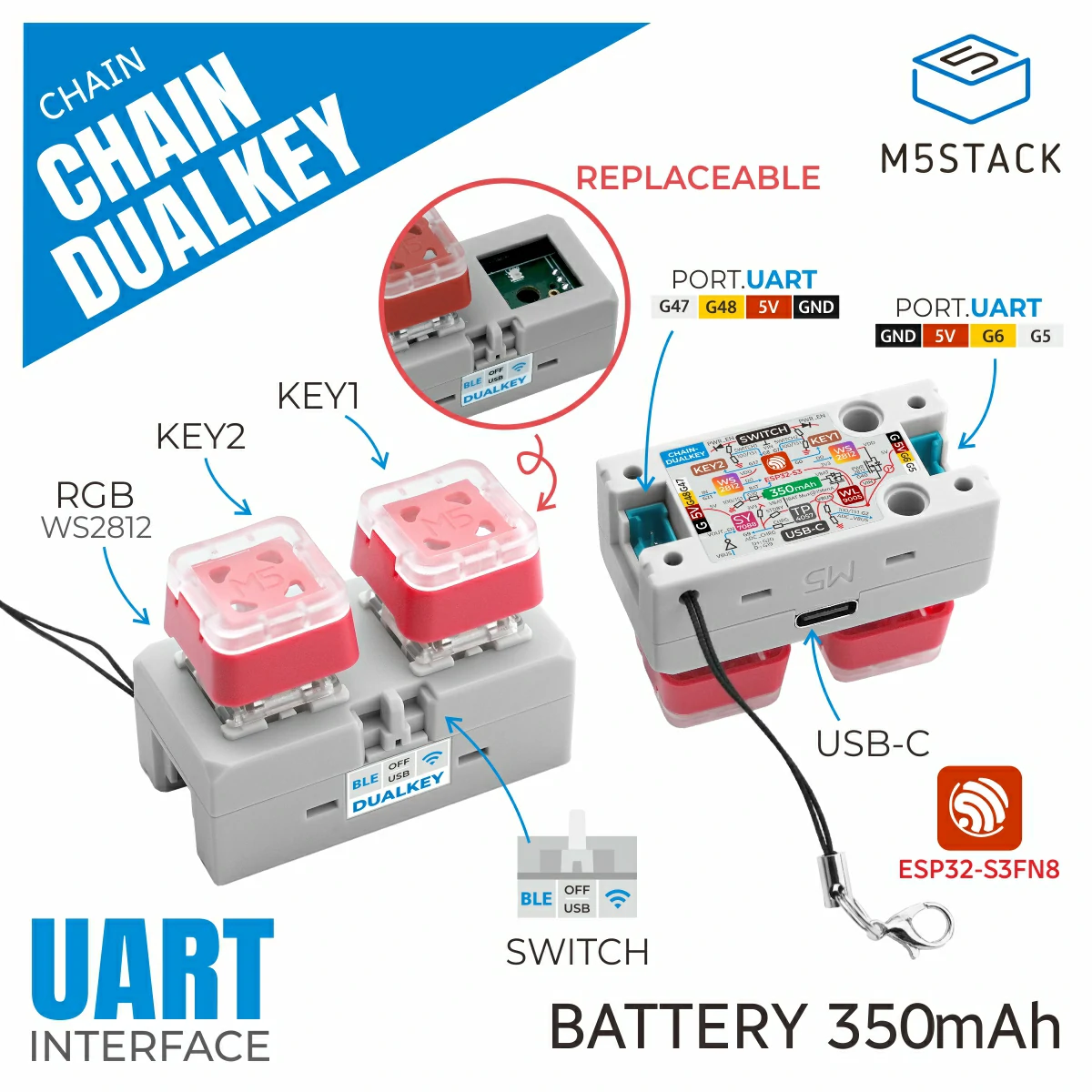
Chain DualKey
For the Chain DualKey controller's UART, buttons, power, and lighting configuration, see Chain DualKey ESPHome integration. This page covers only expansion modules connected to the Chain Bus.
Chain Key
external_components:
  - source: github://m5stack/esphome-yaml/components
    components: [m5stack_chain_key]
    refresh: 0s

binary_sensor:
  - platform: m5stack_chain_key
    id: chain_key_1
    name: "Chain Key Button"
    uart_id: chain_uart_left
    chain_id: 1
    update_interval: 50ms

output:
  - platform: m5stack_chain_key
    id: chain_key_rgb_r
    chain_key_id: chain_key_1
    channel: rgb_red

  - platform: m5stack_chain_key
    id: chain_key_rgb_g
    chain_key_id: chain_key_1
    channel: rgb_green

  - platform: m5stack_chain_key
    id: chain_key_rgb_b
    chain_key_id: chain_key_1
    channel: rgb_blue

light:
  - platform: rgb
    name: "Key RGB"
    red: chain_key_rgb_r
    green: chain_key_rgb_g
blue: chain_key_rgb_bChain Angle
external_components:
  - source: github://m5stack/esphome-yaml/components
    components: [m5stack_chain_angle]
    refresh: 0s

sensor:
  - platform: m5stack_chain_angle
    id: chain_angle_1
    name: "Chain Angle"
    uart_id: chain_uart_left
    chain_id: 1
    update_interval: 200ms

output:
  - platform: m5stack_chain_angle
    id: chain_angle_rgb_r
    chain_angle_id: chain_angle_1
    channel: rgb_red

  - platform: m5stack_chain_angle
    id: chain_angle_rgb_g
    chain_angle_id: chain_angle_1
    channel: rgb_green

  - platform: m5stack_chain_angle
    id: chain_angle_rgb_b
    chain_angle_id: chain_angle_1
    channel: rgb_blue

light:
  - platform: rgb
    name: "Angle RGB"
    red: chain_angle_rgb_r
    green: chain_angle_rgb_g
blue: chain_angle_rgb_bChain Encoder
external_components:
  - source: github://m5stack/esphome-yaml/components
    components: [m5stack_chain_encoder]
    refresh: 0s

sensor:
  - platform: m5stack_chain_encoder
    id: chain_encoder_1
    name: "Chain Encoder"
    uart_id: chain_uart_left
    chain_id: 1
    update_interval: 100ms

output:
  - platform: m5stack_chain_encoder
    id: chain_encoder_rgb_r
    chain_encoder_id: chain_encoder_1
    channel: rgb_red

  - platform: m5stack_chain_encoder
    id: chain_encoder_rgb_g
    chain_encoder_id: chain_encoder_1
    channel: rgb_green

  - platform: m5stack_chain_encoder
    id: chain_encoder_rgb_b
    chain_encoder_id: chain_encoder_1
    channel: rgb_blue

light:
  - platform: rgb
    name: "Encoder RGB"
    red: chain_encoder_rgb_r
    green: chain_encoder_rgb_g
    blue: chain_encoder_rgb_b

binary_sensor:
  - platform: m5stack_chain_encoder
    name: "Encoder Button"
chain_encoder_id: chain_encoder_1Chain Joystick
external_components:
  - source: github://m5stack/esphome-yaml/components
    components: [m5stack_chain_joystick]
    refresh: 0s

sensor:
  - platform: m5stack_chain_joystick
    id: chain_joystick_x
    name: "Chain Joystick X"
    uart_id: chain_uart_left
    chain_id: 1
    axis: x
    update_interval: 50ms

  - platform: m5stack_chain_joystick
    name: "Chain Joystick Y"
    uart_id: chain_uart_left
    chain_id: 1
    axis: y
    update_interval: 50ms

output:
  - platform: m5stack_chain_joystick
    id: chain_joystick_rgb_r
    chain_joystick_id: chain_joystick_x
    channel: rgb_red

  - platform: m5stack_chain_joystick
    id: chain_joystick_rgb_g
    chain_joystick_id: chain_joystick_x
    channel: rgb_green

  - platform: m5stack_chain_joystick
    id: chain_joystick_rgb_b
    chain_joystick_id: chain_joystick_x
    channel: rgb_blue

light:
  - platform: rgb
    name: "Joystick RGB"
    red: chain_joystick_rgb_r
    green: chain_joystick_rgb_g
    blue: chain_joystick_rgb_b

binary_sensor:
  - platform: m5stack_chain_joystick
    name: "Joystick Button"
chain_joystick_id: chain_joystick_xChain ToF
external_components:
  - source: github://m5stack/esphome-yaml/components
    components: [m5stack_chain_tof]
    refresh: 0s

sensor:
  - platform: m5stack_chain_tof
    id: chain_tof_1
    name: "Chain ToF"
    uart_id: chain_uart_left
    chain_id: 1
    update_interval: 200ms

output:
  - platform: m5stack_chain_tof
    id: chain_tof_rgb_r
    m5stack_chain_tof_id: chain_tof_1
    channel: rgb_red

  - platform: m5stack_chain_tof
    id: chain_tof_rgb_g
    m5stack_chain_tof_id: chain_tof_1
    channel: rgb_green

  - platform: m5stack_chain_tof
    id: chain_tof_rgb_b
    m5stack_chain_tof_id: chain_tof_1
    channel: rgb_blue

light:
  - platform: rgb
    name: "ToF RGB"
    red: chain_tof_rgb_r
    green: chain_tof_rgb_g
blue: chain_tof_rgb_bCombined Example
Multiple Chain expansion modules can share one UART bus. Assign each module's chain_id from the Master outward; number the buses on the left and right sides independently. Configure the Master UART pins, Chain Bus power, and onboard functions on the device page for the selected controller.
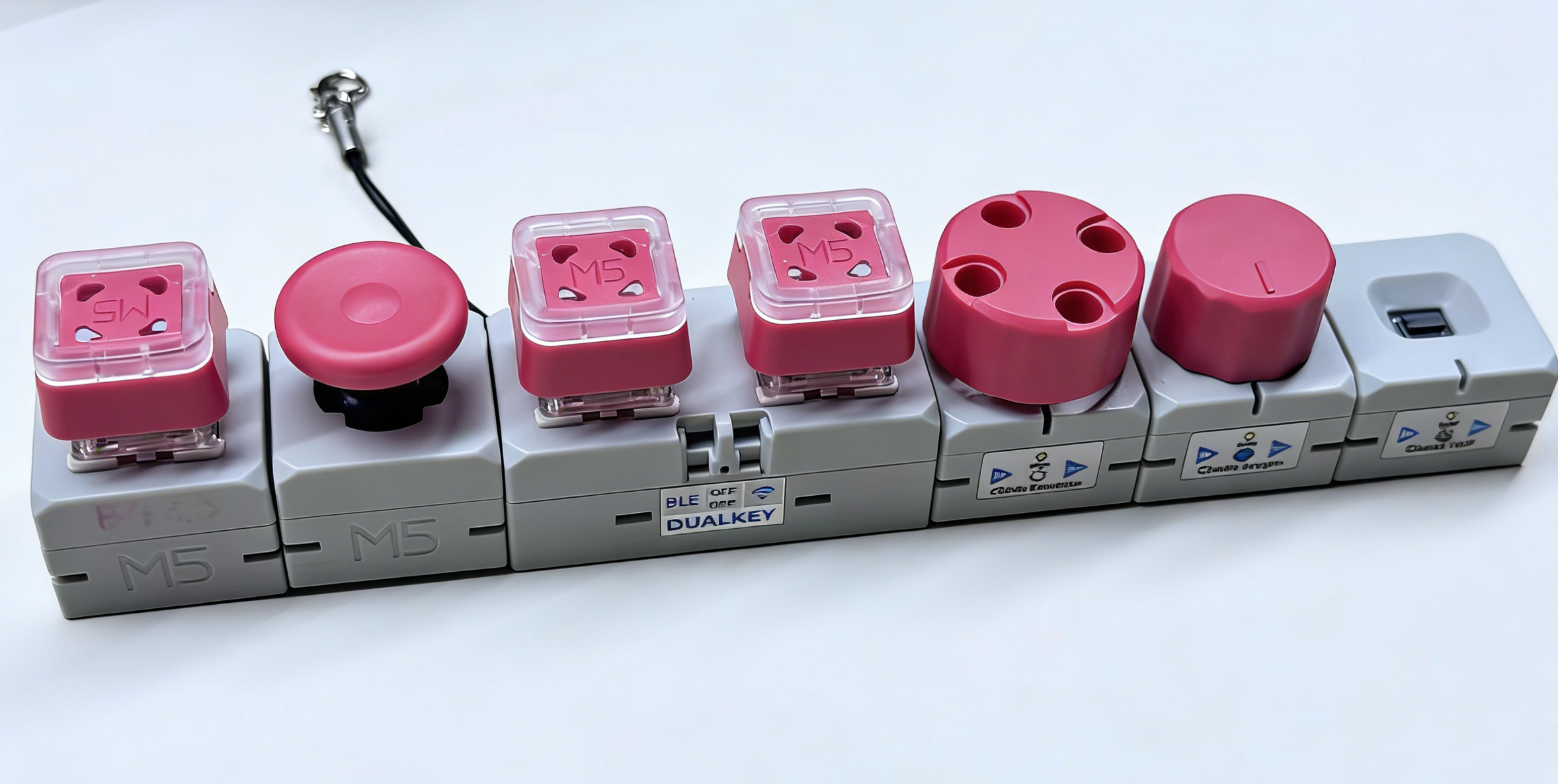
The complete configuration uses Chain DualKey as the Master and includes all five Chain expansion module types:
3. Reference Example
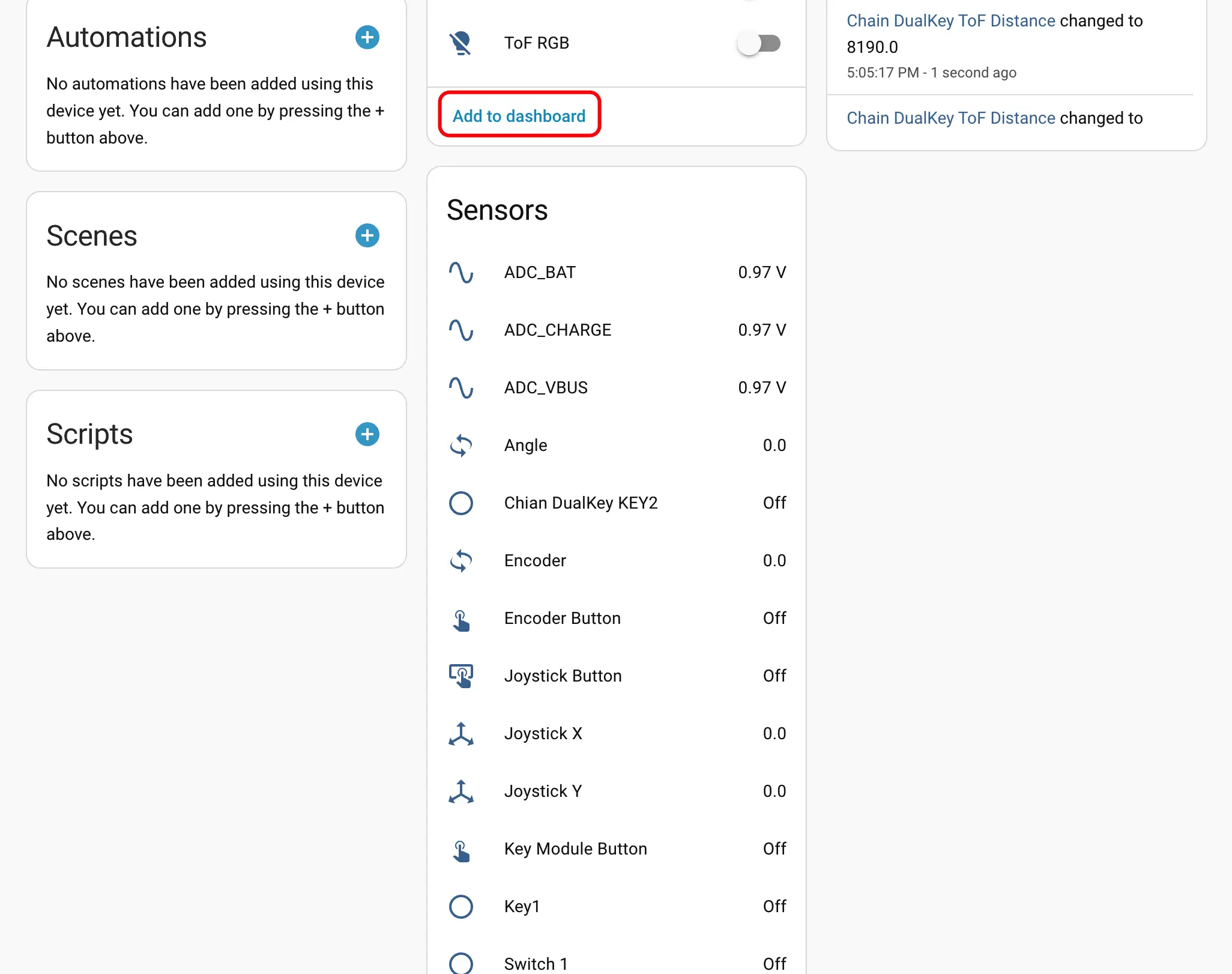
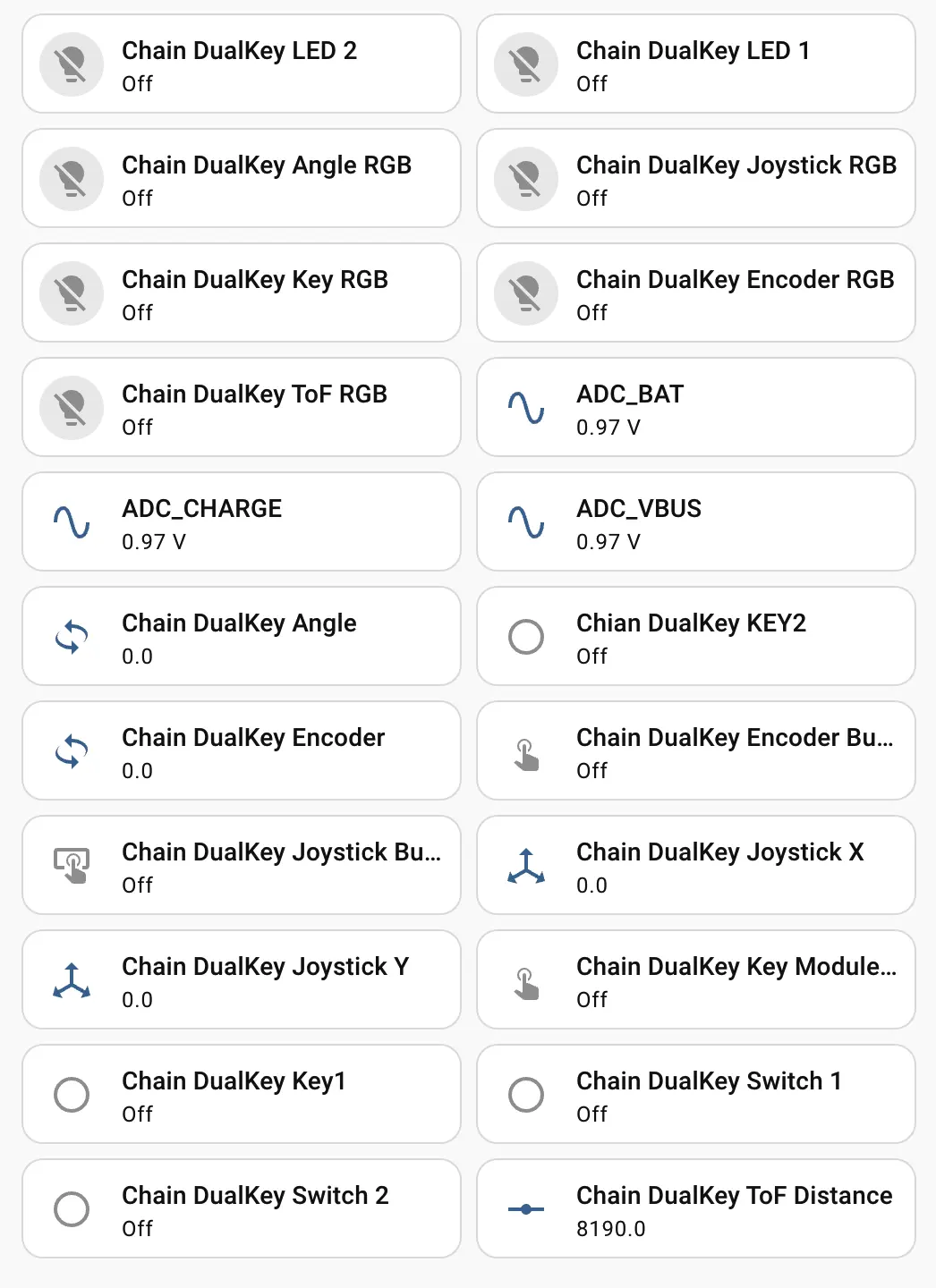
After the Chain expansion modules are connected, the device page displays the corresponding Sensor, Binary Sensor, and Light entities: