

Home Assistant
Home Assistant
Controller & Devices
Cameras
Components
Lighting
Interfaces and Expansion
Applications
Media Playback
Dashboard
SwitchC6 ESPHome Component
The SwitchC6 component reads and controls a single-live-wire switch through ESP-NOW.

1. Component Overview
| Item | Information |
|---|---|
| Product Name | SwitchC6 |
| SKU | K140 |
| Main Function | Single-live-wire switch control |
| Communication Interface | ESP-NOW |
| ESPHome Component | m5stack_switchc6 (external component) |
| ESPHome Version Requirement | / |
2. Component Description
Including the External Component
Add the External component:
external_components:
  - source: github://m5stack/esphome-yaml/components
    components: [m5stack_switchc6]
refresh: 0sESP-NOW Configuration
Add the ESPNOW component:
espnow:
  id: espnow1
  auto_add_peer: true
  peers:
    - XX:XX:XX:XX:XX:XX
  on_broadcast:
    - lambda: |-
id(sw1).handle_broadcast(data, size);Notice
Enter the device ESP-NOW address here, for example
- XX:XX:XX:XX:XX:XX.Switch
Add the Switch component:
switch:
  - platform: m5stack_switchc6
    id: sw1
    name: "SwitchC6 Device 1"
    espnow_id: espnow1
    mac_address: "XX:XX:XX:XX:XX:XX"
    retry_count: 40
retry_interval: 300Notice
When adding multiple devices, update both the ESP-NOW configuration and switch entries. For example:
espnow:
  id: espnow1
  auto_add_peer: true
  peers:
    - AA:BB:CC:DD:EE:01
    - AA:BB:CC:DD:EE:02
  on_broadcast:
    - lambda: |-
        id(sw1).handle_broadcast(data, size);
        id(sw2).handle_broadcast(data, size);

switch:
  - platform: m5stack_switchc6
    id: sw1
    name: "SwitchC6 Device 1"
    espnow_id: espnow1
    mac_address: "AA:BB:CC:DD:EE:01"
    retry_count: 40
    retry_interval: 300
  - platform: m5stack_switchc6
    id: sw2
    name: "SwitchC6 Device 2"
    espnow_id: espnow1
    mac_address: "AA:BB:CC:DD:EE:02"
    retry_count: 40
retry_interval: 3003. Reference Example
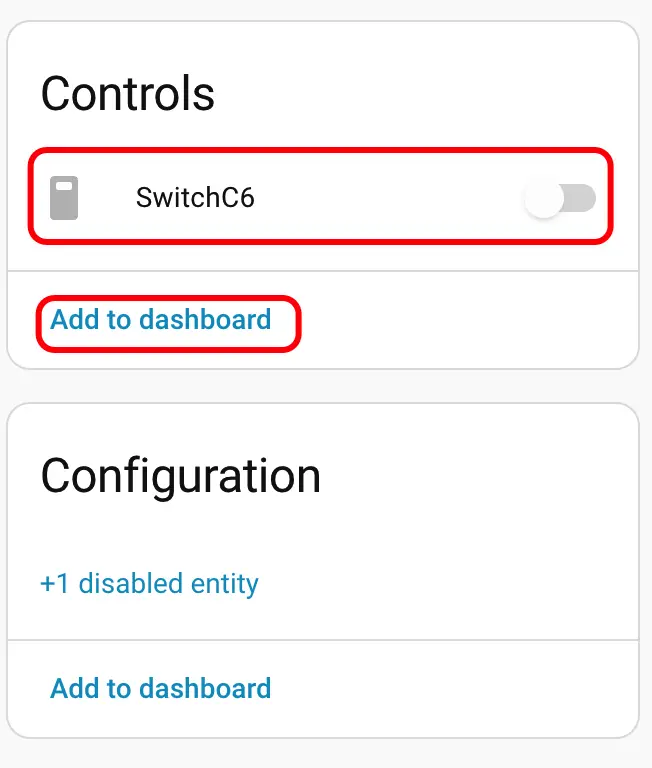
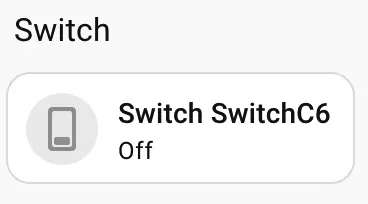
After SwitchC6 communicates with the ESPHome gateway over ESP-NOW, switch entities appear in Home Assistant.
4. Related Links
Page Tools