Home Assistant
Home Assistant
Controller & Devices
Cameras
Components
Lighting
Interfaces and Expansion
Applications
Media Playback
Dashboard
Unit Watering ESPHome Component
The Unit Watering component reads capacitive soil moisture data and provides irrigation output control.
1. Component Overview
| Item | Information |
|---|---|
| Product Name | Unit Watering |
| SKU | U101 |
| Main Function | Soil moisture detection and pump control |
| Communication Interface | ADC, GPIO |
| ESPHome Components | adc, template, gpio |
| ESPHome Version Requirement | / |
2. Component Description
Including Official Components
- Official ESPHome Component - adc
- Official ESPHome Component - template sensor
- Official ESPHome Component - template text sensor
- Official ESPHome Component - gpio
Unit Watering uses the official ADC sensor to read the soil probe voltage and GPIO Switch to control the pump. Use a Template sensor or Template text sensor to convert ADC readings to a moisture level when needed.
The capacitive soil probe outputs analog voltage. Configure the ADC pin for your controller:
sensor:
  - platform: adc
    pin: GPIOXX
    name: "Soil Sensor Voltage"
update_interval: 10sConfigure the pump switch:
switch:
  - platform: gpio
    pin: GPIOXX
name: "Water pump"After connecting to Home Assistant, control the pump through the switch entity.
The template sensor can convert ADC readings to soil moisture based on calibration results. Thresholds depend on supply voltage, the controller ADC, and soil conditions; use actual measurements as the reference.
3. Reference Example
sensor:
  - platform: adc
    pin: GPIOXX
    id: voltage
    name: "Voltage"
    attenuation: auto
    update_interval: 10s

  - platform: template
    id: adc_reading
    name: "ADC Reading"
    lambda: |-
      return roundf( id(voltage).state * 1000.0f );
    update_interval: 10s

text_sensor:
  - platform: template
    name: "Soil Moisture"
    icon: "mdi:water-percent"
    lambda: |-
      const int ADC_DRY       = 1550;  // Dry threshold
      const int ADC_WET       = 1450;  // Wet threshold

      if ( id(adc_reading).state >= ADC_DRY) {
        return {"Dry"};
      } else if ( id(adc_reading).state >= ADC_WET) {
        return {"Wet"};
      } else {
        return {"Saturated"};
      }
    update_interval: 10s

switch:
  - platform: gpio
    pin: GPIOXX
    id: water_pump
    name: "Water pump"
    icon: "mdi:water-pump"
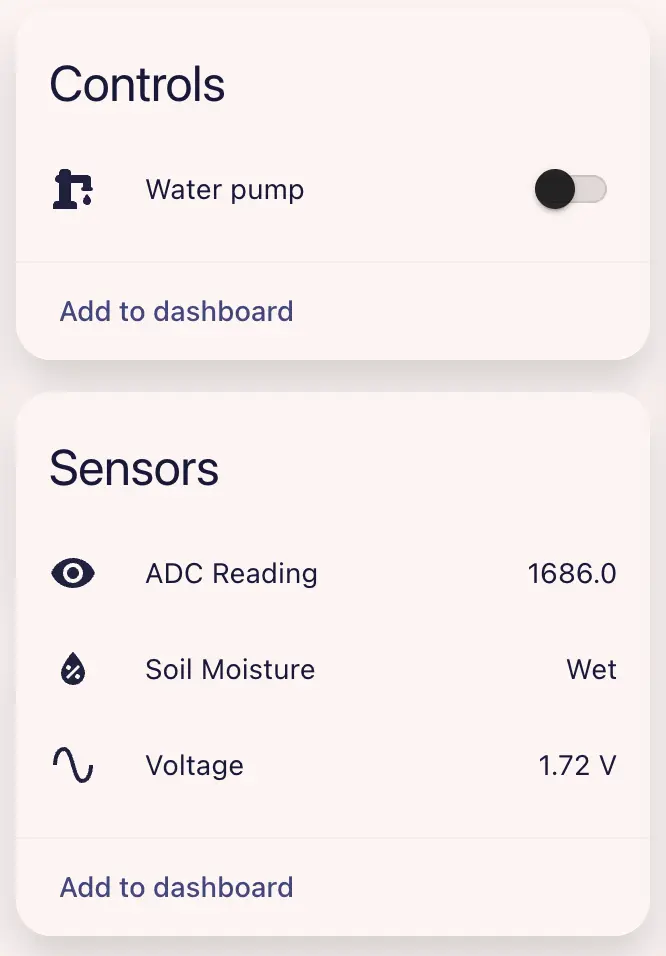
restore_mode: RESTORE_DEFAULT_OFFAfter configuration, you can view sensor data in Home Assistant: