

Home Assistant
Home Assistant
Controller & Devices
Cameras
Components
Lighting
Interfaces and Expansion
Applications
Media Playback
Dashboard
Unit Fader ESPHome Component
The Unit Fader provides fader-position input through an analog signal and supports control of the onboard RGB LED strip.
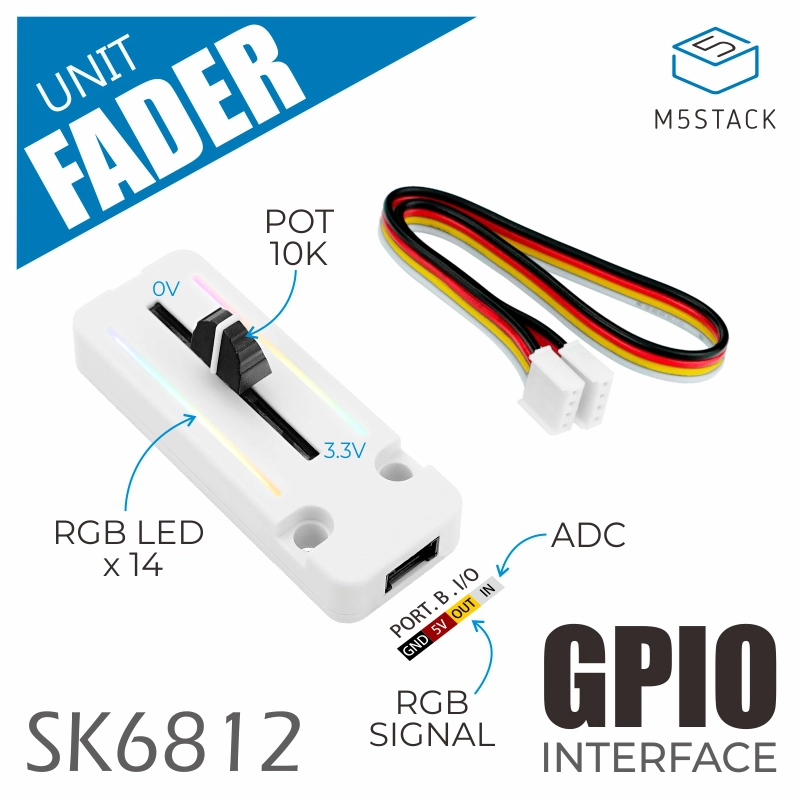
1. Component Overview
| Item | Information |
|---|---|
| Product name | Unit Fader |
| SKU | U123 |
| Main functions | Fader-position input and RGB lighting control |
| Communication interface | ADC, GPIO |
| ESPHome components | adc, esp32_rmt_led_strip |
| ESPHome version requirement | / |
2. Component Details
Include Official Components
Sensor: Fader Value
Use the adc platform of the Sensor component to read the fader output voltage. Change pin to the GPIO connected to your controller. Adjust the filter settings for your application.
sensor:
  - platform: adc
    pin: GPIOXX
    name: "Fader"
    id: fader_value
    update_interval: 100ms
    attenuation: 12db
    filters:
      - exponential_moving_average:
alpha: 0.2| Parameter | Description |
|---|---|
| pin | ADC pin connected to the Unit Fader analog output. |
| ame | Entity name displayed in Home Assistant. |
| update_interval | Value update interval. |
| filters | Smooths the readings; adjust or remove as needed. |
Light: RGB LED Strip
Use the esp32_rmt_led_strip platform of the Light component to control the onboard LED strip. Change pin to the GPIO connected to your controller.
light:
  - platform: esp32_rmt_led_strip
    pin: GPIOXX
    num_leds: 14
    chipset: WS2812
    rgb_order: GRB
    name: "Fader LED"
id: fader_led| Parameter | Description |
|---|---|
| pin | LED strip data pin. |
| um_leds | Number of LEDs. |
| chipset | LED strip chipset. |
| gb_order | RGB data order. |
3. Reference Example
See the Unit Fader YAML example for a complete configuration. Adjust the controller model, ADC pin, and LED strip pin for your hardware.
4. Related Links
Page Tools