

Home Assistant
Home Assistant
Controller & Devices
Cameras
Components
Lighting
Interfaces and Expansion
Applications
Media Playback
Dashboard
Unit ENV-IV ESPHome Component
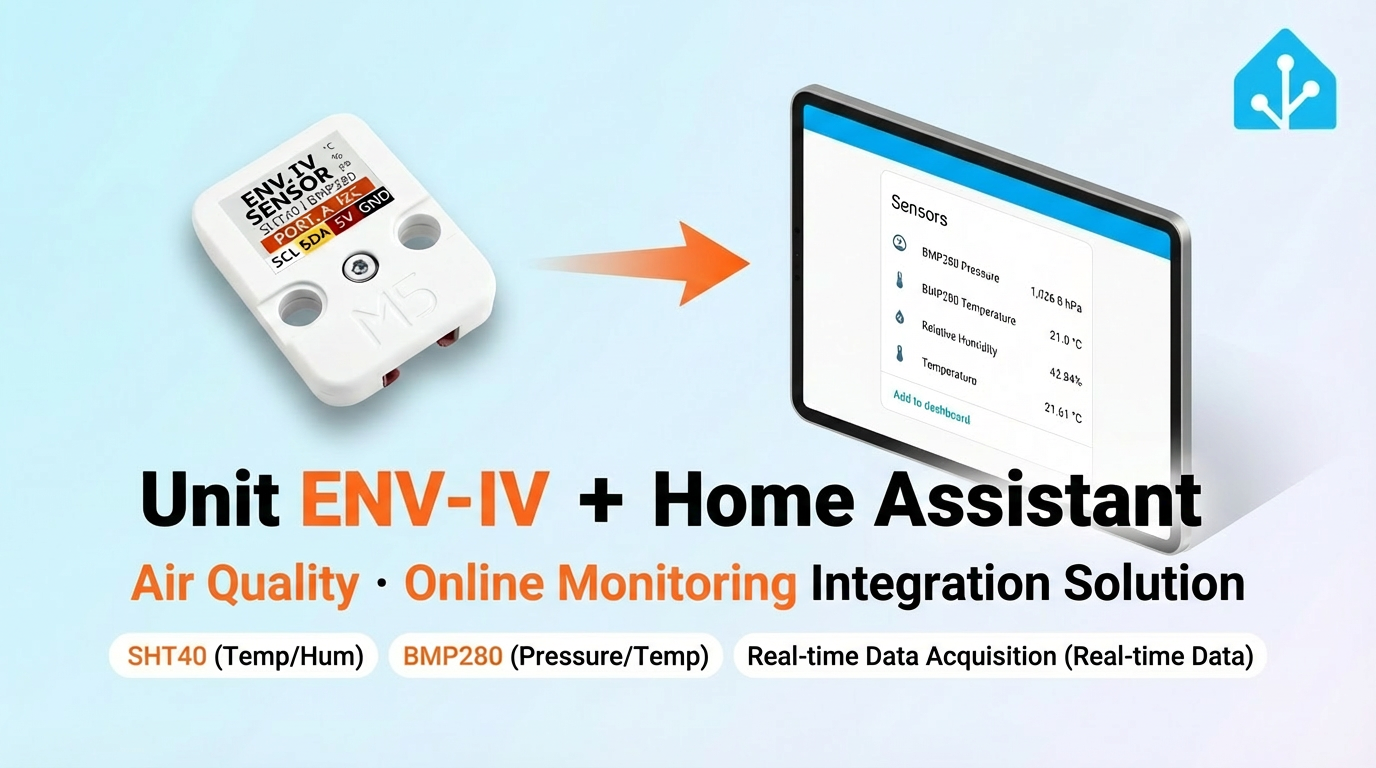
Unit ENV-IV reads temperature, humidity, pressure, and derived environmental data.
1. Component Overview
| Item | Information |
|---|---|
| Product Name | Unit ENV-IV |
| SKU | U001-D |
| Main Function | Temperature, humidity, and pressure detection |
| Communication Interface | I2C |
| Default I2C Address | SHT40: 0x44; BMP280: 0x76 |
| ESPHome Components | sht4x, bmp280_i2c, template, absolute_humidity |
| ESPHome Version Requirement | / |
2. Component Description
Including Official Components
- Official ESPHome Component - sht4x
- Official ESPHome Component - bmp280_i2c
- Official ESPHome Component - template
- Official ESPHome Component - absolute_humidity
Unit ENV-IV uses the official SHT4X sensor for temperature and humidity, and the BMP280 sensor for pressure and temperature. Altitude, absolute humidity, and dew point are derived values calculated from the raw data.
Unit ENV-IV configuration example:
yaml
1 2 3 4 5 6 7 8 9 10 11 12 13 14 15 16 17 18 19
sensor:
  - platform: sht4x
    temperature:
      id: sht40_temp
      name: "Temperature"
    humidity:
      id: sht40_humi
      name: "Relative Humidity"
    address: 0x44

  - platform: bmp280_i2c
    temperature:
      name: "BMP280 Temperature"
      id: bmp280_temp
      oversampling: 16x
    pressure:
      name: "BMP280 Pressure"
      id: bmp_pressure
address: 0x76You can also create derived entities such as altitude, absolute humidity, and dew point using empirical formulas. Append the following entries to the existing sensor list. The calculated results are for reference only:
yaml
1 2 3 4 5 6 7 8 9 10 11 12 13 14 15 16 17 18 19 20 21 22 23 24
sensor:
  - platform: template
    name: "Altitude"
    lambda: |-
      const float STANDARD_SEA_LEVEL_PRESSURE = 1013.25; //in hPa, see note
      return ((id(bmp280_temp).state + 273.15) / 0.0065) *
        (powf((STANDARD_SEA_LEVEL_PRESSURE / id(bmp_pressure).state), 0.190234) - 1); // in meter
    update_interval: 15s
    icon: 'mdi:signal'
    unit_of_measurement: 'm'

  - platform: absolute_humidity
    name: "Absolute Humidity"
    temperature: sht40_temp
    humidity: sht40_humi

  - platform: template
    name: "Dew Point"
    lambda: |-
      return (243.5*(log(id(sht40_humi).state/100)+((17.67*id(sht40_temp).state)/
      (243.5+id(sht40_temp).state)))/(17.67-log(id(sht40_humi).state/100)-
      ((17.67*id(sht40_temp).state)/(243.5+id(sht40_temp).state))));
    unit_of_measurement: °C
icon: 'mdi:thermometer-alert'Notice
To calculate altitude accurately with the BMP280 pressure sensor, first obtain the standard sea-level pressure for your location and the current day. Replace the global constant
STANDARD_SEA_LEVEL_PRESSURE, for example with a real-time value obtained from the Internet or from a fixed sensor via MQTT.3. Reference Example
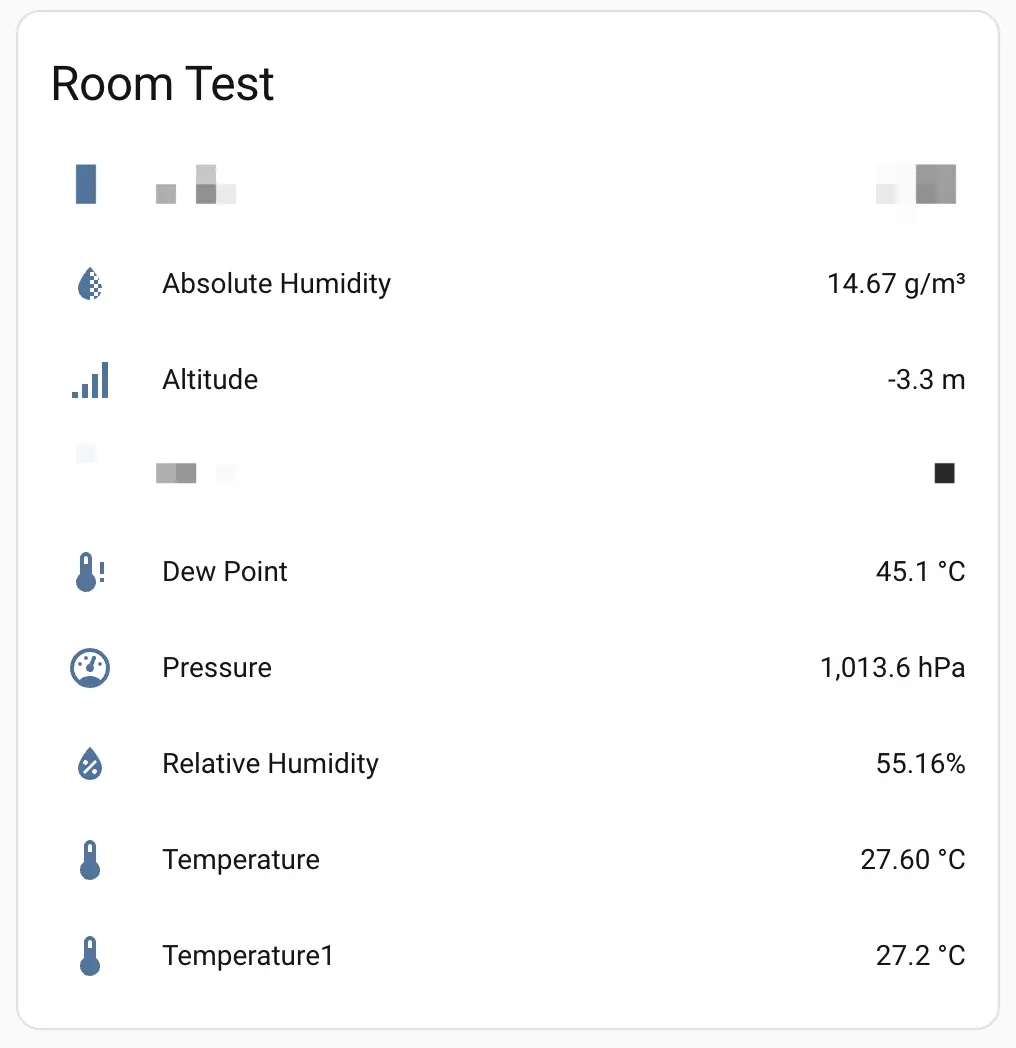
- After adding the device to the Dashboard, you can view sensor data in Home Assistant.
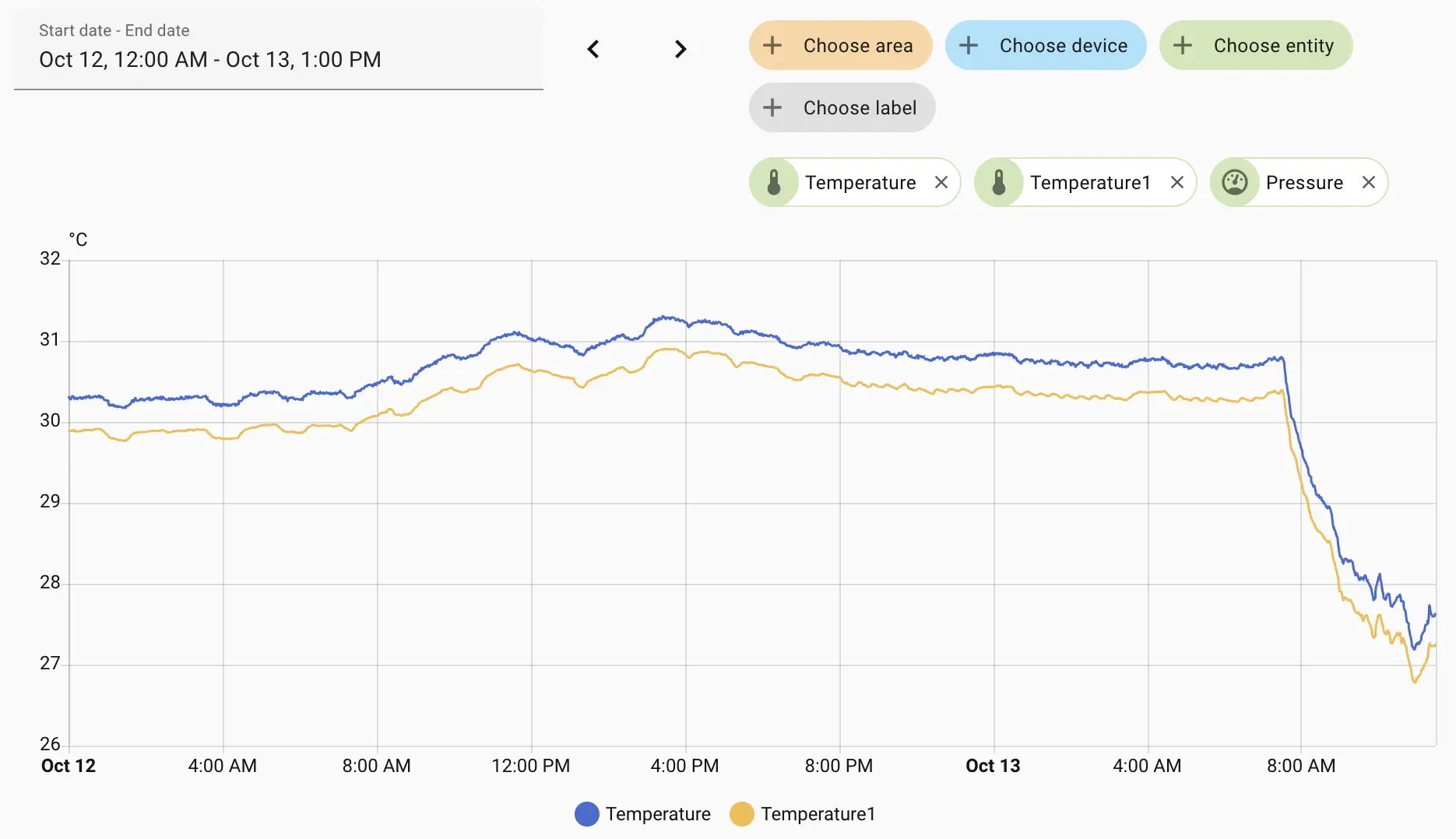
- Monitor the temperature trend.
Notice
Because the BMP280 also has a temperature sensor, two temperature curves are shown.
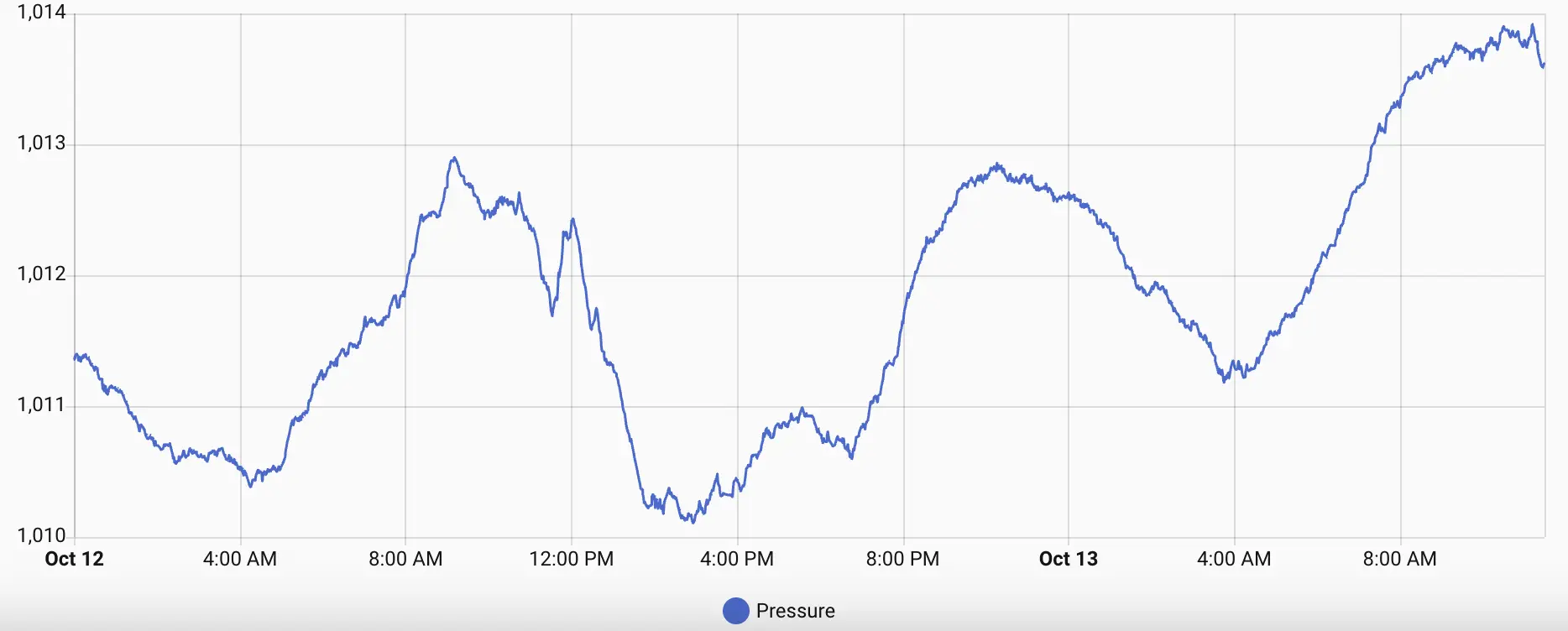
- Monitor pressure changes.
4. Related Links
5. Related Video
Page Tools