

Home Assistant
Home Assistant
主控与整机
摄像头
扩展模块
灯光控制
Station-Bat ESPHome 集成
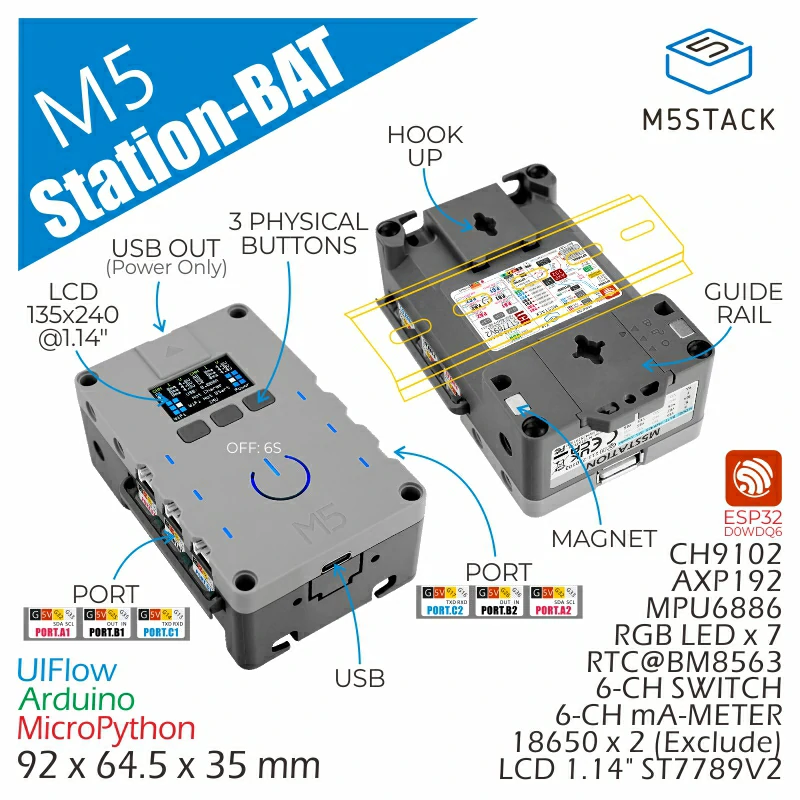
Station-Bat 的 ESPHome 集成包含电源管理、传感器、按键、显示和 RTC 组件。
1. 设备简介
| 项目 | 信息 |
|---|---|
| 产品名称 | Station-Bat |
| SKU | K124-B |
| 主要功能 | 电源与电池管理、姿态与电流监测、按键、显示和 RTC |
| 通信接口 | I2C、SPI、GPIO |
| ESPHome 组件 | m5station_axp192(外部组件)、mpu6886、ina3221、binary_sensor.gpio、bm8563、esp32_rmt_led_strip、st7789v |
| ESPHome 版本要求 | / |
2. 组件说明
AXP192 外部组件
Station-Bat 使用 M5Stack m5station_axp192 外部组件读取电池电量并控制 LCD 供电:
external_components:
  - source: github://m5stack/esphome-yaml/components
    components: [m5station_axp192]
refresh: 0sIMU、电源与端口测量
MPU6886 使用官方 MPU6886 Platform;两颗 INA3221 分别使用地址 0x40 和 0x41,覆盖 6 路端口电压与电流。m5station_axp192 外部 Platform 提供电池电量:
i2c:
  - id: i2c_bus
    sda: GPIO21
    scl: GPIO22

sensor:
  - platform: mpu6886
    i2c_id: i2c_bus
    accel_x:
      name: "MPU6886 Accel X"
      id: imu_ax
    accel_y:
      name: "MPU6886 Accel Y"
      id: imu_ay
    accel_z:
      name: "MPU6886 Accel z"
      id: imu_az
    gyro_x:
      name: "MPU6886 Gyro X"
    gyro_y:
      name: "MPU6886 Gyro Y"
    gyro_z:
      name: "MPU6886 Gyro z"
    temperature:
      name: "MPU6886 Temperature"
      id: imu_temp
    update_interval: 5s

  - platform: m5station_axp192
    id: pmu
    i2c_id: i2c_bus
    battery_level:
      name: "M5Station Battery Level"
      id: bat_level
    update_interval: 60s
    brightness: 0.8

  - platform: ina3221
    id: ina1
    i2c_id: i2c_bus
    address: 0x40
    update_interval: 1s
    channel_1:
      shunt_resistance: 0.01
      bus_voltage:
        name: "P.A1 Bus Voltage"
        id: v_a1
      current:
        name: "P.A1 Current"
        id: i_a1
    channel_2:
      shunt_resistance: 0.01
      bus_voltage:
        name: "P.A2 Bus Voltage"
        id: v_a2
      current:
        name: "P.A2 Current"
        id: i_a2
    channel_3:
      shunt_resistance: 0.01
      bus_voltage:
        name: "P.B1 Bus Voltage"
        id: v_b1
      current:
        name: "P.B1 Current"
        id: i_b1

  - platform: ina3221
    id: ina2
    i2c_id: i2c_bus
    address: 0x41
    update_interval: 1s
    channel_1:
      shunt_resistance: 0.01
      bus_voltage:
        name: "P.B2 Bus Voltage"
        id: v_b2
      current:
        name: "P.B2 Current"
        id: i_b2
    channel_2:
      shunt_resistance: 0.01
      bus_voltage:
        name: "P.C1 Bus Voltage"
        id: v_c1
      current:
        name: "P.C1 Current"
        id: i_c1
    channel_3:
      shunt_resistance: 0.01
      bus_voltage:
        name: "P.C2 Bus Voltage"
        id: v_c2
      current:
        name: "P.C2 Current"
id: i_c2按键输入
三颗面板按键使用 GPIO Binary Sensor Platform,分别连接 GPIO37、GPIO38 和 GPIO39:
binary_sensor:
  - platform: gpio
    name: "Button1"
    pin:
      number: GPIO37
      inverted: true
  - platform: gpio
    name: "Button2"
    pin:
      number: GPIO38
      inverted: true
  - platform: gpio
    name: "Button3"
    pin:
      number: GPIO39
inverted: trueLCD 与 USB 供电控制
LCD 供电通过 m5station_axp192 组件控制,USB 输出由 GPIO12 控制:
switch:
  - platform: template
    name: "LCD Backlight"
    id: lcd_backlight
    lambda: |-
      return true;
    restore_mode: ALWAYS_ON
    turn_on_action:
      - lambda: |-
          id(pmu).set_backlight(true);
    turn_off_action:
      - lambda: |-
          id(pmu).set_backlight(false);

  - platform: gpio
    name: "USB Power"
    id: usb_power
pin: GPIO12RTC
板载 RTC 使用官方 BM8563 Platform。设备启动时先读取 RTC,Home Assistant 完成时间同步后再写回 RTC:
time:
  - platform: bm8563
    id: bm8563_time
    update_interval: never
  - platform: homeassistant
    on_time_sync:
      then:
- bm8563.write_time:RGB LED
7 颗板载 WS2812 RGB LED 使用 ESP32 RMT LED Strip Platform,通过 GPIO4 驱动:
light:
  - platform: esp32_rmt_led_strip
    rgb_order: GRB
    pin: GPIO4
    num_leds: 7
    chipset: ws2812
name: "My Light"LCD 显示
1.14 英寸 IPS 屏幕使用 ST7789V Platform。最小示例仅输出固定文字:
spi:
  clk_pin: GPIO18
  mosi_pin: GPIO23

font:
  - file: "gfonts://Roboto"
    id: display_font
    size: 18

display:
  - platform: st7789v
    model: CUSTOM
    width: 135
    height: 240
    offset_height: 52
    offset_width: 40
    cs_pin: GPIO5
    dc_pin: GPIO19
    reset_pin: GPIO15
    rotation: 90
    update_interval: 1s
    lambda: |-
it.print(0, 0, id(display_font), "Station-Bat");3. 参考案例
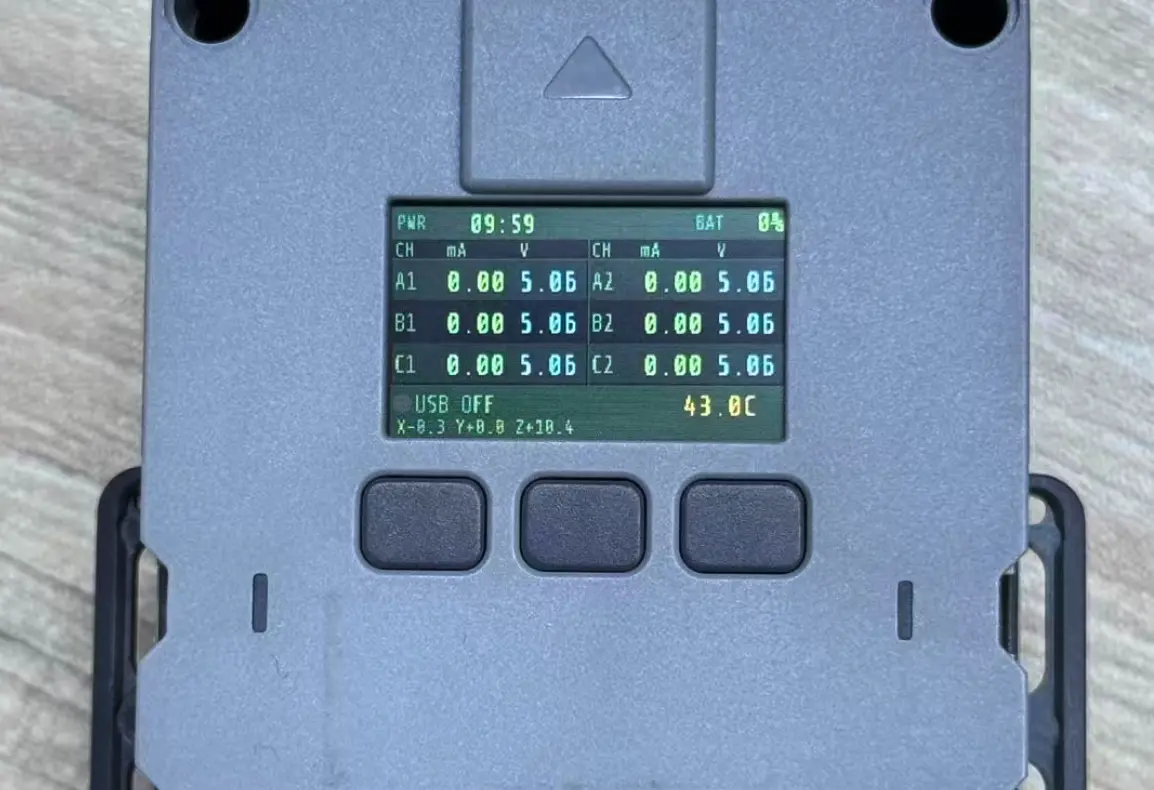
完整设备案例请参考 station-bat.example.yaml。案例包含主控、网络、API、外部组件、全部传感器和显示配置。
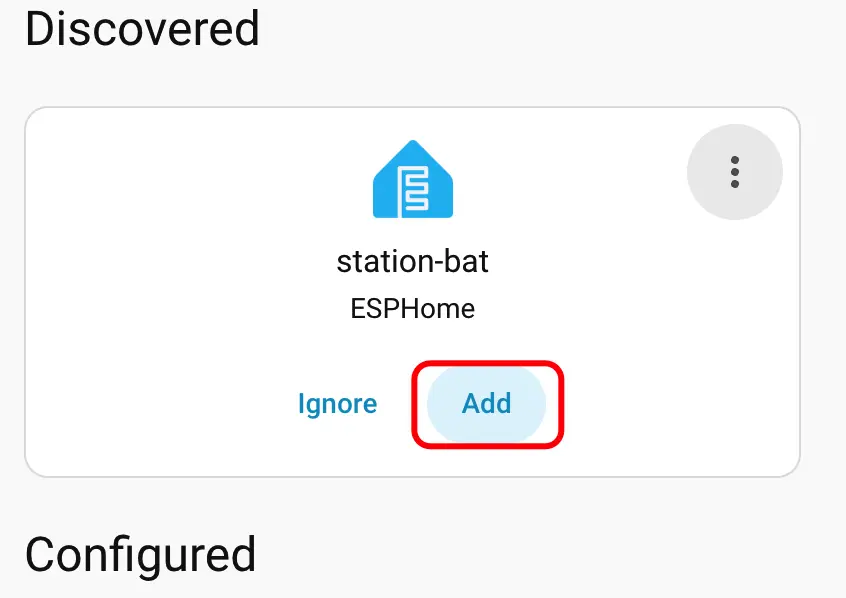
添加设备时的 Home Assistant 界面:
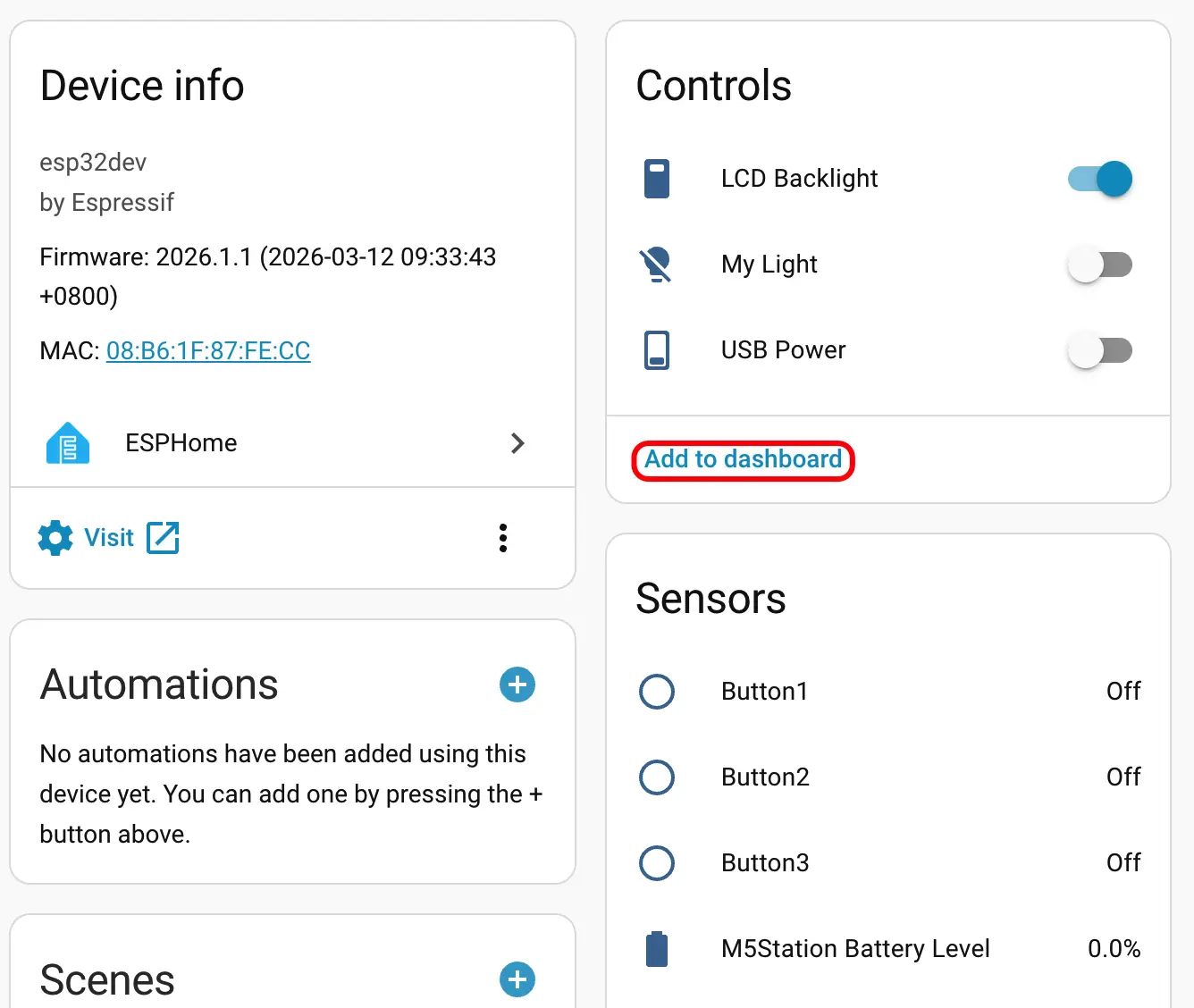
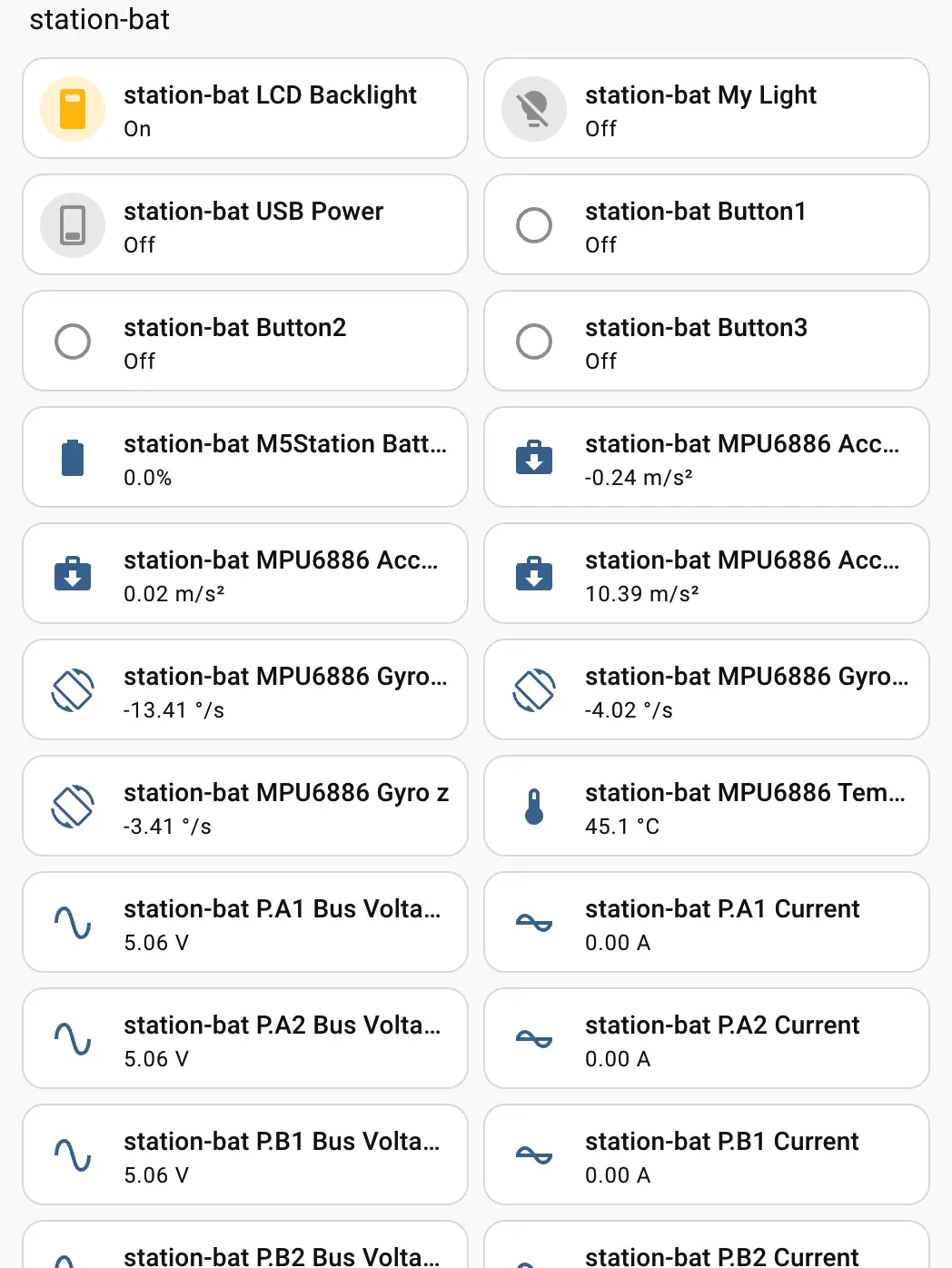
设备添加完成后,可查看电池、姿态、端口测量、按键、USB 供电和 RGB 灯等实体,并将其添加到 Dashboard:
4. 相关链接
Page Tools