

Product Guides
AI & Voice
AI Voice Assistants
Volcengine
Offline Speech Recognition
Unit ASR
Module ASR
Audio & Voice Input
Voice Pyramid
Cameras & Vision
Camera Features
M5Camera
PoECAM
Unit CamS3 / CamS3-5MP
Connectivity & IoT
Industrial Control & Measurement
Air Quality
PowerHub
StamPLC
VAMeter
T-Lite
Module13.2 PPS
Unit RollerCAN
Display & Interaction
Paper
PaperColor
StopWatch
Tab5 Keyboard
Chain DualKey
Robotics & Maker Projects
Atom Printer
Bala
Bala2
BalaC Plus
Faces Kit Gameboy
RoverC & JoyC
StampFly & Atom Joystick
Firmware & Device Maintenance
Firmware Upgrade
Hardware Configuration
Design & Selection References
EzData2 Quick Start
1. Functional Overview
EzData2 is an IoT cloud data interaction service provided by M5Stack. It offers flexible cross-platform data management capabilities, helping developers better build IoT applications.
2. EzData2 Web Console
The EzData2 Web Console is integrated into the My M5Stack platform, providing users with intuitive and efficient data management and visualization capabilities. Through this console, users can view device data status in real time and track historical data change trends, which is convenient for debugging, monitoring, and analysis.
Visit my.m5stack.com and log in using your M5Stack community account. (This account is shared with UiFlow2, the M5Stack official forum, and the M5Burner flashing tool, so no additional registration is required.) Select the Data option in the sidebar to open the EzData2 data dashboard under the current account.

3. Related Concepts
3.1 Group
A Group is a data collection that can be understood as a folder containing multiple data fields of different types. Groups can be created directly in the EzData2 Web Console.
Some devices with factory firmware integrated with EzData2 functionality (such as PowerHub and StamPLC) can, after startup, integrate certain device data fields (such as relay status, voltage status, etc.) into a Group through a series of user binding operations and add it to the user list.
There are two special Groups: System and Desktop. These are built-in data collections and cannot be deleted.

3.2 System Group
The System Group contains some user-level data fields that can be used to query account information. The fields in the System Group are fixed and cannot be added or removed.
- DevicesCount: Number of devices bound under the user account
- ApplicationsCount: Number of applications under the user account
- AccountName: User name
- AccountToken: Account-level Token (highest-level Token, which can access all data contents under the account)
- Time: UTC+8 time
- Date: UTC+8 date
- DateTime: UTC+8 time + date
3.3 Desktop Group
The Desktop Group is a flexible data workspace panel where data can be freely added and removed. Some temporary data or data that does not require categorization can be placed in the Desktop Group. Data from other Groups can also be moved or shortcuts can be sent to the Desktop Group for centralized display, making it easier to view.
3.4 Data
Data is the smallest data unit in EzData2, used to store data fields. It belongs to a Group and supports being moved between different Groups. It supports recording up to 500 historical data entries.
4. Group Creation
Click the Add Group button in the toolbar and enter a new Group name to create it.


5. Data Creation
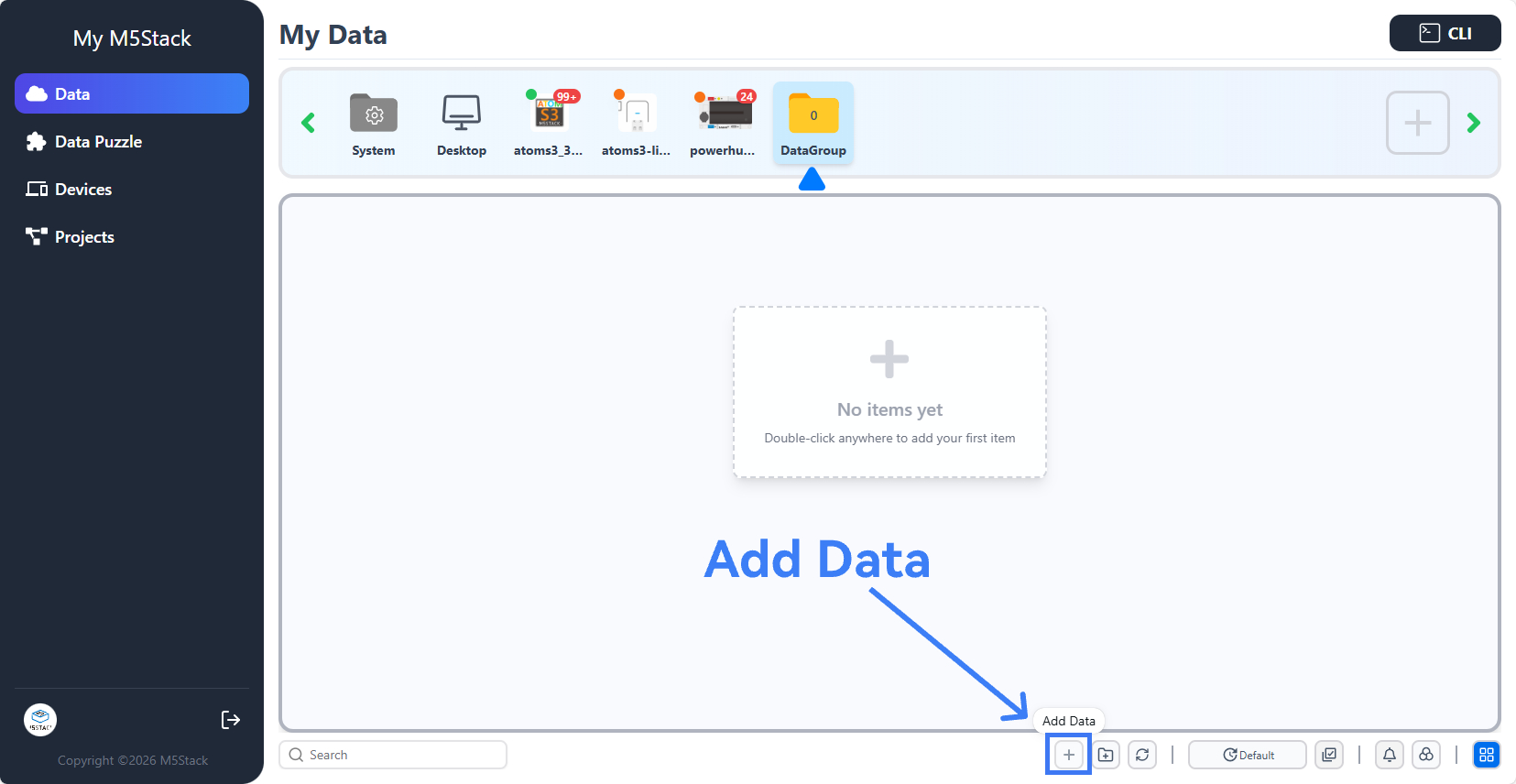
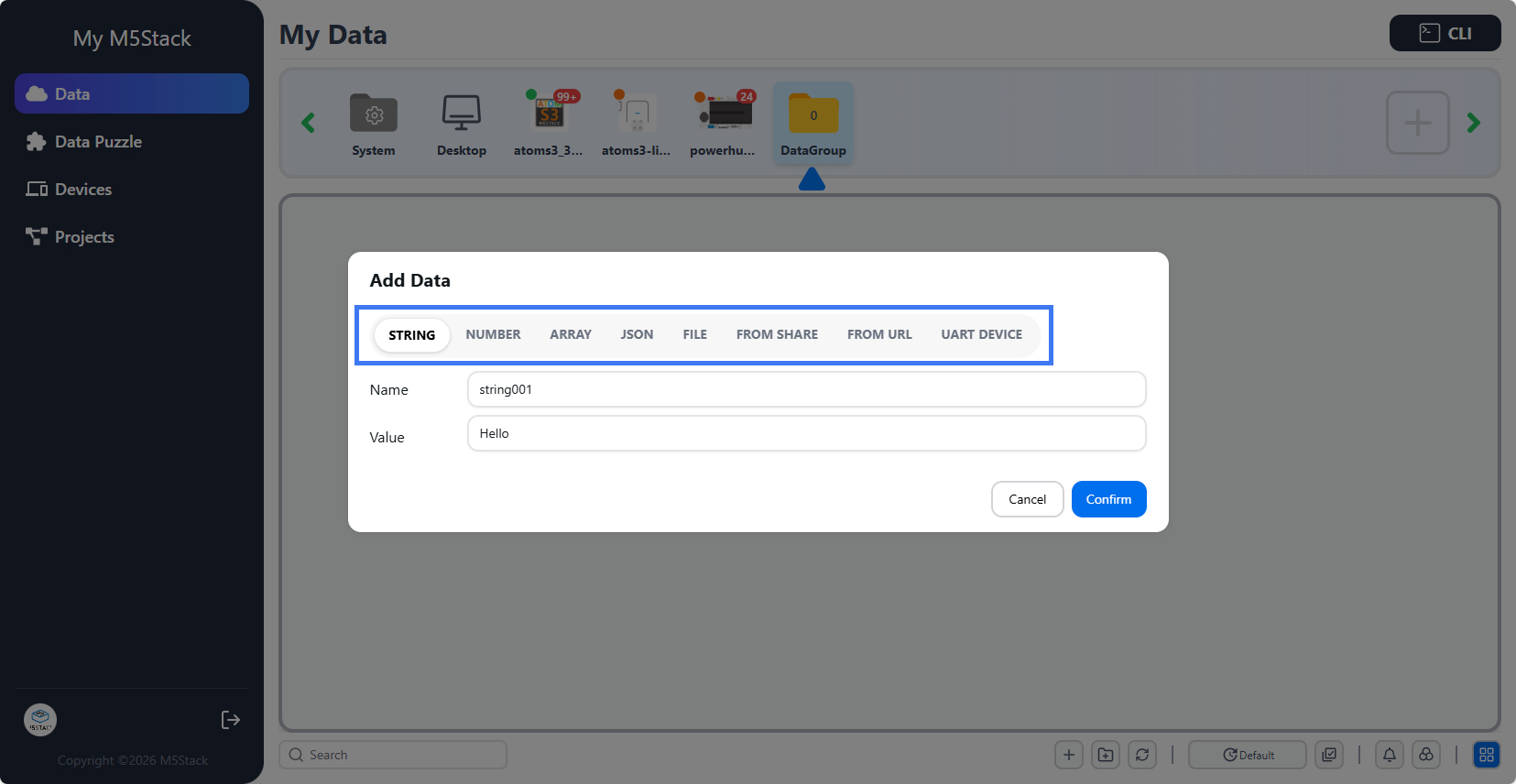
Select an already created Group, click the Add Data button to create a new data field, and specify the data type.
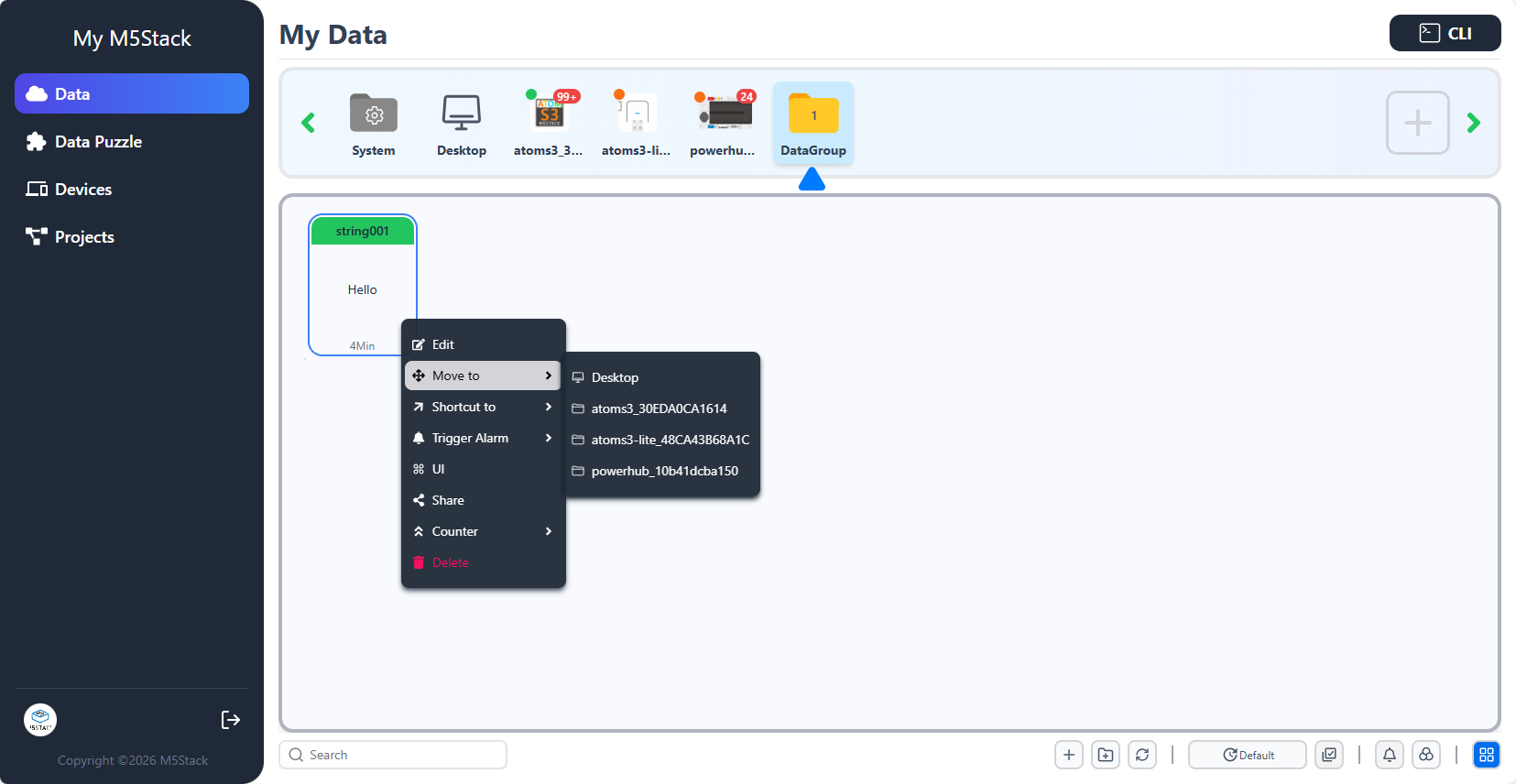
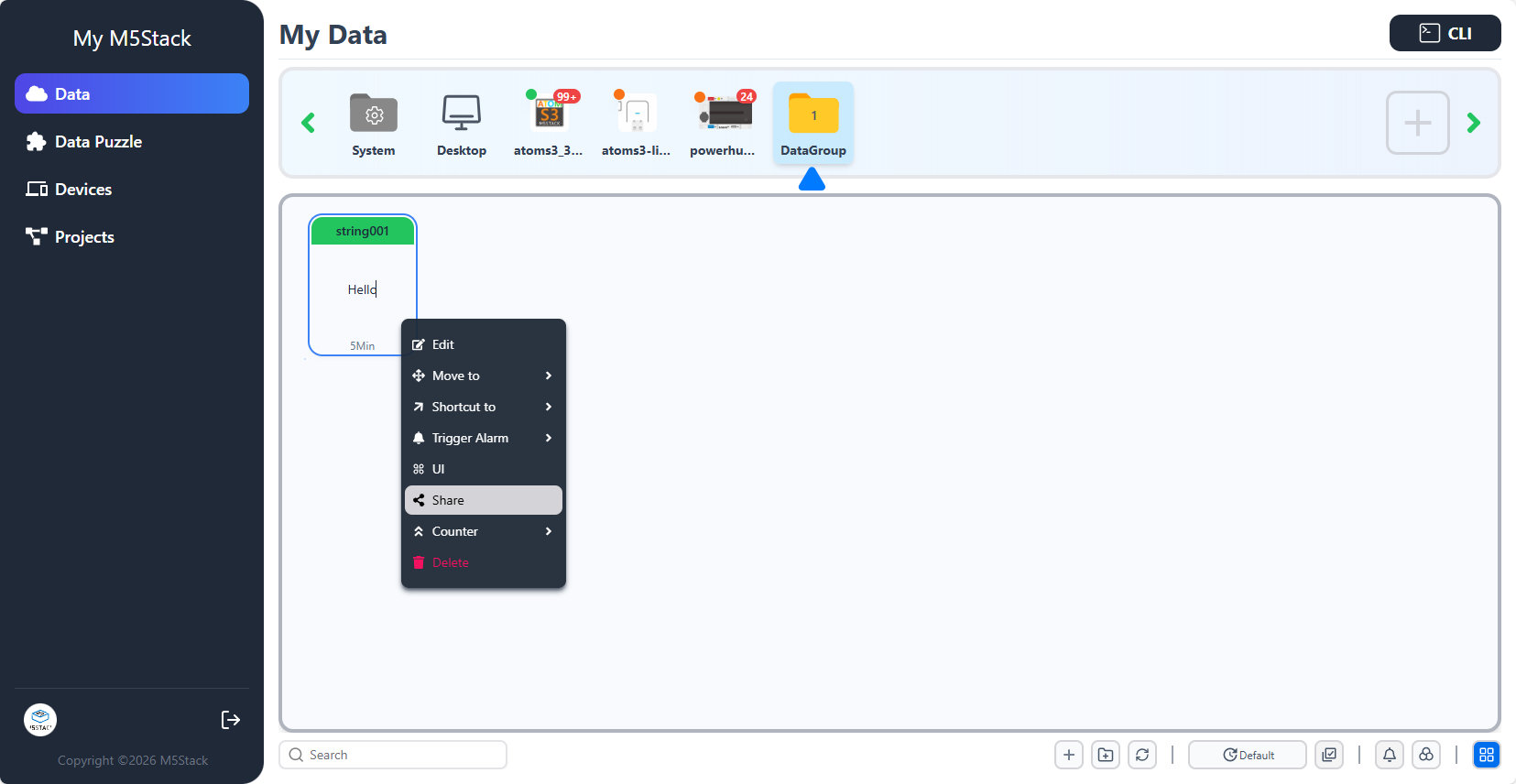
Right-click on an already created data item to open the operation menu, where you can modify, move, share, or delete the data. Among these, the move operation will directly change the Group to which the data belongs. The shortcut operation will create a copy of the data in another Group that points to the original data. Modifying either the original data or the shortcut will automatically synchronize and update the other. When a shortcut is deleted, it does not affect the original data. When the original data is deleted, the shortcut data will also be deleted.
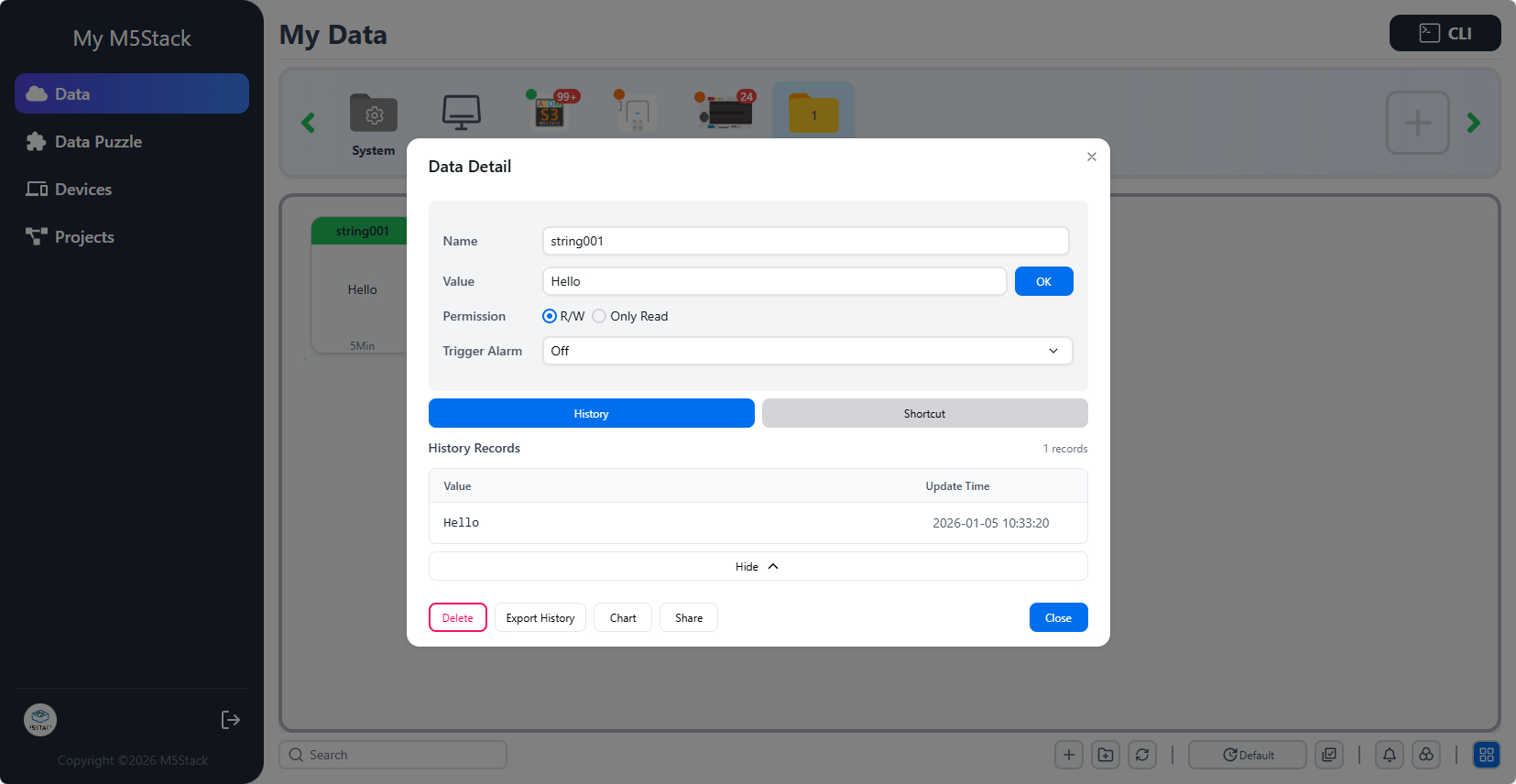
Double-click an already created data item to open the data editing panel. In the panel, you can view the data change history and modify the data in real time.
6. Data Sharing
6.1 Data Token
Right-click on an already created data item and use the Share option to copy and share the Token or URL of the current data field.
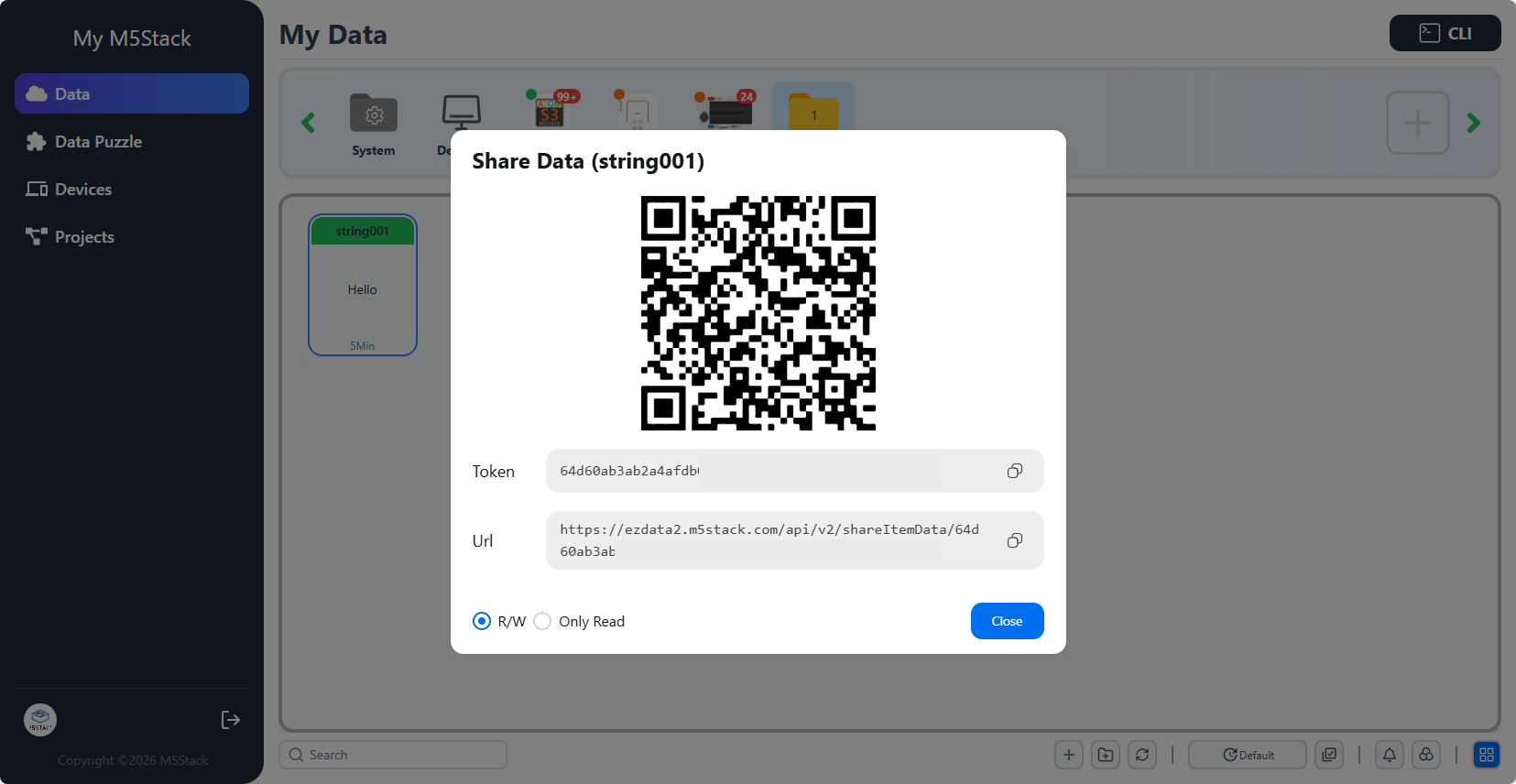
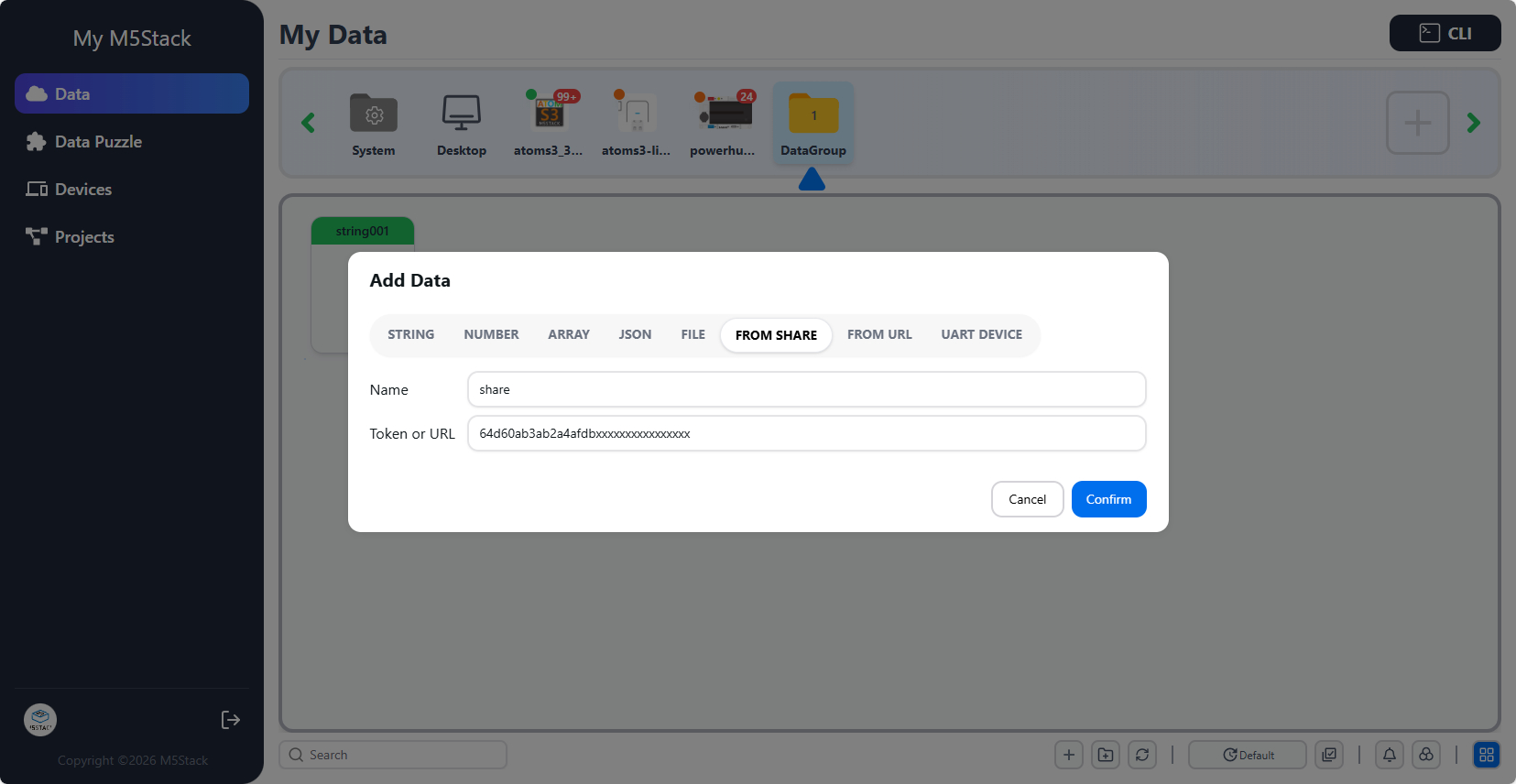
When creating data, other users can select the From Share or From URL option to import the shared field and enable data sharing.
6.2 Group Token
Right-click on an already created Group and use the Share option to copy and share the Token of the current Group. When creating a Group, other users can select the Token option to import all data under the Group and realize the sharing of multiple data items.


7. Communication Protocol
EzData2 currently provides two connection methods: MQTT and WebSocket, which can be used by devices to implement data interaction.