

Product Guide
Linux PC
AI Accelerator Card
LLM-8850 Card
Large Language Models
AI & Agent
Real-Time AI Voice Assistant
XiaoZhi Voice Assistant
AtomS3R-M12 Volcengine Kit
Offline Voice Recognition
Industrial Control
IoT Measuring Instruments
Air Quality
PowerHub
Module13.2 PPS
VAMeter
T-Lite
Input & Output Devices
Ethernet Camera
PoECAM
Wi-Fi Camera
Unit CamS3/-5MP
AI Camera
LoRa & LoRaWAN
Motor Control
Restore Factory Firmware
DIP Switch Usage Guide
StamPLC Restore Factory Firmware
Factory Firmware
If the device experiences abnormal operation, you can try re-flashing the factory firmware to verify whether there is a hardware fault. Refer to the tutorial below. Use the M5Burner firmware flashing tool to flash the factory firmware onto the device.
1. Preparation
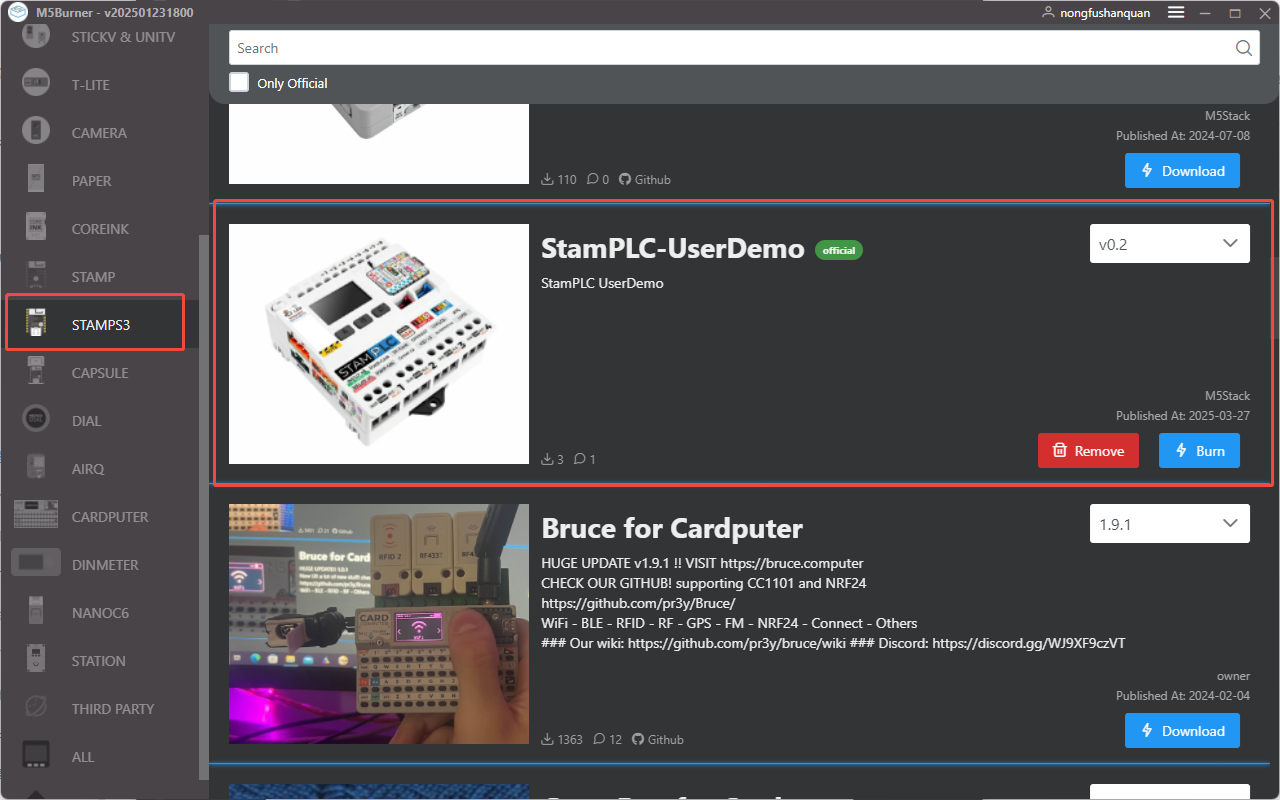
- Download the flashing tool by referring to the M5Burner Tutorial, and download the corresponding firmware as shown in the image below.
2. Download Mode
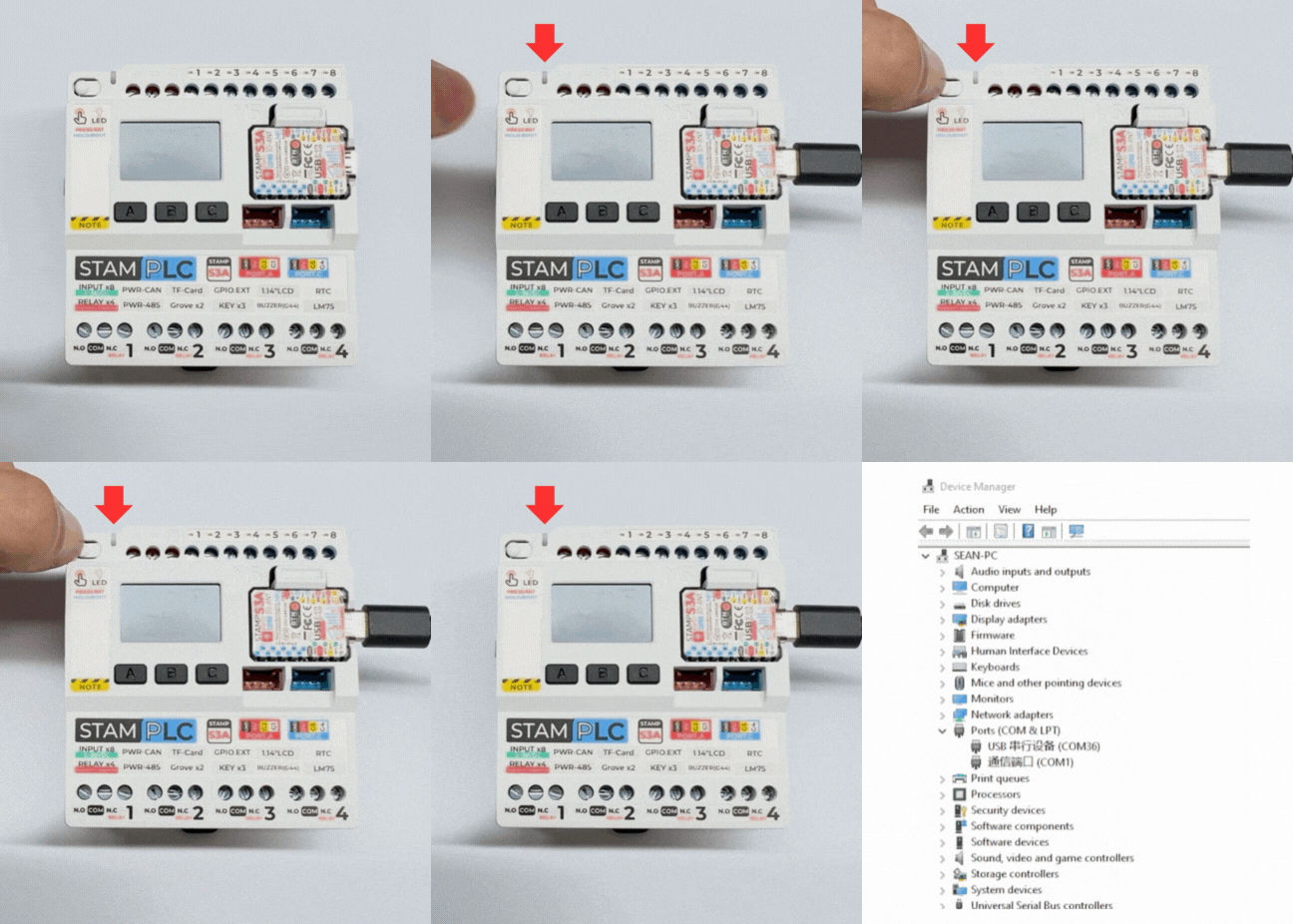
- Long press the reset button (approximately 2 seconds) until the internal red LED lights up, then release. The device will enter download mode and wait for flashing. The red indicator turns off after the button is released, confirming that the device is in download mode.
3. Port Selection
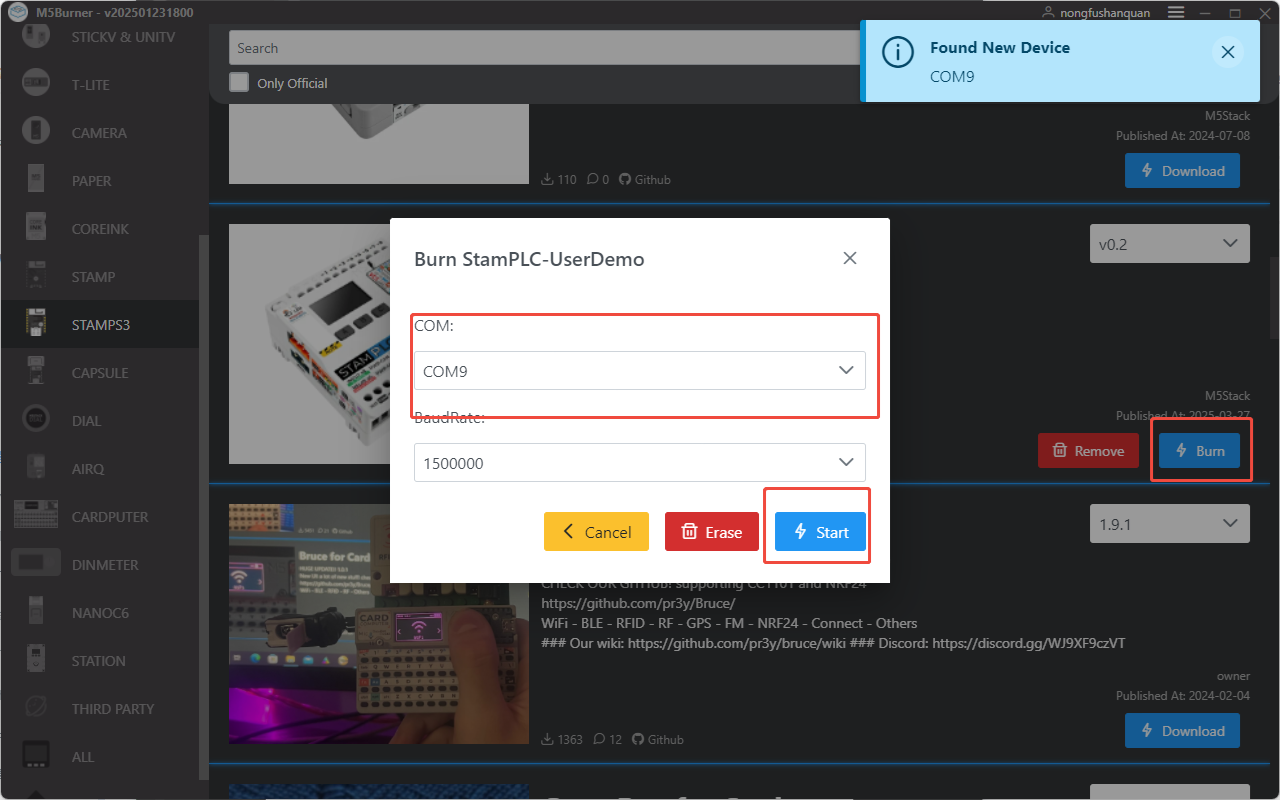
- Connect the device to your computer via a USB cable. Once the device is in download mode, select the corresponding device port in M5Burner.
4. Firmware Flashing
- Click Burn to start flashing.

The result is as shown in the image below:

Page Tools