

Product Guide
Linux PC
CardputerZero
AI Accelerator Card
LLM-8850 Card
Large Language Models
AI & Agent
Real-Time AI Voice Assistant
XiaoZhi Voice Assistant
AtomS3R-M12 Volcengine Kit
Offline Voice Recognition
Industrial Control
IoT Measuring Instruments
Air Quality
PowerHub
Module13.2 PPS
VAMeter
T-Lite
Input & Output Devices
Ethernet Camera
PoECAM
Wi-Fi Camera
Unit CamS3/-5MP
AI Camera
LoRa & LoRaWAN
Motor Control
Restore Factory Firmware
DIP Switch Usage Guide
Atom Voice Bluetooth Speaker Tutorial
Atom Voice comes pre-loaded with an audio playback firmware and can establish a wireless connection with phones, tablets, computers, and other devices for external audio playback. This document provides instructions on flashing the dedicated firmware using the M5Burner tool.
Firmware Flashing
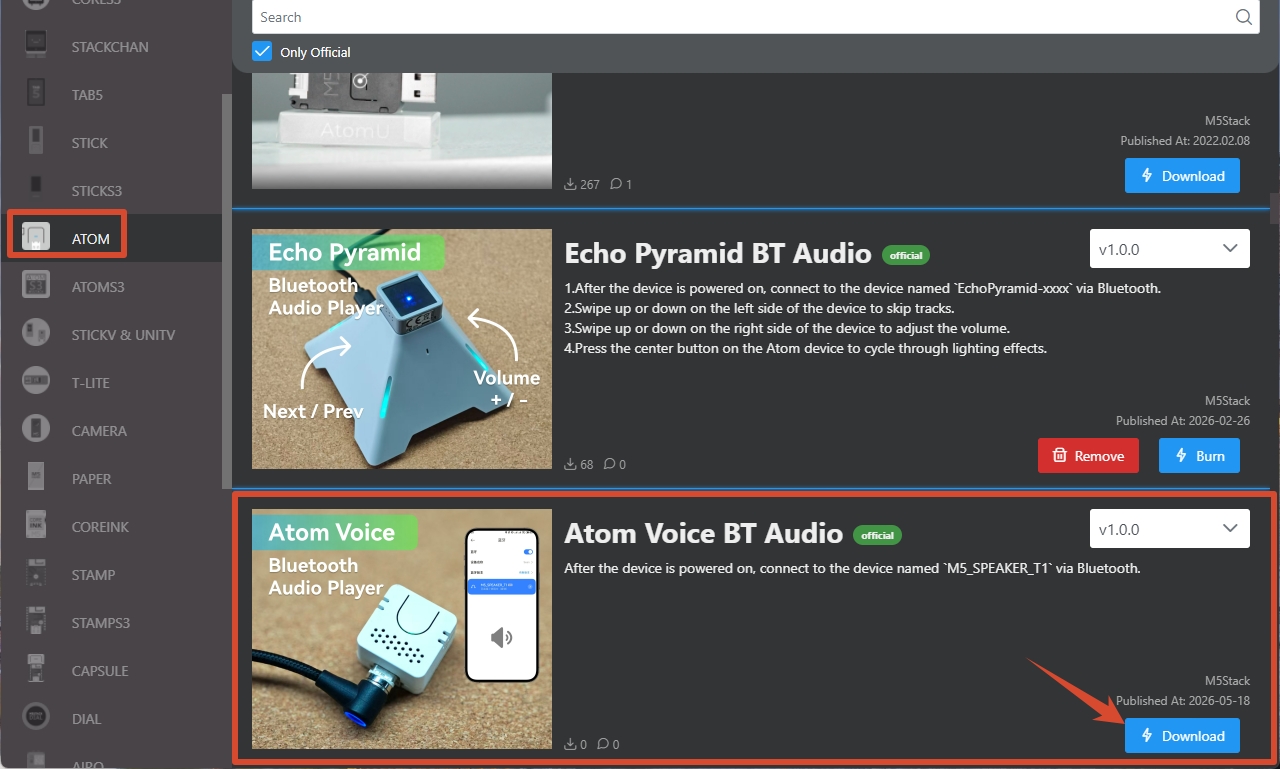
- Follow the M5Burner Tutorial to install the flashing tool, and download the corresponding Bluetooth speaker firmware as shown below.
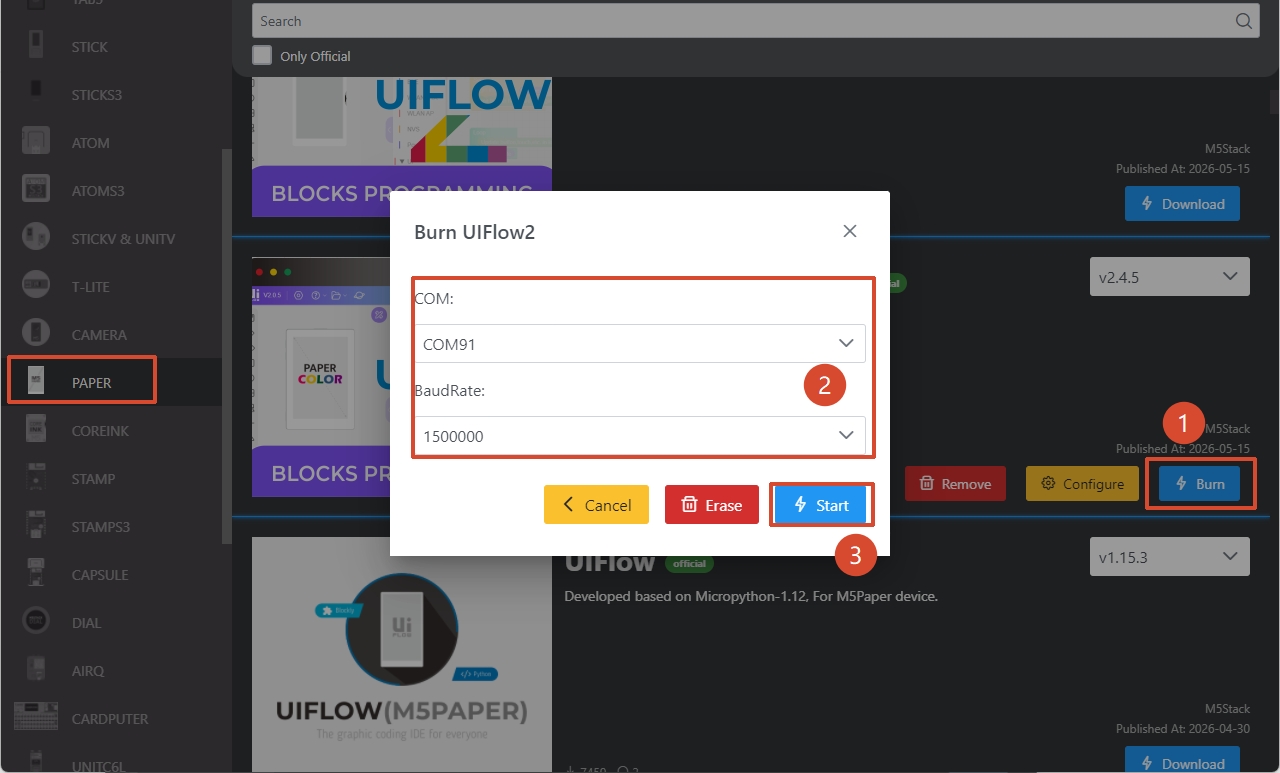
- Connect the Atom Voice to a computer using a USB-TypeC cable. In M5Burner, click the Burn button for the corresponding firmware, select the serial port of the device, and click Start to begin flashing.
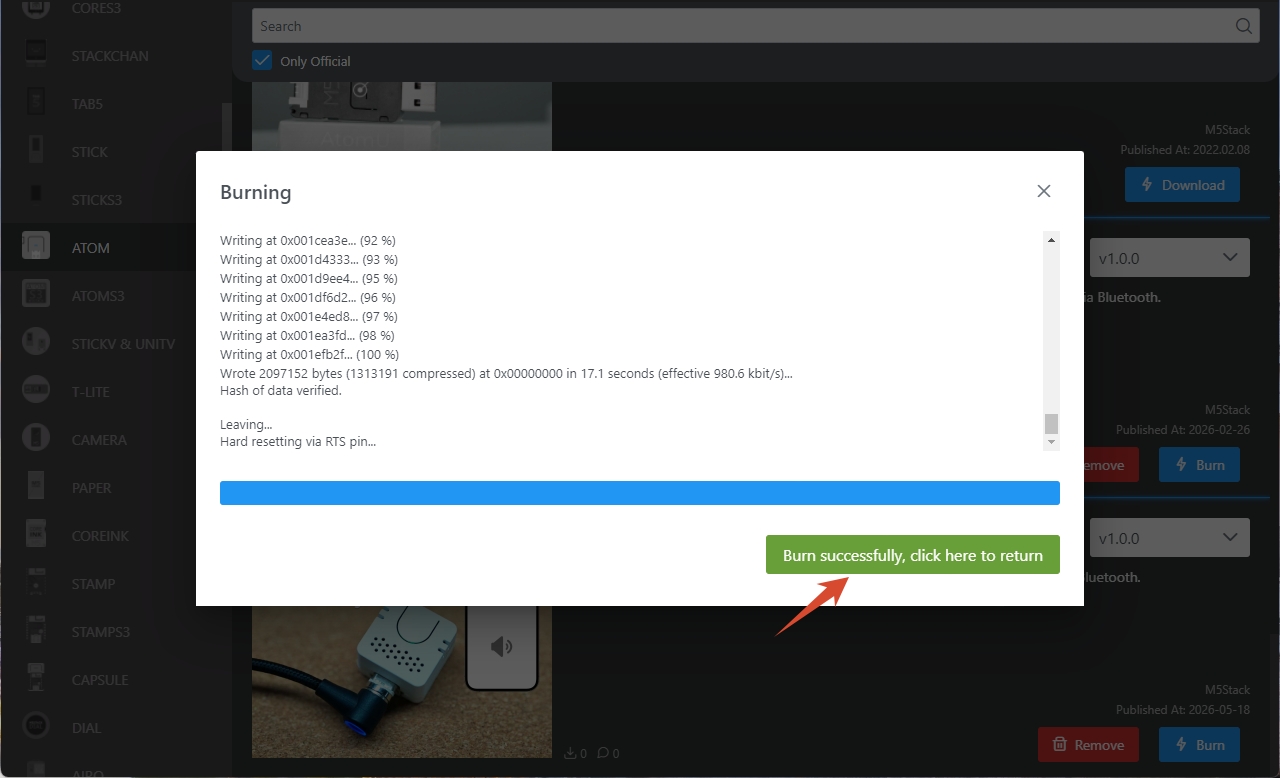
When the page displays Burn successfully, click here to return, the firmware flashing is complete.
Wireless Speaker Usage
- Power on Atom Voice. The red LED will stay solid, indicating the device is in pairing mode.
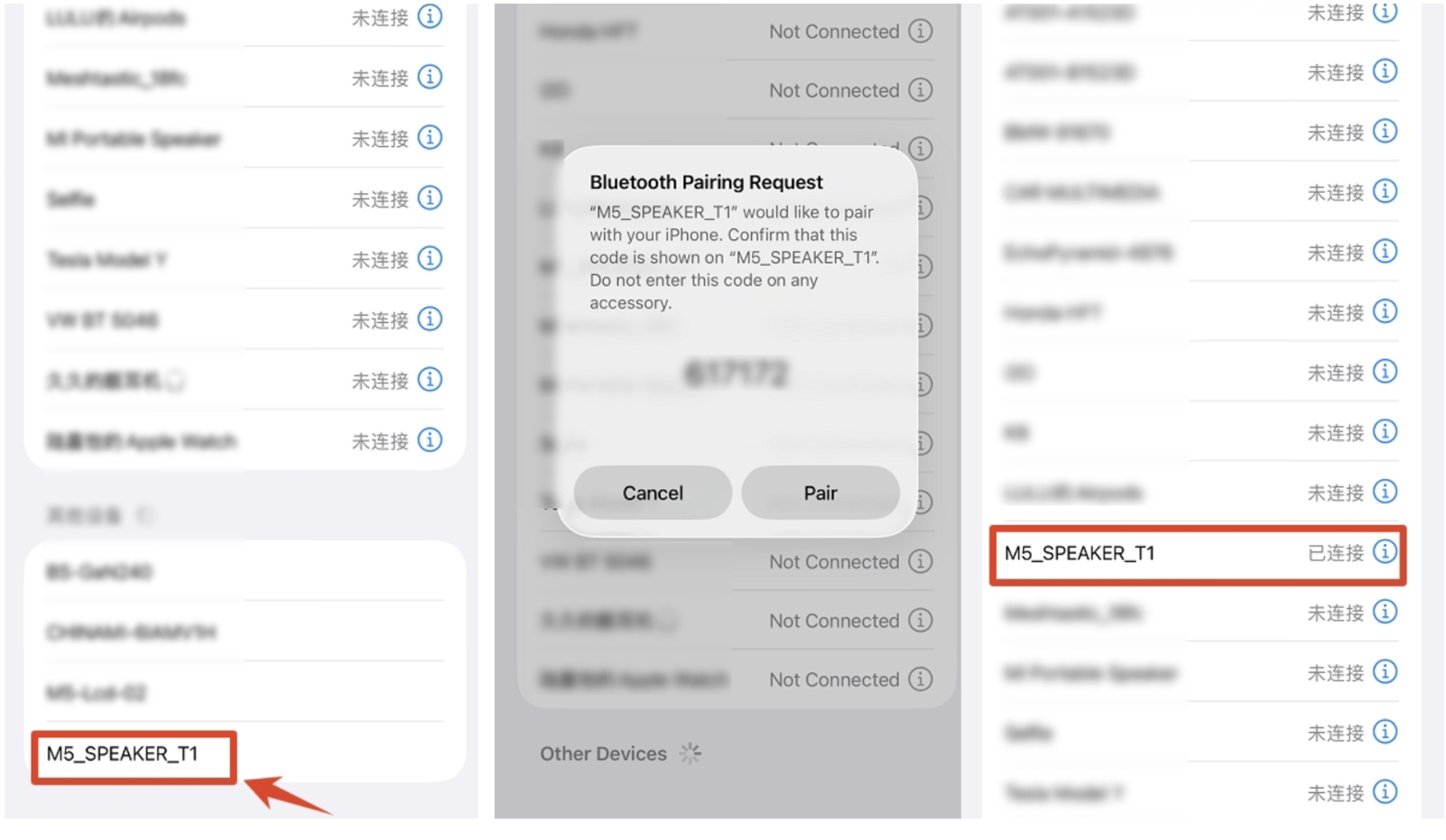
- Enable the wireless audio connection feature on a terminal device such as a phone or computer, search for available nearby devices, and locate the device named
M5_SPEAKER_T1, which is Atom Voice. - Tap the device name to pair and establish a connection. Once connected, the indicator LED will turn green, and the device is ready for audio playback (Note: The current firmware version does not support hands-free calling).
Page Tools