

UiFlow Tutorial
UiFlow1 Quick Start
2. Firmware & Program 1.0
UiFlow1 Development Guide
Project Management
Use LTE network
UiFlow1 Blockly
Event
UI
Unit
Module
Hat
UiFlow2 Quick Start
2. Firmware & Program 2.0
UiFlow2 Development Guide
UI Editor
UiFlow2 Video Column
UiFlow2 Project Import and Export
UiFlow2 is a powerful graphical programming tool that provides an intuitive and easy-to-use programming experience for various hardware platforms. To make it easier for users to share and back up projects across different devices, UiFlow2 provides project import and export functions. Users can export projects as files in a specific format and import them from local storage or other devices when needed, enabling seamless project migration and version management.
Export to Local
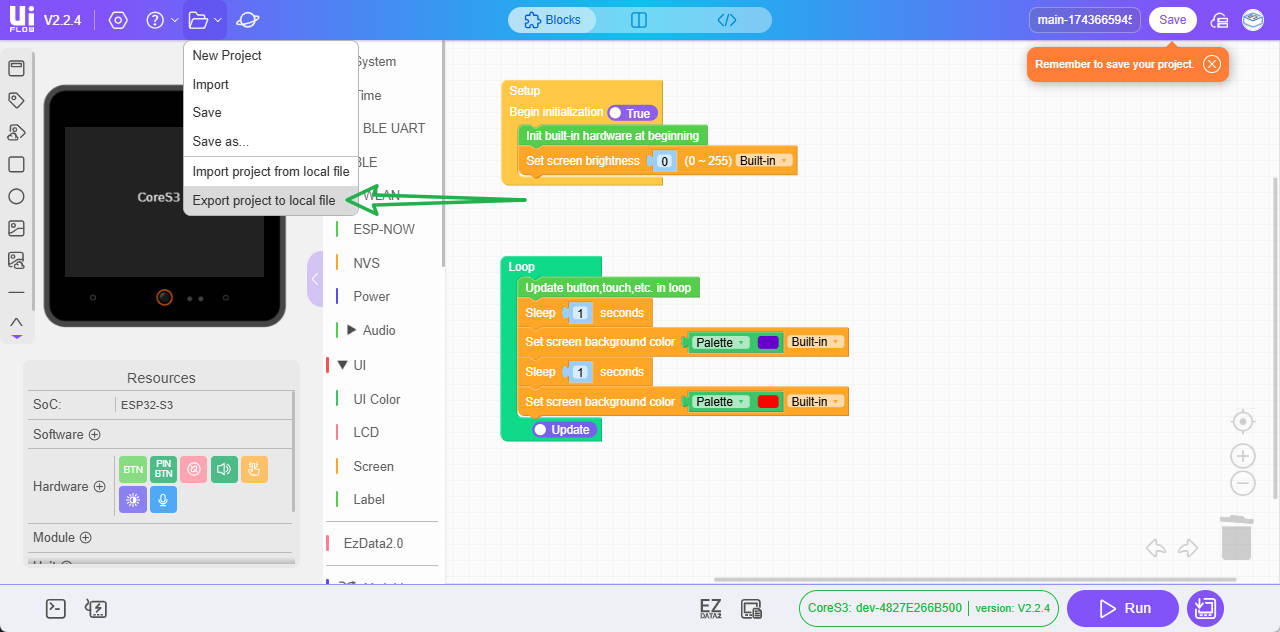
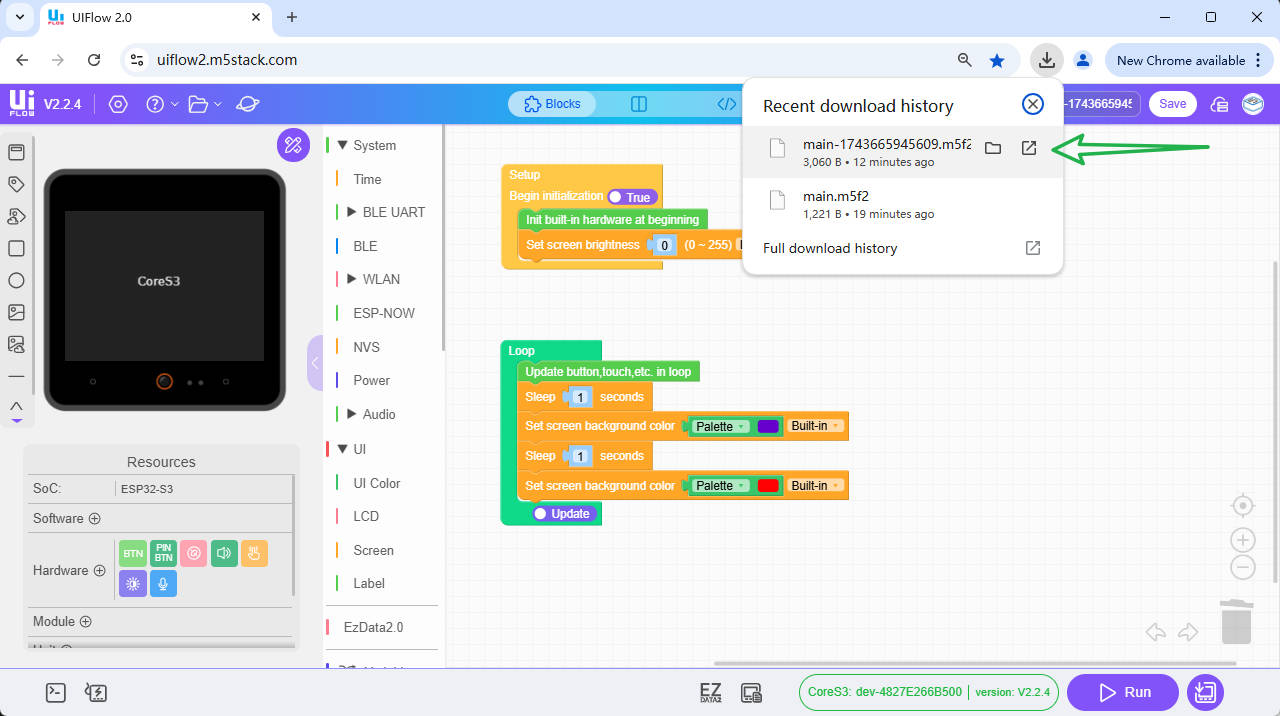
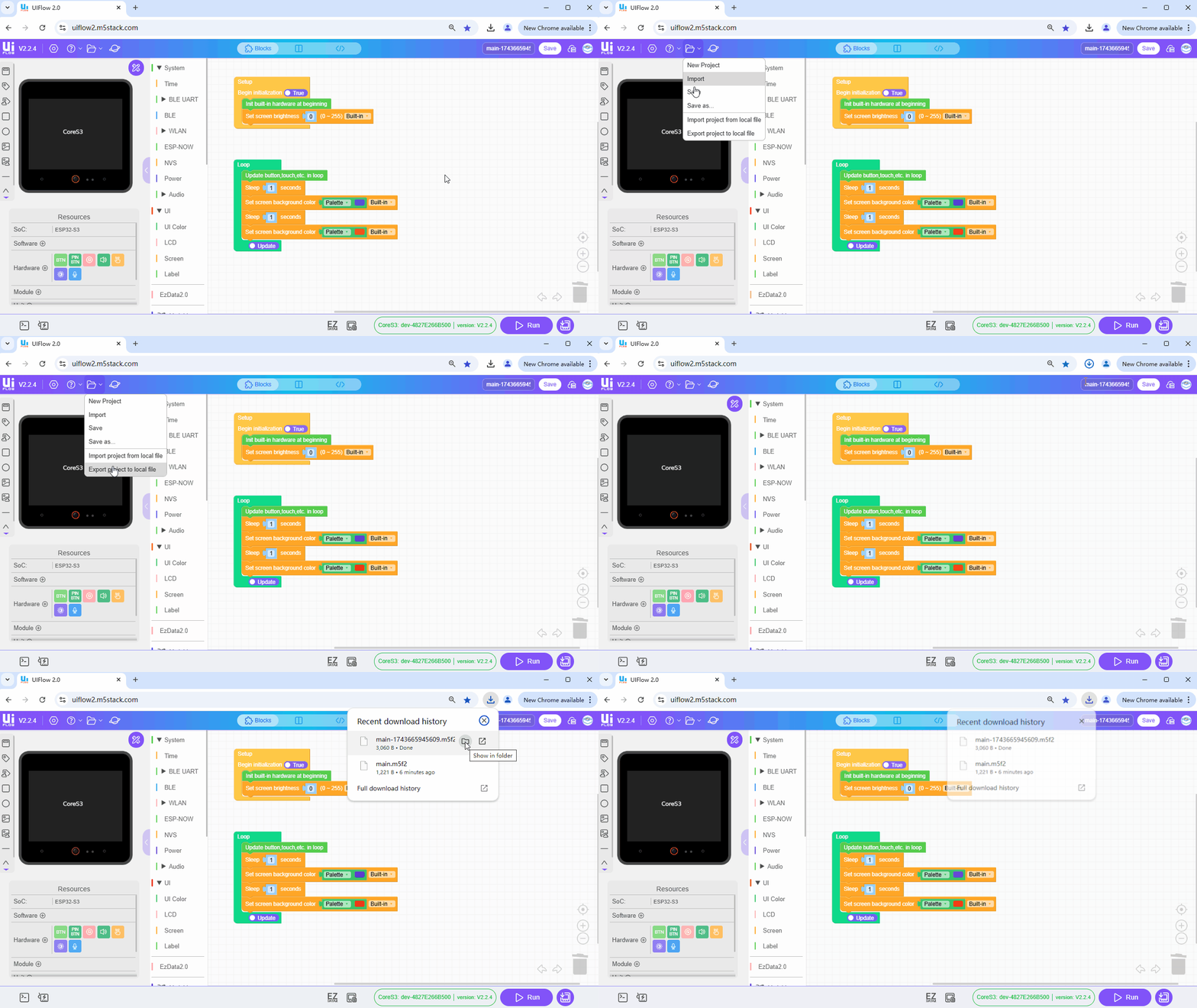
Steps to export a project with UiFlow2:
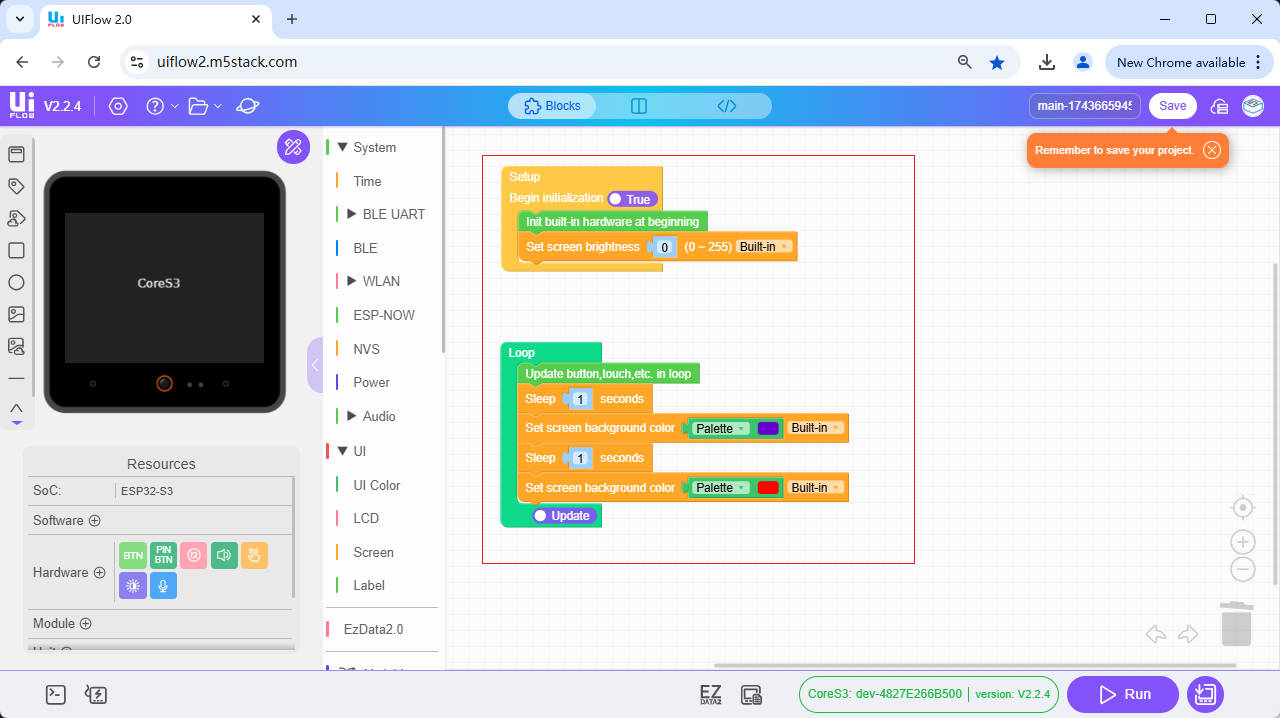
- 1. Move the mouse to the device file management button and click Export Project to local file
- 2. Find the downloaded export file in the browser. The file format is .m5f2
Import from Local
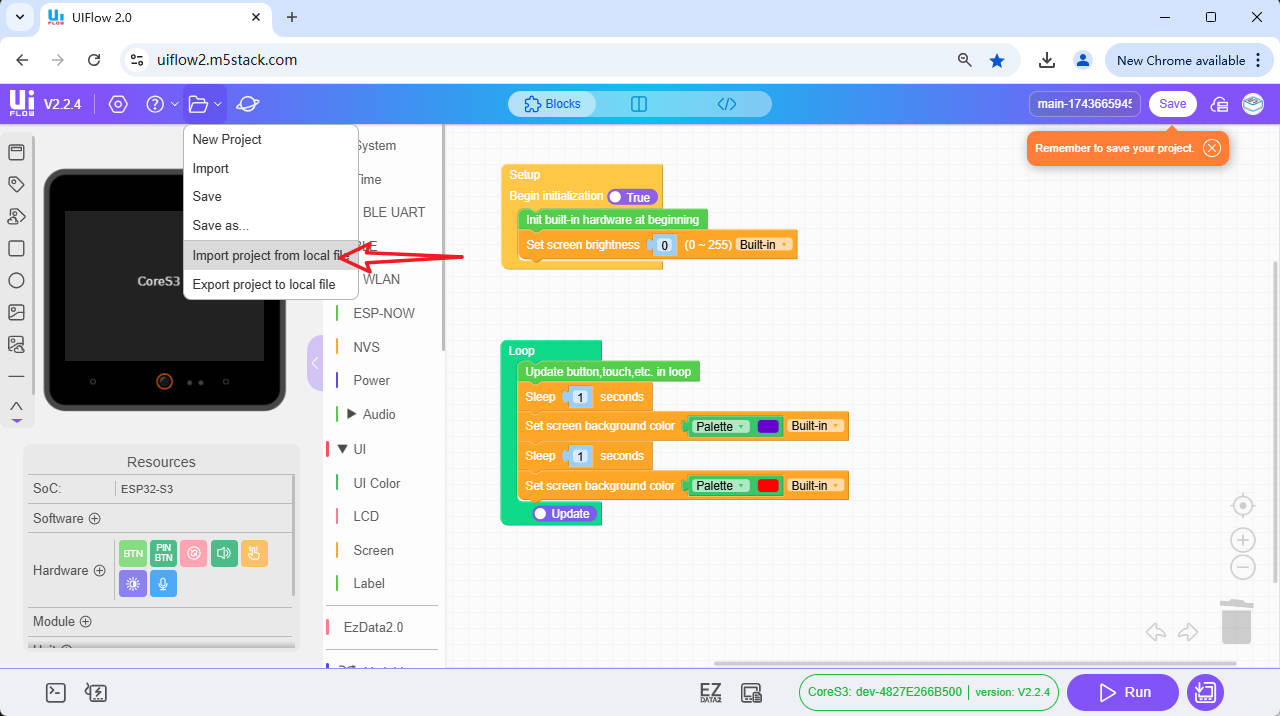
Steps to import a project with UiFlow2:
- 1. Move the mouse to the device file management button and click Import Project from local file
- 2. Find the file to import in the file explorer. The file format must be .m5f2. After import, the code blocks will also appear in the interface

Notes
Version compatibility: Make sure the exported file is compatible with your UiFlow2 version. Different UiFlow versions may change the file format or functions
File security: When exporting and importing files, make sure your files have not been tampered with or damaged by malware. We recommend using trusted antivirus software and storage devices
Backup: Before performing any important operation, be sure to back up your project files. This can prevent data loss caused by unexpected situations