

UiFlow Tutorial
UiFlow1 Quick Start
2. Firmware & Program 1.0
UiFlow1 Development Guide
Project Management
Use LTE network
UiFlow1 Blockly
Event
UI
Unit
Module
Hat
UiFlow2 Quick Start
2. Firmware & Program 2.0
UiFlow2 Development Guide
UI Editor
UiFlow2 Video Column
Unit ID
Example
Generate the public key, create the message signature and verify the signature
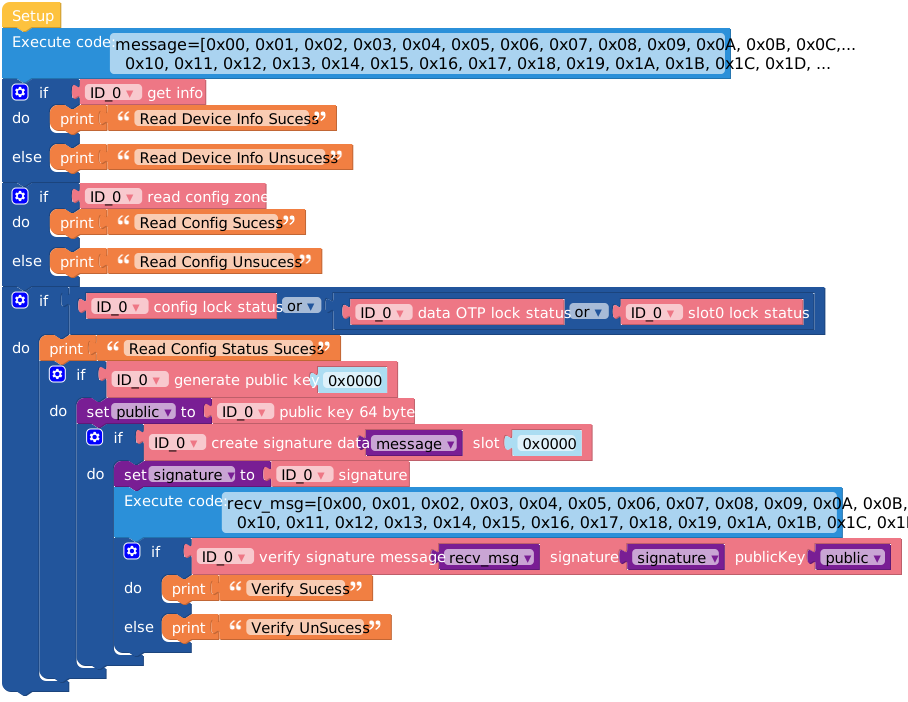
from m5stack import *
from m5stack_ui import *
from uiflow import *
import unit

screen = M5Screen()
screen.clean_screen()
screen.set_screen_bg_color(0xFFFFFF)
ID_0 = unit.get(unit.ID, unit.PORTA)


public = None
signature = None
message = None
recv_msg = None

message=[0x00, 0x01, 0x02, 0x03, 0x04, 0x05, 0x06, 0x07, 0x08, 0x09, 0x0A, 0x0B, 0x0C, 0x0D, 0x0E, 0x0F,
  0x10, 0x11, 0x12, 0x13, 0x14, 0x15, 0x16, 0x17, 0x18, 0x19, 0x1A, 0x1B, 0x1C, 0x1D, 0x1E, 0x1F]
if ID_0.get_info():
  print('Read Device Info Sucess')
else:
  print('Read Device Info Unsucess')
if ID_0.readConfigZone():
  print('Read Config Sucess')
else:
  print('Read Config Unsucess')
if (ID_0.configLockStatus) or (ID_0.dataOTPLockStatus) or (ID_0.slot0LockStatus):
  print('Read Config Status Sucess')
  if ID_0.generatePublicKey(0x0000):
    public = ID_0.publicKey64Bytes
    if ID_0.createSignature(message, 0x0000):
      signature = ID_0.signature
      recv_msg=[0x00, 0x01, 0x02, 0x03, 0x04, 0x05, 0x06, 0x07, 0x08, 0x09, 0x0A, 0x0B, 0x0C, 0x0D, 0x0E, 0x0F,
        0x10, 0x11, 0x12, 0x13, 0x14, 0x15, 0x16, 0x17, 0x18, 0x19, 0x1A, 0x1B, 0x1C, 0x1D, 0x1E, 0x1F]
      if ID_0.verifySignature(recv_msg, signature, public):
        print('Verify Sucess')
      else:
print('Verify UnSucess')API

print((str('status:') + str((ID_0.configLockStatus))))- Retrieve configuration lock status
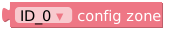
print(ID_0.configZone)- Read configuration parameter region

print((str('new key pair:') + str((ID_0.createNewKeyPair(0x0000)))))- Get generated key pair

print((str('create signature:') + str((ID_0.createSignature(, 0x0000)))))- Retrieve digital signature data

print((str('status:') + str((ID_0.dataOTPLockStatus))))- Check OTP data status

print((str('public key:') + str((ID_0.generatePublicKey(0x0000)))))- Get generated public key

print(ID_0.get_info())- Read chip basic information
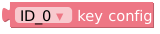
print(ID_0.KeyConfig)- Configure permissions for key storage slot
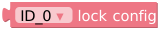
print(ID_0.lock_config())- Retrieve lock configuration details

print(ID_0.lockDataAndOTP())- Read locked OTP data

print(ID_0.lockDataSlot0())- Check locked data slot status

print((str('key:') + str((ID_0.publicKey64Bytes))))- Get 64-byte public key in ECC-P256 format

print(ID_0.random_min_max(0, 0))- Generate range-restricted random number

print(ID_0.readConfigZone())- Extract current security parameters from configuration zone

print(ID_0.revisionNumber)- Read chip firmware version

print(ID_0.serialNumber)- Read chip unique serial number (UID)

print((str('sha256 message:') + str((ID_0.sha256(, 0)))))- Get data length for hardware-accelerated SHA-256 hashing

print(ID_0.signature)- Retrieve digital signature
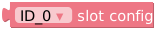
print(ID_0.SlotConfig)- Read storage slot configuration

print((str('status:') + str((ID_0.slot0LockStatus))))- Check storage slot status

print(ID_0.updateRandom32Bytes())- Get updated 32-byte data block

print((str('create message:') + str((ID_0.verifySignature(, , )))))- Retrieve signature verification data

print(ID_0.wakeup())- Check wake-up status

print(ID_0.writeConfigZone())- Read configuration zone write data
Page Tools