Home Assistant
Media Player
Expansion
Sensor
StamPLC Home Assistant Integration
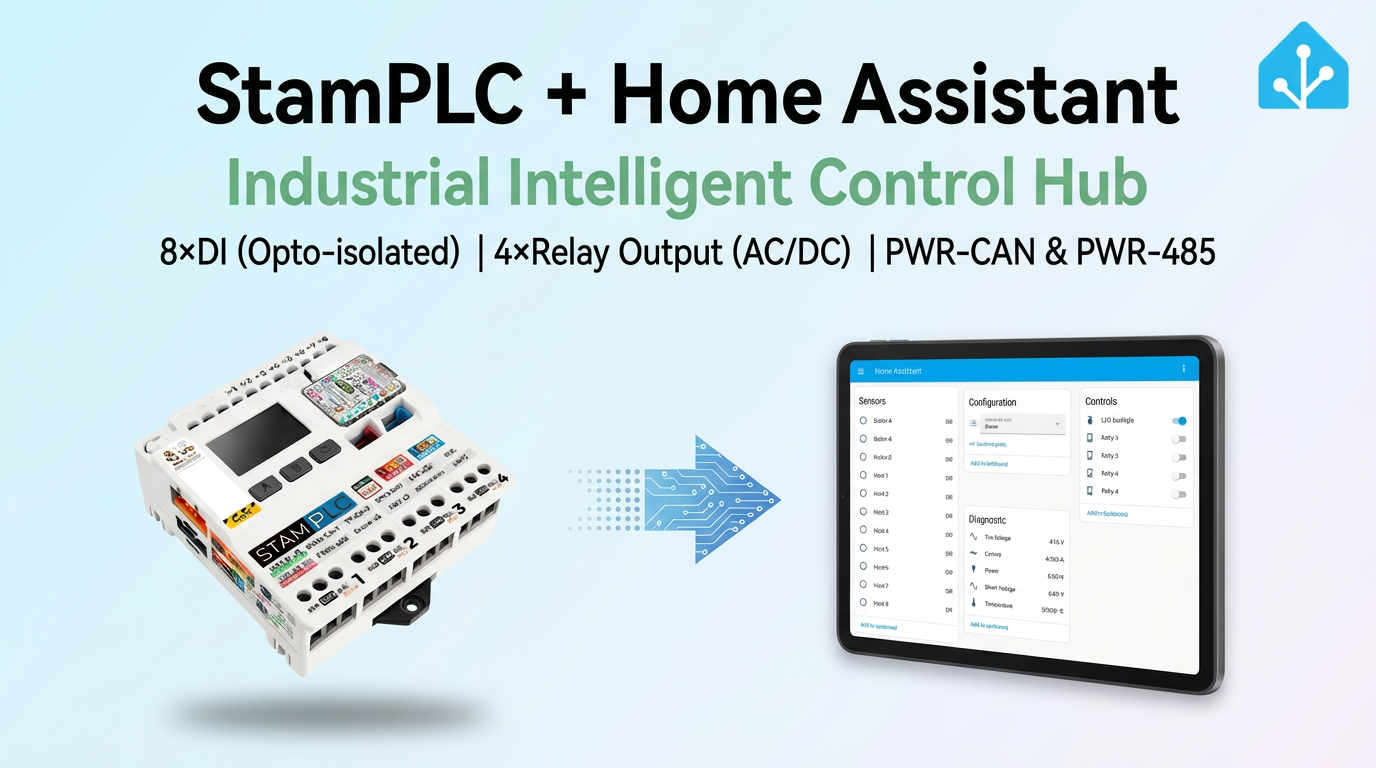
This chapter describes how to integrate the IoT programmable logic controller StamPLC into Home Assistant.
1. Preparation
Environment Setup
- Install Home Assistant by following the official Home Assistant documentation.
- Install the ESPHome Device Builder add-on by following the official ESPHome documentation. (Note: This tutorial is based on
ESPHome 2025.10.3. If you encounter compilation errors, switch to this version for verification.)
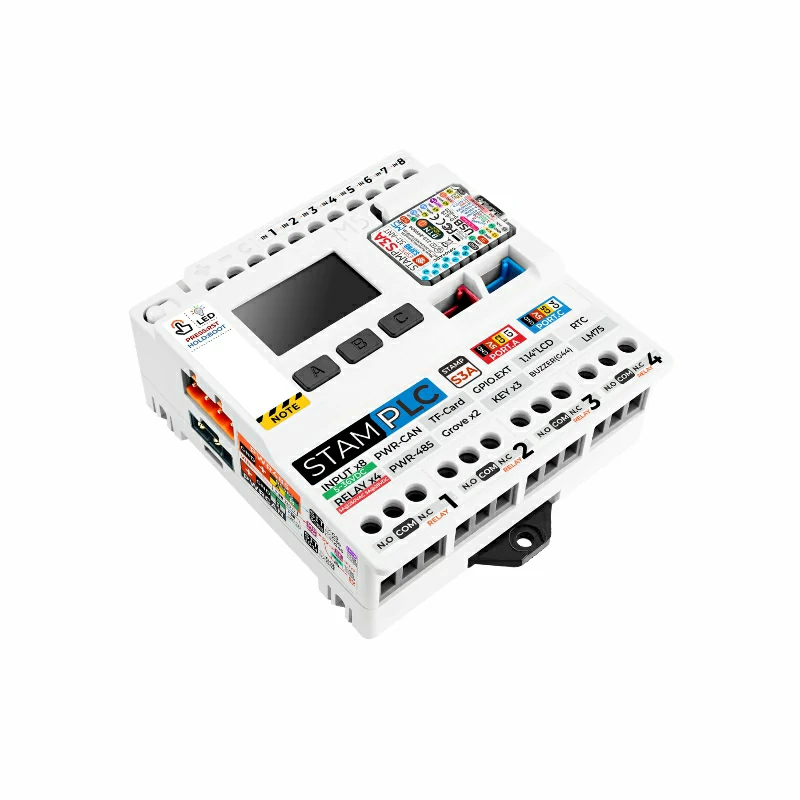
Hardware
2. Online Flashing
Click the Online Flashing button below and follow the prompts to flash the firmware and configure Wi-Fi. You can then quickly experience StamPLC integration with Home Assistant.
For detailed flashing and configuration steps, refer to the Online ESPHome Firmware Flashing and Configuration Guide.
After completing online flashing, you do not need to perform the "Firmware Compilation & Flashing" steps. Proceed directly to 4. Getting Started.
3. Firmware Compilation & Flashing
This section explains how to recompile the project from the yaml configuration file for secondary development, feature modifications, or adding new features.
Create Device
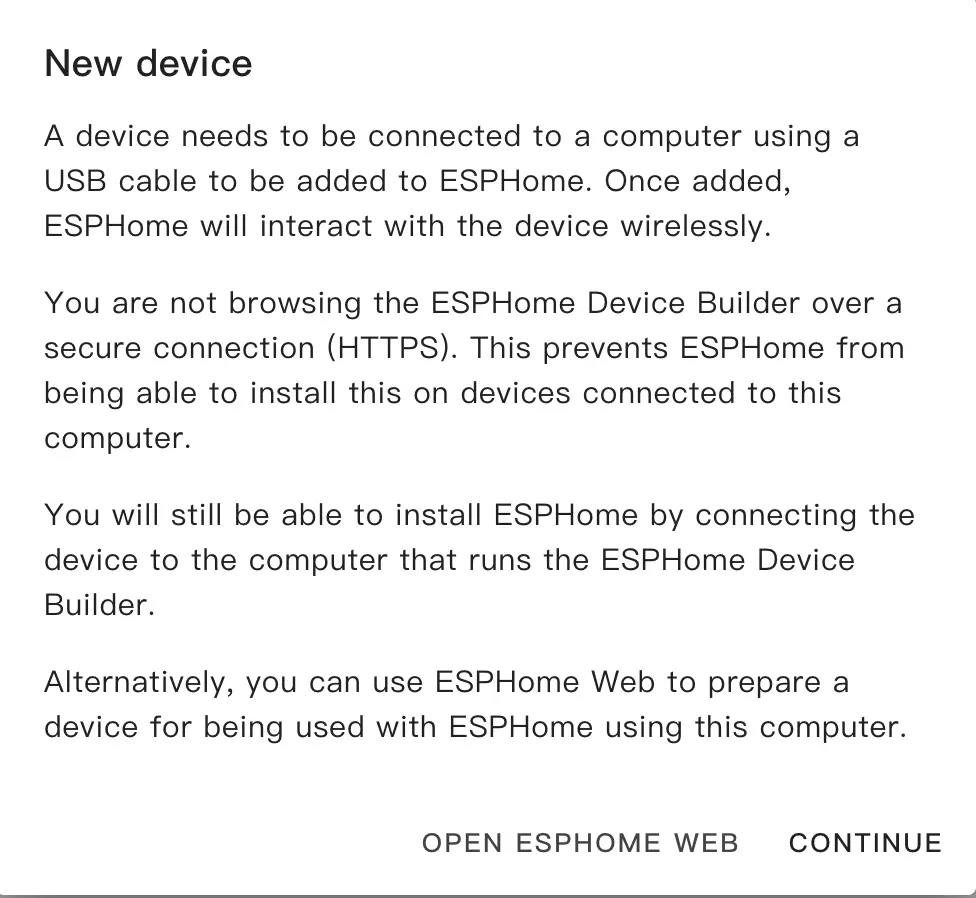
Open ESPHome Builder in Home Assistant and click the
NEW DEVICEbutton in the bottom right corner to create an empty configuration file.Click
CONTINUEin the pop-up box.
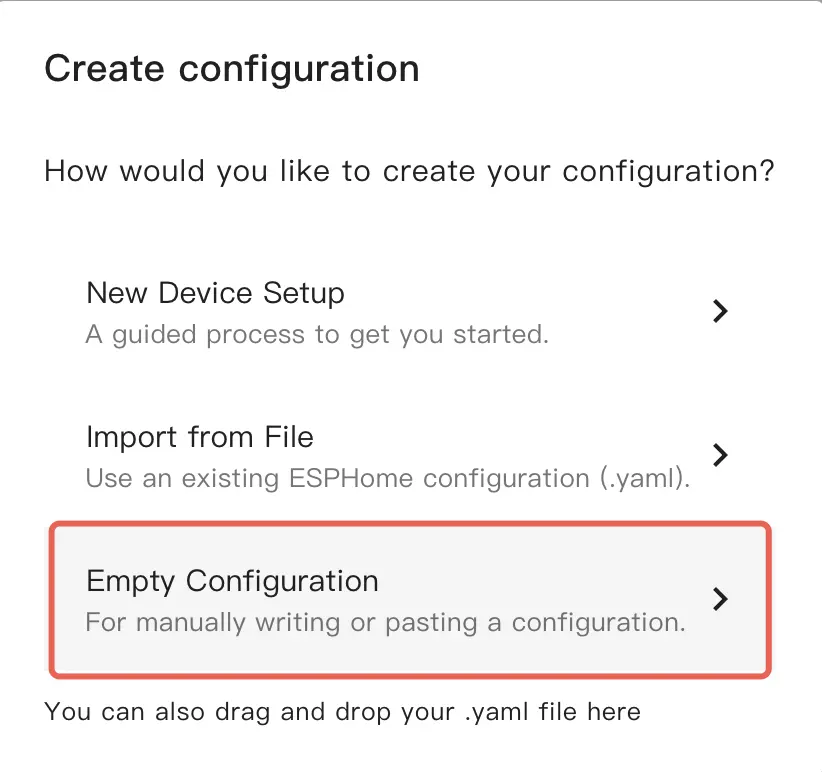
- Select
Empty Configuration.
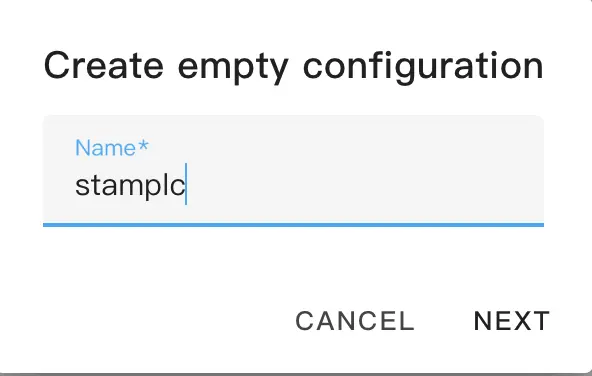
- Name the file (optional).
Modify Configuration
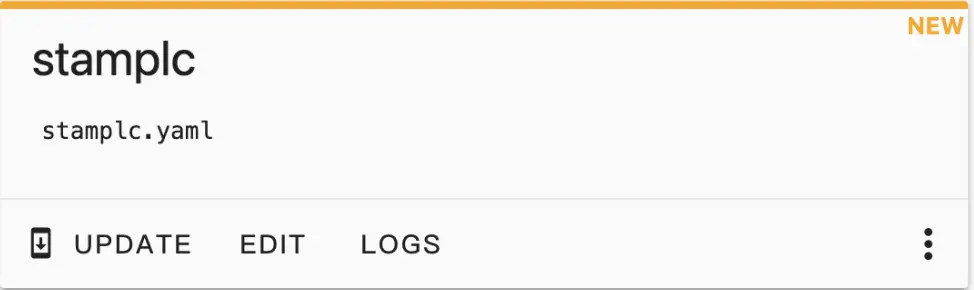
- Click
EDITon the newly generated configuration file.
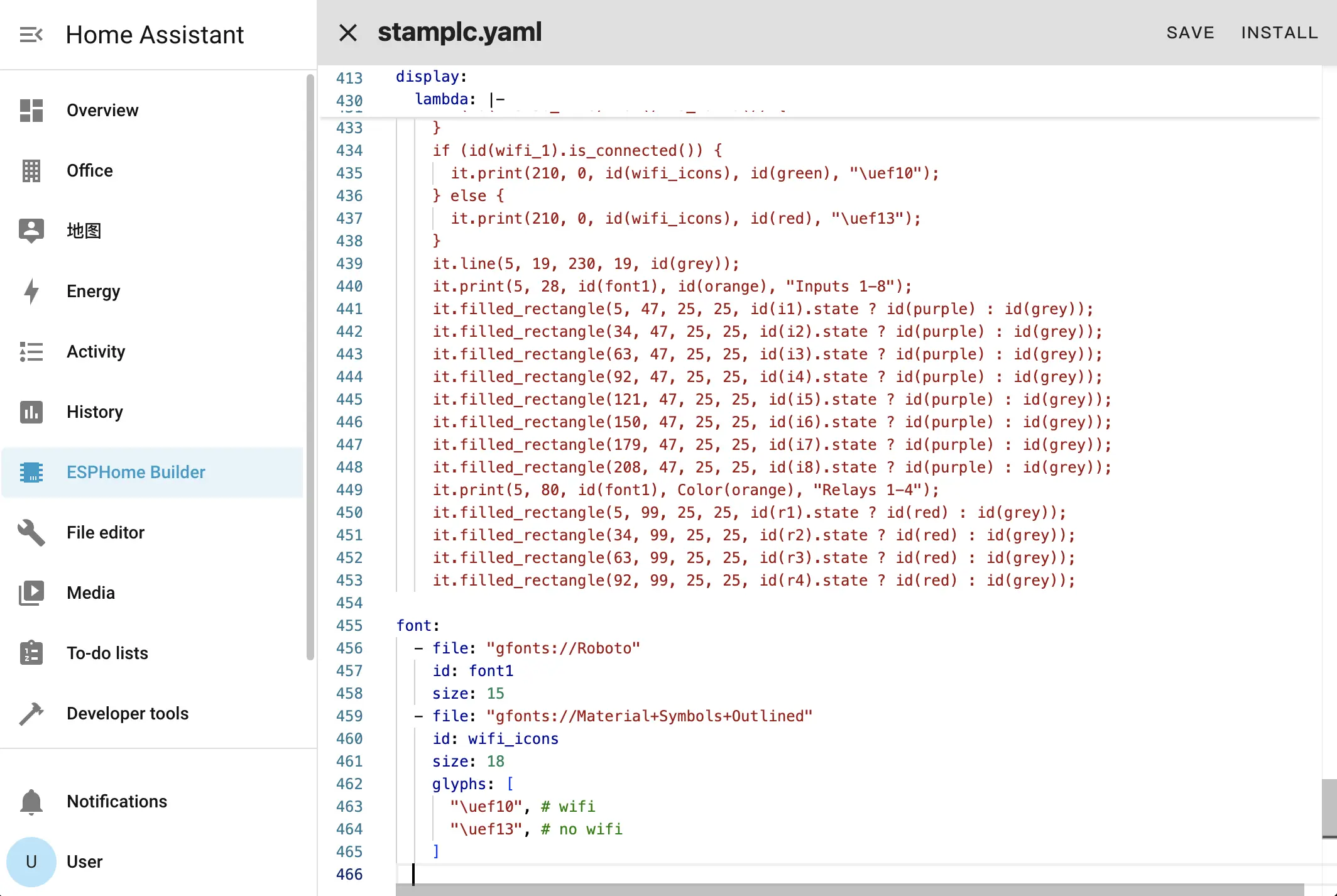
- Copy the contents of configuration.yaml into the configuration file.
- Change network configuration or API information as needed, such as creating an API Encryption Key for authentication:
api:
  encryption:
key: "Your_Encryption_Key"encryption.Or change the timezone settings:
timezone: Europe/LondonChange to the appropriate timezone:
timezone: Asia/ShanghaiClick
SAVEandINSTALLin the top right corner in sequence, then selectManual download.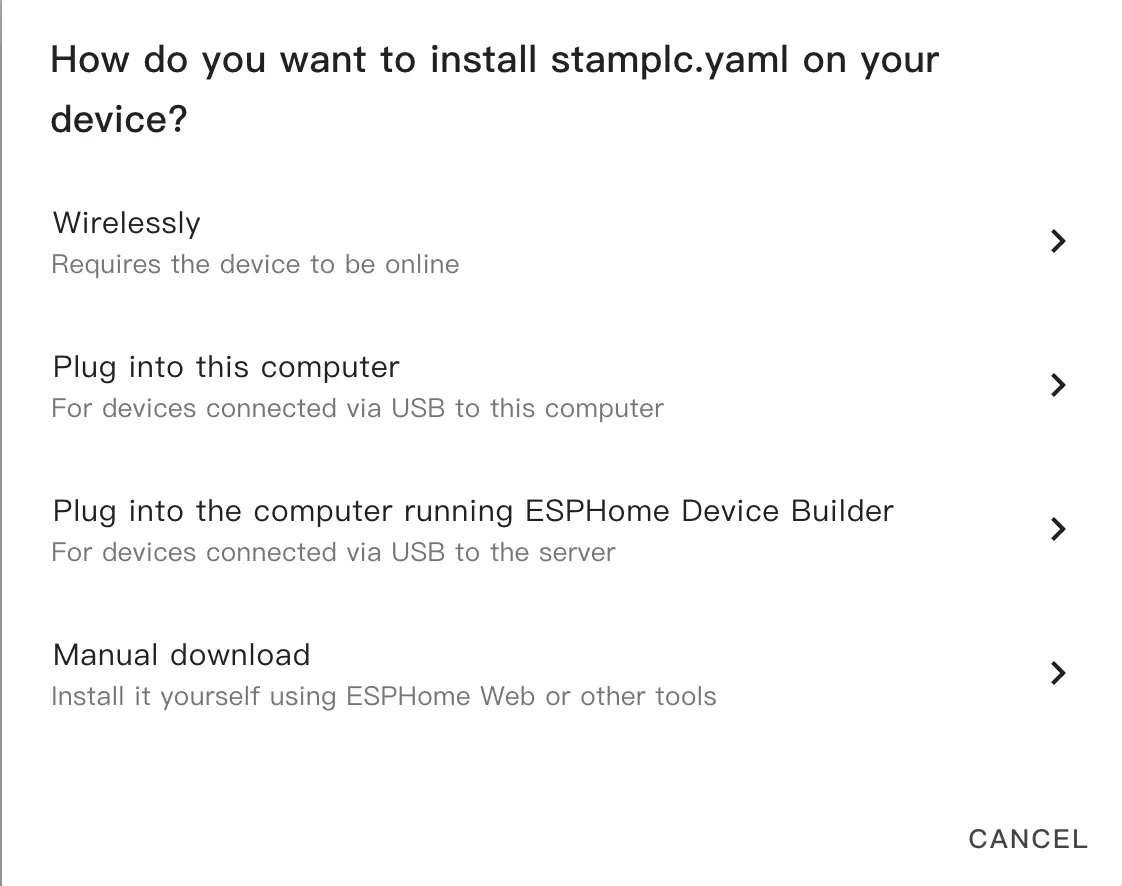
The code will be generated and the project will be compiled.
When compilation is complete, select
Factory formatto download the firmware.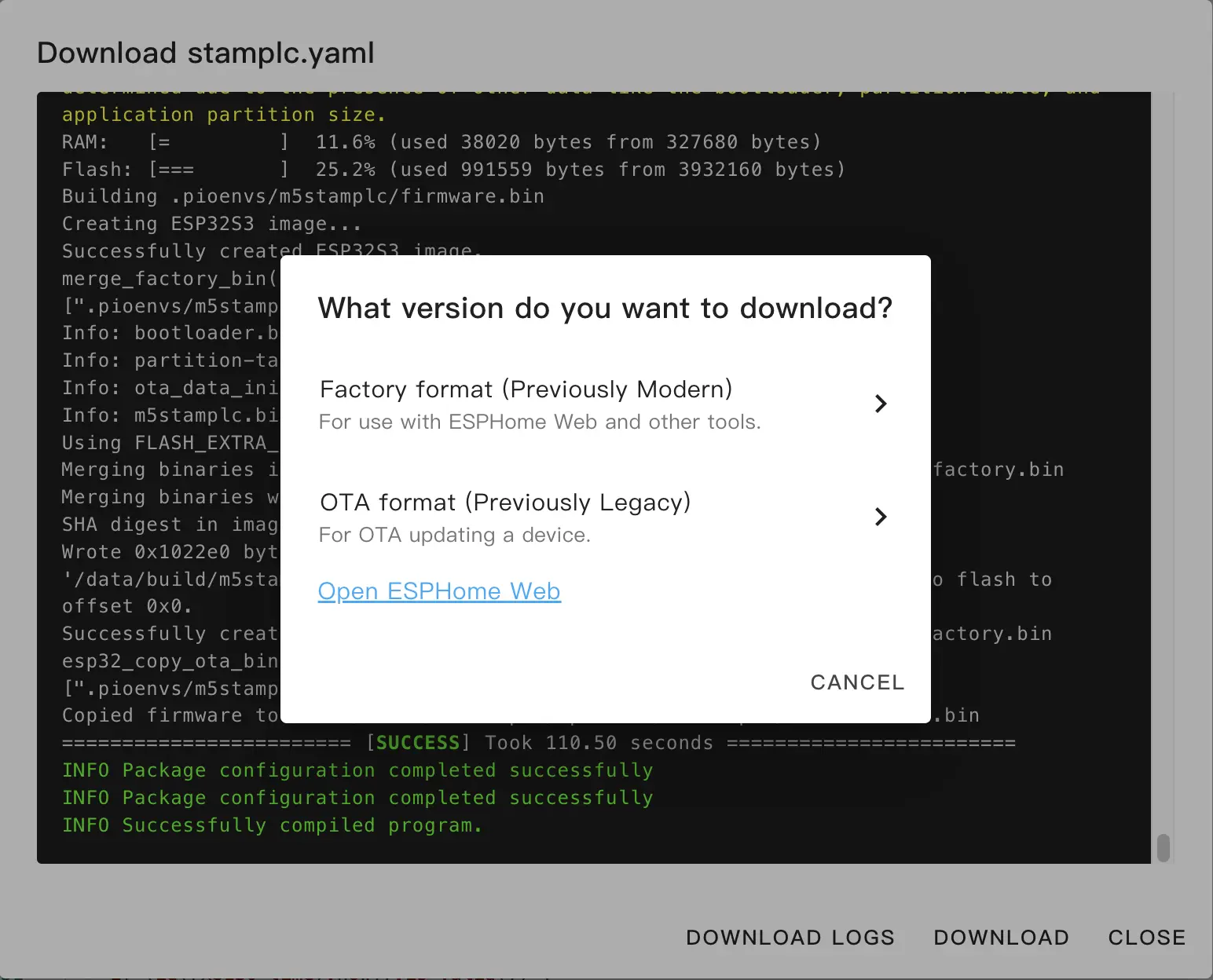
Flash Firmware
Download firmware: Download the Factory Format firmware via the
Manual downloadmethod in ESPHome Builder.Flash firmware using web tools:
Open a browser and visit ESPHome Web to upload the firmware.
Connect StamPLC to the host using a USB Type-C data cable, click
CONNECT, and select the device connection.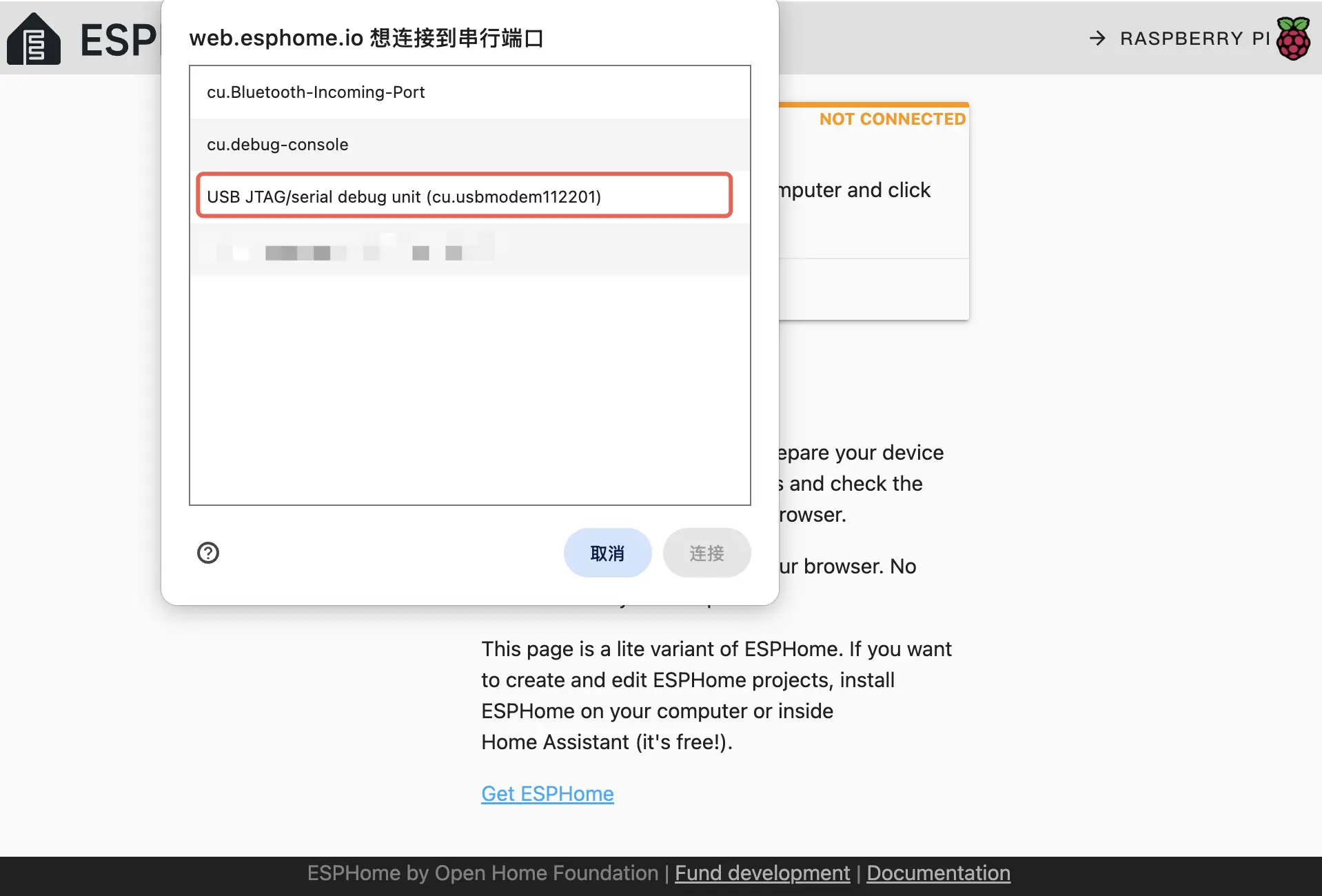
Click
INSTALL, select the previously downloaded firmware to upload, then clickINSTALLagain to flash the firmware to the device.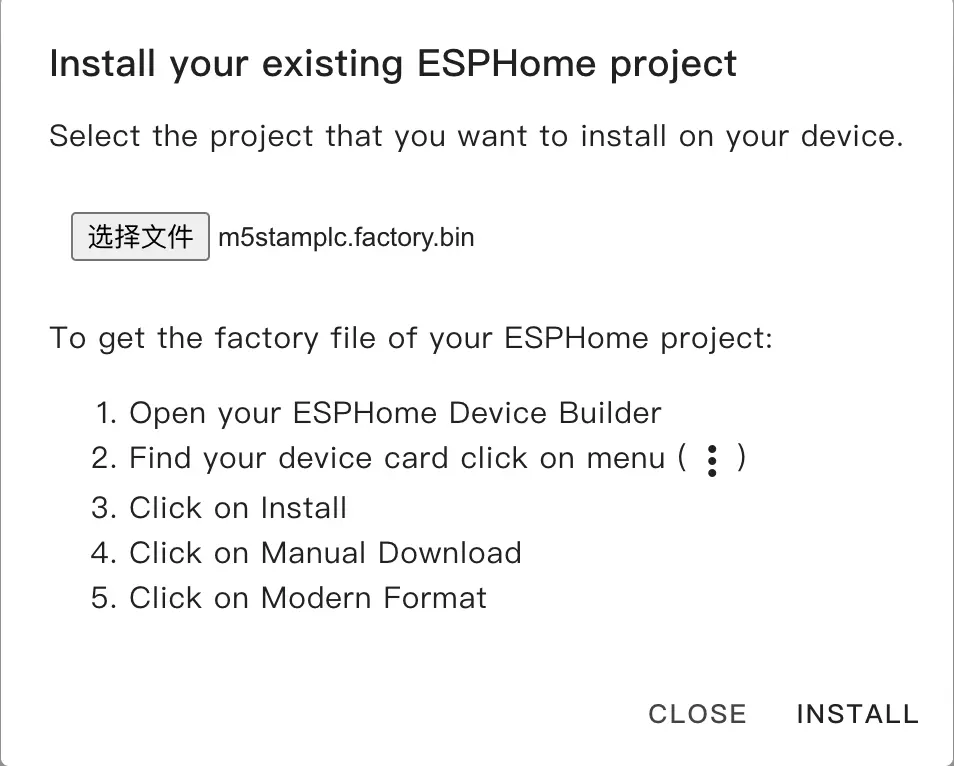
When flashing is complete, the device will automatically reset.
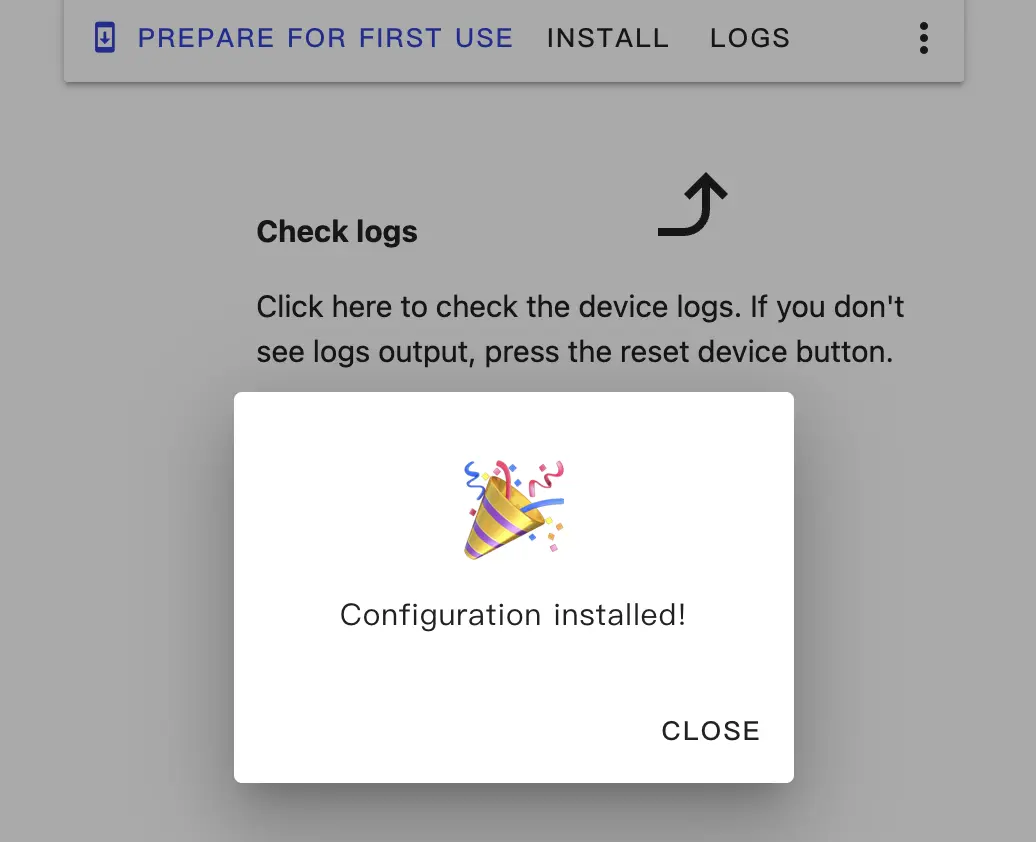
4. Getting Started
Add Device to Home Assistant Integration
When the device restarts, it will automatically connect to the previously configured network. Under normal circumstances, the device can be discovered in
Settings>Devices & Services.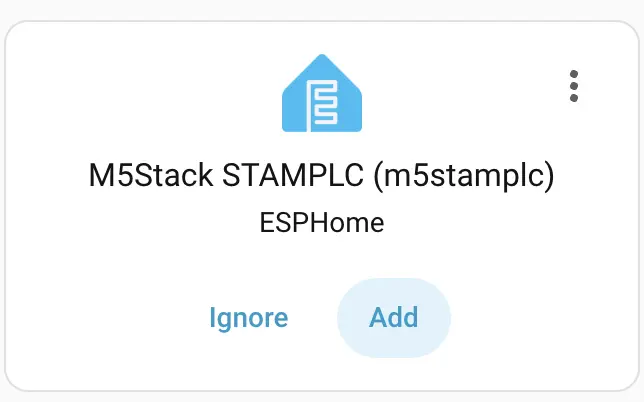
Click
Addto integrate StamPLC into Home Assistant. If an API Encryption Key was previously set, you may need to enter it here for verification. StamPLC Dashboard Example: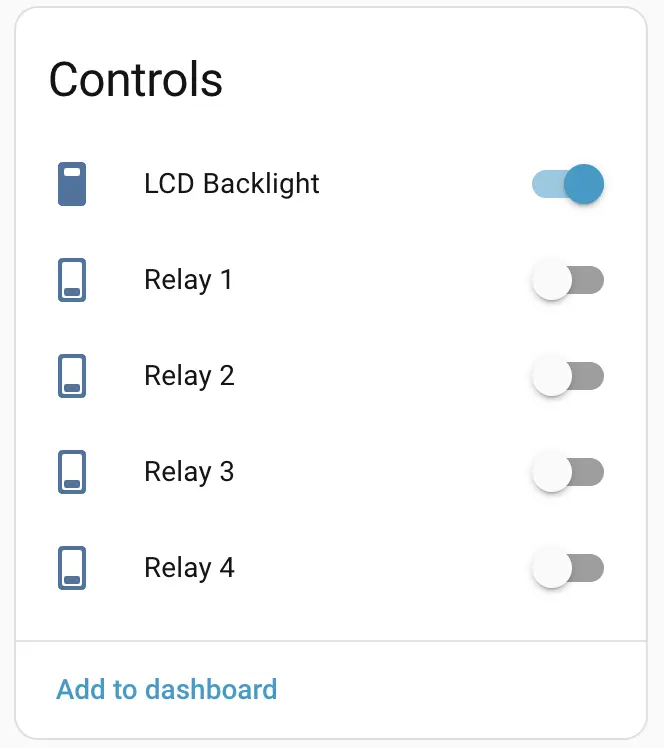
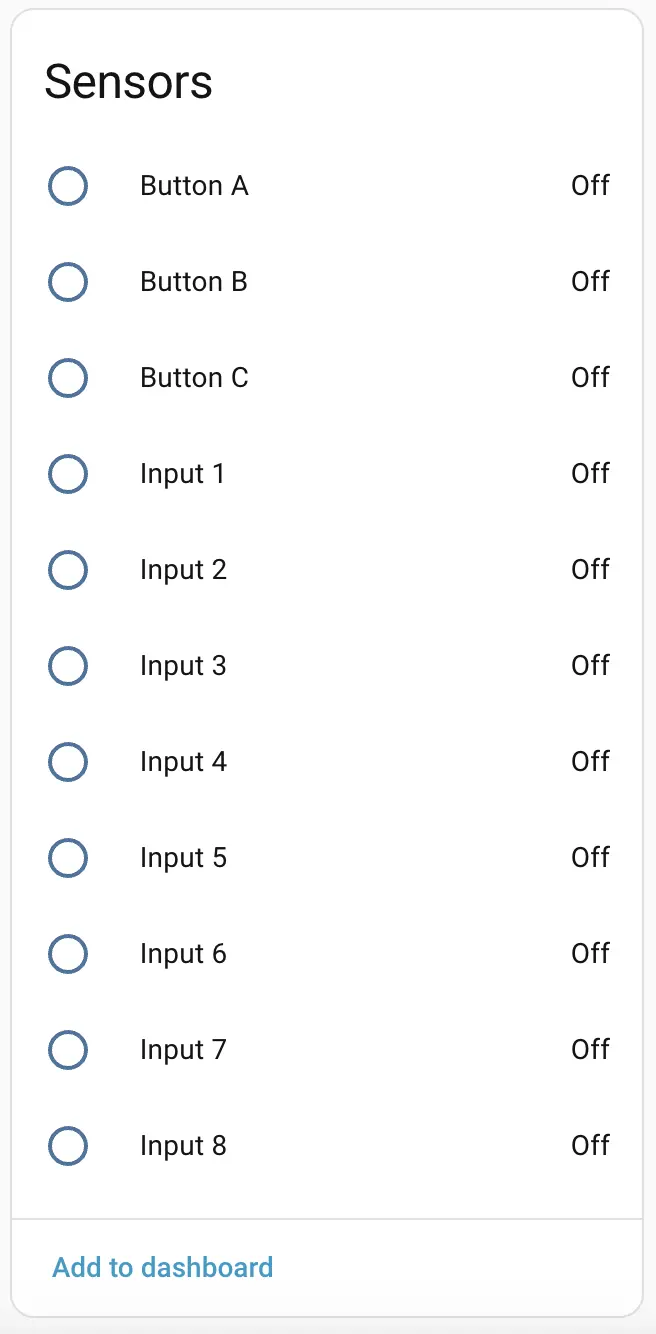
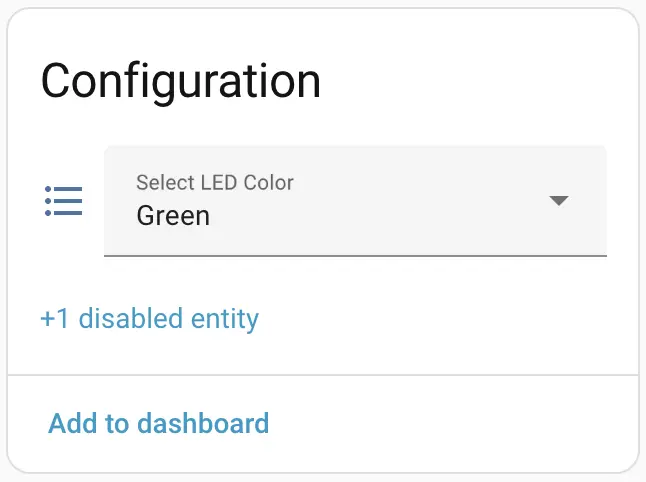
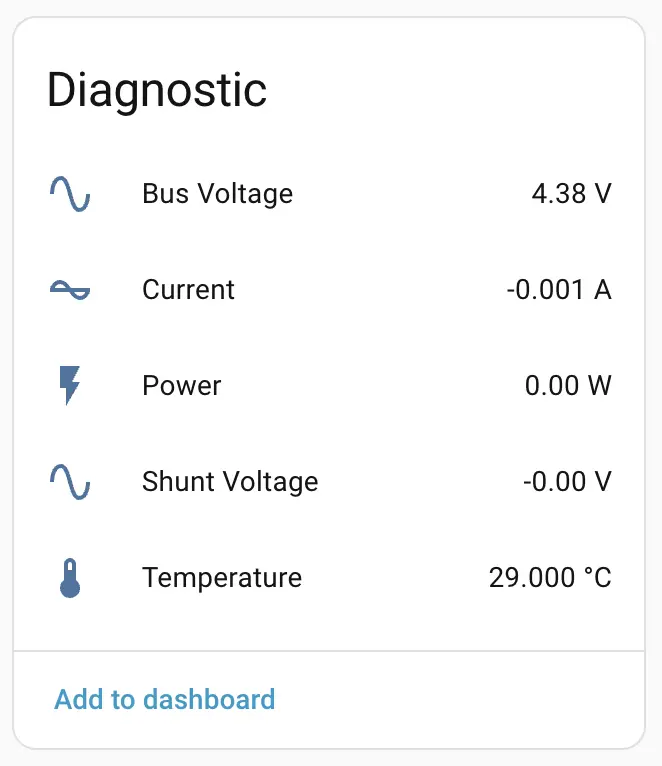
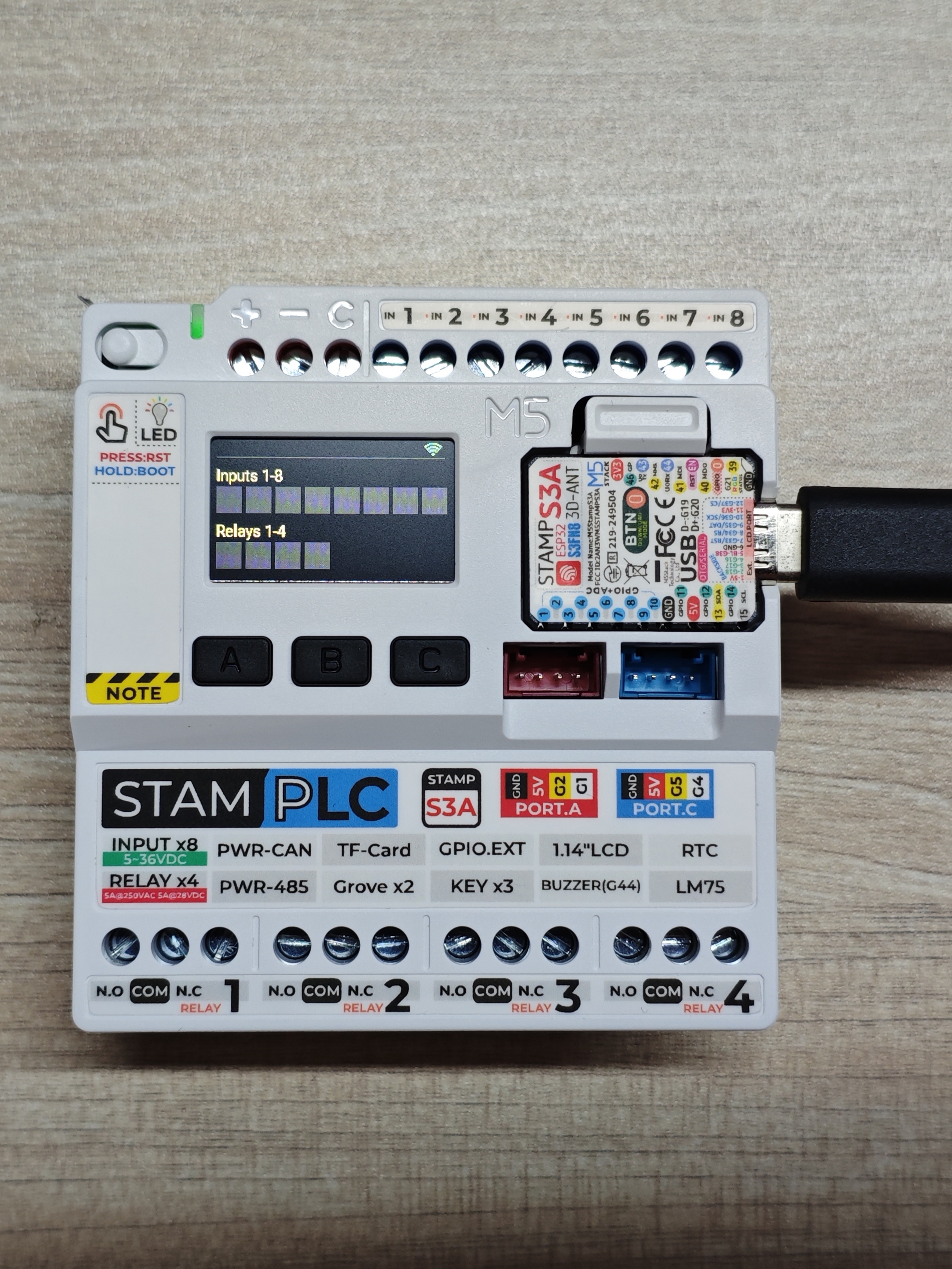
Physical Operation:
Expansion
StamPLC supports expansion, allowing other expansions to be connected via the 16-pin header on the right side.
StamPLC AC
Product Introduction:

StamPLC AC is an AC relay expansion module tailored for the StamPLC host. The module integrates AC load control and power supply for the entire machine, effectively simplifying the power wiring for applications. It uses contact relays (SPST - Normally Open), supporting line on/off up to AC 240V@10A. It has a built-in AC-DC isolated conversion circuit, supporting AC 100 ~ 240V input, which can power the relay load while outputting DC 12V to power the entire machine. Onboard programmable tri-color LED for status indication. The StamPLC main controller programs and controls the relays and RGB LED via an I2C IO expansion chip, effectively saving IO resources. Suitable for industrial application scenarios such as AC load equipment switches and solenoid valve control.
Configure StamPLC AC: Based on the previous StamPLC configuration, some components need to be added to the YAML configuration:
Add new IO Expander:
pi4ioe5v6408: - id: pi4ioe5v6408_1 address: 0x43 # Configuration of i2c GPIO Expander 2 # on the StamPLC AC expansion - id: pi4ioe5v6408_2 address: 0x44Add new AC Relay switch:
switch: ... - platform: gpio restore_mode: RESTORE_DEFAULT_OFF name: "StamPLC AC Relay" id: ac_r1 pin: pi4ioe5v6408: pi4ioe5v6408_2 number: 2 mode: output: true on_state: - component.update: vduAdd new LED color control on top of AC Relay:
switch: ... # led indicator on StamPLC AC expansion - platform: gpio restore_mode: ALWAYS_OFF id: "ac_relay_led_red" pin: pi4ioe5v6408: pi4ioe5v6408_2 number: 5 inverted: true mode: output: true - platform: gpio restore_mode: ALWAYS_OFF id: "ac_relay_led_green" pin: pi4ioe5v6408: pi4ioe5v6408_2 number: 6 inverted: true mode: output: true - platform: gpio restore_mode: ALWAYS_OFF id: "ac_relay_led_blue" pin: pi4ioe5v6408: pi4ioe5v6408_2 number: 7 inverted: true mode: output: trueAdd new AC Relay UI for the Display component:
display:
  ...
  lambda: |-
    ...
    it.print(5, 80, id(font1), Color(orange), "Relays 1-4");
    it.filled_rectangle(5, 99, 25, 25, id(r1).state ? id(red) : id(grey));
    it.filled_rectangle(34, 99, 25, 25, id(r2).state ? id(red) : id(grey));
    it.filled_rectangle(63, 99, 25, 25, id(r3).state ? id(red) : id(grey));
    it.filled_rectangle(92, 99, 25, 25, id(r4).state ? id(red) : id(grey));
    it.print(141, 80, id(font1), Color(orange), "AC Expansion");    // The AC Relay Expansion
    it.filled_rectangle(141, 99, 25, 25, id(ac_r1).state ? id(red) : id(grey));
  ...
After completing the configuration, recompile and upload the firmware. Add the device to Home Assistant to control the AC Relay via the additional switch.

Turning the switch on and off will change the LCD status synchronously.
StamPLC PoE
Product Introduction:
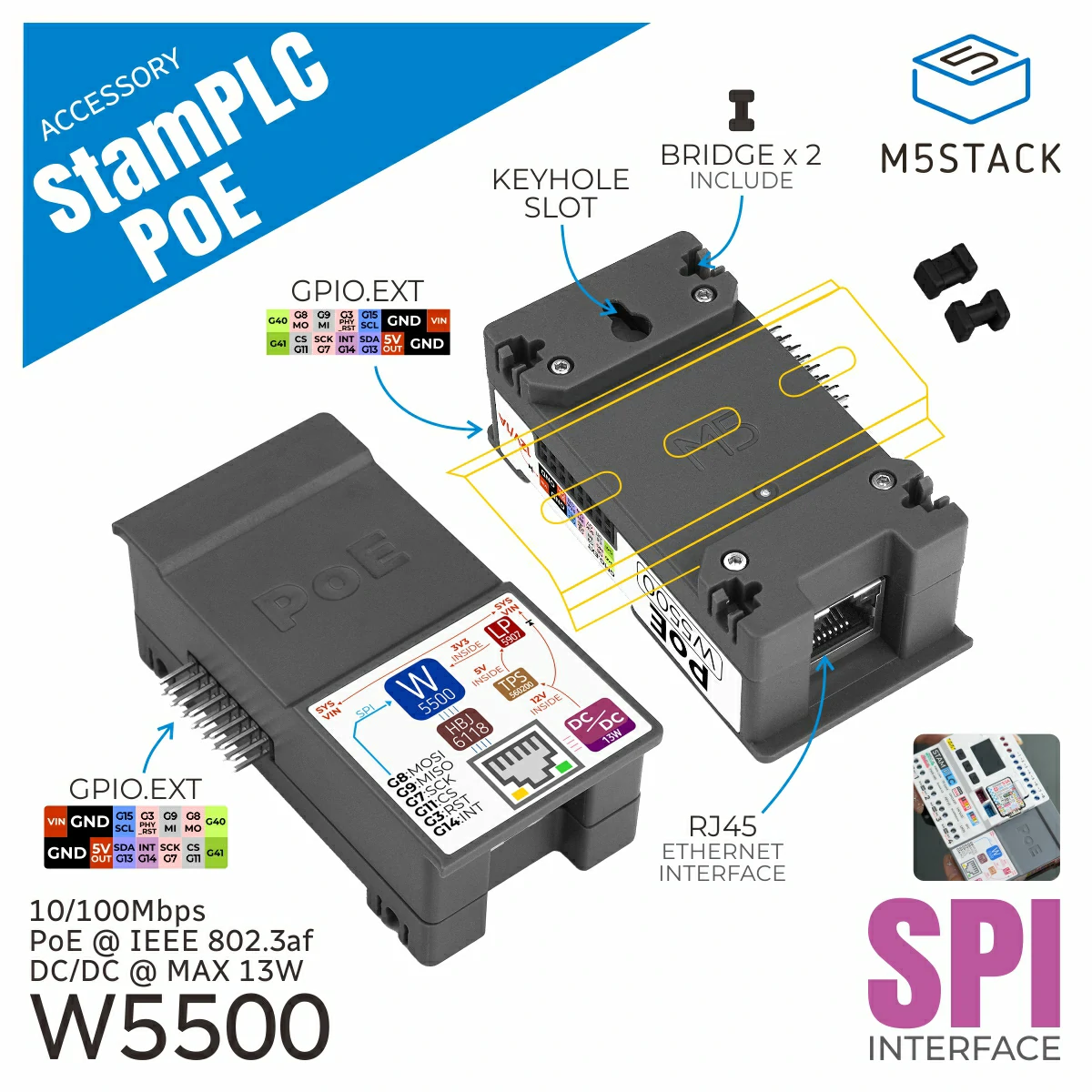
StamPLC PoE is an Ethernet control module for the StamPLC host, supporting PoE (Power over Ethernet) technology, which allows simultaneous data transmission and power supply through a single network cable. The module has a built-in W5500 embedded Ethernet controller, integrating the TCP/IP protocol stack, with 8 independent hardware sockets, 10/100M Ethernet Data Link Layer (MAC), and Physical Layer (PHY), supporting mainstream network communication methods such as UDP and TCP.
Configure StamPLC PoE:
In network components, the 'wifi' component and 'ethernet' component are mutually exclusive options; you can only choose one.
To use the PoE function, you need to disable the wifi, display, and spi components (delete related declarations/definitions in the configuration file), then add to the original configuration file:
ethernet:
  id: ethernet_1
  type: W5500
  clk_pin: GPIO7
  mosi_pin: GPIO8
  miso_pin: GPIO9
  cs_pin: GPIO11
clock_speed: 20MHzSave and recompile, upload the project. Use a PoE switch or router to provide power and network to the device.