

Product Guide
AI & Agent
Real-Time AI Voice Assistant
XiaoZhi Voice Assistant
AtomS3R-M12 Volcengine Kit
Offline Voice Recognition
Industrial Control
IoT Measuring Instruments
Air Quality
PowerHub
Module13.2 PPS
VAMeter
T-Lite
Input & Output Devices
Ethernet Camera
PoECAM
Wi-Fi Camera
Unit CamS3/-5MP
AI Camera
LoRa & LoRaWAN
Motor Control
Restore Factory Firmware
DIP Switch Usage Guide
PaperColor Restore Factory Firmware
Factory Firmware
If the device is not working properly, you can try re-flashing the factory firmware to check whether there is a hardware fault. Follow the steps below to flash the factory firmware using the M5Burner tool.
1. Preparation
- Refer to the M5Burner Tutorial to download the flashing tool, then download the corresponding firmware as shown below.
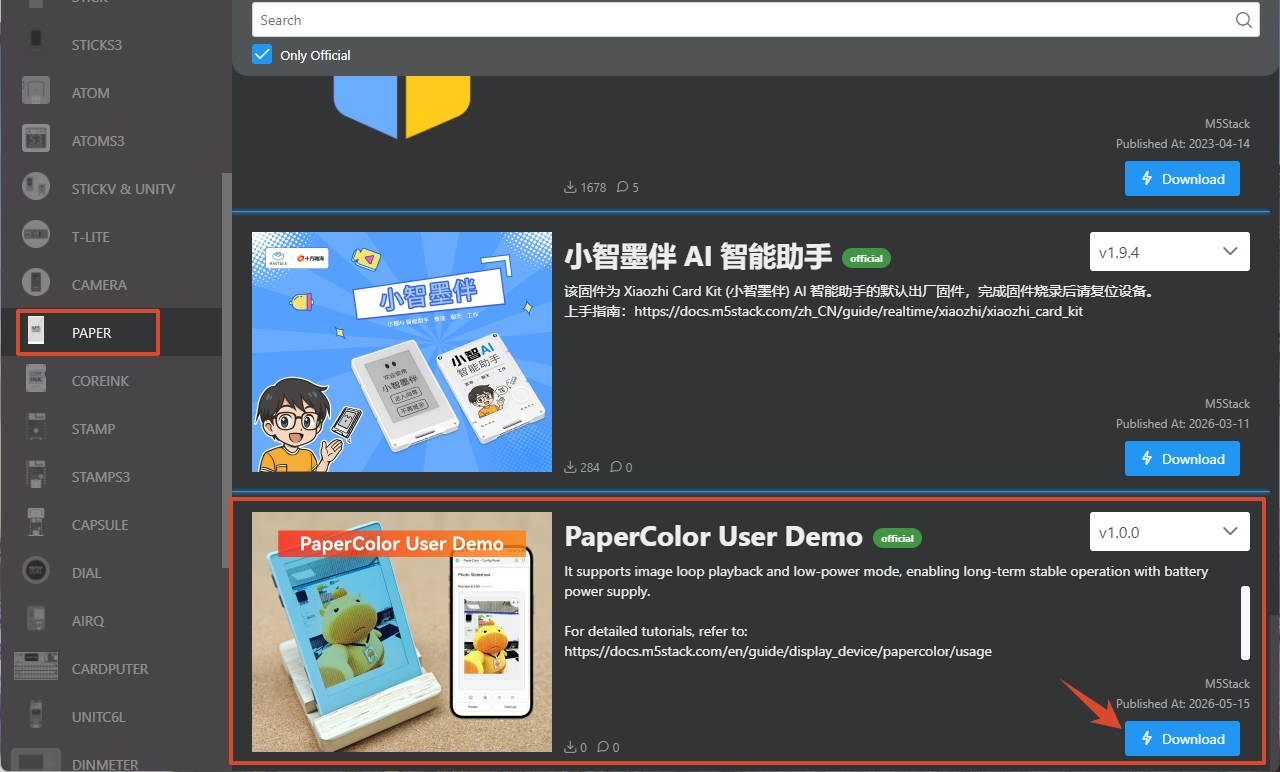
2. Download Mode
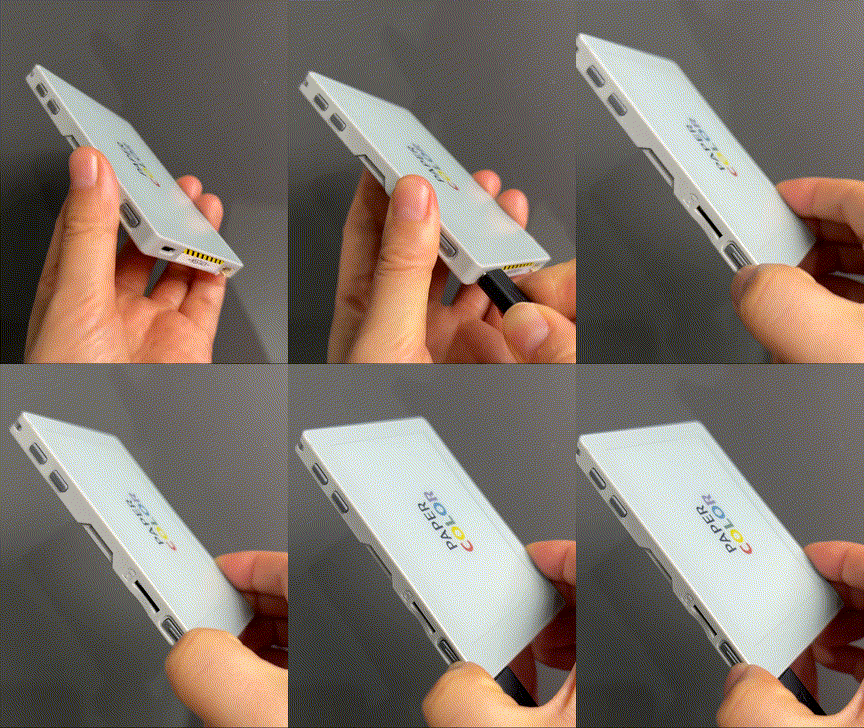
Connect the device to your computer via a USB Type-C cable, then press and hold the side reset button to enter download mode and wait for the flashing process to begin.
3. Firmware Flashing
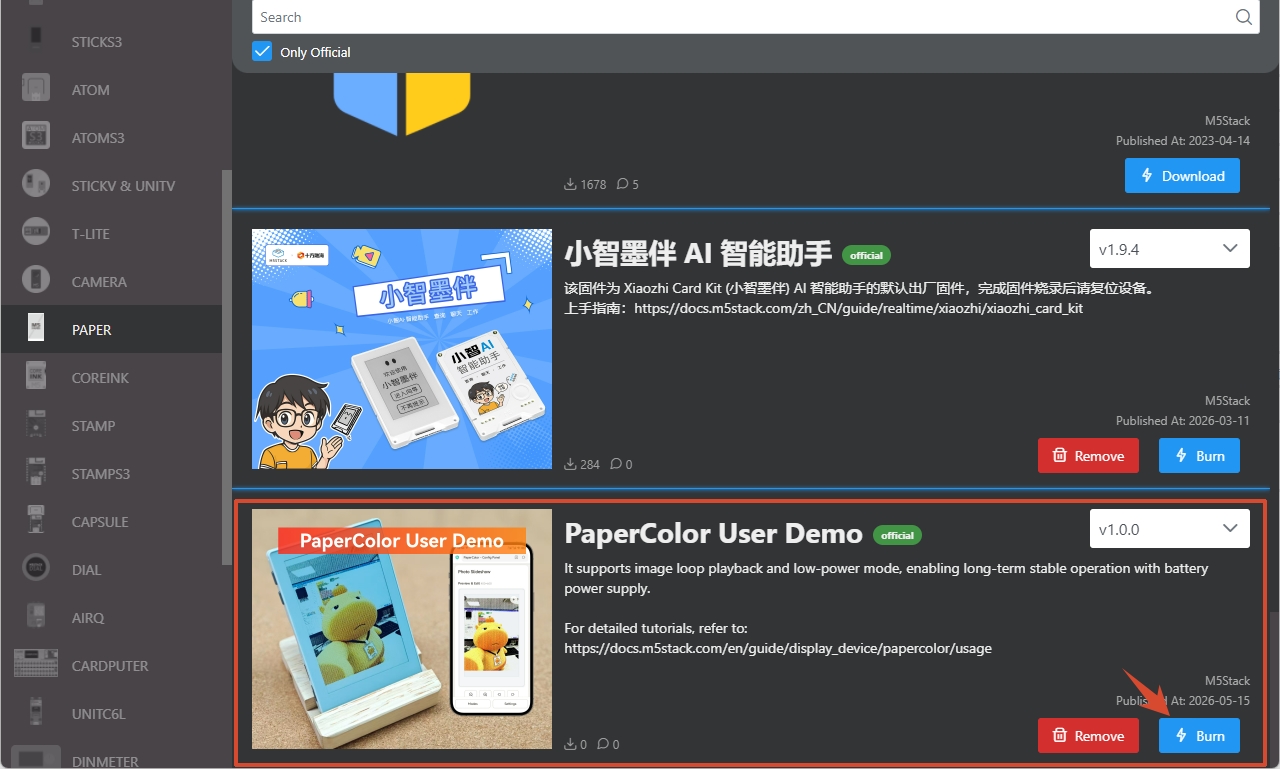
- Click the Burn button for the corresponding firmware in M5Burner.
- Select the corresponding device port, then click
Startto begin flashing.
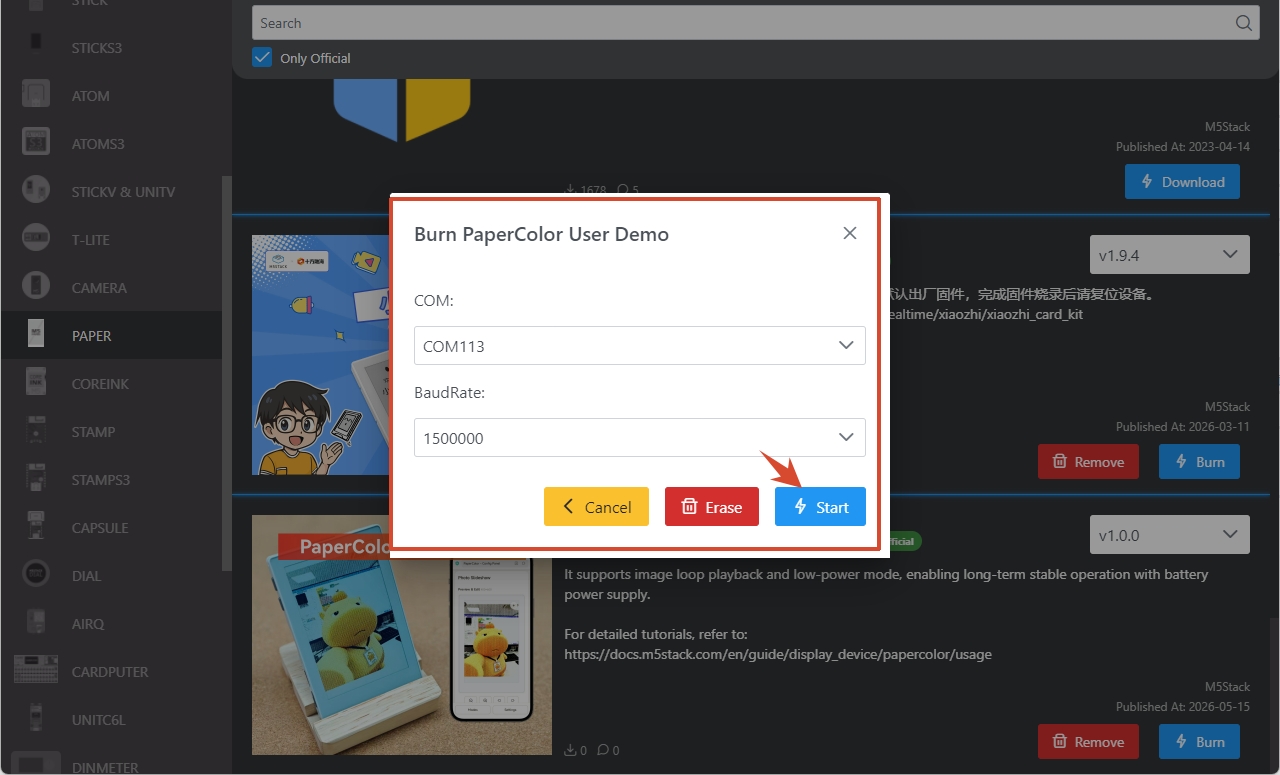
Once flashing is complete, the interface will display Burn successfully, click here to return.
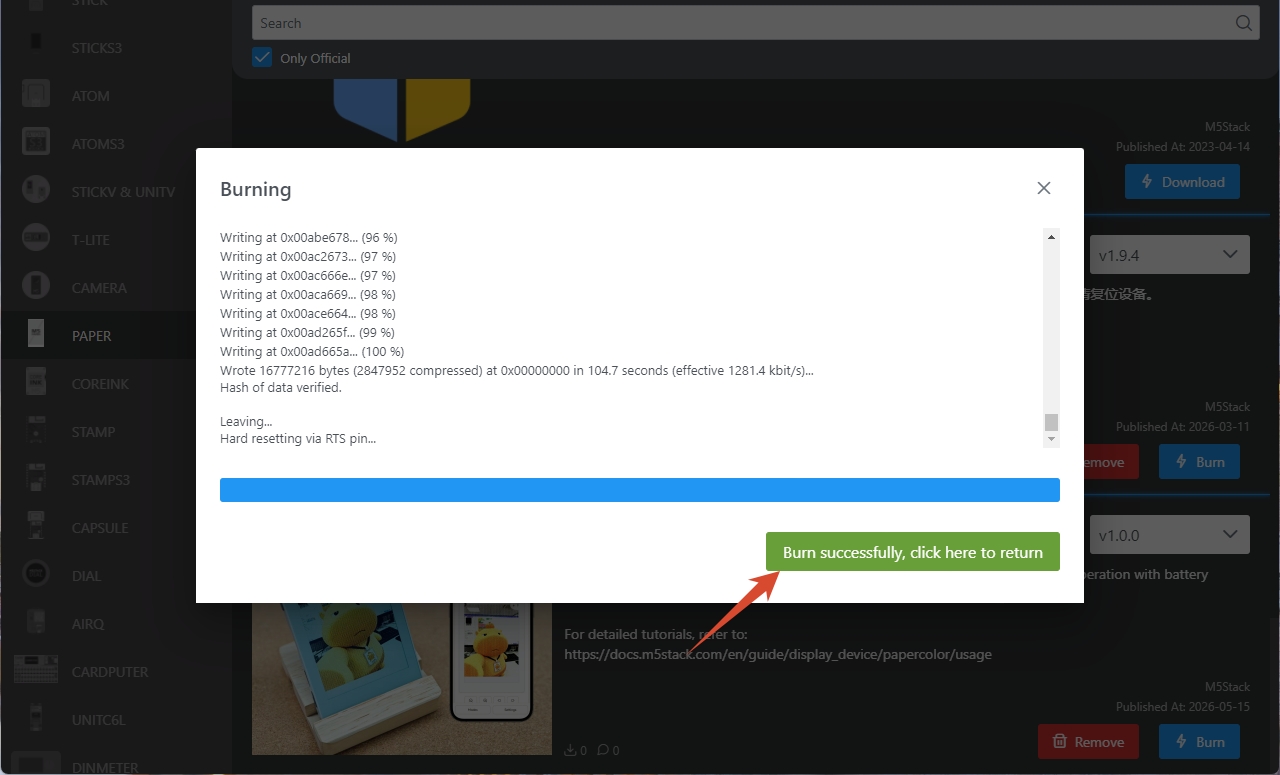
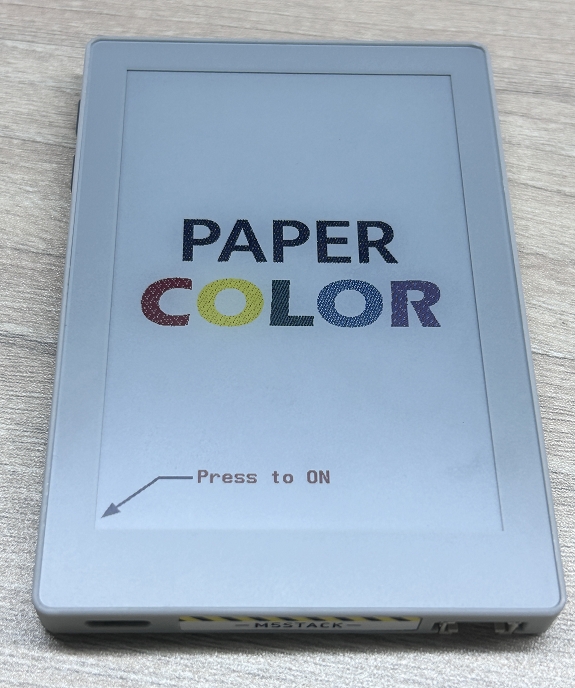
- Press the reset button on the device. After the device restarts, the result is shown below:
Related References
For detailed usage instructions of PaperColor, please refer to the Tutorial.
Page Tools