

Product Guide
Linux PC
AI Accelerator Card
LLM-8850 Card
Large Language Models
AI & Agent
Real-Time AI Voice Assistant
XiaoZhi Voice Assistant
AtomS3R-M12 Volcengine Kit
Offline Voice Recognition
Industrial Control
IoT Measuring Instruments
Air Quality
PowerHub
Module13.2 PPS
VAMeter
T-Lite
Input & Output Devices
Ethernet Camera
PoECAM
Wi-Fi Camera
Unit CamS3/-5MP
AI Camera
LoRa & LoRaWAN
Motor Control
Restore Factory Firmware
DIP Switch Usage Guide
StickS3 ESP-Claw Firmware Flashing
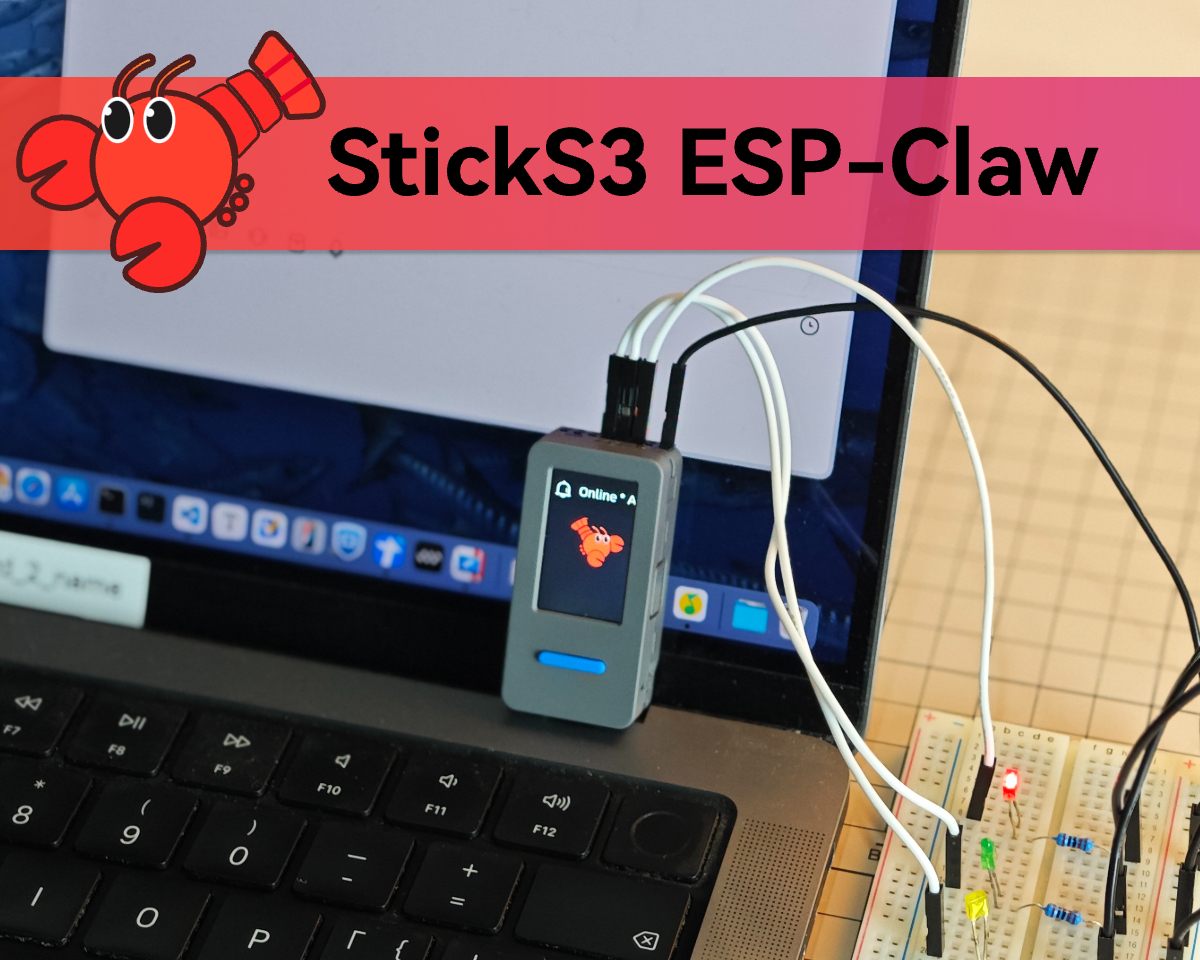
This tutorial provides a step-by-step guide to flashing the ESP-Claw firmware onto the StickS3, enabling users to quickly configure their StickS3 as an intelligent terminal capable of AI interaction, hardware programming, and automation control.
1. Preparation
Download the appropriate M5Burner firmware flashing tool for your operating system using the links below, then extract and launch the application.
2. Firmware Flashing
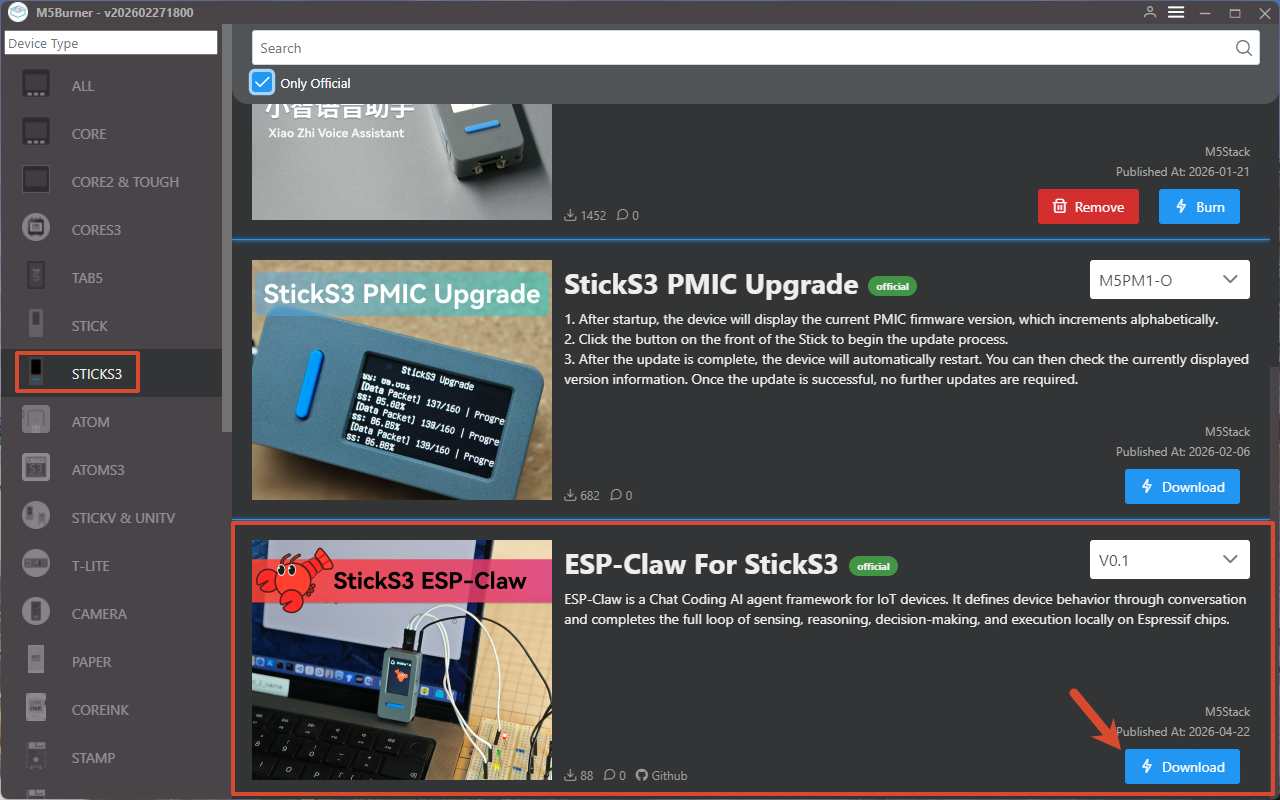
- Double-click to open M5Burner, select
STICKS3from the device list in the left panel, then clickDownloadto download the ESP-Claw firmware for StickS3.
- Connect the StickS3 via USB cable and press and hold the reset button on the side of the device. When the internal green LED begins to blink, the device has successfully entered download mode and is ready to be flashed.

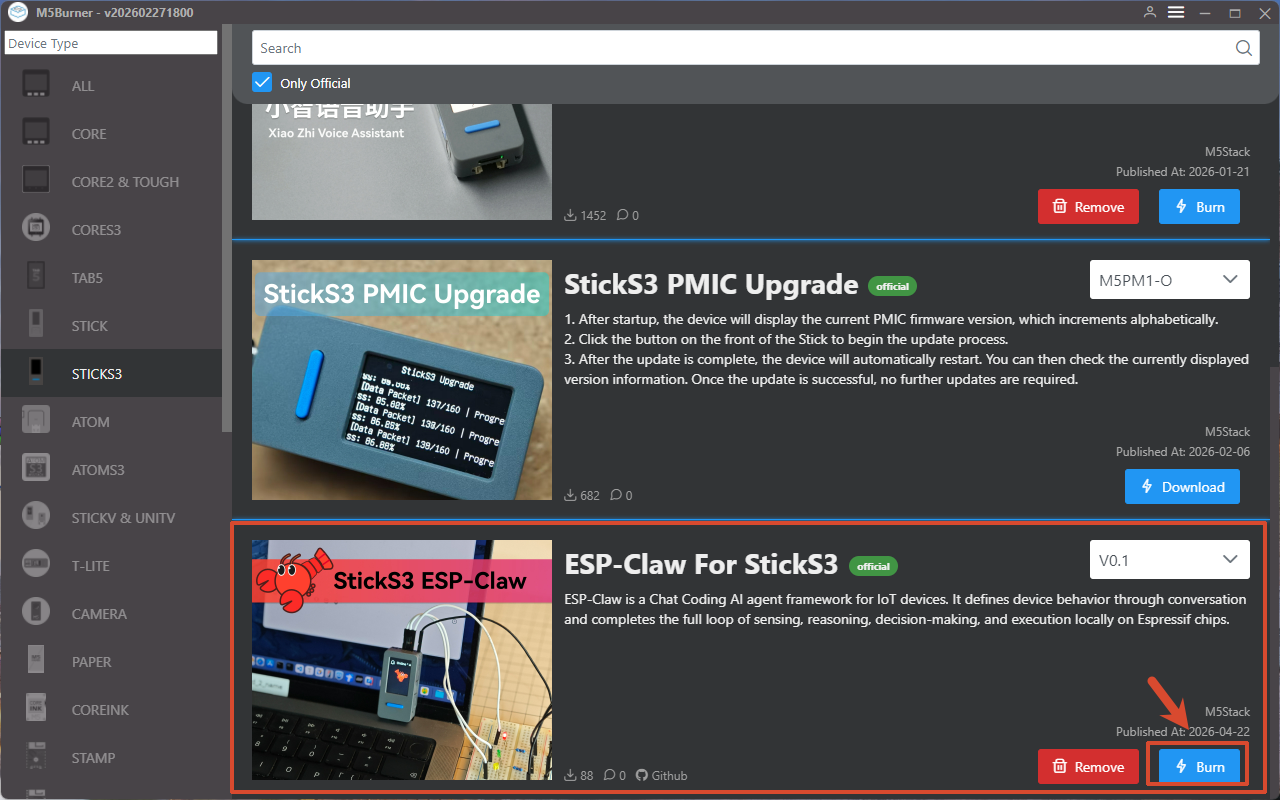
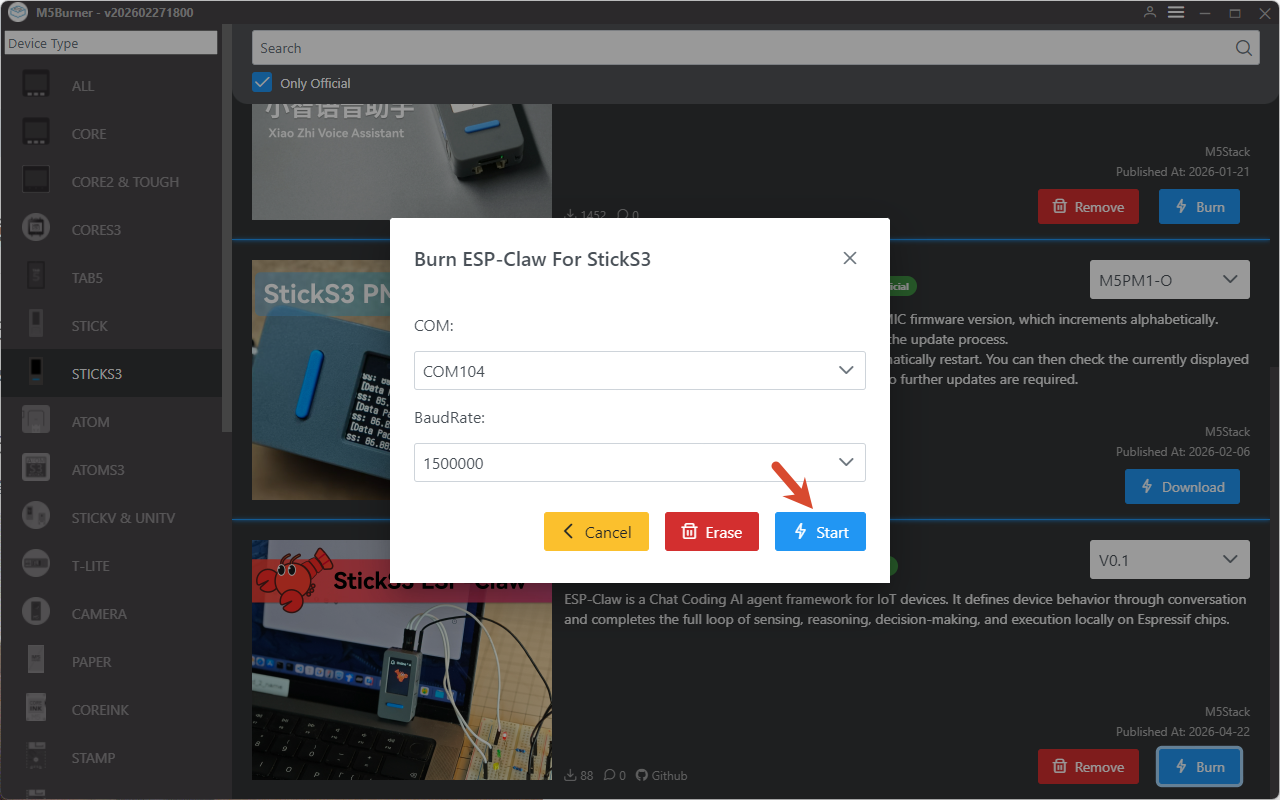
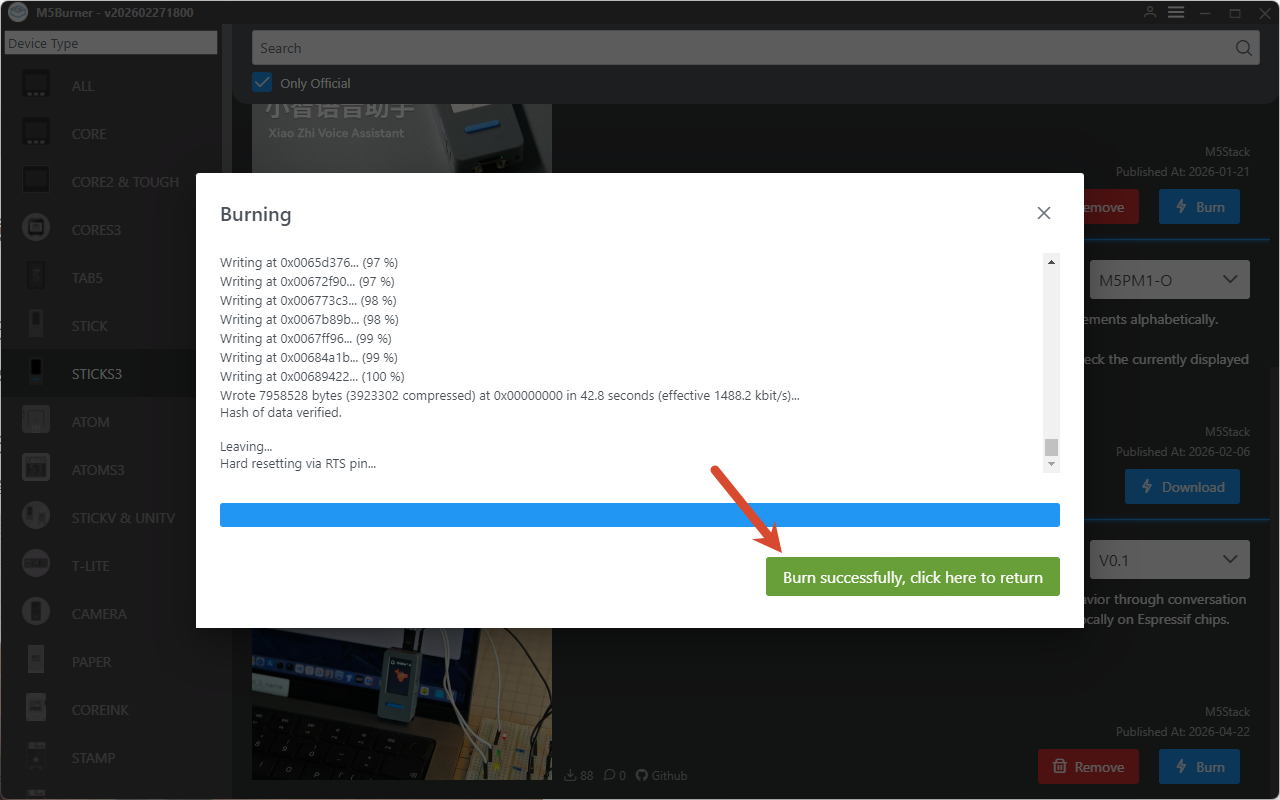
- Click
Burn, select the corresponding port for your device, then clickStartand wait for the flashing process to complete.
Flashing complete:
3. Device Configuration
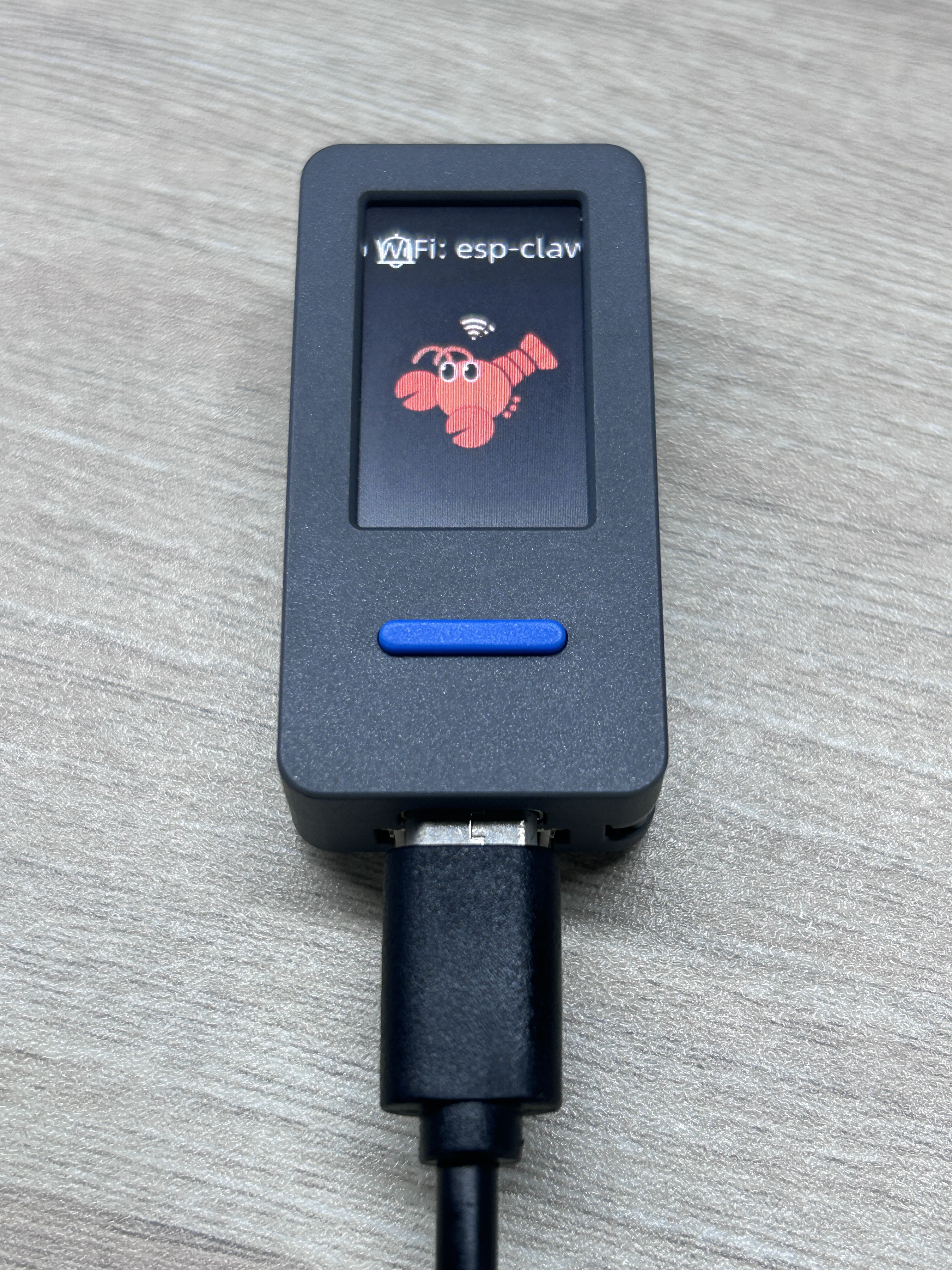
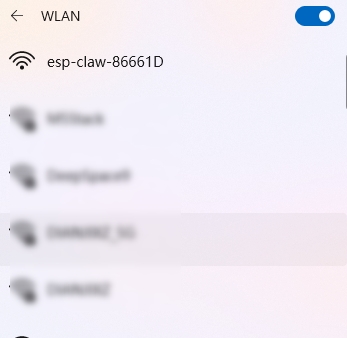
- Restart the device. After booting, the device will prompt you to connect to its AP hotspot. Connect your phone or computer to the hotspot named esp-claw-xxx, then navigate to
192.168.4.1to access the device configuration page.
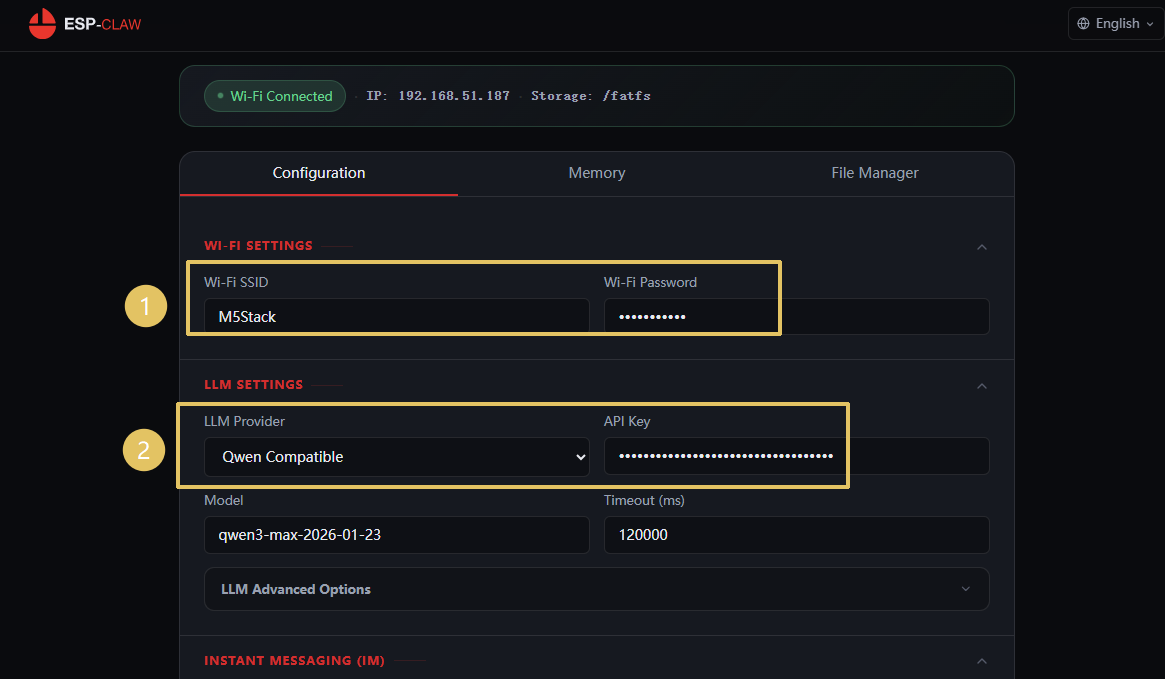
- In the
WI-FI SETTINGSsection, enter your Wi-Fi network name and password, then select your model provider and enter the corresponding API Key.
Note
1. For a detailed walkthrough of the web configuration and getting started process, refer to the ESP‑Claw Official Tutorial.
2. When using Alibaba Cloud model services, real-name verification of your Alibaba Cloud account is required.
2. When using Alibaba Cloud model services, real-name verification of your Alibaba Cloud account is required.
- Configure the ClawBot chat interface, such as QQ.
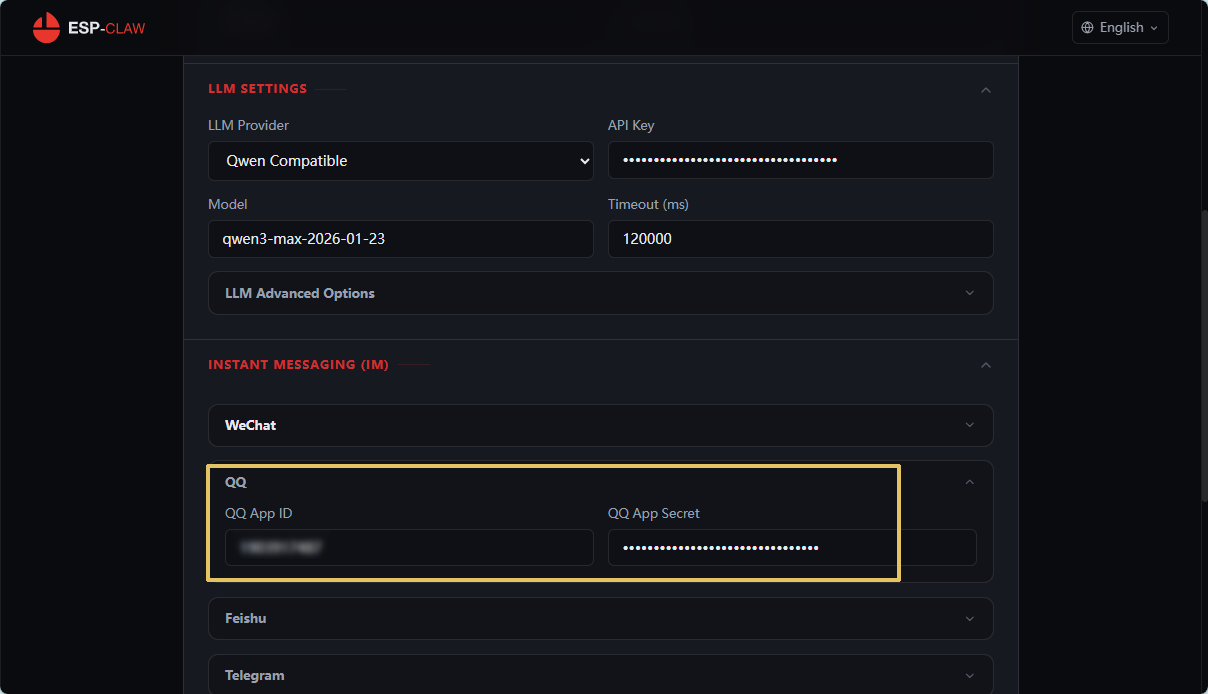
- Click
Save Changesat the bottom of the page to save your configuration.
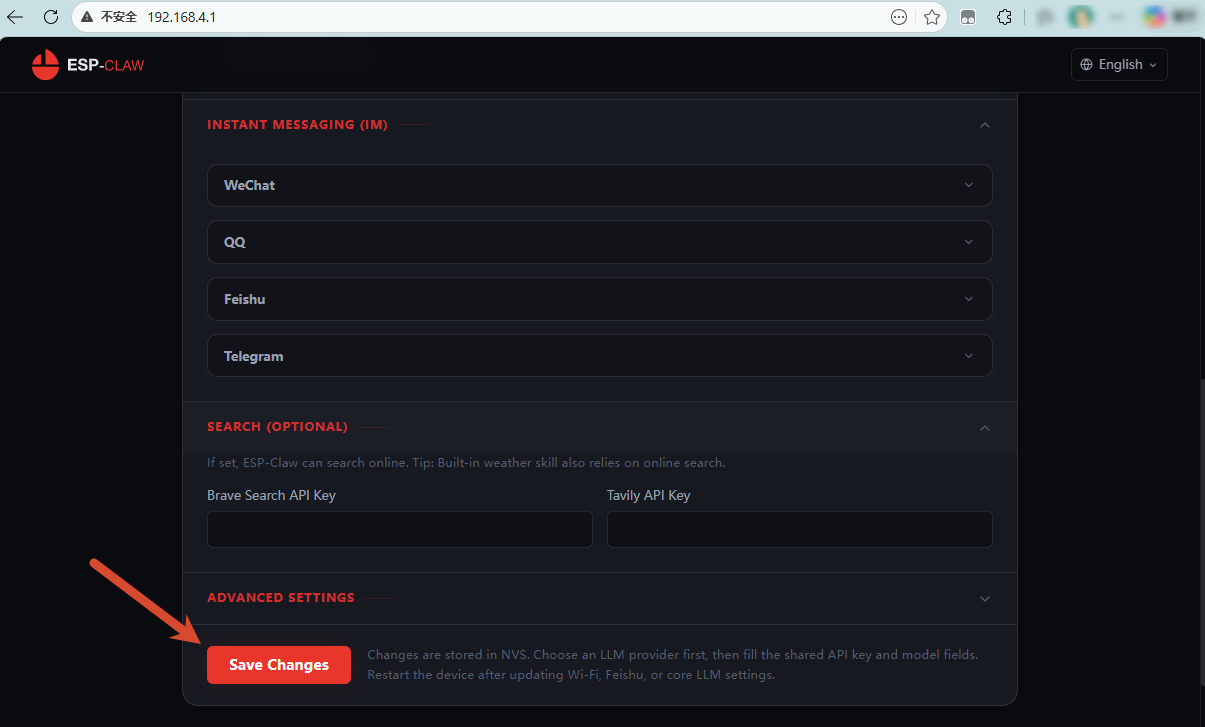
- Restart the StickS3. Configuration is now complete.
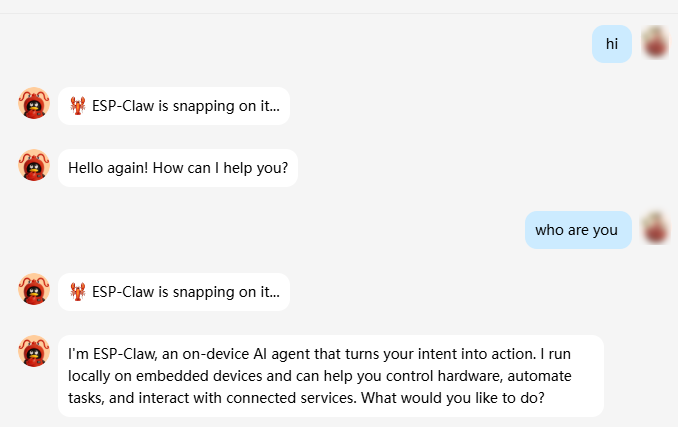
Once configured, ESP-Claw can be used to perform a wide range of tasks, including hardware programming, automation control, and local AI inference.
Example: ESP-Claw supports integration with instant messaging platforms such as QQ, allowing users to send commands just as they would in a regular chat conversation.
Video
Page Tools