Arduino Quick Start
2. Devices & Examples
3. M5Unified
4. M5GFX
5. Extensions
Unit
Base
Cap
IoT
Accessories
StickS3 Arduino Program Compilation & Upload
1. Preparation
- Arduino IDE Installation: Refer to Arduino IDE Installation Guide to complete the IDE installation.
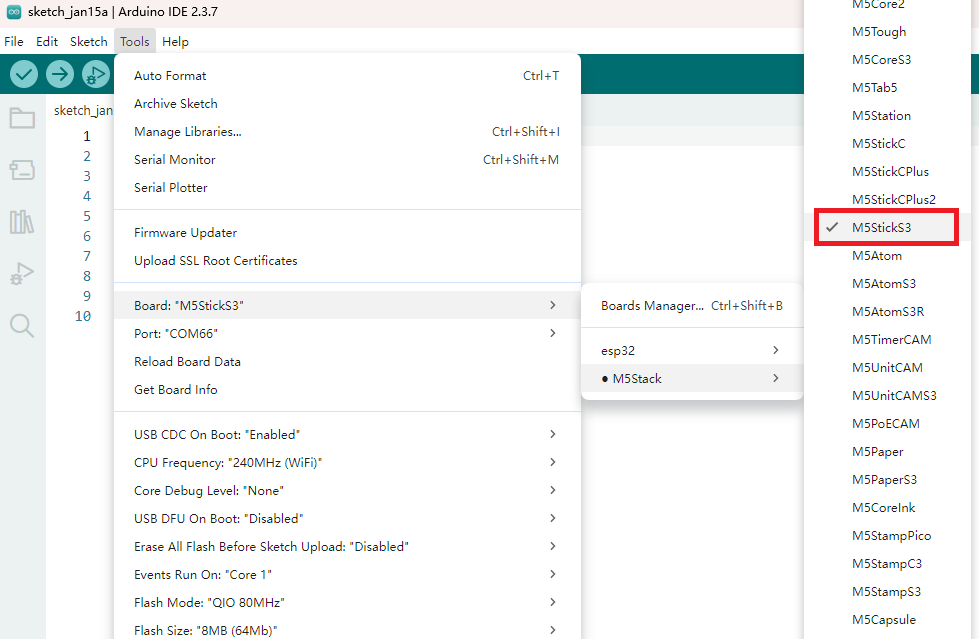
- Board Manager Installation: Refer to Basic Environment Setup Guide to complete the M5Stack board manager installation and select the development board
M5StickS3.
- Board Manager Installation: Refer to Basic Environment Setup Guide to complete the M5Stack board manager installation and select the development board
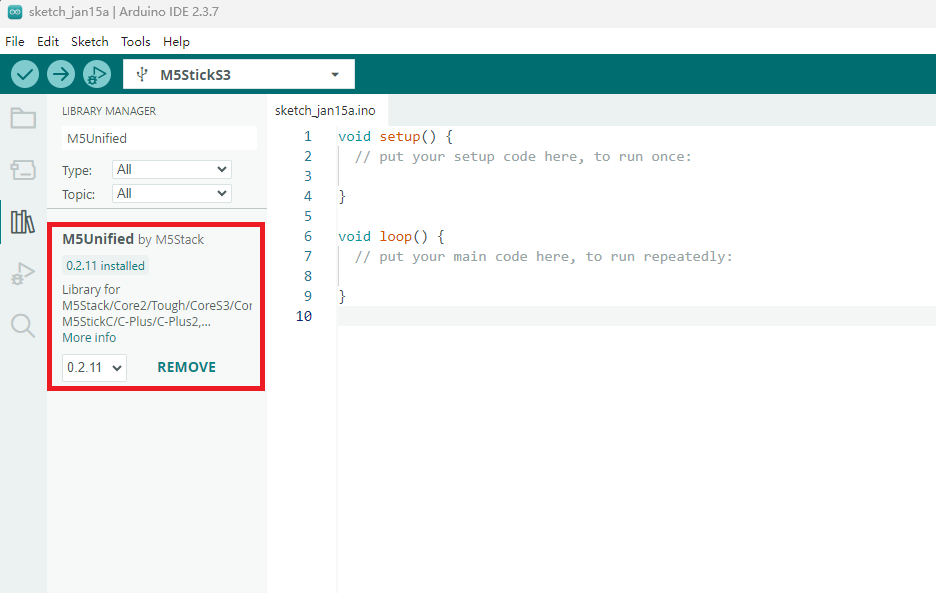
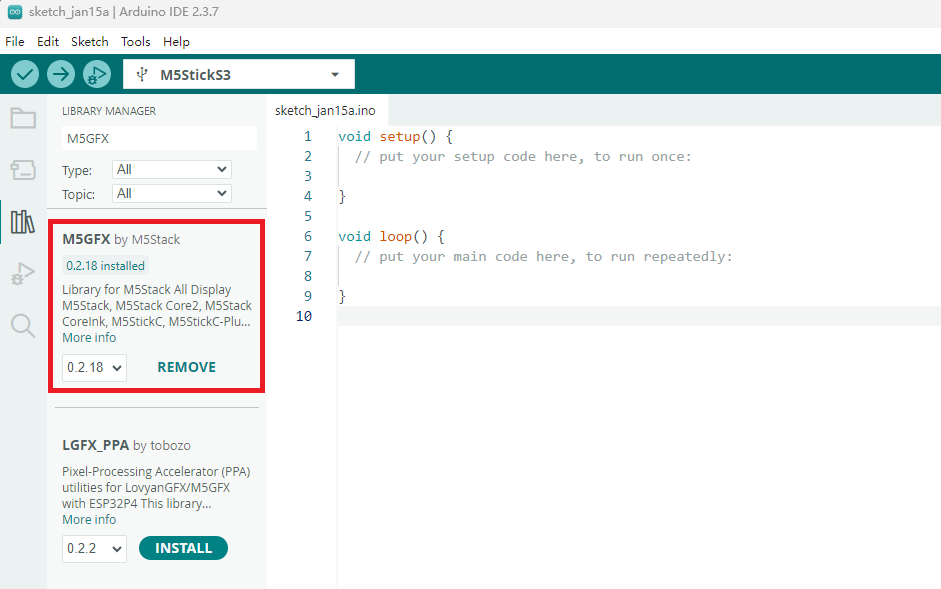
- Library Installation: Refer to Library Management Installation Guide to complete the installation of
M5UnifiedandM5GFXdriver libraries, and follow the prompts to install all the required libraries.
- Library Installation: Refer to Library Management Installation Guide to complete the installation of
2. Download Mode
Press and hold the reset button on the side of the device for about 2 seconds. When the green LED inside the device blinks, release the button and the device enters download mode, ready for programming.

3. Port Selection
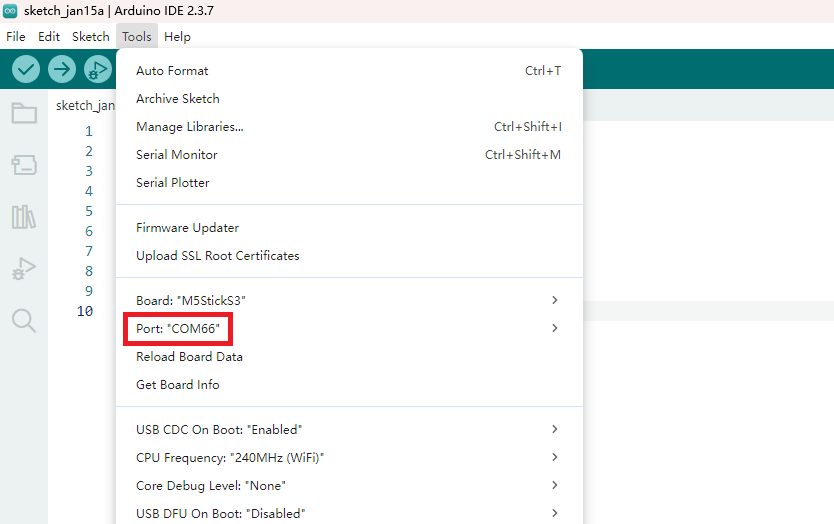
Connect the device to your computer via a USB cable. After the device enters download mode, you can select the corresponding device port in Arduino IDE.
4. Program Compilation & Upload
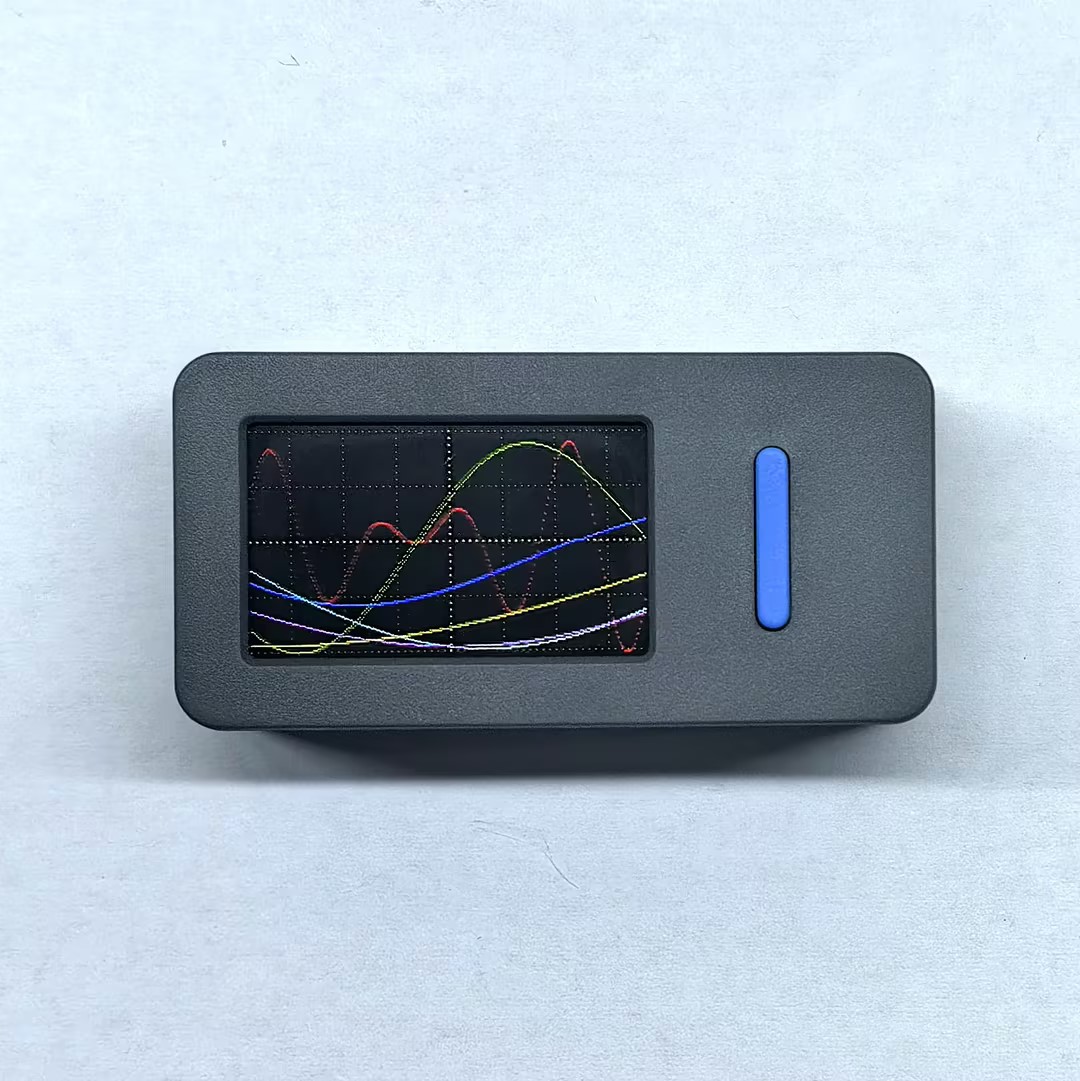
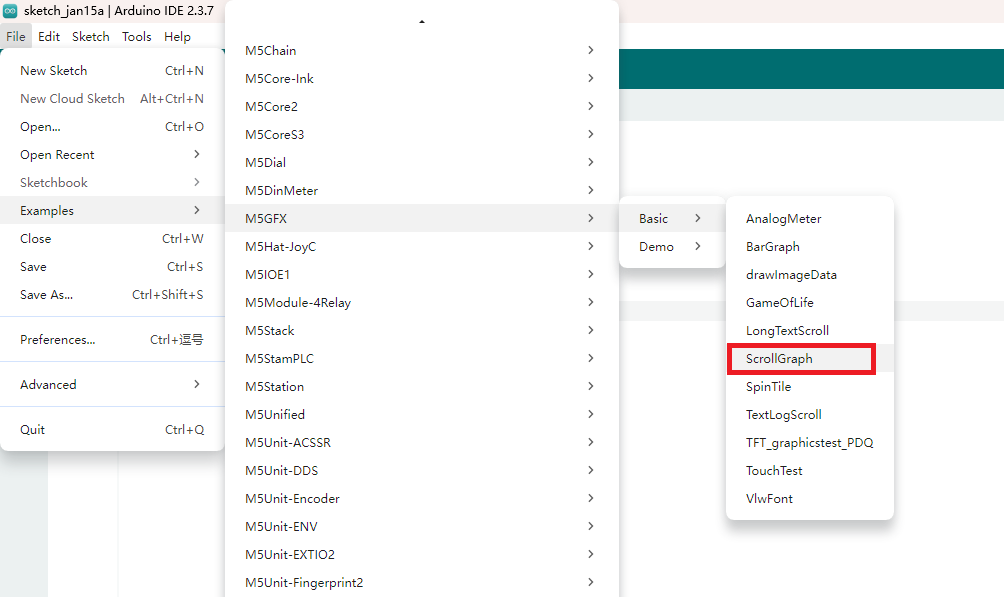
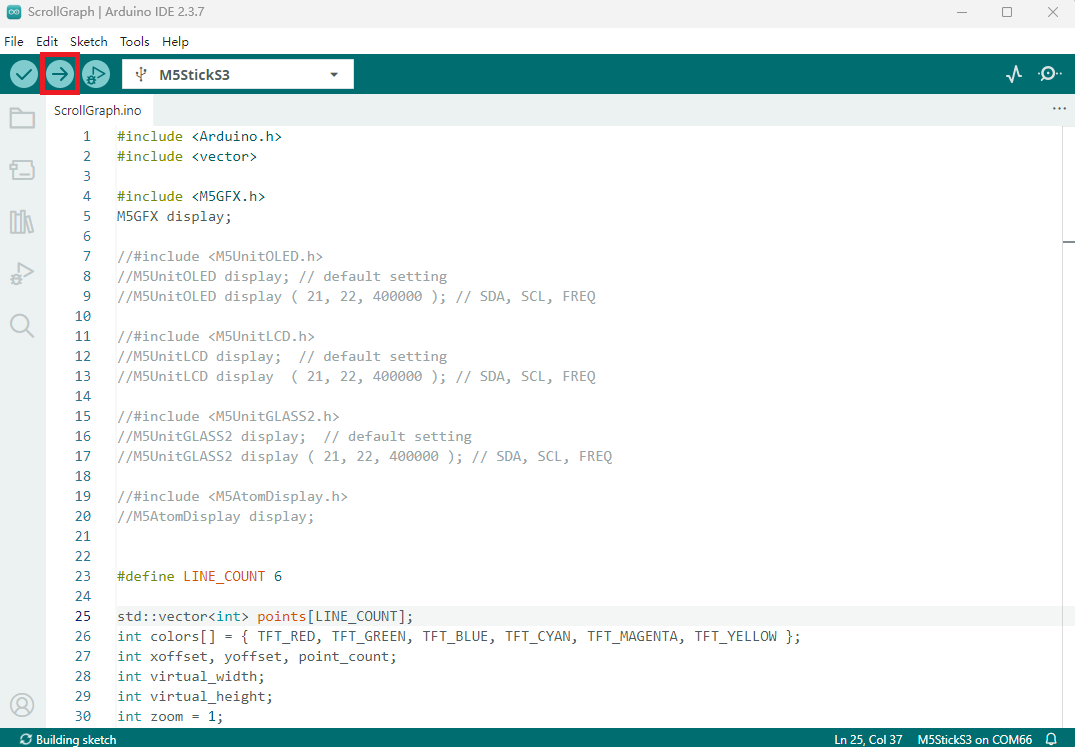
Open the example program "ScrollGraph" in the driver library, click the upload button, and the program will be automatically compiled and uploaded.
The example program runs as follows: