

Arduino Quick Start
2. Devices & Examples
3. M5Unified
4. M5GFX
5. Extensions
Unit
Atomic
Tab5
IoT
Accessories
AtomS3R Arduino Example Program Compilation & Upload
1. Preparation
- 1.Arduino IDE Installation: Refer to the Arduino IDE Installation Guide to complete the IDE installation.
- 2.Board Manager Installation: Refer to the Basic Environment Setup Guide to complete the M5Stack board manager installation and select the
M5AtomS3Rdevelopment board.

- 3.Driver Library Installation: Refer to the Library Management Installation Guide to complete the installation of the
M5UnifiedandM5GFXdriver libraries, and install all dependency libraries as prompted.
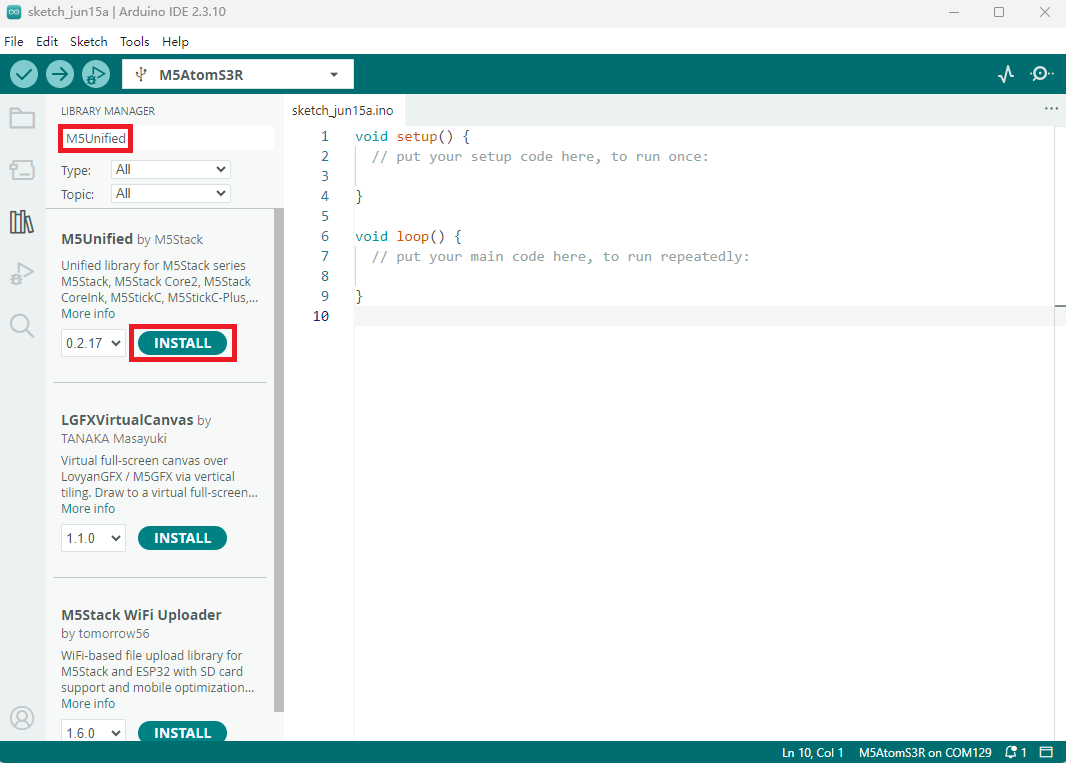
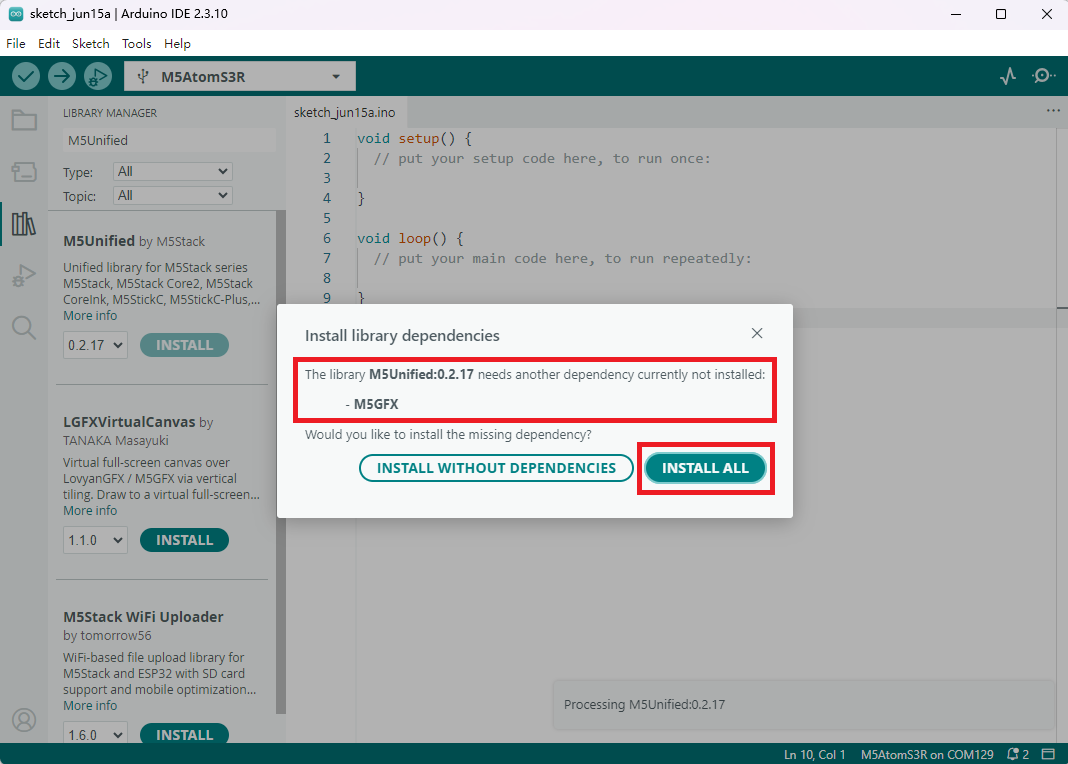
Dependency Library Version
To ensure proper device compatibility, it is recommended to update the driver libraries to the latest versions (M5Unified >= 0.2.17, M5GFX >= 0.2.22)
2. Download Mode
Press and hold the reset button for about 2 seconds until the internal green LED lights up, then release it. The device will enter download mode and wait for uploading.
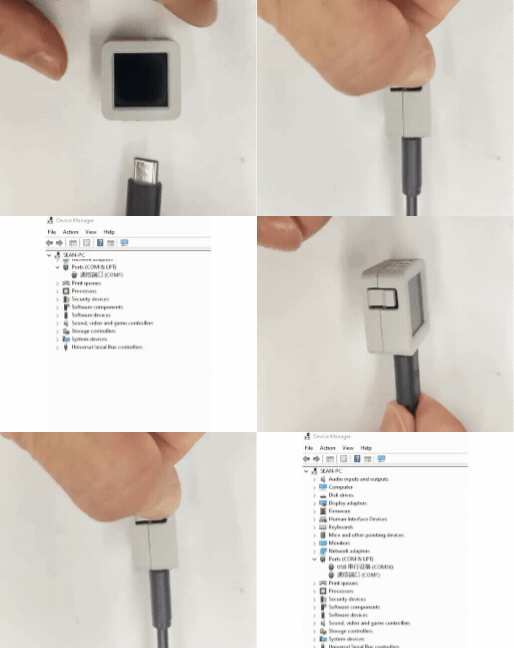
3. Port Selection
Connect the device to the computer using a USB cable. After the device enters download mode, you can select the corresponding device port in Arduino IDE.
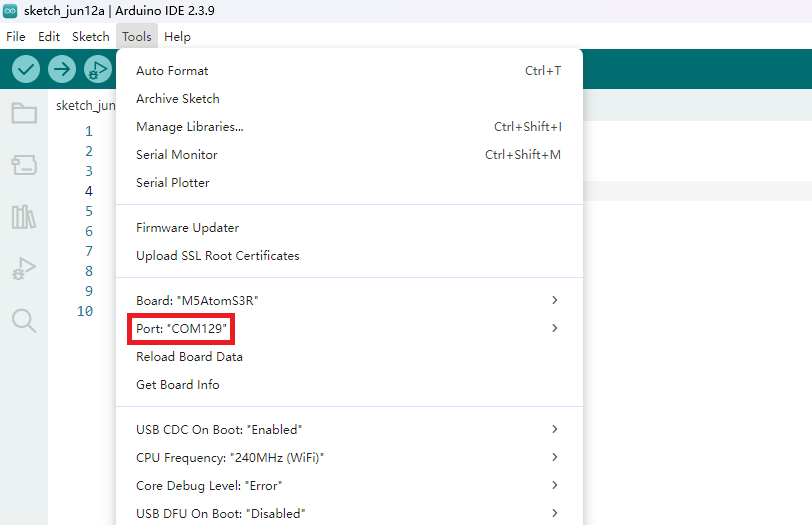
4. Program Compilation & Upload
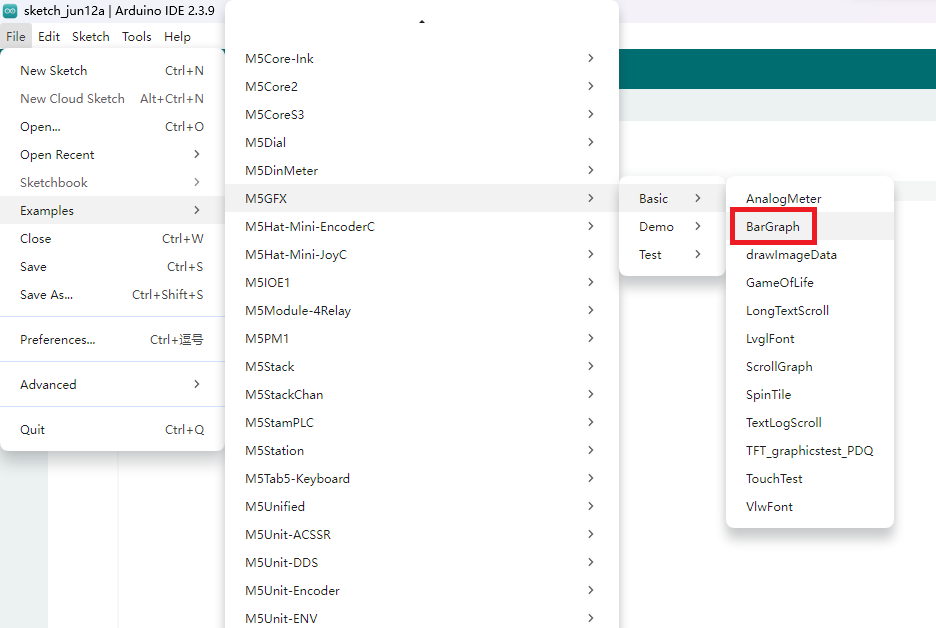
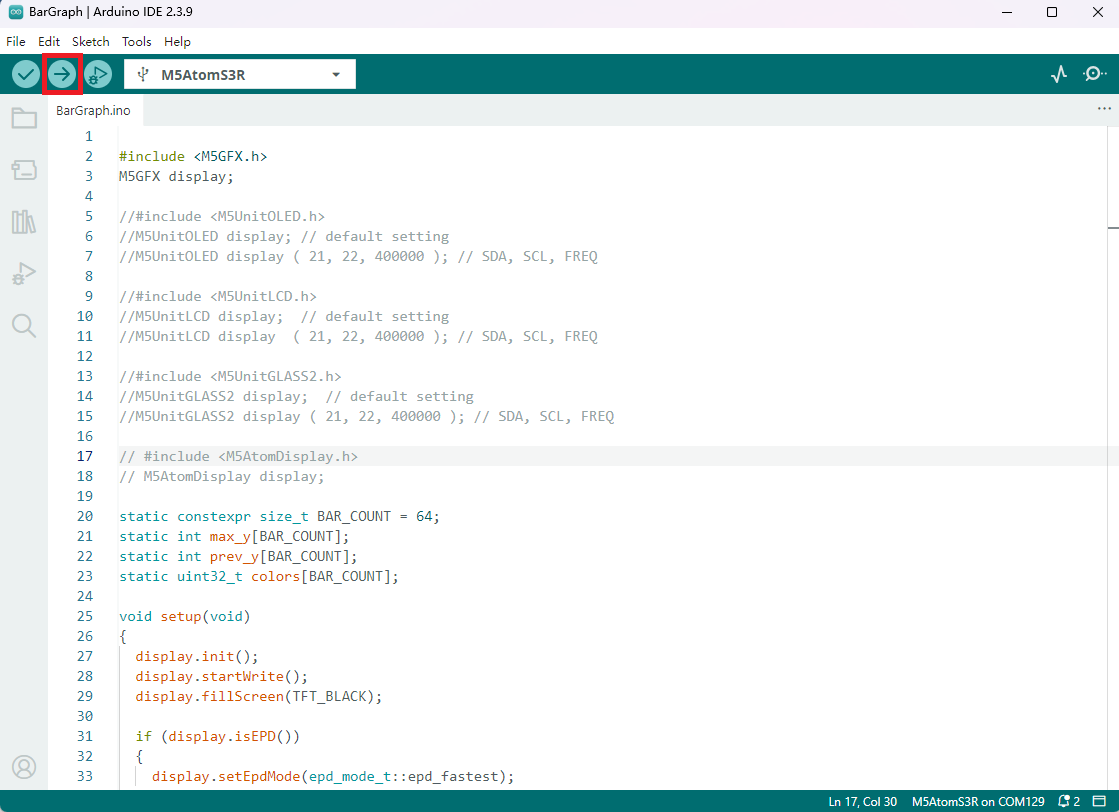
Open the example program BarGraph in the driver library and click the upload button to start compilation and uploading.
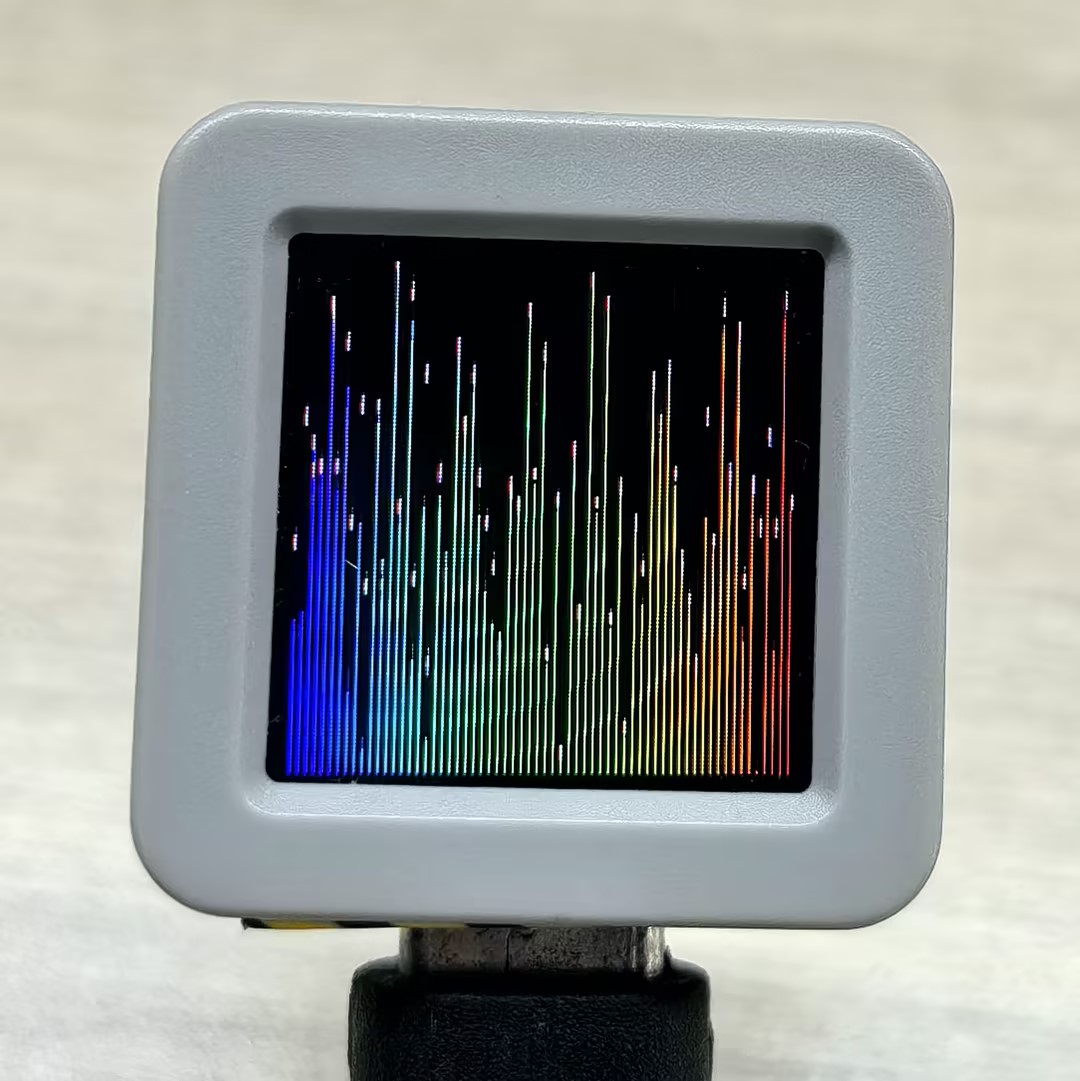
The effect is shown below:
5. Related Resources
Github
Arduino API & Examples
Page Tools