

UiFlow Tutorial
UiFlow1 Quick Start
2. Firmware & Program
UiFlow1 Development Guide
Project Management
Use LTE network
UiFlow1 Blockly
Event
UI
Unit
Module
Hat
UiFlow2 Quick Start
2. Firmware & Program
UiFlow2 Development Guide
UI Editor
UiFlow2 Video Column
Module Plus
Example
Read and print the encoder and button status of the connected PLUS extension module
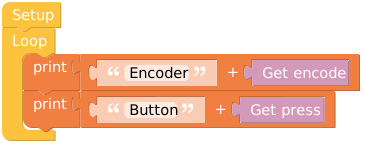
from m5stack import *
from m5ui import *
from uiflow import *
import module

setScreenColor(0x222222)

plus = module.get(module.PLUS)

while True:
  print((str('Encoder: ') + str((plus.get_encode()))))
  print((str('Button: ') + str((plus.get_press()))))
wait_ms(2)API
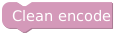
plus.clean_encode()- Clears the current encoder value, resetting it to zero.
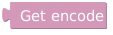
plus.get_encode()- Retrieves the current encoder value. The returned value represents the current position of the encoder.

plus.get_press()- Retrieves the press state of the button. The returned value indicates whether the button is currently pressed.
Page Tools