

Arduino Quick Start
2. Devices & Examples
3. M5Unified
4. M5GFX
5. Extensions
Unit
Module
Atomic
Tab5
IoT
Accessories
Compiling and Flashing PaperDIY Arduino Examples
1. Preparation
- Install Arduino IDE: Follow the Arduino IDE Installation Tutorial to install the IDE.
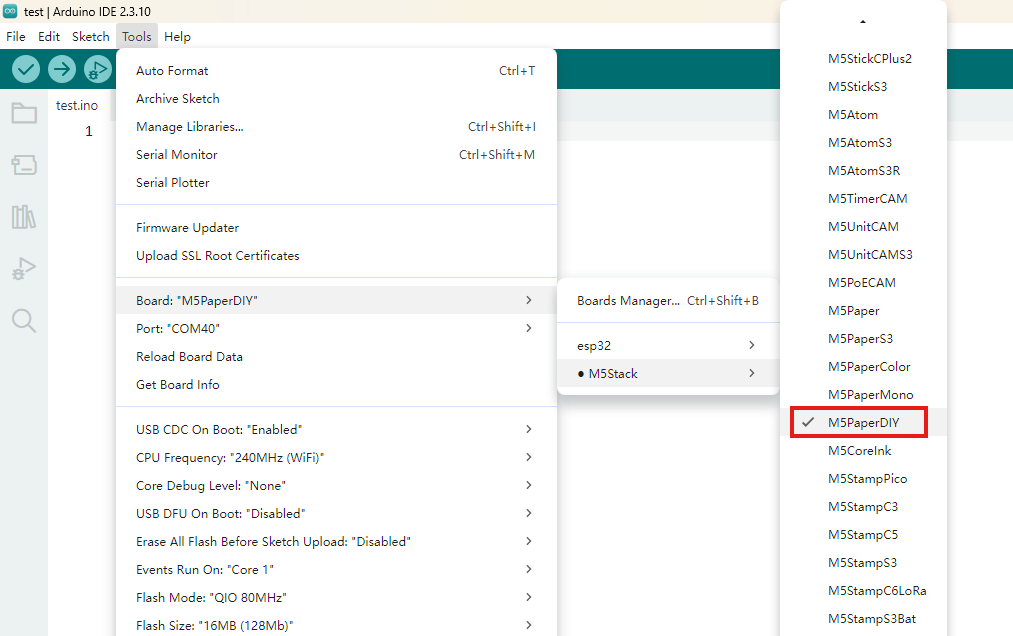
- Install the board package: Follow the Basic Environment Setup Tutorial to install the M5Stack board package and select the
M5PaperDIYboard.
- Install the board package: Follow the Basic Environment Setup Tutorial to install the M5Stack board package and select the
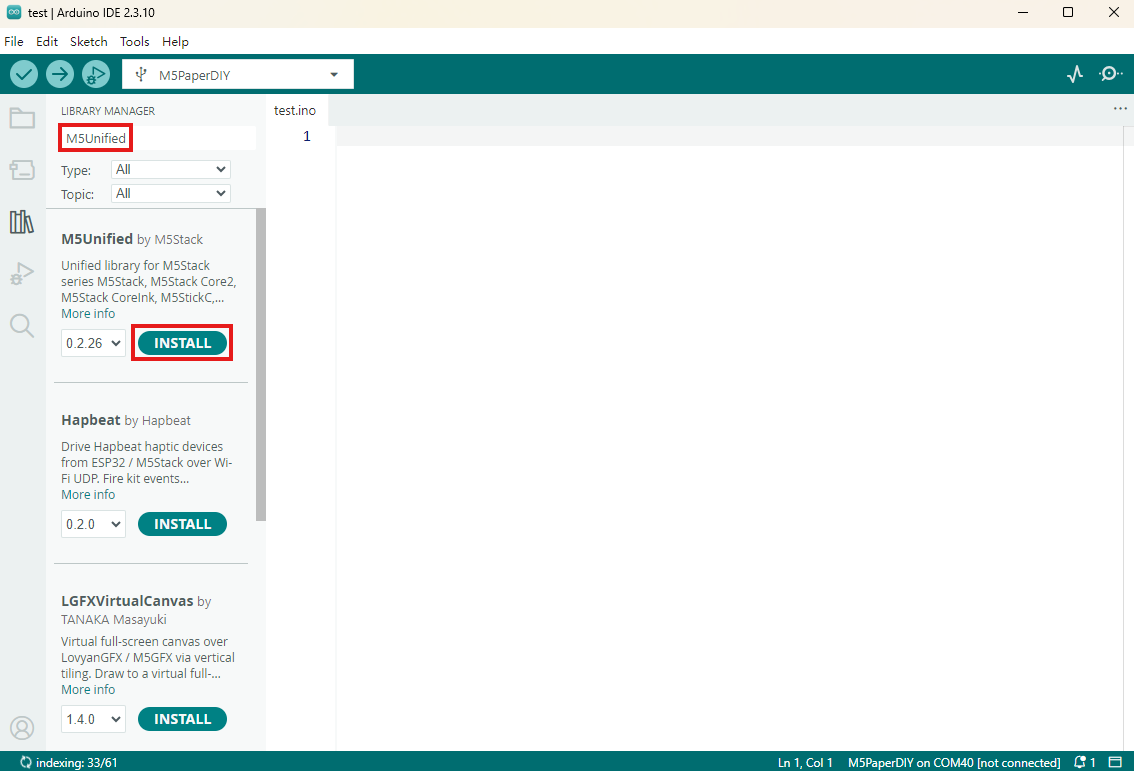
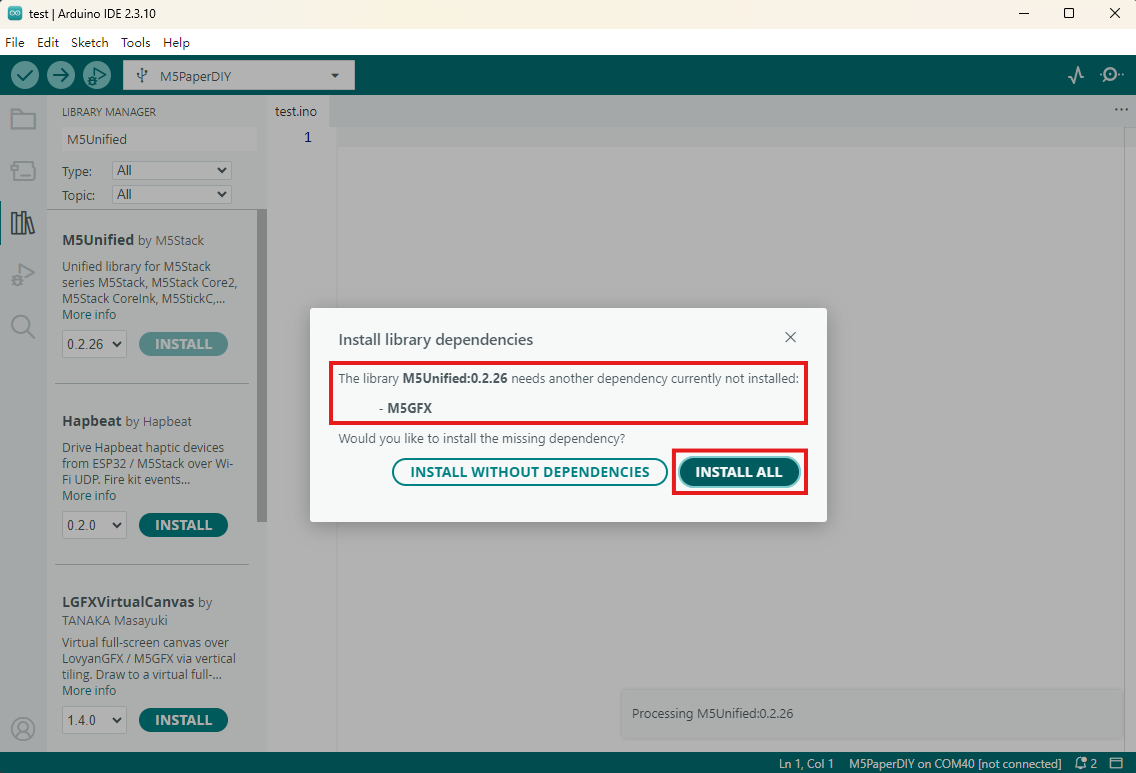
- Install dependent libraries: Follow the Library Manager Installation Tutorial to install the
M5UnifiedandM5GFXdriver libraries, then install all prompted dependencies.
- Install dependent libraries: Follow the Library Manager Installation Tutorial to install the
2. Download Mode
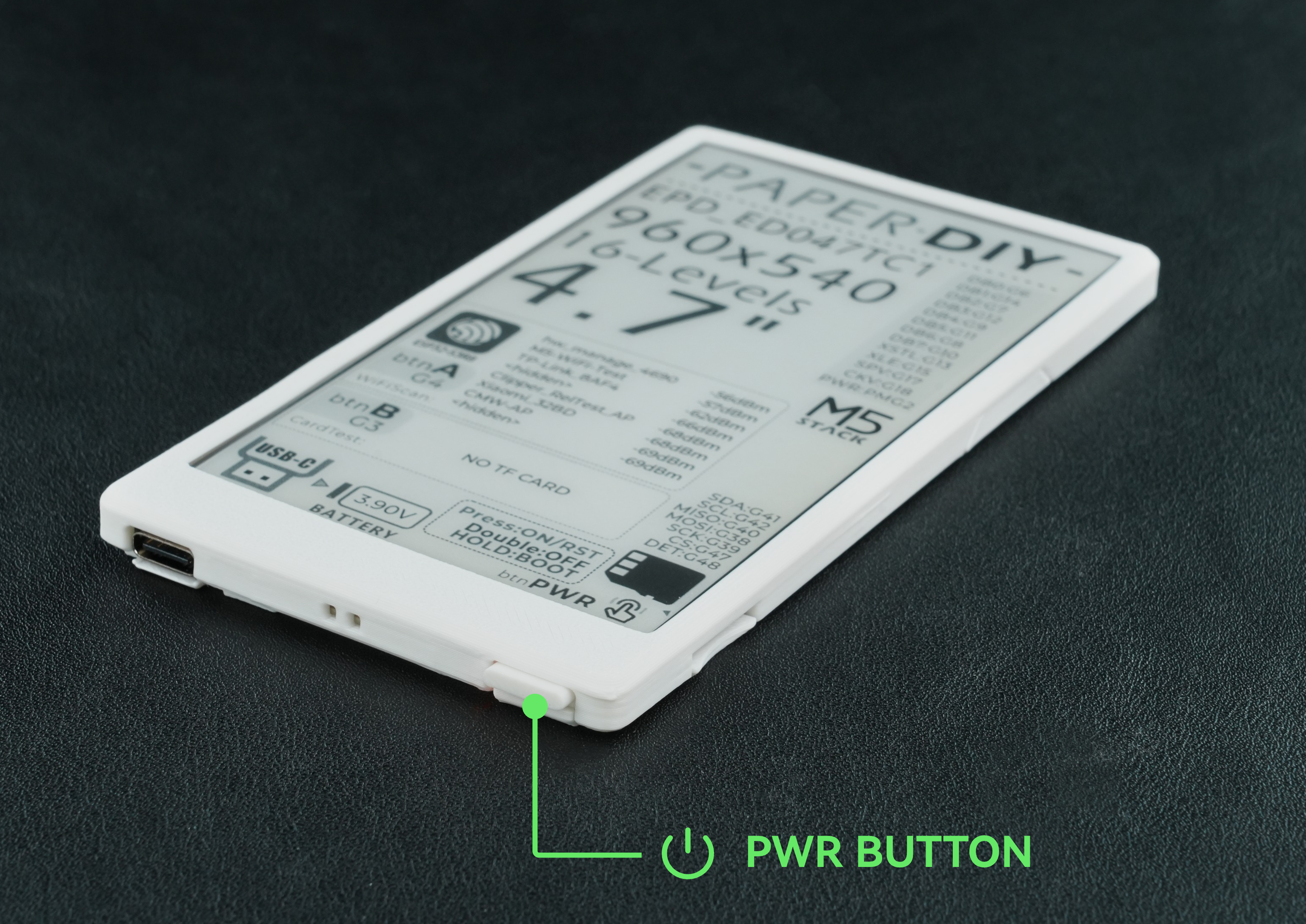
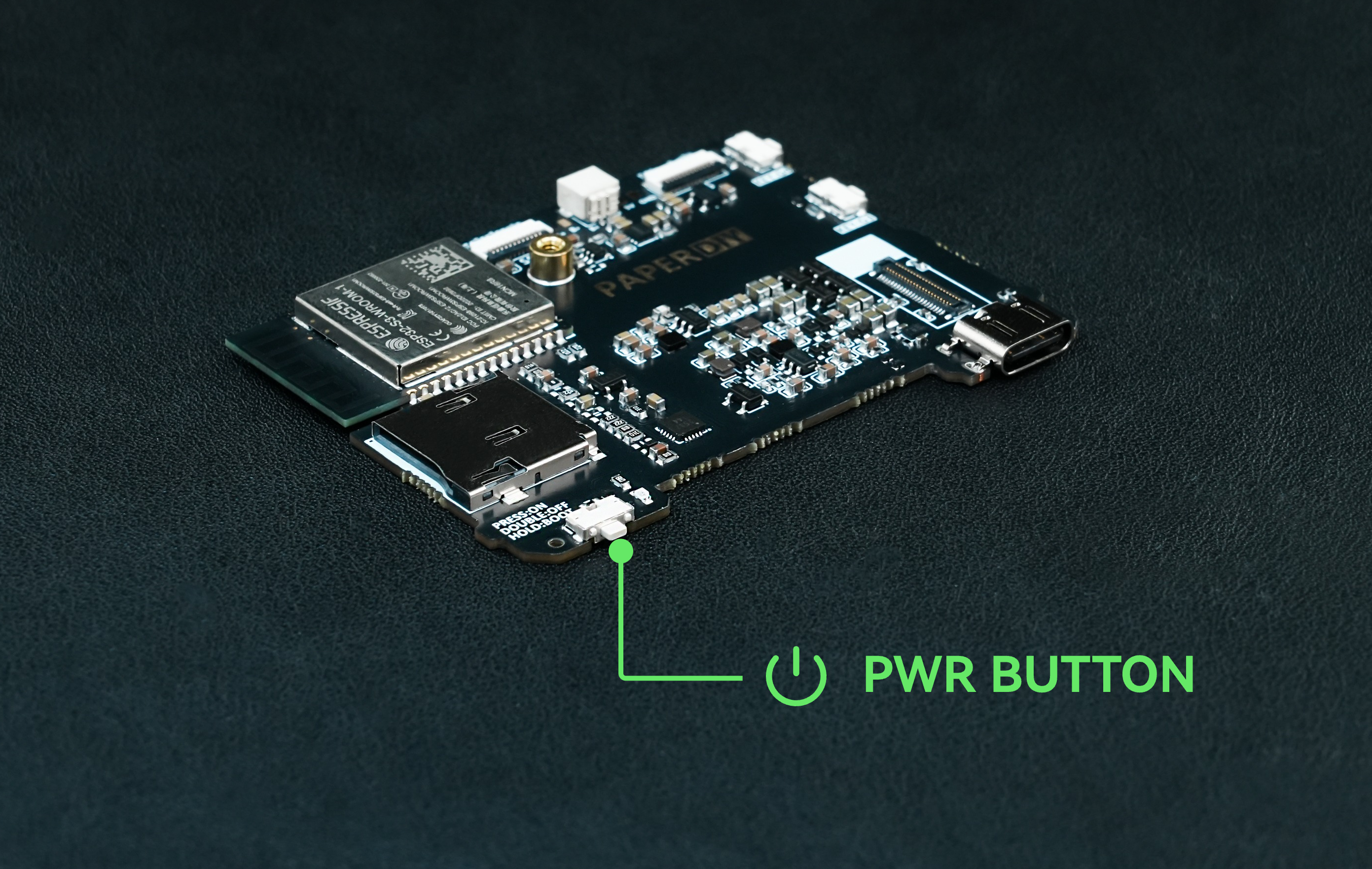
Press and hold the power button on the bottom of the device for approximately 2 seconds. Release it when the red LED starts blinking. The device is then in download mode and ready to be flashed.
3. Port Selection
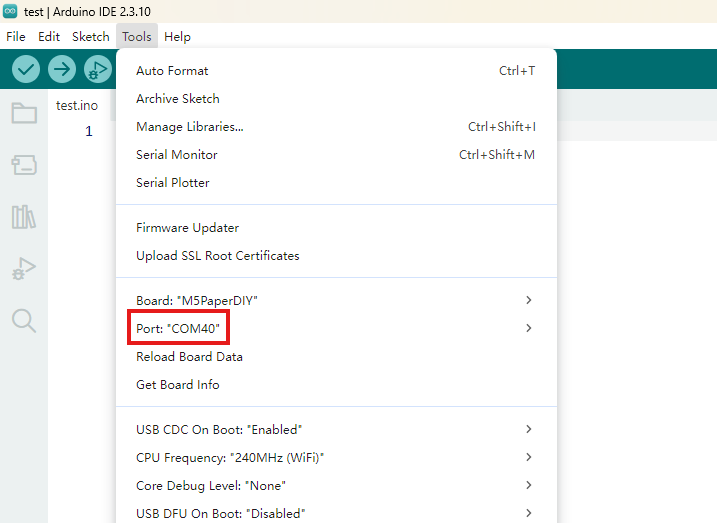
After the device port is detected, select the corresponding port in Arduino IDE.
4. Program Compile & Upload
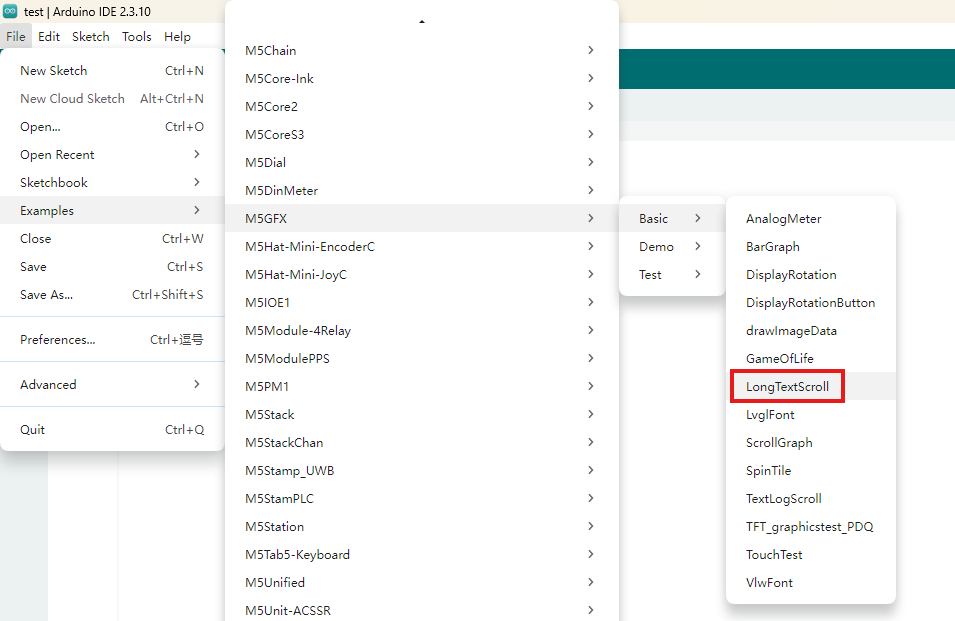
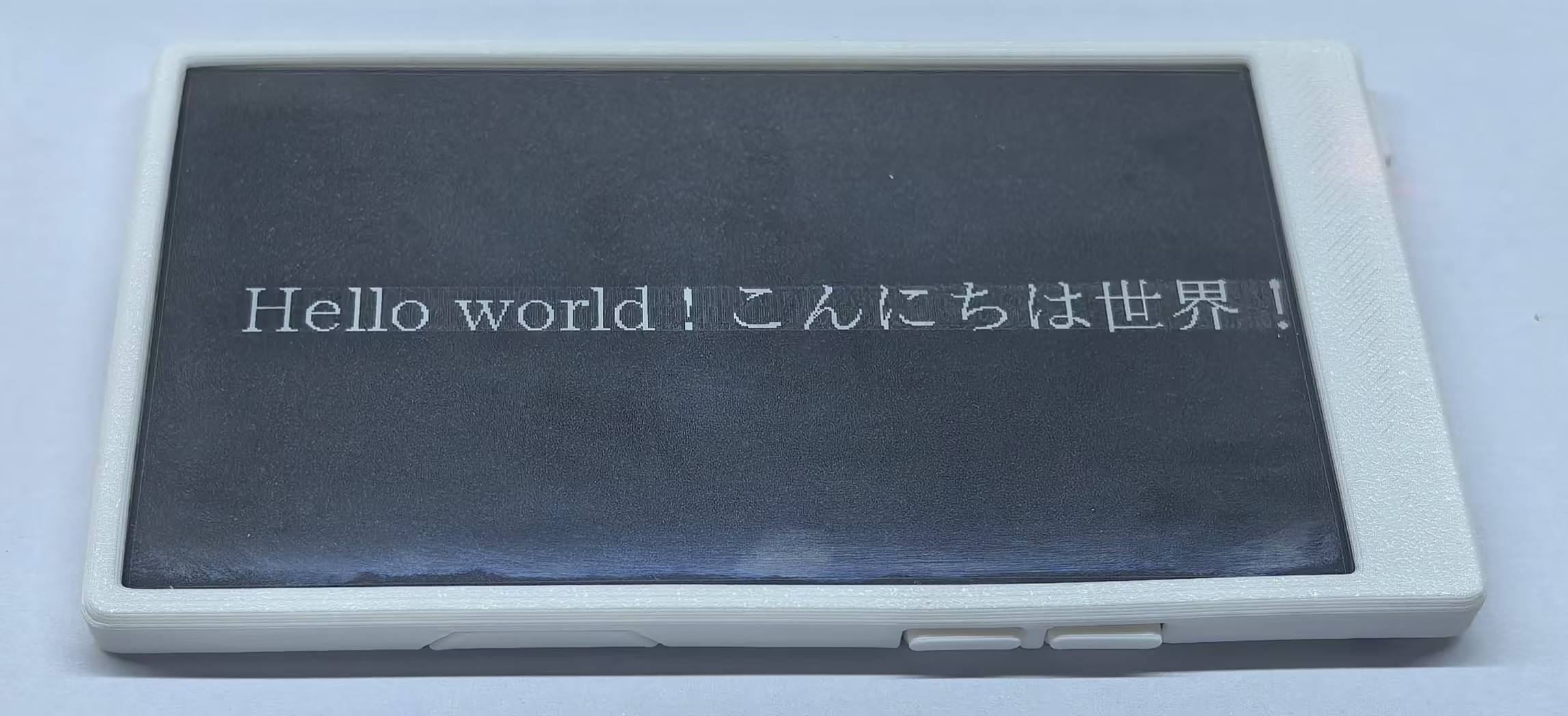
Open the “LongTextScroll” example in the M5GFX driver library and click the Upload button. The program will be compiled and flashed automatically.
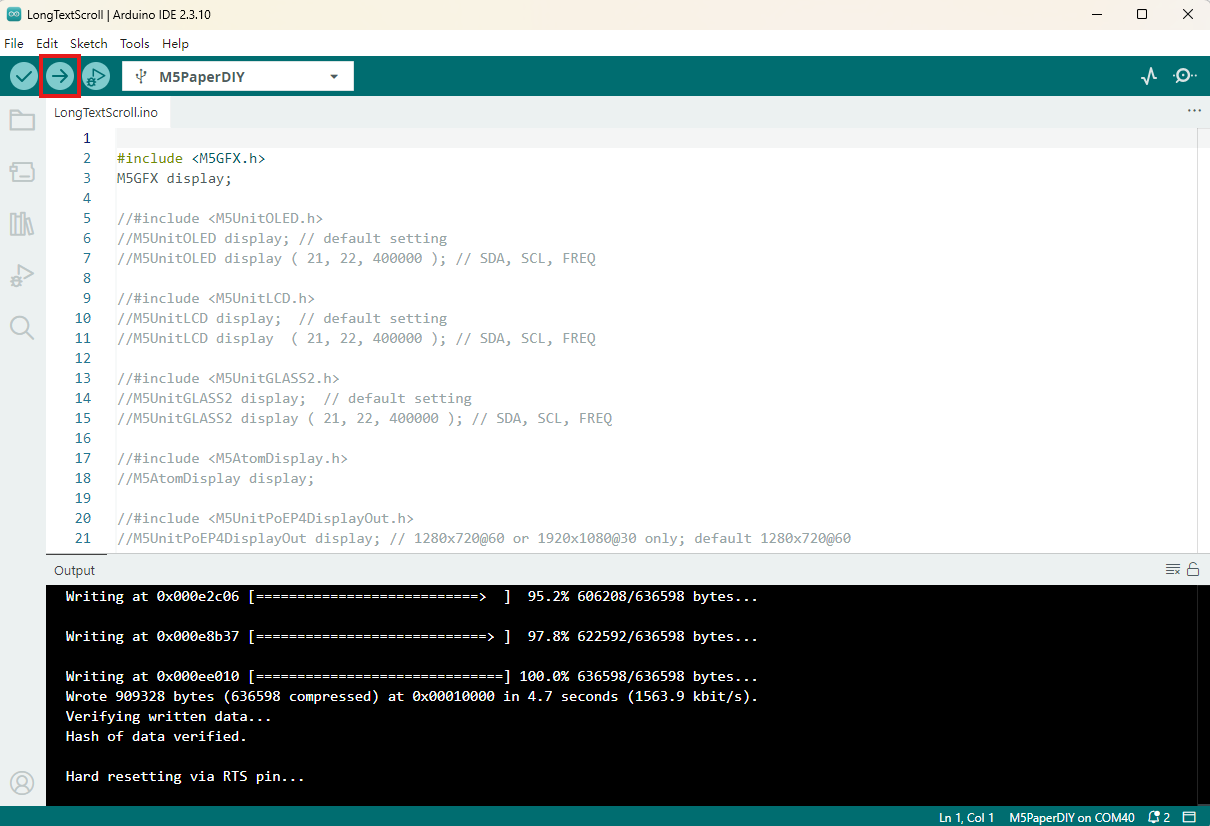
The result is shown below:
5. Related Resources
Page Tools