

Arduino 上手教程
2. 设备开发 & 案例程序
3. M5Unified
4. M5GFX
5. 扩展模块
Unit
Module
Atomic
Tab5
IoT
CoreS3 Button 按键
CoreS3 按键输入相关API与案例程序。
注意事项:
使用时需要在主循环中包含
M5.update() 函数用于读取状态更新且尽可能减少阻塞情况, 否则可能无法及时获取的按键变化状态。案例程序
编译要求
- M5Stack 板管理版本 >= 3.2.2
- 开发板选项 = M5CoreS3
- M5Unified 库版本 >= 0.2.11
- M5GFX 库版本 >= 0.2.18
cpp
1 2 3 4 5 6 7 8 9 10 11 12 13 14 15 16 17 18 19 20 21 22 23
#include <M5Unified.h>

void setup(void)
{
    auto cfg = M5.config();
    M5.begin(cfg);

    M5.Display.setTextColor(RED);
    M5.Display.setTextDatum(middle_center);
    M5.Display.setFont(&fonts::Orbitron_Light_24);
    M5.Display.setTextSize(1);
    M5.Display.drawString("Touch Button Test", M5.Display.width() / 2, 15);
}

void loop(void)
{
    M5.update();

    if (M5.BtnPWR.wasClicked()) {
        M5.Display.fillRect(0, 40, M5.Display.width(), 70, BLACK);
        M5.Display.drawString("Btn PWR", M5.Display.width() / 2, M5.Display.height() / 2 - 30);
    }
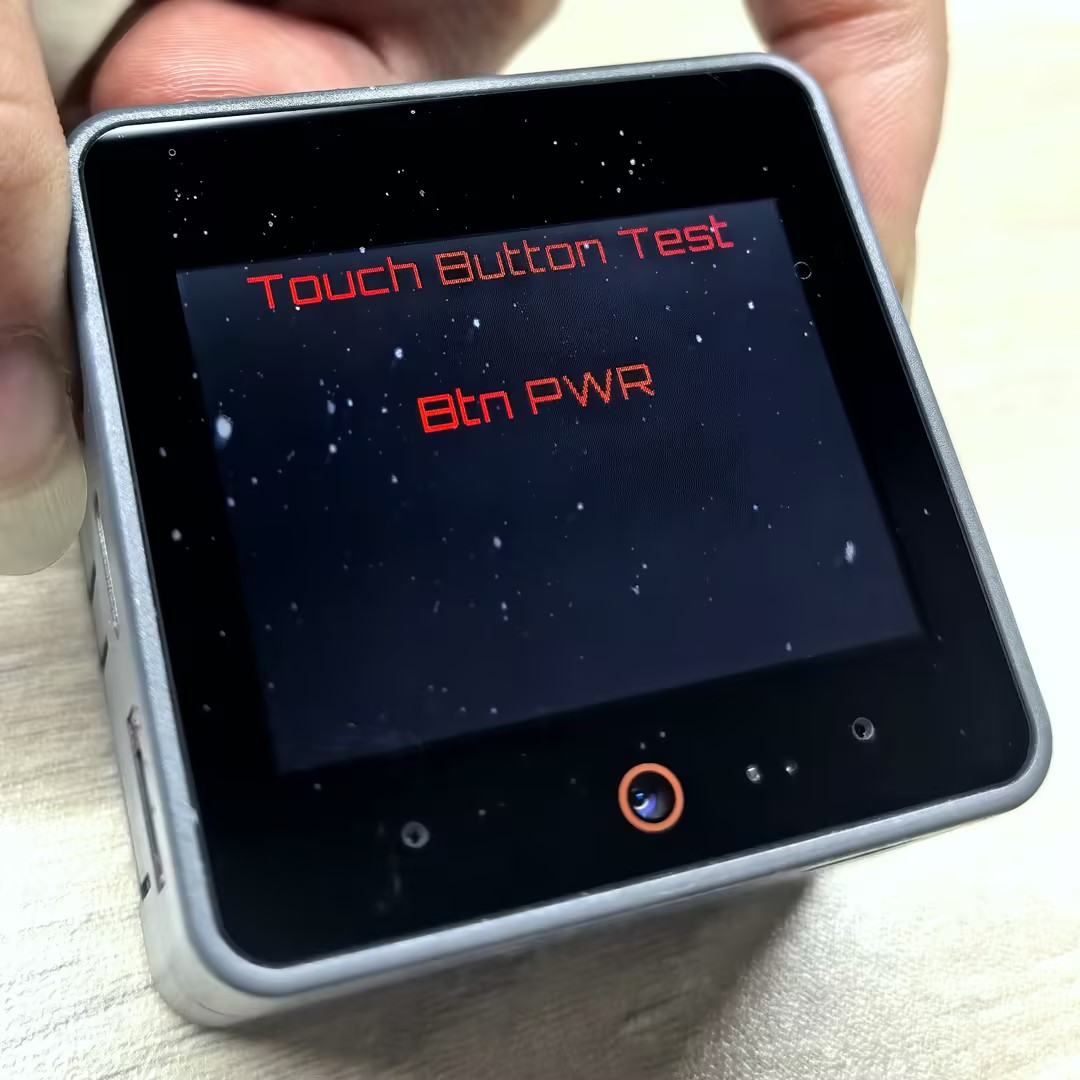
}烧录成功后,通过按下 CoreS3 的电源按钮(BtnPWR)来触发事件。当点击按钮时,设备将检测到这个事件,并在屏幕上显示 "Btn PWR" 的文本。
API
CoreS3 的实体按键(BtnPWR)状态读取依赖于电源管理芯片,目前仅`wasClicked","wasHold"可正常使用。
Page Tools