

Arduino 上手教程
2. 设备开发 & 案例程序
3. M5Unified
4. M5GFX
5. 扩展模块
Unit
Module
Atomic
Tab5
IoT
CoreS3 Mic 麦克风
CoreS3 Mic 相关 API 与案例程序。
编译要求
- M5Stack 板管理版本 >= 3.2.2
- 开发板选项 = M5CoreS3
- M5Unified 库版本 >= 0.2.11
cpp
1 2 3 4 5 6 7 8 9 10 11 12 13 14 15 16 17 18 19 20 21 22 23 24 25 26 27 28 29 30 31 32 33 34 35 36 37 38 39 40 41 42 43 44 45 46 47 48 49 50 51 52 53 54 55 56 57 58 59 60 61 62 63 64 65 66 67 68 69 70 71 72 73 74 75 76 77 78 79 80 81 82 83 84 85 86 87 88 89 90 91 92 93 94 95 96 97 98 99 100 101 102 103 104 105 106 107 108 109 110 111 112 113 114 115 116 117 118 119 120 121 122 123 124 125 126 127 128 129 130 131 132 133 134
#include <M5Unified.h>

static constexpr const size_t record_number     = 256;
static constexpr const size_t record_length     = 320;
static constexpr const size_t record_size       = record_number * record_length;
static constexpr const size_t record_samplerate = 17000;
static int16_t prev_y[record_length];
static int16_t prev_h[record_length];
static size_t rec_record_idx  = 2;
static size_t draw_record_idx = 0;
static int16_t *rec_data;

void setup(void) {
    auto cfg = M5.config();

    M5.begin(cfg);

    M5.Display.startWrite();
    M5.Display.setRotation(1);
    M5.Display.setTextDatum(top_center);
    M5.Display.setTextColor(WHITE);
    M5.Display.setFont(&fonts::FreeSansBoldOblique12pt7b);

    rec_data = (typeof(rec_data))heap_caps_malloc(record_size *

                                                      sizeof(int16_t),
                                                  MALLOC_CAP_8BIT);
    memset(rec_data, 0, record_size * sizeof(int16_t));
    M5.Speaker.setVolume(255);

    /// Since the microphone and speaker cannot be used at the same time,
    // turn
    /// off the speaker here.
    M5.Speaker.end();
    M5.Mic.begin();
    M5.Display.fillCircle(130, 15, 8, RED);
    M5.Display.drawString("REC", 180, 3);
}

void loop(void) {
    M5.update();

    if (M5.Mic.isEnabled()) {
        static constexpr int shift = 6;
        auto data                  = &rec_data[rec_record_idx * record_length];
        if (M5.Mic.record(data, record_length, record_samplerate)) {
            data = &rec_data[draw_record_idx * record_length];

            int32_t w = M5.Display.width();
            if (w > record_length - 1) {
                w = record_length - 1;
            }
            for (int32_t x = 0; x < w; ++x) {
                M5.Display.writeFastVLine(x, prev_y[x], prev_h[x],
                                              TFT_BLACK);
                int32_t y1 = (data[x] >> shift);
                int32_t y2 = (data[x + 1] >> shift);
                if (y1 > y2) {
                    int32_t tmp = y1;
                    y1          = y2;
                    y2          = tmp;
                }
                int32_t y = ((M5.Display.height()) >> 1) + y1;
                int32_t h = ((M5.Display.height()) >> 1) + y2 + 1 - y;
                prev_y[x] = y;
                prev_h[x] = h;
                M5.Display.writeFastVLine(x, prev_y[x], prev_h[x], WHITE);
            }

            M5.Display.display();
            M5.Display.fillCircle(130, 15, 8, RED);
            M5.Display.drawString("REC", 180, 3);
            if (++draw_record_idx >= record_number) {
                draw_record_idx = 0;
            }
            if (++rec_record_idx >= record_number) {
                rec_record_idx = 0;
            }
        }
    }

    int state = M5.BtnPWR.wasClicked();

    if (state) {
        auto cfg               = M5.Mic.config();
        cfg.noise_filter_level = (cfg.noise_filter_level + 8) & 255;
        M5.Mic.config(cfg);
        M5.Display.clear();
        M5.Display.fillCircle(130, 15, 8, GREEN);
        M5.Display.drawString("NF:" + String(cfg.noise_filter_level), 180, 3);
        delay(2000);
        M5.Display.clear();
    }

    if (M5.Touch.getCount() && M5.Touch.getDetail(0).wasClicked()) {
        if (M5.Speaker.isEnabled()) {
            M5.Display.clear();
            while (M5.Mic.isRecording()) {
                delay(1);
            }
            /// Since the microphone and speaker cannot be used at the same
            /// time, turn off the microphone here.
            M5.Mic.end();
            M5.Speaker.begin();

            M5.Display.fillTriangle(130 - 8, 15 - 8, 130 - 8, 15 + 8,
                                        130 + 8, 15, 0x1c9f);
            M5.Display.drawString("PLAY", 180, 3);
            int start_pos = rec_record_idx * record_length;
            if (start_pos < record_size) {
                M5.Speaker.playRaw(&rec_data[start_pos],
                                       record_size - start_pos,
                                       record_samplerate, false, 1, 0);
            }
            if (start_pos > 0) {
                M5.Speaker.playRaw(rec_data, start_pos, record_samplerate,
                                       false, 1, 0);
            }
            do {
                delay(1);
                M5.update();
            } while (M5.Speaker.isPlaying());

            /// Since the microphone and speaker cannot be used at the same
            /// time, turn off the speaker here.
            M5.Speaker.end();
            M5.Mic.begin();

            M5.Display.clear();
            M5.Display.fillCircle(130, 15, 8, RED);
            M5.Display.drawString("REC", 180, 3);
        }
    }
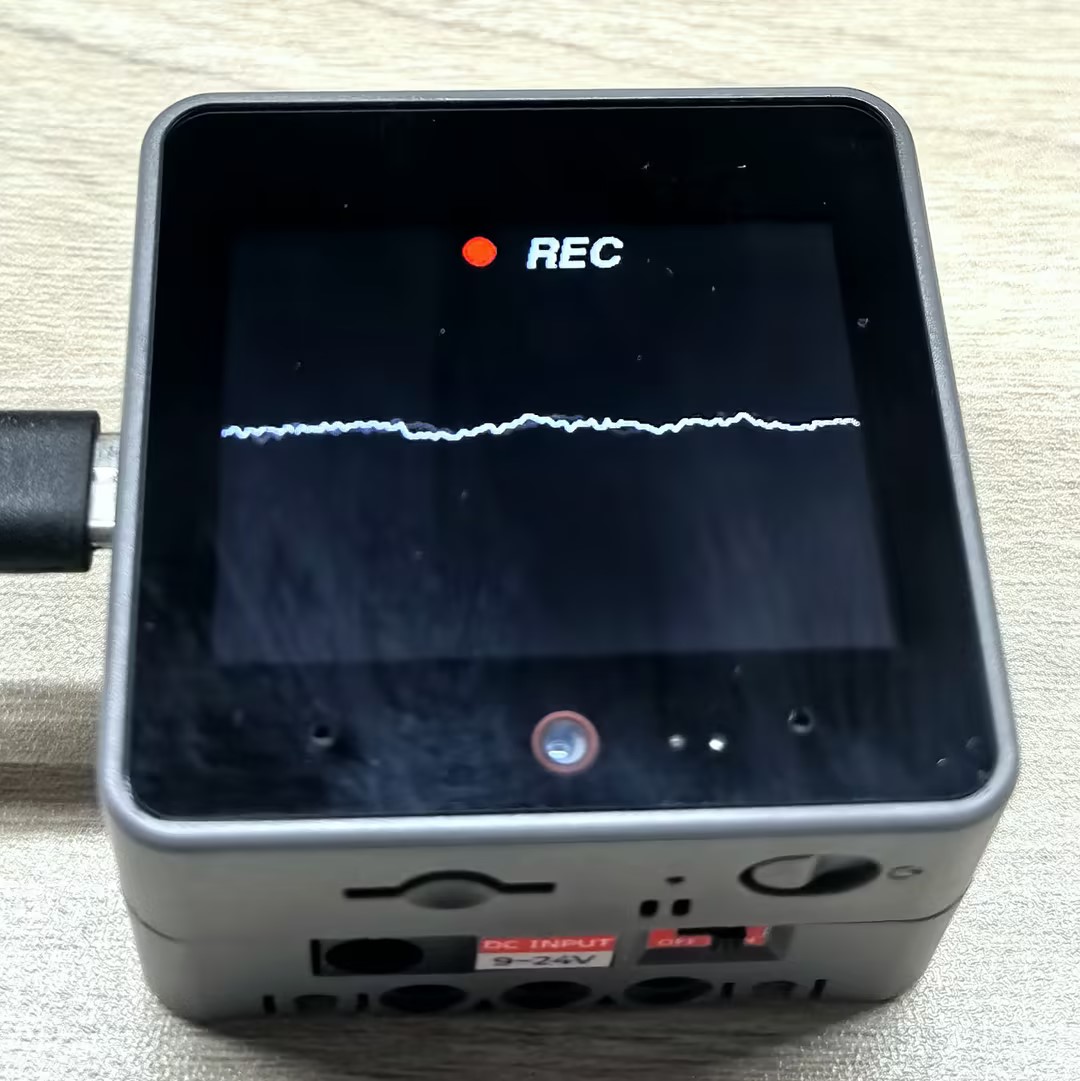
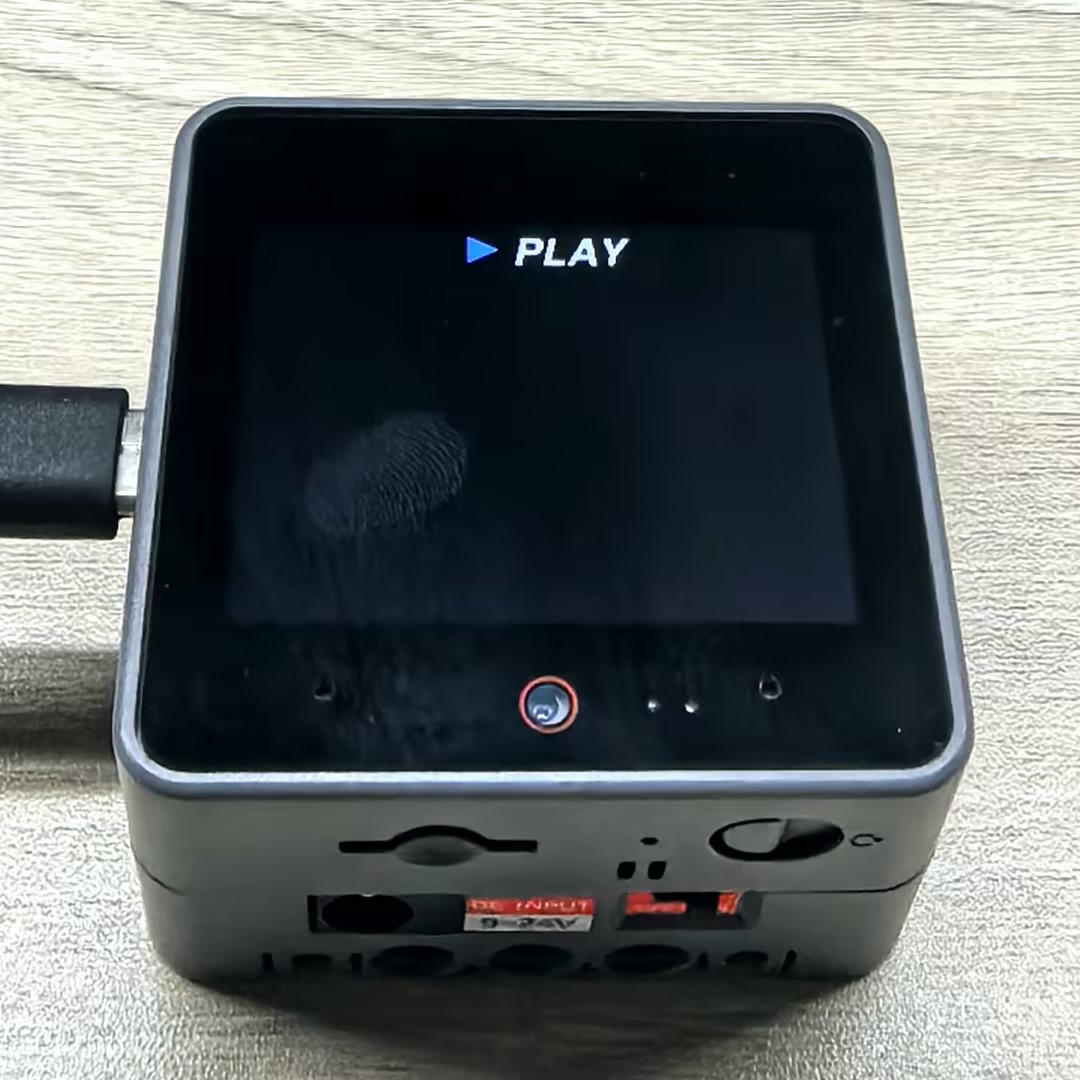
}烧录成功后,您可以在 CoreS3 上录制音频并回放。点击屏幕开始录制,点击电源按钮(BtnPWR)可以调整降噪滤波级别。当您再次点击屏幕时,设备将播放刚才录制的音频。
API
CoreS3 Mic 部分使用了 M5Unified 库中的 Mic_Class, 更多相关的 API 可以参考下方文档:
Page Tools