

Arduino Quick Start
2. Devices & Examples
3. M5Unified
4. M5GFX
5. Extensions
Unit
Module
Atomic
Tab5
IoT
Accessories
CoreS3 Arduino Program Compilation & Upload
1. Preparation
- Arduino IDE Installation: Refer to Arduino IDE Installation Tutorial to complete IDE installation.
- Board Manager Installation: Refer to Basic Environment Setup Tutorial to complete M5Stack board manager installation and select the
M5CoreS3development board.
- Board Manager Installation: Refer to Basic Environment Setup Tutorial to complete M5Stack board manager installation and select the
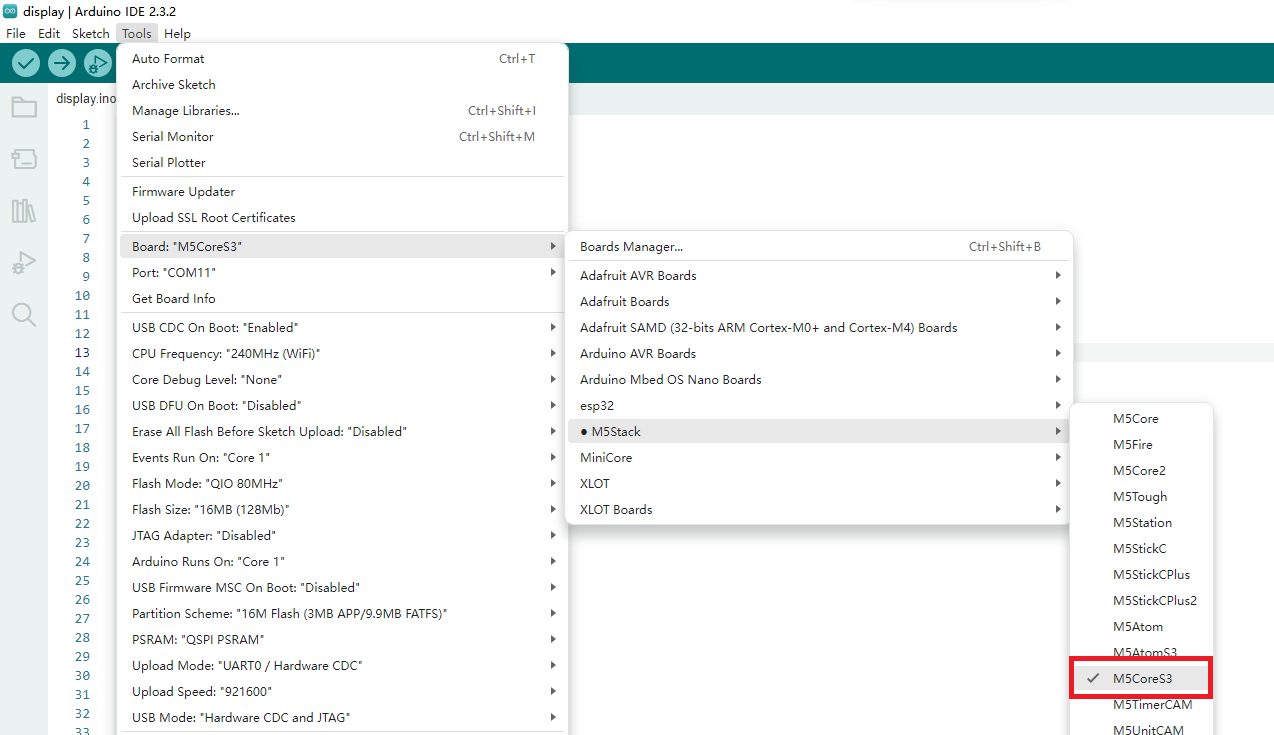
- Driver Library Installation: Refer to Library Manager Installation Tutorial to complete
M5UnifiedandM5GFXdriver library installation, and install all dependent libraries as prompted.
- Driver Library Installation: Refer to Library Manager Installation Tutorial to complete
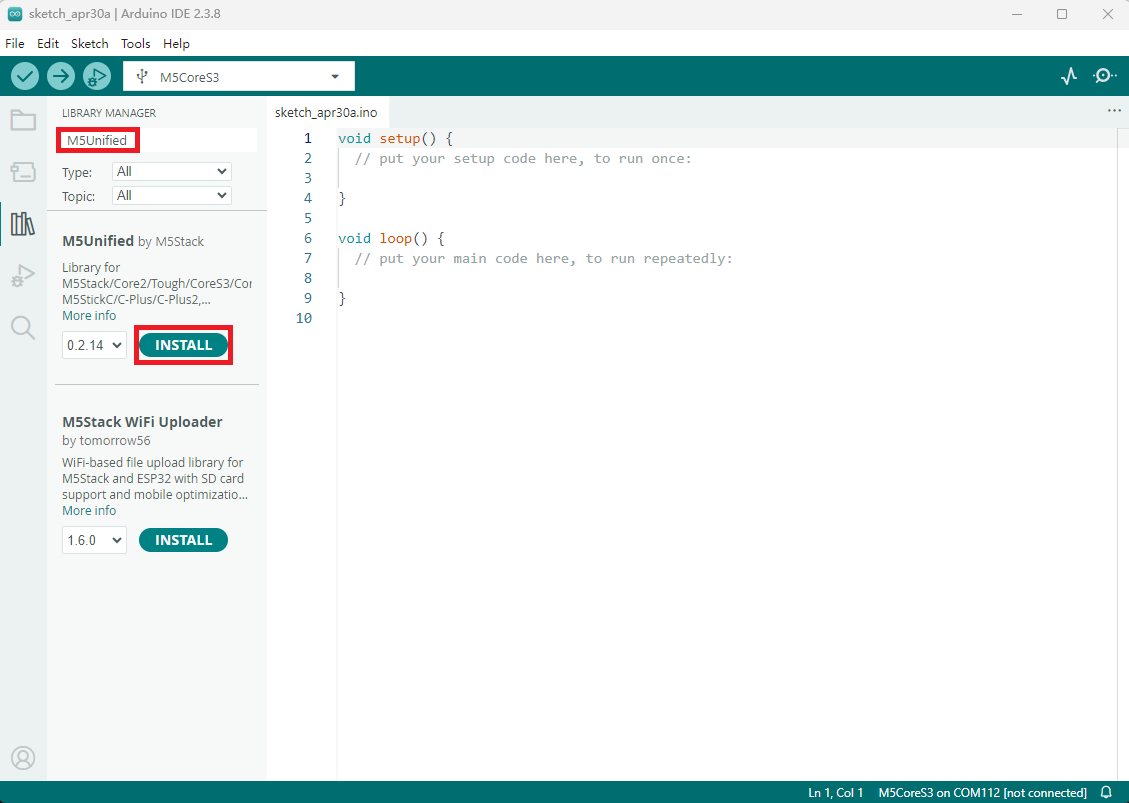
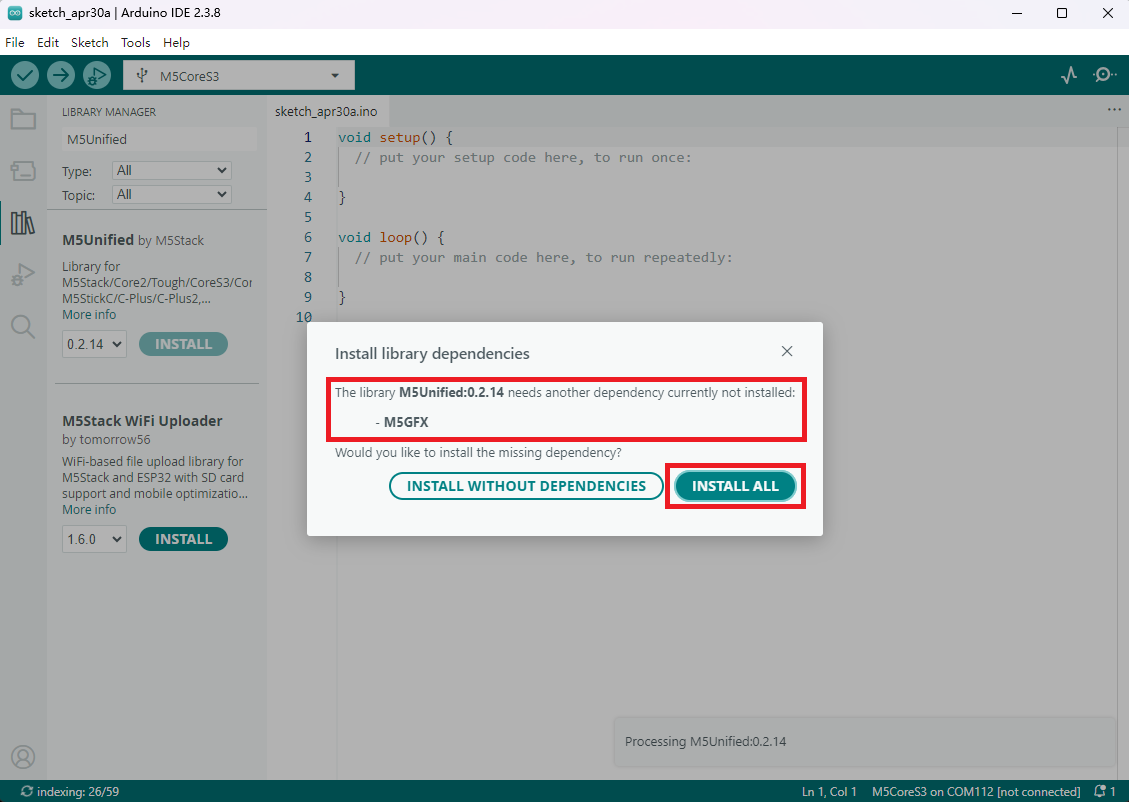
2. Download Mode
- Long press the reset button (approximately 2 seconds) until the internal green LED lights up, then release. The device is now in download mode waiting for upload. The green LED turns off after the button is released, confirming that the device is in download mode.
.gif)
3. Port Selection
Connect the device to your computer via USB cable. After the device enters download mode, you can select the corresponding device port in Arduino IDE.
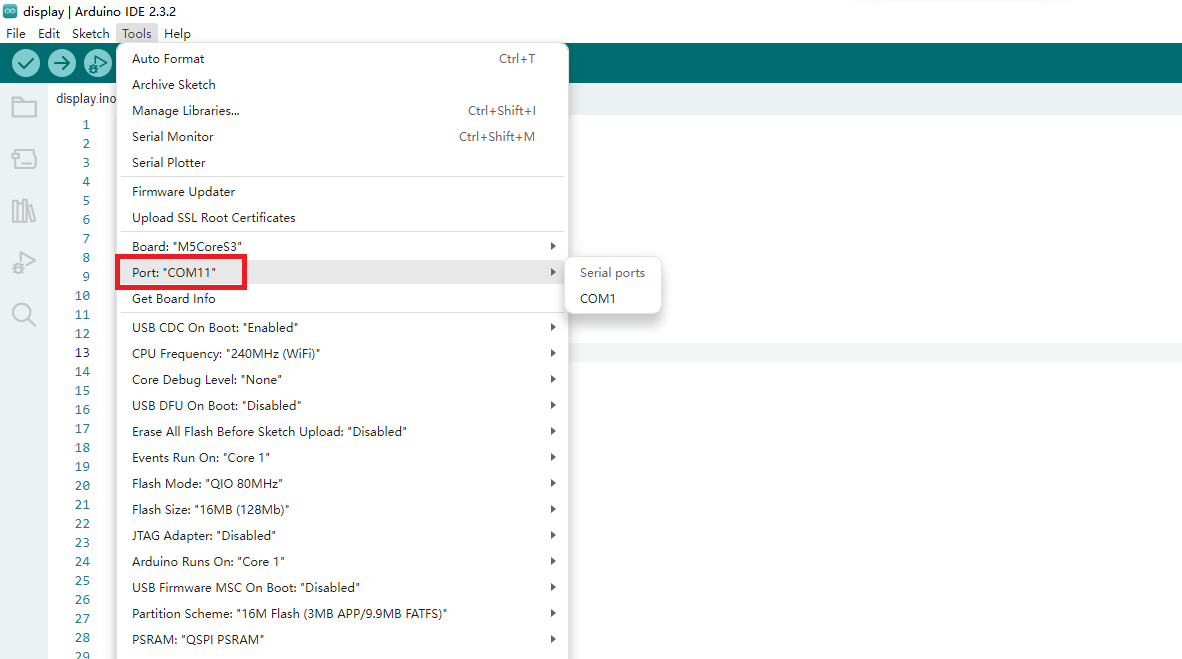
4. Program Compile & Upload
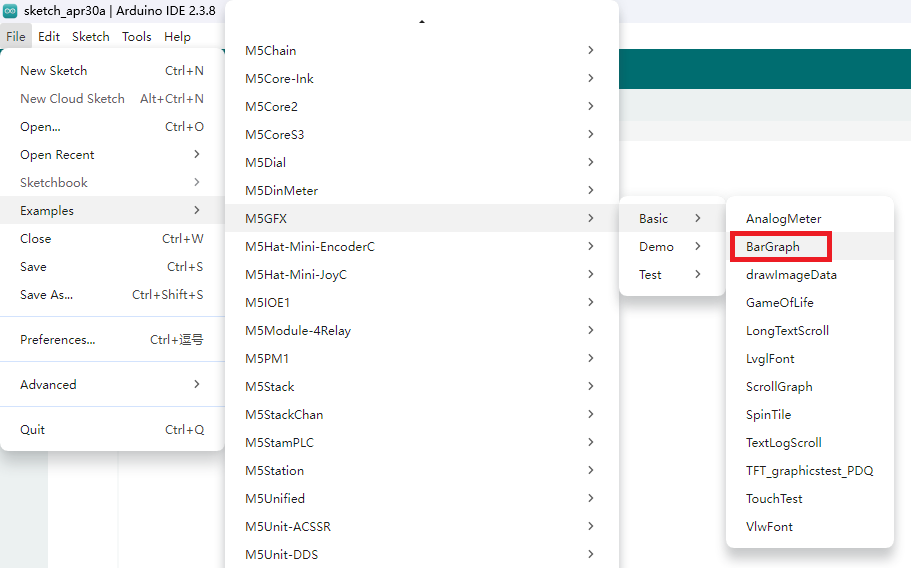
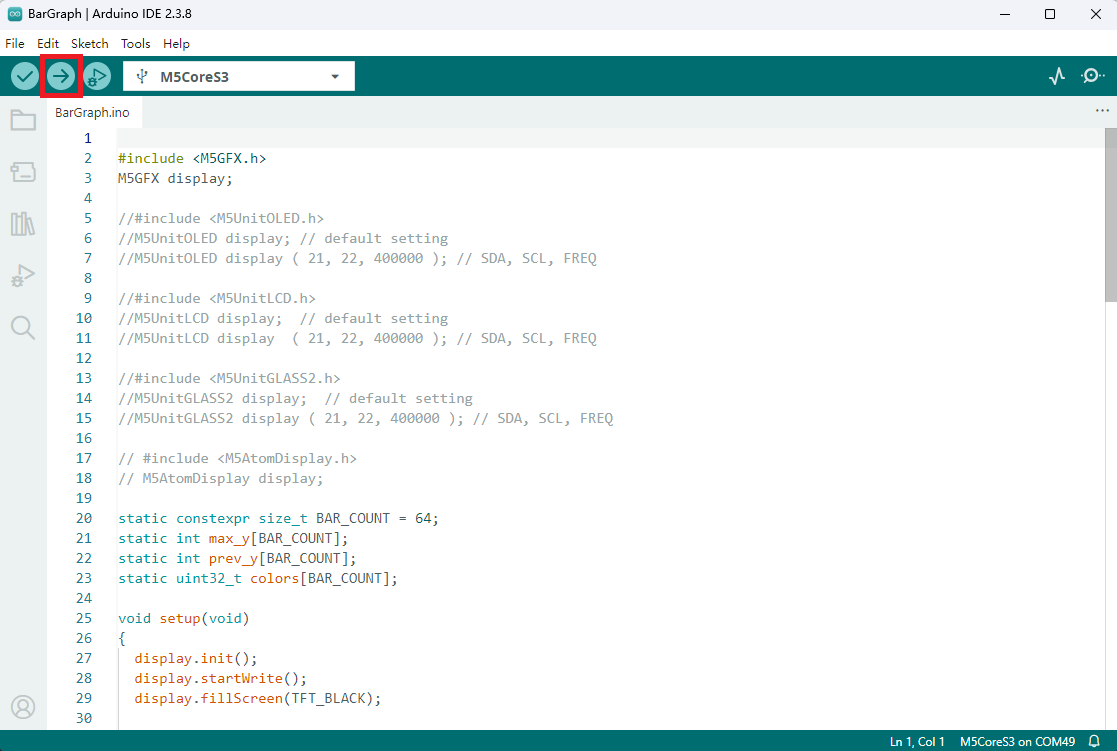
Open the example program "BarGraph" from the driver library, click the upload button, and the program will automatically compile and upload.
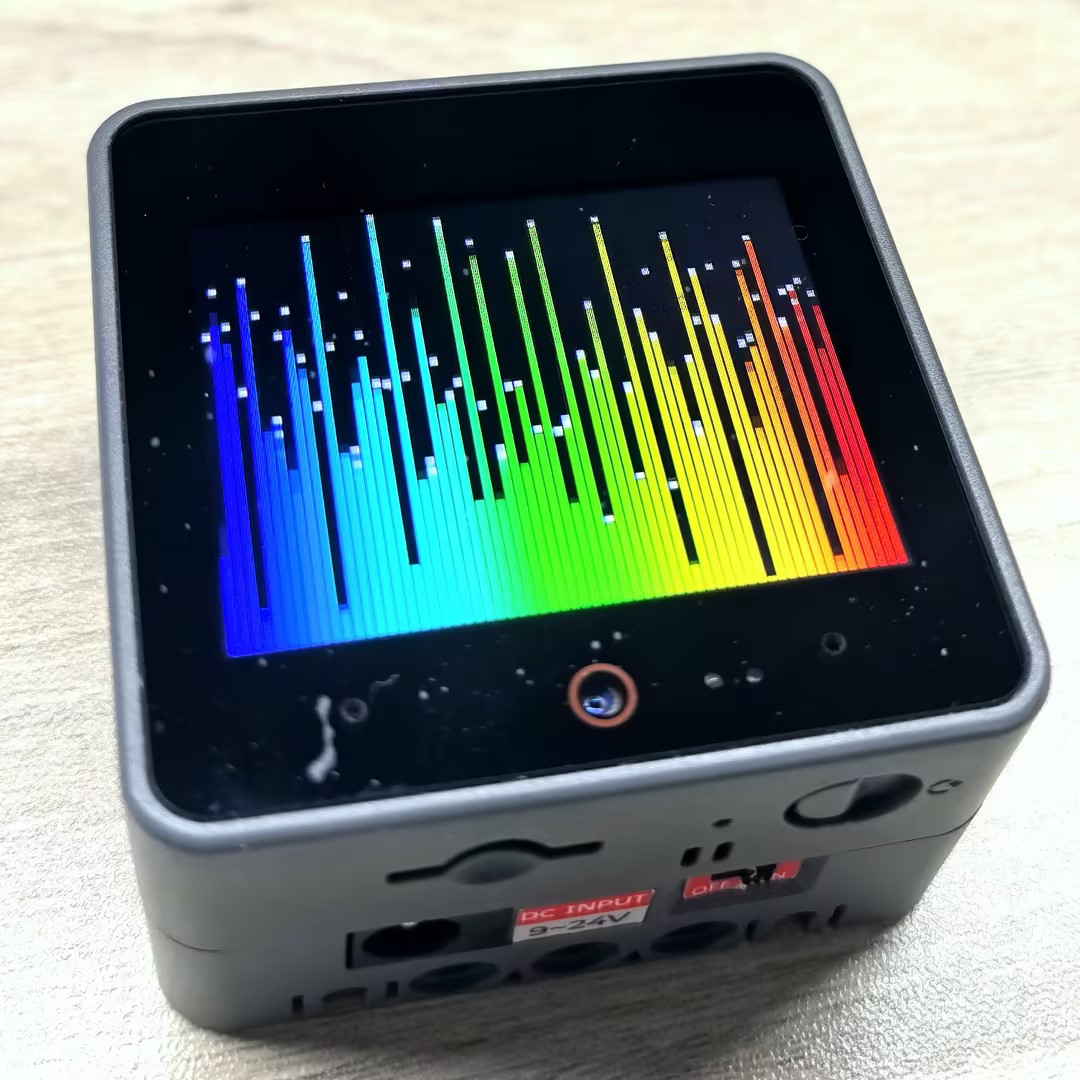
The result is as shown below:
5. Related Resources
Page Tools