

Arduino Quick Start
2. Devices & Examples
3. M5Unified
4. M5GFX
5. Extensions
Unit
Module
Atomic
Tab5
IoT
Accessories
Module COMX LTE Arduino Tutorial
1. Preparation
Environment setup: Refer to Getting Started with Arduino IDE to complete the IDE installation, and install the corresponding board manager and required driver libraries according to your development board.
Required libraries:
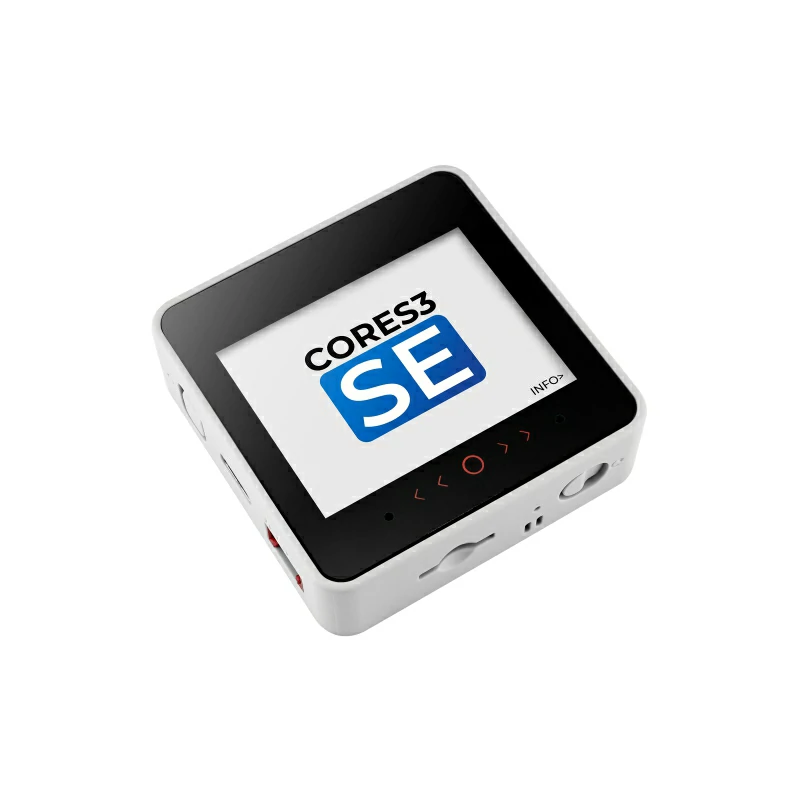
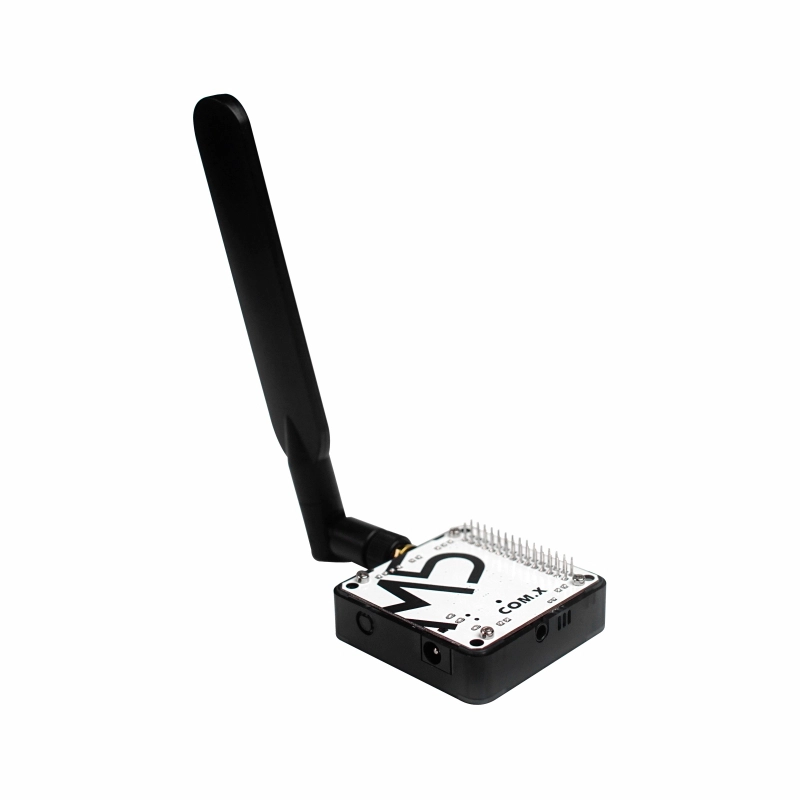
Required hardware products:
2. Notes
3. Example Program
- In this tutorial, the main controller used is CoreS3-SE. With Module COMX LTE and a wired headset with microphone, you can make voice calls. Before use, please set the DIP switch positions as shown below.
3.1 DIP Switch Settings
Module COMX LTE communicates via UART. Please modify the pin definitions in the program according to your actual circuit connection. After connecting the devices, the corresponding UART IO are G1 (RX) and G7 (TX), as shown below:
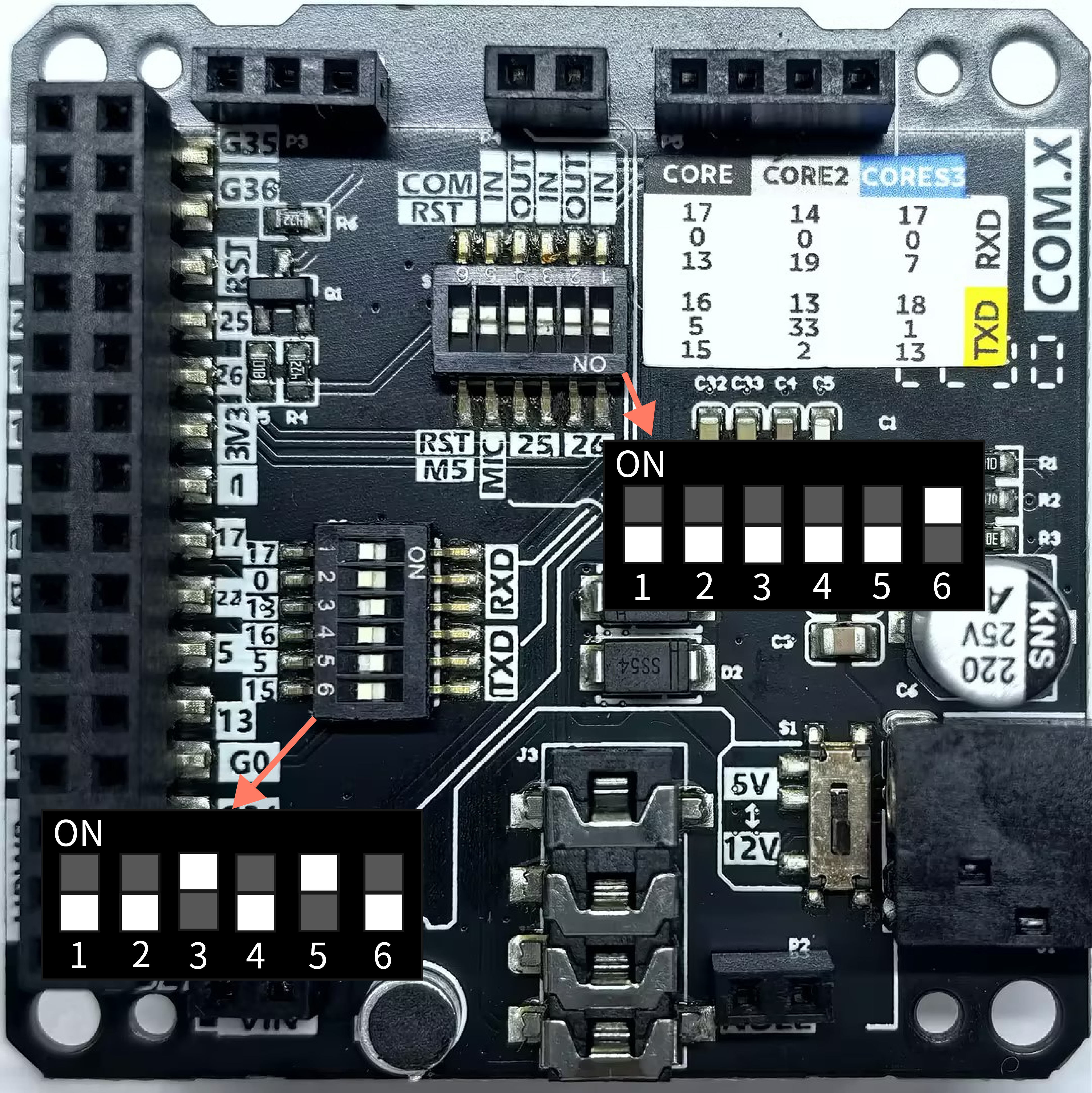
COM RST is set to ON, the module will be connected to the host reset pin. When the host resets, the module will also reset. In this case, the module initialization time will be longer. Configure it as needed.2. If you are using a Core series host, you can set the DIP switch
25 OUT to ON to use the host's built-in speaker as the call audio output (Core series only).3.2 Headset Selection
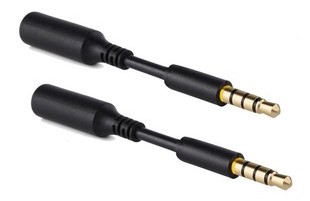
Module COMX LTE integrates a 3.5mm TRRS headset jack, allowing you to connect a wired headset with microphone for call audio input/output. This jack supports 17mm plug length. If you use a 14mm plug, the headset will not work properly. Please use a male-to-female adapter like the one shown below:
3.3 Code
#include <M5Unified.h>

// Call-related status variables (volatile for interrupt-safe access)
volatile bool call_connected = false;
volatile bool call_ended     = false;
volatile int  call_result    = 0;   // Call result code: 0=Unknown, 1=Connected, 2=Unanswered, 3=Busy

bool  network_ready = false;
bool  calling       = false;

// Read all available data from LTE module serial port and update call status
// Parses Unsolicited Result Codes (URC) from LTE module to detect call state changes
void readLTEURC()
{
    static String buf;

    while (Serial2.available() > 0) {
        char c = (char)Serial2.read();
        buf += c;
    }

    if (buf.length() == 0) return;

    // Determine call status by matching URC keywords
    if (buf.indexOf("VOICE CALL: BEGIN") != -1) {
        call_connected = true;
        call_result    = 1;
        Serial.println("[COMX LTE URC] CALL CONNECTED (VOICE CALL: BEGIN)");
    }
    if (buf.indexOf("VOICE CALL: END") != -1) {
        call_ended = true;
        Serial.println("[COMX LTE URC] CALL ENDED (VOICE CALL: END)");
    }
    if (buf.indexOf("NO CARRIER") != -1) {
        call_ended = true;
        if (!call_connected) {
            call_result = 2;
        }
        Serial.println("[COMX LTE URC] CALL ENDED (NO CARRIER)");
    }
    if (buf.indexOf("BUSY") != -1) {
        call_ended  = true;
        call_result = 3;
        Serial.println("[COMX LTE URC] CALL BUSY");
    }

    // Print raw OK/ERROR responses (dialing uses sendATandWait's timeout handling)
    if (buf.indexOf("OK") != -1 || buf.indexOf("ERROR") != -1) {
        Serial.print("[COMX LTE RSP RAW] ");
        Serial.println(buf);
    }

    // Clear after processing to prevent overflow
    buf = "";
}

// Send AT command to LTE module and wait for OK/ERROR response with timeout
// @param cmd: AT command string (must include \r\n for line ending)
// @param resp: Reference to store full response from module
// @param timeout_ms: Maximum wait time in milliseconds
// @return: true = "OK" received, false = "ERROR" received or timeout
bool sendATandWait(const String& cmd, String& resp, uint32_t timeout_ms)
{
    resp = "";
    Serial.print("[COMX LTE TX] ");
    Serial.print(cmd);

    Serial2.print(cmd);// Transmit AT command to LTE module

    uint32_t start = millis();
    // Wait for response until timeout expires
    while (millis() - start < timeout_ms) {
        while (Serial2.available() > 0) {
            char c = (char)Serial2.read();
            resp += c;

            // Check for termination conditions (OK/ERROR)
            if (resp.indexOf("OK") != -1) {
                Serial.print("[COMX LTE RSP] ");
                Serial.println(resp);
                return true;
            }
            if (resp.indexOf("ERROR") != -1) {
                Serial.print("[COMX LTE RSP] ");
                Serial.println(resp);
                return false;
            }
        }
        delay(10);
    }

    Serial.print("[COMX LTE RSP TIMEOUT] ");
    Serial.println(resp);
    return false;
}

// Wait for LTE module initialization completion
// Verifies basic AT command responsiveness (OK response to "AT" command)
// @param timeout_ms: Maximum wait time for module to respond
// @return: true = module ready (AT port responsive), false = timeout
bool waitForModuleReady(uint32_t timeout_ms)
{
    uint32_t start = millis();
    Serial.println("[COMX LTE] Waiting for module ready...");
    while (millis() - start < timeout_ms) {
        readLTEURC();                 // Consume startup URC/residual output
        String resp;
        if (sendATandWait("AT\r\n", resp, 1000)) {
            Serial.println("[COMX LTE] Module ready.");
            return true;              // OK reply means the AT port is ready
        }
        delay(200);
    }
    Serial.println("[COMX LTE] Module not ready (timeout).");
    return false;
}

// Wait for SIM7600G network readiness (GPRS attach + LTE network registration)
// Verifies both CGATT (attach) and CEREG (registration) statuses
// @param timeout_ms: Maximum wait time for network registration
// @return: true = network registered, false = timeout
bool waitForNetworkReady(uint32_t timeout_ms)
{
    uint32_t start = millis();
    Serial.println("[COMX LTE] Waiting for network...");

    while (millis() - start < timeout_ms) {
        String resp;

        // 1) Query GPRS attach status: AT+CGATT?
        // Expected response: +CGATT: 1 (attached) / +CGATT: 0 (detached)
        if (sendATandWait("AT+CGATT?\r\n", resp, 2000)) {
            if (resp.indexOf("+CGATT: 1") == -1) {
                Serial.println("[COMX LTE] Not attached, retry...");
                delay(1000);
                continue;
            }
        } else {
            Serial.println("[COMX LTE] CGATT? error, retry...");
            delay(1000);
            continue;
        }

        // 2) Query LTE network registration status: AT+CEREG?
        // Expected responses:
        // +CEREG: 0,1 = Registered (home network)
        // +CEREG: 0,5 = Registered (roaming network)
        resp = "";
        if (sendATandWait("AT+CEREG?\r\n", resp, 2000)) {
            if (resp.indexOf("+CEREG:") != -1 &&
                (resp.indexOf(",1") != -1 || resp.indexOf(",5") != -1)) {
                Serial.println("[COMX LTE] Network registered.");
                return true;
            } else {
                Serial.println("[COMX LTE] Not registered, retry...");
            }
        } else {
            Serial.println("[COMX LTE] CEREG? error, retry...");
        }

        delay(100);
    }

    Serial.println("[COMX LTE] Network not ready (timeout).");
    return false;
}

void setup()
{
    M5.begin();
    Serial.begin(115200);
    Serial.println("\r\n[COMX LTE] Start");
    Serial2.begin(115200, SERIAL_8N1, 1, 7); // Initialize LTE module serial port RX=1,TX=7

    M5.Display.setFont(&fonts::FreeMonoBold9pt7b);
    M5.Display.setTextDatum(middle_center);
    M5.Display.clear();
    M5.Display.drawString("Module Initializing...", 160, 120);

    delay(500);

    // Initialize LTE module first, then check network status
    if (!waitForModuleReady(25000)) {// Module initialization typically takes up to 20s
        network_ready = false;
    } else {
        network_ready = waitForNetworkReady(30000);
    }

    M5.Display.clear();
    if (network_ready) {
        Serial.println("[COMX LTE] Touch screen to dial/stop");
        M5.Display.drawString("Touch screen to dial", 160, 80);
    } else {
        Serial.println("[COMX LTE] Network NOT ready, please reset.");
        M5.Display.drawString("Network not ready", 160, 120);
    }
}

void loop()
{
    M5.update();
    auto touchDetail = M5.Touch.getDetail();

    // Continuously read URC messages from LTE module
    readLTEURC();

    // Block dialing if network is not fully registered
    if (!network_ready) {
        delay(50);
        return;
    }

    // Handle touch input for dial/hangup control
    if (!calling && touchDetail.wasPressed()) {
        calling          = true;
        call_connected = false;
        call_ended     = false;
        call_result    = 0;

        Serial.println("[COMX LTE] Dialing...");
        M5.Display.clear();
        M5.Display.drawString("Calling......", 160, 120);
        M5.Display.drawString("Touch screen to hang up", 160, 80);

        String resp;
        // ATD command format: ATD<phone_number>
        bool ok = sendATandWait("ATDXXXXXXXXXXX;\r\n", resp, 10000);

        Serial.print("[DIAL RESULT] ");
        Serial.println(ok ? "OK" : "ERROR/TIMEOUT");
    }
    else if (calling && touchDetail.wasPressed()) {
        Serial.println("[COMX LTE] Hangup");
        String resp;
        sendATandWait("AT+CHUP\r\n", resp, 5000);

        calling     = false;
        call_ended  = true;
        M5.Display.clear();
        M5.Display.drawString("Call ended", 160, 120);
        M5.Display.drawString("Touch screen to dial", 160, 80);
    }

    // Update display based on real-time call status
    if (calling) {
        if (call_connected) {
            M5.Display.clear();
            M5.Display.drawString("Speaking......", 160, 120);
            M5.Display.drawString("Touch screen to hang up", 160, 80);
        }
        if (call_ended) {
            calling = false;
            M5.Display.clear();
            M5.Display.drawString("Call ended", 160, 120);
            M5.Display.drawString("Touch screen to dial", 160, 80);
        }
    }

    delay(20);
}4. Compile & Upload
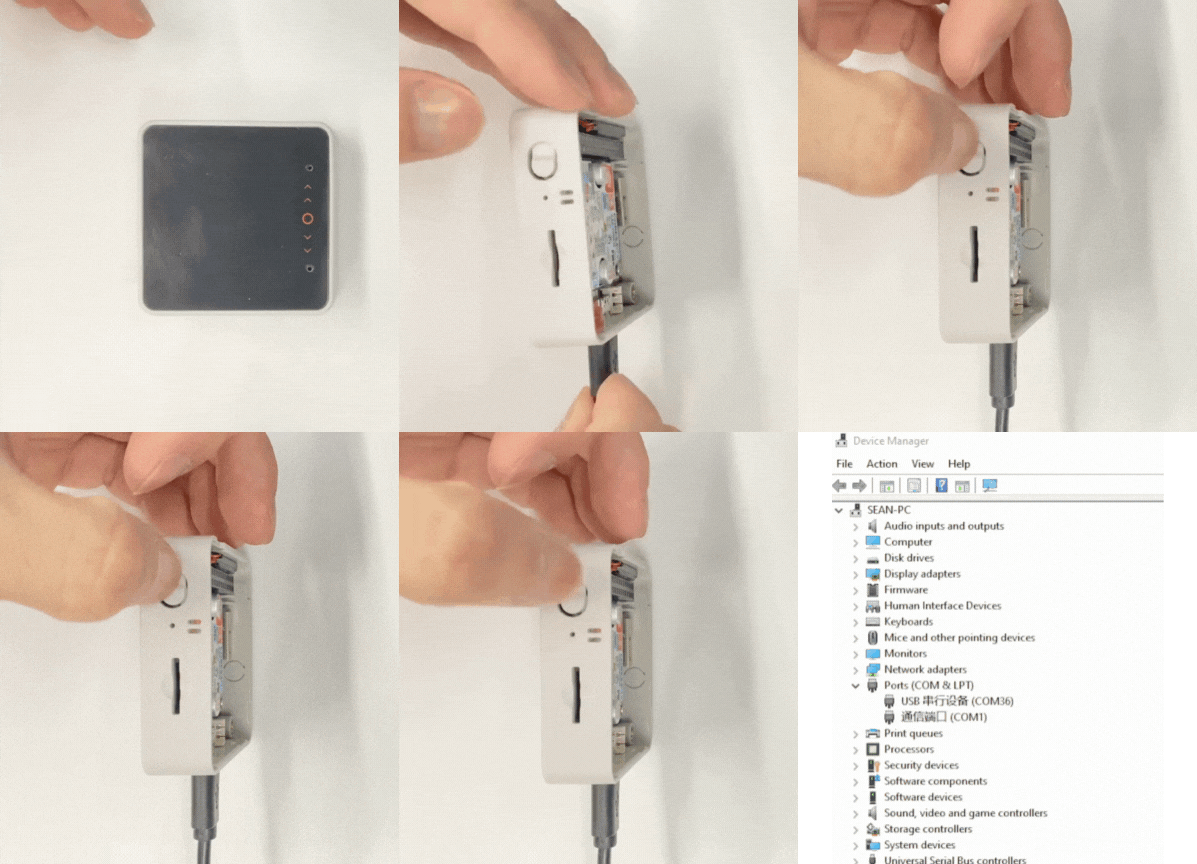
- 1. Enter download mode: Press and hold the Reset button on CoreS3-SE (about 2 seconds) until the internal green LED lights up, then release it. The device will enter download mode and wait for flashing. The green LED turns off after the button is released, confirming that the device is in download mode.
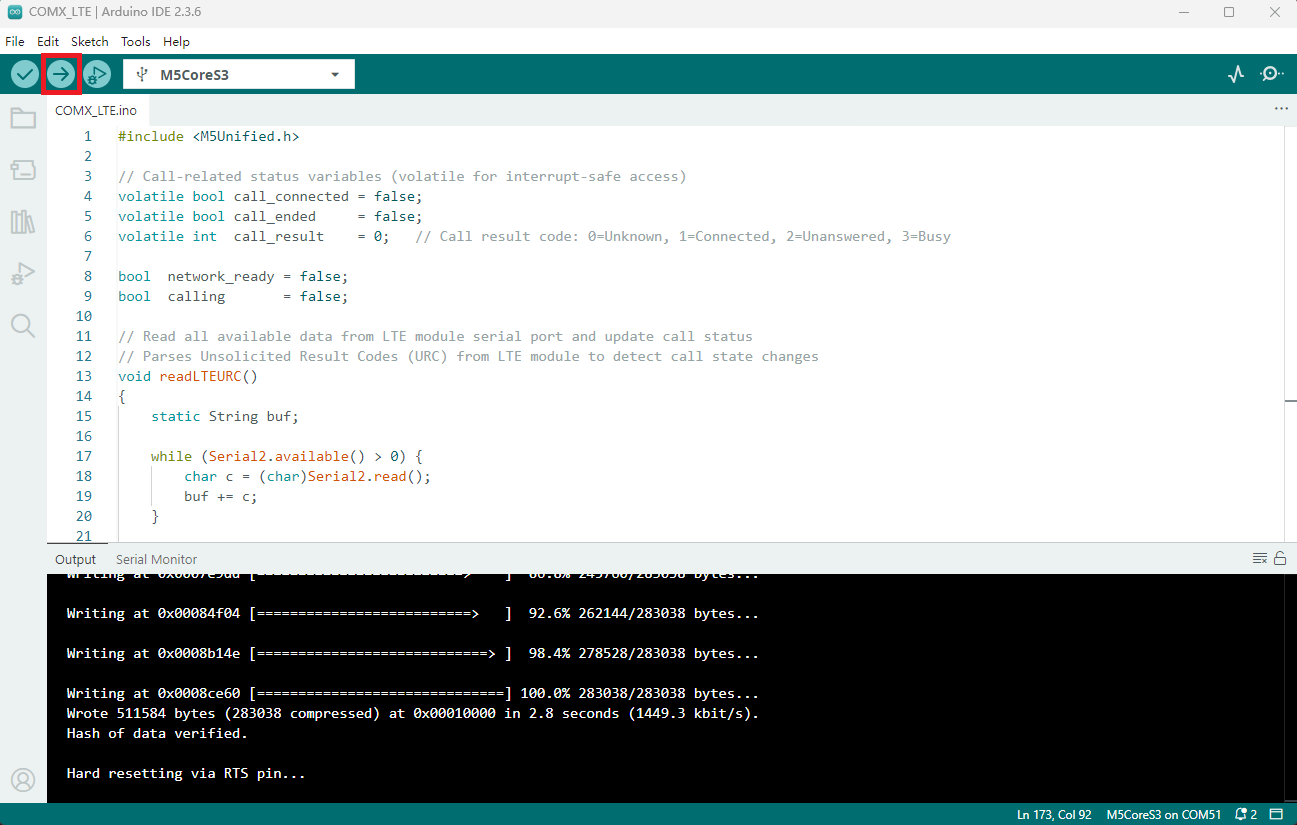
- Select the device port, click the compile and upload button in the upper left corner of Arduino IDE, and wait for the program to finish compiling and uploading to the device.
5. Voice Call
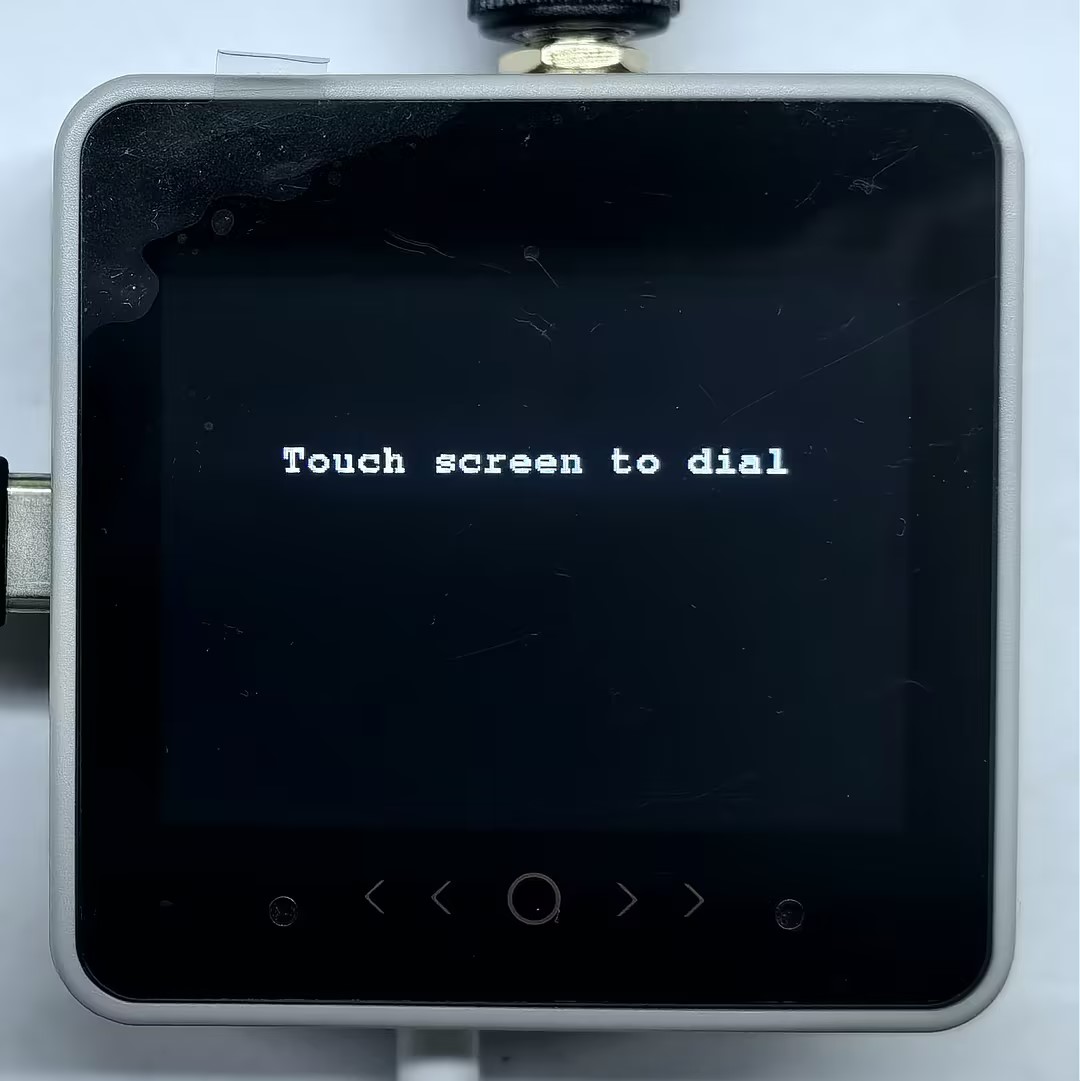
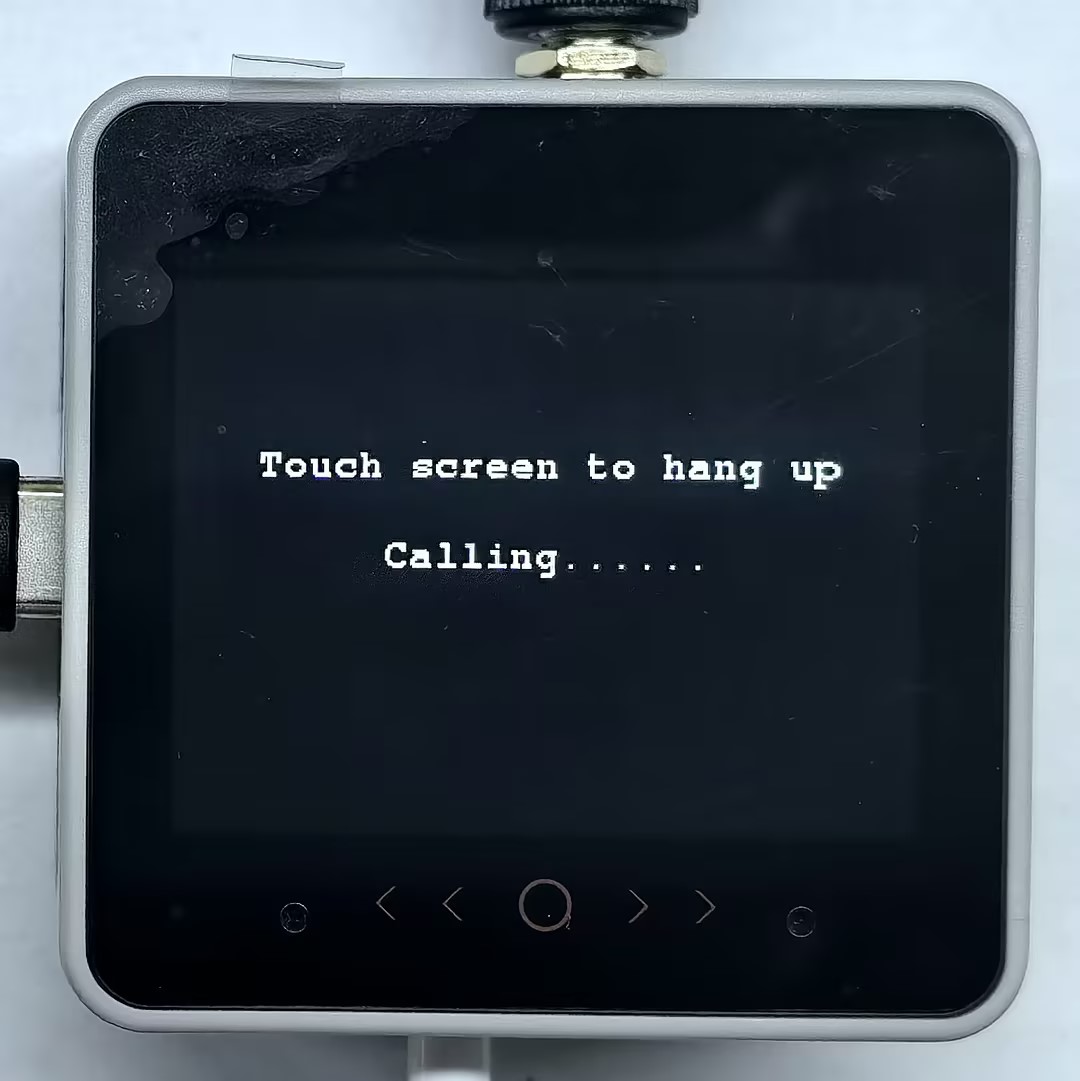
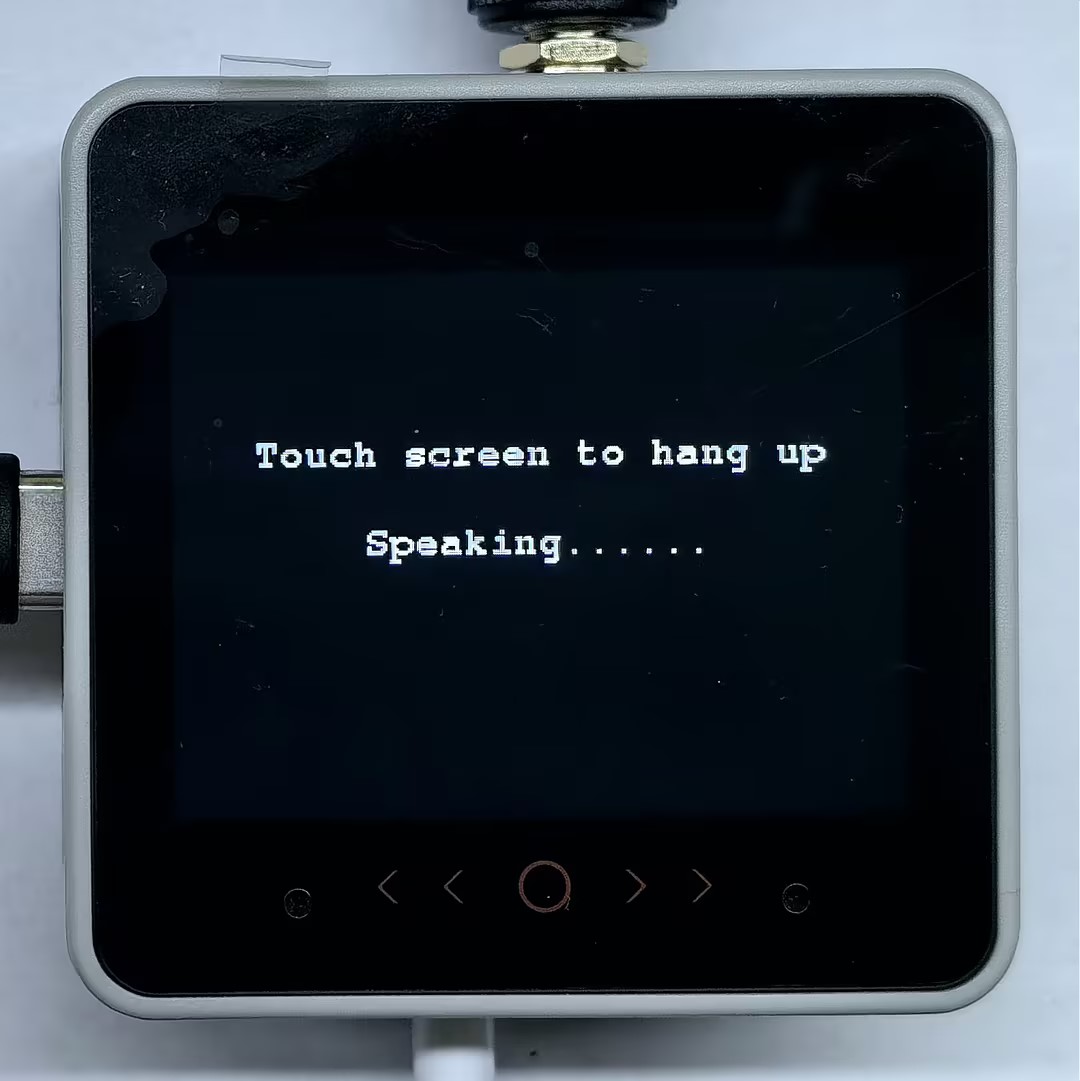
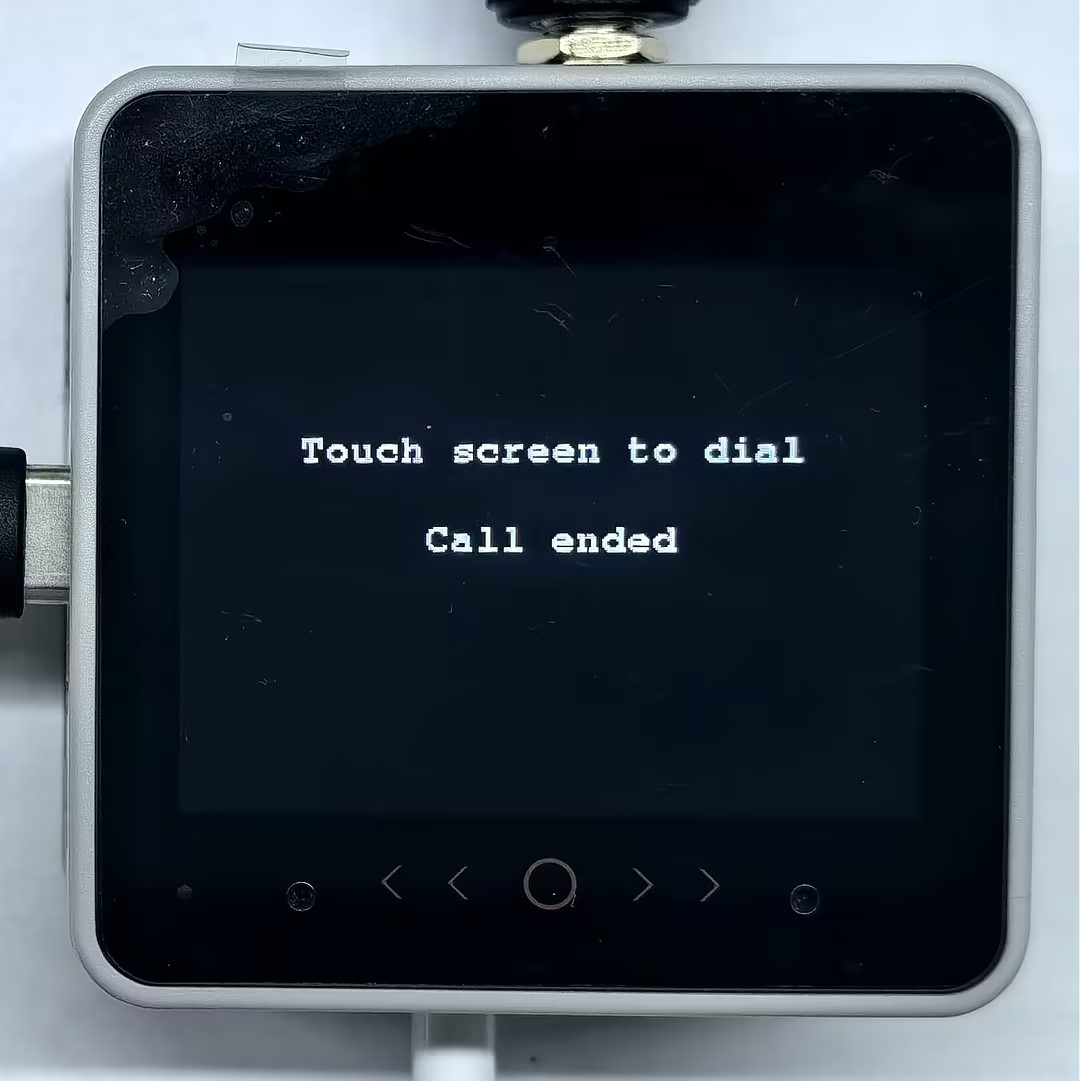
- After power-on, the Module COMX LTE module will initialize automatically and attempt to register to the network. Once connected, touch the host screen to dial. During a call, touch the host screen again to hang up. The current call status will be displayed on the screen.
- Serial monitor output example:
[COMX LTE] Start
[COMX LTE] Waiting for module ready...
[COMX LTE TX] AT
[COMX LTE RSP] AT

OK
[COMX LTE] Module ready.
[COMX LTE] Waiting for network...
[COMX LTE TX] AT+CGATT?
[COMX LTE RSP]
AT+CGATT?

+CGATT: 1

OK
[COMX LTE TX] AT+CEREG?
[COMX LTE RSP]
AT+CEREG?

+CEREG: 0,1

OK
[COMX LTE] Network registered.
[COMX LTE] Touch screen to dial/stop
[COMX LTE] Dialing...
[COMX LTE TX] ATDXXXXXXXXXX;
[COMX LTE RSP] ATDXXXXXXXXXX;

OK
[DIAL RESULT] OK
[COMX LTE URC] CALL CONNECTED (VOICE CALL: BEGIN)
[COMX LTE] Hangup
[COMX LTE TX] AT+CHUP
[COMX LTE RSP] AT+CHUP

VOICE CALL: END: 000008

OK