

Arduino Quick Start
2. Devices & Examples
Demo Board-SHT30
3. M5Unified
4. M5GFX
5. Extensions
Unit
Module
Atomic
Tab5
IoT
Accessories
StickC IMU Six-Axis Motion Sensor
APIs and example programs related to IMU input on StickC.
Example Program
Build Requirements
- M5Stack board package version >= 3.2.5
- Board selection = M5StickC
- M5Unified library version >= 0.2.18
- M5GFX library version >= 0.2.24
cpp
1 2 3 4 5 6 7 8 9 10 11 12 13 14 15 16 17 18 19 20 21 22 23 24 25 26 27 28 29 30 31 32 33 34 35 36 37 38 39 40 41
#include <M5Unified.h>

void setup(void)
{
    M5.begin();

    M5.Display.setRotation(1);
    M5.Display.setTextColor(TFT_GREEN);
    M5.Display.setTextFont(2);
    M5.Display.setTextSize(1);
    M5.Display.setTextDatum(top_left);
    M5.Display.setTextWrap(false);
}

void loop(void)
{
    auto imu_update = M5.Imu.update();
    if (imu_update) {
        M5.Display.clear();

        auto ImuData = M5.Imu.getImuData();

        char accelXY[32];
        char accelZGX[32];
        char gyroYZ[32];

        snprintf(accelXY, sizeof(accelXY), "AX%6.2f AY%6.2f",
                 ImuData.accel.x, ImuData.accel.y);
        snprintf(accelZGX, sizeof(accelZGX), "AZ%6.2f GX%6.2f",
                 ImuData.accel.z, ImuData.gyro.x);
        snprintf(gyroYZ, sizeof(gyroYZ), "GY%6.2f GZ%6.2f",
                 ImuData.gyro.y, ImuData.gyro.z);

        M5.Display.drawString("IMU", 0, 0);
        M5.Display.drawString(accelXY, 0, 24);
        M5.Display.drawString(accelZGX, 0, 40);
        M5.Display.drawString(gyroYZ, 0, 56);
    }

    delay(500);
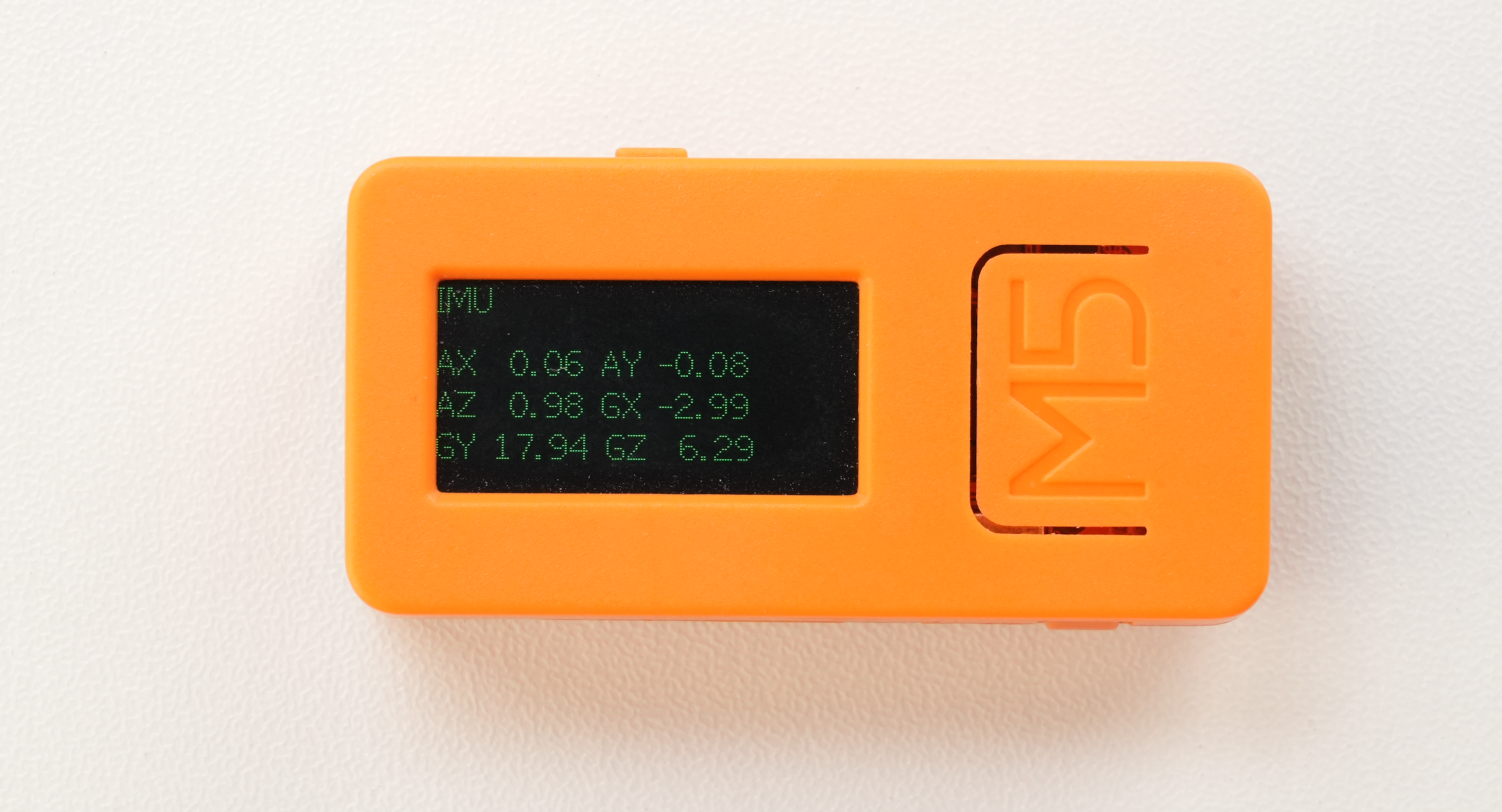
}The program displays the axis data from the motion sensor on the screen.
API
The StickC IMU uses IMU_Class from the M5Unified library. For more IMU APIs, refer to the documentation below:
Page Tools