

Arduino Quick Start
2. Devices & Examples
3. M5Unified
4. M5GFX
5. Extensions
Unit
Module
Atomic
Tab5
IoT
Accessories
Unit INA226-1A/10A Arduino Tutorial
1. Preparation
- Environment: Follow the Arduino IDE Getting Started Guide to install the IDE. Install the appropriate board package for your development board and any required driver libraries.
- Required libraries:
Note
Please download the latest version of the library from GitHub, library address: M5Unit-METER - M5Stack GitHub, do not download from Arduino Library. (If you have questions, please refer to this tutorial)
- Hardware used in this guide:
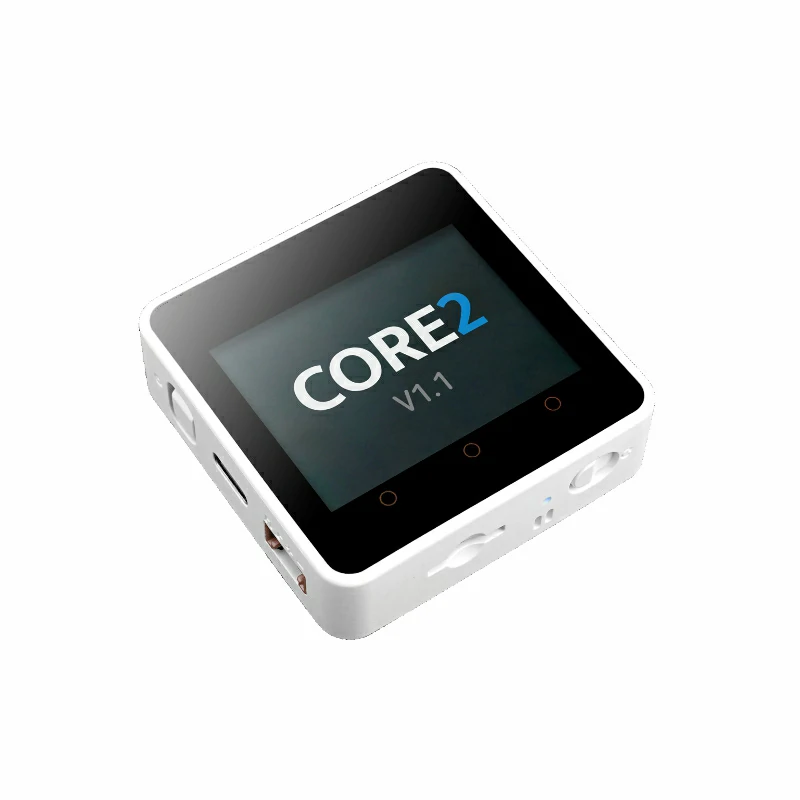
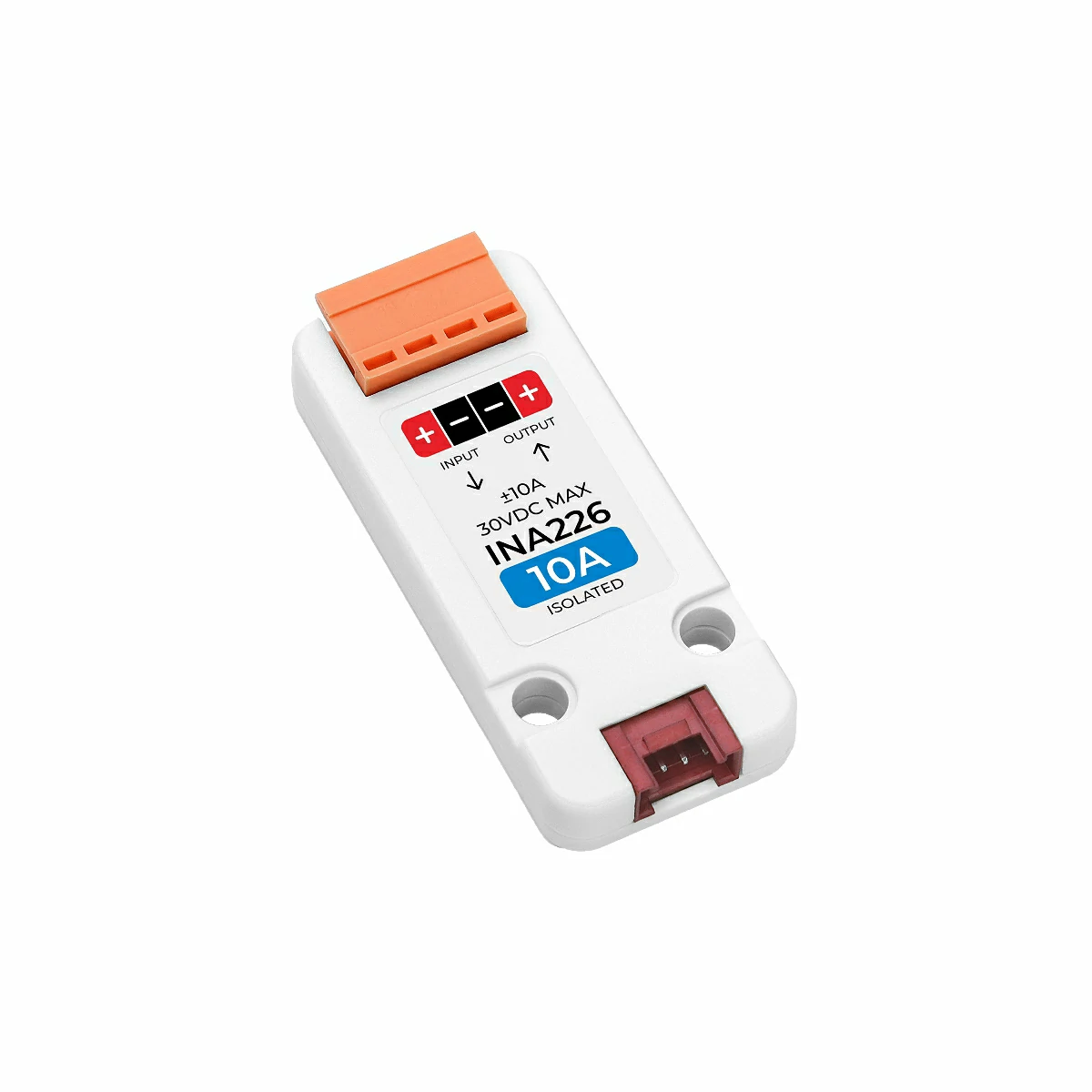
2. Notes
Pin Compatibility
Due to the different pin configurations of each host device, M5Stack officially provides a pin compatibility table for users to check conveniently. Please modify the example program according to the actual pin connections.
3. Example
Note
1. When using this voltage/current measurement unit, wire the input and output polarity exactly as marked on the unit to avoid damage. The INPUT side includes a resettable fuse and is normally connected to the power source; the OUTPUT side is connected to the load. If reversed, measured current values may be negative.
2. The unit can supply power to the load through the module.
2. The unit can supply power to the load through the module.
Detection Mode
- Single measurement: Measures instantaneous current, voltage, power, etc., using the
measureSingleshotfunction.
- Single measurement: Measures instantaneous current, voltage, power, etc., using the
- Periodic measurement: Continuously measures current, voltage, power, etc., using the
startPeriodicMeasurementfunction to start, andstopPeriodicMeasurementto stop.
- Periodic measurement: Continuously measures current, voltage, power, etc., using the
In this tutorial we use a Core2 v1.1 host with Unit INA226-10A (if you use Unit INA226-1A, enable #define USING_UNIT_INA226_1A in the code) to measure the voltage and current etc of a DC motor. The Unit INA226 communicates over I2C — adjust the SDA/SCL pin definitions per your wiring. On the example hardware the I2C pins are G33 (SCL) and G32 (SDA).
cpp
1 2 3 4 5 6 7 8 9 10 11 12 13 14 15 16 17 18 19 20 21 22 23 24 25 26 27 28 29 30 31 32 33 34 35 36 37 38 39 40 41 42 43 44 45 46 47 48 49 50 51 52 53 54 55 56 57 58 59 60 61 62 63 64 65 66 67 68 69 70 71 72 73 74 75 76 77 78 79 80 81 82 83 84 85 86 87 88 89 90 91 92 93 94 95 96 97 98 99 100
#include <M5Unified.h>
#include <M5UnitUnified.h>
#include <M5UnitUnifiedMETER.h>
#include <Wire.h>

// *************************************************************
// Choose one define symbol to match the unit you are using
// *************************************************************
#if !defined(USING_UNIT_INA226_1A) && !defined(USING_UNIT_INA226_10A)
// #define USING_UNIT_INA226_1A
#define USING_UNIT_INA226_10A
#endif

namespace {
auto& lcd = M5.Display;
m5::unit::UnitUnified Units;
#if defined(USING_UNIT_INA226_1A)
#pragma message "Using 1A"
m5::unit::UnitINA226_1A unit_ina226;
#elif defined(USING_UNIT_INA226_10A)
#pragma message "Using 10A"
m5::unit::UnitINA226_10A unit_ina226;
#else
#error "Choose unit"
#endif
}  // namespace

void setup()
{
    M5.begin();

    // The screen shall be in landscape mode
    if (lcd.height() > lcd.width()) {
        lcd.setRotation(1);
    }

    auto pin_num_sda = M5.getPin(m5::pin_name_t::port_a_sda);
    auto pin_num_scl = M5.getPin(m5::pin_name_t::port_a_scl);
    M5_LOGI("getPin: SDA:%u SCL:%u", pin_num_sda, pin_num_scl);

    Wire.end();
    Wire.begin(pin_num_sda, pin_num_scl, 400000U);
    if (!Units.add(unit_ina226, Wire) || !Units.begin()) {
        M5_LOGE("Failed to begin");
        lcd.clear(TFT_RED);
        while (true) {
            m5::utility::delay(10000);
        }
    }
    lcd.setFont(&fonts::FreeMonoBoldOblique9pt7b);
    lcd.setTextColor(TFT_BLACK);

    M5_LOGI("M5UnitUnified has been begun");
    M5_LOGI("%s", Units.debugInfo().c_str());
    lcd.clear(TFT_WHITE);
    lcd.setCursor(0, 120);
    lcd.printf("Press BtnA or touch the screen to switch the measurement mode");
}

void loop()
{
    using namespace m5::unit::ina226;

    M5.update();
    auto touch = M5.Touch.getDetail();
    Units.update();

    if (unit_ina226.updated()) {
        lcd.startWrite();
        lcd.fillRect(0, 10, lcd.width(), 24 * 4, TFT_WHITE);
        lcd.setCursor(0, 10);
        lcd.printf(
            " C:%5.2f mA\n"
            "SV:%5.2f mV\n"
            "BV:%5.2f mV\n"
            " P:%5.2f mW",
            unit_ina226.current(), unit_ina226.shuntVoltage(), unit_ina226.voltage(), unit_ina226.power());
        lcd.endWrite();
    }

    if (M5.BtnA.wasClicked() || touch.wasClicked()) {//switch measurement mode
        static bool single{};
        single = !single;
        if (single) {//single measurement
            M5.Speaker.tone(1500, 20);//prompt tone
            Data d{};
            unit_ina226.stopPeriodicMeasurement();
            if (unit_ina226.measureSingleshot(d)) {
                M5.Log.printf("Single:A:%f SV:%f BV:%f W:%f\n", unit_ina226.current(), unit_ina226.shuntVoltage(), unit_ina226.voltage(),
                              unit_ina226.power());
            } else {
                M5_LOGE("Failed to measureSingleshot");
            }
        } else {//periodic measurement
            M5.Speaker.tone(2500, 20);//prompt tone
            M5.Log.printf("Start periodic\n");
            unit_ina226.startPeriodicMeasurement();
        }
    }
}4. Compile & Upload
- Select the device port (see Program Compilation & Upload) and click the Arduino IDE upload button. Wait for compilation and upload to finish.
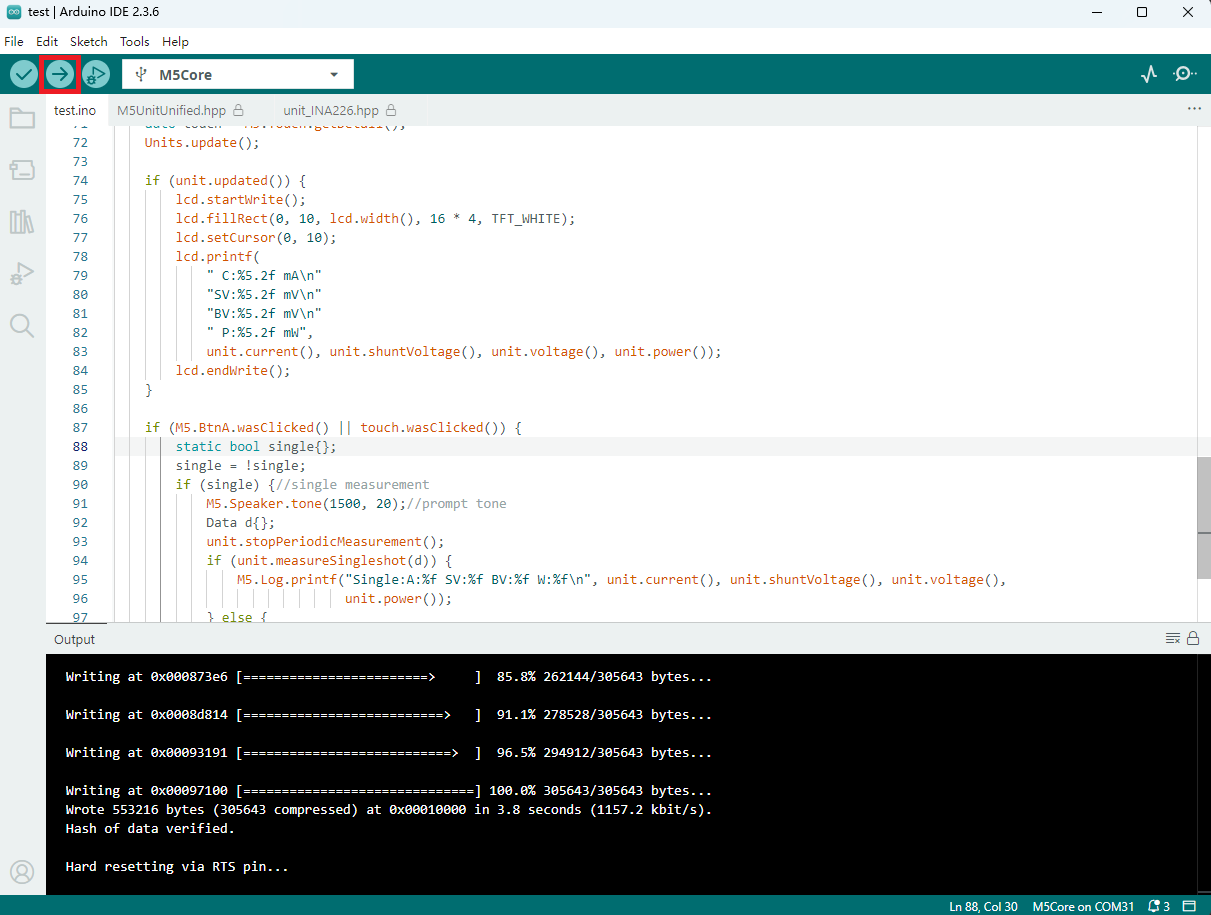
5. Measurement results
- Example results for Unit INA226-10A measuring a DC motor are shown below.
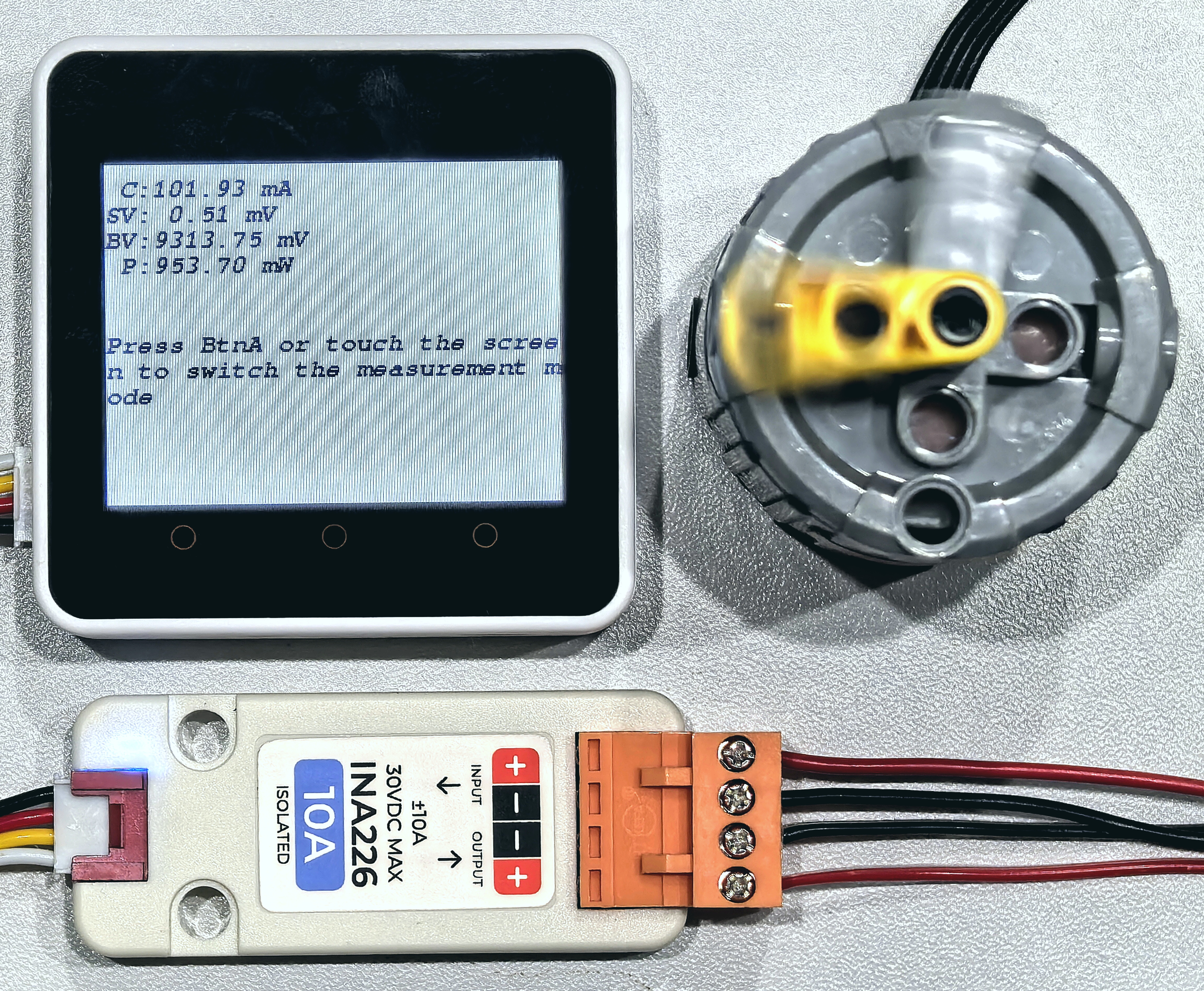
In the display, C = current, SV = shunt voltage, BV = bus voltage, and P = power. Press BtnA or touch the screen (for host devices without physical buttons) to switch the measurement mode between single measurement and periodic measurement.
Page Tools