

























Arduino Quick Start
2. Devices & Examples
3. M5Unified
4. M5GFX
5. Extensions
Unit
Base
Cap
StamPLC
IoT
Accessories
Atom DTU NBIoT2 v1.1 Arduino Tutorial
1. Preparation
Environment Setup: Refer to Arduino IDE Quick Start Tutorial to complete IDE installation, and install the corresponding board manager and required libraries based on the development board used.
Required Libraries:
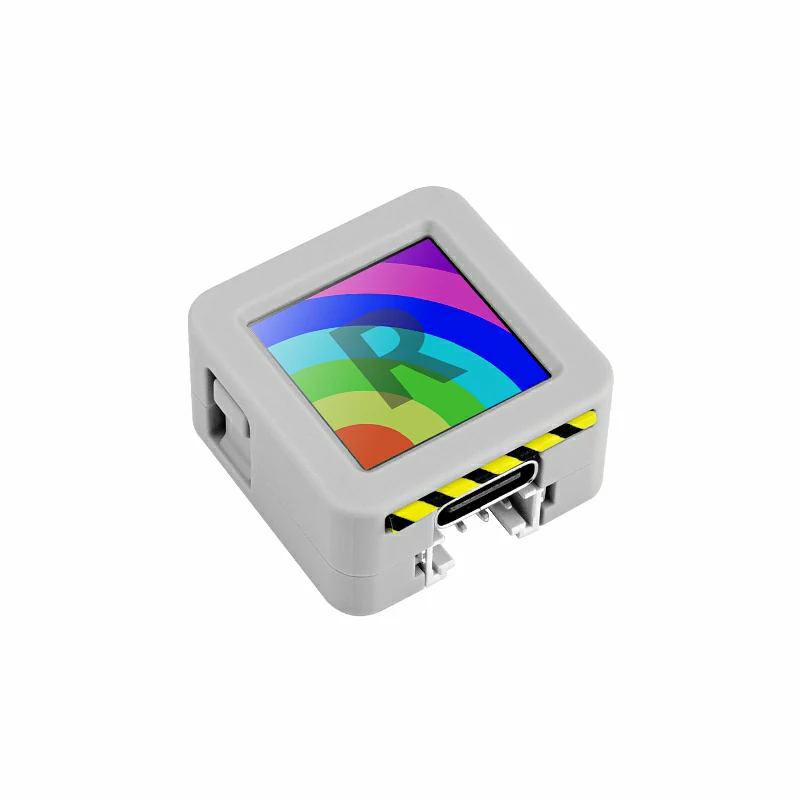
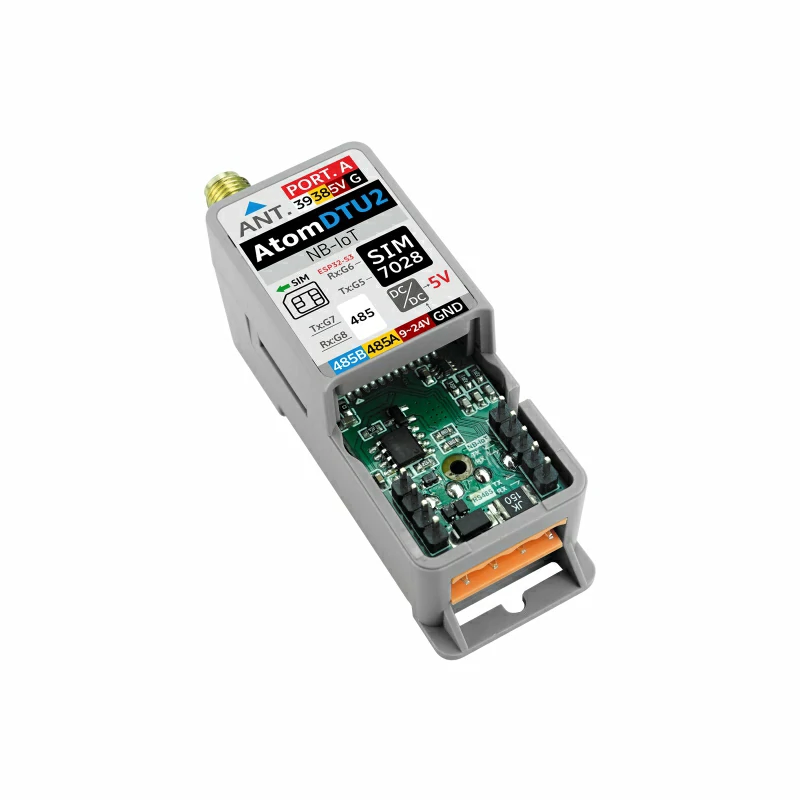
- Hardware Used:
2. Precautions
3. Example Programs
- The main control device used in this tutorial is AtomS3, paired with Atom DTU NBIoT v1.1. This module communicates via serial port, modify the pin definitions in the program according to the actual circuit connection, the corresponding serial IO after device connection is
G5 (TX),G6 (RX), RS485 IO isG7 (TX),G8 (RX)(defined below but not actually used in the routine).
MODE_NB_IOT macro definition in line 32 of TinyGsmClientSIM7028.h in the TinyGSM library; if you need debug, similarly uncomment TINY_GSM_DEBUG and the DUMP_AT_COMMANDS macro definition in the code below.3.1 MQTT
#include "M5Unified.h"
#define TINY_GSM_MODEM_SIM7028  // Specify to use SIM7028 module; TinyGsm library adapts instruction set based on this macro, must be placed here
#include "PubSubClient.h"
#include "TinyGsmClient.h"
#include "StreamDebugger.h"
#include "M5IOE1.h"

#define SerialMon        Serial             // MCU -> PC for log output
#define MONITOR_BAUDRATE 115200
#define SerialAT         Serial1            // MCU <-> SIM7028 module communication
#define SIM7028_BAUDRATE 115200
#define SIM7028_RESET    -1
#define MCU_TX           5
#define MCU_RX           6
#define RS485_TX         7
#define RS485_RX         8
#define IO_SCL           39
#define IO_SDA           38
#define MQTT_BROKER      "mqtt.m5stack.com" // MQTT broker address
#define MQTT_PORT        1883               // MQTT service port
#define mqtt_devid       "XXXXXXXX"         // MQTT client ID
#define mqtt_pubid       "XXXXXXXX"         // MQTT username
#define mqtt_password    "XXXXXXXX"         // MQTT authentication key
#define UPLOAD_INTERVAL  10000              // Data upload interval, 10s

// M5IOE1 device instance
M5IOE1 ioe1;

// M5IOE1 I2C address (default 0x6F)
#define I2C_ADDR M5IOE1_DEFAULT_ADDR

// Pin definitions for M5IOE1 GPIOs
#define SIM_PWR_EN M5IOE1_PIN_9
#define SIM_RST M5IOE1_PIN_11
#define VIN_ADC M5IOE1_PIN_2

// If you need to see log detail, you can open the following macro definition
// #define DUMP_AT_COMMANDS
// If you need to debug, you can open the following macro definition in TinyGsmClientSIM7028.h line 13
// #define TINY_GSM_DEBUG Serial
#ifdef DUMP_AT_COMMANDS
StreamDebugger debugger(SerialAT, SerialMon);
TinyGsm modem(debugger);
#else
TinyGsm modem(SerialAT);
#endif

TinyGsmClient tcpClient(modem); // Create TCP client based on TinyGsm (MQTT relies on TCP connection)
PubSubClient mqttClient(MQTT_BROKER, MQTT_PORT, tcpClient); // Create MQTT client instance (specify broker, port and TCP client)

void mqttCallback(char *topic, byte *payload, unsigned int len); // Callback function for receiving MQTT messages
bool mqttConnect(void); // Function to establish MQTT connection
void nbConnect(void);   // Function to initialize SIM7028 and connect to NB-IoT network

const char* topicSub = "Atom DTU NBIoT v1.1 Receive"; // MQTT topic for receiving messages (replace with your actual subscribe topic)
const char* topicPub = "Atom DTU NBIoT v1.1 Send";    // MQTT topic for sending messages (replace with your actual publish topic)
int         num               = 0; // Counter for published messages
uint32_t lastReconnectAttempt = 0; // Timestamp for last MQTT reconnection attempt (avoid frequent retries)
bool lastMqttState = false; // Track MQTT connection status
const char apn[] = "cmnbiot";

void log(String info)
{
    SerialMon.println(info);
}

void SIM7028_EN()
{
    if (ioe1.begin(&Wire, I2C_ADDR, IO_SDA, IO_SCL, M5IOE1_I2C_FREQ_100K, M5IOE1_INT_MODE_POLLING) == M5IOE1_OK){
        ioe1.pinMode(SIM_PWR_EN, OUTPUT);
        ioe1.digitalWrite(SIM_PWR_EN, HIGH); // Enable SIM power
        delay(100);
        ioe1.pinMode(SIM_RST, OUTPUT);
        ioe1.digitalWrite(SIM_RST, LOW); // SIM reset
        delay(100);
        ioe1.digitalWrite(SIM_RST, HIGH);
        log("SIM power enabled");
    }
    else{
        log("Failed to enable SIM power");
    }
}

void setup()
{
    M5.begin();
    SerialMon.begin(115200);
    SerialMon.println(">>SIM7028 MQTT TEST");
    SerialAT.begin(SIM7028_BAUDRATE, SERIAL_8N1, MCU_RX, MCU_TX);
    M5.Display.setFont(&fonts::FreeMonoBold9pt7b);
    M5.Display.setTextDatum(middle_center);
    M5.Display.drawString("NBIoT MQTT", M5.Display.width() / 2, 10);
    M5.Display.drawString("Init...", M5.Display.width() / 2, 60);
    delay(500);
    SIM7028_EN();
    nbConnect(); // Initialize SIM7028 module and connect to network
    mqttClient.setServer(MQTT_BROKER, MQTT_PORT);  // Set MQTT broker address and port
    mqttClient.setKeepAlive(120);                  // MQTT keep-alive interval (120 seconds)
    mqttClient.setSocketTimeout(15000);            // TCP connection timeout (15 seconds)
    mqttClient.setCallback(mqttCallback);          // Register MQTT message receive callback
}

void loop()
{
    static unsigned long timer = 0;
    M5.update();

    // Check for MQTT connection status change (connected <-> disconnected)
    if (mqttClient.connected() != lastMqttState) {
        if (mqttClient.connected()) {
            log("=== MQTT CONNECTED ===");
            M5.Display.fillRect(0, 20, 128, 20, TFT_BLACK);
            M5.Display.setTextColor(TFT_GREEN);
            M5.Display.drawString("CONNECTED", M5.Display.width() / 2, 30);
        } else {
            log("=== MQTT DISCONNECTED ===");
            M5.Display.fillRect(0, 20, 128, 20, TFT_BLACK);
            M5.Display.setTextColor(TFT_RED);
            M5.Display.drawString("DISCONNECTED", M5.Display.width() / 2, 30);
        }
        lastMqttState = mqttClient.connected();
    }

    // MQTT reconnection logic (retry every 3 seconds if disconnected)
    if (!mqttClient.connected()) {
        log(">> MQTT NOT CONNECTED");
        log("MQTT state code: " + String(mqttClient.state()));
        M5.Display.fillRect(0, 20, 128, 20, TFT_BLACK);
        M5.Display.setTextColor(TFT_RED);
        M5.Display.drawString("DISCONNECTED", M5.Display.width() / 2, 30);
        uint32_t t = millis();
        if (t - lastReconnectAttempt > 3000L) {
            lastReconnectAttempt = t;
            if (mqttConnect()) {
                lastReconnectAttempt = 0;
            }
        }
        delay(100);
    }

    // Periodic data publishing (triggered when timer expires)
    if (millis() >= timer) {
        timer = millis() + UPLOAD_INTERVAL;
        if (mqttClient.connected()) {
            char jsonBuf[256];
            snprintf(jsonBuf, sizeof(jsonBuf), "SIM7028 MQTT #%d", num);
            log(">> [MQTT SEND] Topic: " + String(topicPub));
            log("Info: " + String(jsonBuf));
            mqttClient.publish(topicPub, jsonBuf);
            M5.Display.fillRect(0, 40, 128, 40, TFT_BLACK);
            M5.Display.setTextColor(TFT_WHITE);
            M5.Display.drawString("Send:", M5.Display.width() / 2, 50);
            M5.Display.drawString("#" + String(num++), M5.Display.width() / 2, 70);
        }
    }

    mqttClient.loop();// Process MQTT incoming messages, maintain connection and handle keep-alive
    delay(10);
}

void mqttCallback(char *topic, byte *payload, unsigned int len)
{
    String payloadStr;
    for (unsigned int i = 0; i < len; i++) {
        payloadStr += (char)payload[i];
    }
    log(">> [MQTT RECEIVE] Topic: " + String(topic) + "\nInfo: " + payloadStr);
    M5.Display.fillRect(0, 90, 128, 38, TFT_BLACK);
    M5.Display.setTextColor(TFT_WHITE);
    M5.Display.drawString("Rece:", M5.Display.width() / 2, 90);
    M5.Display.drawString(String(payloadStr), M5.Display.width() / 2, 110);
}

bool mqttConnect(void)
{
    log(">> Connecting to MQTT broker: " + String(MQTT_BROKER));
    bool status = mqttClient.connect(mqtt_devid, mqtt_pubid, mqtt_password);
    if (!status) {
        log("!! MQTT Connection FAILED, code: " + String(mqttClient.state()));
        return false;
    }
    log(">> MQTT CONNECTED, subscribing: " + String(topicSub));
    mqttClient.subscribe(topicSub);
    return true;
}

void nbConnect(void)
{
    unsigned long start = millis();
    log("Initializing modem...");
    while (!modem.init()) {
        log("waiting...." + String((millis() - start) / 1000) + "s");
    };

    start = millis();
    log("Waiting for network...");
    while (!modem.waitForNetwork()) {
        log("waiting...." + String((millis() - start) / 1000) + "s");
    }
    log("success");

    log("Waiting for GPRS connect...");
    if (!modem.gprsConnect(apn)) {
        log("waiting...." + String((millis() - start) / 1000) + "s");
    }
    log("success");

    // Get CCID for IoT SIM card
    SerialAT.println("AT+CICCID");
    delay(100);  // Short delay for response
    String resp = "";
    while (SerialAT.available()) {
        resp += (char)SerialAT.read();
    }
    int pos = resp.indexOf("+CICCID:");
    if (pos != -1) {
        String ccid = resp.substring(pos + 9, resp.indexOf("\r", pos));
        ccid.trim();
        Serial.println("CCID: " + ccid);
    } else {
        Serial.println("CCID: Not found");
    }

    // Acquire signal strength
    int csq = modem.getSignalQuality();
    Serial.println("Signal quality: " + String(csq));
    // Example Query the IP address of a device
    String ip = modem.getLocalIP();
    log("Device IP address: " + ip);
    log("success");
}3.2 HTTP
#include "M5Unified.h"
#define TINY_GSM_MODEM_SIM7028  // Specify to use SIM7028 module; TinyGsm library adapts instruction set based on this macro, must be placed here
#include "ArduinoHttpClient.h"
#include "TinyGsmClient.h"
#include "StreamDebugger.h"
#include "M5IOE1.h"

#define SerialMon        Serial             // MCU -> PC for log output
#define MONITOR_BAUDRATE 115200
#define SerialAT         Serial1            // MCU <-> SIM7028 module communication
#define SIM7028_BAUDRATE 115200
#define SIM7028_RESET    -1
#define MCU_TX           5
#define MCU_RX           6
#define RS485_TX         7
#define RS485_RX         8
#define IO_SCL           39
#define IO_SDA           38

// M5IOE1 device instance
M5IOE1 ioe1;

// M5IOE1 I2C address (default 0x6F)
#define I2C_ADDR M5IOE1_DEFAULT_ADDR

// Pin definitions for M5IOE1 GPIOs
#define SIM_PWR_EN M5IOE1_PIN_9
#define SIM_RST M5IOE1_PIN_11
#define VIN_ADC M5IOE1_PIN_2

// If you need to see log detail, you can open the following macro definition
// #define DUMP_AT_COMMANDS
// If you need to debug, you can open the following macro definition in TinyGsmClientSIM7028.h line 13
// #define TINY_GSM_DEBUG Serial
#ifdef DUMP_AT_COMMANDS
StreamDebugger debugger(SerialAT, SerialMon);
TinyGsm modem(debugger);
#else
TinyGsm modem(SerialAT);
#endif

// Server details
const char server[]   = "httpbin.org";
const char resource[] = ""; // API endpoint path
const int port        = 80;    // HTTP port
TinyGsmClient client(modem); // Create TCP client based on TinyGsm (HTTP relies on TCP connection)
HttpClient http(client, server, port); // Create HTTP client instance (specify TCP client, server and port)

void modemConnect(void);// Initialize ML307 module and establish network connection
const char apn[] = "cmnbiot";

void log(String info)
{
    SerialMon.println(info);
}

void SIM7028_EN()
{
    if (ioe1.begin(&Wire, I2C_ADDR, IO_SDA, IO_SCL, M5IOE1_I2C_FREQ_100K, M5IOE1_INT_MODE_POLLING) == M5IOE1_OK){
        ioe1.pinMode(SIM_PWR_EN, OUTPUT);
        ioe1.digitalWrite(SIM_PWR_EN, HIGH); // Enable SIM power
        delay(100);
        ioe1.pinMode(SIM_RST, OUTPUT);
        ioe1.digitalWrite(SIM_RST, LOW); // SIM reset
        delay(100);
        ioe1.digitalWrite(SIM_RST, HIGH);
        log("SIM power enabled");
    }
    else{
        log("Failed to enable SIM power");
    }
}

void setup()
{
    M5.begin();
    SerialMon.begin(115200);
    SerialMon.println(">>SIM7028 HTTP TEST");
    SerialAT.begin(SIM7028_BAUDRATE, SERIAL_8N1, MCU_RX, MCU_TX);
    M5.Display.setFont(&fonts::FreeMonoBold9pt7b);
    M5.Display.setTextDatum(middle_center);
    M5.Display.drawString("NBIoT HTTP", M5.Display.width() / 2, 10);
    M5.Display.drawString("Init...", M5.Display.width() / 2, 60);
    delay(500);
    SIM7028_EN();
    modemConnect();
}

void loop()
{
    // --- GET request ---
    M5.Display.fillRect(0, 30, 128, 98, TFT_BLACK);
    M5.Display.drawString("GET", M5.Display.width() / 2, 40);
    Serial.println("making GET request");

    http.get("/get");
    // read the status code and body of the response
    int statusCode  = http.responseStatusCode();
    String response = http.responseBody();

    Serial.print("Status code: ");
    Serial.println(statusCode);
    Serial.print("Response: ");
    Serial.println(response);
    Serial.println("Wait five seconds");

    M5.Display.drawString("STATUS:", M5.Display.width() / 2, 70);
    M5.Display.drawString(String(statusCode), M5.Display.width() / 2, 100);

    delay(5000);

    // --- POST request ---
    M5.Display.fillRect(0, 30, 128, 98, TFT_BLACK);
    M5.Display.drawString("POST", M5.Display.width() / 2, 40);
    Serial.println("making POST request");

    String contentType = "application/x-www-form-urlencoded";
    String postData    = "name=Alice&age=12";

    http.post("/post", contentType, postData);

    // read the status code and body of the response
    statusCode = http.responseStatusCode();
    response   = http.responseBody();

    Serial.print("Status code: ");
    Serial.println(statusCode);
    Serial.print("Response: ");
    Serial.println(response);
    Serial.println("Wait five seconds");

    M5.Display.drawString("STATUS:", M5.Display.width() / 2, 70);
    M5.Display.drawString(String(statusCode), M5.Display.width() / 2, 100);

    delay(5000);
}

void modemConnect(void)
{
    unsigned long start = millis();
    log("Initializing modem...");
    while (!modem.init()) {
        log("waiting...." + String((millis() - start) / 1000) + "s");
    };

    start = millis();
    log("Waiting for network...");
    while (!modem.waitForNetwork()) {
        log("waiting...." + String((millis() - start) / 1000) + "s");
    }
    log("success");

    log("Waiting for GPRS connect...");
    if (!modem.gprsConnect(apn)) {
        log("waiting...." + String((millis() - start) / 1000) + "s");
    }
    log("success");
    // Get CCID for SIM card
    SerialAT.println("AT+CICCID");
    delay(100);  // Short delay for response
    String resp = "";
    while (SerialAT.available()) {
        resp += (char)SerialAT.read();
    }
    int pos = resp.indexOf("+CICCID:");
    if (pos != -1) {
        String ccid = resp.substring(pos + 9, resp.indexOf("\r", pos));
        ccid.trim();
        Serial.println("CCID: " + ccid);
    } else {
        Serial.println("CCID: Not found");
    }
    // Acquire signal strength
    int csq = modem.getSignalQuality();
    log("Signal quality: " + String(csq));
    // Example Query the IP address of a device
    String ip = modem.getLocalIP();
    log("Device IP address: " + ip);
    log("success");
}4. Compile and Upload
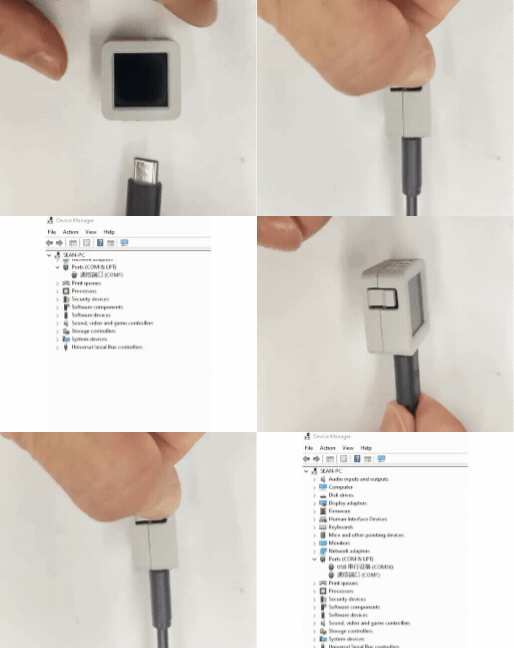
- Press and hold the reset button on AtomS3R (about 2 seconds) until the internal green LED lights up, then release, the device has entered download mode, waiting for flashing.
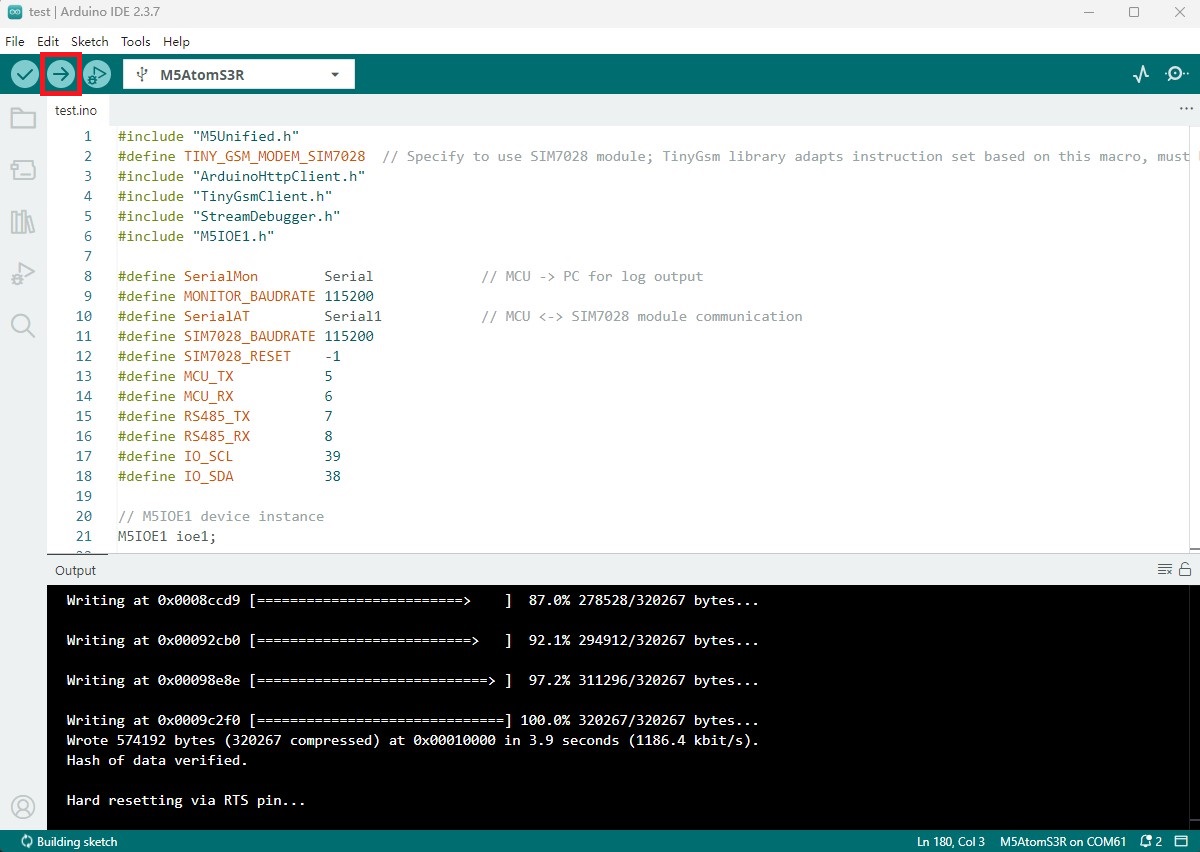
- Select the device port, click the compile and upload button in the upper left corner of Arduino IDE, wait for the program to complete compilation and upload to the device.
5. Communication Effect
- MQTT Communication
After powering on the device, the serial monitor will output information related to the communication module and MQTT server, after successful connection, a message will be published to the server every 10 seconds, and when the subscribed topic has a message, the received message content will be printed.
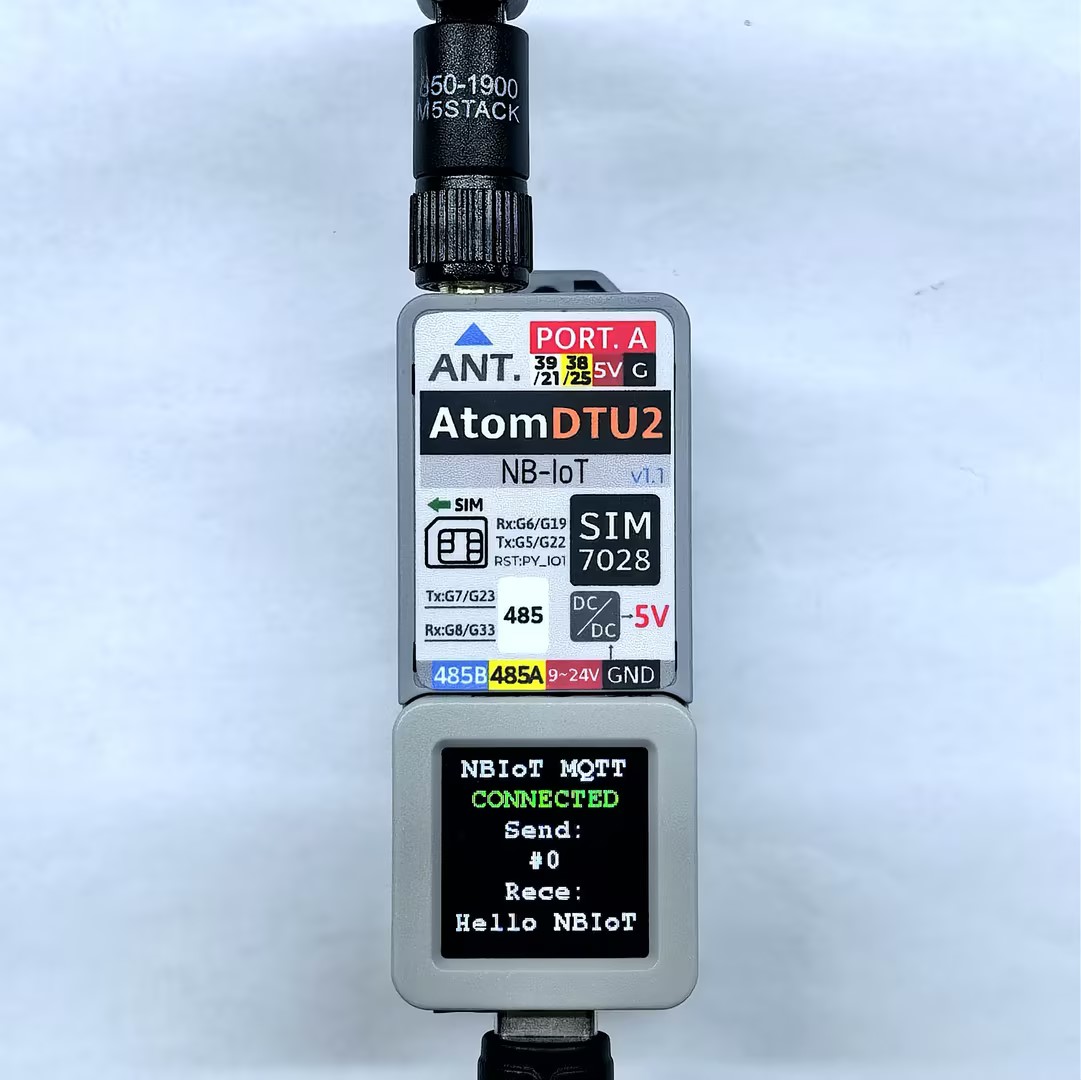
Serial monitor feedback as shown:
>>SIM7028 MQTT TEST
Initializing modem...
Waiting for network...
success
Waiting for GPRS connect...
success
CCID: 898607B01022C0006068
Signal quality: 18
Device IP address: 100.50.14.152

OK
success
>> MQTT NOT CONNECTED
MQTT state code: -1
>> Connecting to MQTT broker: mqtt.m5stack.com
>> MQTT CONNECTED, subscribing: Atom DTU NBIoT v1.1 Receive
>> [MQTT SEND] Topic: Atom DTU NBIoT v1.1 Send
Info: SIM7028 MQTT! #0
=== MQTT CONNECTED ===
>> [MQTT RECEIVE] Topic: Atom DTU NBIoT v1.1 Receive
Info: Hello NBIoT- HTTP Communication
After powering on the device, the serial monitor will output information related to the communication module, after successful connection, it will send GET and POST requests to the specified server in a loop, the main control screen will display the request status, serial can view details.
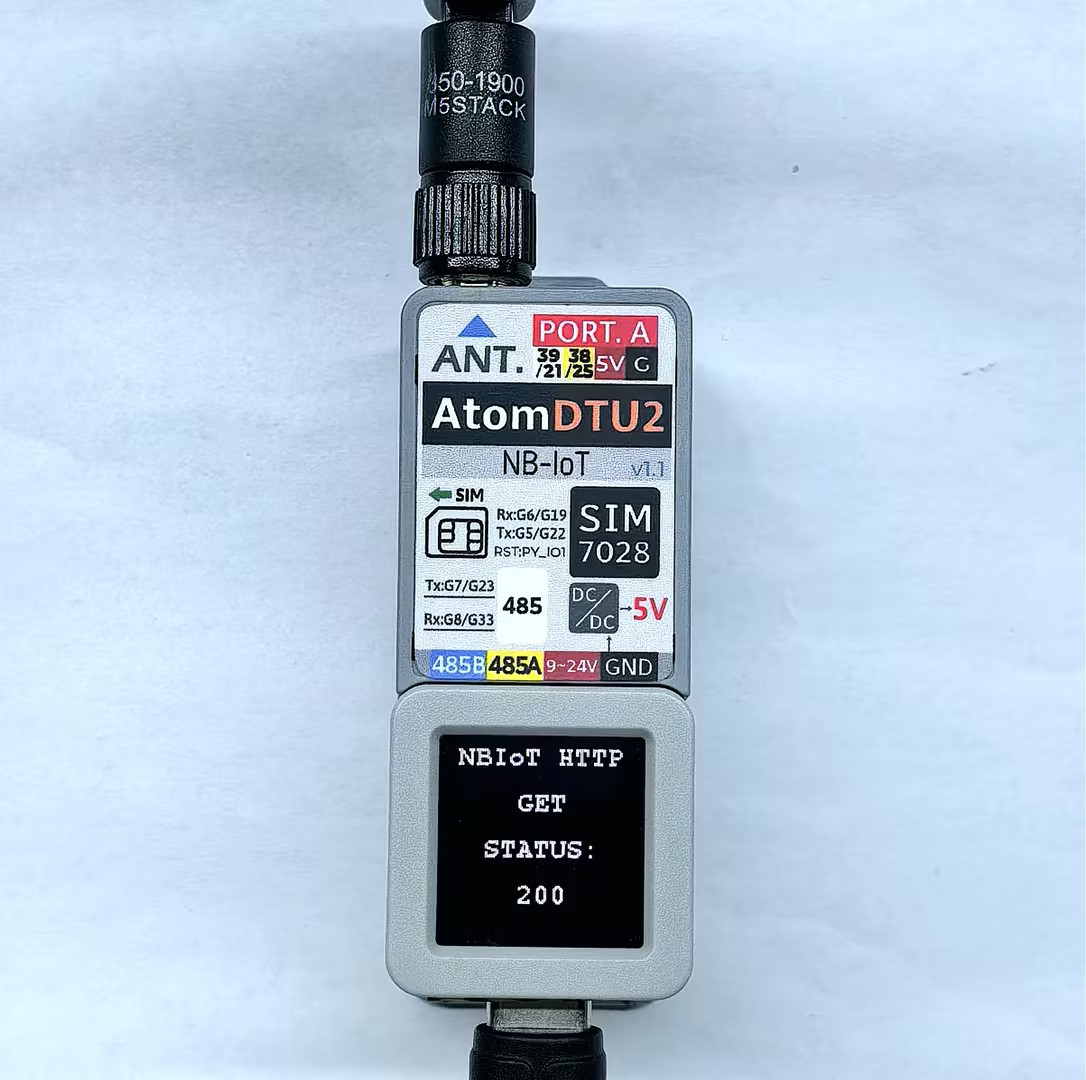
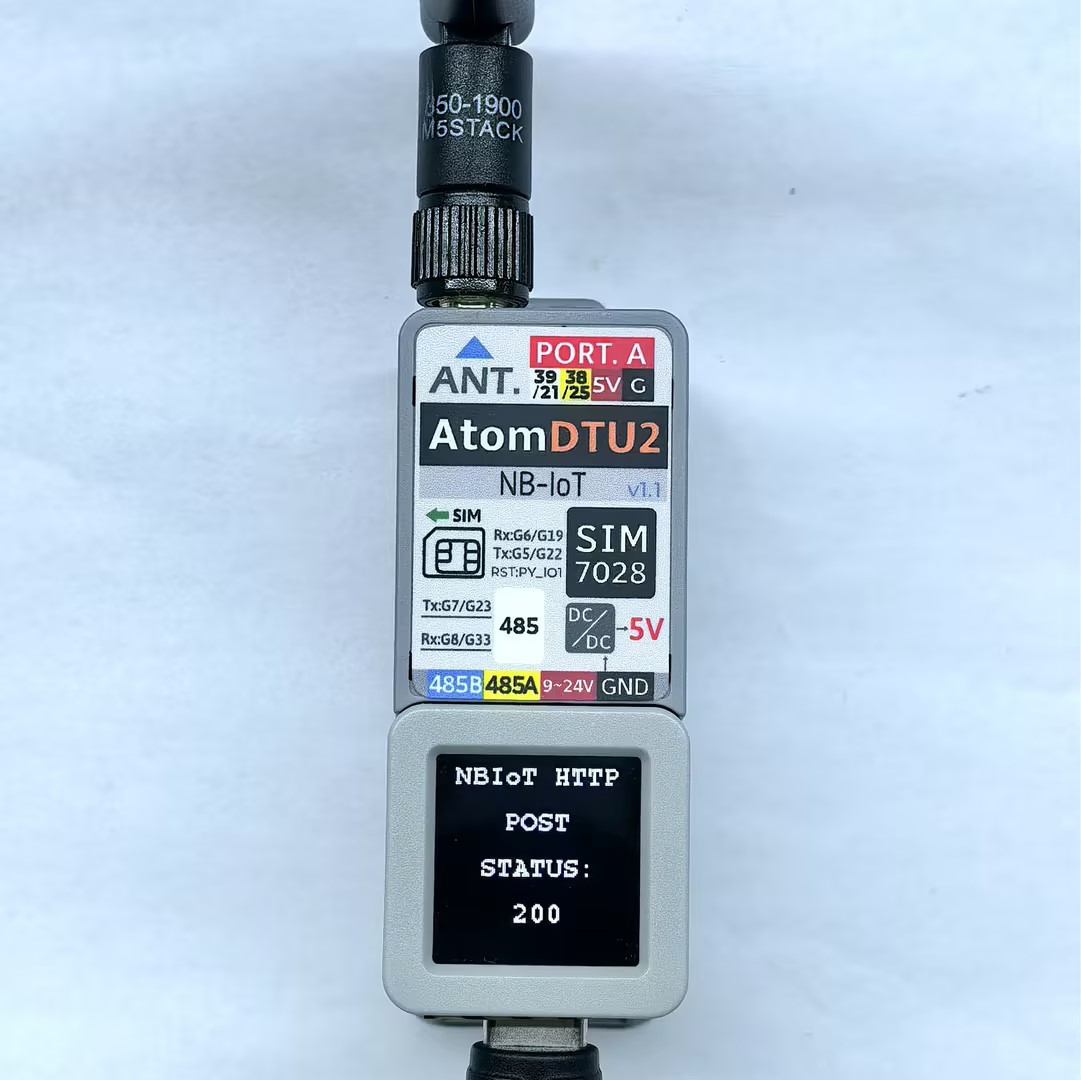
Serial monitor feedback as shown:
>>SIM7028 HTTP TEST
[M5IOE1] Initializing M5IOE1 with 100KHz (device default)
[M5IOE1] Device UID: 0xDF0E, FW Version: 41
[M5IOE1] Current I2C speed matches user request (100K)
[M5IOE1] I2C config set and verified: sleep=0, speed=100K, wake=falling, pull=on
[M5IOE1] M5IOE1 initialized at address 0x6F (I2C: 100000 Hz)
[M5IOE1] Interrupt mode -> POLLING (pause if I2C sleep on; resume when off)
[M5IOE1] Pin 1 interrupt detached and verified
[M5IOE1] Pin 8 mode set and verified: 0x03
[M5IOE1] Pin 10 mode set and verified: 0x03
SIM power enabled
Initializing modem...
Waiting for network...
success
Waiting for GPRS connect...
success
CCID: 898607B01022C0006068
Signal quality: 16
Device IP address: 100.65.16.242

OK
success
making GET request
Status code: 200
Response: {
  "args": {},
  "headers": {
    "Host": "httpbin.org",
    "User-Agent": "Arduino/2.2.0",
    "X-Amzn-Trace-Id": "Root=1-6961fd12-1549e2280f15840b34db2c4e"
  },
  "origin": "111.55.204.81",
  "url": "http://httpbin.org/get"
}

Wait five seconds
making POST request
Status code: 200
Response: {
  "args": {},
  "data": "",
  "files": {},
  "form": {
    "age": "12",
    "name": "Alice"
  },
  "headers": {
    "Content-Length": "17",
    "Content-Type": "application/x-www-form-urlencoded",
    "Host": "httpbin.org",
    "User-Agent": "Arduino/2.2.0",
    "X-Amzn-Trace-Id": "Root=1-6961fd1a-4d5c07665fbd6ae37525cd8d"
  },
  "json": null,
  "origin": "111.55.204.81",
  "url": "http://httpbin.org/post"
}

Wait five seconds