

Arduino 上手教程
2. 设备开发 & 案例程序
3. M5Unified
4. M5GFX
5. 扩展模块
Unit
Module
Atomic
Tab5
IoT
CoreS3 Power 电源管理
CoreS3 电源管理相关 API 与案例程序。
案例程序
编译要求
- M5Stack 板管理版本 >= 3.2.2
- 开发板选项 = M5CoreS3
- M5Unified 库版本 >= 0.2.11
cpp
1 2 3 4 5 6 7 8 9 10 11 12 13 14 15 16 17 18 19 20 21 22 23 24 25 26 27 28 29 30 31 32 33
#include "M5Unified.h"

void setup()
{
    auto cfg = M5.config();
    // if using ext power input(Grove Port or DC input power supply) needs to be set to false.
    // cfg.output_power = false;
    M5.begin(cfg);
    M5.Display.setTextSize(2);
    M5.Power.setChargeCurrent(200);
}

void loop()
{
    M5.Display.clear();

    bool bat_ischarging = M5.Power.isCharging();
    M5.Display.setCursor(10, 30);
    M5.Display.printf("Bat Charging: %d", bat_ischarging);

    int bat_vol = M5.Power.getBatteryVoltage();
    M5.Display.setCursor(10, 50);
    M5.Display.printf("Bat Voltage: %dmv", bat_vol);

    int bat_level = M5.Power.getBatteryLevel();
    M5.Display.setCursor(10, 70);
    M5.Display.printf("Bat Level: %d", bat_level);

    int vbus_vol = M5.Power.getVBUSVoltage();
    M5.Display.setCursor(10, 90);
    M5.Display.printf("VBus Voltage: %dmv", vbus_vol);
    delay(1000);
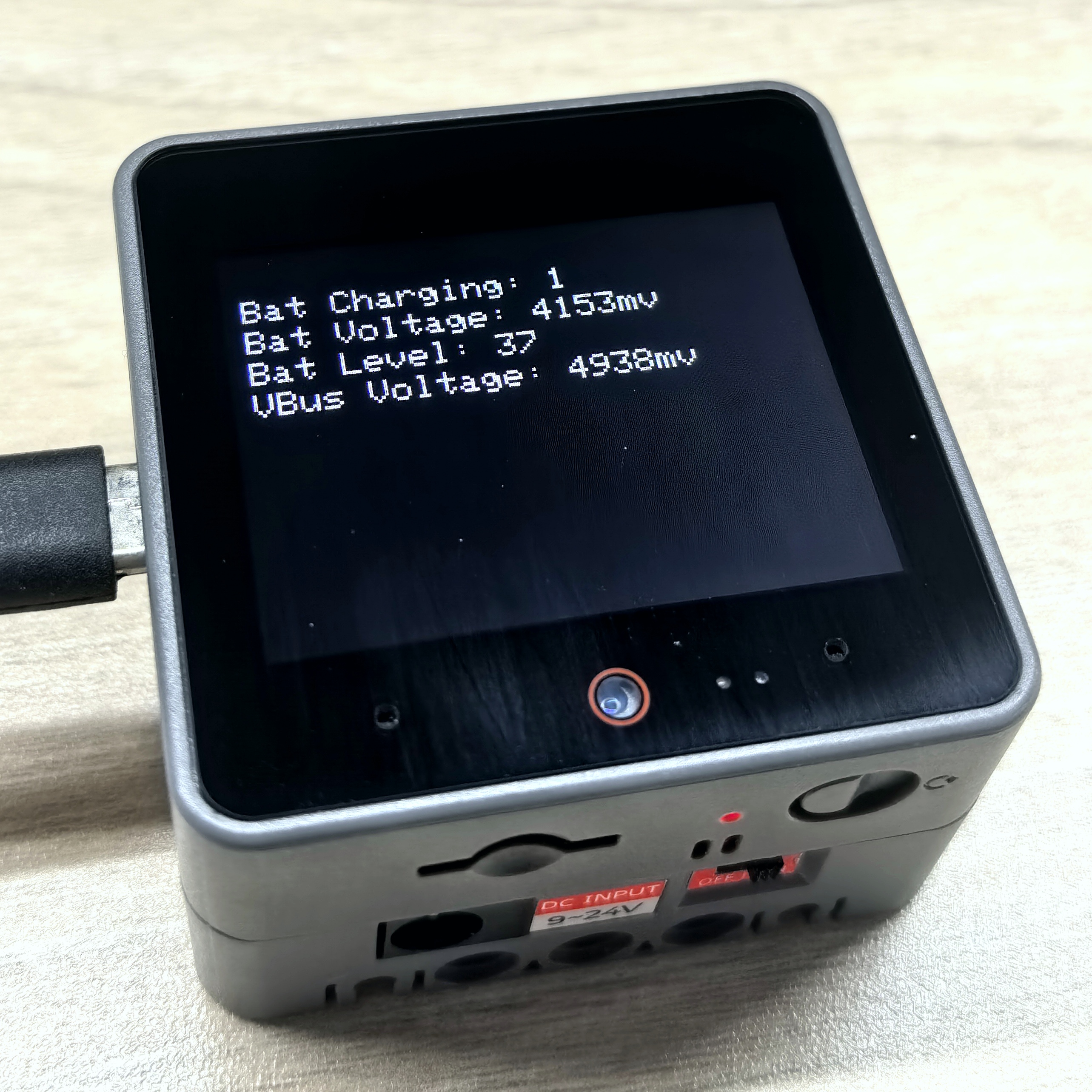
}烧录成功后,您可以在 CoreS3 上查看电池充电状态、电池电压、电池电量百分比以及 VBUS 电压等信息。
API
CoreS3 电源部分使用了 M5Unified 库中的 Power_Class, 更多相关的 API 可以参考下方文档:
Page Tools