

Arduino 上手教程
2. 设备开发 & 案例程序
3. M5Unified
4. M5GFX
5. 扩展模块
Unit
Module
Atomic
Tab5
IoT
Atomic CAN Base Arduino 使用教程
1. 准备工作
环境配置: 参考 Arduino IDE 上手教程完成 IDE 安装,并根据实际使用的开发板安装对应的板管理,与需要的驱动库。
使用到的驱动库:
使用到的硬件产品:
2. CAN 通信简介
CAN(Controller Area Network)是一种多主机、高可靠性的串行通信协议,广泛应用于汽车电子、工业自动化等对实时性和可靠性要求较高的场合。CAN 网络支持多节点平等接入,具备优异的错误检测和仲裁机制。
1. 核心定义:
- 控制器局域网络(Controller Area Network, CAN)是一种多主机、无主从的串行通信协议,定义了物理层和数据链路层的标准。
- 支持多主机通信,所有节点地位平等,均可主动发起数据传输,无需中央仲裁器。
2. 关键特性:
- 通信距离:1Mbps 时最大 40 米,降低速率(如 10Kbps)时最远可达 10 公里。
- 传输速率:标准 CAN 支持 10Kbps ~ 1Mbps,速率与距离成反比。
- 节点容量:单总线理论最多可接 110 个节点,实际应用常见为几十个节点。
- 抗干扰性:采用差分传输(两根信号线 CAN_H/CAN_L),具备极强的抗电磁干扰能力和可靠性。
3. 工作原理:
- 电平定义:显性电平(Dominant,逻辑“0”)时 CAN_H ≈ 3.5V、CAN_L ≈ 1.5V;隐性电平(Recessive,逻辑“1”)时,两线均约为 2.5V。
- 发送端:将数据编码为差分信号,通过 CAN_H 和 CAN_L 线传输。
- 接收端:通过检测 CAN_H 与 CAN_L 间的电压差恢复出原始数据,所有节点均能接收总线数据。
- 接口形式:采用两线制(CAN_H、CAN_L),常见端子接线或 DB9(9 针)连接器,
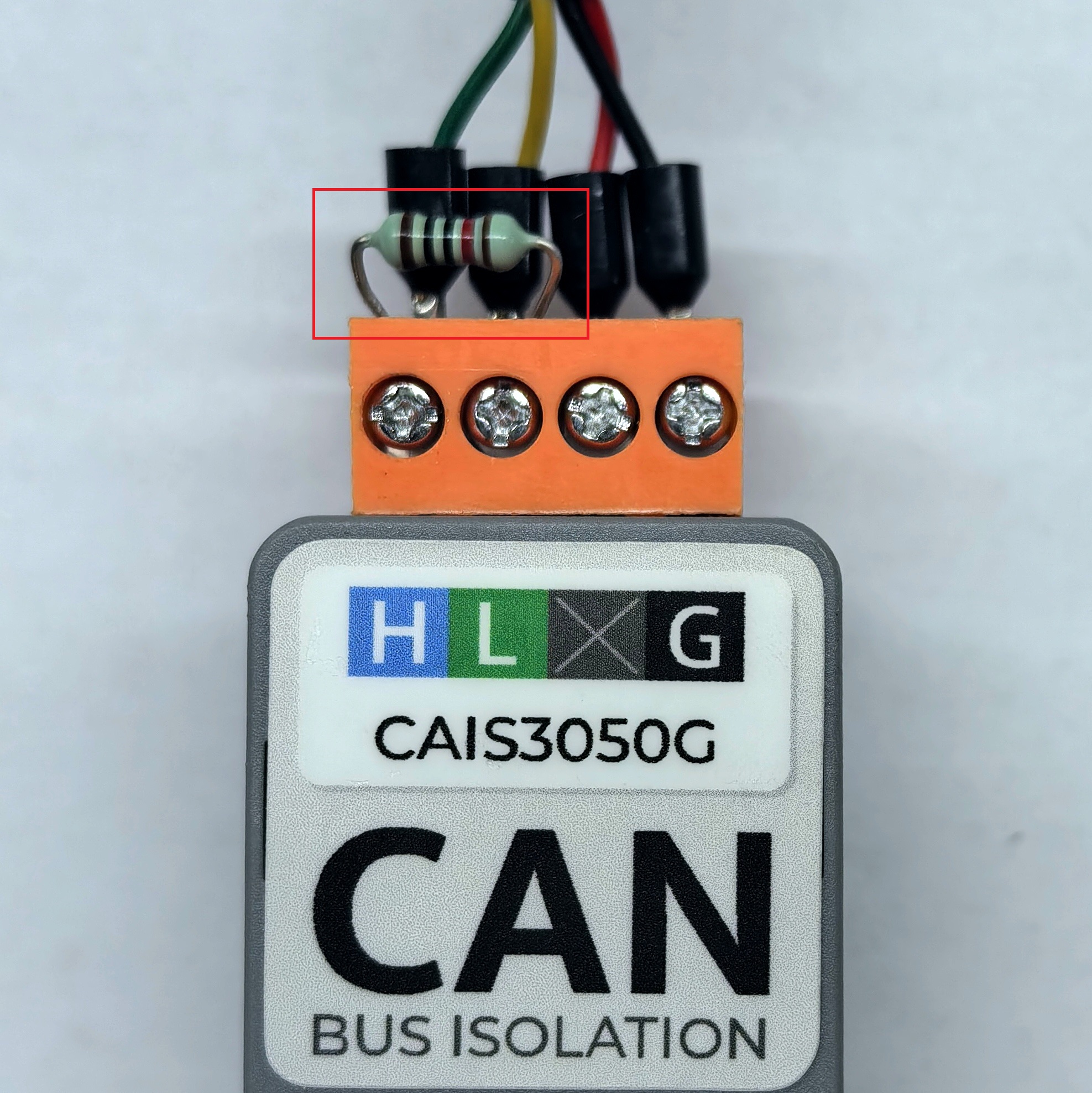
总线两端需并联 120Ω 终端匹配电阻以确保信号完整性。
3. 案例程序
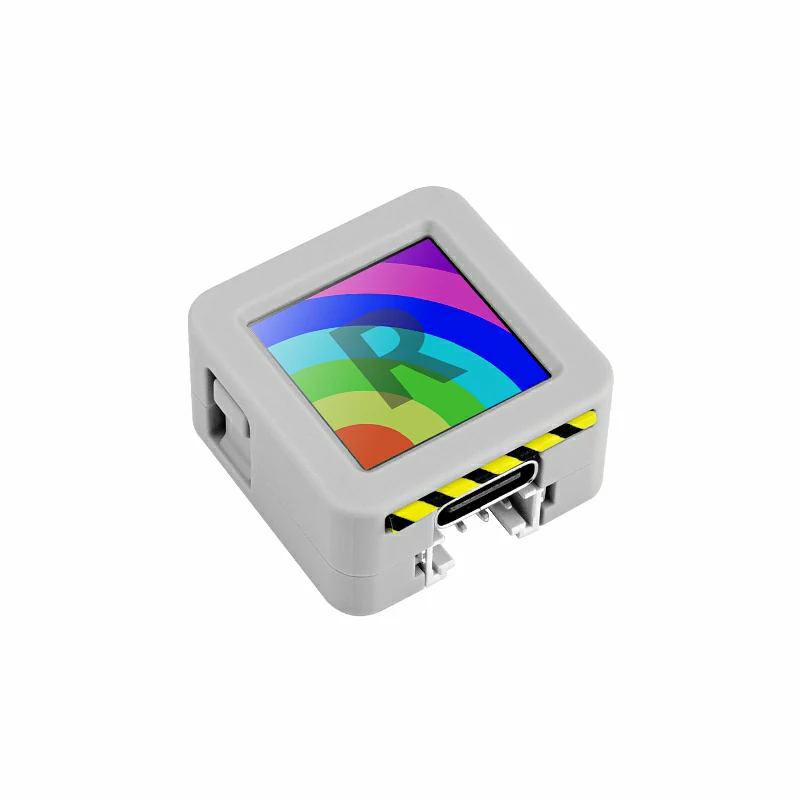
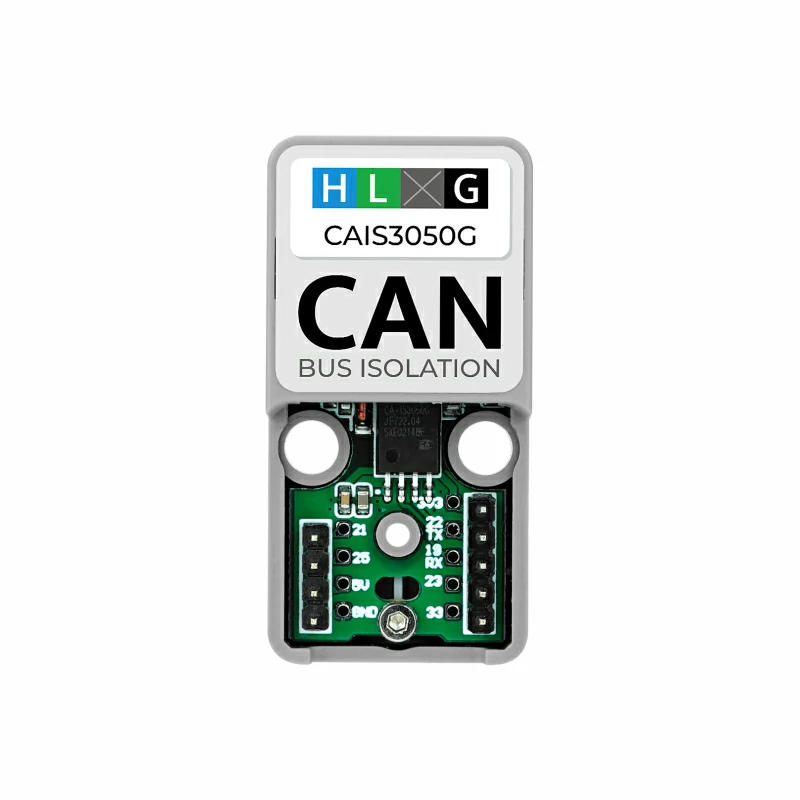
本教程中使用的主控设备为 AtomS3R ,搭配 Atomic CAN Base。本模块采用串口方式通讯,根据实际的电路连接修改程序中的引脚定义,设备连接后对应的串口引脚为
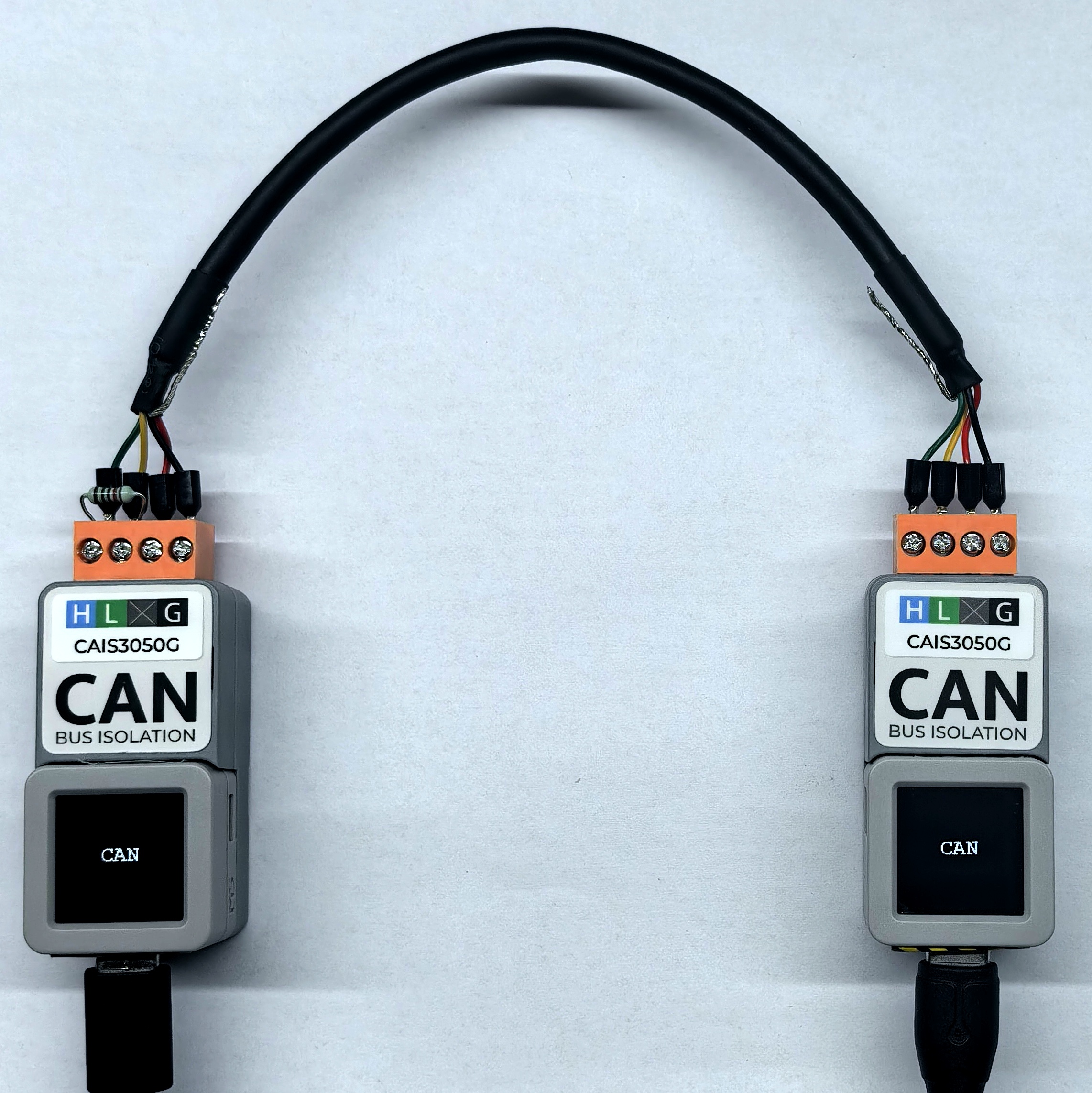
G5 (RX)、G6 (TX)。本模块内部没有集成 120Ω 终端电阻,可参考下图位置在 CAN 总线两端并联 120Ω 电阻。
cpp
1 2 3 4 5 6 7 8 9 10 11 12 13 14 15 16 17 18 19 20 21 22 23 24 25 26 27 28 29 30 31 32 33 34 35 36 37 38 39 40 41 42 43 44 45 46 47 48 49 50 51 52 53
#include <M5Unified.h>
#include <M5GFX.h>
#include "driver/twai.h"

const gpio_num_t MCU_CAN_TXD = GPIO_NUM_5;
const gpio_num_t MCU_CAN_RXD = GPIO_NUM_6;

void setup() {
  M5.begin();
  M5.Display.clear();
  M5.Display.setFont(&fonts::FreeMonoBold12pt7b);
  Serial.begin(115200);

  twai_general_config_t g_config = TWAI_GENERAL_CONFIG_DEFAULT(MCU_CAN_TXD, MCU_CAN_RXD, TWAI_MODE_NORMAL);
  twai_timing_config_t t_config = TWAI_TIMING_CONFIG_500KBITS();
  twai_filter_config_t f_config = TWAI_FILTER_CONFIG_ACCEPT_ALL();

  if (twai_driver_install(&g_config, &t_config, &f_config) == ESP_OK && twai_start() == ESP_OK) {
    Serial.println("\nCAN ready. ");
  } else {
    Serial.println("\nCAN init failed. ");
    while (1) delay(1000);
  }

  M5.Display.drawCenterString("CAN", 64, 50);
}

void loop() {
  // transmit
  twai_message_t tx_msg = {};
  tx_msg.extd = 0;            // 0 = standard frame, 1 = extended frame
  tx_msg.identifier = 0x123;  // 11-bit standard ID, change it on another device
  tx_msg.data_length_code = 2;
  tx_msg.data[0] = 0xAA;  // change it on another device
  tx_msg.data[1] = 0xBB;  // change it on another device

  if (twai_transmit(&tx_msg, pdMS_TO_TICKS(100)) == ESP_OK) {
    Serial.println("TX OK");
  } else {
    Serial.println("TX failed");
  }

  // receive (non-blocking)
  twai_message_t rx_msg;
  if (twai_receive(&rx_msg, pdMS_TO_TICKS(10)) == ESP_OK) {
    Serial.print("RX: ");
    for (int i = 0; i < rx_msg.data_length_code; i++) Serial.printf("%02X ", rx_msg.data[i]);
    Serial.printf("(ext=%d, id=0x%X, dlc=%d)", rx_msg.extd, rx_msg.identifier, rx_msg.data_length_code);
    Serial.println();
  }

  delay(2000);
} 4. 编译上传
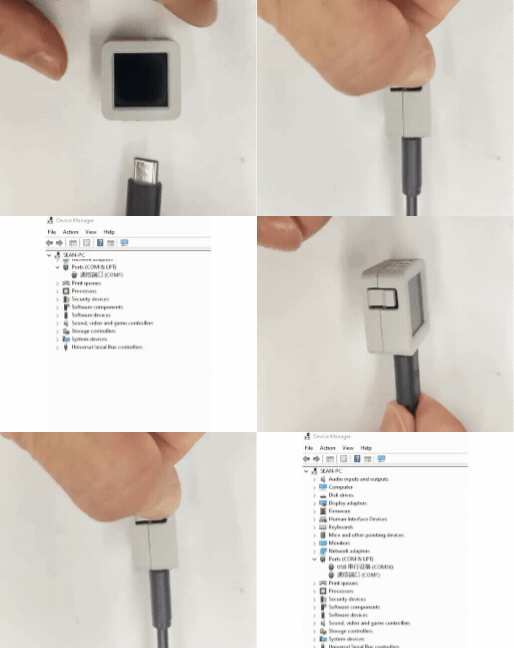
1. 下载模式:不同设备进行程序烧录前需要下载模式,不同的主控设备该步骤可能有所不同。详情可参考Arduino IDE上手教程页面底部的设备程序下载教程列表,查看具体的操作方式。
AtomS3R 长按复位按键 (大约 2 秒) 直到内部绿色 LED 灯亮起后松开按键。松开后绿色 LED 灯熄灭,表示设备已进入下载模式,等待烧录。
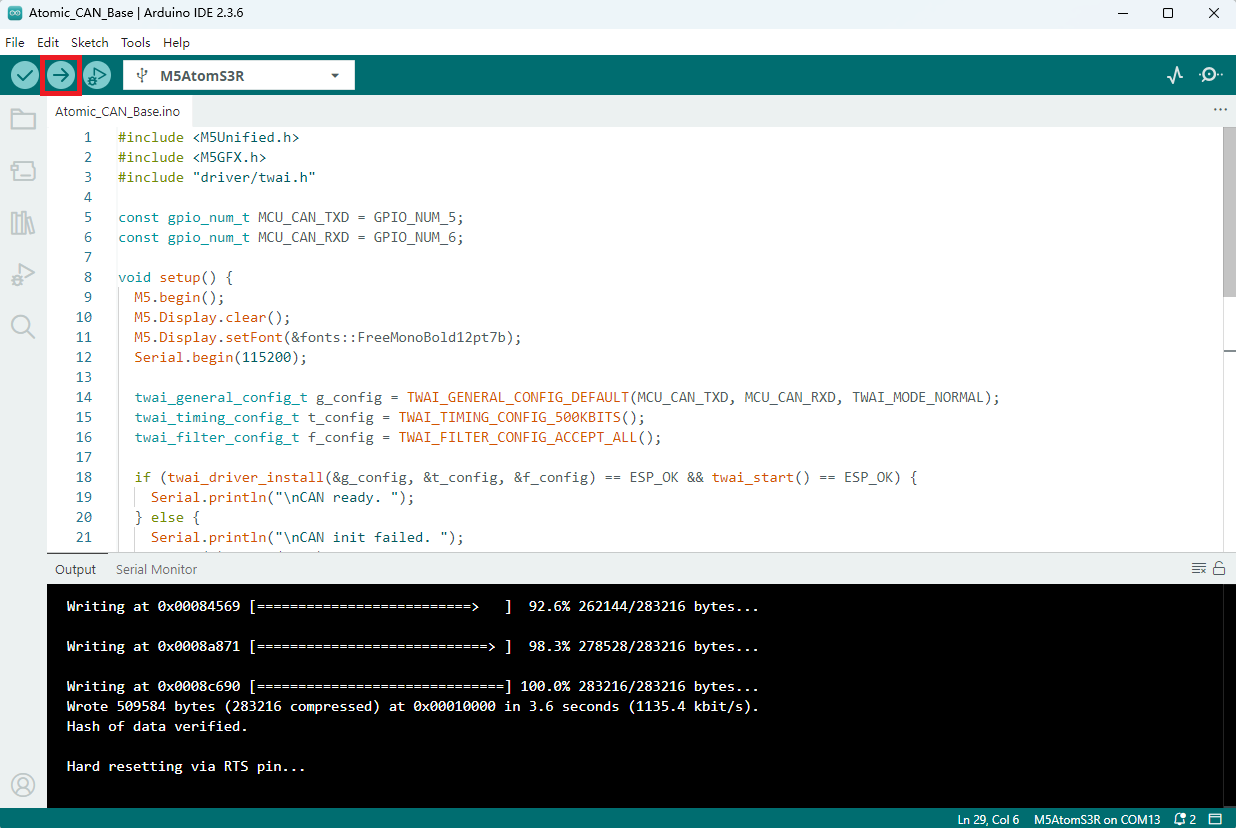
- 2. 选中设备端口,点击 Arduino IDE 左上角编译上传按钮,等待程序完成编译并上传至设备。
5. 例程效果展示
- 设备上电后,串口监视器会显示 CAN 总线的发送与接收信息,连接如下图所示。
- 串口返回信息:
发送端:TX OK
接收端:RX: AA BB (ext=0, id=0x123, dlc=2)
Page Tools