

Arduino Quick Start
2. Devices & Examples
3. M5Unified
4. M5GFX
5. Extensions
Unit
Module
Atomic
Tab5
IoT
Accessories
Hat Heart Arduino Arduino Tutorial
1. Preparation
Environment setup: Refer to the Arduino IDE Getting Started Guide to install the IDE, and install the appropriate board manager and required libraries for your development board.
Required libraries:
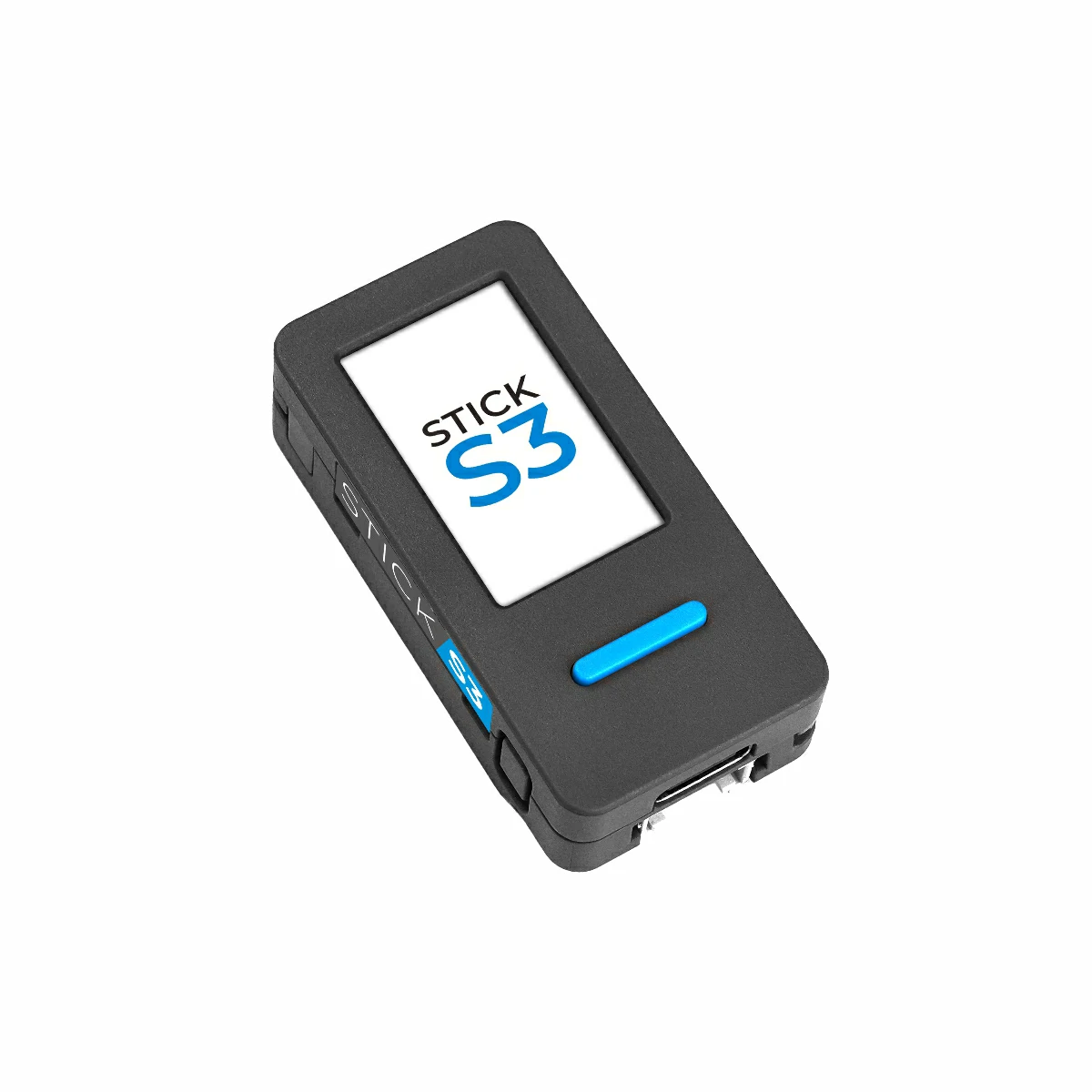
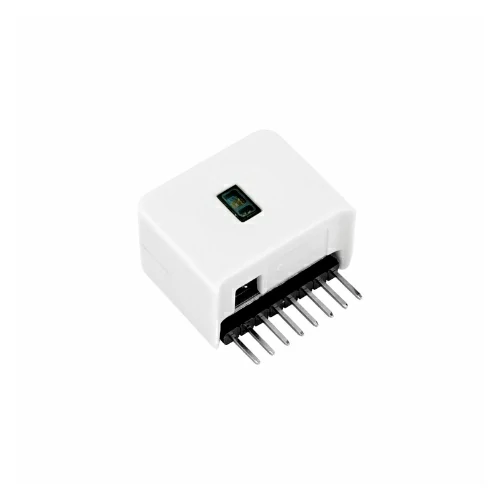
Hardware used:
2. Notes
Pin Compatibility
Each host device has different pin assignments. Please refer to the Pin Compatibility Table in the product documentation and modify the example code according to your actual wiring.
3. Example
- This guide uses StickS3 as the controller with the Hat Heart module. The heart rate module communicates via I2C. Adjust the pin definitions in the code according to your wiring; when stacked, the I2C pins are
G0 (SCL)andG8 (SDA).
Notes
1. After placing your finger on the sensor, keep your finger stable and wait for several seconds to obtain accurate SpO2 and BPM (heart rate) values.
2. If using StickS3 as the main control device, due to hardware limitations, the heart rate module cannot be reset after pressing the reset button. The device needs to be powered off and restarted to reinitialize the heart rate module. Otherwise, the main control device will display a prompt indicating initialization failure.
2. If using StickS3 as the main control device, due to hardware limitations, the heart rate module cannot be reset after pressing the reset button. The device needs to be powered off and restarted to reinitialize the heart rate module. Otherwise, the main control device will display a prompt indicating initialization failure.
cpp
1 2 3 4 5 6 7 8 9 10 11 12 13 14 15 16 17 18 19 20 21 22 23 24 25 26 27 28 29 30 31 32 33 34 35 36 37 38 39 40 41 42 43 44 45 46 47 48 49 50 51 52 53 54 55 56 57 58 59 60 61 62 63 64 65 66 67 68 69 70 71 72 73 74 75 76 77 78 79 80 81 82 83 84 85 86 87 88 89 90 91 92 93 94 95 96 97 98 99 100 101 102 103 104 105 106 107 108 109 110 111 112 113 114 115 116 117 118 119 120 121 122 123 124 125 126 127 128 129 130 131 132 133 134 135 136 137 138 139 140 141 142 143 144 145 146 147 148 149 150 151 152 153 154 155 156 157 158 159 160 161 162 163 164 165 166 167 168 169 170 171 172 173 174 175 176 177 178 179 180 181 182 183 184 185 186 187 188 189 190 191 192 193 194 195 196 197 198 199 200 201 202 203 204 205 206 207 208 209 210 211 212 213 214 215 216 217 218 219 220 221 222 223 224 225 226 227 228 229 230 231 232 233 234 235 236 237 238 239 240 241 242 243 244 245 246 247 248 249 250 251 252 253 254 255 256 257 258 259 260 261 262 263 264 265 266 267 268 269 270 271 272 273 274 275
#include <M5Unified.h>
#include <Wire.h>
#include "MAX30105.h"
#include "heartRate.h"    // Heart rate detection algorithm
#include "spo2_algorithm.h" // SpO2 calculation algorithm

M5Canvas canvas = M5Canvas(&M5.Lcd);

MAX30105 Sensor;

#define Heart_SDA 8
#define Heart_SCL 0

// Length of sample buffer for SpO2 calculation
#define bufferLength   100

// Button A pin definition
const byte Button_A = 11;

// Buffers to store infrared (IR) and red light sensor data
uint32_t irBuffer[bufferLength];
uint32_t redBuffer[bufferLength];

// Button state and reset flag
int8_t ButtonState, flag_Reset;

// SpO2 and heart rate calculation results
int32_t spo2, heartRate, old_spo2;
int8_t validSPO2, validHeartRate;

// Heart rate averaging parameters
const byte RATE_SIZE = 5;     // Number of beats used for averaging
uint16_t rate_begin  = 0;     // Counter for initial averaging
uint16_t rates[RATE_SIZE];   // Circular buffer for BPM values
byte rateSpot = 0;            // Index for BPM buffer
float beatsPerMinute;         // Instantaneous BPM
int beatAvg;                  // Averaged BPM

// Failure counter (e.g., finger removed)
byte num_fail;

// Display waveform buffers (red & IR), width 320 samples
uint16_t line[2][320] = {0};

// Current write positions for waveform buffers
uint32_t red_pos = 0, ir_pos = 0;

// Max/min values for waveform scaling
uint16_t ir_max = 0, red_max = 0, ir_min = 0, red_min = 0;
uint16_t ir_last = 0, red_last = 0;

// Raw filtered values from last sample
uint16_t ir_last_raw = 0, red_last_raw = 0;

// Display-mapped waveform values
uint16_t ir_disdata, red_disdata;

// Low-pass filter coefficient (scaled by 256)
uint16_t Alpha = 0.3 * 256;

// Timing variables for beat detection
uint32_t t1, t2, last_beat, Program_freq;

/**
 * @brief Interrupt callback for Button A
 *        Sets reset flag when button is pressed
 */
void callBack(void) {
    ButtonState = digitalRead(Button_A); // Read button state
    if (ButtonState == 0) flag_Reset = 1; // Set reset flag if button pressed
    delay(10);                         // Simple debounce delay
}

void setup() {
    M5.begin();
    Serial.begin(115200);
    pinMode(Button_A, INPUT);
    Wire.begin(Heart_SDA, Heart_SCL);

    M5.Lcd.setRotation(3);
    M5.Lcd.setSwapBytes(false);
    canvas.createSprite(240, 135);
    canvas.setSwapBytes(true);
    canvas.createSprite(240, 135);

    // Initialize MAX30102/MAX30105 sensor
    if (!Sensor.begin(Wire, I2C_SPEED_FAST)) {
        M5.Lcd.print("Init Failed");
        Serial.println(F("MAX30102 was not found. Please check wiring/power."));
        while (1); // Halt program
    }

    // Prompt user to place finger on sensor
    Serial.println("Place your index finger on the Sensor with steady pressure");

    // Attach interrupt to Button A (falling edge)
    attachInterrupt(Button_A, callBack, FALLING);

    // Configure MAX30102 sensor with default settings
    Sensor.setup();
    Sensor.clearFIFO(); // Optional FIFO clear (commented out)
}

void loop() {
    uint16_t ir, red;

    // If reset flag is set, clear sensor FIFO
    if (flag_Reset) {
        Sensor.clearFIFO();
        delay(5);
        flag_Reset = 0;
    }

    // Main acquisition loop (runs until reset)
    while (flag_Reset == 0) {
        // Wait until sensor data is available
        while (Sensor.available() == false) {
            delay(10);
            Sensor.check();
        }

        // Continuous data reading loop
        while (1) {
            red = Sensor.getRed(); // Read red light value
            ir  = Sensor.getIR();  // Read infrared value

            // Check if finger is properly placed
            if ((ir > 1000) && (red > 1000)) {
                num_fail = 0;       // Reset failure counter
                t1 = millis();      // Timestamp before processing

                // Store samples into circular buffers
                redBuffer[(red_pos + 100) % 100] = red;
                irBuffer[(ir_pos + 100) % 100]   = ir;

                // Measure processing frequency
                t2 = millis();
                Program_freq++;

                // Heartbeat detection using IR signal
                if (checkForBeat(ir) == true) {
                    long delta =
                        millis() - last_beat - (t2 - t1) * (Program_freq - 1);
                    last_beat = millis();
                    Program_freq = 0;

                    // Calculate BPM
                    beatsPerMinute = 60 / (delta / 1000.0);

                    if (beatsPerMinute > 40 && beatsPerMinute < 180) {

                        if (rate_begin == 0) {
                            beatAvg = (int)beatsPerMinute;
                        }

                        rates[rateSpot++] = (uint16_t)beatsPerMinute;
                        rateSpot %= RATE_SIZE;

                        if (rate_begin < RATE_SIZE) rate_begin++;

                        int sum = 0;
                        for (byte i = 0; i < rate_begin; i++) {
                            sum += rates[i];
                        }
                        beatAvg = sum / rate_begin;
                    }
                }
            } else {
                num_fail++; // Increase failure count if finger not detected
            }

            // Apply low-pass filtering to waveform data
            line[0][(red_pos + 240) % 320] =
                (red_last_raw * (256 - Alpha) + red * Alpha) / 256;
            line[1][(ir_pos + 240) % 320] =
                (ir_last_raw * (256 - Alpha) + ir * Alpha) / 256;

            red_last_raw = line[0][(red_pos + 240) % 320];
            ir_last_raw  = line[1][(ir_pos + 240) % 320];

            // Advance waveform positions
            red_pos++;
            ir_pos++;

            // Exit loop if no more data or reset requested
            if ((Sensor.check() == false) || flag_Reset) break;
        }

        // Clear FIFO after processing batch
        Sensor.clearFIFO();

        // Find max and min values for waveform scaling
        for (int i = 0; i < 240; i++) {
            if (i == 0) {
                red_max = red_min = line[0][(red_pos + i) % 320];
                ir_max = ir_min = line[1][(ir_pos + i) % 320];
            } else {
                red_max = (line[0][(red_pos + i) % 320] > red_max)
                              ? line[0][(red_pos + i) % 320]
                              : red_max;
                red_min = (line[0][(red_pos + i) % 320] < red_min)
                              ? line[0][(red_pos + i) % 320]
                              : red_min;
                ir_max = (line[1][(ir_pos + i) % 320] > ir_max)
                             ? line[1][(ir_pos + i) % 320]
                             : ir_max;
                ir_min = (line[1][(ir_pos + i) % 320] < ir_min)
                             ? line[1][(ir_pos + i) % 320]
                             : ir_min;
            }
            if (flag_Reset) break;
        }

        // Clear display canvas
        canvas.fillRect(0, 0, 240, 135, BLACK);

        // Draw waveform lines
        for (int i = 0; i < 240; i++) {
            red_disdata =
                map(line[0][(red_pos + i) % 320], red_max, red_min, 0, 135);
            ir_disdata =
                map(line[1][(ir_pos + i) % 320], ir_max, ir_min, 0, 135);

            canvas.drawLine(i, red_last, i + 1, red_disdata, RED);
            canvas.drawLine(i, ir_last, i + 1, ir_disdata, BLUE);

            ir_last  = ir_disdata;
            red_last = red_disdata;

            if (flag_Reset) break;
        }

        // Save previous SpO2 value
        old_spo2 = spo2;

        // Calculate heart rate and SpO2 when enough samples are collected
        if (red_pos > 100)
            maxim_heart_rate_and_oxygen_saturation(
                irBuffer, bufferLength, redBuffer,
                &spo2, &validSPO2,
                &heartRate, &validHeartRate);

        // Keep old SpO2 if new value is invalid
        if (!validSPO2) spo2 = old_spo2;

        // Display text information
        canvas.setTextSize(1);

        canvas.setTextColor(RED);
        canvas.setCursor(5, 5);
        canvas.printf("red:%d,%d,%d", red_max, red_min, red_max - red_min);
        Serial.printf("red:%d,%d,%d, ", red_max, red_min, red_max - red_min);

        canvas.setTextColor(BLUE);
        canvas.setCursor(5, 15);
        canvas.printf("ir:%d,%d,%d", ir_max, ir_min, ir_max - ir_min);
        Serial.printf("ir:%d,%d,%d ", ir_max, ir_min, ir_max - ir_min);

        canvas.setCursor(5, 25);
        if (num_fail < 10) {
            canvas.setTextColor(GREEN);
            canvas.printf("spo2:%d,", spo2);
            canvas.setCursor(60, 25);
            canvas.printf(" BPM:%d", beatAvg);
            Serial.printf(" spo2:%d, BPM:%d\n", spo2, beatAvg);
        } else {
            canvas.setTextColor(RED);
            canvas.printf("No Finger!!");
            Serial.printf("No Finger!!\n");
        }

        // Push canvas to LCD
        canvas.pushSprite(0, 0);
    }
}4. Heart Rate Detection
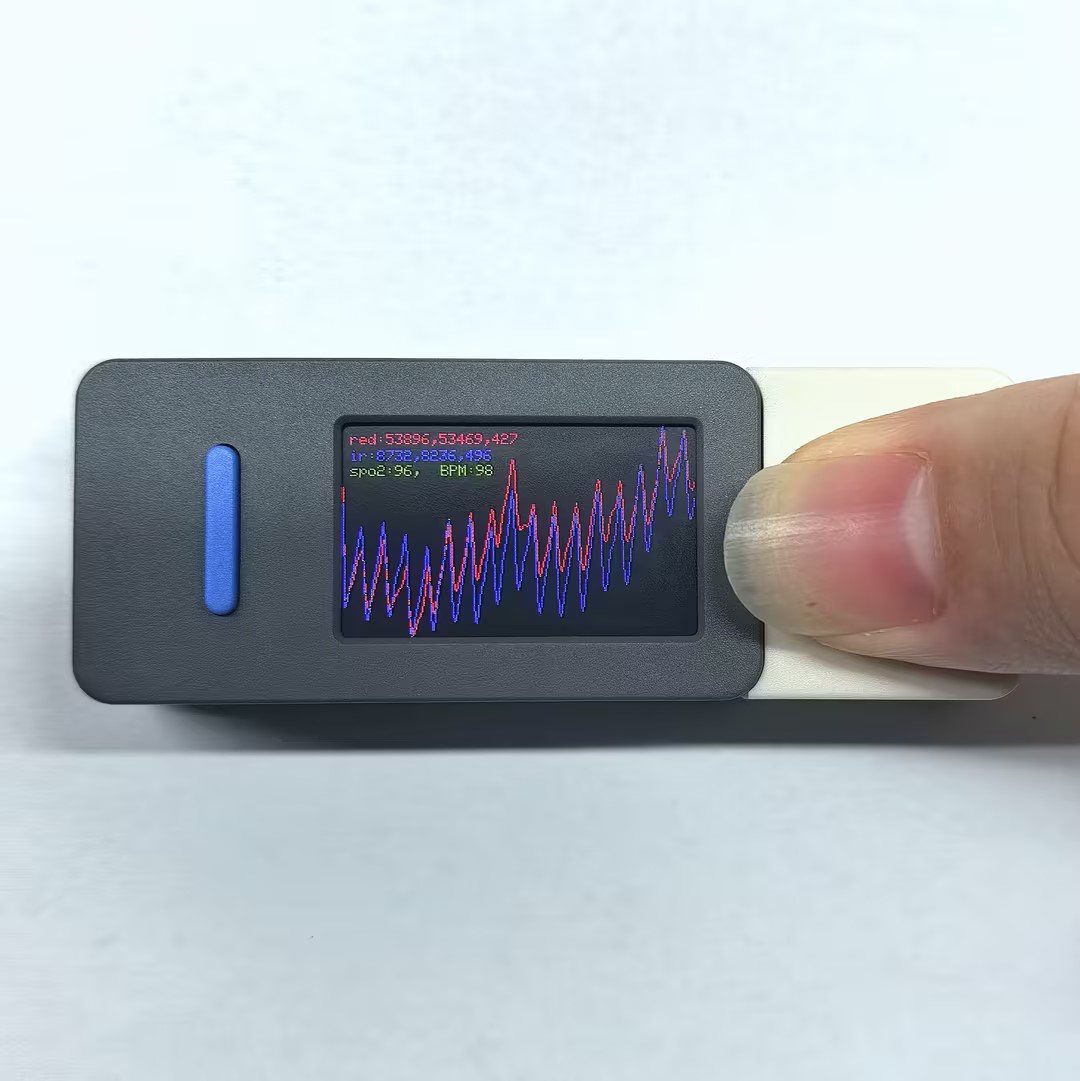
- After powering up, the screen displays the raw infrared and red light data from the MAX30102 sensor. Place your finger on the sensor area of the heart rate module and observe the changes in SpO2 and BPM (heart rate) values and waveforms on the screen. Adjust finger position and pressure to get stable readings.
Page Tools