

Arduino入門
2. デバイス&サンプル
3. M5Unified
4. M5GFX
5. 拡張モジュール&サンプル
Unit
Module
Atomic
Tab5
IoT
アクセサリー
PowerHub CAN
PowerHub の CAN 通信に関連する API とサンプルプログラムです。
サンプルプログラム
コンパイル要件
- M5Stack ボードマネージャーのバージョン >= 3.2.3
- 開発ボードの選択 = M5PowerHub
cpp
1 2 3 4 5 6 7 8 9 10 11 12 13 14 15 16 17 18 19 20 21 22 23 24 25 26 27 28 29 30 31 32 33 34 35 36 37 38 39 40 41 42 43 44 45 46 47
#include <Arduino.h>
#include "driver/twai.h"

const gpio_num_t MCU_CAN_TXD = GPIO_NUM_39;
const gpio_num_t MCU_CAN_RXD = GPIO_NUM_40;

void setup() {
  Serial.begin(115200);

  twai_general_config_t g_config = TWAI_GENERAL_CONFIG_DEFAULT(MCU_CAN_TXD, MCU_CAN_RXD, TWAI_MODE_NORMAL);
  twai_timing_config_t t_config = TWAI_TIMING_CONFIG_500KBITS();
  twai_filter_config_t f_config = TWAI_FILTER_CONFIG_ACCEPT_ALL();

  if (twai_driver_install(&g_config, &t_config, &f_config) == ESP_OK && twai_start() == ESP_OK) {
    Serial.println("\nCAN ready. ");
  } else {
    Serial.println("\nCAN init failed. ");
    while (1) delay(1000);
  }
}

void loop() {
  // transmit
  twai_message_t tx_msg = {};
  tx_msg.extd = 0;            // 0 = standard frame, 1 = extended frame
  tx_msg.identifier = 0x123;  // 11-bit standard ID, change it on another device
  tx_msg.data_length_code = 2;
  tx_msg.data[0] = 0xAA;  // change it on another device
  tx_msg.data[1] = 0xBB;  // change it on another device

  if (twai_transmit(&tx_msg, pdMS_TO_TICKS(100)) == ESP_OK) {
    Serial.println("TX OK");
  } else {
    Serial.println("TX failed");
  }

  // receive (non-blocking)
  twai_message_t rx_msg;
  if (twai_receive(&rx_msg, pdMS_TO_TICKS(10)) == ESP_OK) {
    Serial.print("RX: ");
    for (int i = 0; i < rx_msg.data_length_code; i++) Serial.printf("%02X ", rx_msg.data[i]);
    Serial.printf("(ext=%d, id=0x%X, dlc=%d)", rx_msg.extd, rx_msg.identifier, rx_msg.data_length_code);
    Serial.println();
  }

  delay(2000);
}2 台の PowerHub を用意し、上記のコードを書き込みます(メッセージ ID や内容を変更して区別しても構いません)。両方のデバイスで 120 Ω の終端抵抗スイッチを ON にし、XT30(2+2)-F コネクタケーブル(例:PwrCAN Cable)を使用して 2 台の CAN インターフェースを接続します。
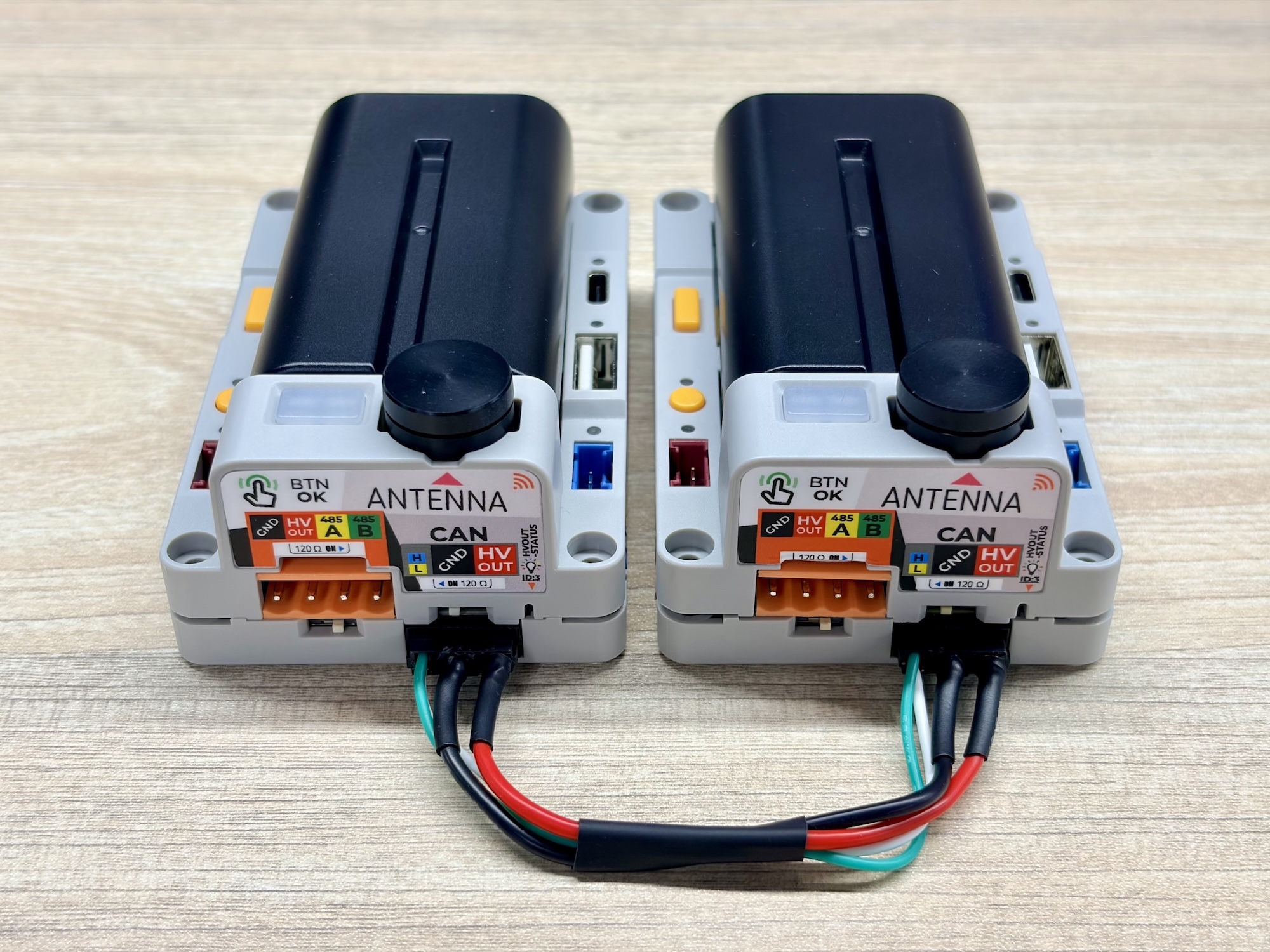
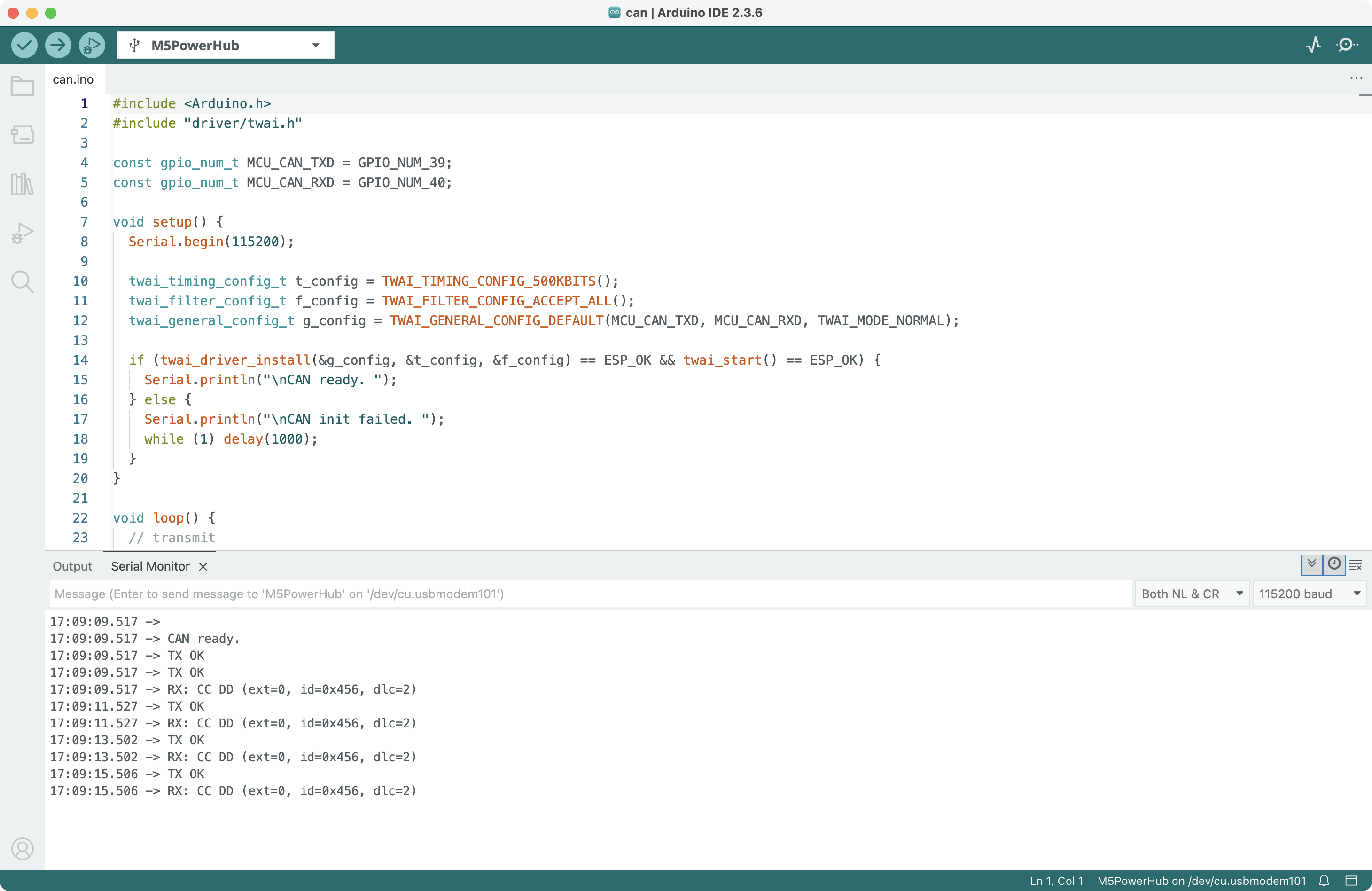
接続後、2 台の PowerHub は CAN 通信を通じて互いにメッセージを送信します。そのうち 1 台をパソコンに接続し、シリアルモニターの出力を確認します。
API
PowerHub の CAN 通信ドライバ部分は、ESP-IDF の TWAI を使用しています。関連する API の詳細については、以下のドキュメントを参照してください:
Page Tools