

Arduino 上手教程
2. 设备开发 & 案例程序
3. M5Unified
4. M5GFX
5. 扩展模块
Unit
Module
Atomic
Tab5
IoT
Chain DualKey BLE HID
Chain DualKey BLE HID 相关 API 与案例程序。
案例程序
编译要求
- M5Stack 板管理版本 >= 3.2.5
- 开发板选项 = M5ChainDualKey
cpp
1 2 3 4 5 6 7 8 9 10 11 12 13 14 15 16 17 18 19 20 21 22 23 24 25 26 27 28 29 30 31 32 33 34 35 36 37 38 39 40 41 42 43 44 45 46 47 48 49 50 51 52 53 54 55 56 57 58 59 60 61 62 63 64 65 66 67 68 69 70 71 72 73 74 75 76 77 78 79 80 81 82 83 84 85 86 87 88 89 90 91 92 93 94 95 96 97 98 99 100 101 102 103 104 105 106 107 108 109 110 111 112 113 114 115 116 117 118 119 120 121 122 123 124 125 126 127 128 129 130 131 132 133 134 135 136 137 138 139 140 141 142 143
#include <BLEDevice.h>
#include <BLEServer.h>
#include <BLEHIDDevice.h>
#include <HIDTypes.h>

const int PIN_BTN_1 = 0;
const int PIN_BTN_2 = 17;

// HID keyboard report structure: 1 byte modifiers + 1 byte reserved + 6 bytes keycodes
struct KeyReport {
  uint8_t modifiers;
  uint8_t reserved;
  uint8_t keys[6];
};

// HID keyboard report map
static const uint8_t hidReportMap[] = {
  0x05, 0x01,  // Usage Page = Generic Desktop
  0x09, 0x06,  // Usage = Keyboard
  0xA1, 0x01,  // Collection = Application
  0x85, 0x01,  // Report ID = 1

  0x75, 0x01,  //   Report Size = 1
  0x95, 0x08,  //   Report Count = 8
  0x05, 0x07,  //   Usage Page = Key Codes
  0x19, 0xE0,  //   Usage Minimum = Keyboard LeftControl
  0x29, 0xE7,  //   Usage Maximum = Keyboard Right GUI
  0x15, 0x00,  //   Logical Minimum = 0
  0x25, 0x01,  //   Logical Maximum = 1
  0x81, 0x02,  //   Input = Data, Variable, Absolute (1 byte Modifiers)

  0x75, 0x08,  //   Report Size = 8
  0x95, 0x01,  //   Report Count = 1
  0x81, 0x01,  //   Input = Constant (1 byte Reserved)

  0x75, 0x08,  //   Report Size = 8
  0x95, 0x06,  //   Report Count = 6
  0x05, 0x07,  //   Usage Page = Key Codes
  0x19, 0x00,  //   Usage Minimum = Reserved
  0x29, 0x65,  //   Usage Maximum = Keyboard Application
  0x15, 0x00,  //   Logical Minimum = 0
  0x25, 0x65,  //   Logical Maximum = 101
  0x81, 0x00,  //   Input = Data, Array (6 bytes Keycodes)
  0xC0         // End Collection
};

BLEHIDDevice* hidDevice;
BLECharacteristic* inputReportCharacteristic;
bool deviceConnected = false;

// Connect status callback
class MyBLEServerCallbacks : public BLEServerCallbacks {
  void onConnect(BLEServer* pServer) override {
    deviceConnected = true;
    Serial.println("BLE connected");
  }
  void onDisconnect(BLEServer* pServer) override {
    deviceConnected = false;
    Serial.println("BLE disconnected");
    BLEDevice::startAdvertising();  // Restart advertising after disconnected
  }
};

// Function to report a key was pressed and released, see keycode definitions:
// https://www.usb.org/sites/default/files/hut1_6.pdf
void sendKey(uint8_t keycode, uint8_t modifier = 0) {
  if (!deviceConnected || inputReportCharacteristic == nullptr) {
    return;
  }
  KeyReport report = { 0 };

  // Pressed
  report.modifiers = modifier;
  report.keys[0] = keycode;
  inputReportCharacteristic->setValue((uint8_t*)&report, sizeof(report));
  inputReportCharacteristic->notify();

  delay(10);

  // Released (clean)
  report.modifiers = 0;
  report.keys[0] = 0;
  inputReportCharacteristic->setValue((uint8_t*)&report, sizeof(report));
  inputReportCharacteristic->notify();
}

void setup() {
  delay(2000);
  Serial.begin(115200);
  Serial.println("Starting Chain DualKey BLE Keyboard");

  pinMode(PIN_BTN_1, INPUT);
  pinMode(PIN_BTN_2, INPUT);

  // Init BLE device, create BLE server, create HID device, input report (ID=1)
  BLEDevice::init("Chain DualKey Keyboard");  // Device name shown on computers and phones
  BLEServer* pServer = BLEDevice::createServer();
  pServer->setCallbacks(new MyBLEServerCallbacks());
  hidDevice = new BLEHIDDevice(pServer);
  inputReportCharacteristic = hidDevice->inputReport(1);

  // Set HID device info
  hidDevice->manufacturer()->setValue("M5Stack");
  hidDevice->pnp(0x02, 0x1234, 0x0001, 0x0100);  // vendorIdSource (0x02=Bluetooth SIG), vendorId, productId, version
  hidDevice->hidInfo(0x00, 0x01);

  // Set HID report map
  hidDevice->reportMap((uint8_t*)hidReportMap, sizeof(hidReportMap));
  hidDevice->startServices();

  // Set BLE security (BOND)
  BLESecurity* pSecurity = new BLESecurity();
  pSecurity->setAuthenticationMode(ESP_LE_AUTH_BOND);

  // Set BLE advertising
  BLEAdvertising* pAdvertising = BLEDevice::getAdvertising();
  pAdvertising->setAppearance(HID_KEYBOARD);
  pAdvertising->addServiceUUID(hidDevice->hidService()->getUUID());
  pAdvertising->start();

  Serial.println("BLE HID Keyboard is advertising, ready to pair.");
}

void loop() {
  static bool lastBtnState_1 = HIGH;
  static bool lastBtnState_2 = HIGH;
  bool btnState_1 = digitalRead(PIN_BTN_1);
  bool btnState_2 = digitalRead(PIN_BTN_2);

  if (lastBtnState_1 == HIGH && btnState_1 == LOW) {
    Serial.println("Button 1 pressed, send 'a'");
    sendKey(0x04);  // 'a' + no modifier
  }
  if (lastBtnState_2 == HIGH && btnState_2 == LOW) {
    Serial.println("Button 2 pressed, send 'v' + LeftCtrl");
    sendKey(0x19, 0x01);  // 'v' + LeftCtrl
    // sendKey(0x19, 0x08);  // 'v' + LeftCmd
  }

  lastBtnState_1 = btnState_1;
  lastBtnState_2 = btnState_2;
  delay(10);
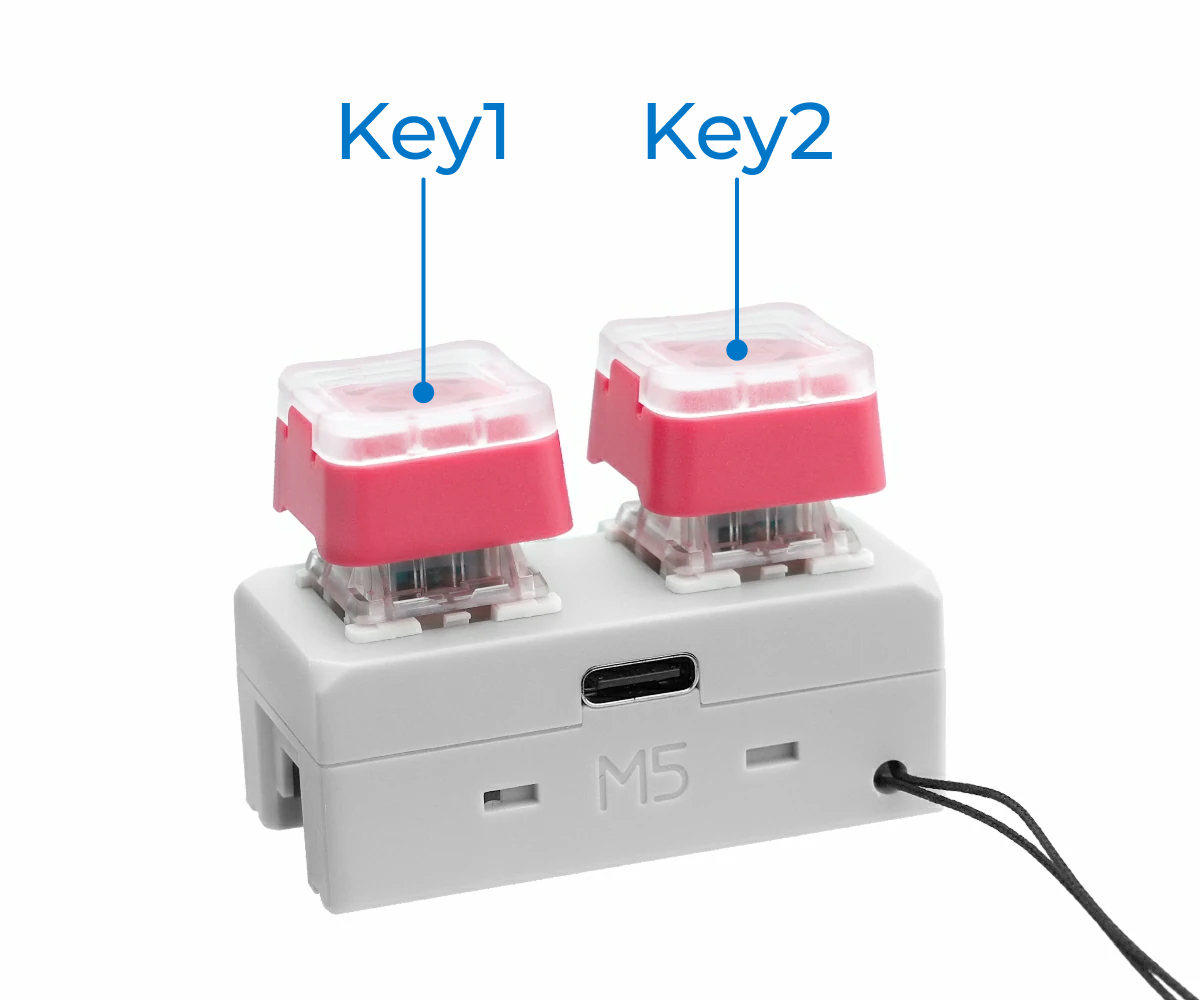
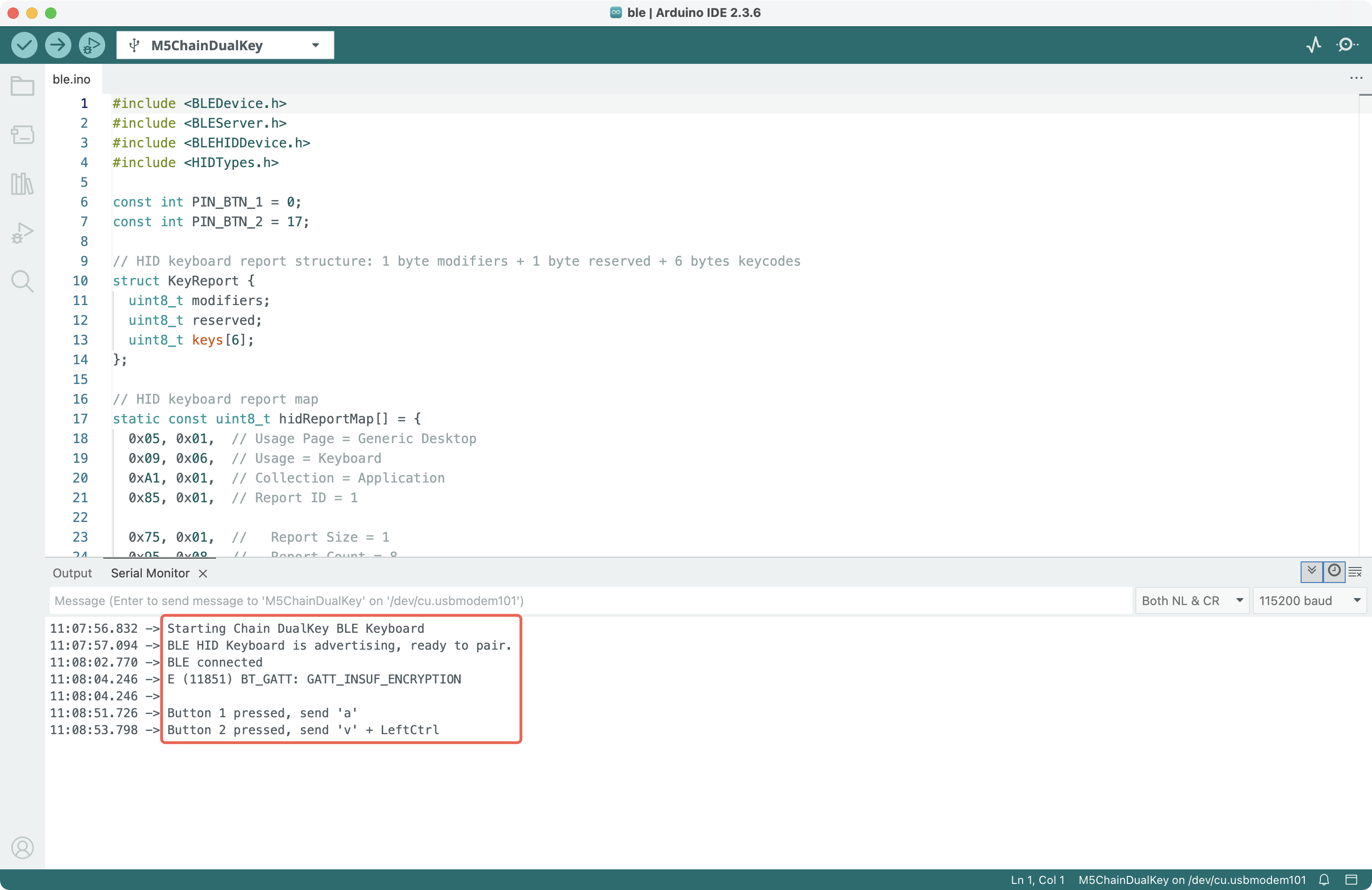
}将以上代码复制到 Arduino IDE,编译并上传至 Chain DualKey。上传完成后,在电脑、手机等主机设备的蓝牙设置中找到名为 Chain DualKey Keyboard 的键盘并配对连接。按下 Key1 输入 a 字母键,按下 Key2 将触发 Ctrl + V 组合键在 Windows 上粘贴(macOS 的 Command 键请看代码注释)。
串口输出如图:
程序上传后若串口无输出、蓝牙找不到设备,可以重启设备,操作方法是:将开关拨至中间位置,断开 USB-C 数据线并重新连接(不要按住 Key1)。
注意
修改蓝牙设备本身的信息(名称、manufacturer、pnp、hidInfo、hidReportMap 等)之前,建议先在电脑手机等主机上取消配对,然后给 Chain DualKey 写入新的程序,再次连接前先重启(关闭然后开启)主机蓝牙。否则,新的蓝牙广播与主机已有记录冲突,可能会造成主机蓝牙栈崩溃重启。
相关链接
- 更多按键的键码,可以查看 HID Usage Tables 1.6 中的
10 Keyboard/Keypad Page章节。 Ctrl, Shift, Alt, GUI (Windows/Command)等修饰键不使用上表中的普通键码,而使用单独的modifiers字段,可以查看 Device Class Definition for HID 1.12 中的8.3 Report Format for Array Items章节。- BLE for ESP32 Arduino Core - GitHub
- ESP32 Arduino BLE - Espressif Docs
- ESP-IDF BT/BLE HID Device Demo - GitHub
- HID Service 1.0 - Bluetooth
- HID over GATT Profile 1.0 - Bluetooth
Page Tools