Arduino 上手教程
2. 设备开发 & 案例程序
3. M5Unified
4. M5GFX
5. 拓展模块
Unit
Base
IoT
Tough RS485 通信
Tough RS485 通信案例程序。
案例程序
编译要求
- M5Stack 板管理版本 >= 2.1.4
- 开发板选项 = M5Tough
- M5Unified 库版本 >= 0.2.5
- M5GFX 库版本 >= 0.2.7
cpp
1 2 3 4 5 6 7 8 9 10 11 12 13 14 15 16 17 18 19 20 21 22 23 24 25 26 27 28 29 30 31 32 33 34 35 36 37 38 39 40 41 42 43 44 45 46 47 48 49 50 51 52 53 54
#include <M5Unified.h>
#include <M5GFX.h>

static int cnt = 0;          // Counter for RS485 sent messages (increments per transmission)
String recvBuffer;           // Buffer to store received RS485 data

void setup() {
    M5.begin();
    M5.Display.clear();
    M5.Display.setFont(&fonts::FreeMonoBold9pt7b);
    M5.Display.drawString("Send :", 5, 5);
    M5.Display.drawString("Receive :", 5, 125);

    Serial.begin(115200);

    // Parameters: baud rate=115200, config=8N1 (8 data bits, 1 stop bit, no parity), RX pin=27, TX pin=19
    Serial2.begin(115200, SERIAL_8N1, 27, 19);
}

void loop() {
    M5.update();

    // --- Send Data ---
    String msg = "RS485 #" + String(++cnt);
    Serial2.println(msg);
    Serial.printf("Send: %s\n", msg.c_str());

    // Display sent message on screen
    M5.Display.fillRect(0, 25, 320, 30, TFT_BLACK);
    M5.Display.setTextColor(GREEN);
    M5.Display.setCursor(20, 25);
    M5.Display.printf("%s\n", msg.c_str());

    // --- Receive Data ---
    recvBuffer = "";
    while (Serial2.available()) {
        char ch = Serial2.read();
        recvBuffer += ch;
    }

    // If valid data is received
    if (recvBuffer.length() > 0) {
        Serial.print("Recv: ");
        Serial.print(recvBuffer);

        // Display received message on screen
        M5.Display.setTextColor(YELLOW);
        M5.Display.fillRect(0, 145, 320, 30, TFT_BLACK);
        M5.Display.setCursor(20, 145);
        M5.Display.printf("%s", recvBuffer.c_str());
    }

    delay(2000);
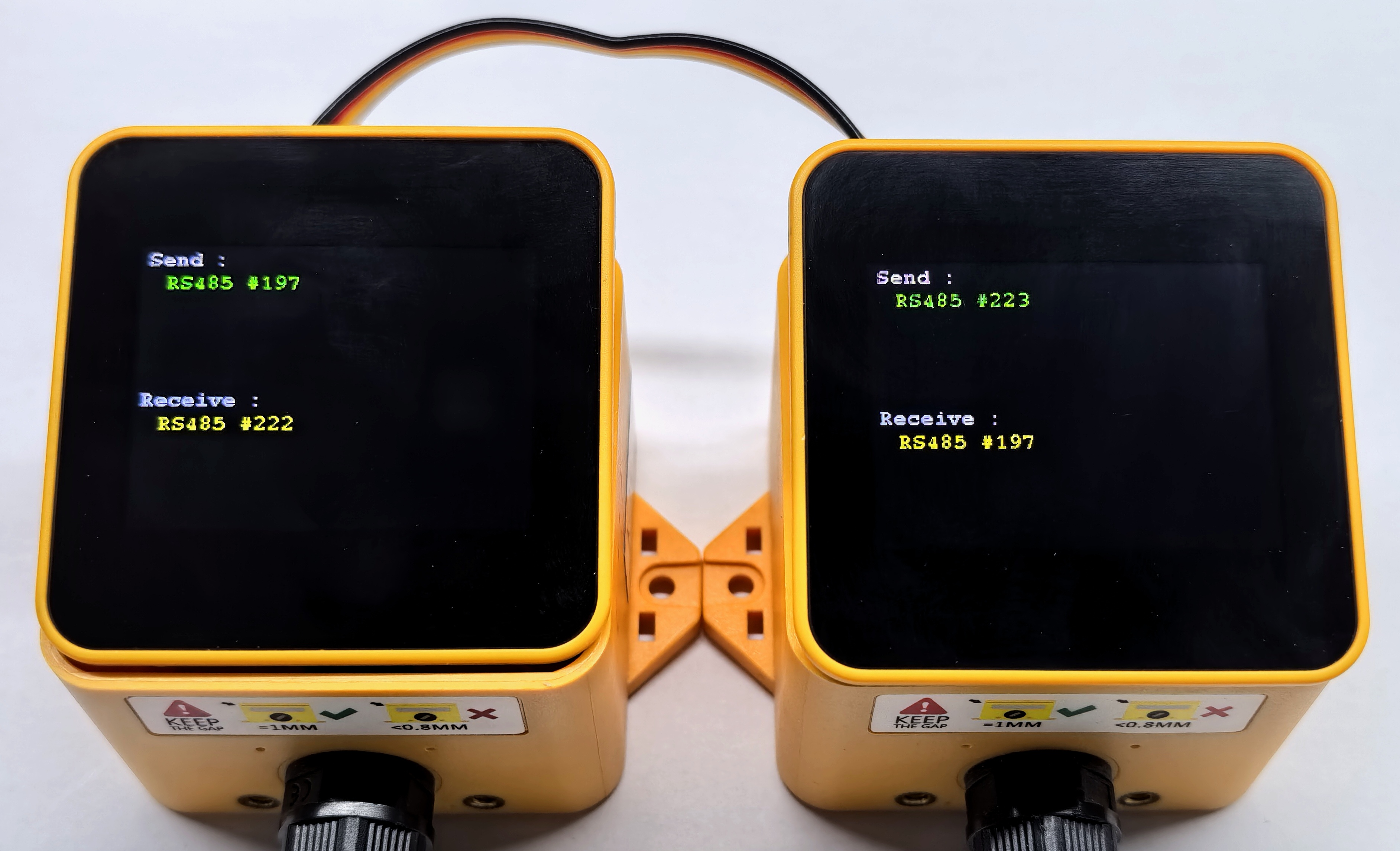
}该程序的主要功能是,通过 RS485 接口每隔 2 秒发送一次数据包,同时监听并接收通过 RS485 接口传输过来的数据,用户可以通过串口监视器和主控屏幕查看发送和接收的数据内容。程序中使用了 Serial2 对象来配置和操作 RS485 接口,设置波特率为 115200,数据位为 8,停止位为 1,无奇偶校验。用户可以根据需要修改发送的数据内容和发送频率。
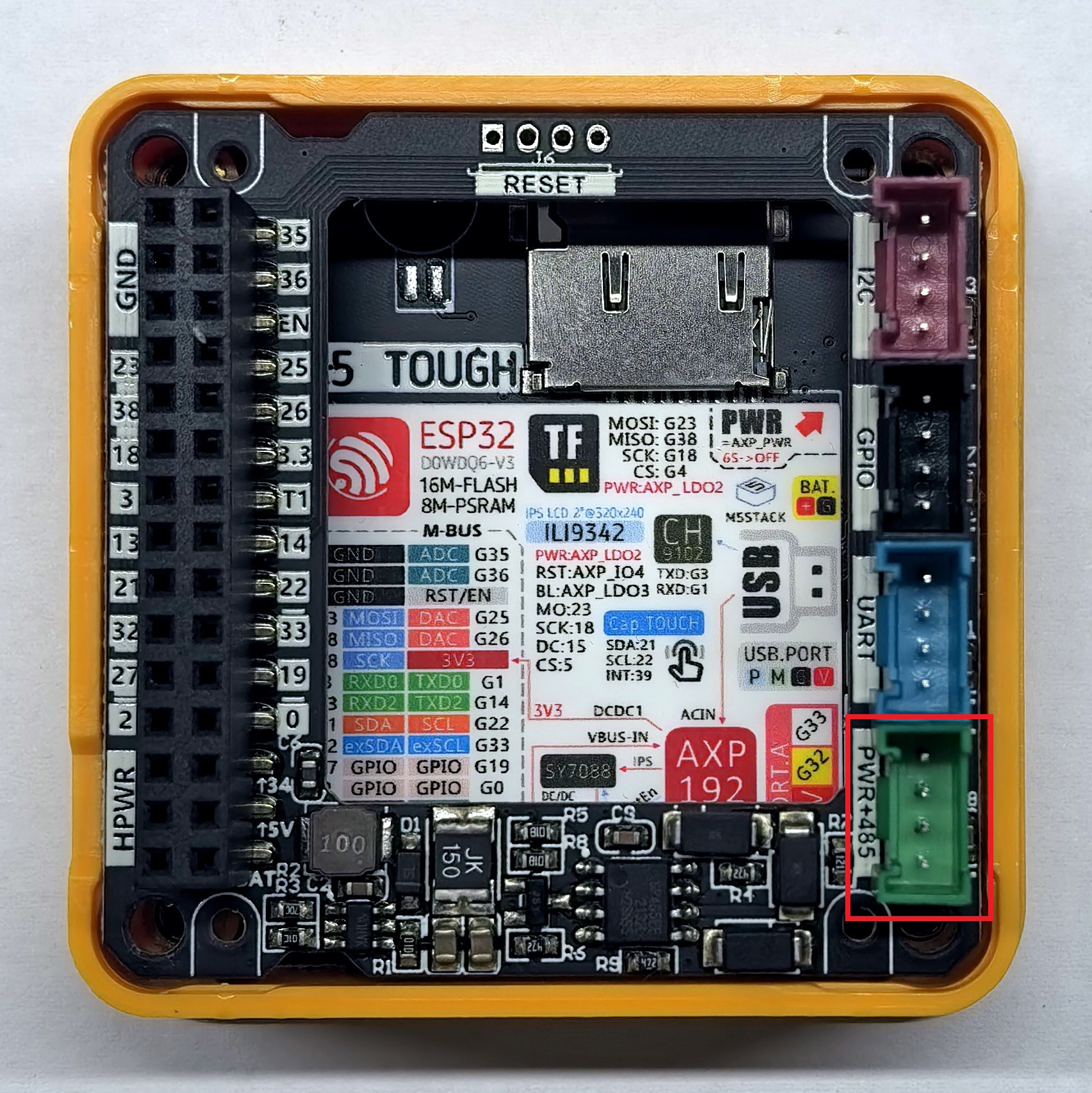
Tough 的 RS485 接口在 Tough Ext Board 上,端口颜色为绿色,具体位置如下图所示:
例程效果如下如所示: