

Arduino Quick Start
2. Devices & Examples
3. M5Unified
4. M5GFX
5. Extensions
Unit
Module
Atomic
Tab5
IoT
Accessories
Stamp-P4 Arduino Program Compilation & Upload
1. Preparation
- Arduino IDE installation: Refer to the Arduino IDE Installation Guide to install the IDE.
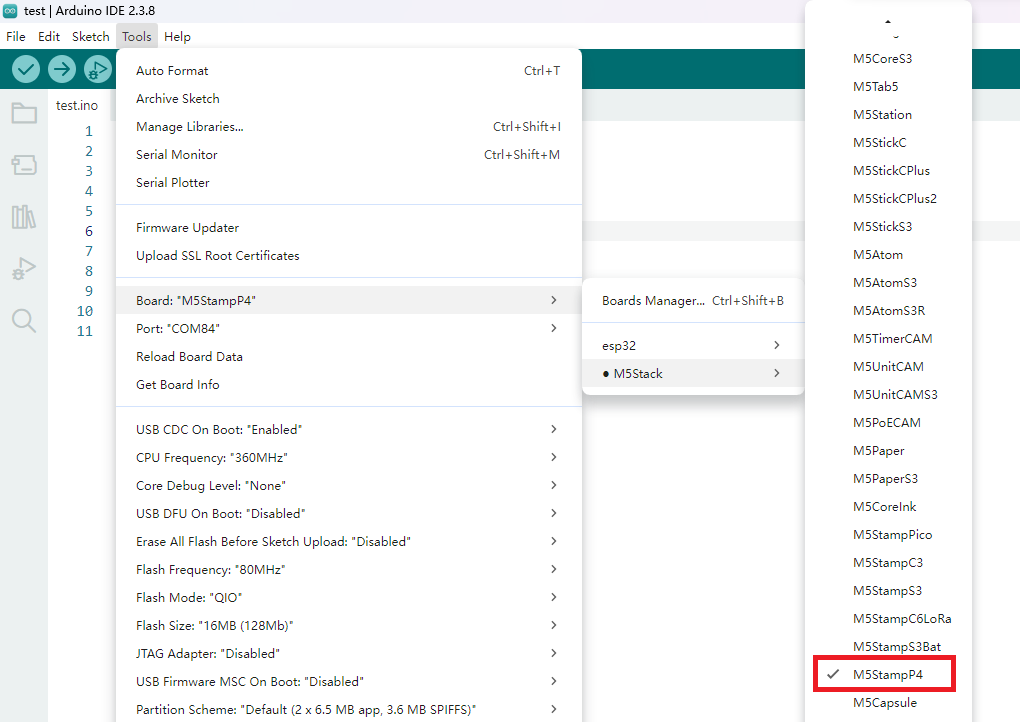
- Board Manager: Refer to the Board Manager Installation Guide to install the M5Stack board package and select the
M5StampP4development board.
- Board Manager: Refer to the Board Manager Installation Guide to install the M5Stack board package and select the
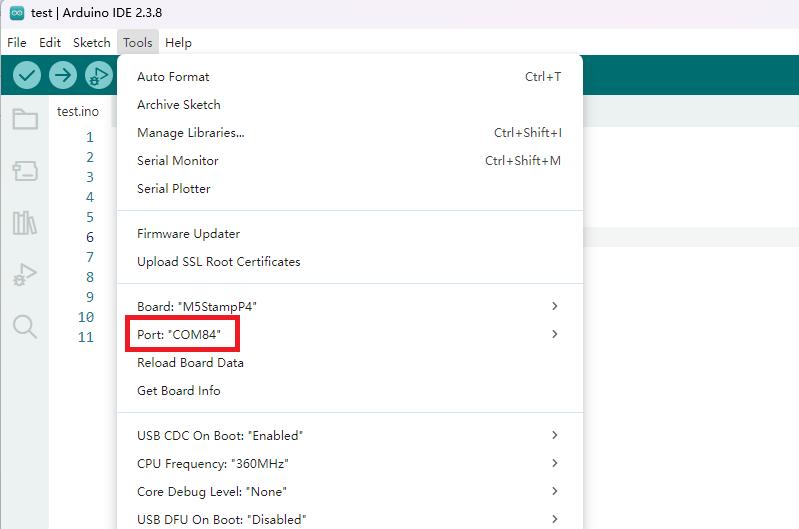
2. Port Selection
Connect the device to your computer via USB. Select the corresponding serial port in the Arduino IDE.
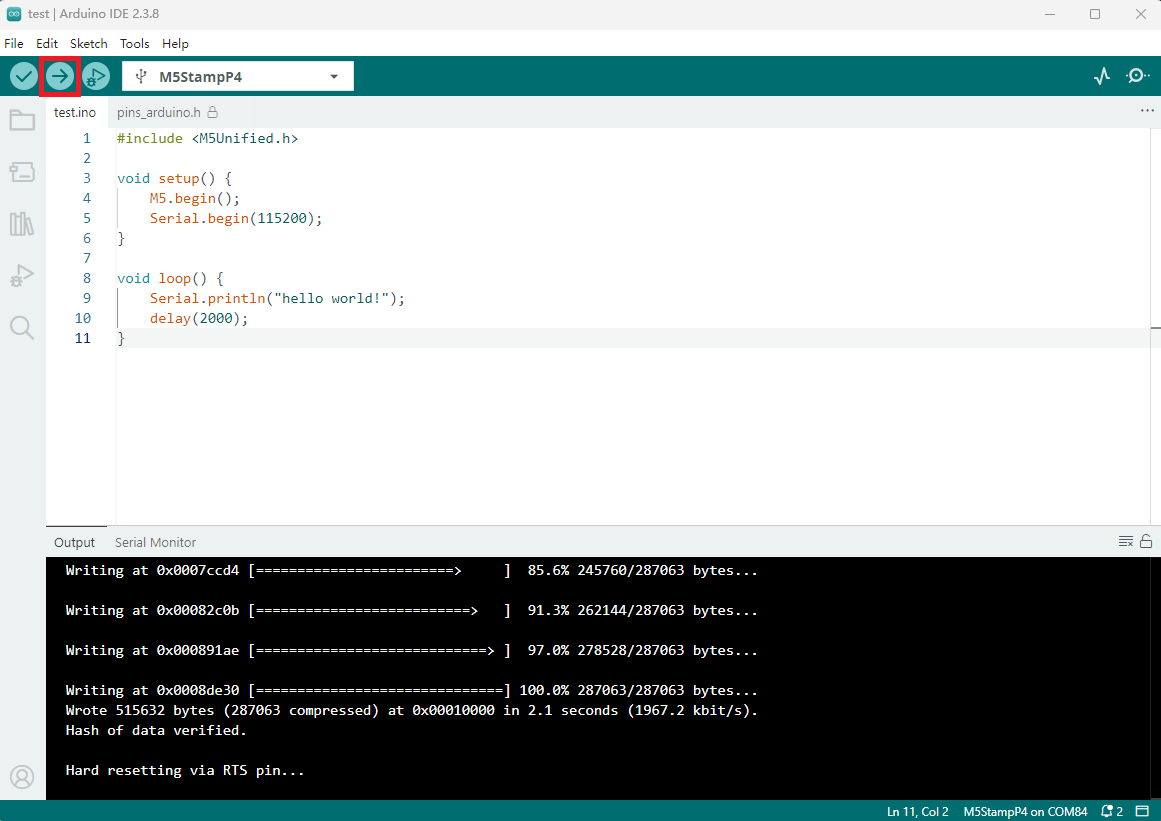
3. Program Compilation & Upload
Enter the code below in the Arduino IDE and click the upload button. The sketch will be compiled and flashed automatically.
cpp
1 2 3 4 5 6 7 8 9 10 11
#include <M5Unified.h>

void setup() {
    M5.begin();
    Serial.begin(115200);
}

void loop() {
    Serial.println("hello world!");
    delay(2000);
}
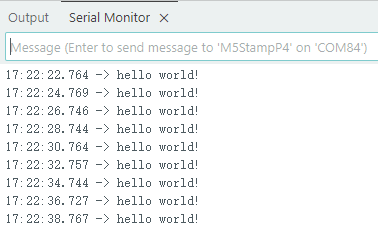
After a successful upload, open the serial monitor and set the baud rate to 115200. You should see "hello world!" printed every two seconds.
Page Tools