

Arduino Quick Start
2. Devices & Examples
3. M5Unified
4. M5GFX
5. Extensions
Unit
Module
Atomic
Tab5
IoT
Accessories
Stamp-S3Bat Arduino Program Compilation & Upload
1. Preparation
- Arduino IDE Installation: Refer to the Arduino IDE Installation Tutorial to complete the IDE installation.
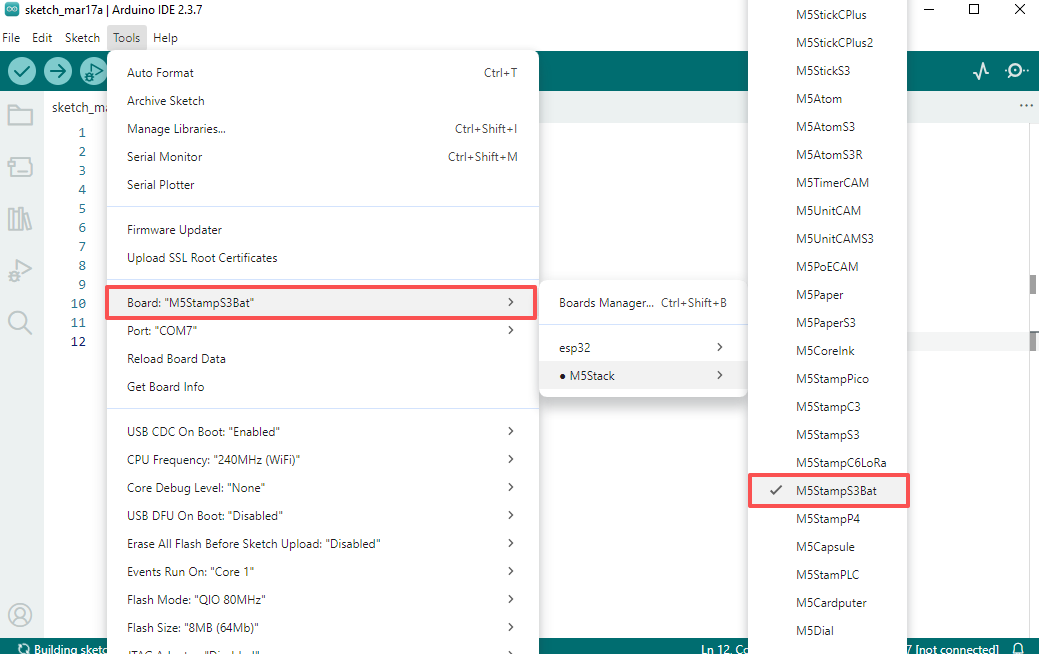
- Board Manager Installation: Refer to the Basic Environment Setup Tutorial to complete the M5Stack board manager installation and select the development board
M5StampS3Bat.
- Board Manager Installation: Refer to the Basic Environment Setup Tutorial to complete the M5Stack board manager installation and select the development board
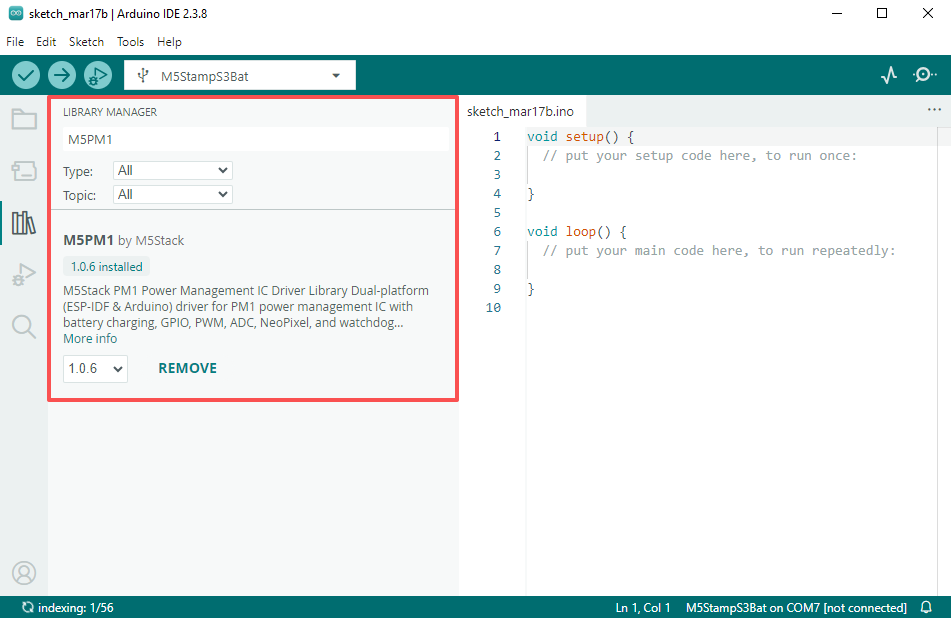
- Dependency Library Installation: Refer to the Library Manager Installation Tutorial to complete the installation of the latest
M5PM1driver library, and install all dependency libraries as prompted.
- Dependency Library Installation: Refer to the Library Manager Installation Tutorial to complete the installation of the latest
2. Download Mode
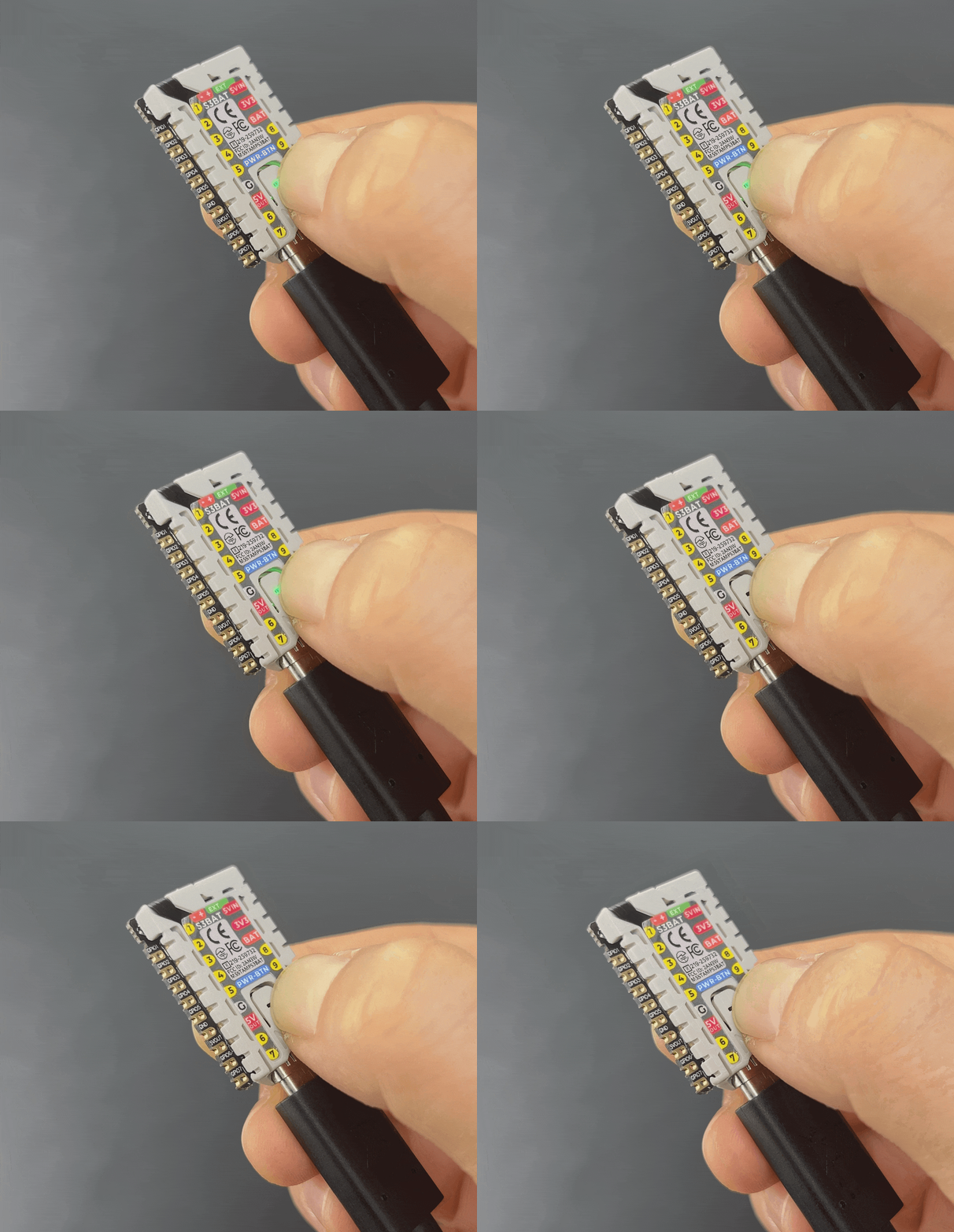
Connect the device to the computer via a USB cable, long press the PWR button for about 3 seconds to enter download mode, and wait for burning.
3. Port Selection
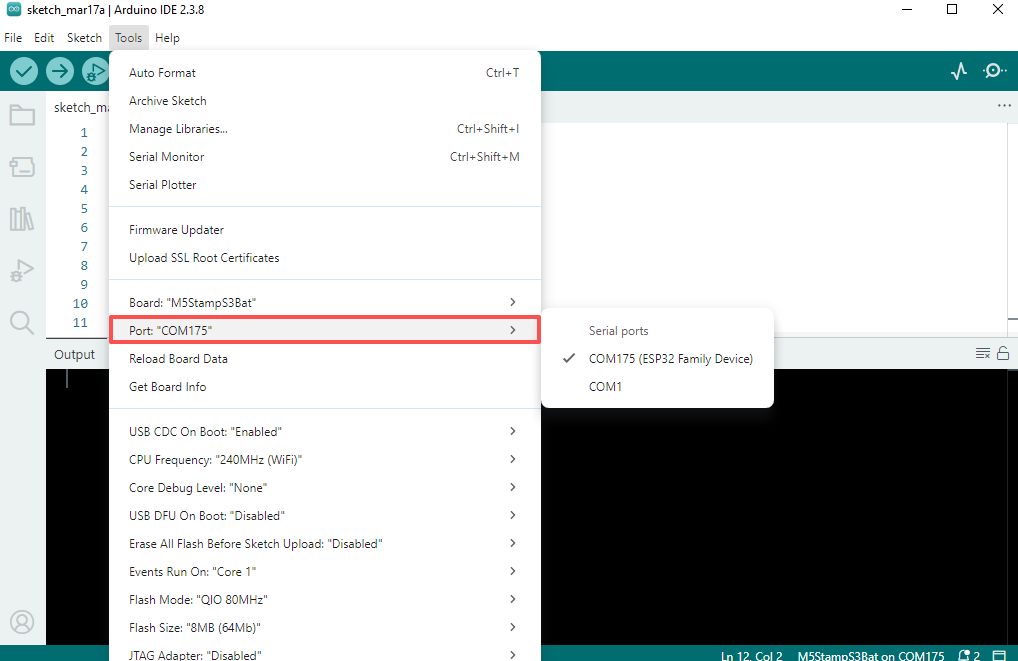
Select the port corresponding to the device in the Arduino IDE.
4. Program Compile & Upload
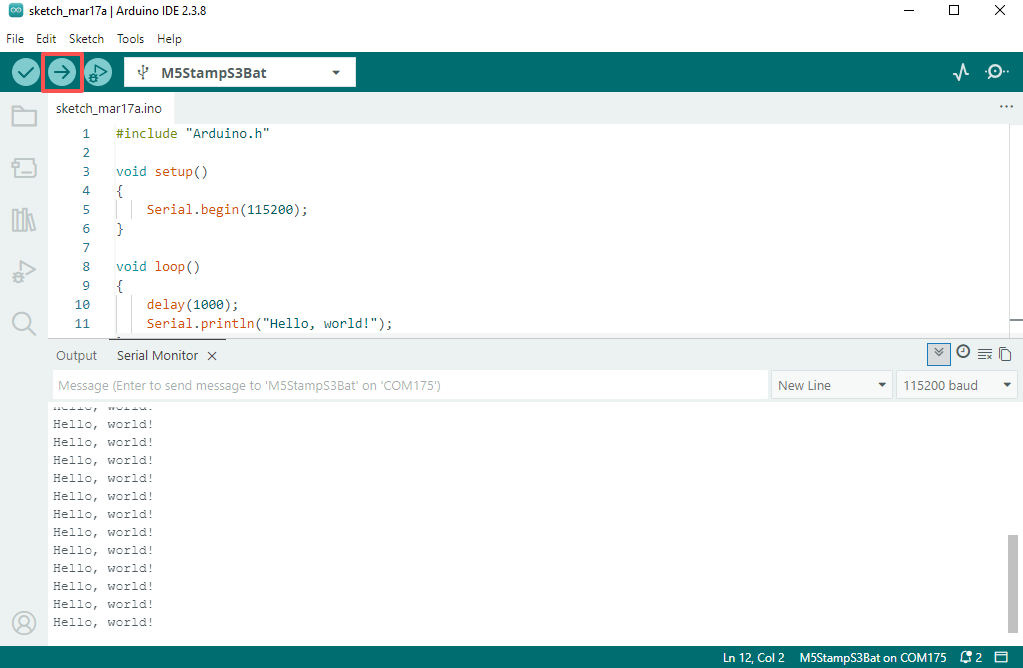
Paste the code below into the Arduino IDE workspace and click the upload button; the program will be automatically compiled and burned.
Hello World
cpp
1 2 3 4 5 6 7 8 9 10 11 12
#include "Arduino.h"

void setup()
{
    Serial.begin(115200);
}

void loop()
{
    delay(1000);
    Serial.println("Hello, world!");
}
5. Related Resources
GitHub
Arduino Example
Page Tools