Arduino 上手教程
2. 设备开发 & 案例程序
3. M5Unified
4. M5GFX
5. 拓展模块
Unit
Base
IoT
Atom DTU NBIoT2 系列 Arduino 使用教程
1. 准备工作
环境配置: 参考Arduino IDE上手教程完成 IDE 安装,并根据实际使用的开发板安装对应的板管理,与需要的驱动库。
使用到的驱动库:
注意
需要在 GitHub 上下载最新的库版本,库地址: TinyGsmClient - M5Stack GitHub,请勿在 Arduino Library 中下载。(如有疑问,请参考此教程)
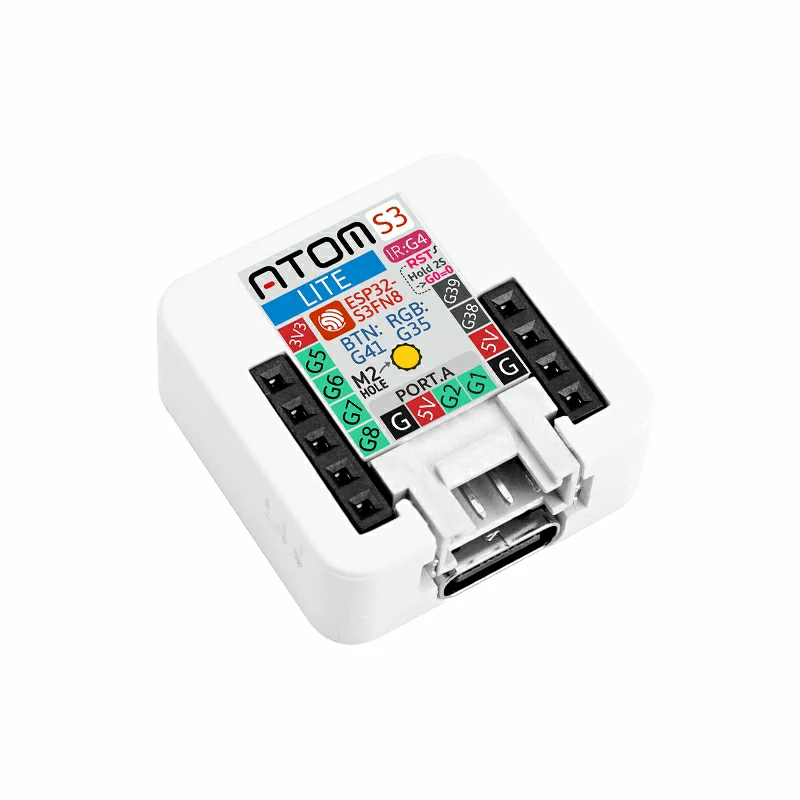
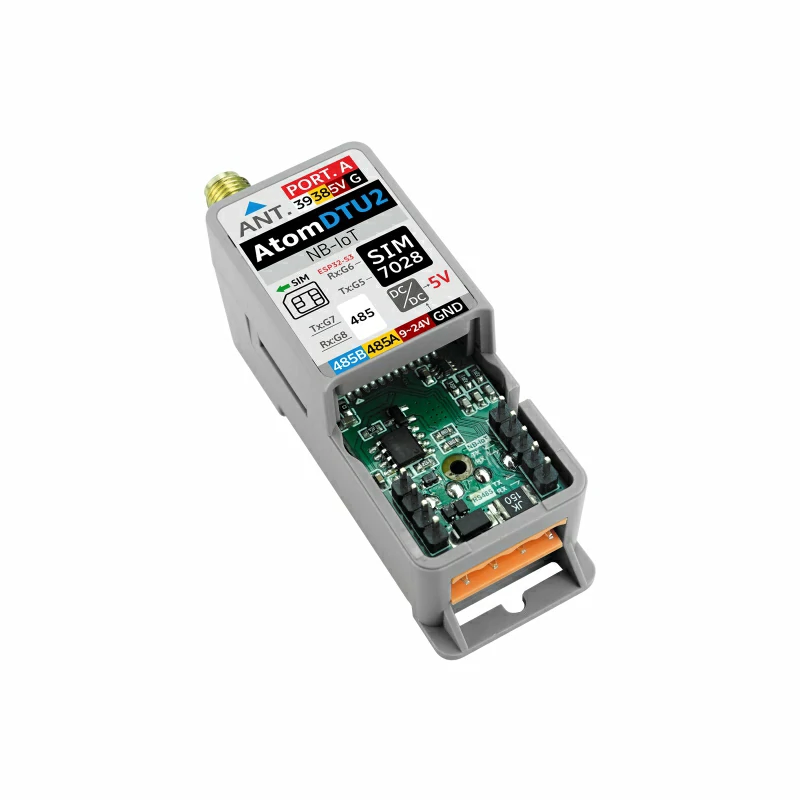
- 3. 使用到的硬件产品:
2. 注意事项
SIM 卡兼容性
本模块需要接入 SIM 卡才可正常使用网络服务,类型为 Micro SIM ,现代的物联网 SIM 卡都同时支持 Cat-M1 和 NB-IOT ,也可选择支持以上两种服务的传统 SIM 卡。并且请选择经过以下运营商认证的卡:Deutsche Telekom / Vodafone / Telefonica / 中国电信 / 中国移动 / 中国联通。
注意
请勿把 SIM 卡在不同的设备中使用,否则可能会导致 SIM 卡被锁死。
引脚兼容性
由于每款主机的引脚配置不同,使用前请参考产品文档中的引脚兼容表,并根据实际引脚连接情况修改案例程序。
3. HTTP 服务
在默认状态下使用 SIM 卡的 CAT 模式,若需要切换至 NB-Iot 模式,请把 TinyGsmClientSIM7028.h 文件中 MODE_NB_IOT 的宏定义注释去掉;且如果需要 debug 的情况下,可以将 TinyGsmClientSIM7028.h 文件中 DUMP_AT_COMMANDS 的宏定义取消注释。
cpp
1 2 3 4 5 6 7 8 9 10 11 12 13 14 15 16 17 18 19 20 21 22 23 24 25 26 27 28 29 30 31 32 33 34 35 36 37 38 39 40 41 42 43 44 45 46 47 48 49 50 51 52 53 54 55 56 57 58 59 60 61 62 63 64 65 66 67 68 69 70 71 72 73 74 75 76 77 78 79 80 81 82 83 84 85 86 87 88 89 90 91 92 93 94 95 96 97 98 99 100 101 102 103 104 105 106 107 108 109 110 111 112 113 114 115 116 117 118 119 120 121 122 123 124 125 126 127 128 129 130 131 132 133 134
#include "ATOM_DTU_NB.h"
#include <TinyGsmClient.h>
#include <M5AtomS3.h>
#include <sys/time.h>
#include <time.h>
#include <ArduinoHttpClient.h>

//#define MODE_NB_IOT     // By default, CAT mode is used. If using NB-IOT
// mode, open this macro definition or TinyGsmClientSIM7028.h line 32 //#define
// MODE_NB_IOT
//#define DUMP_AT_COMMANDS  // If you need to debug, you can open this macro
                          // definition and TinyGsmClientSIM7028.h line 13
                          // //#define TINY_GSM_DEBUG Serial
#ifdef DUMP_AT_COMMANDS
#include <StreamDebugger.h>
StreamDebugger debugger(SerialAT, SerialMon);
TinyGsm modem(debugger, ATOM_DTU_SIM7028_RESET);
#else
TinyGsm modem(SerialAT, ATOM_DTU_SIM7028_RESET);
#endif
// Server details
const char server[] = "api.m5stack.com";
const char resource[] = "/v1";
const int  port = 80;
TinyGsmClient client(modem);
HttpClient    http(client, server, port);

void modemConnect(void);

// Your GPRS credentials, if any
const char apn[] = "YourAPN";
const char gprsUser[] = "";
const char gprsPass[] = "";

struct tm now;
char s_time[50];

void log(String info) { SerialMon.println(info); }

void setup() {
  AtomS3.begin(true);  // Init M5AtomS3Lite.
  AtomS3.dis.setBrightness(100);
  AtomS3.dis.drawpix(0x0000ff);
  Serial.println(">>ATOM DTU NB MQTT TEST");
  SerialAT.begin(SIM7028_BAUDRATE, SERIAL_8N1, ATOM_DTU_SIM7028_RX,
                 ATOM_DTU_SIM7028_TX);

  modemConnect();
}

void loop() {
   AtomS3.update();
   SerialMon.print(F("Performing HTTP GET request... "));
  int err = http.get(resource);
  if (err != 0) {
    SerialMon.println(F("failed to connect"));
    delay(10000);
    return;
  }

  int status = http.responseStatusCode();
  SerialMon.print(F("Response status code: "));
  SerialMon.println(status);
  if (!status) {
    delay(10000);
    return;
  }

  SerialMon.println(F("Response Headers:"));
  while (http.headerAvailable()) {
    String headerName  = http.readHeaderName();
    String headerValue = http.readHeaderValue();
    SerialMon.println("    " + headerName + " : " + headerValue);
  }

  int length = http.contentLength();
  if (length >= 0) {
    SerialMon.print(F("Content length is: "));
    SerialMon.println(length);
  }
  if (http.isResponseChunked()) {
    SerialMon.println(F("The response is chunked"));
  }

  String body = http.responseBody();
  SerialMon.println(F("Response:"));
  SerialMon.println(body);

  SerialMon.print(F("Body length is: "));
  SerialMon.println(body.length());

  // Shutdown

  http.stop();
  SerialMon.println(F("Server disconnected"));
}


void modemConnect(void) {
  // Get card number
  String ccid = modem.getSimCCID();
  Serial.println("CCID: " + ccid);
  // Acquire signal strength
  int csq = modem.getSignalQuality();
  Serial.println("Signal quality: " + String(csq));
  unsigned long start = millis();
  log("Initializing modem...");
  while (!modem.init()) {
    log("waiting...." + String((millis() - start) / 1000) + "s");
  };

  start = millis();
  log("Waiting for network...");
  while (!modem.waitForNetwork()) {
    log("waiting...." + String((millis() - start) / 1000) + "s");
  }
  log("success");
#ifdef MODE_NB_IOT
#else
  SerialMon.println("Waiting for GPRS connect...");
  if (!modem.gprsConnect(apn, gprsUser, gprsPass)) {
    SerialMon.println("waiting...." + String((millis() - start) / 1000) + "s");
  }
  SerialMon.println("success");
#endif

  // Example Query the IP address of a device
  String ip = modem.getLocalIP();

  log("Device IP address: " + ip);

  log("success");
}
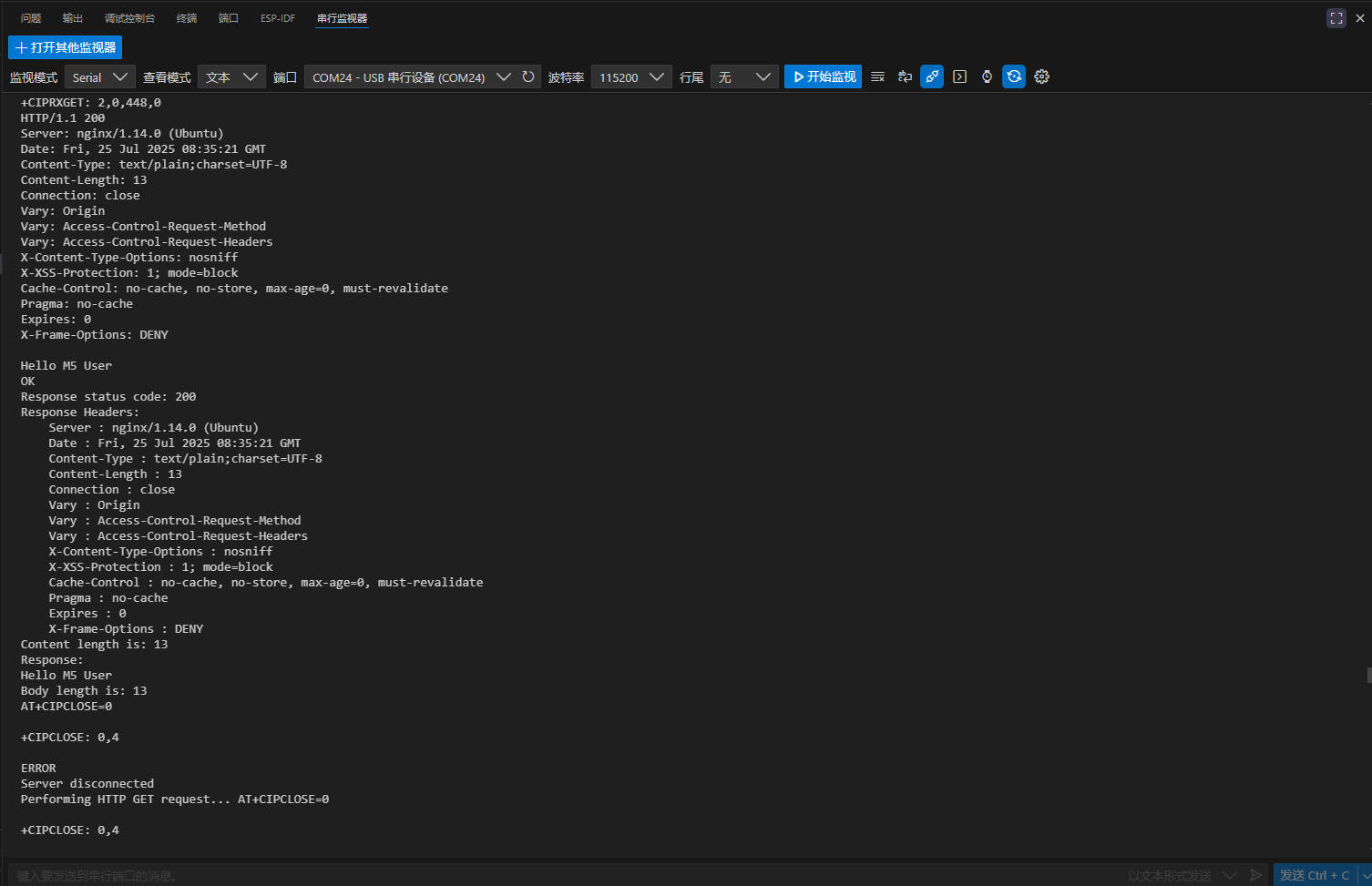
当 HTTP 请求成功时会返回该服务器的一系列信息,并用串口输出。
4. MQTT 服务
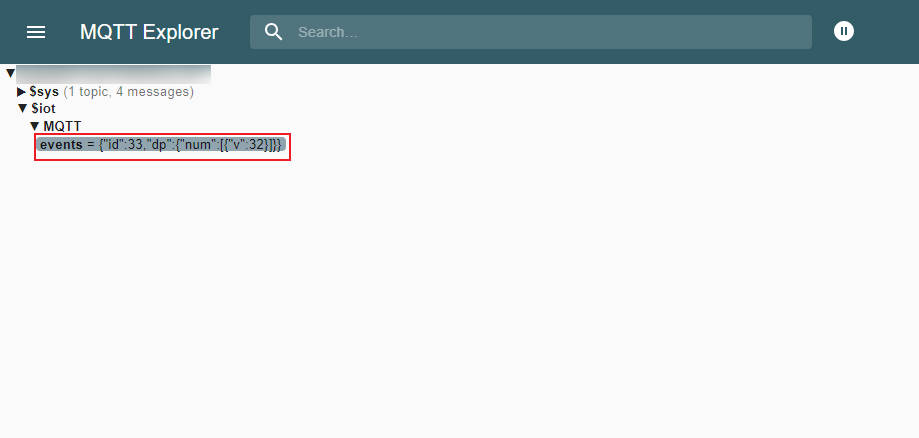
本模块同样支持 MQTT 协议通讯,在示例中支持了三家提供 MQTT 服务的平台:百度云,OneNET 以及 ThingsCloud,本教程基于百度云物联网平台进行介绍,如需使用其他平台的服务请参考 example 中的其他示例。
SIM 卡以及 debug 的模式选择同 HTTP 一致。
将 MQTT_BROKER , mqtt_devid , mqtt_pubid , mqtt_password 替换为个人账号的 MQTT 信息,如有疑问请参考此教程。
cpp
1 2 3 4 5 6 7 8 9 10 11 12 13 14 15 16 17 18 19 20 21 22 23 24 25 26 27 28 29 30 31 32 33 34 35 36 37 38 39 40 41 42 43 44 45 46 47 48 49 50 51 52 53 54 55 56 57 58 59 60 61 62 63 64 65 66 67 68 69 70 71 72 73 74 75 76 77 78 79 80 81 82 83 84 85 86 87 88 89 90 91 92 93 94 95 96 97 98 99 100 101 102 103 104 105 106 107 108 109 110 111 112 113 114 115 116 117 118 119 120 121 122 123 124 125 126 127 128 129 130 131 132 133 134 135 136 137 138 139 140 141 142
#include <M5AtomS3.h>
#include "ATOM_DTU_NB.h"
#include <PubSubClient.h>
#include <TinyGsmClient.h>
#include <time.h>
#include <sys/time.h>
#define MQTT_BROKER   "*********"  //Baidu Cloud address
#define MQTT_PORT     1883        //Port number

#define UPLOAD_INTERVAL   2000
#define mqtt_devid        "*******"                      //Device ID
#define mqtt_pubid        "*************"        //username
#define mqtt_password     "*************"          //password
int postMsgId = 0;  //Keep track of how many posts have been made
// This is the template used by post to upload data
#define ONENET_POST_BODY_FORMAT "{\"id\":%d,\"dp\":%s}"
// Receiving and sending properties set the subject
// Receive device properties to get the command topic
#define ONENET_TOPIC_GET "$iot/" mqtt_devid "/msg"
// Send data subject on the device
#define ONENET_TOPIC_POST  "$iot/" mqtt_devid "/events"
int num=0;
uint32_t lastReconnectAttempt = 0;

#define DUMP_AT_COMMANDS    //If you need to debug, you can open this macro definition and TinyGsmClientSIM7028.h line 13 //#define TINY_GSM_DEBUG Serial
#ifdef DUMP_AT_COMMANDS
#include <StreamDebugger.h>
    StreamDebugger debugger(SerialAT, SerialMon);
    TinyGsm modem(debugger, ATOM_DTU_SIM7028_RESET);
#else
    TinyGsm modem(SerialAT, ATOM_DTU_SIM7028_RESET);
#endif

TinyGsmClient tcpClient(modem);
PubSubClient mqttClient(MQTT_BROKER, MQTT_PORT, tcpClient);

void mqttCallback(char *topic, byte *payload, unsigned int len);
bool mqttConnect(void);
void nbConnect(void);

void log(String info) {
    SerialMon.println(info);
}

void setup() {
    AtomS3.begin(true);
    Serial.println(">>ATOM DTU NB MQTT TEST");
    SerialAT.begin(SIM7028_BAUDRATE, SERIAL_8N1, ATOM_DTU_SIM7028_RX,
                   ATOM_DTU_SIM7028_TX);
    AtomS3.dis.drawpix(0x0000ff);
    nbConnect();
    mqttClient.setServer(MQTT_BROKER, MQTT_PORT);
    mqttClient.setCallback(mqttCallback);
}

void loop() {
    static unsigned long timer = 0;

    if (!mqttClient.connected()) {
        log(">>MQTT NOT CONNECTED");
        log(mqttClient.state());
        AtomS3.dis.drawpix(0xff0000);
        uint32_t t = millis();
        if (t - lastReconnectAttempt > 10000L) {
            lastReconnectAttempt = t;
            if (mqttConnect()) {
                lastReconnectAttempt = 0;
            }
        }
        delay(100);
    }
    if (millis() >= timer) {
        timer = millis() + UPLOAD_INTERVAL;
        if (mqttClient.connected())
        {
          // First concatenate the json string
          char param[120];
          char jsonBuf[178];
          sprintf(param, "{\"num\":[{\"v\":%d}]}",num); // We write the data to be uploaded in the param

          postMsgId += 1;
          num+=1;
          if(num>256){
            num=0;
          }
          sprintf(jsonBuf, ONENET_POST_BODY_FORMAT, postMsgId, param);

          log("public the data:");
          log(jsonBuf);
          log("\n");

          mqttClient.publish(ONENET_TOPIC_POST, jsonBuf);
          //Send data to the topic
          delay(100);

        }
    }
    AtomS3.dis.drawpix(0x00ff00);
    mqttClient.loop();
}

void mqttCallback(char *topic, byte *payload, unsigned int len) {
    char info[len + 1];
    memcpy(info, payload, len);
    info[len] = '\0';
    log("Message arrived:"+String(info));
    log("Topic received: " + String(topic));
}

bool mqttConnect(void) {
    log("Connecting to ");
    log(MQTT_BROKER);
    bool status =mqttClient.connect(mqtt_devid, mqtt_pubid, mqtt_password);
    if (status == false) {
        int errorCode = mqttClient.state();
        log("MQTT Connection failed with error code: " + String(errorCode));
        return false;
    }
    log("MQTT CONNECTED!");
    mqttClient.subscribe(ONENET_TOPIC_GET);
    return mqttClient.connected();
}

void nbConnect(void) {
    unsigned long start = millis();
    log("Initializing modem...");
    while (!modem.init()) {
        log("waiting...." + String((millis() - start) / 1000) + "s");
    };

    start = millis();
    log("Waiting for network...");
    while (!modem.waitForNetwork()) {
        log("waiting...." + String((millis() - start) / 1000) + "s");
    }
    log("success");
    String ccid = modem.getSimCCID();
    Serial.println("CCID: " + ccid);
    int csq = modem.getSignalQuality();
    Serial.println("Signal quality: " + String(csq));
}
当 MQTT 服务成功接通后,可以使用 MQTT Explorer 添加订阅主题,并查看数据。(如有疑问,可以参考此界面)