

Arduino 上手教程
2. 设备开发 & 案例程序
3. M5Unified
4. M5GFX
5. 扩展模块
Unit
Module
Atomic
Tab5
IoT
StamPLC PoE Arduino 使用教程
1. 准备工作
环境配置: 参考 Arduino IDE 上手教程完成 IDE 安装,并根据实际使用的开发板安装对应的板管理,与需要的驱动库。
使用到的驱动库:
使用到的硬件产品:
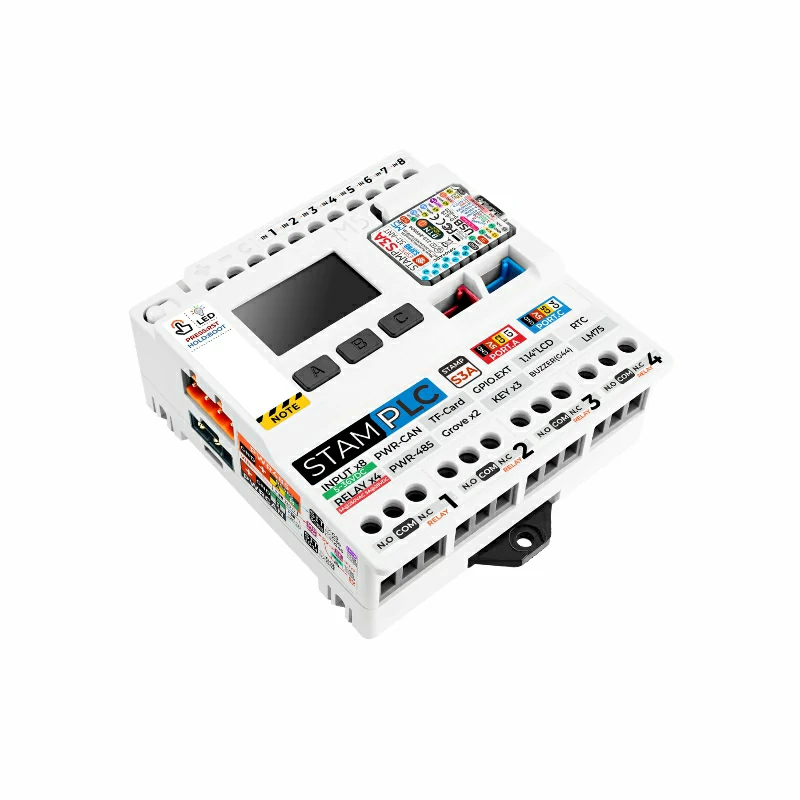
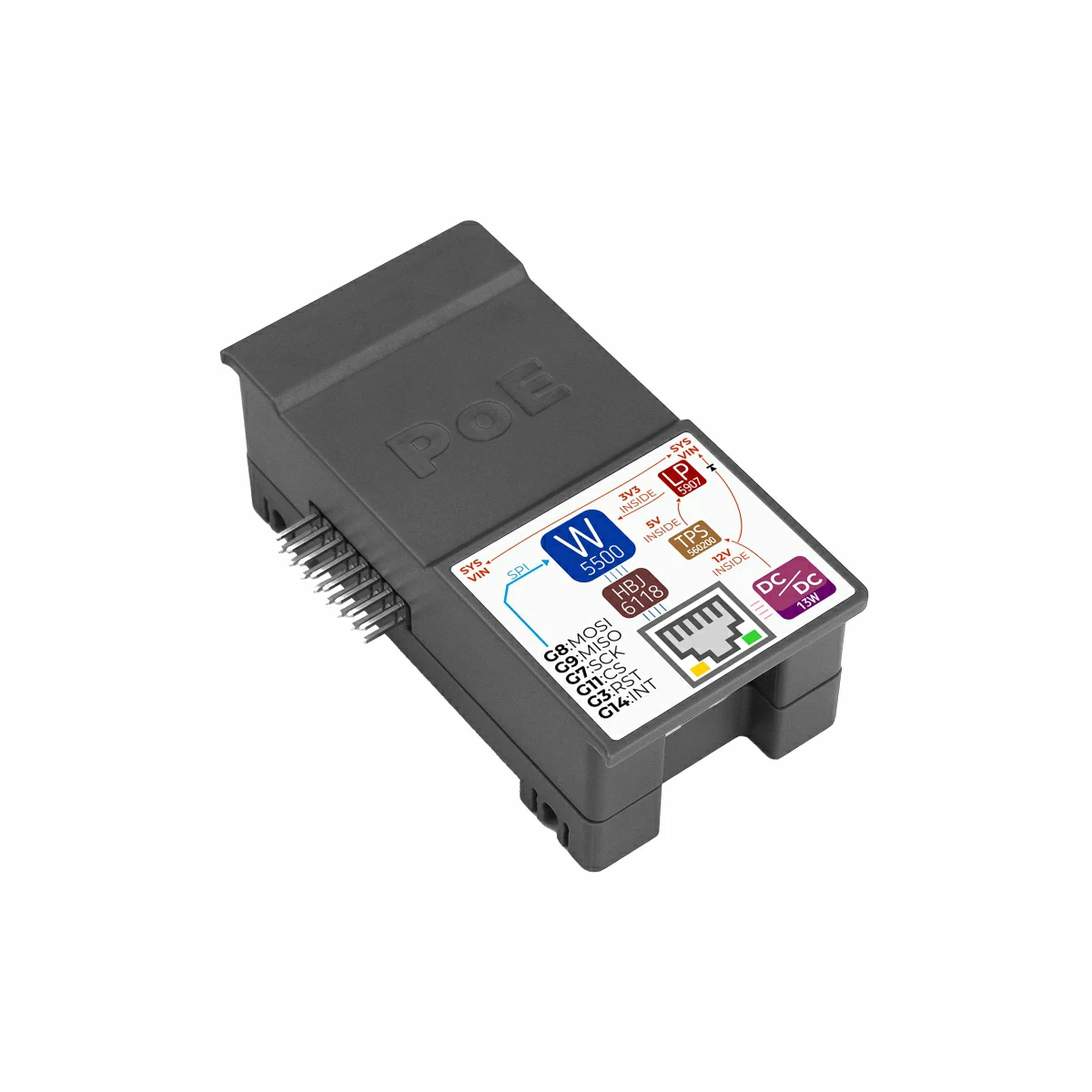
2. 案例程序
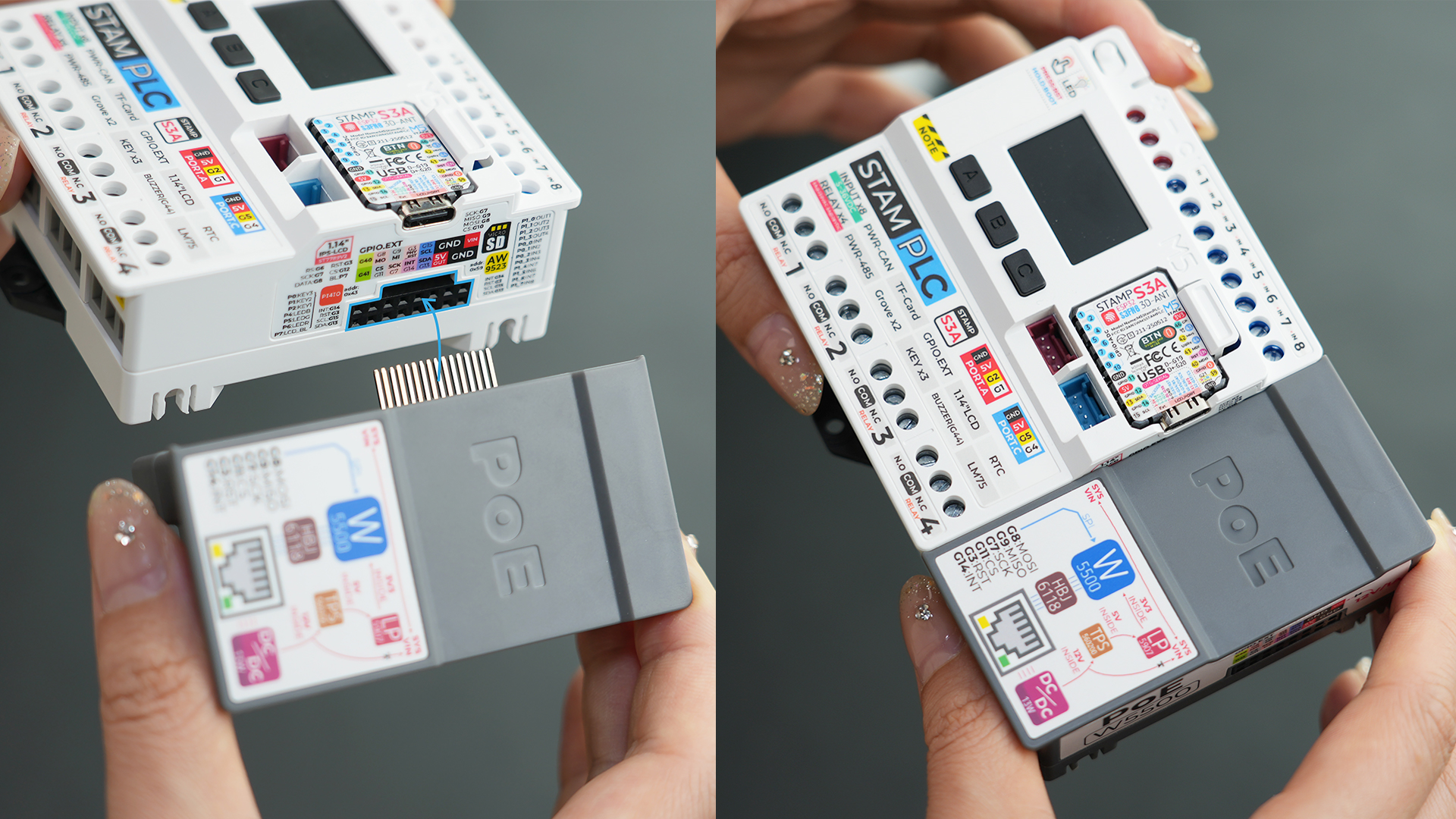
- 本教程中使用的主控设备为 StamPLC,搭配 StamPLC PoE。StamPLC PoE 通过 SPI 协议与主机通讯,请根据实际的电路连接修改程序中的引脚定义,设备连接后对应的 SPI IO 为
G7 (SCK)、G8 (MISO)、G9 (MOSI)、G11 (CS)。
实物连接组装如下图所示:
2.1 Web 服务器
cpp
1 2 3 4 5 6 7 8 9 10 11 12 13 14 15 16 17 18 19 20 21 22 23 24 25 26 27 28 29 30 31 32 33 34 35 36 37 38 39 40 41 42 43 44 45 46 47 48 49 50 51 52 53 54 55 56 57 58 59 60 61 62 63 64 65 66 67 68 69 70 71 72 73 74 75 76 77 78 79 80 81 82 83 84 85 86 87 88 89 90 91 92 93 94 95 96 97 98 99 100 101 102 103 104 105 106 107 108
#include "M5StamPLC.h"
#include "SPI.h"
#include "M5_Ethernet.h"

#define SCK  7
#define MISO 9
#define MOSI 8
#define CS   11

byte mac[] = {0xDE, 0xAD, 0xBE, 0xEF, 0xFE, 0x99};// Custom MAC address
// IPAddress ip(192, 168, 1, 177);                   // Static IP (Custom)

EthernetServer server(80);// Initialize the Web Server on port 80 (standard HTTP port)

void setup() {
    M5StamPLC.begin();
    Serial.begin(115200);

    M5StamPLC.Display.setTextDatum(middle_center);
    M5StamPLC.Display.setFont(&fonts::FreeMonoBold12pt7b);

    SPI.begin(SCK, MISO, MOSI, -1);
    Ethernet.init(CS);

    M5StamPLC.Display.drawString("Init...", M5StamPLC.Display.width() / 2, M5StamPLC.Display.height() / 2);
    Serial.println("Initializing...");
    delay(500);

    // To use a static IP, use Ethernet.begin(mac, ip)
    // Attempt to obtain an IP address via DHCP
    while (Ethernet.begin(mac) != 1) {
        Serial.println("Error getting IP address via DHCP, trying again...");
        delay(1000);
    }

    // Check for Ethernet hardware presence
    if (Ethernet.hardwareStatus() == EthernetNoHardware) {
        Serial.println(
            "Ethernet shield was not found. Sorry, can't run without "
            "hardware. :(");
        while (true) {
            delay(1);  // Do nothing if hardware is missing
        }
    }
    if (Ethernet.linkStatus() == LinkOFF) {
        Serial.println("Ethernet cable is not connected.");
    }

    // Start web server
    server.begin();
    Serial.print("Server is at ");
    Serial.println(Ethernet.localIP());
    M5StamPLC.Display.clear();
    M5StamPLC.Display.drawString(Ethernet.localIP().toString().c_str(),
                              M5StamPLC.Display.width() / 2, M5StamPLC.Display.height() / 2);
    delay(1000);
}

long lastTime;

void loop() {
    // Listen for incoming client connections
    EthernetClient client = server.available();
    if (client) {
        Serial.println("new client");

        boolean currentLineIsBlank = true; // HTTP requests terminate with a blank line

        while (client.connected()) {
            if (client.available()) {
                char c = client.read();
                Serial.write(c); // Echo request to Serial Monitor for debugging
                // If you've gotten to the end of the line (received a newline
                // character) and the line is blank, the http request has ended,
                // so you can send a reply
                if (c == '\n' && currentLineIsBlank) {
                    // Send a standard http response header
                    client.println("HTTP/1.1 200 OK");
                    client.println("Content-Type: text/html");
                    client.println(
                        "Connection: close");  // Connection will be closed
                                               // after completion of the
                                               // response
                    client.println("Refresh: 5");  // Refresh the page
                                                   // automatically every 5 sec
                    client.println();
                    client.println("<!DOCTYPE HTML>");
                    client.println("<html>");
                    client.print("<h2>Hello M5Stack User!</h2>");
                    client.println("</html>");
                    break;
                }
                if (c == '\n') {
                    // Starting a new line
                    currentLineIsBlank = true;
                } else if (c != '\r') {
                    // You've gotten a character on the current line
                    currentLineIsBlank = false;
                }
            }
        }
        // Give the web browser time to receive the data
        delay(1);
        // Close the connection:
        client.stop();
        Serial.println("client disconnected");
    }
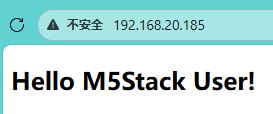
}设备上电后,StamPLC 会自动初始化 StamPLC PoE 模块,并创建网页服务器,服务器 IP 地址会显示在屏幕上,在浏览器中键入此 IP 地址可见页面上显示 Hello M5 User! 信息,并且该页面每 5 秒刷新一次。
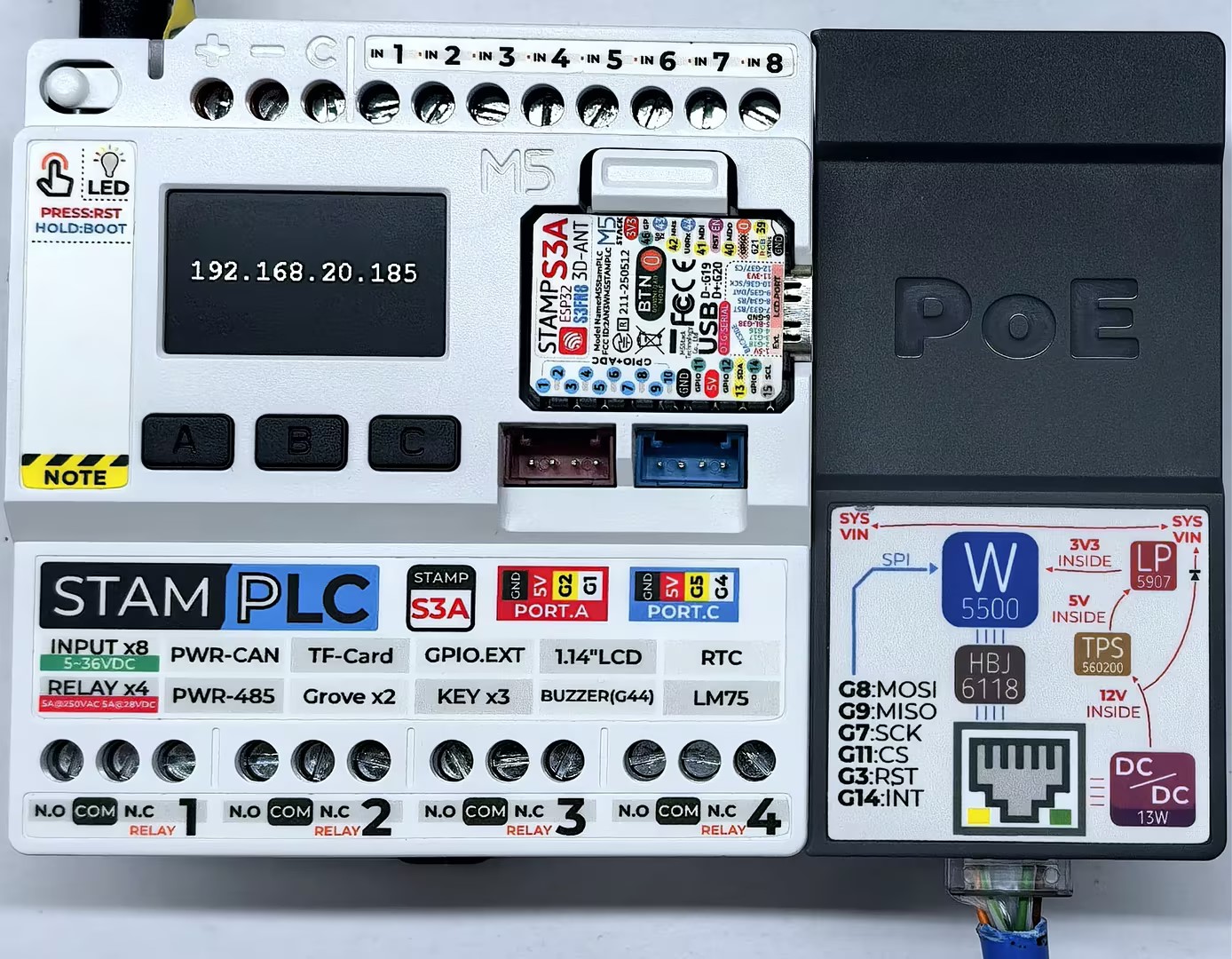
串口监视器反馈如下所示:
Initializing...
Server is at 192.168.20.185
new client
GET / HTTP/1.1
Host: 192.168.20.185
Connection: keep-alive
Upgrade-Insecure-Requests: 1
User-Agent: Mozilla/5.0 (Windows NT 10.0; Win64; x64) AppleWebKit/537.36 (KHTML, like Gecko) Chrome/143.0.0.0 Safari/537.36 Edg/143.0.0.0
Accept: text/html,application/xhtml+xml,application/xml;q=0.9,image/avif,image/webp,image/apng,*/*;q=0.8,application/signed-exchange;v=b3;q=0.7
Accept-Encoding: gzip, deflate
Accept-Language: zh-CN,zh;q=0.9,en;q=0.8,en-GB;q=0.7,en-US;q=0.6,ja;q=0.5,ko;q=0.4

client disconnected2.2 MQTT
cpp
1 2 3 4 5 6 7 8 9 10 11 12 13 14 15 16 17 18 19 20 21 22 23 24 25 26 27 28 29 30 31 32 33 34 35 36 37 38 39 40 41 42 43 44 45 46 47 48 49 50 51 52 53 54 55 56 57 58 59 60 61 62 63 64 65 66 67 68 69 70 71 72 73 74 75 76 77 78 79 80 81 82 83 84 85 86 87 88 89 90 91 92 93 94 95 96 97 98 99 100 101 102 103 104 105 106 107 108 109 110 111 112 113 114 115 116 117 118 119 120 121 122 123 124 125 126 127 128 129
#include "M5StamPLC.h"
#include "SPI.h"
#include "M5_Ethernet.h"
#include "PubSubClient.h"

#define SCK  7
#define MISO 9
#define MOSI 8
#define CS   11

#define PUB_INTERVAL 3000 // Publishing interval  unit: ms
#define PUB_TOPIC "StamPLC_PoE_Send"
#define SUB_TOPIC "StamPLC_PoE_Receive"

byte mac[] = {0xDE, 0xAD, 0xBE, 0xEF, 0xFE, 0x99};// Custom MAC address
// IPAddress ip(192, 168, 1, 177);                   // Static IP (Custom)

const char* mqtt_server = "mqtt.m5stack.com";// MQTT broker address
EthernetClient ethClient;
PubSubClient client(ethClient);

// Handle incoming MQTT messages
void callback(char* topic, byte* payload, unsigned int length) {
    Serial.print("Message arrived [");
    Serial.print(topic);
    Serial.print("] ");

    String payloadStr;
    for (int i = 0; i < length; i++) {
        payloadStr += (char)payload[i];
    }
    Serial.print(payloadStr);
    M5StamPLC.Display.fillRect(0, 0, 240, 68, TFT_BLACK);
    M5StamPLC.Display.drawString("Rece: " + payloadStr, M5StamPLC.Display.width() / 2, 40);

}

// Connect or reconnect to the MQTT broker
void reconnect() {
    // Loop until we're reconnected
    while (!client.connected()) {
        Serial.print("Attempting MQTT connection...\n");
        // Attempt to connect
        if (client.connect("arduinoClient")) {
            Serial.println("Connected");
            M5StamPLC.Display.clear();
            M5StamPLC.Display.drawString("Connected!", M5StamPLC.Display.width() / 2, M5StamPLC.Display.height() / 2);

            // Once connected, publish an announcement...
            client.publish(PUB_TOPIC, "Client connected");
            // ... and resubscribe
            client.subscribe(SUB_TOPIC);
        } else {
            M5StamPLC.Display.clear();
            M5StamPLC.Display.drawString("Failed!", M5StamPLC.Display.width() / 2, 60);
            Serial.print("Failed, rc=");
            Serial.print(client.state());
            Serial.println(" try again in 5s");
            // Wait 5 seconds before retrying
            delay(5000);
        }
    }
}

void setup() {
    M5StamPLC.begin();
    Serial.begin(115200);

    M5StamPLC.Display.setTextColor(GREEN);
    M5StamPLC.Display.setTextDatum(middle_center);
    M5StamPLC.Display.setFont(&fonts::FreeMonoBold12pt7b);

    SPI.begin(SCK, MISO, MOSI, -1);
    Ethernet.init(CS);

    M5StamPLC.Display.drawString("Init...", M5StamPLC.Display.width() / 2, M5StamPLC.Display.height() / 2);
    Serial.println("Initializing...");

    // To use a static IP, use Ethernet.begin(mac, ip)
    // Attempt to obtain an IP address via DHCP
    while (Ethernet.begin(mac) != 1) {
        Serial.println("Error getting IP address via DHCP, trying again...");
        delay(1000);
    }

    // Check for Ethernet hardware presence
    if (Ethernet.hardwareStatus() == EthernetNoHardware) {
        Serial.println(
            "Ethernet shield was not found. Sorry, can't run without :(");
        while (true) {
            delay(1);  // Do nothing if hardware is missing
        }
    }
    if (Ethernet.linkStatus() == LinkOFF) {
        Serial.println("Ethernet cable is not connected.");
    }

    Serial.print("IP Address: ");
    Serial.println(Ethernet.localIP());

    M5StamPLC.Display.clear();
    M5StamPLC.Display.drawString(Ethernet.localIP().toString().c_str(),
                              M5StamPLC.Display.width() / 2, M5StamPLC.Display.height() / 2);
    // --- MQTT Setup ---
    client.setServer(mqtt_server, 1883);
    client.setCallback(callback);// Register incoming message handler
    delay(1000);
}

long lastTime;

void loop() {
    if (!client.connected()) {
        reconnect();
        delay(500);
        M5StamPLC.Display.clear();
        M5StamPLC.Display.drawString("Rece: NULL", M5StamPLC.Display.width() / 2, 40);
    } else {
        client.loop();// Essential to process incoming messages and maintain the heartbeat
        if (millis() - lastTime > PUB_INTERVAL) {
            lastTime = millis();
            M5StamPLC.Display.fillRect(0, 68, 240, 67, TFT_BLACK);
            M5StamPLC.Display.drawString("Send: " + String(lastTime) + " ms", M5StamPLC.Display.width() / 2, 100);
            String data = "Hello world: " + String(lastTime);
            client.publish(PUB_TOPIC, data.c_str());
            Serial.println("Send Message [" PUB_TOPIC "] " + data);
        }
    }
}设备上电后,StamPLC 会自动配置 StamPLC PoE 模块与 MQTT 服务器连接,成功连接后每 3 秒向服务器发送一次信息,屏幕上显示发送接收相关信息,串口可查看详细信息。
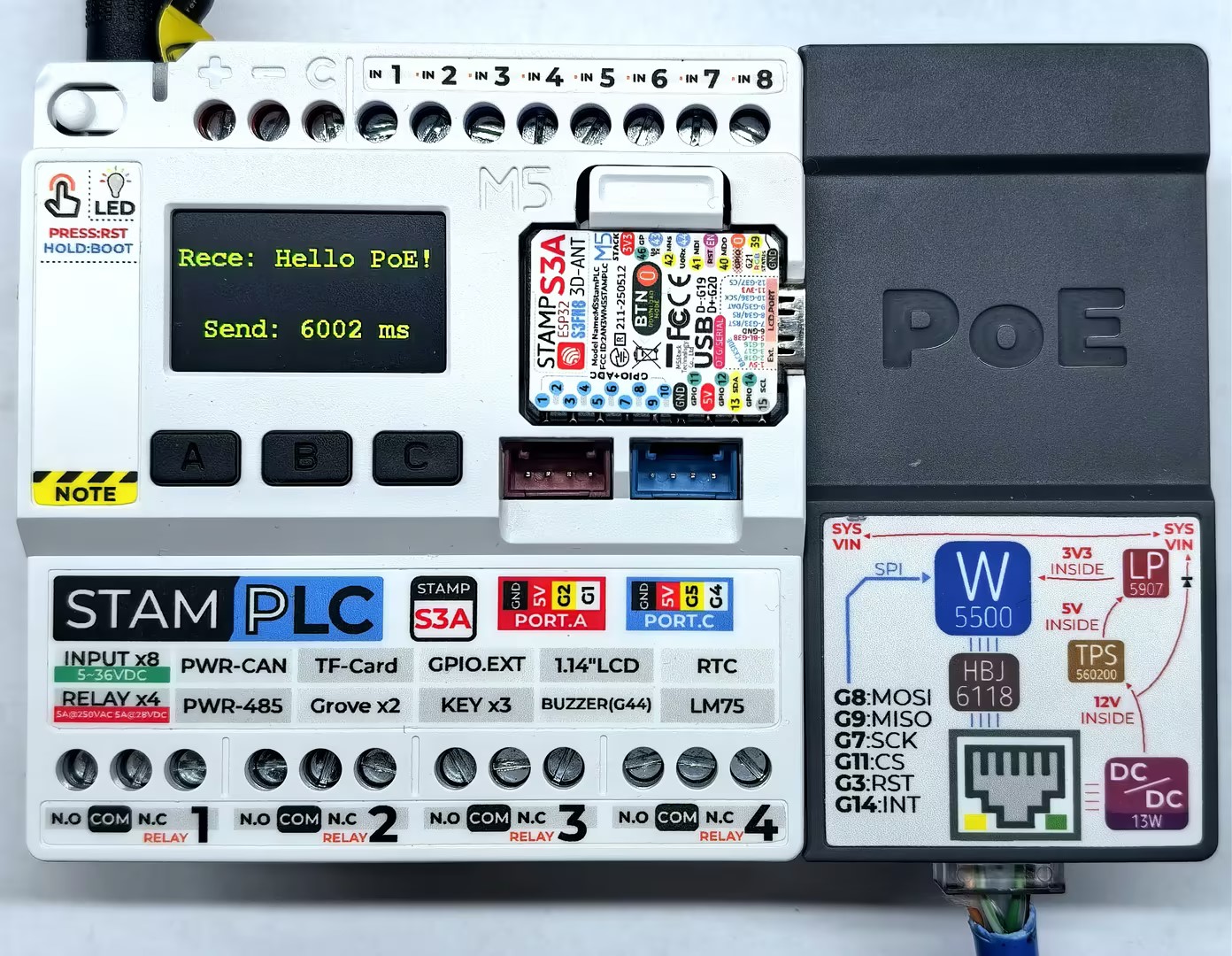
串口监视器反馈如下所示:
Initializing...
IP Address: 192.168.20.185
Attempting MQTT connection...
Connected
Send Message [StamPLC_PoE_Send] Hello world: 3001
Send Message [StamPLC_PoE_Send] Hello world: 6002
Message arrived [StamPLC_PoE_Receive] Hello PoE!
...2.3 HTTP
cpp
1 2 3 4 5 6 7 8 9 10 11 12 13 14 15 16 17 18 19 20 21 22 23 24 25 26 27 28 29 30 31 32 33 34 35 36 37 38 39 40 41 42 43 44 45 46 47 48 49 50 51 52 53 54 55 56 57 58 59 60 61 62 63 64 65 66 67 68 69 70 71 72 73 74 75 76 77 78 79 80 81 82 83 84 85 86 87 88 89 90 91 92 93 94 95 96 97 98 99 100 101 102 103 104 105 106
#include "M5StamPLC.h"
#include "SPI.h"
#include "M5_Ethernet.h"
#include "ArduinoHttpClient.h"

#define SCK  7
#define MISO 9
#define MOSI 8
#define CS   11

byte mac[] = {0xDE, 0xAD, 0xBE, 0xEF, 0xFE, 0x99};// Custom MAC address
// IPAddress ip(192, 168, 1, 177);                   // Static IP (Custom)

const char* http_server = "httpbin.org";// Target HTTP server
EthernetClient ethClient;
HttpClient client = HttpClient(ethClient, http_server);

void setup() {
    M5StamPLC.begin();
    Serial.begin(115200);

    M5StamPLC.Display.setTextColor(GREEN);
    M5StamPLC.Display.setTextDatum(middle_center);
    M5StamPLC.Display.setFont(&fonts::FreeMonoBold12pt7b);

    SPI.begin(SCK, MISO, MOSI, -1);
    Ethernet.init(CS);

    M5StamPLC.Display.drawString("Init...", M5StamPLC.Display.width() / 2, 60);
    Serial.println("Initializing...");

    // To use a static IP, use Ethernet.begin(mac, ip)
    // Attempt to obtain an IP address via DHCP
    while (Ethernet.begin(mac) != 1) {
        Serial.println("Error getting IP address via DHCP, trying again...");
        delay(1000);
    }

    // Check for Ethernet hardware presence
    if (Ethernet.hardwareStatus() == EthernetNoHardware) {
        Serial.println(
            "Ethernet shield was not found. Sorry, can't run without hardware. :(");
        while (true) {
            delay(1);  // Do nothing if hardware is missing
        }
    }
    if (Ethernet.linkStatus() == LinkOFF) {
        Serial.println("Ethernet cable is not connected.");
    }

    Serial.print("IP Address: ");
    Serial.println(Ethernet.localIP());

    M5StamPLC.Display.clear();
    M5StamPLC.Display.drawString(Ethernet.localIP().toString().c_str(),
                              M5StamPLC.Display.width() / 2, M5StamPLC.Display.height() / 2);
    delay(1000);
}

void loop() {
    // --- GET request ---
    M5StamPLC.Display.clear();
    M5StamPLC.Display.drawString("GET", M5StamPLC.Display.width() / 2, 20);
    Serial.println("making GET request");

    client.get("/get");
    // read the status code and body of the response
    int statusCode  = client.responseStatusCode();
    String response = client.responseBody();

    Serial.print("Status code: ");
    Serial.println(statusCode);
    Serial.print("Response: ");
    Serial.println(response);
    Serial.println("Wait five seconds");

    M5StamPLC.Display.drawString("STATUS:", M5StamPLC.Display.width() / 2, 60);
    M5StamPLC.Display.drawString(String(statusCode), M5StamPLC.Display.width() / 2, 100);

    delay(5000);

    // --- POST request ---
    M5StamPLC.Display.clear();
    M5StamPLC.Display.drawString("POST", M5StamPLC.Display.width() / 2, 20);
    Serial.println("making POST request");

    String contentType = "application/x-www-form-urlencoded";
    String postData    = "name=Alice&age=12";

    client.post("/post", contentType, postData);

    // read the status code and body of the response
    statusCode = client.responseStatusCode();
    response   = client.responseBody();

    Serial.print("Status code: ");
    Serial.println(statusCode);
    Serial.print("Response: ");
    Serial.println(response);
    Serial.println("Wait five seconds");

    M5StamPLC.Display.drawString("STATUS:", M5StamPLC.Display.width() / 2, 60);
    M5StamPLC.Display.drawString(String(statusCode), M5StamPLC.Display.width() / 2, 100);

    delay(5000);
}设备上电后,StamPLC 会自动配置 StamPLC PoE 模块与 HTTP 服务器连接,并循环发送 GET 和 POST 请求,主控屏幕会显示请求状态,串口可查看详细信息。
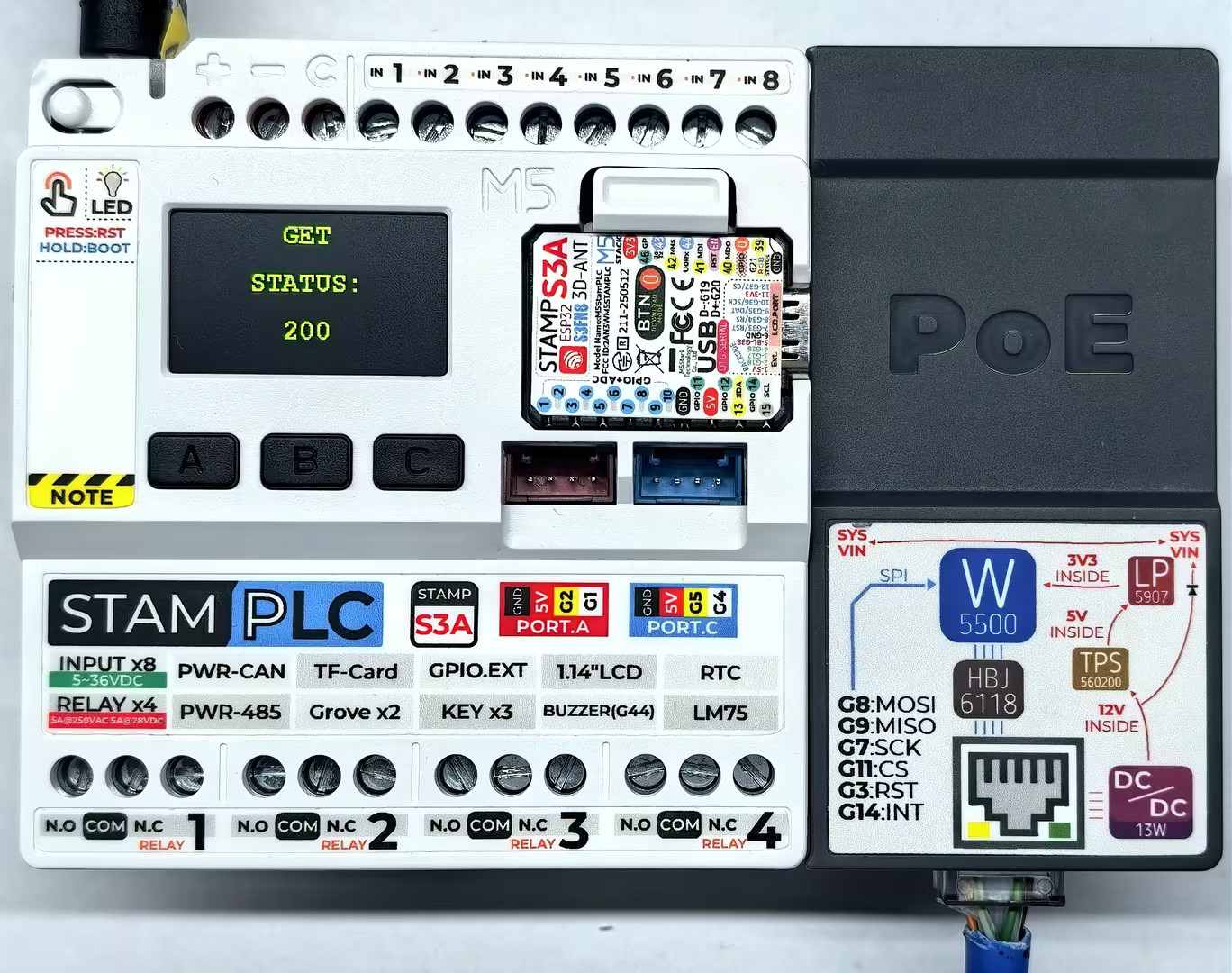
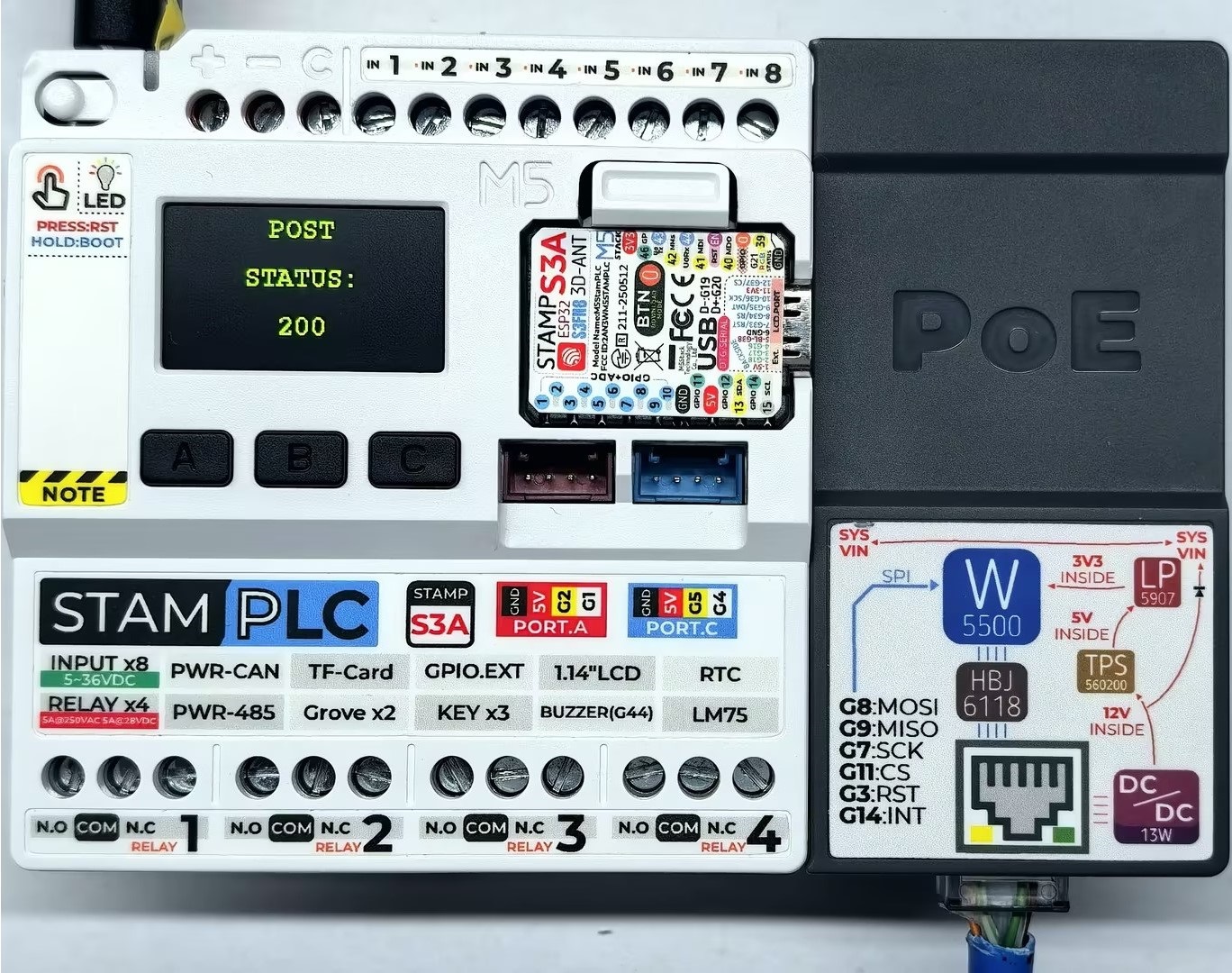
串口监视器反馈如下所示:
Initializing...
IP Address: 192.168.20.185
making GET request
Status code: 200
Response: {
  "args": {},
  "headers": {
    "Host": "httpbin.org",
    "User-Agent": "Arduino/2.2.0",
    "X-Amzn-Trace-Id": "Root=1-69524204-7d767e3110e3bd6d1e28f6a8"
  },
  "origin": "113.88.164.214",
  "url": "http://httpbin.org/get"
}

Wait five seconds
making POST request
Status code: 200
Response: {
  "args": {},
  "data": "",
  "files": {},
  "form": {
    "age": "12",
    "name": "Alice"
  },
  "headers": {
    "Content-Length": "17",
    "Content-Type": "application/x-www-form-urlencoded",
    "Host": "httpbin.org",
    "User-Agent": "Arduino/2.2.0",
    "X-Amzn-Trace-Id": "Root=1-6952420a-588b0f181a6d7b311e694e06"
  },
  "json": null,
  "origin": "113.88.164.214",
  "url": "http://httpbin.org/post"
}2.4 NTP
NTP 是一种用于在计算机网络中同步设备时钟的协议,可在计算机网络中实现高精度、可靠的时间同步,下方例程使用的是公共免费的 NTP 服务器 cn.pool.ntp.org。
cpp
1 2 3 4 5 6 7 8 9 10 11 12 13 14 15 16 17 18 19 20 21 22 23 24 25 26 27 28 29 30 31 32 33 34 35 36 37 38 39 40 41 42 43 44 45 46 47 48 49 50 51 52 53 54 55 56 57 58 59 60 61 62 63 64 65 66 67 68 69 70 71 72 73 74 75 76 77 78 79 80 81 82 83 84 85 86 87 88 89 90 91 92 93 94 95 96 97 98 99 100 101 102 103 104 105 106 107 108 109 110 111 112 113 114 115 116 117 118 119 120 121 122 123 124 125 126 127
#include "M5StamPLC.h"
#include "SPI.h"
#include "M5_Ethernet.h"

#define SCK  7
#define MISO 9
#define MOSI 8
#define CS   11

byte mac[] = {0xDE, 0xAD, 0xBE, 0xEF, 0xFE, 0x99};// Custom MAC address
// IPAddress ip(192, 168, 1, 177);                   // Static IP (Custom)

const char* ntpServerName = "cn.pool.ntp.org";     // NTP Server address
const uint16_t localPort = 8888;                   // Local port to listen for UDP packets
const int timeZone = 8;                            // Time zone offset (Beijing is UTC+8)
const int NTP_PACKET_SIZE = 48;                    // NTP packet size

byte packetBuffer[NTP_PACKET_SIZE];                // Buffer for incoming and outgoing packets
EthernetUDP Udp;

void sendNTPpacket(const char* address);
void printFormattedTime(uint32_t rawTime);

void setup() {
    M5StamPLC.begin();
    Serial.begin(115200);

    M5StamPLC.Display.setTextColor(GREEN);
    M5StamPLC.Display.setTextDatum(middle_center);
    M5StamPLC.Display.setFont(&fonts::FreeMonoBold12pt7b);

    SPI.begin(SCK, MISO, MOSI, -1);
    Ethernet.init(CS);

    M5StamPLC.Display.drawString("Init...", M5StamPLC.Display.width() / 2, M5StamPLC.Display.height() / 2);
    Serial.println("Initializing...");

    // To use a static IP, use Ethernet.begin(mac, ip)
    // Attempt to obtain an IP address via DHCP
    while (Ethernet.begin(mac) != 1) {
        Serial.println("Error getting IP address via DHCP, trying again...");
        delay(1000);
    }

    // Check for Ethernet hardware presence
    if (Ethernet.hardwareStatus() == EthernetNoHardware) {
        Serial.println(
            "Ethernet shield was not found. Sorry, can't run without hardware. :(");
        while (true) {
            delay(1);  // Do nothing if hardware is missing
        }
    }
    if (Ethernet.linkStatus() == LinkOFF) {
        Serial.println("Ethernet cable is not connected.");
    }

    Serial.print("IP Address: ");
    Serial.println(Ethernet.localIP());

    M5StamPLC.Display.clear();
    M5StamPLC.Display.drawString(Ethernet.localIP().toString().c_str(),
                              M5StamPLC.Display.width() / 2, M5StamPLC.Display.height() / 2);
    M5StamPLC.Display.setTextDatum(top_left);

    Udp.begin(localPort); // Start listening for UDP packets
    delay(1000);
}

void loop() {
    Serial.println("Sending NTP packet...");
    sendNTPpacket(ntpServerName);

    delay(1000); // Wait for packet to return

    if (Udp.parsePacket()) { // Check if a response is received
        Serial.println("Packet received");
        Udp.read(packetBuffer, NTP_PACKET_SIZE);

        // --- Parse NTP Timestamp ---
        // NTP timestamp is located at bytes 40-43, representing seconds since Jan 1, 1900
        uint32_t highWord = word(packetBuffer[40], packetBuffer[41]);
        uint32_t lowWord = word(packetBuffer[42], packetBuffer[43]);
        uint32_t secsSince1900 = highWord << 16 | lowWord; // Combine into a 32-bit unsigned integer

        // --- Convert to Unix Epoch Time ---
        // Unix epoch starts in 1970; NTP starts in 1900.
        // The 70-year difference (including leap years) is 2,208,988,800 seconds.
        const uint32_t seventyYears = 2208988800UL;
        uint32_t epoch = secsSince1900 - seventyYears;

        uint32_t bjTime = epoch + (timeZone * 3600); // Adjust for Beijing time zone
        printFormattedTime(bjTime);
    } else {
        Serial.println("No packet received yet.");
    }

    delay(4000); // Sync every 5 seconds, 4+1
}

// Send an NTP request to the given address
void sendNTPpacket(const char* address) {
    memset(packetBuffer, 0, NTP_PACKET_SIZE);
    // Set the NTP request header
    // 0b00011011 represents: LI=00=0 (no warning), VN=011=3 (Version 3), Mode=011=3 (Client mode)
    packetBuffer[0] = 0b00011011;

    Udp.beginPacket(address, 123); // NTP requests are on port 123
    Udp.write(packetBuffer, NTP_PACKET_SIZE);
    Udp.endPacket();
}

// Format and display the time
void printFormattedTime(uint32_t rawTime) {
    int hours = (rawTime % 86400L) / 3600; // 86400 seconds = 1 day
    int minutes = (rawTime % 3600) / 60;
    int seconds = rawTime % 60;

    String timeStr = "Time: " + String(hours) + ":" +
                     (minutes < 10 ? "0" : "") + String(minutes) + ":" +
                     (seconds < 10 ? "0" : "") + String(seconds);

    Serial.println(timeStr);

    M5StamPLC.Display.clear();
    M5StamPLC.Display.drawString("Beijing", 10, 30);
    M5StamPLC.Display.drawString(timeStr, 10, 60);
}设备上电后,StamPLC 会自动配置 StamPLC PoE 模块与 NTP 服务器连接,每隔 5 秒校准一次时间。
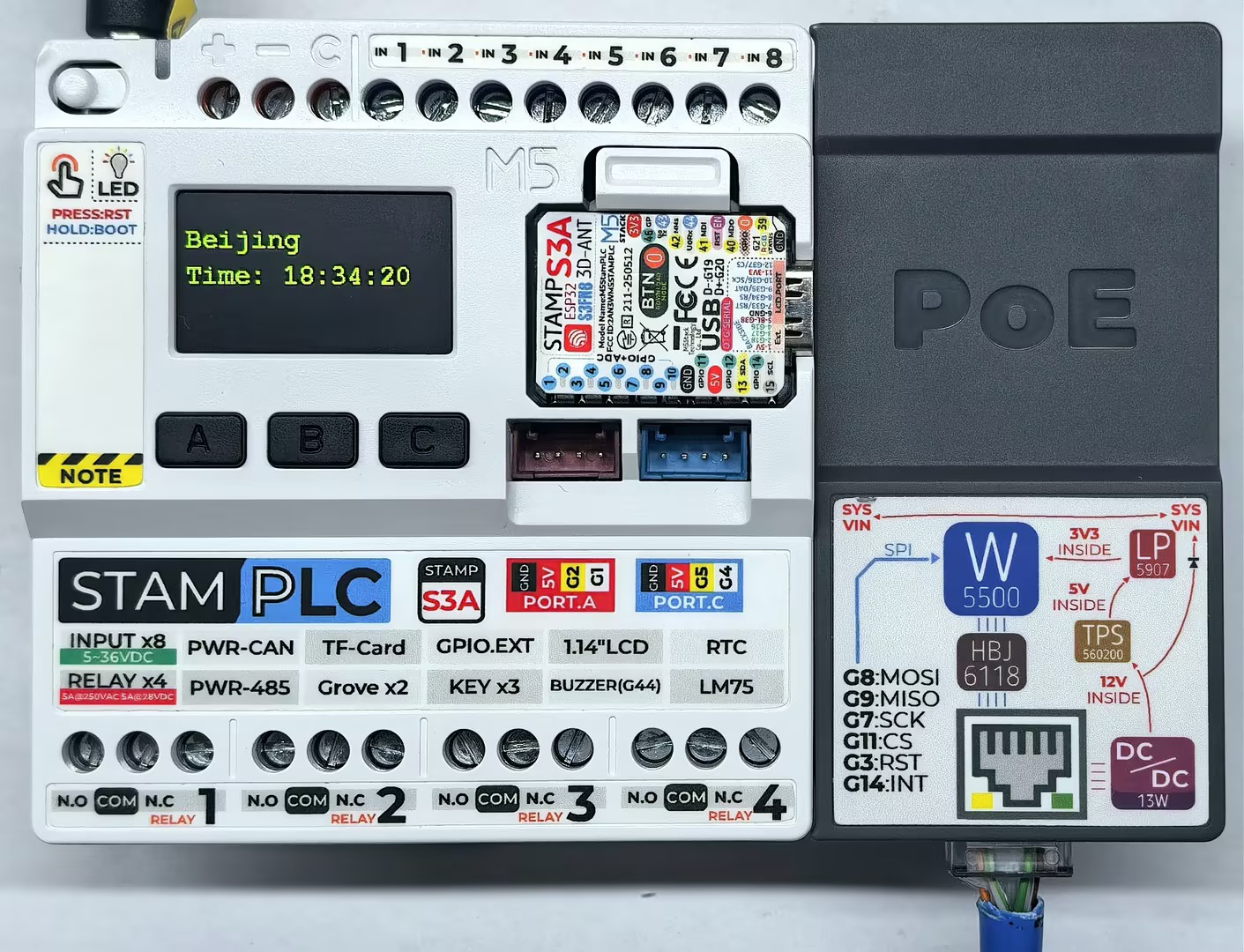
串口监视器反馈如下所示:
Initializing...
IP Address: 192.168.20.185
Sending NTP packet...
No packet received yet.
Sending NTP packet...
Packet received
Time: 18:34:20
Sending NTP packet...
Packet received
Time: 18:34:253. 编译上传
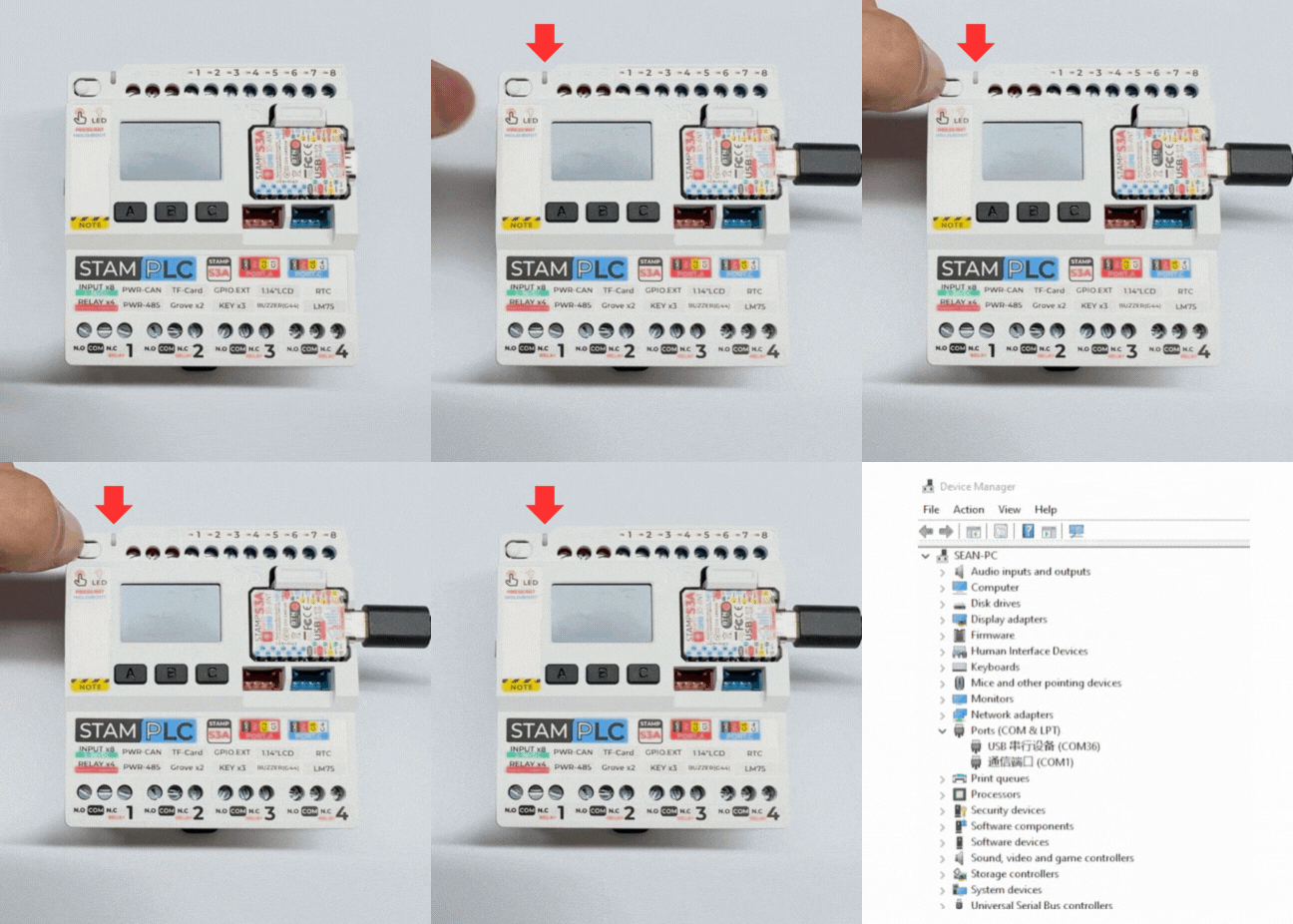
- 长按 StamPLC 上的 Boot 按键,等待红灯亮起后松开按键。松开后红灯熄灭,表示设备已进入下载模式,等待烧录。
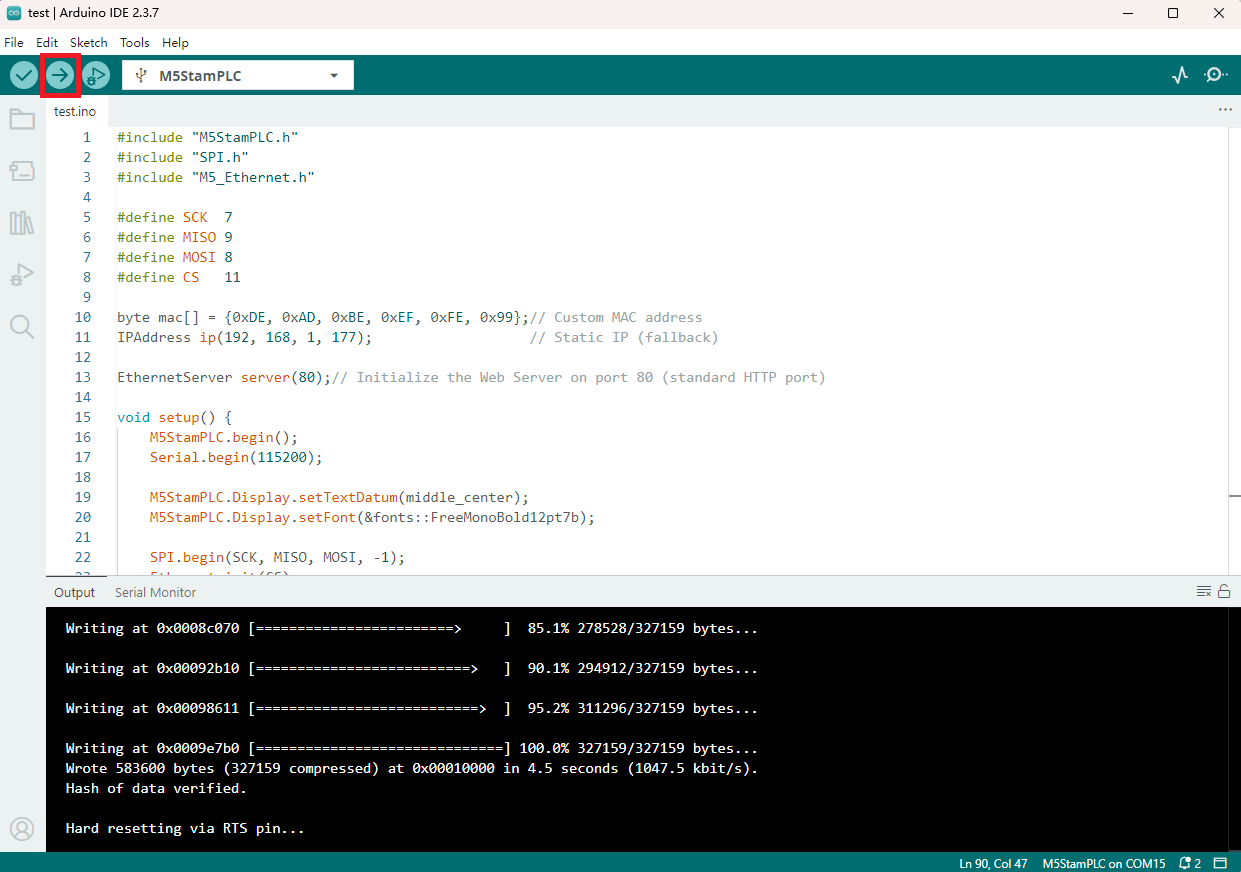
- 选中设备端口,选择上述案例程序粘贴,点击 Arduino IDE 左上角编译上传按钮,等待程序完成编译并上传至设备。
Page Tools