

Arduino Quick Start
2. Devices & Examples
3. M5Unified
4. M5GFX
5. Extensions
Unit
Module
Atomic
Tab5
IoT
Accessories
StackChan Touch Sensor
Example Program
Compilation Requirements
- M5Stack Board Manager Version >= 3.3.7
- Development Board Selection = M5CoreS3
- M5StackChan Library Version >= 1.0.0
cpp
1 2 3 4 5 6 7 8 9 10 11 12 13 14 15 16 17 18 19 20 21 22 23 24 25 26 27 28 29 30 31 32 33 34 35 36
#include <M5StackChan.h>

void setup()
{
    /* Init StackChan */
    M5StackChan.begin();

    /* Setup display */
    M5StackChan.Display().setTextSize(2);
    M5StackChan.Display().setTextScroll(true);
    M5StackChan.Display().setTextColor(TFT_ORANGE);
    M5StackChan.Display().printf("> Touch or swipe the top\n");
    M5StackChan.Display().setTextColor(TFT_GREEN);
}

void loop()
{
    /* Update touch sensor */
    M5StackChan.update();

    auto& ts = M5StackChan.TouchSensor;

    if (ts.wasClicked()) {
        M5StackChan.Display().printf("> Was clicked\n");
    }

    if (ts.wasSwipedForward()) {
        M5StackChan.Display().printf("> Was swiped forward\n");
    }

    if (ts.wasSwipedBackward()) {
        M5StackChan.Display().printf("> Was swiped backward\n");
    }

    delay(50);
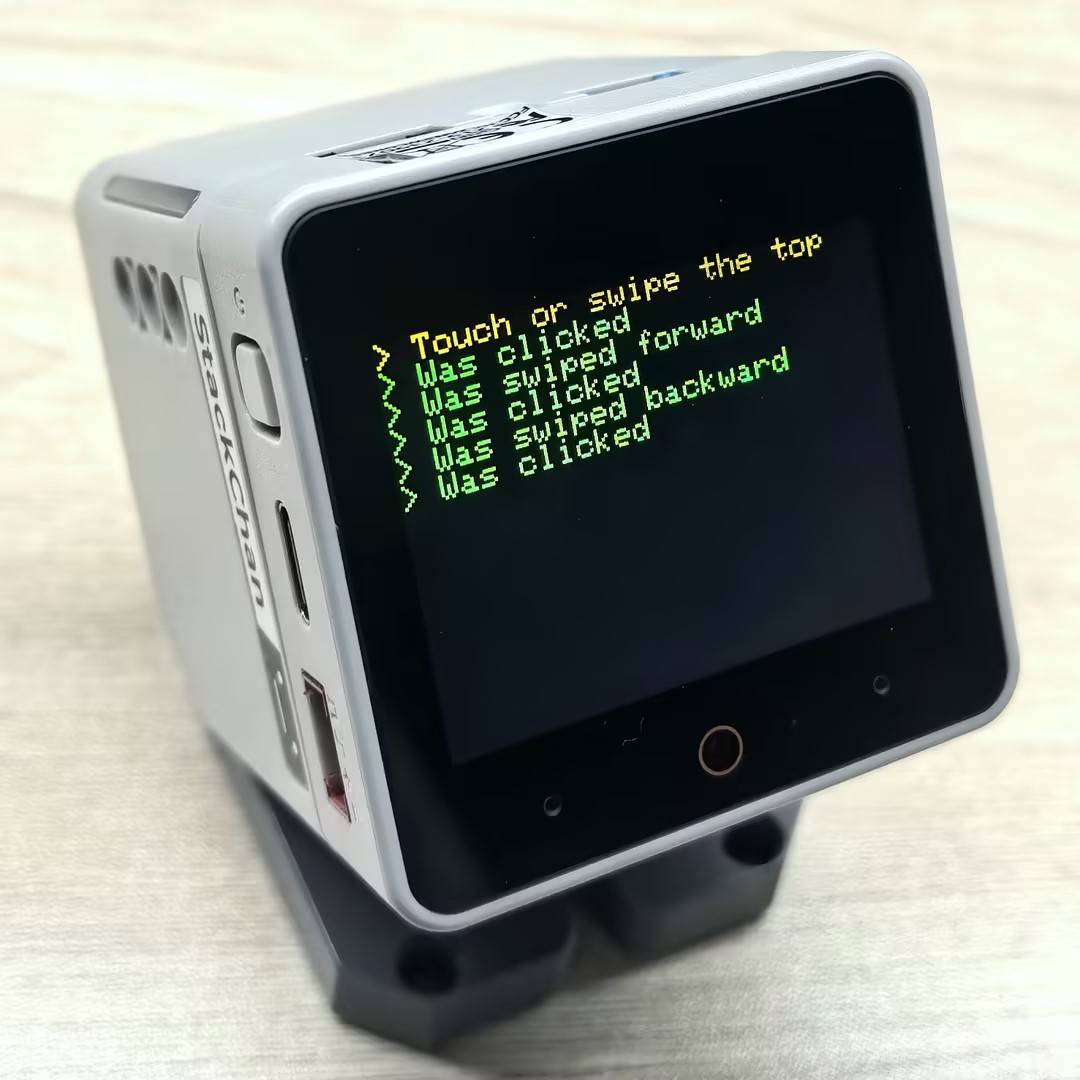
}After a successful upload, you can interact with the device by touching the touch sensor on the top of StackChan. When you tap the sensor, the screen will display "Was clicked"; when you swipe forward on the sensor, "Was swiped forward" will be shown; when you swipe backward, "Was swiped backward" will appear on the screen.
Page Tools