

Arduino Quick Start
2. Devices & Examples
3. M5Unified
4. M5GFX
5. Extensions
Unit
Module
Atomic
Tab5
IoT
Accessories
StackChan IMU Attitude Sensor
StackChan IMU attitude sensor input related APIs and example programs.
Example Program
Compilation Requirements
- M5Stack Board Manager version >= 3.2.2
- Board selection = M5CoreS3
- M5Unified library version >= 0.2.11
cpp
1 2 3 4 5 6 7 8 9 10 11 12 13 14 15 16 17 18 19 20 21 22 23 24 25 26 27 28 29 30 31 32 33 34 35 36 37 38 39 40 41 42 43 44
#include <M5Unified.h>

void setup(void) {
    auto cfg = M5.config();
    M5.begin(cfg);
    M5.Display.setFont(&fonts::FreeMonoBold9pt7b);
}

void loop(void) {
    auto imu_update = M5.Imu.update();
    if (imu_update) {
        M5.Display.setCursor(0, 20);
        M5.Display.clear();  // Delay 100ms

        auto data = M5.Imu.getImuData();

        // The data obtained by getImuData can be used as follows.
        data.accel.x;      // accel x-axis value.
        data.accel.y;      // accel y-axis value.
        data.accel.z;      // accel z-axis value.
        data.accel.value;  // accel 3values array [0]=x / [1]=y / [2]=z.

        data.gyro.x;      // gyro x-axis value.
        data.gyro.y;      // gyro y-axis value.
        data.gyro.z;      // gyro z-axis value.
        data.gyro.value;  // gyro 3values array [0]=x / [1]=y / [2]=z.

        data.mag.x;      // mag x-axis value.
        data.mag.y;      // mag y-axis value.
        data.mag.z;      // mag z-axis value.
        data.mag.value;  // mag 3values array [0]=x / [1]=y / [2]=z.

        data.value;  // all sensor 9values array [0~2]=accel / [3~5]=gyro / [6~8]=mag

        Serial.printf("ax:%f  ay:%f  az:%f\r\n", data.accel.x, data.accel.y, data.accel.z);
        Serial.printf("gx:%f  gy:%f  gz:%f\r\n", data.gyro.x, data.gyro.y, data.gyro.z);
        Serial.printf("mx:%f  my:%f  mz:%f", data.mag.x, data.mag.y, data.mag.z);
        M5.Display.printf("IMU:\r\n");
        M5.Display.printf("ax:%f\nay:%f\naz:%f\r\n", data.accel.x, data.accel.y, data.accel.z);
        M5.Display.printf("gx:%f\ngy:%f\ngz:%f\r\n", data.gyro.x, data.gyro.y, data.gyro.z);
        M5.Display.printf("mx:%f\nmy:%f\nmz:%f\r\n", data.mag.x, data.mag.y, data.mag.z);
    }
    delay(100);
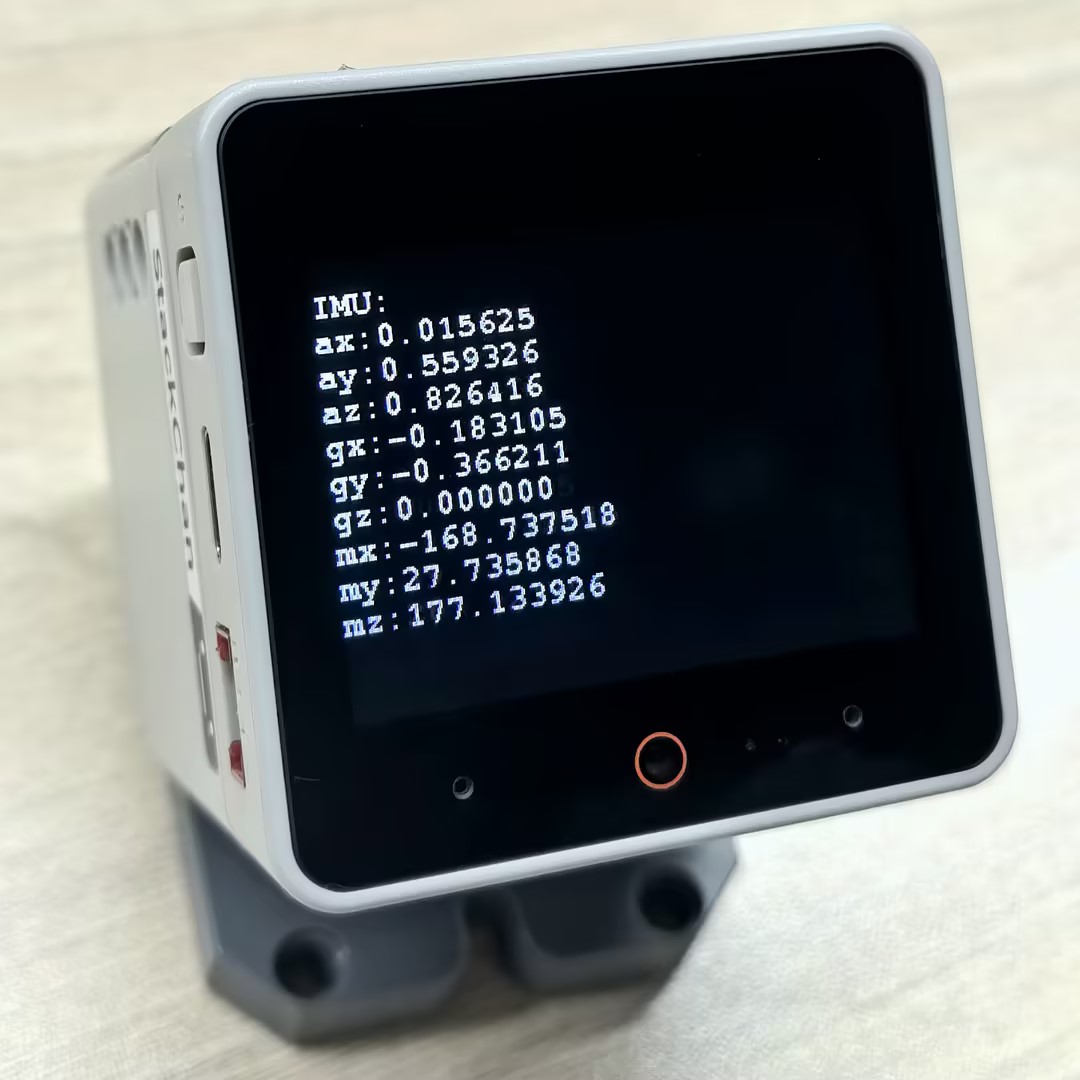
}After successful upload, you can see the acceleration, gyroscope, and magnetometer data from the IMU sensor on the serial monitor and screen.
API
The StackChan IMU section uses the IMU_Class from the M5Unified library. For more IMU-related APIs, please refer to the documentation below:
Page Tools